 Abogen
Free
Abogen
Free
Abogen is an open source AI audio tool, which is designed for batch audio conversion and subtitle synchronization of EPUB, PDF and plain text, and is suitable for offline reading, content re-listening and accessibility scenarios.
Abogen
Core parameters and statistics
Abogen is an open source text-to-speech tool. Its positioning is not complicated: it converts EPUB, PDF, Markdown, plain text and other content into playable audio while retaining synchronized subtitle output. It is more like a stable pipeline from documents to listening books, rather than an audio large model platform for general conversations.
| Projects | Public Information |
|---|---|
| Product positioning | Convert documents and e-books to audio and synchronize subtitles |
| Open Source License | MIT |
| Code repository | GitHub public repository |
| Latest version | 1.3.1 (2026-02-06) |
| Intermediate version | 1.2.2 (2025-11-18) |
| Initial public version | 1.0.0 (2025-04-25) |
| Typical input | EPUB, PDF, plain text |
| Typical output | Audio, subtitles |
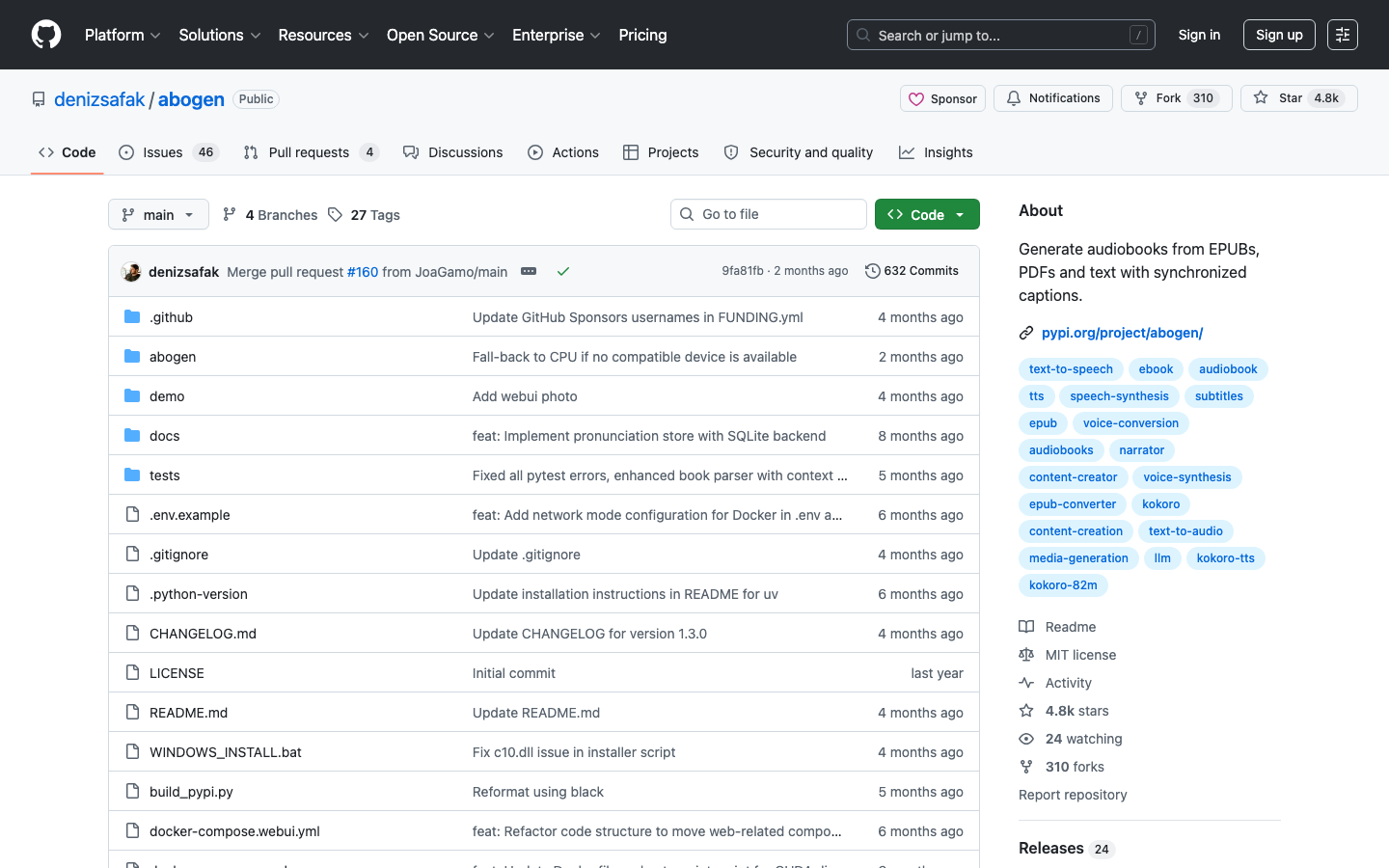
| Community popularity | About 4,775 stars, 310 forks |
| Main Platforms | Desktop |
| Default usage cost | Ontology is free, and the computing power and speech model costs are borne by yourself |
Clear positioning: Abogen solves the problem of "how to quickly turn long text content into an audible version". Its advantage is not in fancy functions, but in the stability of batch processing, subtitle synchronization and desktop operation links.
Project size: 4,775 stars and 310 forks, indicating that it has moved from a personal experiment to a stable open source project, with the foundation for continuous maintenance and reuse.
Simple input and output: The conversion link from document to audio is clear, suitable for knowledge review, barrier-free reading and content review, rather than undertaking complex podcast arrangement or marketing audio generation.
User and market recognition
Abogen's market recognition comes primarily from the open source community rather than commercial packaging. The star and fork sizes of the GitHub repository are enough to show that it is not a one-time demonstration project, and the MIT license lowers the team's trial and secondary packaging threshold.
Open source communication: The public warehouse PyPI package and desktop interface form a complete trial link, and developers can directly install, run and verify the actual audio generation effect.
Motivation for use: It is more likely to be actively selected by three types of people: individual users who need to convert long articles into audible content, content teams who need to batch generate listening and reading materials, and developers who want to complete the audio conversion process locally.
Clear Boundaries: The official does not disclose enterprise customers, financing, commercial authorization or SaaS-level delivery indicators, so its market recognition is more suitable to be judged from community activity and actual experience rather than from commercial indicators.
Cost advantage
Abogen's cost structure is very straightforward: the software itself is free, and what really consumes is local computing power, speech model inference resources, and storage and deployment maintenance when necessary.
| Cost layer | Public information | Description |
|---|---|---|
| C client/personal | Free | Suitable for personal listening and reading, document review and barrier-free reading |
| Developer/API | Unpublished | The public warehouse does not provide a unified commercial API billing page |
| Enterprise/Private | Undisclosed | If private deployment or customization capabilities are required, you need to evaluate the integration costs yourself |
Low explicit cost: There are no subscription fees and licensing fees, and the trial threshold is mainly installation and computing power.
Implicit cost transfer: If the audio scale is large, the real expenditure will be reflected in GPU/CPU inference, storage and subsequent maintenance; this is more flexible than buying a single subscription, but also relies more on the team's own engineering capabilities.
Main functions
- EPUB/PDF/Text to Audio: Convert long texts directly into playable content, suitable for listening to books, studying and reviewing materials.
- Synchronized subtitle output: Audio and subtitles are synchronized for easy review, proofreading and later secondary editing.
- Speech speed and sound parameter adjustment: Supports controlling speech speed and timbre according to scenes, which is more suitable for different reading habits.
- Batch Queue Processing: Suitable for processing multiple chapters or documents at one time to reduce manual operations.
- Desktop interface: Visual operation is more friendly than pure command line, suitable for non-developers to get started directly.
These functions jointly point to one result: compressing the steps of "reading material" into "re-listenable content" to as few manual actions as possible.
Model and version evolution
Mainline version
- 1.0.0 (2025-04-25): The first public release version, establishing the basic capabilities of document conversion to audio and synchronized subtitles.
- 1.2.2 (2025-11-18): Intermediate public version, continuing to iterate around subtitle synchronization and desktop experience stability.
- 1.3.1 (2026-02-06): The latest official version, continue to polish the conversion link and usability.
Contextual judgment
Abogen's version pedigree is relatively typical: first stabilize the basic audio conversion process, and then gradually add subtitle synchronization, batch processing and interface details. For users, the core of version evolution is not "how many new terms are added", but whether long text conversion is more stable, whether subtitles are more accurate, and whether batch processing is more worry-free.
Technical advantages
Lightweight model idea: The warehouse description and release information show that it is optimized around document conversion to audio, rather than turning the problem into a large and comprehensive audio platform. For a single task, this lightweight route usually means lower usage complexity and more controllable deployment costs.
Subtitle synchronization capability: Using subtitle synchronization as the default capability can directly improve the usability of listening and reading scenes, and also make content proofreading and post-editing more efficient.
Desktop workflow: The desktop interface, queues and adjustable parameters jointly reduce the learning cost for ordinary users; in the content team, this "directly operable" feature is more valuable than the pure command line.
How to use
| Entrance | Description |
|---|---|
| GitHub repository | Code, installation instructions and demo images are centralized in the repository |
| PyPI | Provides installable packages, suitable for quick trials |
| Desktop interface | Drag in text, e-book or PDF directly to start converting |
Typical steps: First install or launch the desktop program, then import EPUB, PDF or plain text, then select voice, subtitles and output format, finally generate audio and check the subtitle synchronization effect. For batch tasks, it is recommended to first use short text samples to verify the speaking speed and timbre, and then expand to the entire book or long document.
Product Pricing
Abogen is free and open source, and there is no subscription package at the public level.
- C Client/Individual: Free to use, the main cost is local computing power.
- Developers: If you access a custom speech model or cloud inference, the cost depends on the selected model and computing resources.
- Enterprise: The standard enterprise quotation has not been disclosed. If you want to do internal packaging, you need to evaluate the compliance, operation and maintenance and batch processing costs by yourself.
Application scenarios
- E-book Listening and Reading: Turn EPUB into audio with subtitles, suitable for commuting and fragmented learning.
- PDF material re-listening: Convert reports, papers or training materials into audio, suitable for repeated absorption of long content.
- Accessible Reading: Provides alternative reading methods for users with limited vision or inability to stare at the screen for long periods of time.
- Content Proofreading: By "listening" to check the copywriting rhythm and sentence repetition, you can find text problems faster.
Applicable people
- Individual Readers: People who need to convert long text materials into audio.
- Content Operations and Editing: People who want to convert manuscripts, manuals or course materials into audible versions.
- Developers and Automation Users: People who need to batch process the document to audio process locally.
- Not Fitting the Boundary: If the target is complex podcast production, multi-person collaborative orchestration, or a commercial-grade audio workstation, Abogen's functional boundaries are not here.
Summary and Outlook
Abogen's value is simple and practical: use an open source method to stably turn documents and e-books into audible content, while retaining synchronized subtitles and desktop operation experience. It is suitable for personal learning, content review and lightweight accessibility scenarios, and is also suitable as a document-to-audio base within a team.
The current limitations mainly lie in the non-disclosure of commercialization information, the non-disclosure of enterprise-level SLAs, and the fact that actual costs will change with changes in voice models and computing power. Points worth observing in the future include: whether subtitle synchronization continues to be refined, whether desktop batch processing is stronger, and whether a clearer enterprise packaging or cloud delivery path will emerge.
Related tools:  ElevenLabs, udio
Version Info
- Abogen v1.3.1 :The latest official version of GitHub Release continues to iterate around EPUB, PDF and text-to-audio, synchronized subtitles and interface stability.
- Abogen v1.2.2 :The mid-term public version continues the main line of text-to-audio and synchronized subtitles, and is suitable as a transition node from an early usable version to a mature version.
- Abogen v1.0.0 :The first public release version establishes the basic process of EPUB, PDF and plain text to audio, and integrates subtitle synchronization into the default experience.
User Reviews