 Adobe Express
Free
Adobe Express
Free
Adobe Express is a free online AI visual design tool launched by Adobe. It has a built-in Adobe Firefly AI engine and supports text generation, image GenFill generation fill, text special effects and one-click background removal. Provides 100 million+ design materials, templates and fonts, suitable for quickly producing social media content, posters, videos and brand materials without professional design foundation.
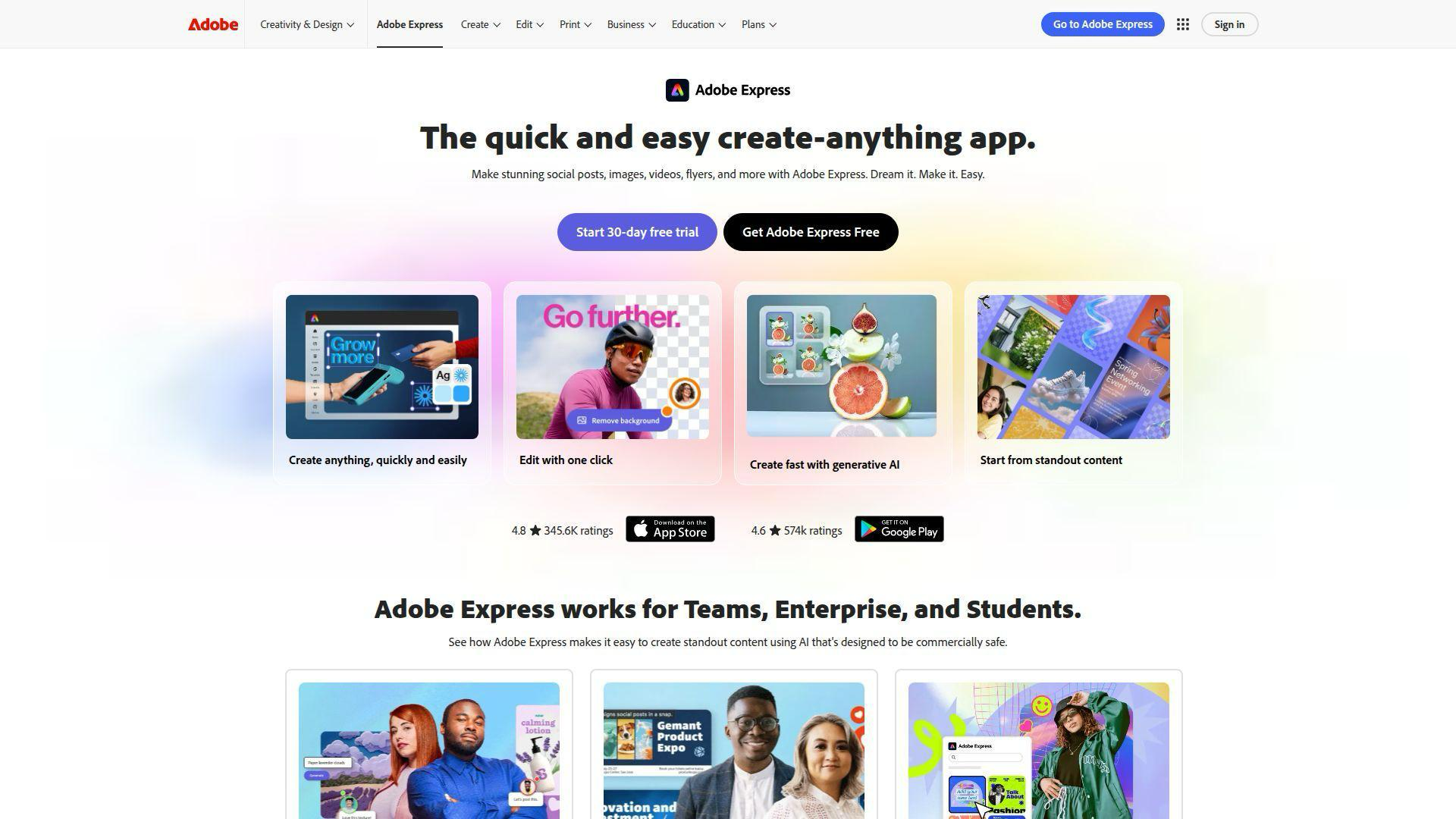
Adobe Express — Adobe’s free AI online design platform
Core parameters and statistics
| Parameters | Details |
|---|---|
| AI Engine | Adobe Firefly (Text to Image, GenFill, Text Effects) |
| Material library | 100 million+ images, templates, fonts and design materials |
| Supported formats | Pictures (JPG/PNG/SVG), videos (MP4), PDF |
| Platform Support | Web, iOS, Android |
| Free version restrictions | Basic functions are free, advanced AI functions require Premium version |
| Premium Pricing | $9.99/month (or included with Creative Cloud subscription) |
| Target users | Marketers, content creators, SMEs, students |
| Multi-language support | English, Chinese, Japanese, German, French and other mainstream languages |
| Brand Kit | Supports customized logo, fonts, and color matching to maintain brand consistency |
| Integrated Ecosystem | Deeply integrated with Adobe Creative Cloud, supporting export to Photoshop, etc. |
Adobe Express is positioned as a "democratized design tool" for non-professional designers. It embeds generative AI capabilities directly into the design process through the Adobe Firefly AI engine, allowing anyone to quickly create professional-level visual content.
User and market recognition
Adobe Express has quickly established significant scale in the online design market by relying on Adobe's strong brand influence and 100 million+ material ecosystem. In the global competition for AI design tools, Adobe Express differentiates itself with its deep integration with Creative Cloud and compliant commercial licensing of the Firefly AI engine (all AI-generated content is safe for commercial use).
In the education market, Adobe Express has been included in digital literacy courses by many schools and educational institutions around the world, providing free access to teachers and students, forming a huge young user base. Small and medium-sized enterprises and individual creator groups regard it as a powerful alternative to Canva, and particularly value the commercial security of content generated by Adobe Firefly AI - the Firefly model is only trained based on Adobe Stock authorized images and public domain content, fundamentally avoiding copyright risks.
Cost advantage
| Plan | Price | Main Features | Suitable for People |
|---|---|---|---|
| Free version | $0/month | Basic templates, limited materials, basic editing, limited AI generation times | Individual users, students, light creators |
| Premium | $9.99/month | Unlimited AI generation, all premium templates, branding kits, background removal, unlimited Premium assets | Professional creators, marketers |
| Creative Cloud subscription bonus | Included with CC package | Premium full-featured, deeply integrated with Photoshop/Illustrator | Creative Cloud users |
| Education Edition | Free/Discounted Price | Premium Features for Students and Teachers | K-12/College Teachers and Students |
Compare the competition: Compared to Canva Pro ($12.99/month), Adobe Express Premium is slightly less expensive and offers unique advantages in AI content compliance and interoperability with professional design tools. Adobe Express Premium is a value-added service at zero additional cost to users who already subscribe to Creative Cloud.
Main functions
- Adobe Firefly Text to Image: Enter text description directly into the design canvas, and Firefly AI instantly generates high-quality images, supporting a variety of artistic style choices. The generated content is based on compliance authorized data training and can be safely used for commercial purposes.
- GenFill Generative Fill: Similar to Photoshop's Generative Fill, select the image area and enter a text description, and AI will automatically fill in or replace the content to achieve intelligent partial editing of photos without the need to master professional photo editing skills.
- AI Text Effects: Convert any text into artistic fonts with texture and material effects. It supports dozens of styles such as "wood grain characters", "moss characters" and "neon characters". Unique title effects can be generated through text descriptions.
- One-click background removal: Automatically identify and accurately remove image backgrounds, supports batch processing, and replaces them with solid colors, gradients or custom backgrounds. It is an efficient tool for processing e-commerce product images and ID photos.
- 100 million+ design material library: Provides a large number of templates, icons, illustrations, video clips and music covering various themes, classified by size and scene (social media, posters, presentations, videos, etc.), supporting one-click application and custom editing.
- Brand Kit: After uploading the corporate logo, setting the brand font and color scheme, all templates automatically apply brand visual specifications to ensure cross-platform and cross-channel brand consistency, suitable for small and medium-sized enterprise content teams.
- Video Editing and Animation: Supports short video editing, adding animated subtitles and transition effects, and quickly produces vertical and horizontal short video content suitable for platforms such as TikTok, Reels, and YouTube Shorts.
- Multi-page design and presentation: Create multi-page design documents, support direct publishing as online presentations or export as PDF, suitable for producing marketing proposals, courseware and brand manuals.
- Cross-Device Cloud Sync: Design Items
Projects are automatically saved to Adobe Creative Cloud and can be seamlessly edited on the Web, iOS, and Android to complete creation anytime and anywhere.
Model and version evolution
| Milestone | Time | Description |
|---|---|---|
| Adobe Spark renamed to Adobe Express | 2021-10 | Adobe Spark brand upgraded to Adobe Express, adding more templates and editing features |
| iOS/Android mobile version released | ~2022-03 | Mobile application officially launched, achieving full platform coverage |
| Brand Kit is online | ~2022-06 | Launched brand visual specification management function to serve small and medium-sized enterprise users |
| Adobe Firefly AI integration | ~2023-03 | The first batch of Firefly AI functions are online, including text effects and background generation |
| Text to Image officially integrated | ~2023-09 | Firefly’s text to image capability is fully integrated into the Express design process |
| Firefly Image 3 + GenFill | ~2024-04 | Upgraded to Firefly Image 3 model, added GenFill generation and filling function, greatly improved the generation quality |
Technical advantages
Adobe Firefly’s commercial compliance advantages: Unlike most AI image models trained based on web crawling data, Adobe Firefly exclusively uses Adobe Stock authorized content, open license images and public domain materials for training, and all AI-generated content is guaranteed by a commercial use license. This feature is crucial for business users and solves the copyright risk anxiety when using AI to generate content. It is the core competitiveness of Adobe Express in commercial design scenarios.
Deep integration with the Creative Cloud ecosystem: As a lightweight entrance to the Creative Cloud ecosystem, Adobe Express forms a seamless interoperability link with professional tools such as Photoshop, Illustrator, and Premiere Pro. Users can directly export Express design drafts to Photoshop for in-depth editing, or directly reference Adobe Stock materials to Express to achieve a smooth transition between professional tools and convenient tools.
AI-assisted experience for non-designers: The AI function design of Adobe Express fully considers the usage habits of non-professional users. Functions such as AI text effects and background removal GenFill are all completed through simple text descriptions or click operations. There is no need to understand professional concepts such as layers and masks, which significantly lowers the threshold for creativity. With the rich template library, users can usually complete a high-quality social media graphic content within 5 minutes.
Multi-language and localized design templates: Provides interfaces and templates covering mainstream global languages, including layout-optimized templates designed for East Asian scripts such as Chinese and Japanese, to meet localized content marketing needs and has significant usability advantages in non-English markets.
How to use
| Entrance | Description |
|---|---|
| Web version | Visit https://www.adobe.com/express/ and log in with Adobe ID or Google/Facebook account |
| iOS App | Search "Adobe Express" in the App Store to download, supports iPhone and iPad |
| Android App | Search "Adobe Express" on Google Play to download |
| Creative Cloud integration | Creative Cloud subscribers can launch Adobe Express directly from the CC desktop app |
Typical usage steps (creating social media content):
- Visit https://www.adobe.com/express/ and log in to your Adobe account (free registration).
- Select the content type (such as "instagram post" or "youtube cover") or customize the size on the homepage.
- Select a design template with a suitable style from the template library and click Apply.
- Click the image area, select "AI generated image", enter the description text, and Firefly will generate a replacement image instantly.
- Edit the text content. If you need AI text effects, select the text and click "Text Effects" and enter a style description.
- Click "Remove Background" to process product images or people photos, and select a background color or pattern.
- After completing the design, click "Download" to select the format to export, or share the link directly.
Product Pricing
Adobe Express adopts a "freemium + premium subscription" model:
- Free version: Free forever, including thousands of basic templates, a limited number of AI generation times (about 25 generation points per month), basic editing tools and limited material library access, suitable for individual users who occasionally create.
- Premium ($9.99/mo): Unlocks full AI features (unlimited builds), 100 million+ premium assets and templates, brand suite management, unlimited background removal, commercial use licensing, and 100GB cloud storage.
- Creative Cloud Bonus: All Creative Cloud personal and team subscriptions automatically include Adobe Express Premium rights, which is a zero-additional cost add-on for users who already have a CC subscription.
- Education Edition: Premium access is free for eligible students and teachers, and some schools obtain school-wide authorization through the Adobe Education program.
Application scenarios
-
Match production of social media content: The marketing team uses brand kits and template libraries to quickly produce graphic and text content that is suitable for multiple platforms such as Instagram, Weibo, and WeChat. The AI-generated image function solves the problem of material shortage, and the resizing function adapts to multi-platform specifications with one click, compressing the production time of a single piece of content from 30 minutes to less than 5 minutes.
-
E-commerce product image processing: E-commerce sellers use the background removal and GenFill functions to quickly replace product photos with white backgrounds or scene-based backgrounds. AI completes the incomplete backgrounds to create product main images that meet the requirements of each platform. There is no need to hire professional photographers and retouchers.
-
Corporate brand material production: Small and medium-sized enterprises use brand suites to uniformly manage logos, fonts, and colors. Administrative and marketing personnel can produce posters, invitations, business cards, and presentations that comply with brand specifications without needing design expertise to maintain a professional image.
-
Educational content creation: Teachers and students use Adobe Express to create courseware, infographics, project display boards, and club posters. AI image generation helps quickly obtain teaching graphics. The template library reduces design difficulty and is suitable for digital literacy teaching scenarios.
-
Quick production of video content: Self-media creators and short video operators use Adobe Express to produce video covers, subtitle animations, and simple vertical short videos. It is ecologically linked with Premiere Pro and After Effects to meet the needs of the entire process from rapid prototyping to refined production.
Applicable people
- Marketing and Operations Staff: For marketing teams that need to frequently produce social media content but lack design skills, the brand kit and template library can greatly improve content production efficiency.
- Small and medium-sized business owners and entrepreneurs: Entrepreneurial teams with limited budgets and requiring professional design output, the free version provides sufficient basic functions, and the Premium version is more cost-effective than outsourced design.
- Educators and Students: Free access to the Education Edition makes it the preferred tool for campus digital content creation, suitable for courseware production and student project presentations.
- Self-media and content creators: Individual creators who need to quickly produce high-frequency visual content. AI-generated images and template libraries solve the problems of topic selection, creativity and material sources.
- Existing Creative Cloud users: Designers and photographers who have subscribed to CC can use Express as a lightweight and fast production tool to complement professional tools.
- Not suitable for scenarios: Professional graphic design projects that require pixel-level fine control (Photoshop/Illustrator should be used); UI/UX work that requires complex motion effects and interactive design (Figma/Adobe XD should be used); AI artistic creations that require extremely high quality of generated images and fully customized model parameters.
Summary and Outlook
Adobe Express has successfully made Adobe's decades of accumulated design assets and tool chain experience available to non-professional users in an "AI-empowered" manner. Relying on Adobe Firefly's compliance commercial advantages, huge material ecosystem and Creative Cloud platform synergy, Adobe Express has formed a clear and differentiated positioning in the increasingly competitive online design tool market - it is not only a strong competitor of Canva, but also a lightweight entrance to the Creative Cloud professional tool ecosystem.
Current limitations: The free version has a limited number of AI generation times per month (about 25 points), and in-depth advanced functions rely on Premium subscriptions; compared with Canva, the template update speed and follow-up of trend design trends are slightly lagging behind; mobile performance needs to be optimized on older devices; there is still room for improvement in the quality of Chinese localized content and the number of localized marketing templates.
Follow-up focus: The continuous iteration of the Adobe Firefly model (image quality, video generation capability 3D generation), the integration of deep AI design automation of the video generation function (Firefly Video) (evolution from "tool assistance" to "intelligent agent design"), and the integration with enterprise document tools such as Adobe Acrobat and Adobe Sign will further expand the application boundaries of Adobe Express.
Related tools:  Midjourney, stable-diffusion
Version Info
- Fully integrated with Firefly’s generative AI capabilities :Adobe Express fully integrates Adobe Firefly's generative AI capabilities, including text to image (Text to Image), GenFill to generate AI text effects (Text Effects), background generation and other functions. Users can directly call AI to generate content in the design process to achieve rapid creation from zero to one. At the same time, the Firefly Image 3 model was launched, and the generation quality and style consistency were greatly improved.
- Brand Kit is online :Launched the Brand Kit function, users can upload brand logos, set exclusive fonts and color schemes, and all templates automatically apply brand visual specifications, helping small and medium-sized enterprises and content creators maintain cross-channel brand consistency and significantly lowering the threshold for brand design.
- iOS/Android mobile version officially released :The Adobe Express mobile application has officially launched on iOS and Android platforms. It supports social media content production, image editing and video editing on mobile phones, and synchronizes design projects with the web cloud to achieve a seamless creative experience across devices. Mobile monthly active users are growing rapidly.
User Reviews