 Adobe Podcasts
Free
Adobe Podcasts
Free
Adobe Podcast is an AI driver AI Audio Tool launched by Adobe. The core function Enhance Speech can eliminate background noise, reverberation and echo in audio with one click, and process the audio recorded by ordinary microphones or mobile phones into professional studio-level sound quality. It is completely free to use. 2024 Deep integration with Adobe Premiere Pro further streamlines audio enhancement workflows for video dubbing.
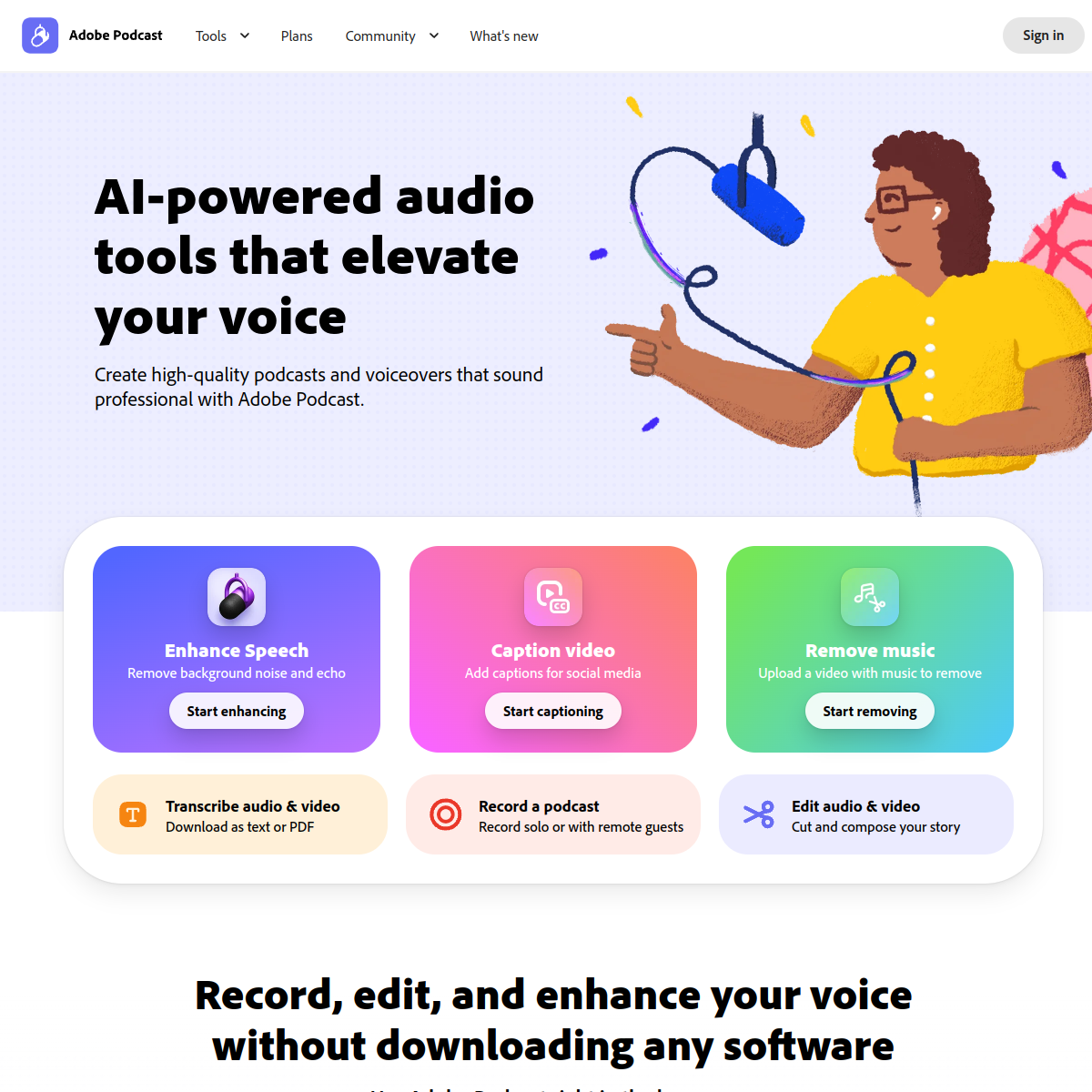
Adobe Podcast — Free AI audio enhancement, one-click studio-grade sound quality
Core parameters and statistics
| Parameters | Details |
|---|---|
| Ownership | Adobe Systems Incorporated |
| Product Pricing | Free (Core Enhance Speech Features) |
| Release Date | Beta 2022, Public Release 2023 |
| Supported Platforms | Web (podcast.adobe.com) |
| Core functions | Enhance Speech AI audio enhancement Mic Check, transcription editing |
| Premiere Pro integration | Integrated into Premiere Pro starting in 2024 |
| Supported formats | MP3, WAV, M4A, MP4 (including audio) |
| Maximum file limit | Maximum single file size 500MB |
| Target users | Podcasters, YouTubers, video producers, remote workers |
| AI technology | Adobe Sensei AI audio processing engine |
Adobe Podcast's unique positioning among AI audio tools is "free + Adobe ecosystem" - the completely free Enhance Speech function is more direct and easier to use than paid tools (such as iZotope RX), and its integration with Premiere Pro makes it an indispensable audio processing step in the video production workflow.
User and market recognition
After the Adobe Podcast Enhance Speech feature was released to the public and free of charge in early 2023, it quickly became viral in the Twitter, LinkedIn and YouTube creator communities - a large number of creators released before and after comparison audio demos, showing the amazing transformation effect from "obviously noisy home recording" to "professional studio-grade sound quality". This feature has been rated as "one of the most useful free AI tools of the year" by multiple technology media.
Leveraging Adobe's brand trust and completely free pricing, Adobe Podcast Enhance Speech has quickly become a standard tool in the audio post-processing pipeline for podcast and video creators, even those who already subscribe to professional noise reduction tools have adopted it as the first choice for quick initial processing. Integration with Premiere Pro further reduces friction for professional video producers.
Cost advantage
| Plan | Price | Main Benefits | Applicable People |
|---|---|---|---|
| Free (Web version) | $0 | Enhance Speech audio enhancement, unlimited use | All creators |
| Adobe Creative Cloud | Subscribed users | Enhance Speech integrated into Premiere Pro | Professional video maker |
Comparison with paid competitors:
- iZotope RX (professional noise reduction): $399 buyout, steep learning curve
- Krisp (real-time noise reduction): $96/year
- Adobe Podcast Enhance Speech: completely free, no need to learn, just upload and get the results
For independent podcasters and video creators with limited budgets, Adobe Podcast enables "professional-grade audio quality at zero cost" and is unparalleled in terms of cost-effectiveness.
Main functions
- Enhance Speech (AI audio enhancement): core flagship function. After uploading the audio file, AI automatically analyzes and eliminates background noise (fan sound, air conditioner sound, keyboard sound, etc.), echo and reverberation, while improving the clarity and brightness of the human voice. The processed audio quality is close to the recording effect of a professional recording studio.
- Mic Check: Detects microphone audio quality in real time before recording, analyzes background noise level, volume, speech speed and sound quality problems, and gives specific optimization suggestions to help users solve sound quality problems before recording.
- Transcript-based Audio Editing: Automatically transcribe recorded audio into text. Users can edit the audio by deleting paragraphs in the transcript without manually operating waveforms. It is extremely friendly to users who are not good at traditional audio editing.
- Recording function: Supports recording audio directly in the browser (microphone permission is required). After the recording is completed, Enhance Speech processing can be directly applied without downloading and uploading.
- Premiere Pro integration (2024): Call the Enhance Speech function with one click through the built-in "Essential Sound" panel of Adobe Premiere Pro to directly perform AI enhancement processing on the audio in the video track without exporting the audio file.
- Multi-format output: The processed audio can be downloaded as MP3 or WAV format to meet the format requirements of different usage scenarios.
Model and version evolution
| Version/Milestone | Time | Description |
|---|---|---|
| Beta Release | ~2022-10 | Invitation-only Beta for podcast creators |
| Enhance Speech is free and open to the public | ~2023-01 | Core functions are free and open to everyone, causing viral spread |
| Improved transcription and editing functions | ~2023-06 | Upgraded transcript-based audio editing function |
| Premiere Pro integration | ~2024-04 | Enhance Speech integrated into Premiere Pro |
| Continuous model optimization | 2023-2024 | Continuous iteration of the AI audio enhancement model to improve processing quality |
Technical advantages
Adobe Sensei AI audio separation technology: Enhance Speech is based on Adobe Sensei's deep learning audio separation model. By training a large amount of comparison data between professional recording studios and noisy contextual recordings, the model learns to accurately separate the two spectral components of "target vocals" and "non-vocal noise", maximizing noise elimination while retaining the natural feeling of human voices, and avoiding the "artificial sound" feeling caused by over-processing.
Real-time adaptive noise reduction: Compared with traditional noise reduction algorithms that require manual setting of noise profiles, Adobe Podcast's AI model can automatically adapt to the noise characteristics of different recording situations (steady-state noise, intermittent noise, noise between speeches) without the need for users to configure parameters. The "one-click" experience comes from the model's highly adaptive ability.
Adobe Creative Cloud Ecosystem Deep Integration: By integrating Enhance Speech into Premiere Pro, Adobe has built a unique ecological advantage of "seamless audio enhancement in video production" - users do not need to switch workflows between different tools, and audio processing becomes a native step within the video editing process. This integration advantage is a competitive barrier that independent AI audio tools cannot replicate.
How to use
| Entrance | Description |
|---|---|
| Web side Enhance Speech | Visit https://podcast.adobe.com/enhance, upload audio files for direct processing |
| Adobe Premiere Pro | Directly called through the "Enhance Speech" function in the Essential Sound panel |
| Web-side recording | Visit https://podcast.adobe.com to record new audio and process it instantly |
Typical usage steps (processing existing recording files):
- Visit https://podcast.adobe.com/enhance (no account required, free to use).
- Drag the audio files to be processed (MP3, WAV, M4A, etc.) to the upload area or click to select the file.
- Wait for AI processing to complete (usually 1-5 minutes, depending on file size).
- Play and compare the audio effects before and after processing.
- When satisfied, click "Download" to download the enhanced audio file.
- Premiere Pro users: Select the audio/video track containing dialogue on the timeline, open the "Essential Sound" panel, select the "Dialogue" type, click "Enhance Speech", and wait for the AI processing to complete.
Product Pricing
The core features of Adobe Podcasts are completely free:
- Enhance Speech (Free): Upload any audio file through https://podcast.adobe.com/enhance, no account required, AI audio enhancement processing is completely free, and there is no limit on the number of uses (maximum size of a single file is 500MB).
- Full Adobe Podcast functions (free, need to log in to Adobe account): including recording, transcript-based editing Mic Check and other functions, you can access it by registering a free Adobe account.
- Premiere Pro Integration: Requires Adobe Creative Cloud subscription (Premiere Pro single app plan $54.99/month), Enhance Speech function is free of charge and is a value-added feature for users who have subscribed to Premiere Pro.
Application scenarios
1. Podcast post-audio processing Podcasts recorded by independent podcasters at home with ordinary microphones or mobile phones are directly uploaded to Adobe Podcast Enhance Speech for processing. Problems such as air conditioning noise, keyboard sound, echo, etc. can be solved with one click, eliminating the need for expensive professional noise reduction software and learning costs, and achieving audio quality close to that of professional podcasts at zero additional cost.
2. Video creator dialogue track audio fix YouTube bloggers and video producers can quickly fix dialogue audio in videos with poor recording conditions (recorded while traveling, noisy) through Enhance Speech, or apply it directly in Premiere Pro with one click to avoid a loss of professionalism in the video due to poor sound quality.
3. Remote conference and online education video processing Enterprises and educational institutions use Adobe Podcast to process the audio of remote conference recordings and live online courses to improve the audibility and professionalism of the content. It is especially suitable for scenarios where informal recordings are converted into formal training materials.
4. Audio fixes for interviews and news content Interview audio recorded by reporters and content production teams in noisy scenes (streets, exhibitions, event sites) can be quickly eliminated by Enhance Speech, improving the broadcast quality of interview content and reducing reliance on professional recorders.
Applicable people
- Independent Podcasters: The core beneficiary group has limited recording conditions at home. Free AI enhancement directly solves the most common sound quality pain points.
- YouTubers and Vloggers: Conversation-heavy video content requires clear audio quality, and Premiere Pro integration brings enhancements into existing workflows.
- Online Education Creator: The audio quality of course videos directly affects the learning experience, and Adobe Podcast provides low-cost sound quality guarantee.
- Internal corporate training and communication content producer: Quickly improve the professional feel of internal training videos and remote meeting recordings.
- Not suitable for scenarios: Professional music production that requires complex multi-track mixing and mastering (Pro Tools, Logic Pro should be used); Professional post-production engineers who require highly refined manual control of noise reduction parameters (iZotope RX should be used); Live broadcast scenarios that require real-time noise reduction (NVIDIA RTX Voice or Krisp should be used).
Summary and Outlook
Adobe Podcast Enhance Speech, with its "completely free + instant effects + zero learning curve" product experience, has achieved large-scale viral spread in the field of AI audio enhancement, proving the powerful spread of "high-quality free tools" in the content creator community. This product also serves Adobe's long-term strategy - to expand the user base through free tools, guide creators to the Adobe Creative Cloud ecosystem, and deepen the platform stickiness of paying users through Premiere Pro integration.
The current limitations are: it mainly optimizes English speech, and the processing effect on other languages (especially tonal languages such as Chinese) is relatively weak; there is still a certain processing upper limit for extremely noisy and contextual recordings; product functions are relatively focused (mainly enhancements, not complete audio editing tools); there is no native App on the mobile terminal, and it mainly relies on the Web terminal.
Looking to the future, Adobe is expected to further expand the AI capabilities of Podcast tools to Adobe Audition (professional audio editing software) to achieve unified integration of AI capabilities across the Adobe audio tool chain; at the same time, as real-time audio processing technology matures, the real-time version of Enhance Speech (for video conferencing and live broadcasts) may become the next high-value functional direction.
Related tools:  ElevenLabs, udio
Version Info
- :The Adobe Podcast Enhance Speech feature is officially integrated into Adobe Premiere Pro. Video editors can apply AI audio enhancement to audio tracks in videos with one click without leaving Premiere Pro, eliminating background noise and improving speech clarity. Premiere Pro subscribers can use it directly without having to visit the Adobe Podcast website separately.
- Enhance Speech is released to the public for free :The Adobe Podcast Enhance Speech function is officially open to the public for free. Anyone can upload audio files at podcast.adobe.com and get AI enhanced processing to eliminate background noise and reverberation. After it went online, it quickly triggered viral spread in the community of podcasters and content creators, becoming one of the most widely spread products among Adobe AI functions.
- Adobe Podcast Beta Release :Adobe Podcast is released as an invitation-only Beta, providing podcast creators with AI audio enhancement, transcript-based audio editing, and recording quality detection (Mic Check) functions, marking Adobe’s official layout of the AI-driven audio creation tool market.
User Reviews