 Agent HQ
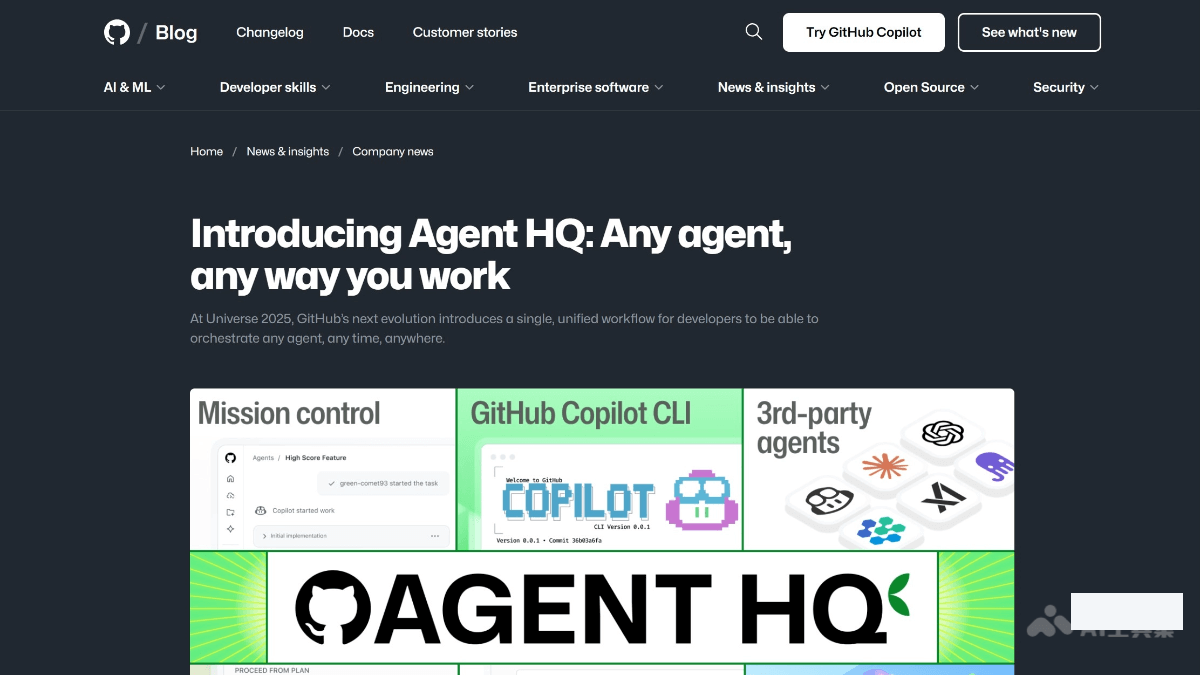
Agent HQ is an integrated AI agent platform launched by GitHub. It provides a unified command center through Mission Control, allowing developers to assign, guide and track the tasks of multiple AI agents on the GitHub website VS Code, mobile terminal or command line interface. Supports Plan Mode, AGENTS.md custom rules and enterprise-level governance features.
AgentHQ
Core parameters and statistics
| Parameters | Official verifiable information |
|---|---|
| Product positioning | Integrated AI Agent platform for developers |
| Core Components | Mission Control / Plan Mode / AGENTS.md |
| Supported platforms | GitHub Web, VS Code, mobile Desktop |
| Partners | Anthropic, OpenAI, Google |
| Integrated Tools | Slack, Linear, Jira, Microsoft Teams |
| Enterprise functions | Code quality analysis AI usage dashboard, permission management |
| Developer | GitHub (Microsoft) |
| Pricing | Includes GitHub Copilot subscription |
A brief comment: Agent HQ is not another AI coding tool, but a "control tower" for all AI Agents on GitHub.
User and market recognition
Gradually build user awareness in the field, and product capabilities are used by content creators and teams to improve work efficiency. Some industry users have incorporated it into their daily workflow. It is recommended to refer to the latest official disclosures for specific user scale and industry adoption rate data.
Cost advantage
C-side/Individual Developer: Included in GitHub Copilot subscription. Copilot Personal Edition has standard monthly pricing.
Enterprise/Team: The enterprise version provides governance functions such as code quality analysis, AI usage indicator dashboard, permission management, and audit logs. Requires GitHub Enterprise subscription.
API/Developer: API is not provided separately. Agent HQ is a platform-level product that is used through the GitHub ecosystem.
Main functions
- Mission Control Unified Command Center: Assign, direct, and track tasks for multiple AI agents in GitHub Web, VS Code, mobile, or Desktop.
- Plan Mode: Help developers clarify their needs by asking questions before executing tasks, discover potential problems in advance, and generate detailed execution plans.
- AGENTS.md Custom Rules: Developers can set rules and behavior patterns for agents, such as specifying loggers or test methods.
- Enterprise-level governance: Code quality analysis AI uses metrics dashboards, permissions management, and audit logs.
- Multi-platform integration: Supports integration with tools such as Slack, Linear, Jira, and Microsoft Teams.
- Multiple AI vendors: Cooperate with Anthropic, OpenAI, and Google to integrate multiple coding agents.
Model and version evolution
Continuous iterative updates, the latest version introduces performance optimization and new features. Historical version information can be viewed on the official release page. There is no complete public version evolution timeline yet. It is recommended to pay attention to the official announcement to understand the rhythm of feature updates.
Technical advantages
Main type judgment: Agent/automation tool - GitHub's AI Agent management platform.
Core Value: Agent HQ does not build its own AI models, but provides a unified management interface and governance framework for AI Agents from different sources. AGENTS.md allows developers to define Agent behavior using configuration files, and Mission Control enables cross-platform task tracking.
Human-machine collaboration boundary: AI Agent can automatically perform tasks such as code generation, testing, and review, but key operations involving production bounded deployment, security policy changes, sensitive data access, etc. require manual approval nodes. Plan Mode ensures clear task planning and confirmation before execution.
How to use
| Entrance | Description |
|---|---|
| GitHub Web | Use Mission Control directly in your GitHub repository |
| VS Code Extension | Access Agent HQ via the VS Code plug-in |
| Desktop | Command line interface management Agent tasks |
Product Pricing
The pricing model is subject to the official real-time page. Usually a freemium or subscription system is used, and basic functions can be used for free. Advanced functions or high-frequency use require paid subscriptions, and users are advised to evaluate the optimal solution based on actual usage.
Application scenarios
- Code Development and Optimization: AI Agent assists in writing code and optimizes code quality, and Plan Mode plans logic in advance to reduce errors.
- Project Management and Planning: Assign and track tasks through Mission Control, and coordinate different Agents to complete complex projects.
- Code Review and Quality Control: Use the code quality analysis function to systematically improve the maintainability of the code.
- Enterprise-level governance and monitoring: Administrators manage AI access rights, set security policies, audit logs, and ensure AI usage is compliant.
Applicable people
- Individual Users: Content creators and knowledge workers who need AI assistance to improve their daily work efficiency.
- Developers: Technical teams who need to integrate AI capabilities into their own products or services through APIs.
- Enterprise: Organizations seeking to deploy AI at scale in their field.
Summary and Outlook
Agent HQ upgrades the AI coding assistant from "single combat" to "team management", allowing developers to coordinate multiple AI Agents in one interface. GitHub's platform advantages and ecological integration capabilities are its core barriers.
Not suitable for boundaries: Deeply bound to the GitHub and Copilot ecosystem, non-GitHub users cannot use it; enterprise governance functions require a GitHub Enterprise subscription; Plan Mode may appear redundant on simple tasks.
Purchase Suggestion: Existing GitHub Copilot users can experience Agent HQ directly. Enterprise teams evaluate whether Enterprise Edition governance features meet compliance requirements. Focus on agent quality and consistency across multiple AI vendors.
Related tools:  CrewAI,
  LangChain
Version Info
- Agent HQ launch :It includes Mission Control, Plan Mode, AGENTS.md, enterprise-level management panel and other functions, and supports VS Code / GitHub Web / Mobile / Desktop.
- GitHub Copilot launch :An early version of GitHub Copilot is online, laying the foundation for Agent HQ.
User Reviews