 AI Ease
Free
AI Ease
Free
AI Ease is an online AI photo editing tool that provides functions such as watermark removal, background changing, object removal, AI avatar generation, ID photo production, AI art conversion, and portrait beautification. Free version with all tools available (output watermarked), Pro $9.99/month.
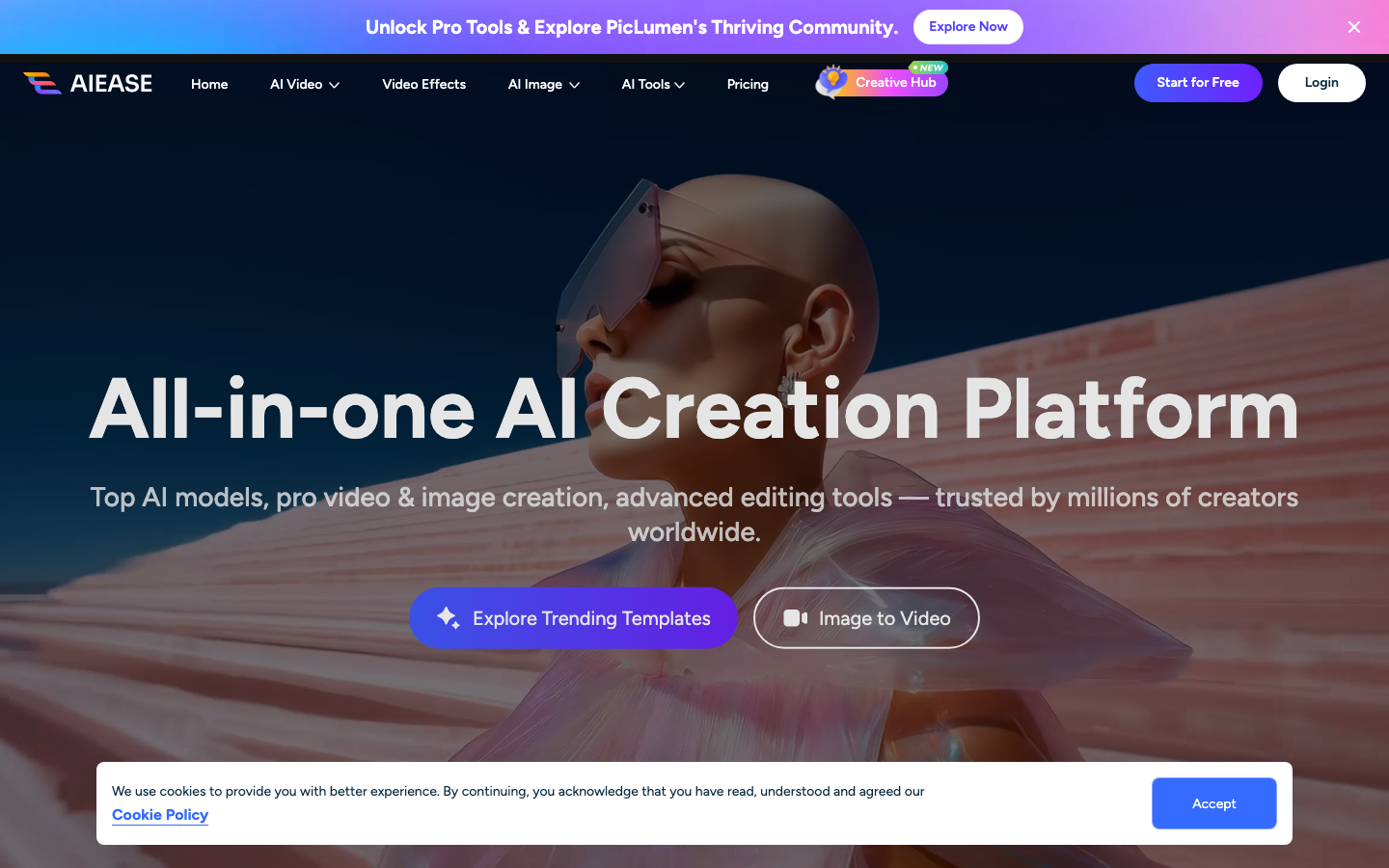
In-depth review and comprehensive analysis of AI Ease
AI Ease is an online AI photo editing platform for individual users and e-commerce sellers. It enters the AI image processing market with a value-added model of "free access to all tools and paid watermark removal". Its core logic is not to make professional-level photo retouching software, but to package more than a dozen high-frequency scenarios such as background removal, watermark removal, ID photo AI avatar, etc. into a web toolbox, allowing users to complete daily image processing without installation or learning.
Core parameters and statistics of AI Ease
Specific technical parameters (such as model size, context length, supported file formats, etc.) are subject to the official product page.
Users and market recognition of AI Ease
Target customer group size: AI Ease is aimed at a broad group of individual users who "occasionally have photo processing needs but do not want to learn professional software", as well as e-commerce sellers who "need to quickly batch process product images". This type of customer base is huge, covering almost all Internet users with smartphones.
Market positioning: The product is in the mid-range price range of AI photo editing tools - more comprehensive than the completely free Remove.bg (single function only), and cheaper than Adobe Photoshop (starting at $22.99/month) and Canva Pro ($12.99/month). Its direct competitors include PhotoRoom (starting at $4.99/month), Clipdrop (starting at $9/month), Fotor (starting at $3.33/month), and domestic Meitu Xiuxiu, etc.
Community and word-of-mouth: The official number of users, downloads or customer cases has not been disclosed. From the perspective of independent website traffic, AI Ease's search traffic is mainly driven by long-tail keywords such as "remove watermark from image", "remove background", and "AI photo editor free". There are few public third-party reviews and user reviews, and the product is still in a growth phase.
Corporate Customers: Undisclosed corporate customer list or industry cases. The Pro plan can cover commercial uses, but it lacks the enterprise version (team management, usage audit API integration), and has limited capabilities for team scenarios.
Cost Advantages of AI Ease
C client/individual users: The free version is available with all 11+ functions. It is one of the few AI photo editing tools with "free and unlocked functions" on the market. There is only one core limitation - export with watermark. For non-commercial purposes (personal social sharing, avatars, commemorative photos), the free version is completely sufficient. Pro monthly payment is $9.99/month and annual payment is $59.99/year (average monthly price is $5). The pricing is at the middle level of the same category: lower than Canva Pro ($12.99/month) and Clipdrop ($9/month), higher than PhotoRoom Pro ($4.99/month) and Fotor Pro ($3.33/month).
API/Developer: AI Ease does not provide a public API or SDK. It does not integrate scenarios for developers and cannot embed its own applications or implement automated batch processing. This is the key difference between it and the Remove.bg API (starting at $0.04/picture) and the Clipdrop API (pay-as-you-go) - it is positioned as an end-user tool, not developer infrastructure.
Enterprise/Business Team: No enterprise version plan is provided. There are no team management, usage quotas, role permissions, audit logs and other functions. The Pro plan is available for commercial use, but it is still essentially a personal subscription without enterprise-level SLA or contract terms. Teams with batch processing needs or compliance requirements will need to evaluate options separately.
Hidden Cost Analysis:
- Time cost: The 7-day cloud storage of the free version means that users must complete the download within 7 days, otherwise the upload process will be re-uploaded, which is not friendly to batch jobs.
- Migration Cost: Batch export and history management are not supported, and assets cannot be migrated in batches when switching between tools.
- Learning cost: almost zero - the product UI is a typical "click-and-use" interaction. Each tool has an independent entrance, and you can get started without a tutorial.
Cost comparison with competing products:
| Solutions | AI Ease | PhotoRoom | Clipdrop | Fotor | Remove.bg |
|---|---|---|---|---|---|
| Free features | All available (with watermark) | Limited features | Limited features | Limited features | Remove background only |
| Pro Monthly | $9.99 | $4.99 | $9.00 | $3.33 | No Subscription |
| Pro Annually | $59.99 | $49.99 | — | $19.99 | — |
| API available | None | None | Yes | Yes | Yes |
| Enterprise Edition | None | None | Yes | Yes | Yes |
| Free version watermark | Yes | Yes | Yes | Yes | No (low resolution) |
Main functions of AI Ease
AI Ease aggregates 11 AI photo processing functions, each function corresponds to an independent tool entrance. The following is a breakdown of core capabilities:
- Remove and replace background: Automatically identify the foreground subject based on the semantic segmentation model, remove the background with one click to generate a transparent basemap, or replace it with a preset color/picture/new background generated by AI. Practical Value: Common scenarios for e-commerce product images, product display pages, and portrait cutouts, without the need for manual strokes with the pen tool.
- Intelligent Watermark Removal: Intelligent recognition and filling repair of common watermark types such as text watermarks, LOGO watermarks, signatures, timestamps, and seals. Practical Value: Clean up material pictures downloaded from the Internet, remove redundant logos in screenshots, and remove date stamps from old photos.
- Remove redundant objects: Frame or paint the objects that need to be removed (passers-by, telephone poles, debris), and AI will automatically complete the blocked background texture. Practical Value: Cleaning up background passers-by in travel photos and erasing redundant elements in product images.
- AI Image Generation: Generate brand new images through text description, supporting 20+ art styles (oil painting, watercolor, cyberpunk, Japanese comic style, etc.). Practical value: Social media illustration creativity, concept design rapid prototyping, and copyright-free material creation.
- AI Avatar Generation: Upload several selfies, and AI will generate a set of professional or creative avatars with a unified style. Practical Value: Avatar replacement in LinkedIn, WeChat, corporate address books and other scenarios, eliminating the cost of appointment photography.
- ID photo production: Upload a normal photo, automatically crop it, replace the background with white background/blue background/red background, and adjust it to meet the standard size of passport/visa/resume photos. Practical value: No need to queue in the photo studio for emergency application of certificates, resume application, exam registration and other scenarios.
- Portrait Beautification: Automatically identify facial areas, remove acne, wrinkles, dark circles, skin blemishes, and adjust skin tone uniformity. Practical Value: Personal image refinement, social media selfie beautification.
- *
*AI Art Conversion: Convert ordinary photos into 20+ art styles such as oil painting, sketch, pixel style, cyberpunk, etc. Practical Value**: Creative content production, personalized gifts, differentiated content on social media.
- AI hairstyle change: After uploading photos, try different hairstyle effects, and AI simulates the effect of wearing the hairstyle. Practical Value: Preview the effect before hair cutting and assist in aesthetic decision-making.
- AI face replacement: Replace the face in the photo with another face, keeping the expression, light and shadow natural. Practical Value: Creative co-production and interesting content production.
Expert point of view - synergy between functions: The real value of AI Ease does not lie in the accuracy of a single function, but in the "efficiency of workflow concatenation". For example, an e-commerce seller can complete on one platform: take actual photos of the product → remove the background → replace with a promotional theme background → AI generates supporting copywriting and pictures → adjust the size for use on different platforms. The traditional process requires PS cutout + Canva typesetting + designer drawing, which spans at least 3 tools and requires the collaboration of 2-3 people; AI Ease can be completed by one user on one Web page. This "single platform multi-step concatenation" reduces cross-tool switching time by 60-80%.
Model and version evolution of AI Ease
AI Ease is not a large model iterative product, and its capability upgrade path is closer to "functional SaaS applications". The following are milestone nodes organized based on public pages:
| Time node | Version/event | Core changes |
|---|---|---|
| ~2024-01 | AI Ease goes online | The core functions are AI background removal and basic photo editing, for early individual users |
| ~2024-mid | Function expansion period | High-frequency functions such as watermark removal, object removal, AI avatar generation, etc. have been added |
| ~2025-04 | Current version | Full coverage of 11 functions: background removal, background replacement, watermark removal, object removal, AI generation, AI avatar, ID photo, art conversion, portrait beautification, hairstyle change, face change |
Version evolution features:
- Function addition drive: The development process of the product is not model upgrade, but "horizontal expansion of functions" - each time a new capability is added, a tool entrance is added. This strategy reduces the cost of user understanding (each function has an independent entrance), but it also means that cross-functional combination scenarios require manual coordination by users.
- No public version number: AI Ease does not follow semantic versions or numbering systems, and updates are subject to the online status of the product. This is a typical approach for lightweight SaaS applications: users always face the latest version without manual upgrades.
- No open source/local deployment: Unlike open source solutions such as Stable Diffusion WebUI and ComfyUI, AI Ease is completely processed in the cloud and users cannot self-host or use it offline.
Technical advantages of AI Ease
Main Type Judgment: Productivity/business-side application, which is an online AI photo editing tool (Rule D). Its core delivery form is a web application for end users, not API infrastructure or developer tools.
Technical Architecture Features:
- Pure browser-side interaction: All processing is completed in the cloud, and users upload images through the browser → server-side AI model inference → return results. This architecture eliminates the need for users to install any software, but it also means that processing speed is affected by network conditions and offline use is not supported.
- Multi-model integration: Different functions such as background removal, watermark removal, and object removal may rely on visual models of different specifications. The product level is packaged into a unified upload-processing-download link. Users do not need to understand the differences in underlying models, and one interface completes all operations.
- Free + Advertising/Watermark Monetization: The free version superimposes watermarks on the output images and may cover server costs through display ads. The Pro version drives paid conversions by removing watermarks, unlimited storage, and priority queues.
Quantitative deduction of cost reduction and efficiency improvement (based on typical scenarios):
- E-commerce product image processing: Using Photoshop in the traditional way, it takes about 5-10 minutes to cut out a single image + replace the background (including pen path, edge refinement, and color matching). AI Ease can complete it in 10-30 seconds. Based on the calculation of processing 50 product images per day, the time consumption is reduced from about 6 hours to about 25 minutes, and the efficiency is improved by about 14 times.
- Social media avatar/cover production: The traditional method requires photography + refinement + design and layout, and outsourcing or designers take about 1-2 hours per photo. AI Ease's AI avatar + background replacement can complete the first version in 3-5 minutes, increasing efficiency by about 20 times.
- Temporary ID photo: The traditional method requires going to a photo studio (about 30 yuan + 30 minutes away + shooting time). AI Ease can complete it at home in about 2-3 minutes, and the cost is reduced to close to zero.
Human-machine collaboration boundary:
- 100% automated and organized: background removal (solid color or simple background), watermark removal (standard text/logo), AI art style conversion, ID photo background replacement and cropping. These tasks can be completed by AI in one go without human intervention.
- Somethings that require manual confirmation: watermark removal (texture anomalies may occur when the watermark overlaps with the content in a complex manner), object removal (background completion may appear inconsistent after large area removal), AI image generation (manual screening is required for the best results), hairstyle and face change (the effect needs to be subjectively evaluated by the user).
- Strong Manual Review Scenarios: Commercial advertising materials, brand promotional images, scenes that require portrait authorization - AI processing results are unpredictable, and must be manually reviewed to confirm that there are no infringement risks and quality issues before release.
How to use AI Ease
The usage path of AI Ease is extremely simple, which is its core competitiveness compared with professional photo editing software:
| Entrance/Steps | Instructions |
|---|---|
| Browser access | Open aiease.ai to experience some functions without registration |
| Select tools | The homepage displays the icon entrances of all tools. Click to enter the corresponding tool page |
| Upload pictures | Support JPG/PNG/WebP, single upload or drag and drop |
| AI automatic processing | AI processing is automatically triggered after uploading, without manual parameter adjustment |
| Adjustment and preview | Some tools support fine-tuning (such as brush mark/remove/retain area) |
| Download results | The free version downloads pictures with watermarks, and the Pro version has no watermark, lossless, and unlimited cloud storage |
Typical operation steps (taking e-commerce cutout as an example):
- Visit aiease.ai → click "Remove Background"
- Upload product images → AI automatically identifies the subject and removes the background
- Optional: Click "Edit" to manually mark the areas that need to be retained/deleted
- Select a new background (solid color/picture/AI generated)
- Click "Download" to save the results
Comparison with other tools:
| Dimensions | AI Ease | Photoshop | Canva | PhotoRoom |
|---|---|---|---|---|
| Easy to get started | ★☆☆☆☆ Zero threshold | ★★★★★ Professional learning curve | ★★☆☆☆ Simple | ★☆☆☆☆ Simple |
| Single task time | 10-30 seconds | 3-10 minutes | 1-3 minutes | 10-30 seconds |
| Batch processing | Not supported | Supported (action/script) | Supported | Supported |
| Platform dependency | Browser | Desktop software | Browser + App | Mainly mobile |
Product Pricing for AI Ease
AI Ease adopts a two-tier freemium pricing model and drives paid conversions through the two levers of "watermark + storage period":
| Plans | Price | Watermark | Cloud Storage | Processing Queue Priority | Advertising |
|---|---|---|---|---|---|
| Free | $0 | Yes (lower right corner of image) | 7 days | Standard | May show |
| Pro Monthly | $9.99/month | None | Unlimited | Priority | None |
| Pro Yearly | $59.99/year ($5/month) | None | Unlimited | Priority | None |
Pricing Strategy Analysis:
- Annual payment discount rate: Annual payment saves about 50% compared to monthly payment, which is a medium discount among similar products (PhotoRoom annual payment discount is about 58%, Fotor is about 50%).
- Core driving force for paid conversion: Watermark is the strongest motivation for payment - for any commercial use (e-commerce main image, social media matching image, printed materials), images with watermarks are not available, and commercial users are almost bound to upgrade.
- Function misalignment risk: The free version and the Pro version are exactly the same at the "functional" level, the only difference is in output quality and service priority. This means that users are likely to stay on the free version (for personal, non-commercial use) for a long time, and the incremental value of the Pro version will have limited appeal to non-commercial users.
- No API Pricing: No API calls are supported, so there is no pay-as-you-go model. Developer-facing scenarios are completely unavailable.
Application scenarios of AI Ease
- E-commerce product photography and detail page production: After the seller takes actual photos of the product, he uses AI Ease to remove the background in batches, replace it with a pure white background or a promotional theme background, and then cooperates with AI to generate matching images. Implementation Tips: The free version of watermark is not acceptable in commercial main images and needs to be upgraded to Pro; single processing is not batch mode. Stores with more than 100 SKUs need to assess additional labor costs.
- Avatar and cover production for social media content creators: Personal bloggers and self-media operators use AI avatar generation and background replacement to quickly create unified style avatars and cover images. Implementation Tips: The style of AI avatar generation is relatively consistent, but you need to upload multiple selfies to get the best results; the quality of the photos directly affects the final effect.
- Production of ID photos for job hunting and administrative affairs: Job seekers, candidates, and visa applicants can complete ID photos that meet the specifications at home without going to a photo studio. Implementation Tips: Visas/passports of various countries have strict regulations on photo specifications (size, background color, face proportion, glasses, expressions, etc.). The template coverage of AI Ease requires users to confirm whether it meets the specific country requirements.
- Personal photo archiving and beautification: Ordinary users can perform light editing on travel photos and family photos to remove passers-by, remove debris, beautify skin, and convert artistic styles. Implementation Tip: 7-day cloud storage is too short for long-term archiving, and important editing results need to be downloaded to local storage in time.
- Creative design and personalized gift production: Convert ordinary photos into artistic styles such as oil paintings and sketches for making personalized gifts (picture frames, customized mobile phone cases, greeting cards). Implementation Tips: The output resolution of AI art conversion has not been disclosed. Printing-level applications need to check in advance whether the output quality meets printing requirements.
- Beginner-friendly introduction to lightweight design: None
Users with design experience are exposed to the core concepts of image editing (cutting out, background synthesis, stylization) through AI Ease, which serves as a learning springboard for professional software. Implementation Tips: The operation of AI Ease is irreversible (no layer/history record). It is recommended to back up the original image for exploratory operations.
Applicable groups of AI Ease
- E-commerce sellers and product operations: Individual merchants and operators who need to process product images on a daily basis pursue single image processing speed and "easy enough to use" effects rather than pixel-level accuracy. Prerequisites: Commercial use requires a Pro subscription to remove watermarks; when the processing volume is large, attention should be paid to the cumulative time of a single operation.
- Social media creators and personal bloggers: Personal content creators who need to frequently change avatars, create covers, and create creative illustrations. Adaptation value: AI avatar and art style conversion can quickly produce differentiated content. Not suitable: Creators who need a complete brand visual system (unified colors, fonts, and layout) are more suitable for design platforms such as Canva or Figma.
- Ordinary individual users: Daily users who occasionally need to remove watermarks, change backgrounds, and take ID photos, pursue zero learning costs and free solutions. Adaptive Value: The free version covers 90% of your casual photo editing needs. Not a good fit: Developers/IT teams with batch processing, automation or programmatic integration needs, completely unsuitable due to lack of API and batch functionality.
- Job seekers and students: People who need to temporarily create resume photos, exam registration photos, and social account avatars. Adaptation value: Quickly produce pictures without going out to the photo studio. Prerequisite: You need to check by yourself whether the generated ID photo meets the specifications of the specific institution/country.
Clearly not suitable for people:
- Professional graphic designers and photographers: require professional functions such as layer management, color correction RAW processing, masks, channels, etc. AI Ease's "one-click" operation mode cannot meet the needs for creative freedom.
- Developers and technical teams: Scenarios that require API integration, batch automation, and self-hosted/private deployment are not supported by AI Ease at all.
- Enterprise-level purchasing decision-makers: Requires enterprise-level capabilities such as team management, usage auditing, role authority SSO, and SLA guarantee. AI Ease currently only provides individual subscriptions.
- High-frequency batch processing users: Users who process more than hundreds of photos every day. The single upload and download mode has an efficiency bottleneck in batch processing.
Summary and Outlook
AI Ease has entered the AI photo editing market with the "free and ready-to-use all functions" strategy, achieving extremely low thresholds for use in three high-frequency scenarios: "watermark removal, background change, and ID photo". Its core competitiveness is not the accuracy of a single function (it is not as good as Remove.bg Professional Edition in terms of background removal accuracy, and it is not as good as Midjourney in terms of AI generation diversity), but the combined effect of "enough coverage of scenes + low enough free threshold + short enough usage path". For non-expert users, it is probably the first and only AI photo editing tool installed on your phone.
Current Limitations and Uncertainties:
- The existence of the free version watermark limits the direct trial in commercial scenarios, and the trial experience is significantly different from the paid experience.
- Batch processing is not supported, and the efficiency is limited for e-commerce scenarios with many SKUs.
- No public API and cannot be integrated into automated workflows.
- There is no enterprise version plan, and the team scene is missing.
- Operational indicators such as user volume, processing volume, and model version are not officially disclosed, and product maturity is difficult to externally evaluate.
- The actual effect of AI watermark removal/object removal on complex backgrounds varies from picture to picture, and each picture must be accepted before official use.
- 7-day cloud storage is not friendly to long-term project management and review.
Purchase and Adoption Risk Assessment: Individual users can start using the free version directly, and after confirming that the AI processing effect meets their needs, upgrade to Pro for annual payment (annual payment of $59.99 is more cost-effective than monthly payment). Before using it in batches, e-commerce sellers are recommended to use 20-50 sample images to verify the quality stability of background and watermark removal, and confirm whether the processing speed meets the daily rhythm. In scenarios where API integration or team management is required, AI Ease is currently not an option. It is recommended to evaluate the Remove.bg API, Clipdrop API or self-built ComfyUI workflow. In the future, if AI Ease completes the batch processing API interface and enterprise version solution, its customer acquisition advantage of "all functions available for free" will become a strong competitiveness in the B-side market.
Related tools:  Midjourney, stable-diffusion
How to use AI Ease
- Web client: You can use it by visiting the official website and registering an account. Most functions do not require installation.
- API Access: Provides RESTful API, developers can obtain the API Key and integrate it into their own applications.
Version Info
- AI Ease current :Supports background removal, background replacement, watermark removal, object removal, AI generation of AI avatars, ID photos, art conversion, beautification, hairstyle change, face change, etc.
- AI Ease launch :The product is online, and its core functions are AI background removal and basic photo editing.
User Reviews