 AI-Flow
Free
AI-Flow
Free
AI-Flow is a node-based workflow orchestration platform for AI programming and AI automation scenarios. Its core capability is not to create a new model, but to drag multiple models such as OpenAI, Anthropic, Google, and Replicate into an end-to-end pipeline in a canvas, and supports multiple generation tasks such as text, images, videos, and audios. It provides both a cloud-hosted version (Pro) and an open-source self-hosted version. Users can choose to use platform points or their own API Key to execute workflows.
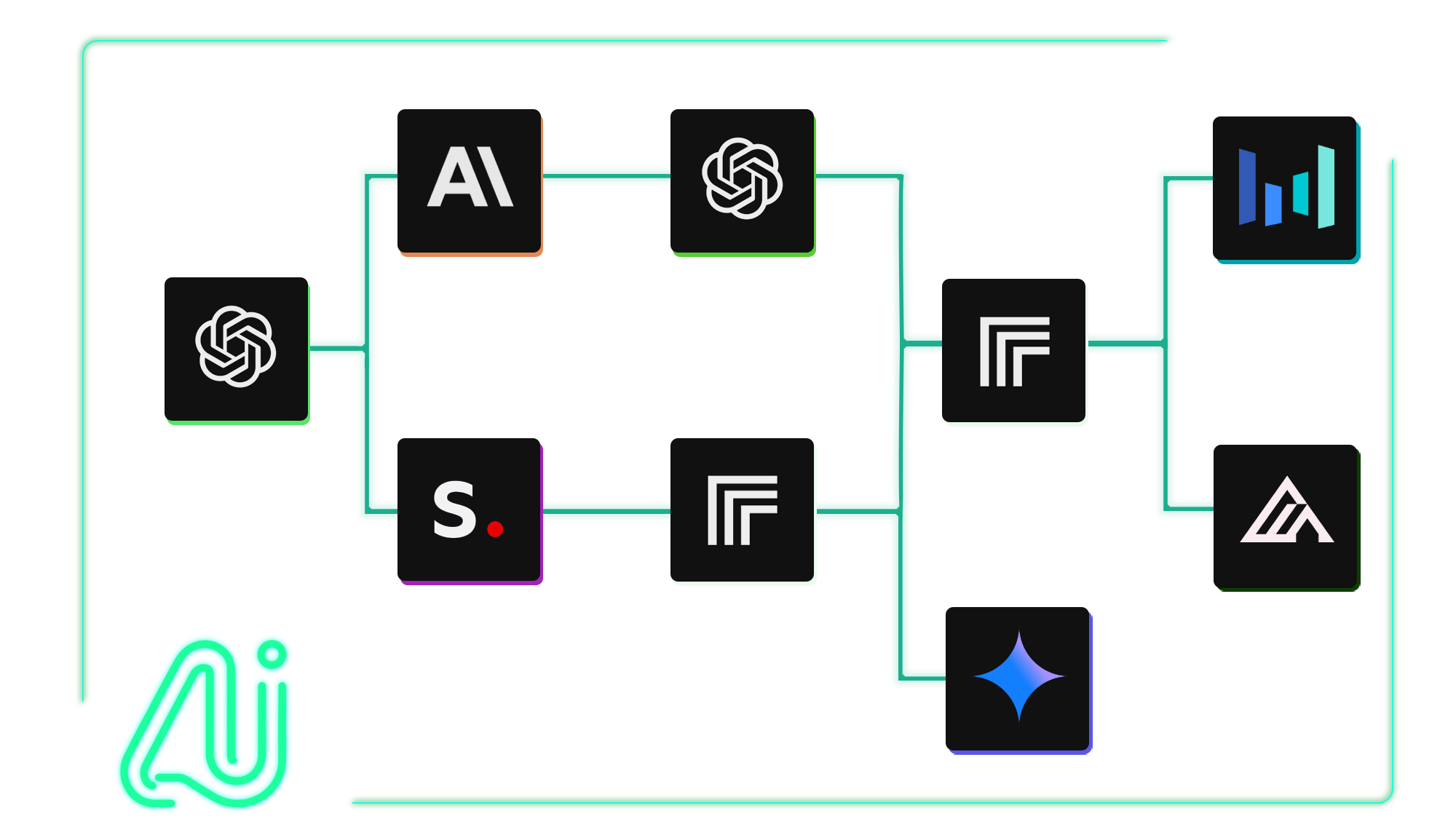
AI-Flow
Core parameters and statistics
| Parameters | Official verifiable information |
|---|---|
| Product positioning | Node-based AI workflow builder / Connect any AI model. Build any workflow |
| Operation Mode | AI-Flow Cloud (Pro) + AI-Flow Open Source (Self-Hosted) |
| Supported models | GPT, Claude, Gemini, DeepSeek, o3, FLUX, Recraft, Stable Diffusion, Kling, Seedance, Minimax, Imagen, etc. |
| Output type | Text, image, video, audio, code API |
| Open source repository | GitHub: github.com/DahnM20/ai-flow |
| Free credits | 25 welcome credits + 20 free runs/day (BYOK node) |
| Data Hosting | France / United Kingdom |
| Contact information | [email protected] |
| Place of Attribution | France (the Terms and Privacy Policy are governed by French law) |
A brief comment: AI-Flow is not another AI application, but an orchestration canvas that uses various model APIs as building blocks to build workflows.
Publicity verification: The statement on the official homepage "Connect any AI model. Build any workflow" is basically established. What it really solves is the engineering friction when multiple models collaborate, rather than the capability of the model itself.
User and market recognition
AI-Flow has a public repository on GitHub (DahnM20/ai-flow), and the release notes are continuously updated to v0.11.3. The homepage displays the Product Hunt badge and quotes "AI-Flow - Connect AI APIs", indicating that it has a certain penetration in the developer community and AI creator community. In addition, it provides Ready-to-use Flow Templates, covering various task types such as images, videos, and texts, which shows that the product idea is not just to connect models, but to help users accelerate using templates.
The official documentation site has obvious Chinese/international characteristics, and its user base covers content creators, small and medium-sized developers, and AI users who hope to complete complex tasks through multi-model combination.
Cost advantage
| Cost layer | Official public information | Real costs that need attention |
|---|---|---|
| Personal / Cloud Pro | 20 credits free trial + 20 free runs/day (BYOK) | The free quota is enough to verify the workflow, but high-frequency execution requires purchasing credits or subscriptions |
| Self-hosted (open source version) | Free, you need to configure the API Key by yourself | Server/operation and maintenance/model calling fees are all borne by yourself |
| Pay-as-you-go points | Points are valid within 1 year | Suitable for intermittent use, but points are consumed quickly in high-frequency scenarios |
| Switch to BYOK | Comes with its own API Key and is billed at the original price of the model | No platform profit markup, but you need to manage multiple sets of Keys yourself |
The free truth: AI-Flow's free model is very flexible - you can bring your own Key to run the workflow for free, but platform points and premium node usage are limited to daily free runs. For large traffic scenarios, the final cost comes from the model calling fee plus the platform resource fee.
Hidden benefits/costs: The biggest hidden benefit is that you don’t have to write glue code to connect GPT, Claude, FLUX, and Kling. However, the cost is that workflow execution efficiency and stability depend on the platform middle layer, and node-based orchestration is suitable for single or small changes, and is not suitable for engineering teams that require fine-grained version control and CI/CD.
Main functions
- Node-based workflow canvas: Connect different AI model nodes by dragging and dropping, and connect text, image, video, and audio processing into automated pipelines.
- Multi-model integration: Natively supports mainstream model APIs such as OpenAI, Anthropic, Google, Replicate, xAI, and DeepSeek.
- BYOK (Bring Your Own Key): Users bring their own API Key to avoid platform profit increases, suitable for teams that already have models directly connected to accounts.
- Cloud hosting + self-hosting dual mode: Pro Cloud mode can be used directly without configuration; Open Source mode can be self-deployed and data autonomous.
- API Builder / Webhook: Expose the built workflow as an API endpoint, suitable for embedding in external systems and automation chains.
- Flow Templates library: Provides preset templates for product photography, video generation, copywriting batch generation, etc., lowering the threshold for building from scratch.
Expert’s point of view: The real hidden linkage of AI-Flow is "build once, call in multiple places". Users can string "GPT generates copy → FLUX generates images → Kling generates video" into a chain in the canvas, and then exposes it to external systems through API Builder. This kind of linking capability cannot be provided by a single chat product.
Model and version evolution
| Version | Date | Key Changes |
|---|---|---|
| v0.11.3 (latest) | ~2026-06 | Claude 4, GPT Web Search, Node Search Bar, more Replicate models |
| v0.10.0 | ~2026-05 | Claude 3.7, OpenRouter Node, UI file upload configuration |
| v0.9.0 | ~2026-04 | OpenAI o3, DeepSeek Node, Merge Node enhancements |
| v0.8.1 | ~2026-03 | Web Extractor enhances PDF loading and accelerates GPT-4o-mini |
AI-Flow's version evolution strategy is very clear: follow the rhythm of the latest models being put on the shelves, and the focus of each release is to add new model nodes. This is not just about adding a feature list, but also allowing users with existing workflows to switch to the new model with a low threshold.
Technical advantages
Main Type Judgment: The main delivery form of AI-Flow is a productivity/business-side application, which is between developer tools and AI applications. The core is to orchestrate multiple models into a visual workflow.
Node-based visual orchestration: AI-Flow completely abstracts the underlying model API calls into draggable nodes, so users can call different models without writing Python or curl. This is very critical for non-technical users.
BYOK architecture reduces lock-in risk: Users can use their own API Key to bypass platform pricing, which not only reduces platform dependence but also makes inference costs more transparent. But it also means that users are responsible for the complexity of managing multiple sets of Keys.
Dual-mode delivery: Pro Cloud is for quick start-up and low-frequency users; Open Source is for teams that require data autonomy and in-depth customization. This layered technology delivery model reduces selection friction.
Engineering Pitfall Guide: Node arrangement is suitable for connecting simple links in series, but complex branches, loops, and exception handling will quickly expand in the visual canvas. It is recommended that key production workflows be verified locally using Open Source mode before deciding whether to migrate to the Cloud.
How to use
| Entrance | Applicable objects | Description |
|---|---|---|
| AI-Flow Cloud (app.ai-flow.net) | Individuals or teams who want to get started quickly | Sign up and use it, you can experience it immediately with free quota |
| Self-hosted deployment | Developers who need data autonomy and customization | Deployed according to the open source warehouse guide, you need to configure various API Keys by yourself |
| Desktop client (Desktop) | Single-machine workflow scenario | Download the .rar package installation from release notes |
| API/Webhooks | Embed workflows into external systems | Exposed as RESTful endpoints via API Builder |
Typical usage is to first browse Flow Templates to find a close template, then replace specific model nodes and parameters in the canvas, and finally execute and export the results or expose them as an API.
Product Pricing
| Method | Price | Adaptation Scenario |
|---|---|---|
| Free (BYOK) | $0 | Bring your own Key for free execution, subject to daily free runs limit |
| Credits package | Purchase as needed (e.g. $12.50/30 credits) | Intermittent tasks, points are valid for 1 year |
| Cloud Pro Subscriptions | The Terms page explains that there is a subscription model | High frequency usage, premium nodes and larger storage |
| Self-hosted | $0 (software free) + infrastructure cost | Data autonomy, deep customization, large-scale integration |
Pricing is transparent in that you can run common workflows basically for free with your own Key, but for the precise prices of points and subscriptions, you need to log in to app.ai-flow.net to view the real-time pricing table.
Application scenarios
- Multi-model content production pipeline: Use GPT to generate copy → FLUX to generate images → Kling to generate product videos, and one job will flow out to the finished product.
- Batch image generation and editing: Use templates to batch generate product display images and style transfer images, suitable for e-commerce and marketing material scenarios.
- API workflow: Encapsulate "crawl web pages → extract structured data → call GPT summary → output JSON" into an API for team and system calls.
Dimensionality reduction attack scenario: The most suitable scenario is not a single model call, but an orchestration chain that requires "model A to do X first, and model B to do Y". Pure chat or pure image generation tools can't do this.
Applicable people
- Suitable for content creators and marketing teams: You can build a multi-model pipeline without writing code.
- Suitable for small and medium-sized developers and AI enthusiasts: When you need to experiment and compare different model combinations, the node canvas is far more efficient than the command line.
- Suitable for non-engineering users who need model series: Product managers, operations, and design teams can use templates to quickly produce prototypes.
Not fitting boundaries: If you only need a simple conversational call to a single model, AI-Flow's orchestration canvas will appear overkill. Another point is that the self-hosted version of the open source version needs to handle API Key management and infrastructure operation and maintenance by itself.
Summary and Outlook
AI-Flow's core competency is the "abstraction layer of model orchestration". It does not produce models, but it greatly reduces the cost of connecting models. For those who need cross-model workflows, this is much more efficient than manually moving results between each model interface.
Its acquisition/adoption risks lie in three points. First, the node canvas is suitable for linear and simple branch logic, and complex workflows are difficult to manage versions and debug in the visual interface. Second, the cloud version point pricing is not transparent, and the true cost of high-frequency use needs to be measured. Third, the self-hosting model of the open source version reduces the risk of vendor lock-in, but also transfers the operation and maintenance burden to users (API Key management, infrastructure, availability guarantee). Treating it as an "arrangement experiment bench" rather than a "production scheduling system" will be more in line with its true capabilities.
Related tools:  GitHub Copilot,
  Cursor
Version Info
- AI-Flow v0.11.3 (Latest) :Added Claude 4, GPT Web Search, Node Search Bar, Replicate new models (Flux Kontext, Veo 3, Lyria 2, Imagen 4) and multiple UI enhancements and bug fixes; there is no official precise release date yet.
- AI-Flow v0.10.0 :Added support for Claude 3.7, OpenRouter Node, Generate Random Number Node, and UI file upload configuration; there is no official precise release date yet.
- AI-Flow v0.9.0 :Added OpenAI o3 integration with DeepSeek Node, updated StabilityAI Node, enhanced Merge Node, and improved Markdown Output; there is no official precise release date yet.
- AI-Flow v0.8.1 :Enhance Web Extractor nodes and loading speed, accelerate PDF document loading, introduce GPT-4o-mini, and fix processor concurrency issues; there is no official precise release date yet.
User Reviews