 AI picture modification tool
Free
AI picture modification tool
Free
AI image editing tool is an online AI Image and Design tool that uses AI to complete common image processing such as cutout, elimination, and image modification, lowering the threshold for ordinary users to do image editing.
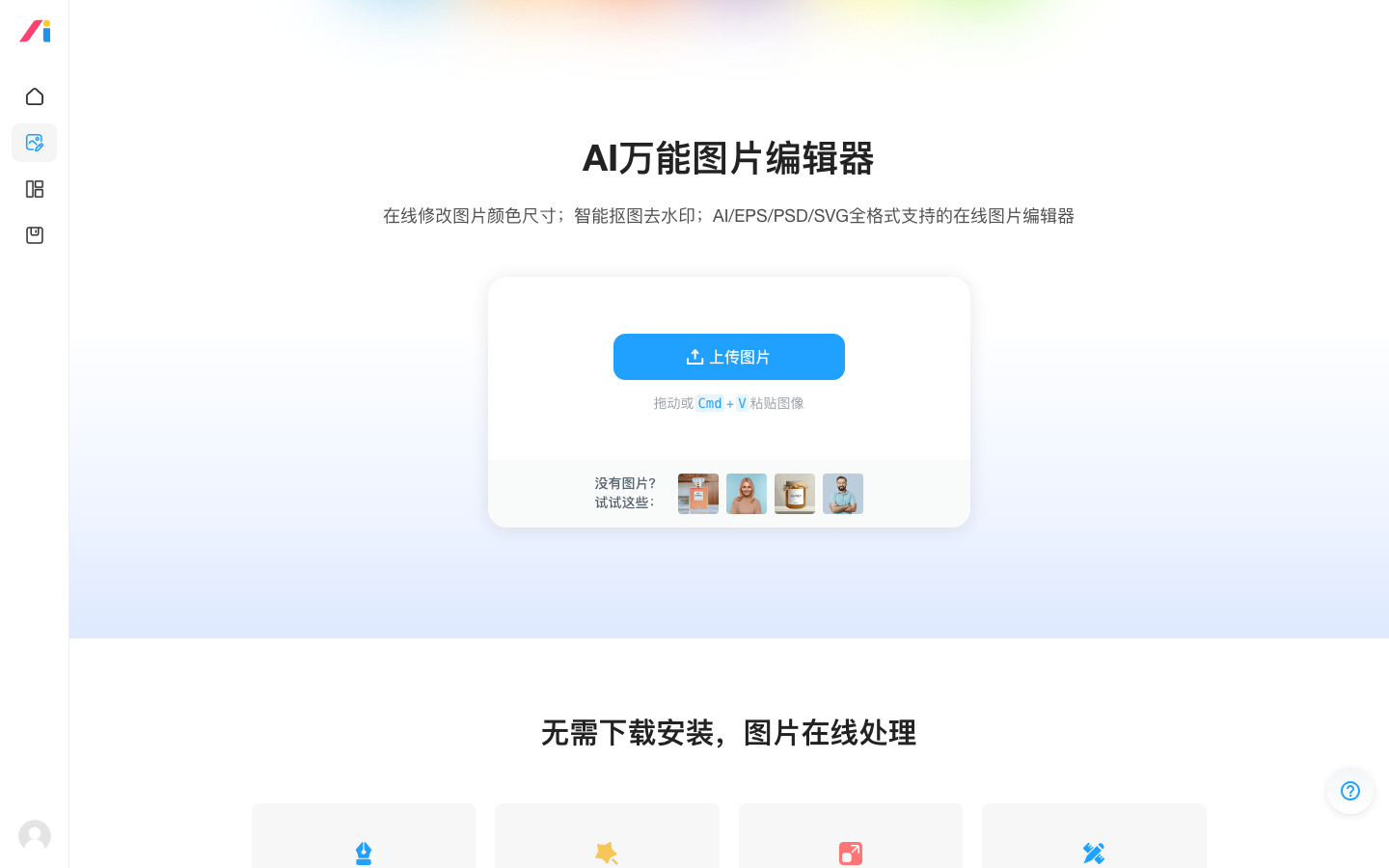
AI picture modification artifact
Core parameters and statistics
AI image editing tool is an online image editing tool owned by logosc. It targets a very common scenario: ordinary people want to change a picture - cut out a picture, remove a watermark, change the background - but are dissuaded by the complexity of professional photo editing software. The AI image modification tool makes these common operations one-click or natural language driven, allowing people without design foundation to complete them quickly.
| Projects | Public Information |
|---|---|
| Official positioning | Online AI image editing tool |
| Producer | Biao Xiaozhi (logosc) |
| Product form | Web online tools |
| Core capabilities | AI cutout, elimination, image modification, background processing |
| Operation method | One-click / natural language driven |
| Target users | Ordinary users, operators, e-commerce sellers |
| Support Platform | Web |
| Place of Belonging | China |
| Billing form | Free + paid amount |
Product Boundaries: It is aimed at "common, lightweight" image processing, not professional-level fine retouching. For designers seeking pixel-level control and a high degree of customization, it is a productivity tool rather than a replacement.
Source of capability: Backed by Biao Xiaozhi’s accumulation in the field of AI design, AI is used to automate highly repetitive operations in image processing. The core is to “lower the threshold and improve efficiency”.
User and market recognition
Gradually build user awareness in the field, and product capabilities are used by content creators and teams to improve work efficiency. Some industry users have incorporated it into their daily workflow. It is recommended to refer to the latest official disclosures for specific user scale and industry adoption rate data.
Cost advantage
- C-side/Individual: Usually a free version is provided to experience the core functions, and high-frequency use requires a paid package subscription.
- API/Developer: Billed by call volume, suitable for development teams that can be flexibly integrated into their own systems.
- Enterprise/Privatized: Contact the business owner for customized quotation and deployment plan. The specific price is subject to the official real-time pricing page.
Main functions
- AI Cutout: Automatically identify the subject and background, and quickly complete the cutout.
- Smart Elimination: Remove unwanted objects or watermarks from images.
- Background Processing: Replace or remove the background.
- Image Editing: Make common adjustments to images based on AI.
- Online ready to use: No installation required, upload and process.
Hidden linkage: Its value lies in integrating the common operations of "cutting out - erasing - changing background" into the same online tool - users do not have to switch to different software for each operation, and can continuously complete multiple steps of processing with one upload.
Model and version evolution
Continuous iterative updates, the latest version introduces performance optimization and new features. Historical version information can be viewed on the official release page. There is no complete public version evolution timeline yet. It is recommended to pay attention to the official announcement to understand the rhythm of feature updates.
Technical advantages
Mechanism: Use image segmentation and generative repair models to automate operations such as cutout and elimination. Users only need to specify the target.
Effect: Compared with manual cutout and repair using professional software, AI automation greatly shortens the operation time and has stable effects on common scenes.
Applicable scenarios: High-frequency and lightweight needs such as e-commerce main image processing, social media matching images, and daily image cleaning best reflect the efficiency advantages of this automation.
How to use
- Open the online page of AI image modification tool.
- Upload the images that need to be processed.
- Select operations such as cutout, elimination, and background change, or use natural language to describe your requirements.
- Preview the processing effect and fine-tune it if necessary.
- Export or download the processed image.
The entrance is purely Web, upload and use immediately, no installation required.
Product Pricing
The pricing model is subject to the official real-time page. Usually a freemium or subscription system is used, and basic functions can be used for free. Advanced functions or high-frequency use require paid subscriptions, and users are advised to evaluate the optimal solution based on actual usage.
Application scenarios
- E-commerce image processing: Quickly cut out images and change backgrounds to create product main images.
- Social Media Pictures: Handle pictures required for daily publishing.
- Office Image Cleanup: Remove screenshot watermarks and redundant elements.
- Personal modification of images: Meet daily lightweight image editing needs.
Applicable people
- E-commerce seller/operation: High-frequency processing of products and marketing images.
- Self-Media Creator: Need to quickly produce pictures.
- Ordinary users: lack the basics of photo editing and just want to complete simple processing.
Not suitable for boundaries: Professional designers who require pixel-level refinement, complex synthesis or highly customized visual design still need professional software; for scenes with strict commercial licensing requirements, the copyright source of the processed materials needs to be verified.
Summary and Outlook
The AI image retouching tool uses AI to automate high-frequency image operations such as cutout, erasure, and background changing, allowing users with no background in image retouching to quickly complete daily processing. It is a typical tool that "lowers the threshold and improves efficiency." Its limitations are that it is lightweight, non-professional and refined, and there are limitations on free quota and export specifications.
Implementation suggestions: Individuals and small sellers can first use the free quota to verify whether the cutout and elimination effects meet their needs, and then decide whether to purchase paid quota based on the actual processing frequency; commercial batch scenarios need to confirm the export resolution and material authorization boundary in advance.
Related tools:  Midjourney, stable-diffusion
Version evolution of AI image-changing artifact
As an online tool, AI processing capabilities are updated after the back-end model, without traditional discrete version numbers.
Main line context
- Tool launch period: Online AI image editing is launched, providing basic capabilities such as cutout and image modification.
- Continuous Optimization Period: As the image model is upgraded, the cutout and elimination effects will be improved, and the processing types will be expanded.
The exact version date has not been officially disclosed, and the text is marked with the online version at the time of collection.
Version Info
- AI picture modification tool (online version) :The online image editing tool is continuously updated, and the AI processing capabilities are iterated on a rolling basis with the back-end model; the official independent version number has not been disclosed, and the online version at the time of collection is marked here. There is no official precise date yet.
- AI picture modification artifact is online :Biao Xiaozhi launches an online AI image editing tool that provides basic capabilities such as cutout and image modification; there is no official precise date yet.
User Reviews