 love design
Free
love design
Free
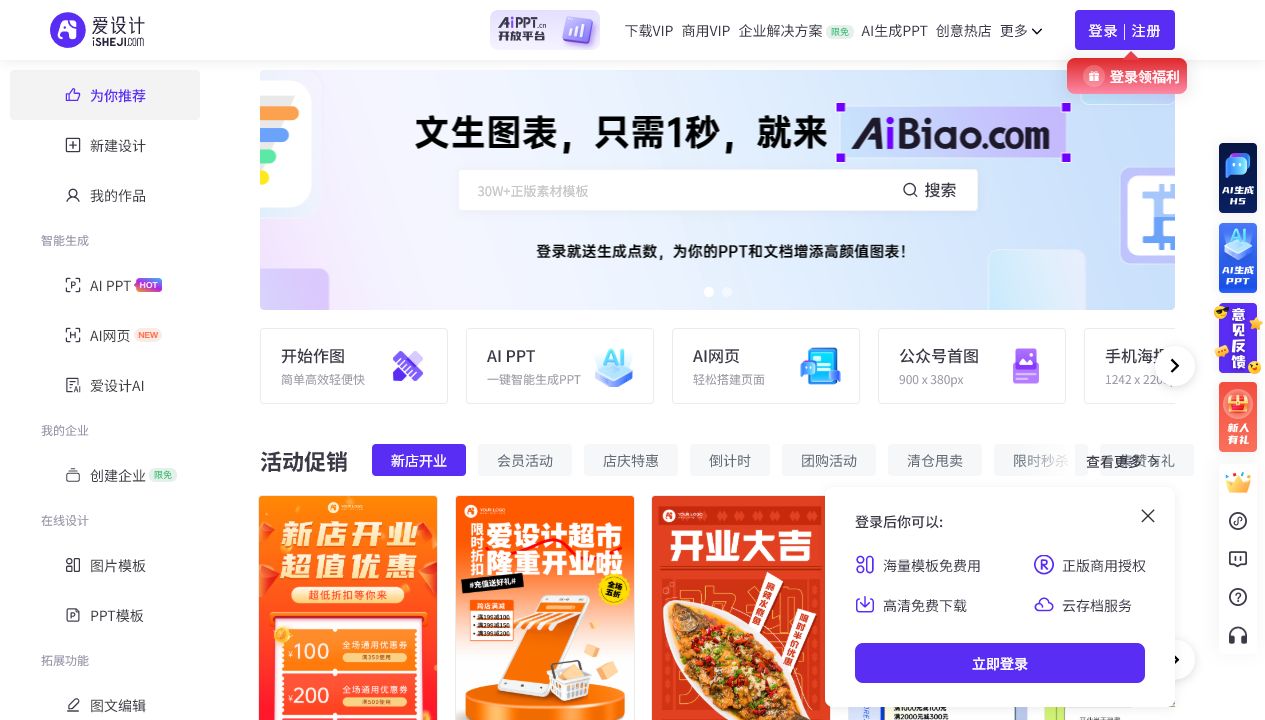
Ai Design is a multi-terminal online drag and drop AI Image and Design platform that combines massive templates and AI capabilities to help non-designers quickly produce visual designs such as posters and e-commerce materials.
爱Design
Core parameters and statistics
iDesign is an online design platform for non-professional users. The pain points it targets are very common: small and medium-sized businesses and individuals often need to make posters, product images, and event materials, but they cannot afford designers or learn professional software. iDesign uses a combination of "drag and drop + template + AI" to reduce the design process to the level of "you can get started if you know how to use office software".
| Projects | Public Information |
|---|---|
| Official positioning | Multi-terminal online drag and drop design platform |
| Product form | Web online design tool |
| Core Competencies | Drag-and-drop editing, template application, AI design assistance |
| Content coverage | Posters, e-commerce, social media, office materials |
| Target users | Small and medium-sized businesses, operations, individuals |
| Support platform | Web (multi-terminal) |
| Place of Belonging | China |
| Billing form | Free + membership subscription |
Product Boundary: It is oriented to the design needs of "template-based, efficiency-first" rather than highly original visual creation. For professional designers who pursue a unique brand vision, it is an efficient supplement rather than a replacement.
Capability source: The core is a massive template library + drag-and-drop editor. AI is responsible for further lowering the threshold in terms of pictures, copywriting, typesetting, etc., and the overall solution is "out-of-the-box".
User and market recognition
Gradually build user awareness in the field, and product capabilities are used by content creators and teams to improve work efficiency. Some industry users have incorporated it into their daily workflow. It is recommended to refer to the latest official disclosures for specific user scale and industry adoption rate data.
Cost advantage
- C-side/Individual: Usually a free version is provided to experience the core functions, and high-frequency use requires a paid package subscription.
- API/Developer: Billed by call volume, suitable for development teams that can be flexibly integrated into their own systems.
- Enterprise/Privatized: Contact the business owner for customized quotation and deployment plan. The specific price is subject to the official real-time pricing page.
Main functions
- Drag Editor: Arrange graphic and text elements by dragging and dropping, zero-threshold operation.
- Massive Templates: Covering templates for posters, e-commerce, social media and other scenarios.
- AI Design Assistance: Provide AI assistance in sections such as illustrations, copywriting, typesetting, etc.
- Material Library: Provides design materials such as pictures, fonts, icons, etc.
- Multi-port export: Export finished products according to different platform sizes.
Hidden linkage: Its value lies in the connection of "template + drag and drop + AI material" - after the user selects the template, AI and the material library directly complete the matching pictures and copywriting, without having to switch between multiple tools, and complete the process from conception to picture production in one stop.
Model and version evolution
Continuous iterative updates, the latest version introduces performance optimization and new features. Historical version information can be viewed on the official release page. There is no complete public version evolution timeline yet. It is recommended to pay attention to the official announcement to understand the rhythm of feature updates.
Technical advantages
Mechanism: Precipitate design experience into templates and component libraries, use drag-and-drop editors to carry out operations, and AI can fill in the creative gaps.
Effect: Compared with professional software, template + drag and drop allow non-designers to quickly produce usable works, and AI further reduces the burden of creating from scratch.
Applicable scenarios: Small and medium-sized businesses and operations that require high-frequency and batch production of marketing materials can best benefit from this efficiency-oriented design platform.
How to use
- Open the iDesign website and log in.
- Select a template (poster, product image, social media, etc.) according to the scene.
- Use the drag-and-drop editor to replace text and images and adjust the layout.
- Use AI to assist in generating images or copywriting.
- Export the finished product according to the target platform size.
The entrance is purely Web, available on multiple terminals, and no installation is required.
Product Pricing
The pricing model is subject to the official real-time page. Usually a freemium or subscription system is used, and basic functions can be used for free. Advanced functions or high-frequency use require paid subscriptions, and users are advised to evaluate the optimal solution based on actual usage.
Application scenarios
- E-commerce materials: Create product main images, detail pages, and promotional posters.
- Social Media Pictures: Quickly produce pictures for public accounts and social platforms.
- Event Materials: Make event posters, invitations, etc.
- Office Materials: Make simple display and promotional pictures.
Applicable people
- Small and medium-sized merchants/e-commerce sellers: high-frequency drawings, no full-time designers.
- New Media Operation: Need to quickly produce marketing images.
- Personal User: Occasionally need to make posters and pictures, but lack design foundation.
Not suitable for boundaries: Professional designers who pursue a highly original brand vision and require finely customized designs will find templates to be more restrictive; commercial content needs to strictly verify template and material authorization.
Summary and Outlook
iDesign uses "drag and drop + template + AI" to lower the threshold of visual design so that even non-professional users can get started. It helps small and medium-sized businesses and operations replace part of the design outsourcing at a very low cost. It is a typical efficient design tool. Its limitation is that it is partial to templates and not highly original. The free version has restrictions on authorization and export.
Implementation suggestions: Individuals and small businesses can first use free templates to verify the output quality, and then decide whether to become a member based on the frequency of picture publishing; before commercial batch use, be sure to confirm the commercial authorization scope and export specifications included in the membership level to avoid copyright risks.
Related tools:  Midjourney, stable-diffusion
Version evolution of Love Design
As an online platform, templates and AI capabilities are continuously updated with versions, without traditional discrete version numbers.
Main line context
- Platform establishment period: Online drag-and-drop design and template capabilities are launched.
- AI Enhancement Period: The introduction of AI-assisted graphics, copywriting and typesetting to further lower the threshold.
The exact version date has not been officially disclosed, and the text is marked with the online version at the time of collection.
Version Info
- Love Design (Online Version) :The online design platform is continuously updated, and templates and AI capabilities are iterated on a rolling basis with the version; the official independent version number has not been disclosed, and the online version at the time of collection is marked here. There is no official precise date yet.
- Love Design is online :The online drag-and-drop design platform is launched, providing templated design capabilities, and AI assistance will be introduced in the future; there is no official precise date yet.
User Reviews