 AingDesk
Free
AingDesk
Free
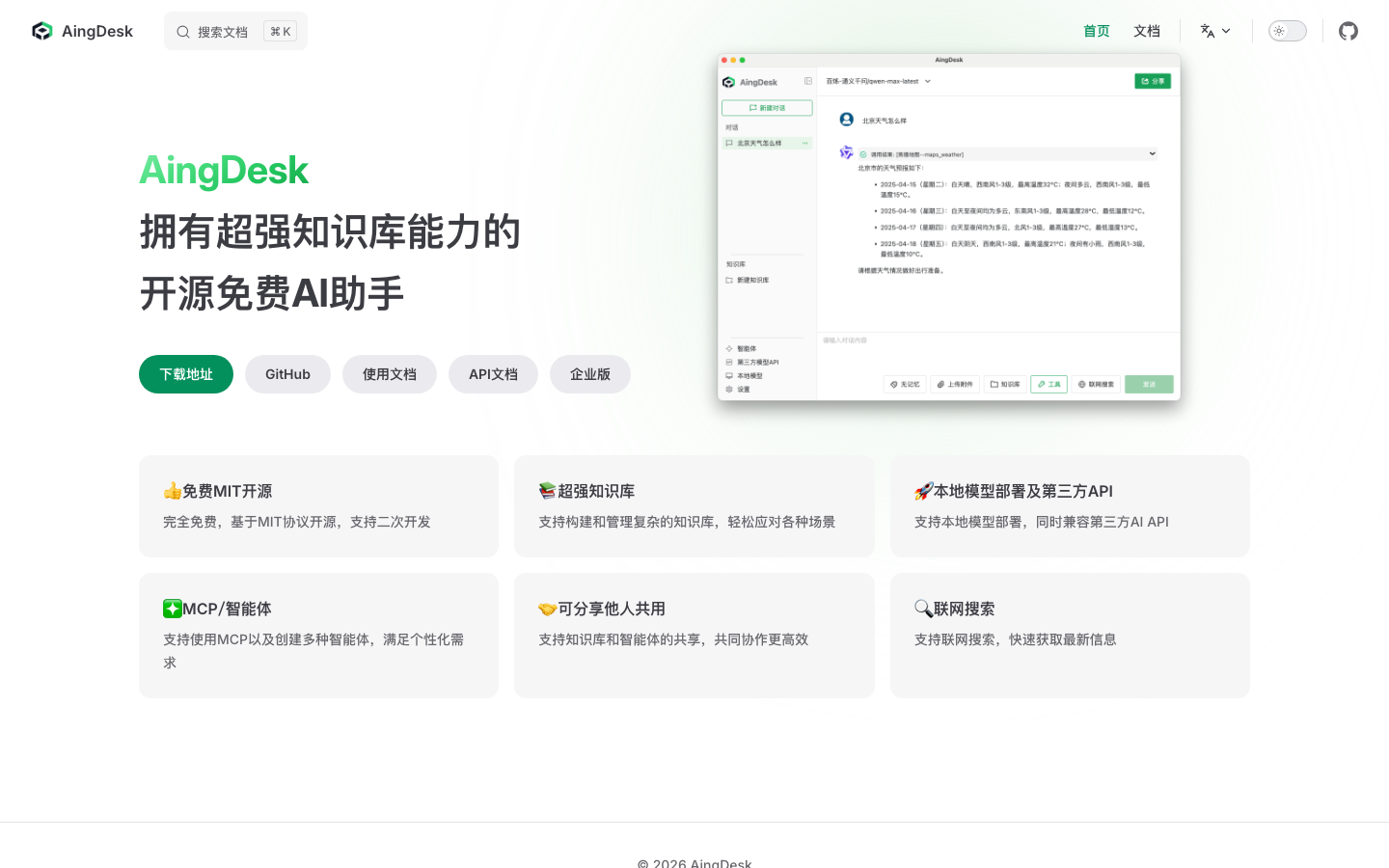
AingDesk is an open source desktop AI client that helps users deploy hundreds of AI models (DeepSeek, Llama, etc.) to personal computers with one click. Supports online search and model sharing interfaces in 21 languages. GitHub is open source and free.
AingDesk
Core parameters and statistics
AingDesk has taken a "lightweight packaging + full functional coverage" route in the open source AI desktop client market - it is not another Ollama, but packages Ollama and the unified management of dozens of model APIs, knowledge base construction, MCP agent serialization and network search into an Electron desktop application, allowing non-technical users to obtain an AI experience close to professional deployment.
| Parameters | Specifications |
|---|---|
| Product positioning | Open source AI desktop client, local model deployment + knowledge base + agent |
| Technology stack | Electron + TypeScript + Vue (front-end), Node.js (back-end) |
| Latest version | v1.2.4 (2025-05-27) |
| Open Source License | MIT |
| Supported platforms | Windows (x64), macOS (arm64 + x64) |
| Deployment form | Desktop client + Docker server (self-hosted) |
| Model source | Ollama local model + third-party API (OpenAI, DeepSeek, etc.) |
| Community size | GitHub 2.5k Stars, 284 Forks |
| Language interface | 21 languages (including Simplified Chinese, English, Japanese, etc.) |
Brief review in one sentence: AingDesk integrates Ollama's model management capabilities, knowledge base's RAG capabilities, MCP's tool calling capabilities and network search into a desktop UI, allowing non-technical users to run AI models with one click.
Differences from similar tools: Compared with pure API aggregation clients such as ChatBox and LobeChat, the core difference of AingDesk lies in the full life cycle management of local models - not only switching models, but also including model download, storage directory configuration, model recommendation based on hardware, and local vectorization embedded in the knowledge base. Compared with Ollama's native command line tool, AingDesk provides graphical knowledge base construction and agent orchestration capabilities, which is a key feature that distinguishes it from most AI desktop clients.
AingDesk’s users and market recognition
AingDesk's market volume is still concentrated in the developer community and open source circles, and has not yet entered the public's C-side vision, but its growth trajectory shows a clear "technology community word-of-mouth driven" characteristic.
GitHub community data: As of mid-2026, the AingDesk repository has received 2.5k Stars and 284 Forks. For an individual/small team open source project that started in the second half of 2024, this growth rate shows that it solves the real pain points of a specific group of people - that is, "people who want to use the local model but don't want to toss the command line." The 67 closed/in-progress issues in the Issues area are mainly feature requests and compatibility feedback. The community has active interactions but has not yet formed a large-scale contributor ecosystem (only 2 core contributors).
Typical user portrait: Judging from community feedback and discussions on the Chinese Internet, the main users of AingDesk are concentrated in the following categories: first, technology enthusiasts who are sensitive to data privacy and want to fully localize AI capabilities; second, novice users who are new to AI models, and they are daunted by Ollama’s command line threshold; third, small teams that need a unified interface to manage local models and cloud APIs at the same time. The value appeal of these users is not "the strongest model", but "the most worry-free deployment experience".
Stage of market acceptance: AingDesk is currently in the early stage of "technical verification -> small-scale adoption". There are no public enterprise-level customers or commercialization cases yet, and it has not received any external financing. Its brand recognition is much lower than that of competing products such as ChatBox and Jan, but it has certain differentiated advantages in the Chinese open source community because of its natural adaptation to Chinese scenarios (built-in Baidu/Sogou search, Chinese knowledge base segmentation optimization). After the release of the Qwen3 model owned by Alibaba, AingDesk quickly provided support in v1.2.4, showing its iterative response speed.
AingDesk’s cost advantage
AingDesk's cost structure consists of three layers: "open source zero licensing fee + local computing power + optional cloud API pay-as-you-go". The core logic is to shift the cost of AI usage from "pay by token" to "pay by hardware investment."
C client/individual: completely free, hardware is the cost. AingDesk ontology and models are free (MIT license). Users only need an ordinary computer to run 7B-14B parameter level models. Taking Qwen2.5-7B in the Ollama ecosystem as an example, an M-chip Mac with 16GB of memory can run smoothly with zero explicit cost. To run a large model of 70B+, you need 64GB+ memory or NVIDIA graphics card, and the hardware cost ranges from thousands to tens of thousands of yuan - this is the real shift behind "free": the computing power bill of AI computing is transferred from the API provider to the user's own hardware.
API/Developer: Zero platform lock-in, choose your backend on demand. AingDesk is compatible with the OpenAI standard API format. Developers can freely switch to cloud models such as DeepSeek, GPT, and Claude within the client, or call local models through Ollama. This means there is no "platform tax" - users can choose the most cost-effective backend based on task complexity. For example: local small models are used for daily translation (zero cost), code generation is switched to DeepSeek API (0.02-2 yuan/million tokens), and creative writing uses GPT (pay-as-you-go). The hidden cost advantage of this "hybrid routing" is often underestimated - it prevents users from paying the same computing power premium for all tasks.
Enterprise/privatized: Open source and self-hosted, operation and maintenance costs need to be evaluated. Enterprises can deploy the AingDesk server through Docker on the intranet to meet the security requirements of data not leaving the domain. But to be clear: the MIT license does not come with an enterprise-grade SLA, technical support, or compliance certification. The hidden costs that enterprises need to bear during privatized deployment include: GPU server purchase/lease (based on 4×A100, monthly rental is about 30,000-50,000 yuan), operation and maintenance manpower (model version update, knowledge base reconstruction, storage expansion), and continuous integration model compatibility testing. Compared with the "monthly payment" of the SaaS solution, private deployment is more suitable for teams with existing GPU infrastructure, rather than building it from scratch to "save API fees."
Main functions of AingDesk
AingDesk's functional design revolves around the three lines of "local priority + knowledge enhancement + tool expansion". It does not simply pile multiple functions into a UI, but forms a composable calling link between the knowledge base, agent MCP tools and search engines.
-
One-click local model deployment: Based on the Ollama engine, model search, download, configuration and startup can be completed directly in the desktop UI. Users do not need to touch any command line operations. The software will recommend a list of models that can run smoothly based on the hardware configuration. Attention required during actual use: Model download relies on the source sites of GitHub and Ollama warehouses, which may be slow or fail under domestic networks. You need to configure a mirror source or use a third-party API instead.
-
Local Knowledge Base (RAG): Supports the construction of a knowledge base based on local documents, and automatically completes document chunking and vectorization embedding after uploading PDF, Word, TXT, pictures and other formats. User-configurable chunking strategy and recall precision. Since v1.1.8, the context embedding process has been optimized to reduce hallucinations, and v1.2.0 has improved full-text search accuracy. Expert view: The real bottleneck of the knowledge base is not AingDesk itself, but the selection of the underlying embedding model - using the default small model may have insufficient recall in high-precision scenarios. It is recommended to manually switch to a higher quality embedding model in the settings.
-
MCP Client & Agent: This is the most underrated capability of AingDesk. MCP (Model Context Protocol) client is supported starting from v1.2.1. Users can configure the MCP Server in the settings, and then directly call tools (such as code execution, data query, file operations, etc.) in the conversation. It also has a built-in agent module that supports the creation of custom role agents and binding of knowledge bases and tools. Synergy effect: The linkage of agent + knowledge base + MCP tool is the greatest high-level value of AingDesk - for example, creating a "customer service assistant" agent, allowing it to access the product manual knowledge base and order query MCP tool at the same time. When the user asks a question, it automatically determines whether to look up knowledge or data. The entire process is completed in one interface.
-
Internet search: Built-in API access to search engines such as Baidu and Sogou to obtain the latest information in real time during conversations. Search results are injected into model inference as context rather than returning a list of search results independently. v1.2.4 optimizes search engine result parsing and reduces the problem of confusing search result formats. Note: Internet search only takes effect when it is actively turned on, and depends on the availability and anti-crawling strategy of the search engine.
-
Model Sharing and Collaboration: Generate exclusive sharing links to share locally deployed models with others through the Internet. This capability is of practical value in team scenarios - after one member deploys a model, other team members can call it directly without repeating the deployment. However, for production, the security risks and bandwidth bottlenecks caused by intranet penetration need to be considered.
AingDesk’s model and version evolution
AingDesk's version iteration rhythm has accelerated significantly between March and May 2025. It only took more than two months to go from v1.1.5 to v1.2.4, with almost one version per week, reflecting the early stage of rapid trial and error and rapid verification of the project.
Early groundbreaking (Q3-Q4, 2024)
The project will be open sourced on GitHub in the second half of 2024. The initial version focuses on basic model deployment and dialogue capabilities, and the technical architecture and functional boundaries are still being explored. There is no standardized version release record at this stage, and it is mainly distributed directly through source code.
Functional sprint period (March - May 2025)
- v1.1.5 (2025-03-15): Introduce the agent function module to solve the error problem of non-VL models processing image attachments. This is a key node for AingDesk to shift from "pure chat client" to "Agent platform".
- v1.1.6 (2025-03-20): Fix the infinite waiting problem of knowledge base document embedding, improve the PDF parser, and add embedding model availability detection.
- v1.1.7 (2025-03-21): Supports Mermaid standard syntax rendering, customized Ollama service address, and synchronization of the latest model library list.
- v1.1.8 (2025-04-02): The accuracy and performance of the knowledge base have been greatly improved, supporting document segmentation and recall strategy configuration, adding the function of modifying the data storage directory, and fixing .doc file parsing issues.
- v1.1.9 (2025-04-03): The knowledge base accuracy configuration is changed to automatic mode, online model calling errors are fixed, and macOS x64 support is added.
- v1.2.0 (2025-04-08): Optimize the default document segmentation effect and improve the accuracy of full-text search.
- v1.2.1 (2025-04-14): Milestone version - Officially adding the MCP client function, this is a key step for AingDesk to leap from a "local model management tool" to an "AI tool chain platform".
- v1.2.2 (2025-04-16): Added Windows automatic update mechanism and fixed the coordination problem of knowledge base/agent/tool linkage call.
- v1.2.3 (2025-04-18): Fix OpenAI GPT-O3 compatibility, fix third-party embedding model creation knowledge base error.
- v1.2.4 (2025-05-27): Support Qwen3 model, optimize search engine result parsing, add OCR support for pure image PDF, and improve MCP tool call result parsing.
Current status
The latest stable version is v1.2.4 (2025-05-27). Although the project has not released a major version update for nearly a year since then, the Issues area of the GitHub repository is still under active maintenance. Users should pay attention when choosing a version: versions prior to v1.2.1 lack MCP capabilities. If there is a need for tool calls and agents, be sure to use v1.2.1 and above.
AingDesk’s technical advantages
AingDesk's technical advantage lies not in the innovation of the underlying model (it does not train the model), but in "how to seamlessly integrate multiple AI infrastructures into a desktop application while maintaining operability for non-technical users."
Electron cross-platform + local-first architecture: Choosing Electron as the desktop framework means that Windows and macOS users can use it out of the box, but it also brings about an installation package size of about 140-180MB and a relatively high memory footprint. The backend is based on Node.js, model management is implemented by calling Ollama's REST API, and the knowledge base is vectorized and stored in the local file system. Advantages of this architecture: The data is completely controlled by the user, and it can be fully functional without any cloud server; Cost: All calculations (inference, vectorization, retrieval) are performed locally, which requires certain computer configurations. Especially when there are many knowledge base documents, the embedding process will consume a lot of CPU/memory.
MCP Protocol Integration: By implementing the MCP client, AingDesk allows large models to call external tools - this is essentially extending the "model conversation" to a ternary combination of "model + tool + knowledge". MCP's Tool behaviors include: list_tools (list available tools), call_tool (call the specified tool and return the result). The model independently determines whether and which tool needs to be called based on the user's intention during the conversation, forming a structure of "intent recognition -> tool selection -> parameter generation -> result analysis -> reply generation". The difficulty of implementing this mechanism is that the model may mistakenly select irrelevant tools, generate invalid parameters, or fall into a cycle of repeated retries when the tool returns an exception. AingDesk alleviates some of the problems through optimized parsing of MCP call results (v1.2.4), but there is still room for improvement in complex multi-tool orchestration scenarios.
Knowledge base's RAG pipeline: AingDesk's knowledge base implements a complete set of RAG processes - document parsing -> text chunking -> vector embedding -> similarity retrieval -> context injection. Supports configurable chunking strategies (size, overlap, delimiters) and retrieval precision options (automatic/manual). From the perspective of actual performance: For Chinese PDF documents of hundreds of pages, AingDesk's knowledge base can be embedded in minutes and retrieved in seconds. However, additional attention is required in the following scenarios: scanned PDFs (requires OCR support, v1.2.4 has been added but macOS requires manual installation of Poppler), documents containing complex tables and typesetting (limited format retention capabilities), and the blocking effect of non-Chinese documents (the default blocking strategy may not be sensitive to English paragraph boundaries).
Architectural Links (Control Flow and Data Flow):
user input
  │
  ▼
AingDesk front-end (Vue + Electron)
  │
  ├─► Model routing ──┬─► Ollama (local model)
  │ ├─► OpenAI compatible API (cloud model)
  │ └─► MCP Server (external tool)
  │
  ├─► Knowledge base ──────► embedding model ──► Vector storage ──► Similarity retrieval
  │
  └─► Internet search ────► Search engine API ──► Result analysis ──► Inject context
  │
  ▼
Model inference ──► Output rendering
Guide to engineering pitfalls:
-
The endless loop of MCP tool calls is associated with Token waste: The model may call the same tool repeatedly when the tool returns results that do not meet expectations, or it may still try to call when there is no suitable tool available. It is recommended to add clear input and output constraint descriptions to tools in the MCP Server configuration, and emphasize "Do not repeatedly call tools that have returned errors" in the model prompt. For high-frequency scenarios, the maximum number of tool calls for a single round of dialogue can be set at the client level (similar to
max_steps) to prevent infinite loops. -
Knowledge base context overload: When the number of documents is large, the relevant fragments retrieved may fill the context window, causing the model's attention to be scattered or exceed the context limit. It is recommended to lower the "number of recalled fragments" in the knowledge base settings (the default value is usually high), and appropriately increase the similarity threshold to filter out low-relevant fragments. For very long documents, prefer abstract over full-text embedding strategies.
-
Model download issues on domestic networks: The default sources for Ollama model downloads are GitHub and Docker Hub. Domestic users may encounter download failures or extremely slow downloads. Solution: Configure Ollama's mirror source address (such as using some domestic accelerated mirrors), or use AingDesk's "Customized Ollama Service Address" function to point to other machines that have downloaded the model in advance.
How to use AingDesk
AingDesk's entrance and installation methods cover a variety of scenarios from personal desktop to server deployment.
| How to use | Suitable for the crowd | Operation path | Cost |
|---|---|---|---|
| Desktop client (download from official website) | Individual users | Visit aingdesk.com to download the Windows/macOS installation package | Free |
| Desktop client (GitHub Releases) | Developers/technical users | Download the corresponding platform installation package from the GitHub Releases page | Free |
| Docker server-side deployment | Team/Enterprise | Run docker run aingdesk/aingdesk Self-hosted |
Free + infrastructure costs |
| Source code compilation | Customization requirements | git clone + yarn dev local build |
Free |
Quick Getting Started Steps (Desktop):
- Download the installation package for the corresponding platform from the official website and complete the installation.
- After startup, select the model backend in the settings: If you select "Local Model", you need to install Ollama first and select download from the model library; if you select "Third-Party API", fill in the API Key such as OpenAI/DeepSeek.
- Create a knowledge base: upload documents (PDF/Word/TXT/pictures) and wait for automatic completion of blocking and vectorization embedding.
- (Optional) Configure the MCP Server in the settings, or create a custom agent in the agent module and bind the knowledge base and tools.
- Select the deployed model or created agent in the dialog window to start using it. When searching online, manually turn on the search switch.
Docker server quick start:
mkdir -p aingdesk && cd aingdesk
wget https://cnb.cool/aingdesk/AingDesk/-/git/raw/server/docker-compose.yml
docker compose up -d
After the server is deployed, team members can access it through a browser or API, and all data is stored locally on the server. Suitable for sharing models and knowledge bases within teams.
AingDesk Product Pricing
AingDesk’s pricing model is extremely simple – it’s completely free and MIT open source, with no hidden paywalls or feature lock-ins.
C client/individual users: Zero cost to obtain and use. All functions of the desktop client (model deployment, knowledge base, agent MCP, network search, model sharing) are completely free, with no function restrictions, no limit on usage time or number of messages. Users only need to bear the electricity bill and hardware depreciation. Hidden costs: If you choose to use a cloud API model (such as GPT, DeepSeek), you need to pay the corresponding service provider yourself. AingDesk does not participate in pricing and does not take a commission.
Developer/API call: If secondary development is performed through the API interface of the AingDesk server, AingDesk itself does not charge any API fees. Developers only pay for the underlying model calls (local models are free, cloud models are priced according to the API provider). This allows AingDesk to be embedded into development workflows as a "free API gateway".
Enterprise/Private Deployment: The MIT license allows enterprises to deploy, modify and commercially use it at will without paying any licensing fees to the AingDesk project. However, as mentioned above, the hidden costs of hardware, operation and maintenance, and version management need to be evaluated by enterprises themselves. Currently, the project does not provide a paid enterprise version, technical support contract or SLA guarantee, and key business scenarios require enterprises to have internal technical capabilities to cover the entire situation.
AingDesk application scenarios
The core value of AingDesk lies at the intersection of the two dimensions of "local priority + knowledge enhancement". The following three types of scenarios have been verified by the community:
-
Personal knowledge management and AI-assisted learning: Import textbooks, papers, and notes into the knowledge base, and perform question-and-answer retrieval through local models. Compared with online ChatGPT-style question and answer, the advantage is that the data does not need to be uploaded to a third-party server, and it can handle cross-chapter associations of very long textbooks. Implementation Tips: For a large number of scanned PDF teaching materials, it is recommended to use professional OCR tools to convert them into searchable PDFs and then import them into the knowledge base. The OCR effect of pure image PDFs (even if v1.2.4 is supported) may not be as good as professional solutions.
-
Internal knowledge base and shared models for small teams: After deploying the AingDesk server, the team can build internal documents (product manuals, technical specifications, FAQs) into a shared knowledge base, and allow members to call the same model through shared links. Suitable for small teams of 5-20 people, especially scenarios where remote teams need a unified knowledge center. Implementation Tips: Server deployment needs to be exposed to the public network to achieve external network sharing. It is recommended to use reverse proxy and identity authentication instead of directly exposing the Docker port.
-
Quick verification of AI application prototypes: Developers can use AingDesk's MCP client and agent modules to quickly build a "model + tool + knowledge" prototype application, and test the product concept before proceeding with formal development. For example: create an "order query" agent, bind the MCP tool of the order database and the product manual knowledge base, and you can see an interactive demo in a few minutes. Implementation Tips: Using AingDesk in the prototype stage can greatly shorten the verification cycle, but for formal production, a more controllable development and deployment solution is still required.
Not suitable for scenarios: AingDesk is not suitable for service scenarios that require large-scale concurrent reasoning (such as public-facing AI customer service, applications with tens of thousands of daily users). The local client has limited computing power and concurrency capabilities; it is not suitable for scenarios that require strong control over the model output format (such as structured JSON obsessive-compulsive development). AingDesk The model routing layer does not support fine-grained output constraint configuration; it is not suitable for tasks that require multi-modal capabilities (such as video understanding, audio generation), and its capability boundaries are within text and image understanding.
Applicable people
Through the design philosophy of "zero configuration + full functionality", AingDesk covers a part of the user group that is ignored by CLI tools and pure API aggregation clients.
-
AI novices and individual users: No need to know Docker, command line or GPU configuration, just download and install it. AingDesk’s built-in model manager and knowledge base capabilities make the barrier to entry almost zero. Unsuitable Boundary: If the user only uses AI for occasional chats and is not sensitive to data privacy, then free online AI services (such as DeepSeek web version, Doubao) have a lower threshold for use and do not require any installation and configuration.
-
Open source and self-hosted enthusiasts: AingDesk's native-first architecture and MIT license provide a fully controllable AI environment for technical users who pursue data sovereignty and privacy protection. They can freely modify the code, audit network requests, and run offline. Prerequisites: Basic Git and Node.js operational capabilities are required, as well as a computer with at least 8GB of memory to run a 7B level model.
-
Small Teams and Technology Entrepreneurs: In scenarios where teams need to share AI models and knowledge bases but have limited budgets, AingDesk's server-side deployment is a zero-cost starting point. You can first use it as an internal tool to verify business processes, and then decide whether to invest resources in developing customized solutions. Implementation Tips: For teams of more than 20 people or scenarios with higher stability requirements, it is recommended to evaluate the commercial versions of professional knowledge base solutions (such as Dify, FastGPT), which are more mature in permission management, high availability, and operation and maintenance monitoring.
-
Students and Researchers: Import textbooks, papers, and experimental reports into the knowledge base for localized Q&A. It is especially suitable for literature review and knowledge organization in offline environments (such as laboratory intranets without Internet). Not suitable for boundaries: For academic writing that requires citing precise page numbers and original text paragraphs, the fragment retrieval of the knowledge base may have context truncation problems. It is recommended to use the knowledge base output as a clue to return to the original text for verification.
Summary: Who wouldn’t be a good fit for AingDesk? Users with extreme requirements for model performance (70B+ models require high-end hardware), organizations that require enterprise-level permission management and audit logs, and pure conversational users who want "out of the box without any configuration" should consider other options.
Summary and Outlook
AingDesk has made substantial engineering efforts in "lowering the threshold for local deployment of AI" - it is not another API aggregation shell, but integrates model management, knowledge base RAG, MCP tool calling and agent orchestration into a complete product that can run independently on the desktop and is completely open source and free.
Current core advantages: The zero-configuration model deployment experience is rare among desktop clients of the same type in China. The introduction of MCP client and agent functions gives it the potential to transition from a "chat tool" to a "tool chain platform". The localized RAG pipeline of the knowledge base is available on Chinese documents, and the data is fully controlled by the user. The MIT license eliminates legal concerns for commercial use.
Current main limitations: The community is still small (2 core contributors), and the function iteration and issue response speed show signs of slowing down after the release of v1.2.4; the memory usage and installation package size brought by the Electron architecture are relatively high among similar products; the retrieval accuracy of the knowledge base and the optional range of embedding models are limited, and cannot be compared with the high-end functions (multi-way recall, reordering RBAC) of professional RAG platforms (such as Dify, FastGPT) Compared with permissions); it lacks enterprise-level deployment operation and maintenance tools (monitoring, logging, backup) and commercial support.
Follow-up observation points: Whether the project will launch major updates after v1.2.4 (the official roadmap is not disclosed); whether the community contributor ecosystem can be expanded from 2 people to more external contributors; whether there will be commercial exploration (such as enterprise version subscription, hosting services) to support long-term sustainable maintenance; and in the context of the rapid development of the MCP ecosystem, whether AingDesk can continue to follow up on the compatibility adaptation of protocol updates.
Acquisition and Adoption Risk Assessment: For individual users and small teams of 5-20 people, AingDesk’s zero-cost, zero-lock-in nature makes it virtually risk-free for adoption, making it worthy of being the default choice for an on-premises AI workbench. However, for enterprises with strict compliance requirements, please note: the MIT license does not come with any guarantee, and the project does not provide compliance certification such as SOC2/GDPR; if AingDesk is used to process sensitive business data, the enterprise needs to assess the risk of data leakage and establish a backup and recovery mechanism by itself. For critical business scenarios, it is recommended to maintain a set of commercially supported alternatives outside of AingDesk as redundancy.
Related tools:  DeepSeek,
  ChatGPT
Version Info
- AingDesk v1.2.4 :Added Qwen3 model support, optimized search engine result analysis, added OCR support for pure image PDF, and improved MCP tool call result analysis.
- AingDesk v1.2.3 :Fixed OpenAI GPT-O3 compatibility, fixed third-party embedding model creation knowledge base error, and optimized model selector.
- AingDesk v1.2.2 :Added Windows automatic update mechanism and fixed knowledge base/agent/tool linkage calling issues.
- AingDesk v1.2.1 :Added MCP client function (supports configuring MCP Server in settings and selecting tools in dialog), and optimized model selector.
- AingDesk v1.2.0 :Optimize the default document blocking effect, improve the accuracy of full-text search in the knowledge base, and fix the problem of incomplete multi-delimiter blocking.
- AingDesk v1.1.5 :Added a new intelligent agent function module and fixed the problem of error reporting when processing image attachments for non-VL models.
User Reviews