 aiPDF
aiPDF
aiPDF is a AI office collaboration document efficiency tool that supports PDF Q&A, summary and key extraction.
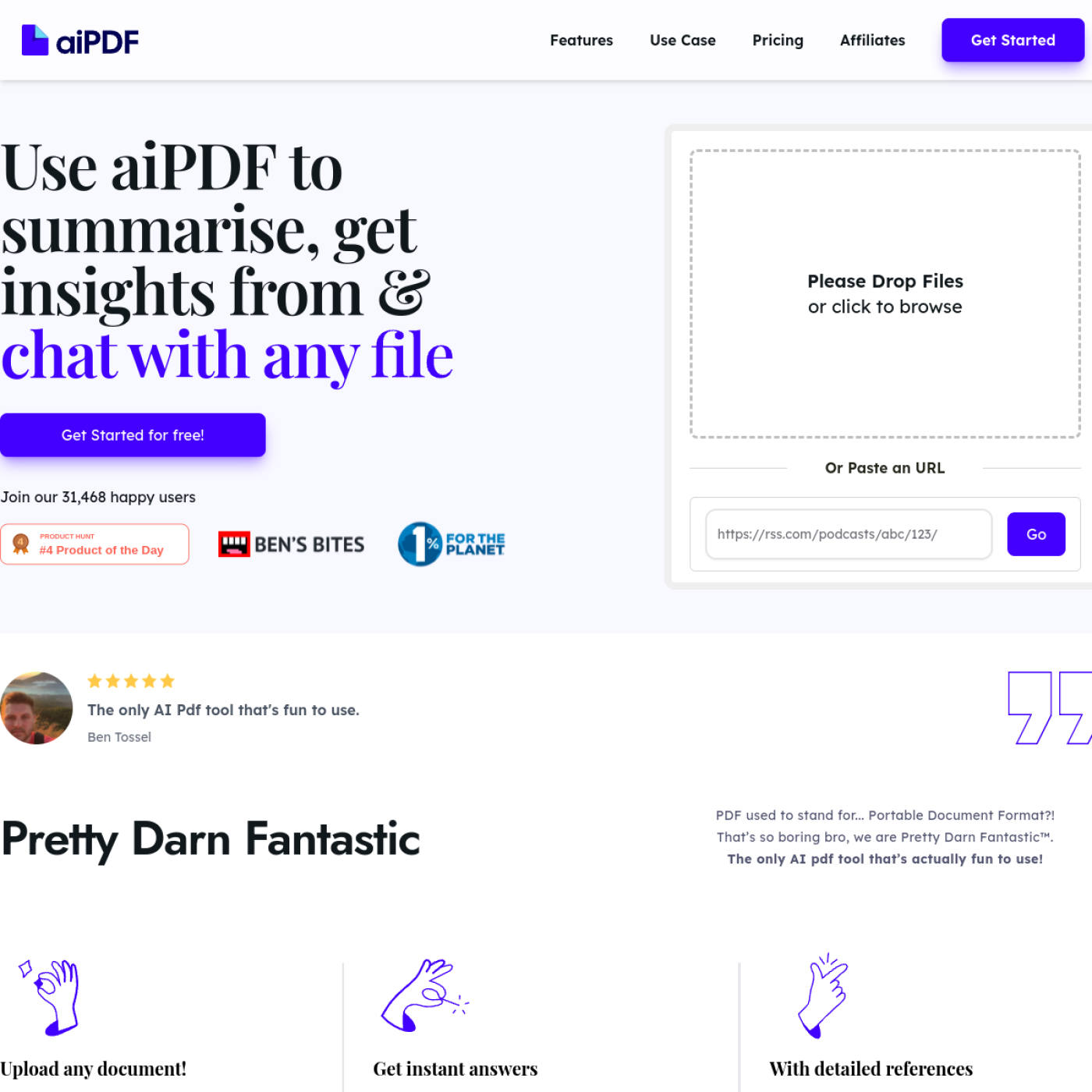
aiPDF — Intelligent Q&A and summarization tool for multimodal documents
Tool introduction
aiPDF is an online document intelligence tool for consumers and lightweight office scenarios. It is operated by the British company Ethical Network (Company number 15291725, registered address 86-90 Paul Street, London EC2A 4NE, United Kingdom). The three founding members Cata (@zorzini), Rishi (@rishi5565) and Theo (@Th_Calafatidis) formed a team after meeting online in early 2023. The product will launch public beta in November 2023 and enter a rapid iteration period starting in 2024.
Unlike traditional PDF readers or document management tools, aiPDF embeds a large language model (LLM) into the entire document processing link and supports multi-modal inputs such as PDF, EPUB, web page URLs, YouTube videos and even podcast RSS feeds. After users upload it, they can perform summary refining, fact questioning and key point extraction. As of July 2026, the official website shows that there are more than 58,215 registered users, and it has been ranked the 4th product of the day on Product Hunt and recommended by AI newsletters such as Ben's Bites. The team is also a member of 1% for the Planet, donating a portion of their earnings each month to the insured charity earth.fm.
Core positioning: It is not another PDF annotator or format converter, but an AI question and answer layer that "let the document speak" - users throw in the information, ask questions directly, and get answers with quotes, saving the time of manual reading.
Core functions
aiPDF is designed around the concept of "upload → understand → question and answer → export". Its core capabilities include:
- Multi-format document parsing: Supports PDF, EPUB, web links, YouTube video links, and podcast RSS feeds. After uploading, the system automatically performs preprocessing (the duration depends on the file size), and interaction can begin after completion. The official website FAQ clearly states that "large documents with any number of pages are supported", but the file size is limited by the subscription level (free tier 35 MB, paid tier 50–65 MB).
- Intelligent summary and global understanding: AI generates a comprehensive summary of the document in the pre-processing stage. Users can start asking questions in advance during the summary generation process without waiting for it to be fully ready. The summary is based on a "whole book-level" understanding of the full text context, rather than just cutting off the beginning and end of paragraphs.
- Quote-based Q&A: Users ask questions in natural language, and AI matches all relevant fragments in the document and gives answers with source quotes. The team claims that the quality of its Q&A has been verified against benchmark tests conducted by organizations such as Google and Stanford (source: official website FAQ).
- Multi-document joint chat: Supports adding multiple documents to the same session at the same time for cross-document retrieval and comparison. The free tier allows merging 3 documents in 1 session, and the paid tier supports more.
- OCR Text Recognition: For scanned documents or PDFs whose text cannot be extracted directly, OCR capabilities are provided to convert them into searchable text. The Free tier is 50 pages/month, the Dynamic tier is 500 pages/month, and the Flagship tier is 3,000 pages/month.
- Full multi-language support: The system supports all languages and returns answers in the language in which the user asks questions. This means users can ask questions in Chinese with a Chinese PDF, in English with an English PDF, or a mix of them.
- Result Export: Supports exporting AI answers to external files for easy integration into reports, notes or emails (source: official website FAQ).
Expert view: The real synergy of aiPDF is not in a single function, but in the chain of "cross-modal input → unified question and answer layer → output with reference". A typical workflow is: upload a PDF of an English research report, ask for key indicators in Chinese, and AI performs translation + positioning + summary at the same time - this is equivalent to merging the actions of the three positions of translation, speed reading, and information extraction into one web operation. Additionally, podcast and YouTube support means it's not just a "PDF tool" but a pan-document knowledge extractor, a key differentiator from competing products like ChatPDF, AskYourPDF and others.
Pricing strategy
aiPDF adopts a three-level pricing model of "freemium + monthly subscription + enterprise inquiry", and you can save about 30% by paying annually.
Pricing tier details
| Scale | Price | PDF upload volume | Storage duration | Number of questions | Single file limit | Multi-document sessions | Number of multi-document merges | Number of OCR pages |
|---|---|---|---|---|---|---|---|---|
| Playful (Free) | $0 | 2 copies | 1 month | 550 times | 35 MB | 1 | 3 copies | 50 pages/month |
| Dynamic | $9/month | 120 copies | 6 months | 5,500 hits | 50 MB | 5 copies | 5 copies | 500 pages/month |
| Flagship | $19/month | Unlimited | Unlimited | Unlimited | 65 MB | Unlimited | 10 copies | 3,000 pages/month |
| Enterprise | Business Inquiry | Unlimited | Unlimited | Unlimited | On Demand | Unlimited | Unlimited | On Demand |
Source: https://aipdf.ai/pricing (collected on 2026‑07‑17)
Cost structure interpretation
- C-side individual users: The free tier is enough to meet occasional needs (2 PDFs, 550 Q&A per month). Light researchers can choose Dynamic for $9/month, while heavy academic/legal practitioners can choose Flagship for $19/month.
- Small Team: Product or entrepreneurial teams can first use Flagship shared account pilot, but aiPDF does not provide a native team collaboration level, and enterprise level needs to go to Enterprise inquiry.
- Enterprise/Institution: The pricing page clearly states that Enterprise includes commercial use rights and "unlimited everything", but the price range is not disclosed. Based on similar tools (such as ChatPDF Team, about $15/seat/month, Claude Pro, $20/month), the Enterprise annual contract may be in the range of $500–2,000+/year, subject to business confirmation.
FREE TRUTH: Playful tier only has 2 uploads of 50 pages of OCR per month, automatically deleted after 1 month. For users who batch process more than 2 documents, the free tier is almost enough to "try" rather than "use". In addition, the automatic deletion policy means that free users cannot use aiPDF as a long-term knowledge base.
Advantages and Disadvantages Analysis
Advantages
- Wide multi-modal input coverage: It supports PDF, EPUB, web page YouTube, and podcasts at the same time. It is one of the richest input types among similar tools.
- High credibility of quoted answers: Each AI answer is accompanied by the source of the original text in the document, which facilitates cross-checking by users and reduces the risk of hallucinations.
- Multi-language native support: No need to switch language models, directly use the question language to control the output language, which is friendly to multinational research teams.
- Privacy Commitment Transparency: It is clearly stated that the data will not be used for secondary training of the model, it will be deleted from the OpenAI external database regularly, and there will be a manual delete button (source: official website FAQ).
- Guaranteed Brand Differentiation: 1% for the Planet membership is unique among similar tools and has additional appeal to ESG-focused individuals and institutions.
Disadvantages
- Low file size limit: The Flagship layer is only 65 MB, which is not suitable for oversized engineering drawings, high-resolution scanned books, or long video documents.
- Lack of team collaboration layer: There are no team functions such as workspace invitations, permission binning, and operation auditing. Groups of more than three people need to share accounts, which results in poor security and management.
- No API / No batch automation: The current version does not expose API endpoints and cannot be embedded into the existing workflow of the enterprise (such as automatically processing inbound email attachments, regularly crawling weekly reports). Scenarios that require batch and scheduled processing are almost out of bounds.
- Mobile version not yet completed: The official website marks the mobile app as "under construction". As of July 2026, there is still only a web version, and mobile office scenarios are limited.
- Low brand recognition: Compared with the document upload functions of ChatPDF, Claude, and ChatGPT, aiPDF has a much smaller user base (about 58,000) and market volume, and there is uncertainty about its long-term availability.
Applicable scenarios
Best adaptation scenario
- Academic literature speed reading: Graduate students or scientific researchers need to read 5-10 papers every week. After uploading the PDF, use Q&A instead of reading through each article one by one, so that you can directly locate the methods, data, and conclusions.
- Review of legal contract terms: Legal or compliance personnel upload the contract PDF, ask questions about specific terms (maximum compensation, governing law, termination conditions), and quickly obtain the location of the original text.
- Multi-language data translation + extraction: Product managers need to extract key data from English competing product white papers, ask questions in Chinese, and complete translation + extraction + citation in one go.
- Podcast/Video Content Retrieval: Enter the podcast RSS or YouTube link, and after AI processing, you can ask questions based on the audio/video content, which is suitable for organizing podcast notes.
- Student Exam Preparation Review: Upload textbooks or handout PDFs, repeatedly ask questions about knowledge points, and AI summarizes relevant discussions from different chapters.
Does not fit the boundary
- Extremely Large File Processing: PDFs or scanned books exceeding 65 MB cannot be uploaded and must be manually split first.
- Team-level collaboration: Scenarios where more than 3 people need to share document libraries, assign permissions, and audit operation logs are not suitable for the current version.
- Batch Automation: Scenarios that need to automatically process dozens of incoming documents every day (such as automatic extraction of customer service work order attachments) do not have API support.
- Strong compliance industries: In industries such as finance and medical care that require local deployment or private cloud, aiPDF is only available in SaaS form, and the Enterprise plan does not specify privatization options.
- In-depth original writing of long articles: aiPDF is positioned to understand existing documents and is not suitable for scenarios where long original content needs to be generated from scratch.
Summary
aiPDF is a "lightweight, multi-modal, and attitude-oriented" document question and answer tool. Its core value is to unify multiple format inputs (PDF, EPUB, web YouTube, podcasts) into a question and answer interface with quoted answers, significantly shortening the path from data to executable information. The free tier can satisfy light trials, the pricing of $9–$19/month is within a reasonable range among similar tools, and the brand story of guaranteed donations adds differentiation.
Current limitations: Low file size limit, lack of team collaboration layer, no API, not mobile ready, which means it is currently more suitable for individual knowledge workers and small project groups than team-level or enterprise-level deployments.
Purchase/Adoption Risk Assessment: Monthly subscriptions for individual users are low risk ($9–$19/month) and can be canceled at any time. Team users need to verify before adoption: ① Whether they accept the Web-only form; ② Whether they can tolerate the 65 MB file limit; ③ The specific SLA and data storage area of the Enterprise plan (currently undisclosed). Enterprise procurement is recommended to first go through the Flagship layer pilot for 1-2 months, and then contact the business to discuss the data residency and compliance terms of the Enterprise plan after confirming that the accuracy and stability meet expectations.
Efficiency improvement comparison
The following is a comparison of the estimated time-consuming of "pure manual process" and "aiPDF-assisted process" based on typical knowledge work scenarios. The data is a deduced value based on product functional characteristics and is not an official commitment.
| Task scenario | Pure manual process | aiPDF auxiliary process | Estimated efficiency improvement |
|---|---|---|---|
| Quickly read 50 pages of English research reports and extract 10 key indicators | 2–3 hours (page by page + manual translation + excerpt) | 15–25 minutes (upload → ask questions in Chinese → export answers) | About 5–8 times |
| Compare the differences in compensation clauses in 20 contracts one by one | 4–6 hours (open PDF one by one → Ctrl+F → compare) | 30–60 minutes (batch upload → cross-question and answer → check references) | About 4–6 times |
| 30 minutes of podcast content summary | 45–60 minutes (listening to podcasts + manual note-taking) | 10–15 minutes (pasting RSS → AI generated summary + Q&A) | About 4–5 times |
| Review of 300 pages of knowledge points in the textbook at the end of the semester | 8–10 hours (read through + make index cards) | 2–3 hours (upload → ask questions by chapter → generate review outline) | About 3–4 times |
| 10-article meta-analysis of cross-language literature | 6–8 hours (translation + reading + cross-reference) | 1–1.5 hours (upload → multi-document joint Q&A) | About 5–6 times |
Note: The above is a deduction under ideal conditions. Actual efficiency is affected by document quality (scan clarity, layout complexity), question accuracy, and network latency. The first upload requires pre-processing time (1–5 minutes depending on the file size), and high-frequency use requires subscribing to the paid tier to bypass the upload and Q&A limit of the free tier.
Automation Boundary
aiPDF's current automation capabilities are mainly limited to the "single interaction" level, and a complete automation link has not yet been formed. According to the public information and product form on the official website, its automation boundaries are as follows:
Can be automated and organized (completed directly by AI)
- Document Preprocessing: Automatically parse OCR recognition and generate summary after uploading without manual intervention.
- Single-round Q&A: After the user asks a question, AI automatically retrieves the entire document and gives an answer with quotes.
- Result Export: AI answers can be exported to external files with one click.
- Multi-document joint retrieval: Automatic matching and summarization of cross-documents in the same session.
Human-in-the-loop requires human intervention
- Document Filtering and Upload: Users need to manually determine which files need to be uploaded, and the system cannot automatically scan local directories or email attachments.
- Question design and questioning: The quality of questions directly affects the quality of answers. Fuzzy questions are easy to get inaccurate answers, and manual optimization of prompts is required.
- Answer Verification: Although AI provides citation sources, key decisions (such as contract signing, academic citations) still require manual verification of the original text item by item.
- Document life cycle management: Operations such as deletion, archiving, and sharing need to be performed manually, and the system will only automatically clean up after expiration (the free tier will be automatically deleted after 1 month, and the Dynamic tier will be automatically deleted after 6 months).
- Batch processing orchestration: Currently there is no API, no Webhook, and no scheduled tasks, so it is impossible to implement scenarios such as "automatically process new files in a folder at 9 o'clock every day".
Project pitfall tips:
- OCR quota trap: The free tier only has 50 pages/month. Users who scan a lot of documents may use up their quota in the first week and need to plan in advance to upgrade.
- Automatic deletion is irreversible: Files are automatically deleted after expiration and cannot be recovered. Important documents should be manually exported with answers and original texts before expiration.
- No entry for batch operations: Folder-level batch upload is currently not supported, and the batch processing scenario of more than 10 documents is cumbersome.
Security and Compliance
aiPDF discloses the following security practices in the official website FAQ and data deletion pages:
Data encryption and storage
- Transfer Encryption: Standard HTTPS encrypted transmission.
- Storage Encryption: Documents are stored in an "encrypted database" (source: official website FAQ).
- External AI data isolation: Data sent to the AI model is protected and not used for external model training. The team promises to delete data from external databases such as OpenAI once a week (source: official website FAQ).
User control
- Manual Delete: Users can manually delete uploaded documents at any time.
- Automatic deletion policy:
- Playful tier: automatically deleted after 1 month
- Dynamic tier: automatically deleted after 6 months
- Flagship layer: retained indefinitely unless manually deleted
- Data deletion page: There is an independent
/data-deletionpage for users to initiate deletion requests (source: https://aipdf.ai/data-deletion).
Undisclosed information
- Data Storage Region: It is not clearly stated in which country or region the server is located.
- Compliance Certification: SOC 2, ISO 27001, and GDPR compliance certification status are not mentioned. European companies need to proactively confirm with customer service before purchasing.
- RBAC (role permissions): The current product does not support multi-user permission binning, and whether the Enterprise plan supports it has not been disclosed.
- Private Deployment: No private or local deployment options are provided.
Security Summary: For personal academic and light office scenarios, aiPDF’s encrypted storage + regular deletion + policy of not being used for training has met basic privacy needs. But for industries with strong compliance such as finance, healthcare, and government, the lack of compliance certification and data residency commitments is a major obstacle.
Integrated Ecosystem
aiPDF is currently in the "functional product" rather than "platform product" stage, and its integration ecosystem is relatively limited:
Existing integration methods
- Web browser direct use: core interactive entrance, no need to install any software.
- Clipboard Paste URL: Integrate external content indirectly by pasting a web link or YouTube URL.
- RSS Feed Import: Supports podcast RSS Feed as input source.
- Result Export: AI answers can be exported as files to achieve manual connection with other note-taking tools (Notion, Obsidian, etc.).
Missing critical integration
| Integration type | Current status | Impact on users |
|---|---|---|
| Public API | Not provided | Unable to automatically connect with third-party systems |
| Browser extension | Not provided | Unable to send to aiPDF with one click while browsing the web |
| Cloud storage connection (Google Drive, Dropbox) | Not provided | Need to download and upload manually |
| Note-taking tools (Notion, Obsidian, Evernote) | Not provided | Export results need to be copied and pasted manually |
| Zapier / Make Automation Connection | Not provided | Unable to embed automation workflow |
| Mobile App | Under development | Mobile scenes can only be accessed through the browser |
Ecological Suggestion: Individual users can use manual export + paste to cooperate with the existing tool chain. Team users should confirm whether they accept the current closed state of "no API, no extensions, no connectors" before considering adoption. If the subsequent roadmap includes API and cloud storage connections, aiPDF has greater potential to be upgraded from a tool to a platform.
Implementation suggestions
For different user roles, the following landing paths are given:
Personal knowledge workers (researchers, students, product managers)
- Trial Period (Week 1): Register for the free Playful tier, upload 2 typical documents (such as a paper, a report), and test the Q&A accuracy and response speed.
- Confirmation Period (Week 2): If you use it more than once a day and are satisfied with the quality of your answers, upgrade to Dynamic ($9/month) to get more upload quota and OCR pages.
- Continuous use: Pay attention to the automatic deletion date of files, and manually export important conversation results in a timely manner. Follow the changelog for new features (such as mobile app releases).
Small team (3–10 people)
- Individual pilot first: Designate 1–2 team members to use the Flagship layer for 2–4 weeks to verify the performance of multi-document joint chat in actual team tasks.
- Process Confirmation: Confirm whether the core scenarios covered by aiPDF (such as contract review, competitive product analysis) meet the team's needs, record accuracy and reference completeness.
- Enterprise Quotation: If the pilot is passed and commercial use rights + expanded quota are required, contact aiPDF Business to obtain an Enterprise quotation. The current product lacks native team collaboration functions, and it is recommended to make up for it by combining shared document specifications.
- Alternative: Evaluate the document upload capabilities of both ChatPDF Team and Claude Pro as a comparison option.
Corporate Procurement
- Compliance first: Obtain written confirmation of data storage area, compliance certification (SOC 2/GDPR), data residency policy, etc. from aiPDF customer service. If compliance requirements cannot be met, this option should be excluded.
- Technical verification: Conduct no less than 50 question and answer tests using real company documents (including scanned copies, complex forms, and multi-language mixes) to calculate statistical accuracy and citation accuracy.
- SLA Confirmation: The service availability SLA, support response time, data recovery mechanism, etc. of the Enterprise plan need to be specified in the contract.
- Exit Strategy: Confirm the openness of the data export format and the data deletion process after the contract is terminated.
Final recommendation: aiPDF is currently most suitable for individual knowledge workers and small project teams, as a "document Q&A accelerator". Teams and enterprise-level users need to carefully evaluate their current deficiencies in collaboration APIs and compliance. It is recommended to keep an eye on its roadmap progress - if the API and team functions are completed in the future, it has the opportunity to be upgraded from a "useful tool" to a "platform that can be embedded in business processes".
Main functions of aiPDF
- Core Processing Capabilities: Provides core AI capabilities in relevant scenarios to support users to quickly complete tasks.
- Multi-modal interaction: supports text input and result output, and some scenes support image or file upload.
- Workflow Integration: Can be embedded into existing workflows or linked with other tools through APIs to reduce context switching.
aiPDF application scenarios
- Personal Creation: Quickly generate or process content to improve daily work efficiency.
- Team collaboration: Unify workflow and reduce repetitive manpower investment.
- Enterprise-grade deployment: Embed capabilities into on-premises systems via API or private deployment.
aiPDF’s applicable groups
- Individual Users: Content creators and knowledge workers who need AI assistance to improve their daily work efficiency.
- Developers: Technical teams who need to integrate AI capabilities into their own products or services through APIs.
- Enterprise: Organizations seeking to deploy AI at scale in their field.
aiPDF’s technical advantages
- Algorithm Optimization: Special optimization at the model or algorithm level has been carried out for the corresponding scenario to achieve a balance between response speed and result quality.
- Low-latency architecture: Adopts streaming or asynchronous processing architecture to reduce user waiting time and is suitable for high-frequency interaction scenarios.
aiPDF’s core parameters and statistics
Specific technical parameters (such as model size, context length, supported file formats, input and output restrictions, etc.) are subject to the official product page. It is recommended that users verify the latest technical specifications and system requirements before choosing to ensure that they match their own usage scenarios.
aiPDF’s user and market recognition
Gradually build user awareness in the field, and product capabilities are used by content creators and teams to improve work efficiency. Some industry users have incorporated it into their daily workflow. It is recommended to refer to the latest official disclosures for specific user scale and industry adoption rate data.
aiPDF’s cost advantage
- C-side/Individual: Usually a free version is provided to experience the core functions, and high-frequency use requires a paid package subscription.
- API/Developer: Billed by call volume, suitable for development teams that can be flexibly integrated into their own systems.
- Enterprise/Privatized: Contact the business owner for customized quotation and deployment plan. The specific price is subject to the official real-time pricing page.
aiPDF Summary and Outlook
It provides competitive solutions in its field, and its core value lies in lowering the threshold for AI use in this field. With technology iteration, products are expected to continue to improve in functional coverage and performance.
Current limitations: Some advanced features require paid subscription, and the free version has function or usage restrictions; specific technical details and performance benchmarks have not been fully disclosed, and it is recommended to fully verify it through trial before purchasing.
Related tools:  Notion AI, google-workspace
aiPDF’s model and version evolution
Continuous iterative updates, the latest version introduces performance optimization and new features. Historical version information can be viewed on the official release page. There is no complete public version evolution timeline yet. It is recommended to pay attention to the official announcement to understand the rhythm of feature updates.
How to use aiPDF
- Web client: You can use it by visiting the official website and registering an account. Most functions do not require installation.
- API access: Provides RESTful API, developers can obtain the API Key and integrate it into their own applications.
aiPDF Product Pricing
The pricing model is subject to the official real-time page. Usually a freemium or subscription system is used, and basic functions can be used for free. Advanced functions or high-frequency use require paid subscriptions, and users are advised to evaluate the optimal solution based on actual usage.
Version Info
- Document QA Upgrade :Improve the accuracy of long-text Q&A and enhance multi-document joint retrieval capabilities.
- Public Beta :Publish basic capabilities in PDF upload, Q&A, and summarization.
User Reviews