 Amazon Q Developer CLI
Free
Amazon Q Developer CLI
Free
Amazon Q Developer CLI is a terminal AI programming assistant launched by AWS. It was originally named Amazon Q Developer CLI and was later independently developed into Kiro CLI. It provides code generation, debugging-assisted AWS resource management, custom Agent and MCP integration capabilities in the command line, and is deeply integrated with the AWS ecosystem.
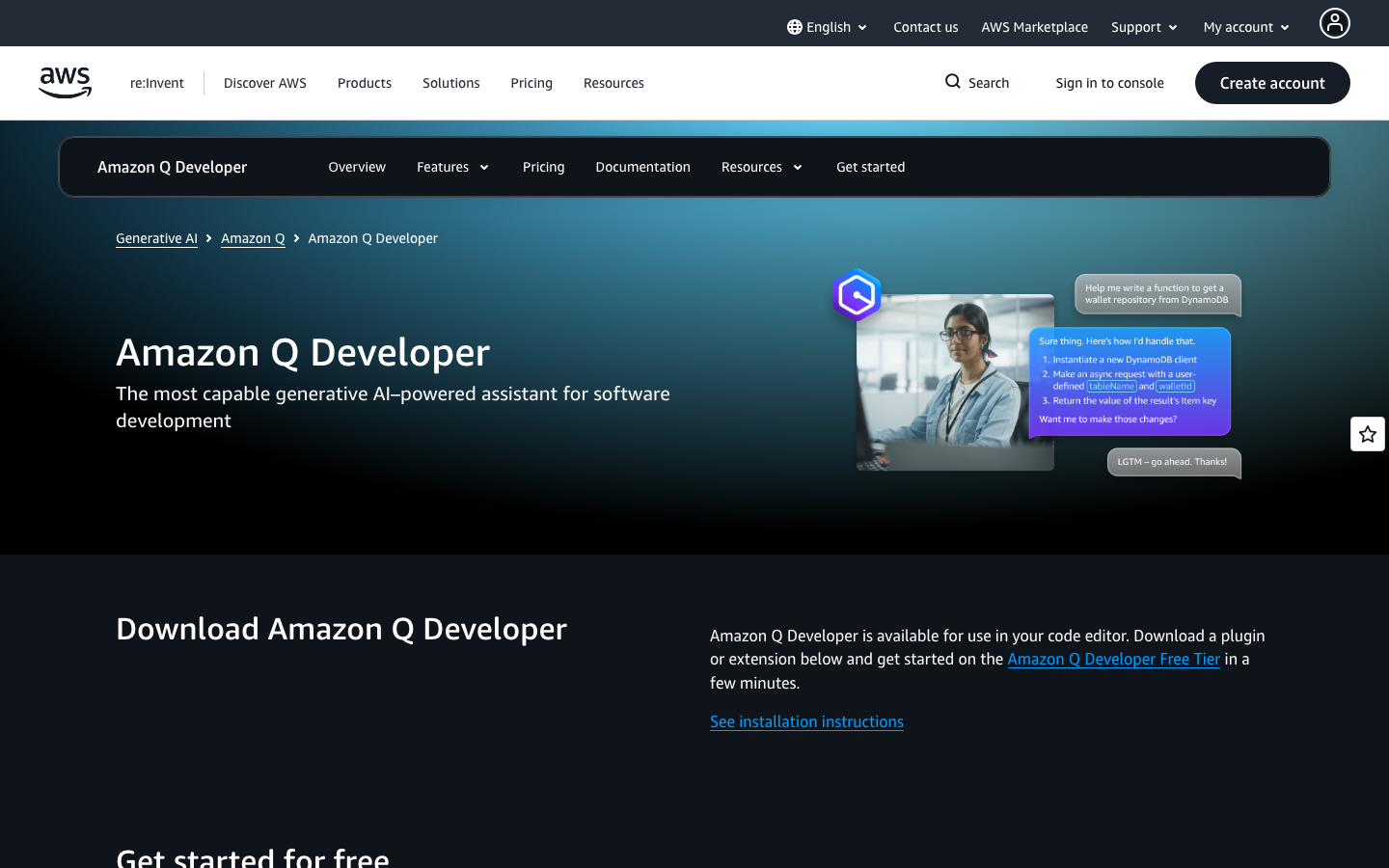
Amazon Q Developer CLI — The evolution from terminal-embedded AI to independent CLI ecosystem
Core parameters and statistics of Amazon Q Developer CLI
Amazon Q Developer CLI has undergone a complete transformation from an AWS internal tool to the independently branded Kiro CLI. It was originally used as a terminal component of Amazon Q Developer (previewed in mid-2025), and later became independent as Kiro CLI (kiro.dev) in early 2026 due to product strategy adjustments, but it still remains deeply bound to the AWS ecosystem. Understanding this evolution path is the prerequisite for evaluating its technical positioning and applicable boundaries.
| Parameter items | Public information |
|---|---|
| Product Form | Terminal AI Assistant (CLI native) |
| Predecessor | Amazon Q Developer Terminal Component (2025) |
| Current Brand | Kiro CLI (operated independently from 2026-04) |
| Developer | Amazon Web Services → Kiro (AWS subsidiary/independent brand) |
| Interactive mode | Terminal natural language dialogue + command auto-completion + non-interactive batch mode |
| Installation method | Windows MSI one-click installation / macOS Homebrew / Linux script |
| Supported platforms | Windows, macOS, Linux |
| Core engine | Multi-model support: Claude Sonnet 4.5/4.6, Claude Opus 4.8, Qwen3 Coder Next, DeepSeek v3.2, MiniMax 2.1, etc. |
| Core differentiation | Terminal native (non-IDE plug-in), custom Agent, MCP protocol integration Smart Hooks workflow automation |
| Free version quota | 50 points/month (Free tier) |
| Pricing starting point | $0/month (free tier) to $20-$200/month (paid tier) |
Parameter Interpretation: The product positioning of Amazon Q Developer CLI / Kiro CLI is fundamentally different from GitHub Copilot's IDE plug-in mode - it is not born for "completing code in the editor", but is designed for "complete development and operation and maintenance tasks in natural language in the terminal". This means that its competitors are not Copilot or Codeium, but the AI automation layer inside the terminal, such as Warp’s AI mode Fig’s intelligent completion, and the emerging terminal AI Agent framework. Multi-model support is its differentiating strategy - users can switch the underlying model according to the type of task (Claude Opus 4.8 for inference-intensive tasks, DeepSeek v3.2 or Qwen3 Coder for high-frequency lightweight tasks), rather than being locked on a single model. The credit system replaces the traditional per-seat or per-API call billing method, providing more fine-grained cost control for high-frequency usage scenarios.
User and Market Acceptance of Amazon Q Developer CLI
The user market of Amazon Q Developer CLI / Kiro CLI highly overlaps with the developer ecosystem of AWS, but its post-independence growth path is extending to a wider end-user group.
Enterprise adoption status: During the Amazon Q Developer brand period, the CLI component served as a supplementary capability to the Q Developer IDE plug-in and was mainly adopted by customers with existing AWS enterprise contracts. AWS officials mentioned at re:Invent in 2025 that the entire Q Developer series (including CLI) has been used by more than 100,000 AWS customers. After becoming independent as Kiro CLI, the product began to expand into non-AWS exclusive scenarios - through multi-model support and MCP protocol integration, it attracted a group of DevOps and platform engineering teams that are not limited to AWS. According to kiro.dev product page information, current enterprise customers cover industries such as financial technology, e-commerce, gaming and SaaS.
Developer community feedback: Judging from Kiro CLI's GitHub repository (github.com/kirodotdev/Kiro) and Discord community activity, the technology community has a high degree of acceptance of the concept of "terminal native AI assistant". Community discussions focus on three directions: customizing Agent's workflow orchestration, integrating external tools for the MCP protocol, and the automation value of Smart Hooks in the CI/CD pipeline. Negative feedback mainly focuses on the cost-effectiveness controversy of point pricing - some high-frequency users believe that 1,000 points/month (Pro tier $20) is consumed too quickly in intensive Agent call scenarios, and the stability of the CLI in Windows environments still has room for improvement.
Industry Benchmarking: Kiro CLI is a pioneer in the "Terminal AI Agent" category, but there is currently no direct full-featured competitor. Warp terminal has built-in AI command search, and Fig provides intelligent auto-completion, but both lack the complete workflow capabilities of custom Agents, MCP integration, and Smart Hooks. Within the AWS ecosystem, Kiro CLI forms a complementary relationship with the Amazon Q Developer IDE plug-in—the IDE plug-in focuses on code completion and security scanning when coding, and the CLI focuses on terminal operation automation and DevOps workflow. This complementary positioning gives it internal synergy among AWS enterprise customers, but will still take time to build independent brand recognition.
Community and Ecology: Kiro has established a developer relationship network including Discord (active community), GitHub (open source Issues and Feature Requests), Ambassador program, and regular community activities (Events). Different from the "top-down" promotion model during the Amazon Q period, Kiro CLI focuses more on "bottom-up" community-driven growth - building a user base through open source development of CLI tools and community contributions.
Cost Advantages of Amazon Q Developer CLI
The pricing system of Amazon Q Developer CLI / Kiro CLI has undergone a transformation from "AWS free quota bundling" to "independent points subscription system". The current pricing is measured in monthly points (Credit) and covers all models and function calls.
C-side/individual developer
| Plan | Monthly fee | Points limit | Model access scope | Typical available volume |
|---|---|---|---|---|
| Kiro Free | $0 | 50 points | Claude Sonnet 4.5 + open source model (Qwen3 Coder, DeepSeek v3.2, MiniMax 2.1) | ~50 standard conversations/Agent calls |
| Kiro Pro | $20/month | 1,000 points | All models (including Claude Sonnet 4.6, Claude Opus 4.8) | About 1,000 standard calls |
| Kiro Pro+ | $40/month | 2,000 points | All models | ~2,000 standard calls |
| Kiro Pro Max | $100/month | 5,000 points | All models | ~5,000 standard calls |
| Kiro Power | $200/month | 10,000 points | All models | ~10,000 standard calls |
The Free Truth: The Free tier’s 50 points/month quota is very limited – an Agent task containing multiple rounds of conversations may consume 3-5 points, meaning heavy users may use up their monthly quota within 1-2 weeks. The free tier models are also more restrictive, with high-performance models like Claude Opus 4.8 only available to paying users. For developers who occasionally use terminal AI assistance on a daily basis, the Free tier is sufficient to evaluate the value of the tool; for developers who use it more than 5 times a day, at least the Pro tier ($20/month) is required. In addition, Free tier users need to log in through AWS Builder ID or social account, and there is a certain authentication threshold.
API/Developer: Kiro CLI currently does not provide a pure API access mode - all functions are called through the CLI client, and point consumption is uniformly measured within the client. This means developers cannot embed underlying model capabilities into their own applications, as they can with the OpenAI API. For teams that need to integrate AI capabilities in CI/CD pipelines, Kiro CLI provides a Headless (non-interactive) mode to run automated tasks in a context without terminal interaction through API Key authentication. Point consumption is consistent with the interactive mode.
Enterprise/Private: Enterprise version supports centralized billing SSO (single sign-on), usage analytics, and security controls, please contact AWS/Kiro sales for a quote. Enterprise contracts typically include custom credit pools, dedicated model endpoints, and technical support SLAs. Kiro CLI currently does not provide a private deployment option - all inference requests are sent to the Kiro/AWS cloud for processing over the network, which is not suitable for contexts that require complete offline operation or strict isolation of data sovereignty. Enterprises need to confirm the data residence area and network transmission compliance before purchasing.
Implicit cost considerations: The core risk of the points system lies in the unpredictability of the cost of usage fluctuations - an unexpected Agent loop or a misconfigured Smart Hook may consume a large number of points in a short period of time. Kiro CLI provides usage dashboards and warning thresholds, but users still need to establish a point consumption monitoring mechanism. In terms of pricing competitiveness, Kiro Pro ($20/month) is slightly more expensive than GitHub Copilot Pro ($10/month) and Copilot Business ($19/user/month), but its functional scope (custom Agent + MCP + Hooks) goes far beyond a simple code completion tool. For DevOps teams that need terminal AI automation capabilities, Kiro CLI's points system pays according to actual usage, avoiding the waste of "idle seats" when paying by seat.
Key Features of Amazon Q Developer CLI
The functional system of Amazon Q Developer CLI / Kiro CLI is centered on "in-terminal AI automation", covering the complete link from interactive dialogue to CI/CD automation.
-
Interactive Chat: Start a natural language conversation directly in the terminal without switching to a browser or IDE. Supports context awareness - Conversations remember the current working directory, recent command history and related file contents. Applicable tasks: Quickly query command usage, debug build errors, interpret log output, and write one-time scripts. Usage value: Reduce the context switching chain of "terminal error → copy error → open browser search → copy command → return to terminal execution", and compress the single troubleshooting time from 3-5 minutes to 30 seconds. Acceptance concerns: The dialogue context window is limited. Long dialogues (more than 20 rounds) may forget early context. For complex tasks, it is recommended to split multiple independent dialogues.
-
Custom Agents: Users can create and deploy exclusive Agents according to specific workflows. Each Agent can be configured with system prompt words, available toolsets, and behavioral parameters. Expert View: This is the most significant differentiating capability of Kiro CLI - it is not a fixed AI assistant, but an Agent runtime context. For example, you can create a "deployment agent" specifically for automating the rolling update process of an ECS service, or a "log analysis agent" specifically for processing application logs in a specific format. Agents can be uploaded to team sharing to achieve standardized dissemination of best practices. Implementation Tips: The key to creating an effective Agent lies in the precise definition of the prompt word project and tool permissions - an Agent configuration that is too broad can easily produce unexpected behavior, so it is recommended to start with simple scenarios and iterate.
-
MCP Protocol Integration (Model Context Protocol): Connect external tools and data sources through the MCP protocol. MCP is an open protocol proposed by Anthropic that allows AI models to securely access external systems (such as database APIs, file systems). Expert View: MCP support upgrades Kiro CLI from "terminal AI assistant" to "terminal AI hub" - Agent can directly read the database schema, query production indicators, trigger CI/CD Pipeline, and even manage cloud resources through the MCP server. Kiro CLI currently supports custom MCP server mounting, and users can write their own MCP connectors. Engineering Pitfall: The security configuration of the MCP server is crucial - the external system access permissions obtained by the Agent through the MCP must be configured under the principle of minimizing permissions to avoid Agent misoperation causing production accidents. It is recommended to set a "read-only priority" policy for the MCP tool. Write operations (database changes, resource deletions, etc.) require manual confirmation by default.
-
Smart Hooks: Automatically trigger AI processing logic before and after terminal command execution. For example, automatically check for code style issues before
git push, or automatically verify deployment status afterkubectl apply. Expert View: Smart Hooks upgrade AI from "passive response" to "active intervention" - it no longer waits for the user to ask questions, but automatically determines whether AI assistance is needed when the user executes a command. This is similar to an AI-enhanced version of Git Hooks. Implementation Tip: The execution timing and triggering conditions of Smart Hooks need to be carefully configured - too aggressive hooks (triggering AI analysis for everylsorcdcommand) will lead to delayed terminal response and waste of points. It is recommended to configure protective hooks for high-risk commands (rm -rf,kubectl delete,aws s3 rm, etc.) first. -
Agent Steering: Guide Agent behavior patterns through team-level best practices and preference configurations. Teams can define unified coding style guidelines, security policies, and response formats. Applicable Tasks: Ensure that the AI assistant used by all developers on the team follows the same best practices and coding practices. Use value: Reduce team collaboration friction caused by inconsistent AI output styles. New members will automatically inherit the team's AI usage specifications when they join.
-
Smart Auto Complete (Auto Complete): Context-aware auto-completion of the command line, which not only completes file names and command options, but also predicts the next operation based on the current working directory and historical commands. Expert View: Unlike traditional Shell's auto-completion (based on command definition files), Kiro CLI's auto-completion uses an AI model to understand command semantics - for example, after entering
aws s3 cp, it will provide reasonable completion suggestions based on the S3 bucket naming rules and the current credential status. Acceptance concerns: The delay of automatic completion may reach 500ms-1s in complex scenarios. For users who pursue extremely fast terminal operations, they can turn off AI completion and return to traditional completion mode. -
Headless non-interactive mode (CI/CD integration): Through API Key authentication, run AI tasks in an automated context without terminal interaction. Applicable scenarios: Automated code review in CI/CD Pipeline, pre-deployment security check, automatic generation of release notes, etc. Use Value: Embed AI capabilities into the DevOps automation process to achieve a new paradigm of "the assembly line is the AI Agent". Implementation Tips: Tasks in headless mode need to have clear input and output specifications and timeout control defined in advance to avoid pipeline blocking due to agent task suspension.
Model and version evolution of Amazon Q Developer CLI
The version evolution path of Amazon Q Developer CLI can be summarized as a "three-step jump": AWS internal tools → independent brand products → multi-model Agent platform.
Version context
| Time window | Version identification | Key changes |
|---|---|---|
| ~2025-06 | Amazon Q Developer CLI Preview | Released as a terminal component of Amazon Q Developer, supporting basic code generation and AWS CLI command assistance; limited testing for the AWS developer community |
| ~2025-09 | Amazon Q Developer CLI Beta | Adds AWS resource management capabilities, supports generating CloudFormation templates and CDK code through natural language; integrates AWS IAM authentication |
| ~2026-01 | Amazon Q Developer CLI 1.0 (Transitional Period) | Starts independent deployment, no longer requires installation of the full Amazon Q Developer IDE plug-in; introduces multi-model switching capabilities |
| ~2026-04 | Kiro CLI 1.0 (brand independent) | Officially renamed Kiro CLI, domain name kiro.dev online; introduce custom Agent system MCP protocol to integrate Smart Hooks and points pricing model |
| 2026-04 to present | Kiro CLI continues to iterate | Added Agent Steering, team shared configuration Headless mode; expanded MCP ecosystem and market (Showcase); multi-platform support Windows/macOS/Linux |
Model capability line
Amazon Q Developer CLI / Kiro CLI has experienced a change in model strategy from "single large model" to "multi-model market":
- Amazon Q period (~before 2026-04): The underlying model is AWS self-developed code model, and inference services are provided through Amazon Bedrock. Model capabilities focus on AWS code generation and CLI command understanding, but the general capabilities for non-AWS scenarios are relatively limited. Model selection and inference parameters for this period are not user-customizable.
- Kiro period (2026-04 onwards): Moving to a multi-model architecture, users can freely switch underlying models in the CLI - from high-performance inference models (Claude Opus 4.8) to cost-effective open source models (DeepSeek v3.2, Qwen3 Coder Next). This transformation means that Kiro CLI's "AI capabilities" are no longer limited by the boundaries of a single model, and users can choose the most appropriate model based on the complexity of the task. Kiro also introduces the "Auto" mode, where the system automatically recommends the optimal model based on the type of task.
Release Notes: Kiro CLI iteration speed has been significantly accelerated after the brand became independent - from independence in April 2026 to July, the product page feature list has been expanded from the initial 5 core features to 7. Kiro's change log (kiro.dev/changelog) provides a real-time record of version changes, but some features (such as the MCP Custom Server Development Guide) are still in a rapid iteration period, and the documentation may lag behind the code release. Smart Hooks currently (July 2026) support a limited number of command types, and AWS plans to expand Hooks’ trigger coverage and custom script support in future releases.
Technical Advantages of Amazon Q Developer CLI
The technical architecture of Amazon Q Developer CLI / Kiro CLI is designed around the core scenario of "in-terminal AI automation". Its technical advantages are reflected in three levels: architectural decoupling, model flexibility, and workflow automation capabilities.
Terminal native architectural design: Unlike IDE plug-in AI assistants, Kiro CLI runs directly in the terminal process and uses the standard input and output stream (stdio) as the interactive interface. This means it is compatible with any terminal emulator (iTerm2, Windows Terminal, tmux, screen, etc.) and any shell (bash, zsh, fish, PowerShell) without relying on a specific editor's plugin system. Its architectural link can be expressed as:
User Terminal → Kiro CLI Process → [Model Router] → Claude/GPT/Open Source Model (Cloud)
                        → [MCP Server] → External Tools/Databases/API
                        → [Hook Engine] → Command interception/post-processing
Model Router: The core innovation of Kiro CLI is its built-in model router layer. When a user initiates a conversation or Agent task, the router automatically selects the most appropriate underlying model based on task type, complexity, user model preference, and real-time availability. This design brings three direct effects: first, to avoid single point model failure - automatically switching to a backup model when a certain model service is unavailable; second, cost optimization - simple tasks are routed to low-cost models (such as DeepSeek v3.2), and complex reasoning tasks are routed to high-performance models (such as Claude Opus 4.8), optimizing the point consumption efficiency without users being aware of it; third, model competition benefits - users can horizontally compare the output quality of different models on the same task, providing first-hand data support for team selection.
Unprecedented openness of MCP protocol: By supporting Anthropic’s MCP open protocol, Kiro CLI builds an extensible tool ecosystem. This allows Agents to safely call external capabilities—query PostgreSQL databases, call Kubernetes APIs, read and write S3 storage, trigger GitHub Actions Workflows—without having to write separate integration code for each tool. The MCP server’s standard interface means that the community can share and reuse MCP connectors, and Kiro’s Showcase page has begun showcasing community-contributed MCP servers. Technical limitations: The MCP protocol itself is still in its early stages, and the protocol specifications have undergone multiple revisions in the first half of 2026. The MCP version implemented by Kiro CLI may be different from the official Anthropic reference implementation. Users need to give priority to referring to the Kiro documentation rather than the general MCP documentation when writing a custom MCP server.
Context injection mechanism of Smart Hooks: The technical implementation of Smart Hooks deserves a separate explanation - it is not simply splicing AI prompt words before and after command execution, but injects the complete context of the current terminal session (current directory, contextual variables, recent command history, file structure summary of the working directory) into the AI inference request. This means that the AI output of Hook is "context-aware" - for example, a code inspection Hook triggered before git push will know the current branch name, unstaged files and recent commit information, thereby providing more accurate suggestions than general code review. Engineering pitfall: Context injection causes points to be consumed every time Hook is triggered, and the longer the injected context, the higher the point consumption. It is recommended to set a "maximum context length" threshold for Hook to prevent the Agent from excessively consuming points due to too long file lists in large code warehouses.
CI/CD adaptation of Headless mode: The architecture design of Headless mode is optimized for terminal-less interaction scenarios - interactive login is replaced by API Key authentication, tasks define input and expected output in JSON format, and Agent execution results are returned as structured data. This allows Kiro CLI to be embedded in CI/CD Pipelines such as GitHub Actions, GitLab CI, Jenkins, etc., realizing a new paradigm of "AI as a Pipeline stage". Engineering Pitfall: Agent tasks in headless mode need to set max_steps and timeout control to prevent the Agent from consuming points indefinitely due to task loops or external API response timeouts in the automation process. It is recommended to set Kiro CLI's Agent call to "non-blocking" mode (set a reasonable timeout value) in the CI/CD configuration, and configure failure fallback logic in the Pipeline to avoid Agent failure blocking the entire release process.
Technical Implementation of Points Measurement System: Kiro CLI's points system is implemented through a mechanism where the client performs "withholding" before each AI call and "settlement" after the call is completed. Credit consumption depends on three factors: the model called (high-performance models consume more credits), context length (long contexts consume more credits), and task complexity (multi-step invocations of Agent tasks consume more credits). The points system also serves as a "rate limiting" means - when a user initiates a large number of requests in a short period of time, the system will give priority to using the remaining points for flexible control rather than directly rejecting the requests. Hidden costs: The calculation rules for point consumption are not fully disclosed, and users cannot accurately predict how many points will be consumed for each call, which brings uncertainty to budget management. Kiro documentation recommends users to enable usage alerts above the Pro tier.
How to use the Amazon Q Developer CLI
Amazon Q Developer CLI / Kiro CLI has clear installation and configuration links and supports multiple installation methods for mainstream operating systems.
Installation method
| Operating System | Installation Method | Command/Link |
|---|---|---|
| Windows | MSI one-click installation / PowerShell script | irm 'https://cli.kiro.dev/install.ps1' \ | iex |
| macOS | Homebrew | brew install kirodev/tap/kiro-cli |
| Linux | Shell Script | curl -fsSL https://cli.kiro.dev/install.sh \ | sh |
| Manual download | Official website download page | https://kiro.dev/downloads/ |
Quick Start Steps
- Install CLI: Select one of the above installation methods according to the operating system to complete the installation. Windows users recommend the MSI installation package, and macOS users recommend Homebrew.
- Authentication login: Run
kiro-cli auth loginin the terminal and use AWS Builder ID, social account (GitHub/Google) or enterprise SSO to complete identity authentication. - Start interactive mode: Run
kiro-clito directly enter the interactive conversation mode, or add the--aiparameter after any command to trigger AI assistance (such askubectl get pods --ai). - Configure model preference: Switch the underlying model through
kiro-cli config set model claude-opus-4.8. Runkiro-cli models listto see all available models. - Create the first custom Agent: Create a YAML configuration file in the
~/.kiro/agents/directory to define the Agent's system prompt words and available tools. For a sample configuration file, please refer to the template generated bykiro-cli agent init. - Configure Smart Hook: Create a
.kiro-hooks.yamlfile in the project root directory, and define the command triggering conditions, AI processing logic and post-processing actions. For example, automatically run code review beforegit commit.
Entrance comparison
| Usage mode | Typical commands | Applicable scenarios |
|---|---|---|
| Interactive dialogue | kiro-cli |
Daily development assistance, troubleshooting, scripting |
| Single query | kiro-cli ask "How to use awk to count the number of 404 errors in the log" |
Quick command query, no need for continuous dialogue |
| Agent execution | kiro-cli agent run deploy-agent |
Standardized workflow automation (deployment, testing, release) |
| Headless mode | kiro-cli --headless --api-key $KEY --task '{"prompt":"...","max_steps":10}' |
CI/CD Pipeline integration, batch processing tasks |
| Smart Hook | Automatically triggered (no need to call manually) | Check kubectl before git commit/push and verify after apply |
Quick Verification: After the installation is complete, run kiro-cli ask "hello". If a welcome message is returned, the installation and authentication are successful. It is recommended that new users start exploring in the interactive conversation mode and gradually transition to advanced features such as Agents and Hooks. Be sure to read kiro-cli agent --help before using the Agent for the first time to understand the security configuration options.
Unsuitable Usage: Kiro CLI is not suitable as an "AI code completion" tool - its completion capability is based on contextual automatic completion of the command line (similar to Fig), not inline code suggestions in the IDE. Users who require IDE-level code completion should use the Amazon Q Developer IDE plug-in or GitHub Copilot. The value scenarios of Kiro CLI are "natural language for terminal operations" and "AI automation of DevOps workflow", rather than "intelligent prompts when coding".
Product Pricing for Amazon Q Developer CLI
The pricing of Amazon Q Developer CLI / Kiro CLI adopts a "Credit-based Subscription", which is fundamentally different from the traditional per-seat or per-API call billing method.
Points Mechanism Description: Monthly subscriptions come with a fixed amount of points, and all AI functions (triggered by dialogue agents executing MCP and calling Smart Hooks) are billed based on point consumption. Additional points are purchased for $0.04/point above the monthly limit. Points are reset on a monthly basis and unused points will not be accumulated to the next month.
| Plan level | Monthly fee | Monthly points | Model access scope | Point unit price (additional package) | Applicable people |
|---|---|---|---|---|---|
| Free | $0 | 50 | Claude Sonnet 4.5 + open source model | No additional points can be purchased | First time experience, light user |
| Pro | $20 | 1,000 | Full model (including Claude Opus 4.8) | $0.04/point | Personal professional developer |
| Pro+ | $40 | 2,000 | Full model | $0.04/point | High-frequency users |
| Pro Max | $100 | 5,000 | Full model | $0.04/point | Heavy user |
| Power | $200 | 10,000 | Full model | $0.04/point | UHF users/small teams |
| Enterprise | Contact Sales | Customization | Full Model + Enterprise-Level Security Control | Customization | Enterprise Team |
Pricing comparison with competitive products:
| Products | Minimum payment threshold | Pricing method | Core functional scope | Model flexibility |
|---|---|---|---|---|
| Kiro CLI (formerly Amazon Q Developer CLI) | $20/month (Pro) | Points system | CLI dialogue + Agent + MCP + Hooks | Free switching between multiple models |
| GitHub Copilot | $10/month (individual) / $19/user/month (enterprise) | By seat | IDE code completion + Chat | Single model (Codex series) |
| Amazon Q Developer IDE Plug-in | Free (Personal)/Enterprise Edition Contact Sales | By Seat | IDE Code Completion + Security Scanning + Agent | AWS Self-Developed Model |
| Warp (Terminal AI) | Free (Basic) / Paid Plan Contact | By Seat | Terminal AI Search + Command Suggestions | Single Model |
| Fig (intelligent completion) | Free | Free | Terminal auto-completion | No AI model |
Pricing Analysis: Kiro CLI’s points system vs. Copilot’s seat system represent two different pricing philosophies. The seat system is more economical when all members of the team use the CLI with similar frequency; the points system is more cost-effective under the distribution of "a few high-frequency users + a majority of low-frequency users" - for example, in a team of 50 developers, only 5 people use the CLI more than 10 times a day, and the remaining 45 people use it occasionally, then 5 Power tiers ($200x5=$1,000/month) are more cost-effective than 50 Copilot Business Seats ($19x50=$950/month) cost and flexibility are better. However, the monthly reset mechanism of the points system means that low-frequency users are forced to pay for unused points. This is an inherent disadvantage of the points system compared to pay-as-you-go. It is recommended that small and medium-sized teams start at the Pro or Pro+ tier and decide whether to upgrade or downgrade based on monthly usage statistics.
Application scenarios of Amazon Q Developer CLI
-
DevOps Automation and CI/CD Intelligence Enhancement: Embed Kiro CLI's Headless mode in CI/CD Pipeline to achieve automated code review, security scan triggering, deployment pre-checking and post-validation. Cost reduction and efficiency improvement deduction: For a DevOps engineer, it takes an average of 45-75 minutes to manually review a medium-sized Pull Request (involving 10-20 file changes) and write a deployment verification script. After using Kiro CLI's custom Agent + Smart Hooks, code review and deployment verification can be automatically completed in the Pipeline. Engineers only need to review the key findings marked by the Agent (accounting for about 15%-20% of the total scan volume). The manual investment of a single PR can be reduced from 45-75 minutes to 10-15 minutes, a reduction of about 75%-80%. Human-machine collaboration boundary: The code review agent can run 100% automatically, but manual confirmation points must be set for the following sections - permission boundary modifications caused by IAM policy changes in database migration scripts involving production data deletion, and any form of
kubectl deleteorterraform destroyoperations. Smart Hooks should be configured with a "pause and wait for manual confirmation" strategy for such irreversible operations, rather than automatic execution. -
Terminal log analysis and production troubleshooting: Paste the application log directly into the terminal or pipe it in, and let the Kiro CLI Agent analyze the error pattern, identify the exception stack, and locate the root cause. Cost reduction and efficiency improvement deduction: For an SRE engineer, it takes an average of 30-60 minutes to manually analyze a 5,000+ line production error log, establish error classification, and locate the root cause. Using Kiro CLI's log analysis Agent (configured to use Claude Opus 4.8 and bound to the MCP connector to read Elasticsearch/Splunk), the Agent can complete log classification, anomaly detection, and root cause recommendations within 2-5 minutes, and humans only need to review the Agent's output and perform repair operations. It is estimated that the time for single troubleshooting will be reduced from 30-60 minutes to 10-20 minutes, a decrease of approximately 60%-70%. Human-machine collaboration boundary: Log analysis and troubleshooting can be highly automated, but the final decision on root cause identification and remediation execution must be made by engineers. Agent fix recommendations (especially those involving configuration changes or code modifications) must be verified in a staging context before being applied to production.
-
Cloud infrastructure management and IaC generation: Use natural language to describe cloud resource requirements and let Kiro CLI generate the corresponding Terraform, CloudFormation or Pulumi code, reducing the time of manually writing IaC configurations. Cost reduction and efficiency improvement deduction: For a platform engineer, it takes an average of 2-4 hours to manually write a complete Terraform module including VPC, subnet, security group and EC2 Auto Scaling group (including parameter tuning and document review). Using Kiro CLI's IaC Agent, engineers only need to describe architectural requirements in natural language. The Agent generates the initial code skeleton in 10-15 minutes, and engineers spend another 30-60 minutes adjusting and validating. It is estimated that the time for a single infrastructure configuration will be reduced from 2-4 hours to 40-75 minutes, a reduction of approximately 65%-70%. Implementation Tip: Agent-generated IaC code should always be considered a "first draft" rather than a "final draft" - it must be validated by tools such as
terraform planoraws cloudformation validate-set, and the security configuration (especially the scope of security group inbound rules and IAM policies) reviewed by an experienced platform engineer. -
Team knowledge standardization and best practice dissemination: Use Agent Steering and team-level configuration to standardize the team's coding standards, security policies, and architectural best practices into behavioral constraints for AI Agents, ensuring that all team members follow unified standards when using them. Scenario value: The core value of this scenario does not lie in a single efficiency improvement, but in reducing the cost of team onboarding - when new members join, the Agent automatically provides code suggestions and operational guidance that comply with team specifications, reducing the cost of oral teaching of "old to new". Quantitative deduction: For a development team of 10 people, with an average of 1-2 new members joining each quarter, the "team specification teaching" section in traditional onboarding takes an average of 3-5 hours per person. After standardization through Agent Steering, new members can receive immediate normative guidance from the AI Agent, reducing the manual teaching time to 1-2 hours per person, and it is estimated that the quarterly time saving is about 4-8 hours.
-
Multi-step workflow automation (Agent Orchestration): Create automated workflows that connect multiple tools in series - for example, "Automatically create Feature Branch from GitHub Issue → Generate code skeleton → Run tests → Create Pull Request". Scenario value: This is the "hidden linkage" capability of Kiro CLI - the combination of custom Agent + MCP integration + Smart Hooks can achieve "intelligent workflow" that is difficult to achieve with traditional shell scripts. For example, when an Agent detects a production alarm, it can automatically query logs, analyze the root cause, create a Jira Ticket, and @ notify the relevant person in charge, without manual intervention in the entire process. Human-machine collaboration boundary: Automated workflows involving code changes or production operations must set up "manual confirmation checkpoints". It is recommended to pause and wait for engineer confirmation before each irreversible operation. It is recommended to start with the "read-only" workflow (notification, analysis, report generation) to verify Agent reliability, and then gradually expand to "write" operations.
Not suitable for scenarios: Kiro CLI has limited value in the following scenarios - coding work that requires IDE-level inline code completion (the Amazon Q Developer IDE plug-in or Copilot should be used), completely offline development contexts (all inference requests require a network connection), and compliance-sensitive contexts where the behavior of the AI Agent is uncontrollable or unauditable (such as financial trading systems). For scenarios that require graphical interface operations (visual design UI prototype adjustment), Kiro CLI's terminal native mode is beyond its capabilities.
Who is eligible for the Amazon Q Developer CLI?
-
DevOps and platform engineers: Engineers who deal with terminals and script orchestration CI/CD Pipelines on a daily basis are the core user group of Kiro CLI. Smart Hooks and Headless modes directly correspond to its workflow automation needs, and MCP integration supports connection to tool chains such as Kubernetes, Terraform, and AWS CLI. Prerequisites: Have at least basic knowledge of Shell scripting and CI/CD configuration; customizing Agent's YAML configuration requires a certain learning curve.
-
SRE and Infrastructure Operations Engineer: Engineers responsible for production system stability and troubleshooting. Kiro CLI's log analysis agent and interactive terminal dialogue capabilities can speed up the fault location process, and Smart Hooks can provide protective confirmation before key operations (such as
kubectl delete pod,systemctl restart). Prerequisite: You need to have a certain understanding of the underlying model selection and points consumption strategy to avoid accidentally overspending points in high-frequency alarm scenarios. -
Full-stack and back-end developer (within the AWS ecosystem): Full-stack and back-end developers who build cloud-native applications on AWS. The Kiro CLI can quickly build, test, and deploy code in the terminal, complementing the Amazon Q Developer IDE plug-in—the IDE plug-in handles intelligent completion while coding, and the CLI handles terminal operations and DevOps automation. Core Value: For developers who need to switch between multiple AWS services, natural language is used to replace complex AWS CLI command chains, reducing the frequency of consulting AWS CLI documentation. Not suitable for the boundary: Full-stack developers outside the AWS ecosystem (mainly using Azure/GCP or pure local development) get lower marginal value from Kiro CLI, and its competing product GitHub Copilot provides more direct efficiency improvements in IDE code completion scenarios.
-
AI Agent Developers and Experimenters: Technical personnel interested in AI Agent workflow and MCP protocol. Kiro CLI's custom Agent system and MCP integration provide a low-threshold environment for Agent experimentation—you can experience and debug Agent behavior in the terminal without building a complete LLM infrastructure. Core Value: It can be used as a prototype verification environment for Agent development to quickly test the effectiveness of prompt word engineering, tool calling and workflow orchestration. Restrictions: Kiro CLI is not a general-purpose Agent development framework - it is more suitable for consuming Agents rather than developing production-level Agents. Advanced agent developers who need complete control over the underlying model and inference parameters should directly use frameworks such as Anthropic Claude API, OpenAI API, or LangChain.
-
Team and Technical Leader: Technical manager who needs to unify team development specifications and tool strategies. Agent Steering and team-level configuration make Kiro CLI a tool for teams to standardize AI usage. Core Value: You can define the team's AI usage policy (for example, stipulating that code review must use designated Agents, prohibiting Agents from directly modifying production bounded configurations), and ensure compliance by all members through configuration distribution. Implementation Tips: The implementation of team-level strategies is recommended to adopt a phased strategy of "recommended use → pilot team → whole team promotion". In the early stage, avoid overly rigid constraints to avoid team resistance.
Not applicable to the crowd: Developers who mainly use pure front-end/mobile development and rarely involve terminal operations (the core value of Kiro CLI cannot be exerted); security-sensitive project teams that require completely offline development context; developers who are skeptical of AI tools and do not trust terminal operations to be entrusted to AI execution; and developers who do not have a fixed development context and mainly work in online IDEs (such as GitHub Codespaces, AWS Cloud9) - online IDEs The built-in terminal may not be fully compatible with Kiro CLI's Hooks and Agent system.
Summary and Outlook
Amazon Q Developer CLI / Kiro CLI represents an important direction in the evolution of AI programming assistants from "IDE plug-ins" to "terminal native agents". It does not add a CLI entry to existing AI programming tools, but redefines "human-computer collaboration in the terminal" from the bottom up - developers no longer need to remember complex command options and parameter combinations, but use natural language to describe goals and let the AI Agent plan and execute the implementation path.
Current core competencies: The trinity of custom Agent + MCP integration + Smart Hooks constitutes the most significant differentiation barrier of Kiro CLI - competitors can provide AI dialogue in the terminal, but lack a complete capability chain of Agent orchestration, external tool integration and workflow automation. Multi-model support prevents Kiro CLI from being tied to a single model vendor, allowing flexibility in model selection and cost control. The points pricing system provides users with different usage frequencies with the flexibility to pay on demand, avoiding the efficiency loss of "paying whether you use it or not" in the seat system.
Major Current Limitations: Brand awareness is still in its early stages - the brand switch from Amazon Q Developer CLI to Kiro CLI has not yet been completed, and a large number of potential users are still unaware that Kiro CLI exists. Points pricing lacks transparency and predictability - users cannot accurately estimate the amount of points consumed for each operation, which brings challenges to budget management. The MCP ecosystem is still in the early stages of construction, the number of available community MCP servers is limited, and the development documentation and tool chain for custom MCP servers have yet to be improved. The command types covered by Smart Hooks are limited, and there is insufficient support for common commands other than Git and Kubectl. In addition, Kiro CLI currently does not support privatized deployment, which limits the adoption space in industries that have strict requirements for data sovereignty, such as finance and government affairs.
Follow-up observation points: Whether Kiro CLI will launch an enterprise privatized deployment version after independence (this is a key decision-making factor for enterprise procurement); the speed of enrichment of the MCP ecosystem - the number and maturity of MCP servers contributed by the community will directly affect the scalability of the platform; whether the shared market (Showcase) of custom Agents can form a network effect similar to Docker Hub or Visual Studio Code Marketplace; whether point pricing will be adjusted as the cost of model inference decreases, and whether pure APIs will emerge Access mode to meet deep integration needs; whether Kiro CLI and Amazon Q Developer IDE plug-in will be further integrated in functionality or clearly layered - currently there is functional overlap between the two in some scenarios.
Procurement and Adoption Risk Assessment: For teams already running DevOps workflows within the AWS ecosystem, Kiro CLI’s Free tier (50 credits/month) is sufficient for 2-4 weeks of technical validation. It is recommended to start with the interactive dialogue mode to evaluate whether the quality of AI answers meets the team's needs; then create 1-2 custom Agents to verify the reliability of Agent orchestration and point consumption efficiency; and finally try the Headless mode in non-production pipelines. For teams considering enterprise procurement, it is recommended to focus on: the matching of the data residence area with the company's compliance policy, whether the monthly reset mechanism of points is consistent with the team's usage patterns, and the compatibility of the SSO integration with the existing identity management system. At the current stage (July 2026), Kiro CLI is more suitable as an "AI auxiliary tool for the team" rather than a "necessary dependency of the core workflow" - it is recommended to maintain compatibility and parallel capabilities with traditional workflows (manual command execution, no Hooks state) to ensure that the production-bound operation process is not affected when the Kiro CLI service is abnormal. For teams that are completely non-AWS and have no terminal automation needs, Kiro CLI is not a high priority at the current stage - GitHub Copilot provides more direct value in IDE code completion scenarios, while Kiro CLI's terminal agent capabilities have limited benefits outside of DevOps and platform engineering scenarios.
Related tools:  GitHub Copilot,
  Cursor
Version Info
- Kiro CLI 1.0 :Separated from the Amazon Q Developer CLI and renamed to the Kiro CLI, introducing custom Agents, MCP integration, and a smart hook system.
- Amazon Q Developer CLI Beta :There is no official precise date yet. Released as a terminal component for Amazon Q Developer, supporting basic code generation and AWS CLI command assistance.
- Amazon Q Developer CLI Preview :There is no official precise date yet. An early preview version for the AWS developer community to test terminal AI interaction capabilities.
User Reviews