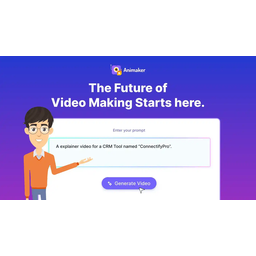
 Animaker AI
The AI video platform provides four types of video production capabilities: 2D animation, whiteboard animation, dynamic infographics and character animation, and AI-assisted generation of characters, dubbing and motion paths.
Animaker AI: Analysis of AI evolution and engineering implementation of zero-threshold 2D animation production platform
Core parameters and statistics
The core value of Animaker is to disassemble "professional animation production" into four modes that can be greatly compressed by templates and AI - 2D animation, whiteboard animation, dynamic information graphics, and character animation - allowing zero-based users to bypass the steep learning curve of traditional animation software and complete a publishable video directly in the browser. Essentially, it is not a "painting tool", but a semi-automatic pipeline of "copywriting → storyboarding → animation → dubbing → exporting".
| Projects | Public Information |
|---|---|
| Official positioning | Online animation video production platform |
| Video mode | 2D animation, whiteboard animation, dynamic infographics, character animation |
| AI capabilities | Text-to-animation AI character generation, automatic dubbing and lip synchronization |
| Deployment method | Cloud Web (no desktop or mobile native App) |
| User scale | More than 8 million registered users |
| Template library | Thousands of preset templates and scene materials (including characters, backgrounds, icons, transitions) |
| Output resolution | Up to 1080p (Pro version), 720p (Free version) |
| Maximum output time | 15 minutes (Pro version), 2 minutes (Free version), 5 minutes (Basic version) |
| Latest version | 2026.7 |
| Support Platform | Web |
Product form boundary: Animaker is a pure web application and does not provide an offline client or native mobile app. This means that in office environments with unstable Wi-Fi, subway commutes, or strict network restrictions, the editing experience will be significantly compromised. For teams that require high-frequency outside shooting or fast editing on set, this needs to be factored into the assessment ahead of time.
The logic of four-mode collaboration: The four modes are not parallel and independent - the same project can embed dynamic information graphics cards in 2D animation scenes, or insert character explanation clips in whiteboard animations. This hybrid orchestration capability is a key differentiator between Animaker and single-mode tools such as pure whiteboard animation software.
User and market recognition
Animaker's market base is mainly based on three groups: small and medium-sized teams, educational institutions, and individual creators. The publicly verifiable data focuses on user scale and third-party platform evaluations.
User scale: The official website publicly claims that there are more than 8 million registered users, which is at the upper-middle level among similar online animation platforms. Comparative reference: Similar competing products Vyond and Powtoon also have user bases in the tens of millions, but Animaker’s free model has penetrated deeper into emerging markets in India and Southeast Asia.
Third-party evaluation: The scores of Animaker on G2 and Capterra are usually in the 4.5–4.7 range. In the comments, "quick to get started", "rich templates" and "high cost performance" appear frequently in the comments, while "limited advanced customization" and "insufficient Chinese support" appear frequently in the comments. This shows that the product has reached the standard in terms of "basic usability", but there are still gaps in professionalism and localization.
B-end implementation status: The official list of corporate customers or industry case library has not been disclosed, and it is only covered by pan-industry statements such as "applicable to marketing, education, training". Judging from the deduction, it is more suitable for lightweight and high-frequency content production scenarios (social media short videos, course clips, internal training flash mobs), rather than corporate-level promotional videos or brand advertising-level animations.
Cost advantage
Animaker's cost structure falls under a typical replacement model of "replacing labor outsourcing with subscription fees." The cost of an annual subscription is typically just 1–3 minutes of outsourced animation compared to outsourced animation production (thousands of dollars per minute).
Marginal revenue deduction at the subscription level:
- Free version → Basic version (about $10/month, annual payment): The core threshold is watermark and time limit. For a marketing specialist who produces more than 10 videos per month, watermarking means that each video needs to be covered or cropped later, and the hidden time cost is far more than the $10 difference.
- Basic → Pro (approximately $19/month paid annually): Pro unlocks up to 15 minutes of output and advanced character customization. For teams that need to animate a full course (10–15 minutes) or a branded series, the monthly price difference of $9 can eliminate the need for repetitive editing and splicing.
- Pro version → Enterprise version (quotation system): The core value of the Enterprise version is not in the duration - the 15 minutes of the Pro version covers most scenarios - but in the unlimited number of projects, unified management of brand suites, dedicated support and API access. When the team exceeds 3–5 people and requires unified visual specifications, the total cost of ownership of the Enterprise Edition is lower than stacking multiple Pro seats.
Explicit price comparison with competing products:
| Plan | Monthly fee (annual payment) | Maximum output duration | Resolution | Watermark | Commercial license |
|---|---|---|---|---|---|
| Animaker Basic | ~$10 | 5 minutes | 1080p | None | Included |
| Animaker Pro | ~$19 | 15 minutes | 1080p | None | Included |
| Vyond Essential | ~$25 | Unlimited (template limit) | 1080p | None | Included |
| Powtoon Pro | ~$24 | Unlimited (minute redemption system) | 1080p | None | Included |
Hidden Cost Reminder: Animaker's export time is often queued in the render queue - during peak hours (North American daytime) a 3-minute video may wait 5–15 minutes to complete the export, which creates an invisible time block in batch production scenarios.
Main functions
The following five features are the core capabilities of Animaker AI, but the real product value lies in their synergy rather than in isolation.
- AI text to animation: After inputting the script, AI automatically analyzes the copy structure (beginning → sub-argument → conclusion), matches the scene template, assigns character actions and camera switching. Synergy effect: The result of the text-to-animation conversion can be directly entered into the character creator to adjust the character's appearance, and then the voice synthesis module is used to generate dubbing, and AI automatically completes lip-sync matching - in four steps, the "from copywriting to finished film" time for a 2-minute animated video can be compressed from 4-6 hours in the traditional workflow to 20-40 minutes.
- Smart Character Creator: Provides drag and drop adjustments for face shape, skin color, hairstyle, clothing, accessories and other dimensions, and supports saving as a brand character library. Key value: Once a character is created, it can be reused in multiple projects and multiple scenes, avoiding the need to build the character image from scratch each time. For scenarios where educational institutions need to serialize lecturer IP images, this capability directly reduces the cost of maintaining visual consistency.
- Whiteboard Animation Mode: Simulates the stroke-by-stroke animation effect of the hand-drawing process, automatically generating brush trajectories and writing rhythms. Applicable Boundaries: Most suitable for concept explanations and process explanations such as swipe social media videos. If the content is mainly based on real-time data updates (such as stock reports, sports scores), the production efficiency of whiteboard animation is lower than that of dynamic information graphics mode.
- Dynamic Infographic: Combine data visualization components such as bar charts, pie charts, timelines, and flow charts into dynamic videos, and automatically add entry animations and timers. Hidden linkage: The color scheme of the infographic can be inherited from the character or brand palette with one click, avoiding a disconnected visual style.
- Speech synthesis and lip synchronization: Built-in multi-language TTS (including English, Spanish, French, German, Portuguese, etc., Chinese quality is low), input text to generate dubbing and automatically match the character's mouth shape. **
Test tip**: The naturalness of TTS in narrative content (storytelling, talk shows, dialogue scenes) is still significantly lower than that of real-person recordings. It is recommended that long dialogue scenes be drafted with TTS first, then replaced with professional recordings, and automatically adapted using the lip sync function.
Model and version evolution
Animaker's version rhythm is a "monthly small iteration + quarterly feature release" model, not a semantic version number.
2026 version pedigree:
| Version identification | Approximate time period | Core change points |
|---|---|---|
| 2026.7 | 2026-07 | Enrich the AI character action library, improve speech synthesis quality and multi-language coverage |
| 2026.2 | 2026-02 | Added AI text to animation function, input script to automatically generate storyboards and match characters |
| 2025.x | 2025 | Performance optimization, template library expansion, character editor upgrade |
Iterative Features: The AI text transition animation introduced in the 2026.2 version is a key node in the product's transformation from "manual drag and drop tool" to "AI-assisted creation platform". Before this, the user's starting point for creation was a blank canvas or template; after that, the user could enter a piece of copy and let AI generate the first version of the animation and then make local fine-tuning, which greatly lowered the psychological threshold for creation.
Version Strategy Evaluation: Animaker does not disclose detailed changelog or version roadmap, and external parties cannot accurately track the specific changes of each update. For enterprise customers who need to connect to APIs or focus on specific bug fixes, this "opaque" iteration style will increase the deterministic risk of integration.
Technical advantages
Animaker's technical advantages do not come from the advancement of the underlying model or rendering engine, but from the engineering integration of the three-layer capabilities of "template orchestration + AI assistance + cloud rendering".
Template arrangement layer: Thousands of templates are pre-categorized by video type (marketing, education, product, social media), style (cartoon, business, hand-drawn, minimalist) and character attributes. AI matches the optimal template directly from the library during the text storyboarding stage. Matching accuracy depends on the annotation quality of template metadata (tags, scene types, emotional atmosphere) rather than model capabilities - which means that the expansion and maintenance of the template library itself is a moat of continuous investment.
AI auxiliary layer: The core link for converting text to animation is "NLP storyboarding → template matching → character action allocation → shot sequence generation". Among them, the quality of NLP storyboards directly determines the upper limit of subsequent sections: if the copywriting is a structured list type content ("first, second, third"), the accuracy of AI storyboarding is higher; if the copywriting is a stream of consciousness or poetic expression, the storyboarding results often require manual adjustment.
Cloud Rendering Layer: All videos are rendered on the server side of Animaker, and the client only performs editing operations. This ensures that low-end devices can also complete editing, but the price is that export must wait for the rendering queue, and offline preview or export cannot be done in offline scenarios. For areas with unstable networks, this limitation affects the actual user experience more than any lack of functionality.
How to use
Animaker's usage process can be abstracted into a standardized four-step pipeline:
Step one: Select mode and template. After logging in, select one of the four video modes, and then filter by industry or style in the corresponding template library. It is recommended that new users start with whiteboard animation or dynamic infographics. These two modes have the highest degree of template structure and the best AI-assisted hit rate.
Step 2: Write or import the script. Enter copywriting in the AI text animation panel, and AI will automatically disassemble the storyboard and generate a preview. Testing Tips: Use short sentences + line breaks to separate different storyboarding intentions (such as "the first page shows the background of the problem / the second page proposes the solution"). The accuracy of AI matching will be significantly higher than that of consecutive paragraphs.
Step 3: Adjust characters, scenes and dubbing. Based on the AI-generated draft, replace characters, adjust the action timeline, modify the dubbing speed, or change the voice. This step is the core area of manual intervention - the first draft generated by AI can save 60%-80% of the basic construction time, but the remaining 20%-40% of detailed adjustments (character expressions, camera rhythm, dubbing mouth alignment) still rely on manual work.
Step 4: Render Export. After the preview is confirmed, the rendering is submitted and the output is in MP4 format. The Pro version supports up to 1080p, 15 minutes duration. Export time is affected by server queue. It is recommended to reserve 15–30 minutes of rendering buffer period for mass production.
Comparison of typical role operation paths:
| Role | Core operation path | AI saves everything |
|---|---|---|
| Social media operation | Copywriting → AI text to animation → Select template → Replace brand color → Export | Storyboard design, animation construction, dubbing generation |
| Teacher/Trainer | Courseware outline → AI storyboard → Adjust whiteboard animation rhythm → Record narration to replace TTS | Content structuring, animation arrangement |
| Designer/Agency | High-precision character creation → Keyframe fine-tuning → Multi-scene concatenation → 4K-level external rendering | Basic character design framework, scene element reuse |
Product Pricing
Animaker uses a tiered subscription model divided by video output duration, resolution, watermark and commercial licensing.
| Tier | Annual price (average monthly) | Maximum duration | Resolution | Watermark | Commercial license | Suitable scenarios |
|---|---|---|---|---|---|---|
| Free version | $0 | 2 minutes | 720p | Watermarked | Limited (non-commercial use) | Early adopter evaluation, personal study |
| Basic | ~$10 | 5 minutes | 1080p | None | Included | Personal creator, low-frequency marketing video |
| Pro | ~$19 | 15 minutes | 1080p | None | Included | High-frequency output for educational institutions and small and medium-sized enterprises |
| Enterprise Edition | Quotation System | Unlimited | 1080p+ | None | Included + Brand Suite | Scaled Team, Unified Visual Management |
Real limitations of the free version: The core limitation of the free version is not the length of a single video (2 minutes is enough for sliced short videos), but the watermark and commercial authorization. Watermarks will significantly reduce the professional feel of the video, and users must either trim it off with post-production cropping or upgrade it - this is essentially a product strategy of "try watermarks as a paid signal". In addition, whether the free version includes the AI text-to-animation function and whether there is a limit on the number of projects, please refer to the official real-time page.
Purchasing Suggestion: For teams with stable video output requirements, the annual payment for the Pro version (approximately $228/year) is the most cost-effective option. The Basic version's 5-minute limit frequently triggers truncation when creating full course or product explainer videos, forcing multiple splices. Quotes for Enterprise Edition may vary significantly, and it is recommended to explicitly request SLA guarantees (rendering priority, service availability) and API access when requesting a quote.
Application scenarios
The common characteristics of the following scenes are: High frequency of content updates, medium tolerance for visual accuracy, and no professional animators in the team.
- Social media short video production: The marketing team needs 3–5 30–90 second animated short videos per week to be published on TikTok, Instagram Reels, YouTube Shorts or Xiaohongshu. The combination of AI text to animation + template matching can shorten the production time of a single piece from half a day to less than 1 hour. Cost reduction and efficiency increase: A 2-person social media team produces 20 animated short videos per month. After using Animaker Pro, the estimated total monthly working hours can be reduced from about 160 working hours in the traditional AE workflow to about 40 working hours (a decrease of about 75%).
- Online Education Courseware Animation: Convert course knowledge points into 2–5 minute whiteboard animations or character explanation videos. AI storyboards can automatically break down the lesson plan outline into an animation structure of "Title → Concept Explanation → Example → Summary". Cost reduction and efficiency improvement: For an online course containing 30 knowledge points, the traditional outsourcing production cost is about 30,000-50,000 yuan and the cycle is 4-6 weeks; using Animaker Pro to complete it in-house, the estimated production cost is reduced to about 5,000-8,000 yuan (calculated as $19/month subscription + internal working hours), and the cycle is 1-2 weeks.
- Product function demonstration and data reporting: Use dynamic information graphics to present product processes, data comparisons or quarterly reports. Convert static Keynote charts into dynamic presentation videos, and the viewing completion rate is usually 30%–50% higher than static slides (industry experience data, not an official commitment from Animaker).
- In-company training and compliance education: Produce role-driven onboarding training, safety operating specifications, and compliance policy animations. After being IP-based, the characters can be reused in multiple training modules to establish a visual language familiar to employees.
Human-machine collaboration boundary: The following section recommends retaining manual confirmation points - the final appearance of the brand character needs to be confirmed by the operation or design person in charge before importing it into the project library; dynamic information graphics involving data accuracy, chart numbers and data sources need to be manually compared; dubbing is recommended to be listened to manually before the official release, focusing on checking speech speed, stress and pronunciation of proper nouns. 100% automated: single-scene basic animation generation, standard transitions and transition effects, and batch generation of low-risk training videos.
Applicable people
Crowd stratification and adaptation judgment determine whether a team should include Animaker in the tool chain.
- Individual Creator/Self-Media Blogger: Suitable for individuals who have stable video content production needs but no animation skills. The $228 annual fee for the Pro version is an acceptable operating cost for creators making $1,000–$5,000 a month. Not suitable for scenes: content that requires movie-level special effects, 3D animation or real-life mixed editing.
- Small and Medium Enterprise Marketing and Brand Team: Suitable for small teams of 1-3 people to produce short videos frequently. Animaker's template library and brand character reuse mechanism maintain basic visual consistency. Unsuitable for scenarios: Enterprises need highly customized animations with their own visual style, and templated output can easily cause "face collision" problems.
- Education and training institutions and online course platforms: suitable for converting standardized courseware into animated videos. The combination of whiteboard animation mode and AI text-to-animation has the most obvious efficiency improvement for structured knowledge content (K12, vocational training, language learning). Unsuitable scenarios: content that requires live instructor IP outbound or immersive virtual reality teaching.
- Internal training and compliance departments of large enterprises: suitable for batch production of standardized internal training animations. Enterprise Edition's multi-seat management and branding suite maintains visual unity across departments. Unsuitable scenarios: Executive speeches starting with C, company videos, investor relations videos - these scenarios require a professional post-production team rather than templated output.
Summary and Outlook
The core competitiveness of Animaker AI is: turning "making animation" from a professional software operation problem to a "template selection + script writing" content problem, allowing teams without animation skills to produce a usable video within an hour. The mixed arrangement of four video modes, the implementation quality of AI text-to-animation, and the in-depth customization of the character system make it significantly competitive at the price of $19/month.
Current limitations focus on three aspects: the output style is still mainly cartoon/2D, which is not suitable for content that requires real texture or movie-level picture quality (brand TVC, product commercials); there is a clear gap between the TTS quality of Chinese dubbing and English, and it does not support Chinese lip synchronization optimization, which limits the experience of the Chinese market; the pure web offline capability is missing, and cannot be edited or exported in restricted network environments.
Follow-up observation points: Whether the naturalness of AI-generated animation can break through the "template sense" bottleneck in the second half of 2026 - that is, the AI output will no longer be seen as template splicing at a glance; a special improvement plan for the quality of multi-language dubbing (especially Chinese, Japanese and Korean); the degree of openness of API functions, which will determine whether it can be embedded in an enterprise's own content production workflow.
Procurement and Adoption Risk Assessment: It is recommended to use the free version to produce 3-5 test videos related to your own business, covering at least two video modes, to evaluate whether the animation style matches the brand tone. If the test conclusion is positive, the annual payment of the Pro version is the best balance between cost and functionality. A risk that cannot be ignored is that templated animations are easy to "crash" in homogeneous competitive industries (such as education and training, social media marketing). If your brand vision is a core differentiating asset, Animaker's template style may actually weaken your brand recognition. At this time, you need to evaluate whether it is worth investing additional manpower for in-depth customization.
Related tools: runway, pika
Version Info
- Animaker 2026 July Release :There is no official precise date yet. Continue to enrich the AI character action library and speech synthesis quality, and optimize the lens matching logic for text-to-animation.
- Animaker 2026 February Release :There is no official precise date yet. A new AI text-to-animation function is added. Users can input scripts to automatically generate animation storyboards to match the characters.
User Reviews