 Artlist
Artlist is a royalty-free music and sound effects subscription platform produced in Israel. It provides video creators with high-quality BGM, SFX and AI intelligent soundtrack recommendations. Membership allows unlimited downloads and comes with commercial licenses.
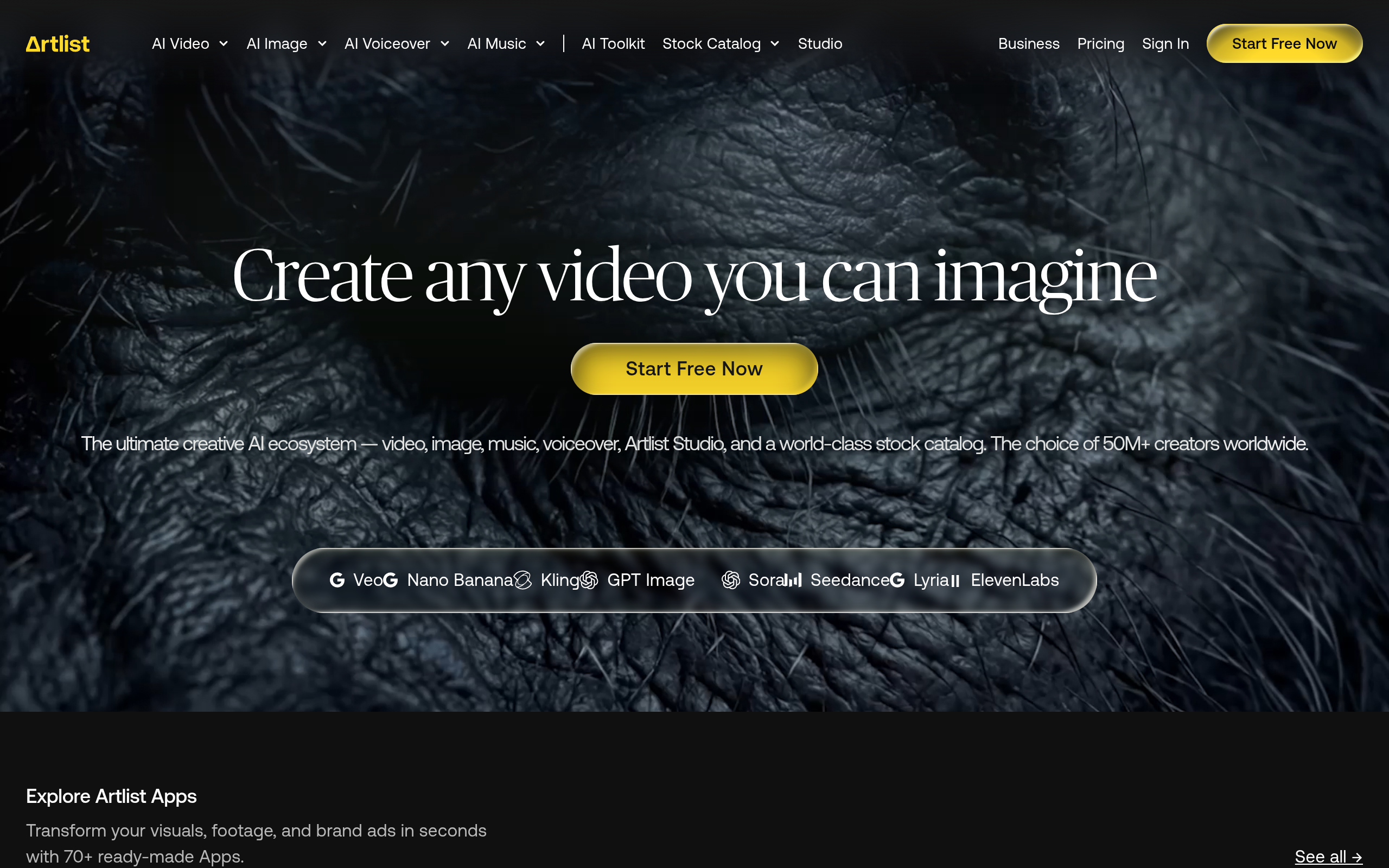
Tool text for Artlist
Artlist tool introduction
Brief review in one sentence: Artlist is not an AI music generator, but a "quality first" royalty-free music and sound effects subscription platform for video creators. AI capabilities serve material discovery rather than material creation.
Artlist was founded by Itzik Elbaz in Tel Aviv, Israel, in 2016. It was initially positioned to solve the core pain points of video creators such as "difficulty in finding music, expensive licensing, and high copyright risks." Unlike competing products such as Epidemic Sound and Storyblocks, Artlist follows the "manual curation + quality priority" route - although its music library is smaller than Storyblocks (approximately 40,000+ music tracks and 80,000+ sound effects), each track has been screened by a professional curatorial team to ensure production standards and style consistency. In 2021, it completed a US$48 million Series B financing (led by Elephant Partners). Since then, it has successively acquired Artgrid (material video platform) and Motion Array (video production tool suite), gradually extending from a single audio effect subscription to a full-link tool ecosystem for video creators.
Promotion verification: The "unlimited downloads + full commercial authorization" officially promoted by Artlist is true and valid. During the subscription period, you can download all the materials in the music library unlimited times, and the license covers YouTube, social media, commercials, movies, TV and other scenes. There is no need to purchase each song or add additional licenses. However, the actual experience of "AI intelligent recommendation" depends on the quality of the video material and the accuracy of the description, and not all scenarios can achieve an ideal match.
Core functions of Artlist
Artlist's functional matrix is organized around four sections: "Music Discovery → Sound Effect Supplement → Speech Synthesis → Workflow Integration", and there are obvious synergies between each function.
1. High-quality music library and manual curation
- Music library size: 40,000+ original music tracks, covering 30+ style categories such as pop, electronic, classical, ambient, film and television, world music, jazz, hip-hop, etc.
- Curation Mechanism: Each track is manually reviewed by professional music editors and marked with metadata such as mood tags (passionate/soothing/suspenseful/warm/inspirational/dark, etc.), rhythm (BPM), instrument composition, era style, energy value, etc. Compared with purely algorithmic tags, manually curated tags are of higher quality and more suitable for the usage habit of "finding songs based on feeling".
- Sound effects library: 80,000+ independent sound effects, divided into categories such as ambient sound, Foley, UI/UX sound effects, transition sounds, and atmosphere underlays, supporting fine synchronization with video images.
2. AI music recommendation engine
- Intelligent matching: Upload video material or enter a project description (such as "travel vlog, lightness, summer atmosphere"). After AI analyzes the video rhythm, emotional curve and screen content, it recommends the most suitable BGM list from the music library.
- Multi-dimensional filtering: Supports filtering by multi-dimensional combinations such as mood, style, BPM range, duration, instruments, vocal type, energy level, presence or absence of lyrics, etc. The accuracy is higher than single category browsing of competing products.
- Hum search: Conduct semantic search by humming the melody or rhythm description (such as "cheerful guitar like Taylor Swift style"), lowering the search threshold in the scenario of "I don't know the title of the song but I know the feeling".
3. Unlimited sound effects library (SFX)
- Category: There are ambient sounds (nature, city, indoors), foley sounds (footsteps, door openings, paper turning), transition sounds (Whoosh, riser, impact), UI sound effects, atmosphere foundation, etc.
- Application: Synchronizes with the video editing software timeline, supports direct downloading of multiple formats (WAV, MP3), and adapts to different project needs.
- Expert View: The synergistic value of sound effects library and music library is often overlooked. For example, when scoring a corporate video, AI not only recommends BGM, but can also simultaneously identify transition points in the video and suggest corresponding transition sound effects to avoid cross-software switching of separate searches.
4. AI Voice (Voiceover)
- Function: Built-in text-to-speech (TTS) engine, providing a variety of styles of AI voices (natural intonation, narration, narration, character voice, etc.). Enter text to generate voice-overs. Supports speech speed, pause, and emphasis adjustment.
- Language Coverage: Supports English, Spanish, French, German, Portuguese and other languages. The Chinese support situation is subject to the official actual page.
- Expert View: The combination of AI voice, music, and sound effects can significantly shorten the working hours of "one video with audio". Creators do not need to switch between multiple tools, and can complete full-link audio production from soundtrack to narration within the Artlist ecosystem.
5. Unlimited downloads and commercial authorization
- Download Policy: Unlimited downloads during the subscription period, no daily/monthly quantity limit. A variety of formats (MP3, WAV) can be downloaded to adapt to different bit rate requirements from social short videos to movie-level production.
- Authorization Scope: One subscription covers all personal and corporate projects, including social platforms such as YouTube, Instagram, and TikTok, commercial advertising, radio, movies, TV, internal corporate videos, etc. No project-by-project declaration is required and no additional license fees are required.
- Licensing restrictions: The material itself cannot be resold, cannot be used to create independent music products (such as sample packages), and cannot be directly published as audio-only content without editing the original artwork.
6. Artlist Desktop Assistant (Desktop App)
- Function: Windows/macOS local desktop application, supports direct search, audition, and simultaneous download of materials in video editing software (Premiere Pro, Final Cut Pro, DaVinci Resolve, After Effects, etc.) without switching back to the browser.
- Offline access: Downloaded materials are cached locally and can be used in projects even if the network is disconnected.
Artlist’s pricing strategy
Artlist uses a pure subscription fee, with no per-track purchase option. Pricing is divided into three tiers:
| Pricing level | Price | Core benefits | Applicable objects |
|---|---|---|---|
| Individual | ~$199/year (≈$16.60/month) | Unlimited download of all music + sound effects + AI voice, full commercial license, 1 user | Independent creator YouTuber, freelancer |
| Team | ~$299/year/person | Above + Team library management, branded playlists, centralized billing, multi-user permissions | Small studios, content agencies |
| Enterprise Edition | On-demand pricing | Above + customized music needs, dedicated music library, advanced copyright terms API access, dedicated customer service | Large production companies, advertising agencies, broadcasting organizations |
Free Strategy: Artlist does not have a long-term free package, but only provides a free trial period (usually 7-14 days, subject to the official real-time page). During the trial period, you can browse the music library and listen to it, but downloading requires a subscription.
C-side cost analysis: The annual payment for the personal version is $199. Compared with the per-track purchase model (a high-quality commercial track is usually $50-$200), the subscription cost can be recovered by producing more than 10 videos per year. For YouTubers who update 2-4 videos per month, the audio cost per video is only $0.69-$1.38.
B-side/Enterprise Cost Analysis: The team version is billed per person, and the annual fee for a team of 10 people is approximately $2,990. Compared to the traditional model of track-by-track licensing ($100-$500 per track, a 30-second commercial typically requires 2-3 soundtracks + 5-10 sound effects), a single project can save thousands of dollars in procurement costs.
Hidden Costs:
- After you stop renewing, you will lose the right to use all undownloaded tracks. Downloaded tracks can continue to be used in published projects, but new projects require re-subscription.
- Some popular tracks in the music library may be used frequently by other subscribers, and there is a risk of "collision" with the same popular video using the same BGM.
Analysis of the advantages and disadvantages of Artlist
Advantages
- Industry-leading authorization clarity: One subscription, unlimited downloads, full-scenario commercial authorization, no need to read the authorization terms one by one, greatly reducing the complexity of copyright compliance.
- High quality of manual curation: Each track has been professionally screened and annotated, and the overall production level is higher than that of purely algorithm-driven material platforms. It is suitable for projects that have high quality requirements for soundtracks.
- AI search improves discovery efficiency: Intelligent recommendations based on emotion, rhythm, and video content vs. item-by-item browsing can compress music search time from 30-60 minutes to 5-10 minutes.
- Full audio chain includes: music + sound effects + AI voice three-in-one, creators do not need to switch between multiple platforms, significantly reducing the context loss of multi-tool switching.
- Depth Application Deep Integration: Operate directly within the editing software, eliminating the cumbersome steps of browser → download → import.
Disadvantages
- The size of the music library is relatively limited: about 40,000 pieces of music vs Storyblocks (100,000+), Epidemic Sound (50,000+), and there is less room for selection of specific niche styles (such as Chinese traditional instrumental music, Middle Eastern ethnic music).
- No AI music generation capability: Artlist's AI focuses on "discovery" rather than "creation" and cannot generate new tracks based on parameters like Mubert and Soundraw. Users can only filter existing music libraries and cannot generate customized original music.
- Pure subscription, no single purchase: For low-frequency users (only making 1-2 videos per year), the annual fee of $199 may not be as cost-effective as purchasing by song.
- Limited Chinese support: The Chinese naturalness and richness of options of AI voice are lower than those of English, the coverage of Chinese tags in the music library is insufficient, and the Chinese subtitle/metadata search experience needs to be improved.
- No online video editor: Compared with the integrated editing tools of built-in audio platforms such as Wave.video and Canva, Artlist lacks one-stop video editing capabilities and must be used with third-party editing software.
Applicable scenarios for Artlist
- YouTuber/Vlogger: High-frequency output requires stable, high-quality, copyright-free BGM and sound effects. Artlist’s unlimited download mode is most suitable for creators who update weekly/biweekly. The annual fee of $199 covers all videos throughout the year, and the cost of a single video and audio is less than a cup of coffee.
- Advertising/Branded Content Production: Brands and advertising agencies need to find a soundtrack with a specific emotional style for each campaign. The combination of AI recommendation + multi-dimensional tag filtering can lock candidate tracks that meet the Brief within 10-15 minutes, saving 60-70% of time compared to traditional track-by-track listening.
- Film/Documentary Post-production: Foreshadowing music, ambient sound effects and transition sounds that require clear dialogue. Artlist’s sound effects library and AI voices can be used as a temp track during the rough cut stage to maintain the rhythm of the demo before final licensing is finalized.
- Podcast Production: One-stop access to opening/ending songs, background BGM, chapter transition sound effects, and commercial break soundtracks. AI recommendations automatically match styles by podcast topic (tech, interviews, storytelling, etc.).
- Social media short videos (TikTok / Instagram Reels / YouTube Shorts) : High-frequency short content creators need to quickly find the "ear-catching first 3 seconds" music. AI recommendations can prioritize popular trending styles, and are authorized to cover social media platforms without worries.
- Corporate/Training Videos: The in-house video team needs a lot of background music and narration. Artlist's AI voice function can quickly generate multi-language narrations and maintain a unified audio style for multiple videos in conjunction with corporate brand playlists.
Not applicable to scenarios (dissuading people to leave)
- Film-level projects that require 100% original customized soundtrack: The Artlist music library is an existing material, and it is impossible to create original music suitable for specific scenes. Such needs should outsource composers or use AI music generation tools such as Soundraw, Mubert, etc.
- Low-frequency users (produce 1-3 videos per year): The annual fee of $199 is not cost-effective for low-frequency users. It is recommended to use per-track purchase platforms (such as AudioJungle, Pond5) or free music libraries (such as YouTube Audio Library).
- High-quality Chinese AI voice is required: Artlist AI voice’s Chinese naturalness, polyphonic word processing, and tone changes are not as good as domestic TTS products (such as Tencent Cloud Zhiling, Microsoft Azure TTS), and Chinese podcast producers should choose dedicated TTS tools.
Artlist efficiency improvement comparison
The following is deduced data, based on typical video creator workflow, unofficial commitment value:
| Restrained | Traditional method (without Artlist) | Using Artlist | Efficiency improvement | Key drivers |
|---|---|---|---|---|
| Music search and filtering | Listen to 20-30 songs one by one, taking 30-60 minutes | AI recommendation + tag filtering, 5-10 minutes to lock in 3-5 candidates | Save 70-80% of time | AI sentiment analysis + multi-dimensional tag curation |
| Sound effects collection | Search and download one by one, or combine from different platforms, it takes 15-30 minutes/project | One search within the desktop application, 3-5 minutes | Save 60-80% of time | One-stop sound effects library + desktop application integration |
| Narration recording | Recording + noise reduction + editing + re-recording, 30-60 minutes/project | AI voice input text generation with one click, 5-10 minutes | Save 70-85% time | AI TTS + speaking speed/pause adjustment |
| Copyright authorization management | Record authorization scope, renewal, and archiving one by one, 5-10 minutes each time | Subscription-based full authorization, no management required | Save 100% management time | One-stop coverage of all commercial authorization |
| Tool switching loss | Browser → Search → Download → Import editing software, each switch takes about 2-3 minutes | Direct operation within the desktop application, zero switching | Eliminate switching loss | Deep integration of desktop assistant |
| Total time spent on a single short video audio link | 60-120 minutes | 10-20 minutes | Save 75-85% of total man-hours | Comprehensive of the above factors |
Improved team collaboration efficiency: The team version supports sharing brand playlists and music library collections, ensuring consistent audio styles for multiple projects of the same brand, and reducing style differences caused by "each looking for his own sound effects".
Automated boundaries for Artlist
Can be automated and organized
- Music Recommendation: AI automatically generates a candidate list based on project description and video analysis, and humans only need to select from 3-5 candidates.
- Sound effect matching: AI can identify video editing points and suggest transition sound effects, eliminating the need to manually search frame by frame.
- Narration generation: After inputting the copy, the AI voice will generate a narration file within 1-2 minutes. It can be used after adjusting the speaking speed and pause.
- Material Download and Management: The desktop application automatically synchronizes, caches, and manages downloaded materials without manual intervention.
There are knots that require manual intervention
- Final Music Selection: AI recommendations are based on algorithms and cannot understand unstructured information such as brand tonality and creative director’s subjective preferences. The final selection of songs must be judged aesthetically.
- Fine synchronization of sound effects: AI can suggest transition points, but the precise alignment of sound effects and images (such as the subtle synchronization of footsteps and steps, the time matching of ambient sounds and scene changes) requires manual fine-tuning.
- AI Voice Proofreading and Emotional Polishing: The narration generated by AI may not be natural enough in terms of stress, tone, and pauses, and requires manual proofreading and recording of real-person narration as a supplement when necessary.
- Review of Authorization Terms: Although Artlist’s authorization scope is wide, specific projects (such as theater movies, large-scale brand TVCs) still require enterprise version users to confirm the authorization boundaries with Artlist’s legal affairs.
Human-in-the-loop recommended mode
[Manual] Upload video/Enter project description
    ↓
[AI] Analyze video rhythm, emotion, and images → generate recommendation list
    ↓
[Manual] Listen to and select the final track from the candidates
    ↓
[AI] Automatically recommend sound effects/generate narration based on timeline
    ↓
[Manual] Proofreading narration and fine-tuning sound effect synchronization points
    ↓
[Manual] Confirm authorization compliance → Release
Artlist Security and Compliance
Copyright protection
- Full Commercial License Coverage: All tracks come with full commercial license during the subscription period, covering YouTube, social media, advertising, movies, TV, radio, internal corporate and other scenarios. No need to purchase additional licenses on a track-by-track basis.
- Clear licensing boundaries: Each track is clearly marked with the licensing type and usage conditions when downloading, and the official Artlist website publicly displays the licensing terms to reduce the risk of misunderstanding.
- Content ID Protection: Tracks for subscribed users will generally not trigger claims in the YouTube Content ID system, but specific behavior varies from track to track and users are advised to test before publishing.
Data Security
- Account Security: Supports two-factor authentication (2FA), and the team version can be configured with role-based access control (RBAC) to limit the download and management rights of different members.
- Data transmission: Websites and desktop applications use HTTPS encrypted transmission, and material downloads are accelerated through CDN while maintaining transmission encryption.
- Privacy Policy: Artlist's privacy policy covers the scope of personal data collection and use, and the specific data processing compliance certification (such as SOC2, GDPR) status is subject to official disclosure.
Compliance Risk Tips
- Impact of stopping renewal: After the subscription expires, downloaded tracks can continue to be used in published projects, but new tracks cannot be downloaded and access to undownloaded tracks will be lost. It is recommended that teams back up key project materials before the renewal cycle.
- Resale Restrictions: It is strictly prohibited to resell Artlist materials as independent products (such as selling sample packages, music material CDs), and violators may face legal prosecution.
- Risk of music collision: Since music libraries are shared by multiple users, popular tracks may be used by multiple projects at the same time. When selecting tracks, pay attention to usage frequency statistics and give priority to works that are not overused.
Artlist’s integrated ecosystem
Video editing software integration (desktop application)
Artlist Desktop Assistant supports in-depth integration with mainstream video editing software. Users can search, audition, and download materials directly within the editing software interface:
| Software | Integration methods | Functional scope |
|---|---|---|
| Adobe Premiere Pro | Desktop application panel/extension | Search, audition, drag-and-drop import timeline |
| Final Cut Pro | Desktop application panel | Search, audition, sync to FCP event library |
| DaVinci Resolve | Desktop application panel | Search, listen, import media pool |
| After Effects | Desktop application panel | Search, audition, import synthesis |
| Others (CapCut, etc.) | Manual import | Manual import after downloading (no native plug-in) |
Linkage between platforms
- Artlist + Artgrid (same ecosystem): Artlist's parent company owns Artgrid (a royalty-free material video platform), and the authorization systems of the two platforms are interoperable. Users can combine Artlist music with Artgrid video materials without copyright conflicts.
- Motion Array integration: After Artlist acquires Motion Array, some music materials can be used directly in Motion Array templates, forming a complete link of "template → video → soundtrack".
APIs and Automation
- Enterprise API: Enterprise version users can apply for API access to integrate the Artlist music library into their own content management system (CMS) or editing workflow. Specific API capabilities (search, download, authorization verification) need to be confirmed with the Artlist business team.
- Third Party Integration Limitations: Currently there is no public Zapier/Make (Integromat) connector for Artlist, and there is no official Rest API documentation open to individual/team versions. Automation capabilities are limited to enterprise customization scenarios.
Ecological limitations
- Does not support native integration with lightweight online video tools such as Canva and CapCut. Users need to download and import manually.
- There is no public SDK or plug-in market, and the community ecological expansion capability is weaker than that of platforms such as Envato.
Implementation suggestions for Artlist
Deployment recommendations for individual creators
- 7-Day Trial Evaluation: Sign up for a free trial and test the AI recommended fit, download speed, and audio export quality in real projects, focusing on compatibility with current editing software.
- Create personal playlist: Create playlists by project type (vlog, product review, travel records, etc.), collect commonly used tracks in advance, and reduce the time of searching from scratch for each project.
- Use AI voice to make the first version of narration: First use AI voice to generate a narration demo, which will be used for rhythm testing in the rough cutting stage. After confirming that it is correct, decide whether to use real people to record the refined version, or directly use AI voice to publish it.
- Download Backup Strategy: Keep a local backup of used tracks after the project is delivered, in case the subscription cannot be re-downloaded after expiration.
Team/Studio Deployment Recommendations
- Develop brand audio guide: Unify the brand playlist and tag system to ensure the consistency of audio styles for multiple projects within the team.
- Permissions and Bill Management: Use the team version of RBAC to control the download permissions of different roles, centrally manage subscription bills, and avoid repeated purchases by multiple people.
- Establish a material review mechanism: Review the most frequently used tracks by the team every month, evaluate the cost-effectiveness of the subscription, and decide whether to renew or upgrade in the next year.
- Acceptance standards for audio-visual matching: Establish internal specifications, stipulating that AI-recommended tracks need to go through three stages: "Audition → Preliminary Editing and Matching → Team Review" before they can be finalized, to avoid inconsistency between AI recommendations and brand tonality.
Deployment recommendations for enterprises/large organizations
- Business Negotiation Priority: Contact the Artlist corporate sales team to confirm the scope of the customized music library, exclusive licensing terms, API access plan and invoice process.
- Legal team reviews authorization terms: Corporate legal affairs need to review the authorization boundaries, renewal terms, and usage periods of released projects after termination of the enterprise version contract item by item.
- API integration solution: If you need to embed the Artlist music library into your own CMS or editing pipeline, confirm the API's search capabilities, download rate limits, and authentication methods in advance.
- Disaster recovery plan: Evaluate alternative sources of material (such as subscriptions to alternative music libraries) when Artlist service is interrupted, and establish a plan B.
Summary of Artlist
Artlist's core competitive barriers are "quality curation + clear authorization + full audio link ownership". In the royalty-free music subscription track, it does not pursue the absolute maximization of the size of the music library, but maintains production standards through manual curation, reduces discovery costs through AI recommendations, and reduces workflow friction through desktop applications. For content creators and small and medium-sized production teams that produce 10+ videos per year, Artlist is currently the audio material subscription option with the best quality-to-performance ratio.
Current Limitations
- Library size (~40,000 pieces of music) has limited selection in specific niche styles, nowhere near the coverage of Storyblocks.
- It does not have AI music generation capabilities and cannot meet the needs of "customized original soundtrack".
- The Chinese support for AI voice is insufficient, and the narration needs of Chinese creators need to be matched with other TTS engines.
- No online video editor, it needs to be used with third-party editing software.
Procurement/Adoption Risk Assessment
- Purchase Suggestion: Suitable for creators and small and medium-sized teams that produce 10+ videos per year, give priority to the personal version or team version. For large and medium-sized production companies, the customization capabilities and authorization boundaries of the enterprise version need to be confirmed item by item in the contract to avoid authorization blind spots in large commercial projects.
- Competitive product substitution: If you need a larger music library, Storyblocks wins by quantity; if you need AI music generation, Soundraw and Mubert can generate customized tracks; if you need a one-stop solution for Chinese TTS and music, domestic platforms (such as Tencent Cloud Audio and Video, Cutting Enterprise Edition) are more suitable.
- Ecological binding risk: Shallow API integration and limited third-party connectors mean that Artlist is suitable as a "main supplier of audio materials" rather than an "audio workflow middle platform". It is recommended to use other tools to form a complementary material matrix to avoid single supplier lock-in.
Main functions of Artlist
- Core Processing Capabilities: Provides core AI capabilities in relevant scenarios to support users to quickly complete tasks.
- Multi-modal interaction: supports text input and result output, and some scenes support image or file upload.
- Workflow Integration: Can be embedded into existing workflows or linked with other tools through APIs to reduce context switching.
Application scenarios of Artlist
- Personal Creation: Quickly generate or process content to improve daily work efficiency.
- Team Collaboration: Unify workflow and reduce repetitive manpower investment.
- Enterprise-grade deployment: Embed capabilities into on-premises systems via API or private deployment.
Artlist’s applicable groups
- Individual Users: Content creators and knowledge workers who need AI assistance to improve their daily work efficiency.
- Developers: Technical teams who need to integrate AI capabilities into their own products or services through APIs.
- Enterprise: Organizations seeking to deploy AI at scale in their field.
Artlist’s technical advantages
- Algorithm Optimization: Special optimization at the model or algorithm level has been carried out for the corresponding scenario to achieve a balance between response speed and result quality.
- Low-latency architecture: Adopts streaming or asynchronous processing architecture to reduce user waiting time and is suitable for high-frequency interaction scenarios.
Core parameters and statistics of Artlist
Specific technical parameters (such as model size, context length, supported file formats, input and output restrictions, etc.) are subject to the official product page. It is recommended that users verify the latest technical specifications and system requirements before choosing to ensure that they match their own usage scenarios.
Artlist’s user and market recognition
Gradually build user awareness in the field, and product capabilities are used by content creators and teams to improve work efficiency. Some industry users have incorporated it into their daily workflow. It is recommended to refer to the latest official disclosures for specific user scale and industry adoption rate data.
Artlist’s cost advantage
- C-side/Individual: Usually a free version is provided to experience the core functions, and high-frequency use requires a paid package subscription.
- API/Developer: Billed by call volume, suitable for development teams that can be flexibly integrated into their own systems.
- Enterprise/Privatized: Contact the business owner for customized quotation and deployment plan. The specific price is subject to the official real-time pricing page.
Summary and Outlook of Artlist
It provides competitive solutions in its field, and its core value lies in lowering the threshold for AI use in this field. With technology iteration, products are expected to continue to improve in functional coverage and performance.
Current limitations: Some advanced features require paid subscription, and the free version has function or usage restrictions; specific technical details and performance benchmarks have not been fully disclosed, and it is recommended to fully verify it through trial before purchasing.
Related tools: runway, pika
Artlist’s model and version evolution
Continuous iterative updates, the latest version introduces performance optimization and new features. Historical version information can be viewed on the official release page. There is no complete public version evolution timeline yet. It is recommended to pay attention to the official announcement to understand the rhythm of feature updates.
How to use Artlist
- Web client: You can use it by visiting the official website and registering an account. Most functions do not require installation.
- API access: Provides RESTful API, developers can obtain the API Key and integrate it into their own applications.
Artlist’s Product Pricing
The pricing model is subject to the official real-time page. Usually a freemium or subscription system is used, and basic functions can be used for free. Advanced functions or high-frequency use require paid subscriptions, and users are advised to evaluate the optimal solution based on actual usage.
Version Info
- 2026 Summer Collection :A new AI soundtrack matching engine is added to support automatically recommending and adapting BGM based on video rhythm/emotion.
- 2026 Spring Collection :Introducing AI voice search to find music by humming/melody description.
User Reviews