 Bosi AIPPT
Free
Bosi AIPPT
Free
Bosi AIPPT (PPTGO) is an AI presentation generation platform under Bosi's product line. It focuses on "generating editable PPT with one click by inputting a topic or document". It provides expert mode, massive templates and an AI points system, targeting workplace and education users who need to quickly produce reports and solutions.
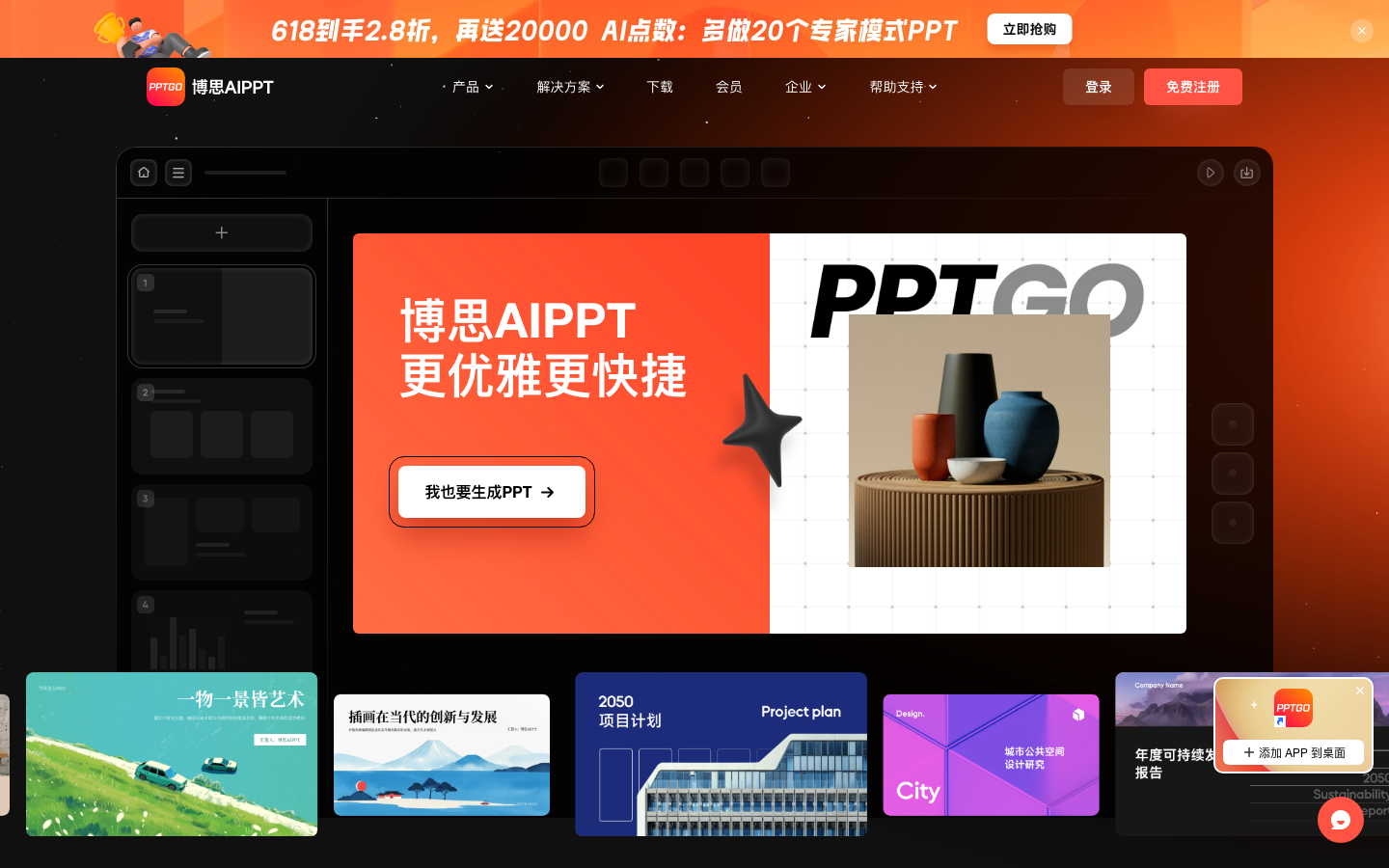
BosiAIPPT
Core parameters and statistics of Bosi AIPPT
Bosi AIPPT (external brand PPTGO) is an AI presentation generation platform developed by Shenzhen Bosi Yunchuang Technology Co., Ltd. Its core value lies in "compressing the initial stage of PPT production from hours to minutes" - enter a topic, upload a document or paste a web link, and the platform will automatically generate a slide file with a complete structure that can be directly edited, covering the biggest pain point of building a framework from scratch.
This product is in a high-frequency iteration period. From the release of V1.0 in June 2024 to V1.50 in July 2026, a total of 50+ versions have been released, with an average update every 15 days. The following are the core public parameters as of July 2026:
| Projects | Public Information |
|---|---|
| Product Brand | Bosi AIPPT / PPTGO |
| Developer | Shenzhen Bosi Yunchuang Technology Co., Ltd. (internal incubation of Wanxing Technology) |
| First released | June 6, 2024 (V1.0) |
| Current version | V1.50 (2026-07-14) |
| Generate input method | Topic description Word/PDF/TXT/Markdown document upload, web link, mind map file |
| Maximum document input | Supports up to 100,000 words of text content in a single import (since V1.49) |
| Maximum number of generated pages | Free users can have a maximum of 25 pages at a time, VIP users can have a maximum of 60 pages at a time |
| Template scale | 520+ theme templates, 3500+ layout styles |
| Output format | PPTX, PDF, PNG, JPG |
| Running platform | Web online platform + Windows/macOS desktop client |
| Billing model | Free quota + membership subscription (monthly/quarterly/yearly/lifetime) + enterprise plan |
| Number of enterprise customers | 500+ enterprise customers |
| Underlying AI model | Supports switching between DeepSeek R1, Doubao and other multi-model engines |
Parameter Interpretation: The 100,000-word document import limit means that users can directly input an entire industry report or academic paper, and AI will extract the core points and organize them into a presentation structure. The 520+ templates cover mainstream scenarios from academic defense, business technology to party and government propaganda, allowing users with non-design backgrounds to produce slides with a unified visual format. The 60-page limit for VIP users has covered most of the needs of workplace reports and business proposals, but large proposals exceeding 60 pages need to be split and generated.
Users and market recognition of Bosi AIPPT
C-side market: Bosi AIPPT is aimed at white-collar workers, students and education practitioners. The official website claims to have a base of "tens of millions of users", but the precise number of registrations and MAU data has not been disclosed. Judging from the user feedback displayed on the official website (Xiaohongshu, Douyin and other platforms), typical usage evaluations focus on efficiency dimensions such as "compressing half a day's workload into half an hour" and "producing a first draft in one minute", indicating that its core user group demands "speed" much more than "visual originality". User word-of-mouth communication is concentrated on social platforms, with roles such as "administrative clerk", "in-system", "product operation" and "self-media" as the main roles. It is a typical pan-workplace efficiency tool user profile.
B-side market: The official website shows more than 500 corporate customers, including Bytedance, Tencent, Huawei, Baidu, BYD, China Unicom, China Southern Airlines, China Mobile, NetEase KPMG, China Merchants Bank, Wondershare Technology, JD.com, Haier and other well-known enterprises. This customer list has a high value and covers many industries such as the Internet, finance, communications, manufacturing, and professional services, indicating that the products have passed the procurement compliance and security audits of large enterprises. The core driving factors adopted by the B-side include: team collaboration space, brand asset management (unified logo, theme color, font), permission management and template precipitation and other organizational-level functions.
Capital background: Bosi Cloud was founded in 2021 and was incubated internally by Wanxing Technology (300624.SZ). It completed Pre-A round of 100 million yuan financing in 2022 (led by CICC Xinzhi, followed by Baidu Ventures, Yonghua Capital, and Wanxing Technology), and completed Series A financing in 2023 (Shenzhen High-tech Investment, Fosun Capital, Kingdee, and Jifu Asia United Investment). The incubation background of listed companies is superimposed on multiple rounds of financing, and the products have certain guarantees in terms of financial stability and commercial sustainability, which are different from the survival risks of pure start-up companies.
The cost advantage of Bosi AIPPT
Bosi AIPPT's cost structure is divided into two layers: C-end free/subscription B-end enterprise plan. Its pricing strategy is characterized by "low-threshold free trial + tiered charging for high-value functions".
C-side free tier: You will be given a certain amount of AI points when you sign up, and you can experience the basic generation function, but it is limited to generating up to 25 pages at a time, can only use some AI models, cannot download PPT editable source files, and cannot export PPTX/PDF and other formats. The free tier is positioned as an experience portal rather than a production tool. It meets the needs of light trial but is not enough to support actual work output.
C-side VIP pricing (official website real-time price in July 2026):
| Package | Price | Average monthly cost | AI points/month | Core differences |
|---|---|---|---|---|
| 1 month VIP | ¥45 | ¥45 | 5000 | The shortest period, suitable for single project use |
| 3 months VIP | ¥79 | ~¥26.3 | 5000 | The price-performance ratio begins to show |
| 1 year VIP | ¥99 (limited time price, original price ¥128) | ~¥8.25 | 5000 | Main long-term package |
| Lifetime VIP | ¥218 (limited time price, original price ¥768) | —— | 5000/month | One-time buyout, suitable for heavy users |
All VIP packages share the following benefits: unlimited AI generation, up to 60 pages at a time, all AI models can be downloaded as PPT source files, full templates and single-page styles AI beautification/switching layouts/smart matching/AI drawings, full format import (TXT/Word/PDF/Markdown/Xmind), full format export (PPTX/PDF/PNG/JPG), mind map outline download, password sharing and custom watermarks.
AI Points System: Members automatically receive 5,000 AI points per month (lifetime membership is also 5,000 points per month), and additional points packages must be purchased for the excess. The point consumption is concentrated on advanced AI functions (such as expert mode AI drawing), and ordinary generation consumes less points. For typical workplace users who generate less than 30 PPTs per month, 5,000 points/month is usually enough; high-frequency users (such as educational institutions that produce courseware in batches) may trigger the purchase of additional points.
Joint membership package: Bosi Yunchuang uses its product matrix to launch joint memberships. The Bosi classic 2-piece lifetime membership set (Bosi whiteboard + Bosi AIPPT + 10,000 AI points) is priced at ¥699, and the product manager 3-piece lifetime membership set (superimposed ink knife prototype) is priced at ¥1060. The package plan increases the ARPU value through cross-selling and is suitable for users who are already using other Bosi series products.
B-side enterprise plan: The enterprise plan is quoted on demand and provides functions such as team space, member rights management, brand asset accumulation, customized enterprise templates, file and template asset accumulation, etc. Enterprise pricing is not disclosed, please contact the business to obtain a quote. Comparing similar competing products (such as Gamma, Beautiful.ai), it is estimated that the annual fee of the enterprise plan is in the range of thousands to tens of thousands of yuan, and the specific real-time business quotation on the official website shall prevail.
The main functions of Bosi AIPPT
The functional matrix of Bosi AIPPT is designed around the entire PPT production chain of "input → generation → editing → delivery". It is not a stack of independent functions, but forms a closed workflow.
- AI generates PPT with one click: Enter a one-sentence topic or a requirement description, and AI will automatically output a complete outline, chapter content, and illustration plan, and generate a first draft of PPT that can be directly modified. This is the core human flow universal entrance of the product and the first point of contact for all users.
- Document generation PPT: Supports importing Word, PDF, TXT, Markdown and other format files, AI automatically refines the key points and organizes them into a presentation structure. Starting from V1.49, it supports input of up to 100,000 words, covering the entire industry report and technical white paper. The precise conversion capability of Word files introduced in V1.34 can achieve structured mapping without changing the text content, and has a better effect on the PPT transformation of existing documents.
- Web link generation PPT: Paste the web link to parse the content of the article, report or product introduction page and quickly convert it into a displayable PPT page. It is suitable for market research, competitive product analysis and other scenarios where online content needs to be converted into presentation materials.
- Mind map generation PPT: Supports importing Xmind, Freemind and other mind map files to convert structured thinking into slide sequences. The newly added mind map and outline editing modes in V1.46 can be switched in both directions, further reducing the migration cost for mind map users.
- Structured Outline Analysis: An editable outline is generated before generating PPT. The user confirms the chapter structure, key content and number of pages before entering the final generation stage. Manual confirmation at this stage is the key to AI controllability - avoiding the ineffective cycle of "black box generation → dissatisfaction → regeneration".
- Expert Mode / PPT Agent: The expert mode introduced in V1.32 can plan, retrieve data and generate content, and supports reading files and pictures for generation. V1.48 is further upgraded to a single-page Agent and supports image processing tools. This mode is suitable for scenarios that require higher content depth and professionalism, but the points consumed are also significantly higher than the normal mode.
- **Intelligent typesetting with
Beautification**: Optimize the layout, unify the style and polish the content of the first draft or existing old drafts. Supports AI switching layout AI, generating single page AI, modifying single page content AI, selecting icon and other refined operations. The new AI search gallery image function in V1.48 makes the quality of images no longer dependent on the user's own image search.
- Speaker Mode: The new dual-screen display function in V1.50 allows speakers to view notes and preview the next page during presentations, improving the user experience in formal reporting scenarios.
- Online Editing and Collaboration: After generation, text, layout, images, and charts can be adjusted directly within the platform, and support for comment collaboration, real-time automatic saving, and cloud storage. The dark mode added in V1.8 and the mind mapping tools and chart functions (line chart, bar chart, pie chart, scatter chart, funnel chart, radar chart) introduced in V1.5 make the online editing function gradually approach the level of professional PPT software.
- Enterprise-level functions: Customized enterprise templates, team space and permission management, unified brand colors and fonts, and asset accumulation of files and templates. Supports organization-level deployment for 500+ enterprise customers.
Expert Viewpoint: The hidden synergy in Bosi's AIPPT functional design is that it does not position AI as "replacing you in doing PPT", but rather as "quickly giving you a good enough first draft, and then manually making business judgments and adding brand details". The three input paths of document import and generation, web page analysis and generation, and mind map generation cover the three most common information carriers (files, links, and mind maps) already in the hands of users. Users do not need to change their habits in order to "feed data to AI". The layering of expert mode and normal mode is essentially a bimodal distribution modeling of PPT production scenarios: 80% of daily reports can be satisfied with normal mode, and 20% of high-value solutions require in-depth intervention of expert mode. The points system naturally transforms these 20% scenarios into payment drivers through consumption differences, without the need to rigidly intercept basic functions for free users.
Model and version evolution of Bosi AIPPT
Bosi AIPPT will be officially launched from June 2024 to July 2026, with frequent version iterations and a clear evolution process.
Foundation period: V1.0 - V1.4 (June 2024 - August 2024)
- V1.0 (2024-06-06): The product is officially released. The core capability is "generating PPT in one sentence" and supports basic template, color matching and picture matching functions.
- V1.1 (2024-07-11): Added 40+ template AI to generate animation, audio insertion and export.
- V1.2 (2024-07-25): Added Windows/macOS desktop client, Chinese style template, and file import to generate risk control identification.
- V1.3 (2024-08-13): Added SVG free stretching, file sharing collaboration, and template selection entrance optimization.
- V1.4 (2024-08-27): Added 10 sets of cartoon hand-drawn templates with bullet styles, shortcut keys, and comment functions.
Function expansion period: V1.5 - V1.20 (September 2024 - April 2025)
- V1.5 (2024-09-10): Mind mapping tools, chart functions (line chart/column chart/pie chart/scatter chart/funnel chart/radar chart), dark mode, element search and replacement.
- V1.6 (2024-09-24): AI generation supports three modes: simple/standard/complex, national and provincial map graphics libraries, client preferences and auto-start.
- V1.10 (2024-11-26): Integrate Qiantuhouhei and demonstration Buddhist fonts, team organization version, and custom template AI to generate speech drafts.
- V1.15 (2025-02-18): 9:16 Vertical PPT size DIY custom template upload analysis, slide presentation animation.
- V1.16 (2025-03-04): Export supports selection range and image format, flat and simple and Chinese style festival celebration templates.
- V1.18 (2025-04-01): AI picture generation, spatial material library, file filtering and different view display.
- V1.19 (2025-04-15): Supports switching of third-party AI models such as DeepSeek R1 and Doubao - this is a key version for the product to move from self-developed models to multi-model compatibility.
Specialization and commercialization period: V1.20 - V1.50 (April 2025 - July 2026)
- V1.20 (2025-04-29): Custom font upload, file list view switching, custom template recycle bin.
- V1.21 (2025-05-20): Custom templates support user-defined color systems, file import and extraction of table content, and layout preview AI points package purchase.
- V1.24 (2025-07-01): Select pictures from the gallery to add to the material library, search the material library, and drag and drop imported files to generate PPT.
- V1.25 (2025-07-17): Intelligent typesetting components, batch setting of text styles, custom color switching, imported audio analysis and generation of PPT.
- V1.26 (2025-07-29): Chinese and English language switching Logo, batch setting of margins, AI switching layout, recommended layout based on content.
- V1.28 (2025-08-26): PPT single-page AI free questions, management permission settings (management permissions and file permissions).
- V1.29 (2025-09-09): Enter the outline to directly generate PPT, add footer information, and star graphics.
- V1.30 (2025-09-25): Line chart support, mind map outline space drag and drop canvas AI deep thinking interactive automatic scrolling.
- V1.31 (2025-10-14): Uploading outlines supports table layout, optimizing AI deep thinking interaction and outline editing.
- V1.32 (2025-10-28): PPT expert mode is online (planning, retrieving data to generate content), filling tables and chart data when AI is generated.
- V1.33 (2025-11-11): PPT side list view AI identifies content export watermark.
- V1.34 (2025-11-25): Text line spacing settings are used to accurately convert Word files to PPT (without changing the text content).
- V1.35 (2025-12-09): Text double-aligned and scattered alignment.
- V1.36 (2025-12-23): Professional layout setting switching, editing interface adaptive 10 sets of holiday celebration templates.
- V1.37 (2026-01-06): Flag graphics, graphic image filling and Boolean tools, and mechanical manufacturing templates.
- V1.38 (2026-01-20): Import Markdown/Word/Xmind/Freemind structured files directly into outlines, and expert mode supports reading files and image generation.
- V1.39 (2026-02-03): AI multi-page synthesis and speech draft generation add termination button and card
Pass hand drawn template.
- V1.40 (2026-02-24): Export PDF images are blurred and repaired, combined graphics filling is optimized, and slides automatically exit playback.
- V1.41 (2026-03-12): The new homepage AI generates PPT process with overall optimization, file movement and filtering.
- V1.42 (2026-03-24): AI beautification of rare character fonts MiSans and MiSansLatin fonts and optimization of the new outline process.
- V1.43 (2026-04-07): 10 sets of summary report templates, importing Word to recognize basic charts to participate in layout layout, and preference settings (with playback switch).
- V1.44 (2026-04-21): AI-generated PPT pre-set font size, custom templates support font settings.
- V1.45 (2026-05-12): AI selection icon, PPT single-page dialogue operation.
- V1.46 (2026-05-21): Mind map and outline mode editing PPT single-page dialogue capabilities (chart and table operations), interactive charts.
- V1.47 (2026-06-02): Mind map outline AI switching layout AI generates picture film realistic style.
- V1.48 (2026-06-16): AI search gallery images, two sets of chart styles, single-page Agent image processing tool PPTX upload parsing enhancements.
- V1.49 (2026-06-30): Language search AI generated image selection and replacement, copy and paste files in the input box, and the upper limit of imported words has been increased to 100,000 words.
- V1.50 (2026-07-14): Speaker mode dual-screen display, outline expansion charts and table previews, AI graph interaction optimization, and enhanced dividers for exported content.
Version evolution trend: From the early focus on "generation speed and basic templates" to the mid-term expansion of "editing capabilities and format compatibility", to the recent strengthening of "AI Agent refined operations and enterprise-level management and control", the product has been upgraded in three dimensions - generation quality (from simple to expert mode), editing depth (from only visible modifications to single-page conversations), and organizational-level capabilities (from personal use to team collaboration and brand asset management).
Technical advantages of Bosi AIPPT
Bosi AIPPT does not have its own large base model, but the ability to integrate multiple underlying AI models at the application layer to build a PPT generation workflow. Its technical advantages are reflected in engineering integration rather than model training.
Multi-model compatible architecture: Starting from V1.19, it supports switching of third-party models such as DeepSeek R1 and Doubao without binding to a single model supplier. This architectural design reduces the risk of single point dependence - when a model becomes unavailable due to load, policy or cost changes, the platform can switch to an alternative model without affecting the user-side generation experience. It also enables users to choose the most suitable model based on the type of task (for example, DeepSeek R1 for inference-intensive tasks and Beanbao for general-purpose tasks).
Document Intelligent Parsing Pipeline: Supports structured parsing in multiple formats such as Word, PDF, TXT, Markdown, Xmind, Freemind, PPTX, etc. V1.43 began to support basic chart recognition in Word files and participate in typesetting layout. V1.48 enhanced the parsing capabilities of uploaded PPTX files (supporting end-of-paragraph characters, indentation and master content). This pipeline is one of the core technical barriers of Bosi AIPPT - compared with directly feeding text to a large model to generate PPT, structured parsing can extract information such as title level, table structure, image location, etc. before entering the generation step, making the generated PPT significantly better than the plain text input solution in terms of information restoration.
Template typesetting engine: A content library composed of 520+ templates + 3500+ layouts, combined with an AI layout recommendation algorithm (automatically matching the best layout based on content type and slide theme), to achieve a "generate and layout" experience. The professional layout settings of V1.36 allow users to switch between professional layouts of different sizes. The new AI search for gallery images in V1.48 further reduces the hassle of manually finding images. The core advantage of the template layout strategy is to ensure the format consistency of the output results - when multiple people in the team generate PPT at the same time, as long as the same corporate template is selected, the visual style of the final deliverable will be automatically unified.
Single-page Agent and refined editing: The PPT single-page dialogue capability introduced since V1.46 allows users to perform AI questioning and modifications on specific slides (such as "change this table to a chart type" or "change this text to be more concise"), instead of the coarse-grained operation of "modify → regenerate the entire file". The single-page Agent in V1.48 further supports image processing tools, extending the operational scope of AI from text to visual elements. This granular convergence of "from full volume to single page" is the key technical symbol of Bosi AIPPT's evolution from a "generation tool" to an "editing tool".
Enterprise-level architecture: Supports team space, permission classification (viewing/editing/sharing/exporting/template maintenance), brand specification management (logo, theme color, font, layout style) and asset precipitation (precipitating generated files into reusable team templates). These capabilities are relatively mature at the technical level, but their value to enterprise customers lies in reducing the hidden communication costs of inconsistent multi-department output formats.
How to use Bosi AIPPT
Entrance and Platform:
| Entrance | Access | Features |
|---|---|---|
| Web online platform | https://pptgo.cn/ | No installation required, supports all modern browsers, account system management works and points |
| Windows desktop | Download the installation package from the official website | Run locally, some functions are available offline, and support self-starting at boot |
| macOS desktop | Download the installation package from the official website | Functionally equivalent to Windows |
Typical usage process:
- Visit https://pptgo.cn/ and click "Start AI PPT Production for Free" to enter the workbench.
- Select the creation method: enter a one-sentence topic description, upload a Word/PDF/TXT/Markdown document, paste a web link, or import an Xmind/Freemind mind map file.
- Confirm or edit the AI-generated chapter structure on the outline preview page, adjust the number of pages, language (Simplified Chinese/English, etc.) and generation mode (normal/expert).
- Select the template style (categories such as business technology/flat simplicity/Chinese style/cartoon hand-painted) and color scheme.
- Click Generate and wait for AI to complete the slide creation (the generation time depends on the length and complexity of the content, usually within 30 seconds to 3 minutes).
- Adjust specific content, replace images, switch layouts, or perform AI beautification in the online editor.
- Export to PPTX, PDF, PNG or JPG format, or share the collaboration link directly.
Advanced usage tips:
- For existing complete documents (such as industry reports, academic papers), the "Document Generation PPT" path is preferred instead of "Topic Description" to achieve higher information fidelity.
- When you need to deeply customize content, enable the expert mode (PPT Agent), which will perform multi-step planning and data retrieval, generating higher quality but consuming more AI points.
- When collaborating in a team, it is recommended to set up the brand specifications (Logo, color system, font) in the "Corporate Template" first, and then let members generate PPT based on the unified template to reduce the workload of subsequent unified adjustments.
- Use the new speaker mode in V1.50 before giving a presentation. You can display content on the main screen while viewing notes and previewing the next page on the secondary screen.
Product pricing of Bosi AIPPT
Bosi AIPPT adopts a four-tier pricing system of "free trial + membership subscription + point consumption + enterprise commerce". The billing dimensions cover generation capacity, output permissions, template quantity and AI model scope.
Free version: A one-time gift of quantitative AI points to support basic generation experience. Restrictions include: limited AI generation times, a maximum of 25 pages at a time, only some AI models can be used, PPT editable source files cannot be downloaded, PPTX/PDF/JPG/PNG cannot be exported, and full templates cannot be accessed. The free version is positioned as an experience entrance and is not suitable for formal production use.
VIP membership pricing (official website data in July 2026):
- 1 month VIP: ¥45
- 3 months VIP: ¥79
- 1 year VIP: ¥99 (limited time discount price, original price ¥128)
- Lifetime VIP: ¥218 (limited time discount price, original price ¥768)
VIP privileges: Unlimited AI generation, up to 60 pages at a time, all AI large models are available, supports PPT source file download and full format export (PPTX/PDF/PNG/JPG), full range of high-quality templates and single-page layout styles, AI beautification/switching layouts/intelligent graphics/AI raw graphics, full format input (TXT/Word/PDF/Markdown/Xmind), mind map outline download, set password sharing and custom watermarks. Give away 5,000 AI points every month for consumable functions.
Joint Membership: Booz Classic 2-piece Lifetime Membership (Bosi Whiteboard + Bosi AIPPT + 10,000 AI Points) ¥699; Product Manager 3-piece Lifetime Membership (Bosi Whiteboard + Bosi AIPPT + Ink Knife Prototype + 10,000 AI Points) ¥1,060. For a limited time, physical gifts such as mice are included.
Enterprise Plan: For on-demand quotations, please contact the business office. It includes organization-level functions such as team space, member rights management, customized corporate templates, brand asset management, and file and template asset precipitation.
AI Points Supplementary Pack: After exceeding the monthly gift points, you can purchase a point pack. Specific point package prices.
Application scenarios of Bosi AIPPT
The value of Bosi AIPPT is highly dependent on the scene characteristics of "clear content framework, moderate visual format requirements, and high output frequency". The following are four typical adaptation scenarios:
- Workplace reports and debriefing: periodic reports in fixed formats such as weekly reports, monthly reports, quarterly debriefings, and annual summaries. Under the traditional method, the labor cost of each report is about 2-4 hours (frame construction + layout beautification + picture search). After using Bosi AIPPT, input existing work record documents → AI extracts key points to generate an outline → Automatically generate a first draft after confirmation → Manually supplement business judgment and key data, which can compress the single production time to 30-60 minutes. For middle managers who need to report weekly, the monthly time savings can be up to 8-16 hours.
- Business proposals and solution demonstrations: Project business plans, product introductions, digital transformation plans and other scenarios that require the structured presentation of a large amount of information. The document generation path is the most efficient - directly upload an existing Word proposal or industry report, and AI will automatically extract the core ideas and organize them into a presentation structure. After the first draft of the proposal is generated, business personnel only need to focus on the accuracy of the core arguments and the persuasiveness of the expression, rather than the layout details.
- Education and training courseware: The production of courseware for teachers and training institutions is a high-frequency adaptation scenario of Bosi AIPPT. Import syllabus or textbook chapters and automatically generate structured classroom demonstration courseware. The education training template added in V1.28 and the 9:16 vertical size introduced in V1.15 cover the needs of courseware style adaptation and mobile phone preview respectively. For training institutions that need to produce dozens of courseware in batches, the efficiency improvement is particularly significant.
- Academic defense and thesis report: Academic defense, proposal report, thesis defense and other scenarios. Users upload the full text or abstract of the paper, and AI extracts core chapters such as research background, methods, experimental results and conclusions, and generates presentations that comply with academic standards. The academic defense templates provided in the template library cover common university logo colors and directory structures. However, it should be noted that AI produces
The completed academic content needs to be strictly checked manually for accuracy of citations and expression of professional terminology, and may not be directly used for formal defense.
Applicable groups of Bosi AIPPT
- Administrative Clerks and HR: The group responsible for the most frequent production of daily PPTs such as the company's internal weekly reports, monthly summaries, personnel reports, etc. This type of task format is relatively fixed and the content is updated frequently, which is the scenario where Bosi AIPPT has the most obvious efficiency advantage. Efficiency deduction: The traditional method takes about 2-3 hours to make a single serving, and it is compressed to 20-40 minutes after use.
- Product Manager and Operations: Need to frequently produce product introductions, competitive product analysis, operation plans and other demonstration materials. The web link generation function is especially suitable for competitive product analysis scenarios - paste the competitor's product page link to generate an analysis briefing. Efficiency Deduction: Traditional production of competitive product analysis PPT takes 4-6 hours, which is compressed to 1-2 hours after use.
- Education and Training Practitioners: teachers, trainers, content producers of educational institutions, who need to produce courseware in batches. Template consistency and rapid reuse capabilities are core requirements. Efficiency deduction: The traditional production of a 20-page courseware for a single course takes 3-4 hours, and is compressed to 30-60 minutes after use.
- Business managers and white-collar workers: Middle managers who need to report to senior management or customers on a regular basis. The core value is to transform the "anxiety of writing PPT" into "the calmness of revising the first draft of AI", which is especially suitable for users with non-design background who are not confident in PPT layout.
- Not suitable for the boundary: It is recommended to carefully evaluate or directly choose traditional professional tools for the following scenarios - (1) KV proposal TVC script demonstrations for brand conferences that have extremely high requirements for visual originality. The repetitive feeling generated by templates is difficult to meet the brand tonality requirements; (2) Demonstration scenarios that require embedding highly customized data visualization (such as dynamic dashboards, real-time data panels); (3) When academic papers involve a large number of professional formulas, complex chemical structural formulas, biological sequences and other special layout elements, AI The typesetting accuracy is not yet stable; (4) For presentations in non-Chinese languages, currently
The template and AI generation capabilities use Chinese as the optimal language, and the depth of support for other languages (especially non-Latin scripts such as Arabic and Thai) is limited.
Comparison of efficiency improvement of Bosi AIPPT
The following is a comparison with traditional PPT production methods and similar AI PPT tools to quantify the actual performance of Bosi AIPPT (the following is deduced data based on typical user feedback, unofficial commitment value):
| Comparison dimensions | Traditional PPT hand-made | Bosi AIPPT | Similar competing products (Gamma/Beautiful.ai) |
|---|---|---|---|
| The first draft of a single 15-page work report takes time | 2-3 hours | 1-3 minutes to generate + 20-30 minutes to revise | 2-5 minutes to generate + 15-25 minutes to revise |
| Convert existing Word document to PPT | 1-2 hours (manual copy and paste + typesetting) | 3-5 minutes to upload and generate + 10-20 minutes for fine-tuning | 5-10 minutes to upload and generate |
| Number of styles covered by templates | Depends on personal material accumulation | 520+ templates + 3500+ layouts | 400+ templates (Gamma) / 200+ (Beautiful.ai) |
| Single-page refined editing capability | Fully controllable (professional PPT software) | Support single-page dialogue modification starting from V1.46 | Gamma supports single-page editing |
| Team collaboration and brand control | Template files need to be manually standardized | Built-in corporate templates + permissions + brand asset management | Gamma has a team version but brand control is weak |
| Output format | PPTX (freely editable) | PPTX/PDF/PNG/JPG | PPTX/PDF (Gamma)/ PPTX (Beautiful.ai) |
| Chinese content generation quality | Manual writing | Better optimization, rich Chinese templates | English scenes are preferred, Chinese support is weak |
| Free quota | None (need to purchase Office/WPS) | Free trial quota available | Gamma free version has limited functions |
| Annual fee price (individual) | ¥300-¥500 (WPS/Office subscription) | ¥99/year (VIP) | Gamma $99/year ≈ ¥700 |
Comparison conclusion: Bosi AIPPT's overall cost performance in the Chinese PPT generation scenario is better than that of overseas competitors such as Gamma. The core difference lies in the depth of the Chinese template library and the support for Chinese typesetting in document import. But Gamma still has irreplaceable advantages in English typesetting and overseas collaboration scenarios. Beautiful.ai's automatic typesetting engine is better than Bosi AIPPT in the sophistication of single-page design, but it is more expensive and does not support the import of Chinese documents.
Bosi AIPPT’s automation boundary and human-machine collaboration
100% AUTOMATED WITH JUSTICE:
- Document structured analysis (extracting chapter structure and key information from Word/PDF/Markdown/Xmind).
- Initial template matching and color scheme recommendations (automatic matching based on content type and preset rules).
- Batch generation of multiple pages under standard templates (normal mode, no in-depth customization involved).
- Export format conversion (PPTX/PDF/PNG/JPG).
Something that requires manual intervention:
- Outline confirmation and chapter adjustment: The outline structure generated by AI requires manual review. Especially when the input document is a mixture of multiple topics, AI's chapter division may have logical jumps.
- Verification of business data and key arguments: There is a risk of "illusion" in the factual accuracy of AI-generated content, and pages involving financial data, compliance terms, and technical parameters must be manually verified.
- Detailed control in brand specifications: Although brand asset management is supported, details such as the precise position of the logo and fine-tuning of fonts in specific scenarios still require final confirmation by the designer or brand person in charge.
- Irreversible operations: For format confirmation, file deletion, team permission modification and other operations before exporting the final file, it is recommended to set confirmation steps to prevent misoperations.
- Delivery to high-value customers: For formal solutions to customers or senior executives, it is recommended to go through a complete secondary creation process based on the first draft generated by AI. It is not appropriate to directly deliver AI output content.
Security and Compliance of Bosi AIPPT
- Data Storage: Bosi AIPPT adopts a cloud storage solution. Files are saved on the platform server (Alibaba Cloud OSS) and support automatic real-time saving. The specific data encryption level and storage geographical restriction information has not been disclosed.
- Data Usage: It is not clearly stated on the public page whether the user-generated PPT data is used for model training. Enterprise users are advised to sign a data processing agreement with the official before use, making it clear that the data will not be used for secondary training.
- Document-level permissions: Starting from V1.28, it supports management permissions and file permission classification (view/edit/share/export/template maintenance), and has basic RBAC (role-based access control) capabilities. The permission granularity within the team space can support the control of the operable scope of different folders by different roles.
- Compliance Certification: The company is registered in Shenzhen and holds Guangdong public network security and ICP filing qualifications. It has not been disclosed whether it holds international security certifications such as SOC2 and ISO 27001. For financial, government and other customers with strict compliance requirements, it is recommended to request a security white paper from the official before purchasing.
- Risk Control Mechanism: V1.2 introduces the function of file import to generate risk control content, which can identify sensitive words and prompt for modification. The watermark logo of AI-generated content has been displayed in the exported PPT since V1.33, and the watermark content can be customized in the settings.
- Refund Policy: As a digital product, Bosi AIPPT does not support refunds after purchase. It is recommended to fully use the free version to experience before purchasing. You can apply for a price difference upgrade package within 30 days.
Bosi AIPPT’s integrated ecosystem
Bosi AIPPT currently does not open public APIs or third-party integration interfaces. Its ecological strategy is mainly internal and focused on the cross-integration of Bosi Cloud's own product matrix:
- With Boardmix: Packaged and sold by joint members. The collaboration at the product level is mainly the interoperability of mind map files - the mind maps created in Boardmix can be directly imported into Boardmix AIPPT to generate PPT.
- and Pixso (design tool): both belong to the Bosi Cloud product system, and Pixso design drafts can be indirectly used for Bosi AIPPT's illustrations and template materials through the exported image/PDF format.
- With Mo Knife (prototyping tool): Joint membership package (3-piece product manager set), workflow integration for product manager groups.
- External integration: No official integration capabilities with common office platforms such as Feishu, DingTalk, and Enterprise WeChat Slack have been found. For enterprises that need to embed PPT generation capabilities into existing office workflows, they may need to rely on manual download and upload workarounds.
Ecological limitations: The lack of an API open platform means that Bosi AIPPT cannot directly generate presentations in Notion, Confluence and other platforms through embedded code like Gamma, and its usage scenarios are strictly limited to the Web and desktop of its own platform. For companies that have made extensive use of platforms such as Feishu/DingTalk, this limitation may become a negative factor in purchasing decisions.
Summary and Outlook of Bosi AIPPT
In the past two years, Bosi AIPPT (PPTGO) has completed the evolution from "an early adopter tool for generating PPT in one sentence" to "an AI demonstration platform covering the entire production process". Its core competitiveness is based on three lines: first, multi-format document parsing capabilities, allowing users to access the AI generation process without changing their material management habits; second, the accumulation of a content library of 520+ templates and 3500+ layouts, which lowers the layout threshold for non-design users; third, the hierarchical design of expert mode and ordinary mode, which naturally converts to payment through a point mechanism, avoiding the loss of users caused by hard paywalls.
The current product is in a rapid iteration period (V1.50, 2026-07), and its AI capabilities have covered text generation, image search, single-page dialogue modification, and image processing. The generation quality has reached the lower limit of practicality in Chinese scenarios—it cannot replace professional designers, but it is fully capable of producing first drafts of daily workplace reports and teaching courseware. The maturity of enterprise-grade features (team spaces, brand asset management, permission classification) supports adoption by 500+ enterprises.
Current Limitations and Uncertainties:
- User volume and activity data are not disclosed, and the statement of "tens of millions of users" lacks third-party verification.
- Lack of open API and third-party integration capabilities, usage scenarios are limited to its own platform, and there are obstacles in deeply embedding it into the existing workflow of the enterprise.
- The consumption model of AI points is not transparent enough for heavy users - the specific multiplier of "expert mode consumes more points" is not disclosed, making it difficult for users to accurately estimate the single cost before generating it.
- The underlying AI model relies on third parties (DeepSeek, Doubao, etc.), and model changes may affect the stability and consistency of the generated quality.
Procurement/Adoption Risk Assessment: Individual users are recommended to first use the free quota to evaluate whether the generated quality meets the needs of their own scenarios, focusing on the accuracy of the outline, the quality of the illustrations, and the typesetting error tolerance rate. If the monthly production volume exceeds 20 copies, the investment-output ratio of the annual fee of ¥99 is clearly better than purchasing monthly. Enterprise users are advised to check the following four items before purchasing: first, a written commitment that the data will not be used for secondary training of the model; second, the specific multiplier of the point consumption model and the pricing plan of the enterprise package; third, the integration plan (if any) on mainstream office platforms such as Feishu/DingTalk; fourth, the brand control effect of the enterprise template - it is recommended to conduct a full-process test with your own company's real solution to confirm whether the final output meets the delivery standards before making bulk purchase decisions. For financial/government customers with strict security compliance requirements, it is recommended to require an independent third-party security audit report or arrange an evaluation of the privatization deployment plan.
Related tools:  Notion AI, google-workspace
Version Info
- Bosi AIPPT PPTGO (Web platform) :The online platform supports one-click generation of editable PPT by inputting a topic or uploading a document, provides expert mode to produce more complex presentations, and uses an AI point system to measure generation consumption. The official unified version number and exact date have not been disclosed, and the dates are approximate.
- Bosi AIPPT early online version :The early online version, which focused on basic one-click generation and template library, laid the foundation for the subsequent expert mode and AI point system. The exact date has not been officially announced, but is an approximation.
User Reviews