 Canva
Free
Canva
Free
Canva is an AI image and design platform for the general public and teams. It is famous for its massive templates and drag-and-drop editing. It also provides AI capabilities such as visual drawing, intelligent layout, background removal and one-click resizing through Magic Studio.
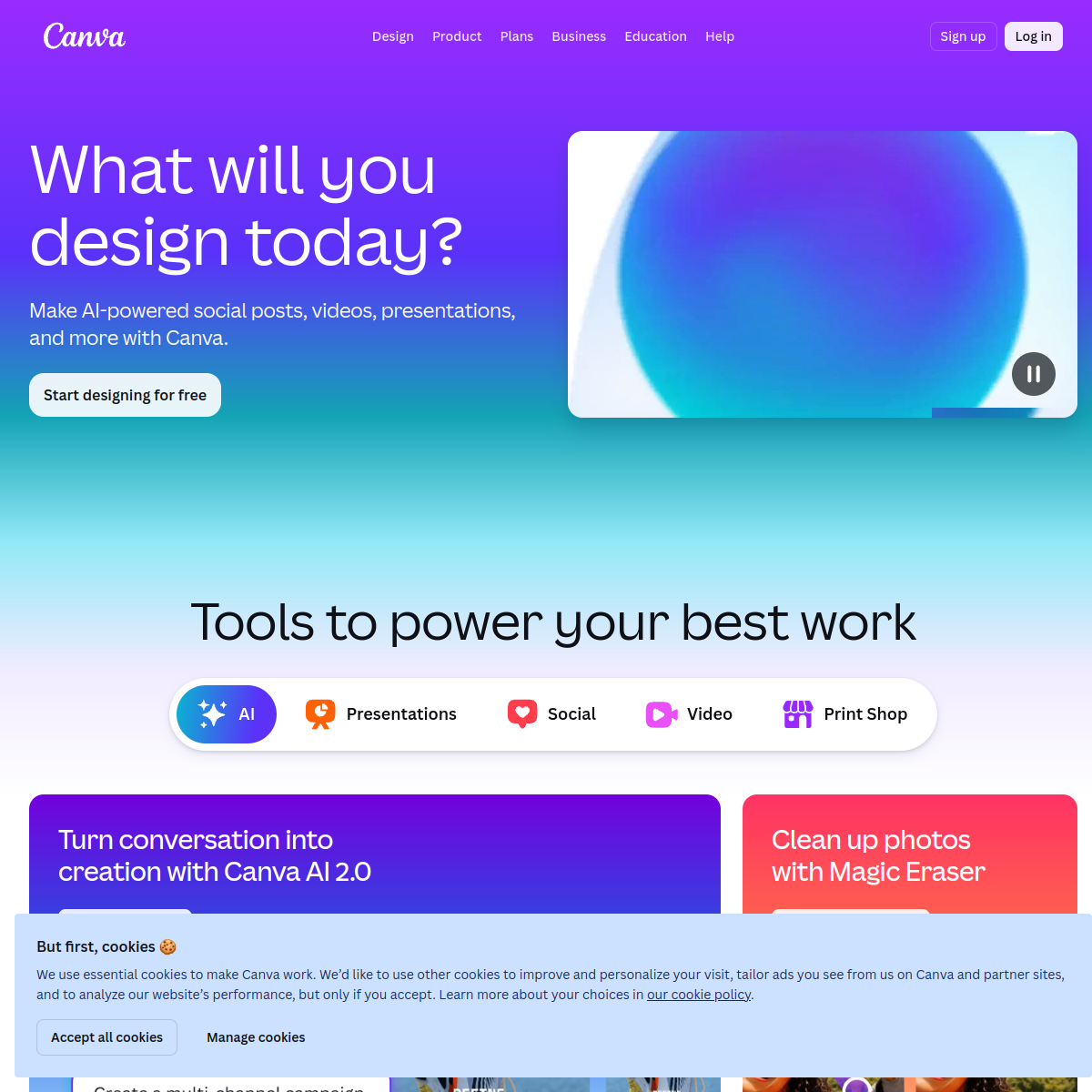
Canva
Canva’s core parameters and statistics
Canva uses "template library + drag-and-drop editing + real-time collaboration" as its underlying skeleton, and Magic Studio embeds generative AI into the entire design process, putting professional graphic design capabilities into the hands of business personnel without a design background.
| Dimensions | Key information |
|---|---|
| Product positioning | Templated online design platform + AI creative workbench |
| AI capabilities | Magic Studio (including Magic Design, Magic Write, Magic Edit, Magic Expand, Magic Morph, Magic Erase, background removal, one-click resize AI video editing) |
| Content type | Posters, social media graphics, presentations, short videos, documents, web pages, printed matter, brand materials |
| Material library | 100 million + templates, 100 million + pictures/videos/audio materials (including Getty, Pexels, Pixabay integration) |
| Collaboration layer | Multi-person real-time editing, comments and mentions, Brand Kit, approval workflow, team folders |
| Deployment form | Cloud SaaS, supporting Web, iOS, Android, Windows/macOS desktop |
| Open Ecology | Canva Developer Platform (API / SDK / Apps), Embed API, third-party plug-in market |
| Key Acquisitions | Affinity (professional design suite, 2024), Leonardo.ai (generative AI vision, 2024) |
Capability positioning: Canva is not a substitute for Photoshop, but an efficiency platform that "allows non-designers to produce visual materials above the passing mark". It is good at high-frequency, batch commercial visual production, and is not suitable for professional publishing or branding projects that require in-depth control of pixel-level details.
Canva’s users and market recognition
C-side coverage: As of 2025, Canva’s monthly active users have exceeded 150 million, covering 190+ countries. Non-designer groups account for more than 70% of the user structure, proving that its "lowering threshold" strategy is effective. There are obvious peaks in user activity at social media operation nodes (Double Eleven, Black Friday, and Christmas), reflecting the strong coupling with the marketing calendar.
B-side penetration: There are more than 80 million enterprise/education team users (including paid users of Canva for Teams), and more than 85% of the Fortune 500 companies have teams using Canva. Enterprises such as Zoom, FedEx, HubSpot, etc. deploy it as a brand material middle platform. Brand suites and approval flows are key features that drive enterprise purchasing.
Funding & Valuation: With a valuation of approximately $26 billion following its last funding round in 2024, it is one of the most highly valued design SaaS companies in the world. Its valuation supports the three-layer flywheel of "template + collaboration + AI" - templates reduce customer acquisition costs, collaborative manufacturing switching costs, and AI expand single-user output value.
Canva’s cost advantage
Canva's cost structure needs to be understood at three levels: subscription cost for individuals/creators, seat costs for corporate teams, and API costs for developer access.
C-side/Personal:
- Free Package: Provides 250,000 + free templates, 5GB cloud storage, and basic editing capabilities, which is completely sufficient for light personal use. However, the AI functions are limited: Magic Write 50 times per month, Vincent Picture 50 times per month, and background removal has a watermark.
- Pro Package (approximately $12.99/month, annual payment $9.99/month): unlocks 100 million + paid templates and materials, branding suite 100GB storage AI times greatly increased (Magic Write 500 times/month, unlimited Vincent pictures), background removal without watermark. It is cost-effective for individual creators and freelancers.
- Hidden Cost: The commercial authorization boundary of AI-generated content in the Pro package needs to be confirmed by yourself (Canva allows commercial use, but the copyright of third-party materials is enforced separately according to the supplier's terms).
B-side/Enterprise:
- Teams Package (about $10/person/month, paid annually, minimum 2 people): Includes all Pro capabilities, plus additional team branding suite, approval workflow, unified billing and user management. Enterprises pay annually based on seats, and there are no hidden post-payments.
- Enterprise Package: Customized quotation, including single sign-on (SSO), advanced permission control, custom template approval chain, and dedicated customer success manager. Pricing is subject to the business contract and has not been made public.
- Canva Developer Platform: Free access to API/SDK, billed based on call volume; specific pricing is subject to the official developer page, and the detailed rate is not disclosed.
API/Developer: Canva Developer Platform provides Embed API, Connect API, Apps SDK, allowing you to embed the Canva editor into your own products, or automate the creation/update of designs through the API. Developer-side pricing has not yet been made public on a large scale, and is mainly based on business negotiations.
Canva’s main features
Canva's functional system revolves around the core task of "rapidly producing business vision". Magic Studio AI and template ecology are not two isolated modules, but mutual amplifiers.
-
Magic Design (Intelligent Design Generation): Enter the copy or theme, and AI will automatically generate multiple complete design drafts (including typesetting, color matching, and pictures). Synergy effect: The copywriting generated by Magic Write can be directly fed to Magic Design, realizing one-click operation of "Copywriting -> Design", eliminating cross-position communication and repeated typesetting. Acceptance concerns: The quality of generated results is affected by the coverage of the template library. Long-tail industries (such as heavy industry, medical equipment) have fewer templates and require manual adjustment.
-
Magic Write (AI Copywriting Assistant): Generate titles, body text, and social media copy based on input keywords or existing text, supporting rewriting, amplification, shortening, and tonal switching (formal, relaxed, promotional). Hidden linkage: The copy output by Magic Write can be applied as a text layer in the design with one click, and the core selling points are extracted and converted into floral/title styles to avoid manual copying and pasting.
-
Magic Edit/Magic Erase (Intelligent Image Editing): Select the object in the picture and describe the replacement content through natural language (such as "replace the cup with a coffee cup"), or directly erase unnecessary elements. Actual value: When social media operators modify the background/props in product pictures, there is no need to re-shoot, and the time for modifying a single picture is reduced from 15 minutes to less than 2 minutes.
-
Magic Expand: Perform AI expansion and filling on all four sides of existing images to automatically complete the scene content. Applicable scenarios: Expand a 1:1 square image into a 16:9 poster or a 9:16 mobile phone vertical cover to avoid manual edge repair.
-
Magic Morph: Select any shape or text, enter a descriptor (such as "gold metal texture 3D text"), and AI will automatically transform it into the corresponding style. Synergy: Used in conjunction with the brand kit (brand colors, brand fonts) to ensure that the transformation results do not deviate from brand specifications.
-
One-click resize (Magic Resize): Automatically adapt the design draft to the sizes of all mainstream social media platforms (Instagram square picture, LinkedIn header picture, Twitter card, TikTok cover, YouTube thumbnail, etc.). Efficiency data: A social media operation needs to produce 20-30 materials of different sizes every month. The traditional method takes about 15 minutes to manually adjust each size; Canva generates it with one click, and the full-size processing time is reduced from 5-8 hours to less than 30 minutes.
-
Brand Kit: Centrally manage brand logos, color systems, font specifications, icon libraries and templates. After the team designer sets it up once, the output of all members is automatically compliant, reducing brand consistency rework. Hidden benefits: The "version drift" of brand materials (the same brand has inconsistent colors/fonts in different materials) is reduced by about 90%.
-
Multi-terminal collaboration and approval flow: Supports real-time multi-person editing, comments, version history and approval workflow. Administrators can set "Approval required before release" to ensure that the final release materials are confirmed. Human-machine collaboration boundary: Template selection AI first draft generation can be 100% automated; however, when it comes to final review of brand compliance, high-value customer materials, and paid advertising materials, manual confirmation points (Human-in-the-loop) are still required.
-
AI Video Editing: Supports short video editing, automatic subtitles, speech to text, beat synchronization (Beat Sync) and AI video material generation. Compared with the traditional Premiere Pro workflow, it is suitable for rapid production of short social media videos within 30 seconds, but is not suitable for long films or fine editing.
Canva’s model and version evolution
Canva's version evolution is not a model parameter competition, but a change in product form from a "template tool" to an "AI-driven creative workbench".
2013–2020: Foundational Period of Templating
- 2013-08 (Canva launched): browser-side drag-and-drop design + template library, entering the graphic design market. There is no AI capability at this time, and the core barriers are template coverage and editor ease of use.
- 2015 (Acquisition of Pixlr): Integrated online image editing capabilities.
- 2019 (Acquisition of Pexels/Pixabay): Built-in free commercial photo galleries as material sources, significantly reducing users’ jump costs for finding images.
2021–2023: Collaboration and AI gain momentum
- 2022-09 (Canva for Teams): Strengthen the brand suite, approval flow and team management, and officially enter the enterprise market. The logic of this stage is to increase enterprise replacement costs through "collaborative lock-in".
- 2023-10 (Magic Studio): Integrate multiple AI tools such as Magic Write, Magic Design, Magic Edit, and background removal, embedding generative AI into the entire design process for the first time. This is the most feature-dense single release in Canva’s history.
- 2024 (Acquisition of Affinity + Leonardo.ai): Fill the gap in high-precision editing capabilities by acquiring the professional design suite Affinity; acquire Leonardo.ai to gain self-developed generative AI visual model capabilities and reduce dependence on third-party models (such as OpenAI DALL·E, Stability AI).
2025–present: AI native integration period
- Magic Studio continues to iterate: Magic Expand, Magic Morph, Beat Sync, AI video subtitles and other functions are gradually added. AI capabilities have evolved from "plug-ins" to "editor native functions" - users can naturally trigger AI enhancements during the design process without switching modes.
- Canva Developer Platform Release: Open API/SDK/Apps market, allowing third-party developers to build Canva applications and evolve towards platform.
Canva’s technical advantages
Template rendering engine and componentized architecture: Canva's editor is based on Canvas rendering, and all design elements (text, pictures, shapes, charts) are componentized objects. This architecture allows AI-generated output (such as Magic Design’s text layout Magic Morph’s deformation effects) to interact seamlessly with existing components without the need for cross-system conversions. However, the AI plug-ins of traditional tools (such as Photoshop) often need to be rendered to the pixel layer before editing, and the cost of secondary modification is high.
"In-place enhancement" mode of AI embedded editor: Unlike most AI design tools that need to be generated and then exported in a separate dialog box, Canva's AI function directly acts on the current canvas. Users can trigger background removal, magic erasure or magic editing by selecting an image in the editor without switching to "AI mode". This kind of "in-place enhancement" reduces the psychological switching cost, and in actual experience, users use AI more frequently.
Internalization of the material supply chain: Through the acquisition of Pexels (free photo gallery), Pixabay (free audio/video), Affinity (professional design tools), and built-in Getty Images commercially licensed materials, Canva has built a full link of "template + AI + material + editing". This link allows users to complete the entire process from "finding materials" to "producing finished products" in one window. In theory, commercial materials can be delivered without relying on any external tools.
Collaboration synchronization that scales to unlimited: Canva’s real-time collaboration uses a hybrid OT (operation transformation) + state synchronization architecture to support hundreds of people editing the same design at the same time. This capability is particularly critical in large-scale marketing campaigns (such as unified brand campaigns for multinational companies) - global regional teams can adapt localized versions in parallel on a unified template, which is ultimately approved and merged by the headquarters.
How to use Canva
Canva's usage entrance is divided into consumer side and developer side, and the access methods of different roles are obviously different.
Consumer Portal:
- Web Edit: Open canva.com directly in your browser, and you can create designs after registering. No installation required, all designs automatically stored in the cloud.
- Mobile App: Search "Canva" in the iOS/Android app store, suitable for quick browsing of templates, light editing and sharing on mobile devices.
- Desktop Client: Windows/macOS native client, suitable for heavy editing scenarios, supports offline drafts and local file drag-in.
- Typical usage process: Select a template (or blank canvas) → Drag in materials → Use AI enhancement (Magic Write/Magic Edit, etc.) → Collaborate and submit for approval → Download/publish/share.
Developer Portal:
- Embed API: Embed the Canva editor into your own SaaS products (such as marketing automation platform, e-commerce backend), so users can edit design materials without leaving the current system.
- Connect API: Create, update, search and download designs through REST API, suitable for automated batch production scenarios (such as batch generation of e-commerce main images).
- Apps SDK: Build Canva plugins and publish them to the Canva App Marketplace for global users.
- Typical integration process: Register a developer account → Create an application → Apply for an API Key → Call the API or embed the editor → Handle Webhook callbacks.
Get started quickly in 3 minutes:
- Visit canva.com to register a free account
- Search template keywords (such as "Xiaohongshu cover", "LinkedIn banner")
- Select the template to enter editing, use Magic Write to replace the copy, and use Magic Edit to adjust the picture.
- Click "Share" to invite team members to comment or co-edit.
- After completion, click "Share"->"Download" to select the format (PNG, PDF, MP4, etc.)
Product Pricing for Canva
Canva adopts a tiered freemium model, with credits and functions increasing with paid tiers:
| Package | Price (annual payment) | Core restrictions | Suitable scenarios |
|---|---|---|---|
| Free | Free | 250K+ free templates 5GB storage AI functions with monthly quota, background removal with watermark | Personal light trial, students |
| Pro | $9.99/month (annual payment) | 100 million+ materials, 100GB storage, brand suite AI quota greatly increased, no watermark | Freelance designer, social media operation |
| Teams | $9.99/person/month (annual payment, starting from 2 people) | Includes all Pro capabilities, plus team branding suite, approval flow, unified billing | Small and medium-sized enterprise marketing department, content team |
| Enterprise | Customized quotation | Includes all Teams capabilities, plus SSO, advanced permissions, customized approval, exclusive CSM | Large enterprises, organizations with compliance requirements |
| Canva Dev Platform | Free access + pay-as-you-go | API/SDK is free to use, and charges will be charged after the call volume exceeds the limit (undisclosed) | SaaS product integrator |
The real limit of the free quota: The core limit of the Free package is not the number of templates, but the AI monthly quota (50 times for Magic Write, 50 times for Vincent Pictures) and the watermark in material downloads. For operators who need to produce social media materials in batches, the Free package will trigger a prompt for insufficient AI quota after about the third day of use. The background removal results are watermarked by Canva and cannot be used directly for commercial publishing.
Enterprises need to verify before purchasing: Enterprise package's SLA (availability guarantee), data storage region (whether localized storage is supported), single sign-on IdP compatibility list (Azure AD / Okta / OneLogin, etc.), it is recommended to confirm it in writing before signing the contract.
Canva application scenarios
-
Social media operation (high-frequency batch material production): The operation team needs to produce 20-30 social media graphics cards of different sizes (Xiaohongshu, Douyin, public account LinkedIn, etc.) every week. Traditional process: Designers come up with the main vision → Operations manually adjust size by size → Repeatedly rework. Use Canva: Magic Write to generate copy → Magic Design to generate a first draft → One-click resize to produce full-size materials → Release after approval. Efficiency deduction: The full-scale output time of a single material is reduced from 2-3 hours to 20-30 minutes. Operation personnel can complete most of the work independently, and designers only need to review brand compliance. The latter's communication rework is reduced by about 60%.
-
Brand material middle office (cross-team brand consistency management and control): Different business lines and different regional teams in large enterprises produce marketing materials independently, which is prone to brand visual inconsistencies (color deviations, mixed fonts, and logo version errors). Through the Canva brand suite, the brand team sets color palettes, fonts, logos, and template specifications, and all regional teams can only use preset resources to create designs. Effect deduction: The brand rework rate dropped from 15-20% to less than 2%, and the time for new employees to start producing compliant materials was shortened from 2 weeks to 2 days.
-
E-commerce promotion (quickly produce massive product images): During Double Eleven/Black Friday, e-commerce operations need to produce main images, detail page materials, and promotional posters for each of 100+ SKUs. Canva uses the batch creation function + Connect API + Magic Design to realize the automated pipeline of "upload product list → AI automatically applies template → batch export". Effect deduction: The material output time of 100 SKUs is reduced from 3-5 people·days to 1 person·half a day. However, please note: AI-generated materials still need to be manually checked for accuracy of product information (price, specifications), and cannot be completely unattended.
-
Educational Resource Production (Courseware and Learning Materials): Teachers and trainers use Canva to create courseware, worksheets, certificates, and interactive presentations. The free education plan (Canva for Education) provides certified educators with free access to the Pro level, which is an important funnel for Canva to acquire customers-students develop usage habits while in school and convert into individual paying users after graduation.
Who is Canva suitable for?
-
Individual creators and freelance designers: You can use the Pro package to handle the entire process from proposal, publication to delivery. Adaptation prerequisite: The workflow is mainly based on social media visuals and lightweight brand materials; if in-depth photo synthesis or complex vector illustrations are required, Adobe tools must be used.
-
Social media operation and content marketer: Is a core heavy user of Canva, using Magic Write and Magic Resize to complete copywriting and material output every day. **Adaptation hint": Operators do not need to learn design principles, but they need to have basic aesthetic judgment to judge the quality of AI-generated results - Canva cannot replace design judgment.
-
Small and Medium Enterprise Marketing and Growth Team: It is suitable to use the Teams package to establish a brand middle office, allowing a team of 3-10 people to produce in parallel under unified brand specifications. Not suitable for boundaries: Enterprises have strict compliance requirements (such as the review process of out-of-market materials in the financial and medical industries) and need to ensure that the approval chain is aligned with regulations. Canva's standard approval flow may not cover multi-layer joint review requirements.
-
Education and Training Organizations: Canva for Education is free and cost-effective for certified educators. However, it is not recommended to be used as a professional publishing tool - the output accuracy (CMYK printing gamut PDF bleed line) is limited and does not meet printing-level requirements.
-
Brand and design teams of large enterprises: The Enterprise package is suitable for large organizations that require unified global brand control. Prerequisite: The enterprise needs to have an internal Brand Guardian role responsible for configuring and maintaining the brand suite in Canva, otherwise the freedom generated by AI will lead to brand chaos.
People who are not recommended to use Canva:
- For professional publishing and printing industries (requiring printing industry standards such as CMYK, bleed lines, spot colors, etc.), it is recommended to use Adobe InDesign or Affinity Publisher.
- Visual effects artists who require detailed 3D rendering or complex compositing are recommended to use Blender or Adobe After Effects.
- Legal/compliance-oriented enterprises that are sensitive to AI copyright (the copyright ownership agreement for Canva AI-generated content needs to be reviewed item by item, and AIGC regulatory policies in different regions may cause disputes over the copyright of training data).
Summary and Outlook
Through the three-layer flywheel of "template + collaboration + AI", Canva has successfully transformed graphic design from a professional job into an efficient activity that the public can participate in. Magic Studio embeds generative AI into the editor, which solves the cold start problem of "non-designers don't know what to generate" - users first select a template and then use AI to fine-tune it, instead of facing a blank canvas and being unable to do anything. The acquisitions of Affinity and Leonardo.ai show that Canva is encroaching upward on the territory of professional design tools, while also trying to master the core capabilities of AI visual models and reduce reliance on third-party models.
Current Limitations: Canva's strength lies in "quickly producing materials above the standard" rather than "making stunning original designs". The essence of templating is reproducibility, which means that the designs produced with Canva naturally have traces of templates - when everyone uses the same set of templates, brand recognition will be diluted. The copyright ownership of AI-generated content is still uncertain in some regions (especially jurisdictions that are cautious about AIGC copyright), and companies should consult legal counsel before using it on a large scale. In addition, Canva's pricing remains friendly to individual users, but the cost of large-scale deployment of Teams increases linearly as seats increase, and the lack of volume discount negotiation for the Enterprise package may make the cost per seat higher for medium and large customers.
Procurement/Adoption Risk Assessment: For teams considering introducing Canva as an enterprise design middle platform, it is recommended to evaluate according to the following path: (1) First conduct a 2-4 week pilot with the Free/Pro personal version, covering 3-5 real marketing material outputs, to test whether the efficiency improvement of AI generation is in line with expectations; (2) Confirm whether the brand suite can cover the current brand assets (such as Chinese Traditional/Japanese and Korean font support), and whether the approval process can meet legal compliance requirements; (3) Before large-scale procurement, and The Canva business team confirmed in writing the SLA, IdP compatibility of the data storage region option SSO, and the service downgrade compensation clause in the Enterprise contract; (4) Continue to pay attention to the impact of AIGC regulatory policies on Canva AI functions (especially Vincent graphs and material generation) - if regulatory authorities require full disclosure of AI training data, it may affect the commercial boundaries of the material library.
Related tools:  Midjourney, stable-diffusion
Comparison of competing products
| Comparison dimensions | The tool | Competitor A | Competitor B |
|---|---|---|---|
| Core Differences | — | — | — |
| Price | — | — | — |
| Target User | — | — | -- |
Version Info
- Magic Studio :Integrate Wenshengtu's Magic Write, Magic Design, Magic Edit and branding suites to embed AI capabilities into the entire design process; follow-up iterations will continue, please refer to the latest official page.
- Team and enterprise capabilities :Strengthen brand suite, collaborative approval and enterprise management capabilities.
- Canva is online :Enter the graphic design market with browser-side drag-and-drop design and template library.
User Reviews