 CapCut
Free
CapCut
Free
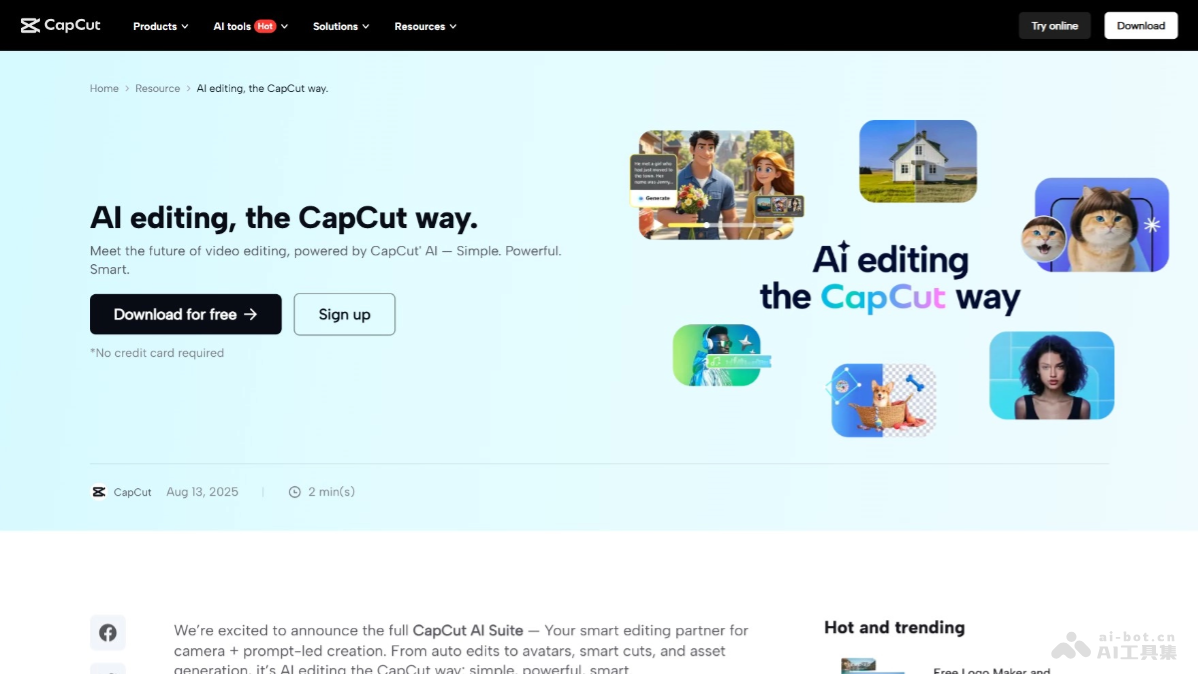
CapCut is a free video editing and AI creation tool launched by ByteDance. It provides AI-generated videos, automatic subtitles, intelligent special effects, portrait segmentation and other functions, covering mobile, desktop and web pages.
CapCut
Core parameters and statistics of CapCut
CapCut is ByteDance's all-round video editing and AI creation platform covering mobile, desktop and web pages. Its core positioning is not to replace professional non-editing software such as Premiere Pro or DaVinci Resolve, but to provide a zero-threshold, full-process editing experience for short video creators and social media operators based on the "mobile native + AI deep integration" strategy.
| Parameter item | Value |
|---|---|
| Product positioning | Free all-in-one video editing and AI creation platform |
| Developer | ByteDance |
| Covered platforms | Web, Android, iOS, Windows, macOS |
| Membership model | Free + subscription (CapCut Pro) |
| Number of AI features | Over 50 AI tools and effects |
| Global monthly active users | More than 300 million (including domestic version of the cut) |
| Latest version | CapCut 12.5.0 (2026-06-15) |
| Export limit (free) | 1080p, no watermark |
| Export limit (Pro) | 4K, no watermark |
| Cloud storage space | Free version 1GB, Pro version 50GB |
Positioning Boundaries: CapCut's "fastness" comes at the expense of professional-level fine control. It is not suitable for scenes that require frame-by-frame color grading, multi-track audio mixing and mastering, complex motion tracking and other professional post-production processes. Its core battlefield is "production within 15 minutes" - e-commerce delivery videos, social media grassroots short videos, event quick cuts, knowledge popularization short videos and other content types that require more timeliness than image quality accuracy.
Localization differences in global coverage: The functions of CapCut’s international version and domestic version (cutting) are basically aligned, but the material library, template library and AI model differ due to regional content compliance requirements. The domestic version (clipping) is deeply integrated with the Douyin ecosystem and supports one-click application of popular Douyin templates; the international version focuses on independent creators and cross-platform distribution (TikTok, Instagram Reels, YouTube Shorts).
User and market recognition of CapCut
CapCut's user base highly overlaps with ByteDance's TikTok/Douyin ecosystem, forming a natural conversion link of "content consumption side → creation side".
C-end user scale: According to public data, CapCut has more than 300 million global monthly active users (including the domestic version of CapCut), making it one of the free video editing tools with the largest number of users. It has long been at the top of the download list in the video editing category on Google Play and App Store. Its growth drivers mainly come from two points: First, the urgent needs of TikTok creators - to complete quick editing, adding subtitles, and templates on their mobile phones and then publish them directly; second, the popularity of low-priced smartphones in emerging markets, and mobile editing is the only entry point for users in these regions to access video creation.
B-side and professional market: CapCut’s team version/enterprise version users are mainly e-commerce operation team MCN organizations and social media agency operation companies. The core demands of this group of users are to produce short video materials in batches, unify brand templates, and manage multiple account permissions. Compared with traditional solutions such as Adobe Family Bucket, CapCut's team collaboration function is still in its early stages and lacks professional process support such as project version management and multi-person real-time collaborative review.
Community Ecology: CapCut has an active community of template creators, and users can upload custom templates for others to use. The richness of this UGC template ecosystem directly affects the actual production efficiency of the tool - the more templates there are, the more advantageous the new users' learning costs and production speed will be. Currently, CapCut's template library is the richest in the Chinese scene (Douyin style), and there is still room for improvement in template density in the English and Japanese and Korean markets.
Industry benchmarking: Among mobile editing tools, CapCut’s direct competitors include InShot, VLLO, KineMaster, and Adobe Premiere Rush. The core advantages of CapCut lie in the density of AI functions (more than 50 items) and the seamless connection with the TikTok ecosystem; KineMaster is superior in multi-track fine editing, and InShot is faster in simple cutting and splicing scenes. In terms of global download volume, CapCut is in the first echelon, but the average usage time per user is far less than that of desktop professional software - this exactly reflects its "use and go" tool attribute.
Cost Advantages of CapCut
CapCut's cost structure is among similar products with "the widest coverage of free capabilities". Its business model does not charge for locked functions, but unlocks high-end AI materials and 4K export capabilities through Pro subscriptions.
C-side/Individual: Free functions cover 80% of daily needs
- Free version: basic editing (cropping, segmentation, speed change, transition), automatic subtitles (multi-lingual), portrait segmentation 100+ free special effects and filters 1000+ free templates 1080p export without watermark. For individual creators, if they mainly produce 1080p short videos and do not rely on Pro-exclusive special effects, the free version is enough to cover more than 80% of daily editing scenes.
- Pro Personal Edition: Monthly fee is $7.99 (annual payment is about $5.83/month), unlocks 4K export, 50GB cloud space Pro exclusive AI material library (special effects, filters, stickers), watermark-free output, advanced color correction tools and commercial authorization. The annual fee is approximately $69.99 on the annual plan.
API/Developer Layer: For batch creation scenarios
ByteDance provides certain open capabilities for CapCut, but does not form a standardized public API pricing system. Developers/enterprises can access CapCut’s underlying video editing and AI capabilities through Volcengine. The specific pricing is based on the official real-time quotation of Volcano Engine, and is usually billed based on the number of API calls or video processing time.
Enterprise/Team Edition: Negotiate on Demand
- Team Edition: The unified pricing is not disclosed, and bulk purchase is required through business channels. Core added value includes team collaboration space, customized brand template library, unified account management and permission allocation, and priority customer service support.
- Compliance Cost: When companies produce materials in batches, they need to pay special attention to the coverage of Pro commercial licensing terms - "commercial licensing" usually means that content created by Pro users can be used for commercial purposes, but does not necessarily include secondary distribution authorization of elements used in AI-generated materials. For large-scale material production involving brand advertising, it is recommended to confirm the material copyright boundaries with Bytedance Business before purchasing.
| Cost level | Model | Monthly fee/price | Core capabilities | Recommended people |
|---|---|---|---|---|
| Free version | Free | $0 | 1080p export, basic AI, free templates | Individual creators, light users |
| Pro Personal Edition | Monthly/Year Subscription | $7.99/month or $69.99/year | 4K export of Pro materials, no watermark, commercial license | High-frequency creators, freelancers |
| Team version | Business procurement | Unpublished | Brand template, account management, collaboration space | MCN, social media agency operation, corporate marketing department |
| API/Developer | Pay-as-you-go billing | Subject to Volcano Engine quotation | Access to underlying editing and AI capabilities | Developers who need to customize the video production process |
Hidden Cost: CapCut Pro’s annual plan ($69.99) is priced in the lower middle range among mobile editing tools. CapCut's free tier is more feature-complete than Adobe Premiere Rush ($9.99/month) and Filmora ($7.99/month). The real hidden cost is not the subscription fee, but - if you need to collaborate across devices, the free version only has 1GB of cloud space, and you need to frequently manage project files when working at a high frequency; if the team adopts hybrid deployment (some people use the free version, some people use Pro), there will be a permission asymmetry in project management.
Main functions of CapCut
CapCut's functional layout revolves around "full-process AI enhancement from material to finished film", covering three major areas: early material preparation, mid-term editing and post-production special effects packaging.
- AI video generation (Text/URL to Video): Enter the product link, copywriting or keywords, and AI will automatically match the background video material, generate dubbing (multilingual TTS), automatically add subtitles and splice it into a finished short video. This is CapCut's closest function to "one-click production" and is suitable for the mass production of product selection videos, event highlights, and knowledge popularization videos. Caution is required in actual use - the background material matched by AI sometimes does not have enough semantic relevance to the copy, so it is recommended to manually review the keyframes.
- Automatic subtitles and speech-to-text: Supports automatic speech recognition in Chinese, English, Japanese, Korean and other languages, and generates timeline subtitles (SRT format) with one click. The accuracy can reach more than 95% in standard pronunciation and low-noise environments. For content with an accent or a lot of professional terms, the accuracy will drop to 80%~85%. It is recommended to enable "manual proofreading mode" to correct it sentence by sentence. The subtitle style supports global customization (font, color, stroke, position), but does not support sentence-by-sentence differentiated styles.
- Intelligent Portrait Segmentation and Background Replacement: Based on ByteDance's self-developed deep learning semantic segmentation model, it supports real-time portrait separation and background replacement/blurring in videos without the need for a green screen. The processing of portrait edge details (hair, translucent clothing) is better than most competing mobile products, but edge flickering may occur when processing highly dynamic scenes (fast motion, multiple people interlaced). It is recommended to use it for the best effect in fixed camera positions and single-person scenes.
- AI motion effects and stuck point templates: Built-in more than 500 sets of preset motion effect templates and transition effects, supporting "one-click application" - select a template after importing the material, and AI will automatically identify the video rhythm and match transition points and special effects. For creators who are not good at editing rhythm, this is the fastest way to turn a plain material into a "stuck video". However, templates have limited space for personalization, and high-frequency use
Using the same template can easily lead to homogeneous content.
- Multi-track editing and keyframe animation: Supports main track + picture-in-picture (PIP) multi-track overlay, providing basic keyframe animation (position, scaling, rotation, transparency). Keyframes support Bezier curve ease-in and ease-out, but the operation accuracy and keyframe density are naturally limited by touch interaction on the mobile terminal. It is recommended to complete complex movement routes on the desktop.
- Cloud synchronization and cross-device collaboration: Project files are automatically synchronized to the cloud, and the "relay" mode of rough cutting on the mobile phone + refinement on the desktop is the key differentiating capability of CapCut from pure mobile-only competitors. Please note: the free version of the cloud space is only 1GB, and the material files of 4K projects may reach the limit after a few projects.
- AI copywriting generation and automatic dubbing: Built-in AI writing assistant, which can generate oral copywriting, titles and descriptions based on the video theme. Together with the multilingual TTS engine (supporting natural speech and emotional tone adjustment), the entire link from copywriting to dubbing can be automated. The naturalness of TTS performs better in Chinese scenes, but the rhythm of English dubbing still has room for improvement.
- AI video enhancement (image quality repair/anti-shake): Provides picture quality enhancement (super-resolution) for low-resolution videos, anti-shake stabilization for shaky videos, and brightening of low-light videos, etc. The mobile terminal takes a long time to process, so it is recommended to submit in batches on the desktop or during free periods.
Expert Viewpoint - Functional Synergy: The AI functions of CapCut are not isolated, but form a production line of "material input → AI editing → AI packaging → automatic release". For example: Enter product link → AI copywriting generation Automatically extract selling points → AI dubbing Generate oral broadcast → Automatic subtitles Match timeline → AI motion effects Apply planting template → One-click export and publish to TikTok. This solves the cumbersome process of cross-software switching in traditional video production (Chrome information search → memo writing → Audition recording → Pr editing → AE packaging → manual publishing), shortening the production of an e-commerce grass-growing video from 2 hours to 10-15 minutes.
CapCut model and version evolution
CapCut's version iteration does not have a DeepSeek-style model architecture jump. Instead, it focuses on "client function enhancement + AI capabilities sinking to the mobile terminal", pushing a functional major version every 2-3 months.
Rapid growth stage (2020-2023)
- CapCut 1.x Series (2020-2021): Taking basic editing on the mobile terminal as the core, focusing on basic functions of cutting, speed changing, and subtitles. This stage is the user accumulation period, which mainly serves the simple editing needs of TikTok creators.
- CapCut 4.x-5.x (2022): Introduces multi-track editing and picture-in-picture functions, begins to support keyframe animation, and gradually evolves from "retouching editing" to "timeline editing". At the same time, the desktop version (Windows/macOS) was launched to realize cross-terminal layout.
- CapCut 8.x (2023): AI functions are launched on a large scale for the first time, including automatic subtitles, portrait segmentation, and intelligent anti-shake. This is a key version of CapCut's transformation from "tool" to "AI platform". The number of monthly active users exceeded 100 million during this period.
AI deep integration stage (2024-2025)
- CapCut 10.x (2024-2025): Introduces AI copywriting generation and TTS dubbing, launches Text-to-Video experimental function, and supports multi-language automatic subtitles. The cloud synchronization function is launched, and the mobile phone-PC relay workflow is formed. The Pro subscription model was officially established during this period.
- CapCut 12.0 (2026-03-20): Released the "AI video generation" function, which supports inputting product links or copywriting to automatically generate short videos. The intelligent portrait segmentation engine has been upgraded to ByteDance’s self-developed third-generation segmentation model, and the edge precision of portraits has been significantly improved. Enhanced multi-track editing capabilities, supporting up to 6 overlay tracks.
Latest version and follow-up direction
- CapCut 12.5.0 (2026-06-15, currently the latest): Added optimization of material diversity for AI copywriting-generated videos, increased AI animation effects to 500+ sets of templates, further optimized the smart editing experience, and added adaptive adaptation to vertical screen 9:16 and horizontal screen 16:9. Judging from the version rhythm, CapCut is evolving into an "AI-first video creation platform" - the proportion of AI functions will continue to increase in the future, and the update frequency of traditional manual editing functions will gradually slow down.
Version Selection Suggestions: CapCut adopts an automatic client update strategy (App Store/Play Store/Desktop automatic update), so users do not need to manually select a version. If the enterprise has requirements for functional stability (for example, the content production SOP has been solidified), it is recommended to turn off automatic updates on the desktop, lock the verified version, and then manually upgrade the new version after it has been verified by the community for 2-4 weeks.
CapCut’s technical advantages
The technical advantage of CapCut is not reflected in the SOTA index of a single model, but in the full-link efficiency brought about by the three-layer architecture of "end-side reasoning + byte-based AI middle platform + ecological collaboration".
Device-side inference engine: Most of CapCut's AI functions (portrait segmentation, subtitle recognition, image quality enhancement) run locally on the mobile device instead of cloud inference. This is its core difference from web-first editing tools like Canva, Clipchamp. The significance of client-side reasoning is that users can obtain AI processing results without uploading materials to the cloud, which not only protects the privacy of materials (especially unpublished sensitive content), but also avoids the waiting time for uploading and downloading. ByteDance's self-developed device-side inference framework has been specially optimized for mid-to-low-end chips (MediaTek Dimensity, Qualcomm Snapdragon 6 series, etc.), and the inference speed on thousand-yuan phones is still acceptable. The price is that the number of parameters of the end-side model is limited by the computing power of the device, and the effect of processing complex scenes (such as multi-person interlaced recognition, low-definition image restoration) is not as good as that of the cloud model.
Synergy of Byte AI middle platform: Behind CapCut is ByteDance’s AI middle platform. Its self-developed models in the three fields of computer vision (CV), speech recognition (ASR), and natural language processing (NLP) can be directly used by CapCut. This means that the iteration speed of CapCut's AI capabilities does not depend on external model suppliers, but shares underlying model progress with byte-based products such as Douyin/TikTok, Feishu, and Huoshan Engine. For example, after Douyin’s portrait special effects model was optimized, CapCut’s portrait segmentation model simultaneously benefited. This scale effect of "train once, deploy in multiple locations" is a cost advantage that is difficult for independent editing tool manufacturers to replicate.
Clip Rendering Pipeline Optimization: CapCut's rendering pipeline is deeply optimized for mobile GPUs and supports hardware encoding (H.264/H.265). The preview frame rate during multi-track overlay and special effects rendering is significantly better than competing products at the same level. Specifically, CapCut renders about 30% faster than Filmora at 4K resolution (based on community testing, unofficial data), which translates into a perceptible difference in export times on low- and mid-range devices.
Material library and CDN: CapCut’s material library (BGM, templates, stickers, special effects) relies on ByteDance’s global CDN distribution network, and the material loading speed is stable in mainstream regions (Asia, North America, Europe). However, in areas with weak network infrastructure (such as South America and some countries in Africa), the material preloading time may still exceed 5 seconds, affecting the continuity of creation. CapCut supports offline caching of materials, and it is recommended that frequently used templates and BGM be downloaded locally in advance.
Engineering trade-offs: CapCut’s end-to-end AI path determines that it has a natural limit on its upper limit of functionality—it will never compete with DaVinci Resolve or After Effects in professional dimensions such as color correction accuracy, audio mixing, and motion tracking. Its technology stack is designed for "high frequency, fast, and above-passing image quality", not for "movie-level post-production". Understanding this boundary allows you to properly evaluate CapCut's positioning in the team's workflow.
How to use CapCut
CapCut provides four usage entrances. Different entrances differ in functional completeness and operational accuracy:
| How to use | Platform | Core features | Suitable scenarios |
|---|---|---|---|
| Mobile App | Android / iOS | Touch operation, available anywhere, complete AI functions | Rough editing of outdoor shooting, quick production, and social media release |
| Desktop software | Windows / macOS | Keyboard and mouse operation, multi-track fine editing, higher key frame accuracy | Complex editing, multi-material management, fine color grading |
| Web web version | Chrome/Edge | Browser running, no installation required, simple version of functions | Temporary editing, quick preview, team collaboration review |
| Volcano Engine API | Developer | Backend integrated video editing and AI capabilities | Customized video production pipeline |
Typical usage process (taking social media short videos as an example):
- Material preparation: After shooting/downloading the material, import it into CapCut, which supports BGM audio of pictures and video clips. The mobile terminal supports direct shooting, and the desktop terminal supports drag-and-drop import.
- AI-assisted rough cutting: Select the "AI automatic editing" mode, set the video duration and style preference, and AI will automatically screen key clips of the material and splice them together. You can also manually drag the material to the timeline for basic cropping.
- Subtitles and Dubbing: Enable "Automatic Subtitles" to recognize speech and generate subtitles; use the "Text to Speech" function to select the dubbing tone (supports 10+ languages, including emotional intonation adjustment), and adjust the speaking speed and volume.
- Special Effects and Packaging: Select an animation template that matches the video style in the "Template" library and apply it with one click. You can use "keyframes" to manually add entry/exit animations and adjust the movement trajectories of individual elements.
- Color Adjustment and Optimization: Use preset filters or adjust basic parameters (brightness, contrast, saturation, color temperature). Customized color grading presets can be saved for high-frequency scenes.
- Export and Publish: Select the resolution (free 1080p, Pro 4K), frame rate (24/30/60fps, including 120fps exclusive to the domestic version of the cut (Pro only)), and code rate settings. Supports publishing directly to TikTok/Douyin Instagram, YouTube and other platforms, or saving locally.
Team collaboration process: The team version of CapCut supports shared space - team members can upload project files to a cloud shared directory, and other members can open and continue editing. The current version does not support multiple people editing the same project at the same time (such as synchronous collaboration), and requires "serial relay" - one person completes the rough cut and uploads it, and the next person downloads it and continues the refinement. For teams that require parallel collaboration (such as dubbing + special effects + subtitles at the same time), it is recommended to still use professional collaboration solutions such as Adobe Premiere Pro + Frame.io.
Product Pricing for CapCut
CapCut's pricing strategy adopts a two-tier funnel model of "free customer acquisition + Pro conversion". The functional completeness of the free tier is the highest among similar products.
FREE VERSION:
- Price: $0
- Export resolution: 1080p, no watermark
- AI functions: automatic subtitles, portrait segmentation, basic AI special effects
- Templates and materials: 1000+ free templates, 100+ free special effects/filters
- Cloud space: 1GB
- Applicable people: individual creators, students, light editing users
- Restrictions: Some popular new templates require Pro, and Pro-exclusive special effects have watermark previews
CapCut Pro (Personal Edition):
- Monthly payment: $7.99/month
- Annual payment: $69.99/year (approximately $5.83/month)
- Export resolution: 4K, no watermark
- AI features: All unlocked, including advanced AI video generation
- Templates and Materials: All Pro Material Library unlocked
- Cloud space: 50GB
- Value-added features: commercial licensing, advanced color correction tools, advanced filters, priority customer support
- Trial: 7-day free trial
Team Edition (Business):
- Price: Undisclosed unified pricing
- Core differentiating functions:
- Customized brand template library (corporate logo, color matching, brand fonts)
- Unified account management and permission classification for teams
- Shared cloud space (capacity is negotiated based on team size)
- Priority customer support and dedicated account manager
- How to purchase: Contact CapCut commercial team
API/Developer Pricing (Volcano Engine): -Mode: Pay-as-you-go or annual or monthly subscription
- Billing dimensions: video processing time (seconds), number of API calls, storage space
- Applicable scenarios: batch video generation, automated video production line
- Public information is limited, please refer to the official real-time quotation of Volcano Engine
| Comparative Dimensions | CapCut Pro ($7.99/month) | Adobe Premiere Rush ($9.99/month) | Filmora ($7.99/month) | InShot ($24.99 annually) |
|---|---|---|---|---|
| Free tier feature completeness | High (1080p without watermark) | Low (720p with Pro watermark) | Medium (basic editing without AI) | Medium (export with watermark) |
| AI feature density | High (50+ AI tools) | Low-Medium (basic subtitles/color correction) | Low (basic AI only) | Low (few filters) |
| Cloud Space (Pro) | 50GB | 100GB | None | None |
| Automatic subtitles | Support multiple languages | English only | English+Chinese | English only |
| Desktop support | Windows/macOS | Windows/macOS | Windows/macOS | Mobile only |
Pricing Strategy Analysis: CapCut Pro’s $7.99/month pricing is at a mid-range level in the industry, but considering the complete functionality of its free tier (1080p without watermark is already a Pro feature of most competing products), CapCut’s actual payment threshold is lower than the surface price—most users do not need to pay at all. The purpose of this strategy is to maximize the user base and then drive conversions through the marginal value of Pro-exclusive AI materials (rather than feature lock-in).
CapCut application scenarios
CapCut's implementation scenarios focus on the "high-frequency, batch, short-cycle" video content production field, rather than film-level or brand-level high-quality video production.
- Social media short video creation: This is the core battlefield of CapCut. Video creators of TikTok/Douyin Instagram Reels and YouTube Shorts can use AI generation + automatic subtitles + template matching to achieve "one-stop production". Efficiency deduction: The traditional process (20 minutes for script writing + 30 minutes for shooting + 45 minutes for editing + 15 minutes for adding subtitles + 5 minutes for soundtrack = about 115 minutes) can be compressed into (5 minutes for AI copywriting generation + 20 minutes for mobile phone shooting + 10 minutes for AI automatic editing + subtitles + soundtrack = about 35 minutes) in the CapCut workflow. The efficiency of a single video is increased by about 70%. For social media operation teams that need to produce 3-5 short videos every day, this can save 4-6 hours per day.
- E-commerce product display and grass planting video: The e-commerce operation team is the core paying group of CapCut Pro. Enter the product link or the key points of the organized copy, and AI will automatically generate a 15-30 second grass planting video, which is combined with intelligent portrait segmentation to achieve a dual-screen effect of "anchor broadcast + product display". Batch material capability: A basic material can be batch-generated through AI into 3-5 versions of different sizes (vertical 9:16 for TikTok/Douyin, horizontal 16:9 for YouTube, and 1:1 square for Instagram), which is suitable for teams that deliver to multiple channels. Quantification of cost reduction: Assuming that the team produces an average of 60 e-commerce videos per month, after using the CapCut workflow, the editing manpower requirement can be reduced from 2 people to 1 person, and the average monthly labor cost savings is about 8,000-15,000 yuan (the deduced value is based on the actual team composition calculation).
- Education Training and Knowledge Popularization: Teachers, trainers, and knowledge bloggers can use the link of "PPT screen recording + AI dubbing + automatic subtitles + chapter marking" to quickly produce MOOC clips. Benefits: CapCut's automatic subtitles are particularly valuable in education and training scenarios - learners can turn on/off subtitles and switch languages to adapt to learners with different listening levels. But please note: For technical courses that need to show complex formula derivation and code examples, the accuracy of CapCut’s automatic subtitles for professional terminology will be lower.
After dropping, it is recommended to manually proofread the key term paragraphs.
- Event quick editing and behind-the-scenes production: For weddings, exhibitions, team building and other event scenes, the requirements of "3 hours of activity and 15 minutes of film production" are highly matched with CapCut's "quick template + AI editing" capabilities. The photographer made a rough cut with a mobile phone on site, and AI automatically matched the BGM and transition rhythm. The trailer can be released on Moments/social media before the event is over.
- Localized content adaptation: For overseas companies/cross-language content teams, CapCut’s multilingual subtitles and TTS functions can be used to batch generate multilingual versions of video materials. Boundary of human-machine collaboration: Automatic translation and dubbing can be 100% completed by AI (outputting the first draft), but the translation quality of key brand information, product terminology, and marketing context still requires human proofreading and confirmation - AI can be responsible for 80% of the translation volume, but the final compliance review and brand tone control must be completed by humans.
Not suitable for scenarios:
- Cinematic color grading and post-production finishing (requires DaVinci Resolve or Baselight)
- Complex multi-track audio mixing and mastering (requires Audition or Pro Tools)
- VFX special effects that require frame-by-frame motion tracking and 3D compositing (After Effects or Nuke required)
- Professional projects with very long videos (>30 minutes) (CapCut has insufficient stability and functional support for long projects)
- Corporate brand advertising that has strict requirements for copyright compliance (the source compliance boundaries of AI materials are still evolving, and the scope of authorization needs to be confirmed separately)
Applicable groups of CapCut
CapCut's multi-terminal strategy and price gradient enable it to cover a wide range of user groups from zero-based individuals to enterprise teams, but there are significant differences in the depth of adaptation for different roles.
- Personal creators and self-media bloggers: These are the core users of CapCut. Whether you are a short video blogger, Vlogger or live slice creator, the free version of CapCut can meet more than 80% of your editing needs. Adaptation value: You can get started with no editing experience. AI automatically completes most repetitive tasks (subtitles, soundtracks, rhythm matching), allowing creators to focus on the content itself rather than editing technology. Not suitable for borders: If you need to perform detailed and original visual effects design on videos, it is recommended to learn After Effects or Motion.
- Social Media Operations and E-commerce Team: This is the main paid version of CapCut Pro and Team Edition. Adaptation value: Batch production capabilities (multi-size output, template reuse, AI copywriting generation + dubbing) directly increase content production capacity. After using the CapCut Team Edition, a three-person operations team can produce an average of 8-12 pieces of short video material (deduction value) per day, adapting to the rhythm of high-frequency updates in social media. Prerequisite: The team needs to have clear brand visual specifications (color matching, font, logo usage), otherwise the materials applied by the template will have inconsistent styles.
- MCN agency and agency operation company: Adaptation value: unified account management, brand template library, permission classification and project sharing space, allowing managers to control the content output quality and style consistency of multiple accounts. Not suitable for boundaries: CapCut Team Edition currently lacks project version management (cannot go back to historical versions), multi-person real-time collaborative review and annotation functions. For large projects that require multiple people to collaborate in parallel, it is recommended to use professional review tools such as Frame.io.
- Education and training workers: Adaptation value: Quickly convert course content into video form, automatic subtitles lower the learning threshold, and multilingual TTS supports foreign language course production. Precondition: CapCut has limited recognition accuracy for professional academic terms, involving
For courses on medical terminology, legal provisions, technical codes, etc., subtitles must be manually proofread.
- Traditional Video Editor (Pro User): Quit Tip: If you are already proficient in Premiere Pro, Final Cut Pro or DaVinci Resolve, CapCut will not become your main tool. Its value scenarios are temporary scenarios such as "quickly rough cutting on the phone on the way" or "quickly producing demos for customers to preview", rather than replacing your daily post-production workflow.
Summary and Outlook of CapCut
CapCut's core competitiveness lies in the superimposed effect of "ByteDance ecosystem + AI full-link integration + free strategy". It is not the most powerful editing tool (it is not as professional as DaVinci Resolve), nor is it the lightest editing tool (pure cutting and splicing is not as direct as InShot), but it has achieved the best in the market in one key dimension - using AI to minimize the threshold for the entire process of short video production while maintaining sufficient film quality. 300 million monthly active users have verified the effectiveness of this strategy in the global market.
Current Main Limitations:
- Professional function shortcomings: Professional post-production capabilities such as multi-track audio mixing, high-precision motion tracking, and advanced color grading (limited LUT support, no color oscilloscope) are obviously insufficient.
- AI material compliance boundary is opaque: The data source and copyright authorization scope of the background material BGM and portrait segmentation model used in AI-generated videos are not fully disclosed. When enterprise-level users use AI-generated materials in large-scale brand launches, it is recommended that ByteDance Commerce provide clear copyright guarantee terms before purchasing.
- The team collaboration function is in its early stage: It lacks professional team tools such as version management, annotation review, and real-time collaboration. Compared with professional review platforms such as Frame.io and Wipster, the gap is obvious.
- Template homogenization risk: With the popularity of AI one-click templates, content using the same template becomes visually homogeneous, and brand differentiation creation requires additional manual customization investment.
Follow-up observation direction:
- AI generation quality: Whether CapCut's Text-to-Video function can evolve from "template piecing together" to "semantic-level original video generation" is the key to determining whether it can enter the higher-value content production market.
- Enterprise-level function completion: Whether the team version will add enterprise-level capabilities such as version management and annotation and review API interfaces will affect whether it can enter the technology selection list of medium and large marketing agencies.
- Copyright Compliance System Construction: The degree of copyright transparency of AI-generated materials directly affects the conversion rate of corporate users from "trial" to "purchase".
- Multi-modal AI fusion: Whether CapCut will integrate AI digital human broadcasting, AI script automatic storyboarding, AI material smart labeling and other deeper AI capabilities in the future is worthy of attention.
Procurement and implementation suggestions:
- Individual/Small Team: The free version can meet daily needs. When 1080p export and 1GB cloud space become bottlenecks, upgrading to Pro for annual payment ($69.99/year) is the most cost-effective option.
- Social Media Operations Team/MCN: It is recommended to directly use the Pro annual payment + team version combination to ensure that commercial authorization coverage and brand templates are unified. First conduct a 2-week pilot with 1-2 content production lines (such as e-commerce grass-growing videos) to verify whether the AI material quality and team collaboration process are up to standard, and then expand to full-category content production.
- Corporate Brand/Advertising Agency: CapCut is currently more suitable as an "auxiliary quick-cutting tool" rather than the main post-production platform. Before purchasing, enterprises must confirm with ByteDance Business: the scope of copyright authorization for AI-generated materials, whether the commercial terms cover brand advertising, and the compliance commitment of data storage (GDPR/Personal Information Protection Law). It is recommended to clearly stipulate in the contract the traceability and exemption clauses of material copyright.
Related tools: runway, pika
Version Info
- CapCut 12.5 :Added the function of AI copywriting to generate video, optimizing AI motion effects and intelligent editing experience.
- CapCut 12.0 :Introducing AI video generation and intelligent portrait segmentation to enhance multi-track editing capabilities.
User Reviews