 Chatbot UI
Free
Chatbot UI
Free
Chatbot UI is an open source multi-model AI Chat Assistant interface, positioned as an "open source AI chat application for everyone", supporting 80+ AI models, local and cloud self-hosting, and providing data storage and multi-modal capabilities based on Supabase.
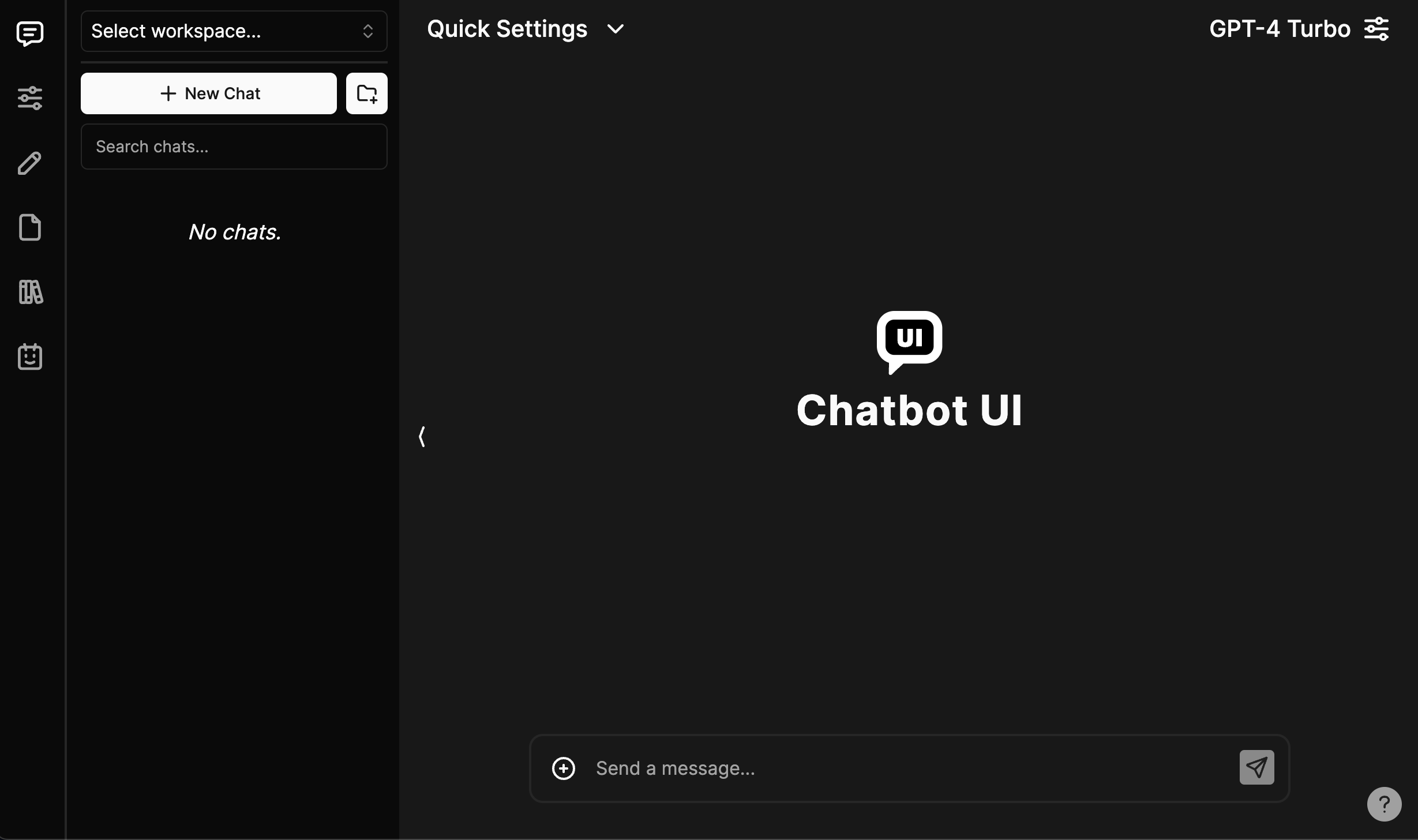
ChatbotUI
Core parameters and statistics
Chatbot UI is a multi-model AI chat interface open sourced by Mckay Wrigley (Takeoff AI), positioned as an "open source AI chat application for everyone." It provides a self-hosted chat front-end, supports integration with multiple model providers, and provides data storage and multi-modal capabilities through Supabase.
| Projects | Public Information |
|---|---|
| Official positioning | The open-source AI chat app for everyone |
| License | MIT |
| Warehouse address | mckaywrigley/chatbot-ui |
| GitHub Stars | 33,268 |
| GitHub Forks | 9,431 |
| Main language | TypeScript |
| Warehouse creation time | 2023-03-11 |
| Supported models | Officially said it can connect to 80+ AI models |
| Backend Storage | Supabase (Postgres) |
| Local model | Ollama support (optional) |
| Deployment method | Local self-hosted Vercel + Supabase cloud, official hosted version |
Parameter meaning: The core value of Chatbot UI is that it is an open source, self-hosted multi-model chat front-end. For developers and teams, this means that they can use their own API keys to connect to different models and keep conversation data in their own Supabase instance, rather than relying on third-party chat platforms.
Capability Boundary: It is a front-end + back-end storage solution that does not provide models. Users are required to prepare their own API Keys for each model supplier; self-hosting requires certain knowledge of Supabase, Docker, and deployment.
User and market recognition
Chatbot UI's market recognition mainly comes from the popularity of the open source community and its quintessential status as a "self-hosted chat front-end".
Community size: The public data of the GitHub warehouse is 33,268 stars and 9,431 forks. It is one of the most well-known projects in the open source AI chat front-end and is used by a large number of developers as the starting point for building their own chat applications.
Project influence: It is maintained by well-known developer Mckay Wrigley. The README clearly provides two paths: official hosted version (chatbotui.com) and self-hosted, and supports open source maintenance through GitHub Sponsors.
Usage mode signal: The project migrated from browser local storage to the Supabase backend in version 2.0, indicating that its goal has evolved from "personal toys" to "formal self-hosted applications that can be multi-modal and used by multiple people."
Maintenance rhythm reminder: The last code push of the warehouse was 2024-08. The author mentioned in the README that a major version update is being prepared; you should pay attention to community branches and maintenance activity before choosing.
Cost advantage
The Chatbot UI itself is completely free and open source (MIT), with a clear cost structure, which is mainly determined by the deployment method and model calling.
| Entrance/Plan | Fee Structure | Applicable Targets | Disclosure Restrictions |
|---|---|---|---|
| Self-hosted (local) | Free software, local environment required | Developers, individuals | Docker, Supabase CLI, Node.js required |
| Self-hosted (cloud) | The software is free, Vercel + Supabase has a free tier | Team, self-built services | Beyond the free tier, billed according to cloud resources |
| Official hosted version | Hosted by the official | Users who don’t want to deploy themselves | |
| Model calling | Users must bring their own API Key of each supplier | All users | Model fees are billed by each supplier |
C-side/Individual: The local self-hosted software is free, and the main cost is the API calling fee of each model supplier and the local bounded configuration time.
Developer/Team: Cloud deployment can start with the free tier of Vercel and Supabase. After that, you will be billed based on usage. The overall explicit subscription cost is low, but operation and maintenance and integration require investment.
Real cost structure: For self-hosted solutions, free software does not mean zero cost. Model API fees, Supabase storage, deployment and maintenance, and upgrades and migrations are all actual costs. When using it on a large scale, it is especially necessary to calculate the model call bill.
Main functions
- Multi-model chat: Can be connected to OpenAI, Azure OpenAI and multiple supplier models. Officially said to support 80+ models, suitable for users who need to switch models in one interface.
- Local model support: Optional access to Ollama to run local models, suitable for scenarios with data privacy and offline requirements.
- Supabase backend: Use Postgres to store conversation data, which solves the security and capacity limitations of browser local storage and is suitable for multi-modal and multi-device use.
- Self-hosted deployment: Supports local and cloud (Vercel + Supabase) deployment, suitable for teams that want to have complete control over their data.
- Official hosting version: Provides the official hosting entrance of chatbotui.com, suitable for users who do not want to deploy it themselves.
- Multi-modal capabilities: Version 2.0 architecture supports multi-modal use cases and is suitable for mixed picture and text dialogue scenarios.
- Contextual variable management API Key: API Key can be configured centrally through contextual variables, which is suitable for unified management of credentials by the team.
Model and version evolution
The evolution of Chatbot UI reflects the transition from "lightweight personal tool" to "official self-hosted application".
Major version
- 1.0 (~March 2023): Initial version, uses browser local storage to manage data, code now remains in legacy branch.
- 2.0 (~early 2024): Introducing Supabase backend, multi-modal support and architectural refactoring, this is the current mainline version.
Evolution Judgment: 2.0 addresses the security, storage, and multimodal limitations of 1.0, making it more suitable as a formal self-hosted application. The author mentioned in the README that major updates such as "simpler deployment, better back-end compatibility, and improved mobile layout" are being prepared, indicating that the project is still evolving, but attention needs to be paid to the actual update rhythm.
Technical advantages
Open source and controllable: MIT licensed TypeScript implementation, developers can freely fork, modify and deploy, keeping the conversation data completely in their own infrastructure, which is the core advantage compared to closed source chat platforms.
Multi-vendor abstraction: Access multiple model vendors in a unified interface. Users can flexibly switch with their own API Key and are not bound to a single vendor.
Standardized backend: Based on Supabase (Postgres) rather than private storage, it reduces the difficulty of data migration and expansion and makes it easier for teams to reuse existing Supabase skills.
Local model option: Support local models through Ollama, allowing privacy and compliance-sensitive scenarios to be implemented.
Boundary: As a front-end + storage solution, its upper limit of capabilities depends on the access model and deployment quality, and it does not provide reasoning capabilities.
How to use
| Entrance | How to use | Applicable scenarios |
|---|---|---|
| Official hosted version | Visit chatbotui.com to log in directly to use | Individual users who do not want to deploy |
| Local self-hosting | Clone warehouse + install dependencies + local Supabase | Developers, data-sensitive scenarios |
| Cloud self-hosting | Vercel deployment front-end + Supabase managed database | Team self-built service |
Local deployment steps: Clone the repository → npm install → Install Docker and Supabase CLI → supabase start → Configure .env.local contextual variables → npm run chat start, access localhost:3000 locally (Node.js v18 is recommended).
Cloud deployment steps: Create a project in Supabase and configure authentication → Push the database through supabase db push → Import the warehouse in Vercel and configure contextual variables (Supabase URL/Key, each model API Key) → Deploy and go online.
Focus on implementation: The first deployment focuses on verifying whether the Supabase connection API Key configuration and model switching are normal; before self-hosting, first evaluate whether the team has Supabase and deployment and operation and maintenance capabilities.
Product Pricing
The Chatbot UI software itself is completely free and open source (MIT), with no licensing fees.
Self-hosted: The software is free, the cost comes from infrastructure (overage usage of Supabase, Vercel, etc.) and API call fees from each model provider.
Official hosting version: chatbotui.com provides the official hosting entrance, with specific charges.
Sponsorship Support: The project accepts sponsorship through GitHub Sponsors to support open source maintenance. There is no mandatory payment.
Hidden costs: Deployment, operation and maintenance API Key management, version upgrade migration and database maintenance are the main hidden costs of self-hosting.
Application scenarios
- Self-built team chat tool: Use your own API Key and Supabase to build an internal AI chat application for the team, with complete data control.
- Multi-model comparison test: Switch between 80+ models in one interface, suitable for developers to evaluate the performance of different models.
- Privacy-sensitive scenarios: Access local models through Ollama, suitable for scenarios that require data not to leave the local area.
- Starting point for secondary development: As an open source TypeScript project, it is suitable as the development basis for custom chat products.
- Personal AI Assistant: Build a personal multi-model chat portal through the official hosted version or local deployment.
Applicable people
- Developers: People who want a self-hosted, re-development multi-model chat front-end.
- Technical Team: A team that needs data self-control and unified management model API Key.
- Privacy Sensitive Users: Users who require a local model or their own infrastructure.
- Open Source Enthusiasts: People who want to build custom chat products based on mature projects.
Not suitable for the boundary: If you do not have deployment and operation capabilities, do not want to manage API Keys, or just want an out-of-the-box hosted chat product, the self-hosted path will bring additional barriers; non-technical users are more suitable to directly use the official hosted version or other finished chat applications.
Summary and Outlook
The core competitiveness of Chatbot UI is that it is a mature, well-known MIT open source multi-model self-hosted chat front-end, allowing developers and teams to use their own models and infrastructure to build data-controlled AI chat applications. It does not provide the model itself, but it has high community recognition as a "self-hosted chat interface".
Current limitations: You need to bring your own model API Key and deployment capabilities; the pace of mainline updates has slowed down after 2.0, and the author has previewed a large version but has not yet released it; mobile experience and deployment simplification are still the direction of improvement.
The follow-up is worth paying attention to: whether the deployment simplification and back-end compatibility updates predicted by the author are implemented; whether the local model and multi-modal support are further enhanced; and the activity of the community maintenance branch. For teams that need to self-host the chat front-end, it is recommended to first use the official hosted version or local rapid deployment to verify the experience, and then decide whether to do secondary development based on the source code.
Related tools:  DeepSeek,
  ChatGPT
Version Info
- Chatbot UI 2.0 :The official README version 2.0 introduces the Supabase backend, multi-modal support and reconstruction architecture; the 1.0 code is retained in the legacy branch. There is no official precise release date yet.
- Chatbot UI 1.0 :The initial version uses browser local storage to manage data, which is an early form of the project. The code is now retained in the legacy branch. There is no official precise date yet.
User Reviews