 Clips AI
Free
Clips AI
Free
Clips AI automatically analyzes long video content, extracts exciting topical clips, and re-crops them into vertical short videos suitable for TikTok, Reels, and Shorts.
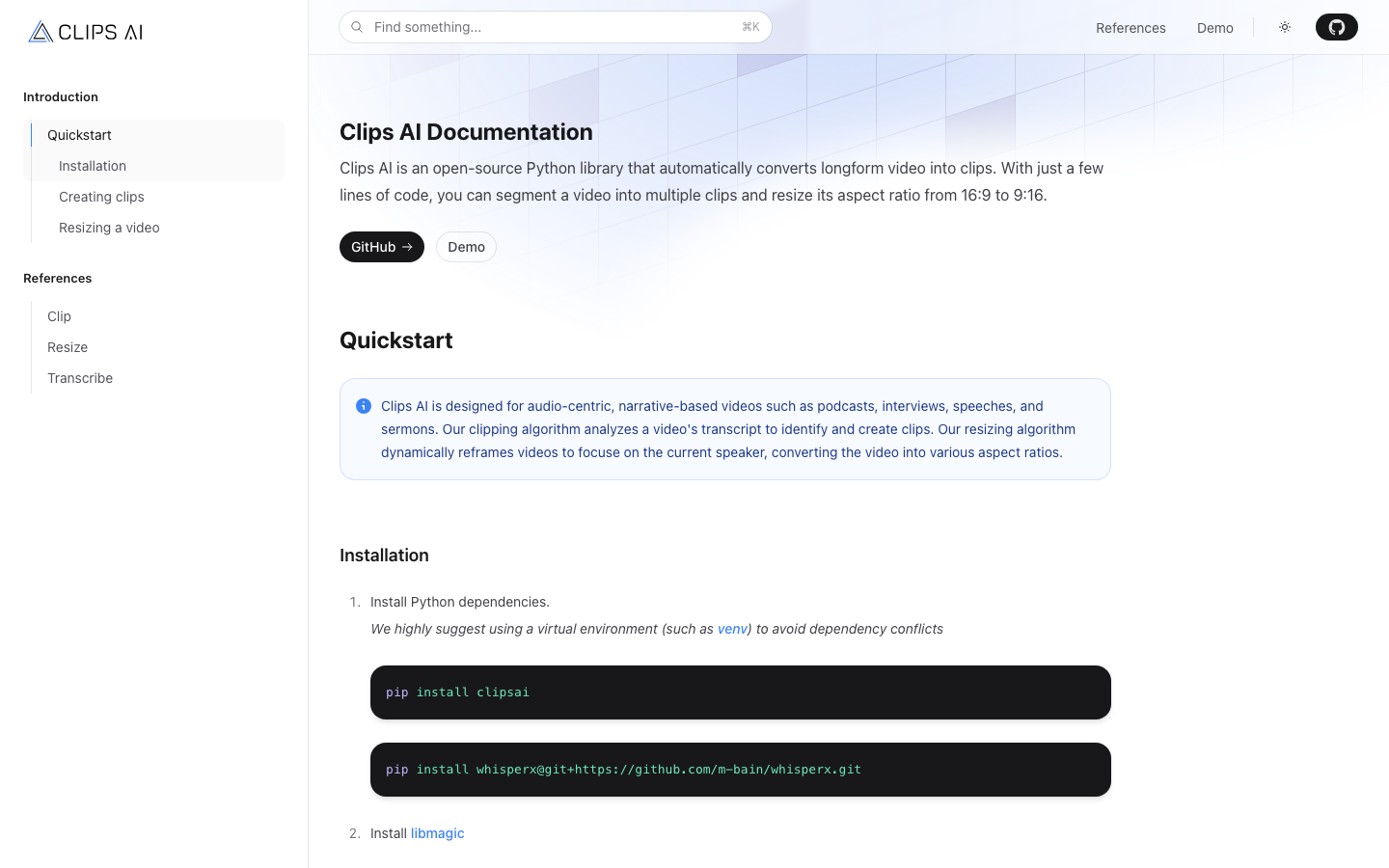
In-depth review of Clips AI: open source long video automatic stripping engine
Tool introduction
Clips AI is not a SaaS platform, nor is it a drag-and-drop editing software - it is a developer-centered open source Python library (MIT license) that focuses on automatically disassembling audio-driven long videos such as podcasts, interviews, lectures, sermons, etc. into vertical short video clips suitable for TikTok/Reels/Shorts. Its bottom layer relies on WhisperX (voice transcription + word-level timestamps) and Pyannote (speaker separation). Through NLP topic segmentation + computer vision subject tracking, it realizes a fully automated pipeline from "original long video" to "multiple vertical popular clips".
As of July 2026, Clips AI has 521 stars and 95 Forks on GitHub. It is maintained by 3 core contributors. The latest submission is about 2 years ago. It is a mature open source project with a slow maintenance rhythm. The official website (clipsai.com) provides complete documentation and interactive demo (demo.clipsai.com). Users can install and run all pipelines locally or on the server with one click through pip.
Brief review in one sentence: It is not a "video editing software", but a set of programmable long video → short video automatic splitting assembly line, suitable for teams with Python foundation and pursuing batch automation rather than visual operations.
Core functions
The functional pipeline of Clips AI can be abstracted into three stages: transcription → splitting → re-cropping. Each stage corresponds to a set of Python classes/functions that can be called independently.
1. Automatic speech transcription (Transcription)
- Underlying engine: WhisperX (based on an enhanced version of OpenAI Whisper), which provides word-level timestamps instead of traditional sentence-level timestamps, which is the basis for subsequent accurate stripping.
- Input requirements: Audio file path (supports common video formats, automatically decodes audio streams internally).
- Output:
Transcriptionobject, containing the start and end time of each sentence, the confidence level, and the precise time offset of each word. - Language Coverage: WhisperX natively supports 99+ languages, but Clips AI’s splitting algorithm is optimized for English content; the boundary segmentation accuracy of non-English languages such as Chinese needs to be measured in practice.
2. Smart Clip Finding
- Core logic: Use NLP to analyze the semantic boundaries of the transcribed text to find "topic switching points" - different from simple silence detection, Clips AI can identify the breaking points of contextual semantics (such as the host saying "Let's talk next..." and drastic changes in topic keywords).
- Output: List of
Clipobjects, each Clip containsstart_timeandend_time(unit: seconds). - Clip Length: Automatically adjusts based on content density, usually between 30 seconds – 5 minutes, to avoid a rigid fixed length.
- Typical Use Case: A 60-minute podcast can be automatically split into 10–15 segments with independent topics.
3. Intelligent vertical re-cropping (Resizing)
- Speaker Detection: Relies on Pyannote for speaker diarization, requires Hugging Face access token (free).
- Dynamic Focus: Analyze the speaker's face/upper body position in each frame, and always keep the current speaker in the center of the frame when cropped to 9:16 vertical format. When the camera switches speakers, it automatically pans and follows the focus.
- Output:
Cropsegment list, the best cropping area within the specified time interval for each segment. - Note: This function is currently "time-based cropping suggestion". The actual video rendering needs to be completed by the user by calling ffmpeg. Clips AI does not have a built-in video encoder.
4. Developer-friendly API
- Python first: All functions are exposed through the Python API, no graphical interface. Ideal for embedding into CI/CD pipelines, server-side batch processing, or web backends.
- Modular design:
Transcribe,ClipFinder, andresizefunctions can be used independently, and developers can replace any section (such as using their own transcription model). - Dependency Transparency: The core dependencies are only clipsai, whisperx, ffmpeg, libmagic, and no black box closed source components.
5. Lightweight demonstration UI (Demo)
- The official website provides an online demo (demo.clipsai.com), where you can upload videos to view the clipping and cropping effects in real time, helping developers evaluate the quality of the algorithm before coding.
- The demo itself uses the Clips AI library to generate results, demonstrating the full capabilities of the library.
Pricing strategy
Clips AI’s pricing model is divided into two tiers:
| Tier | Method | Fees | Description |
|---|---|---|---|
| Open Source Community Edition | pip install clipsai | Free (MIT License) | Full-featured Python library, running locally/on your own server, no usage restrictions, no watermarks, no API call restrictions. You need to bring your own WhisperX running environment (GPU recommended) and ffmpeg. |
| Cloud hosting version (speculative) | Official website "Pricing" page | Unpublished | There is a Pricing entrance on the official website but the content is inaccessible. Speculation on possible models: billing based on processing minutes, providing a Web UI deployment-free solution. The official real-time page shall prevail. |
The truth about free: The open source version is indeed free and fully functional, but the hidden cost lies in infrastructure and operation and maintenance:
- GPU Requirements: WhisperX takes ~30–60 minutes to process 1 hour of video on CPU (~3–5 minutes on RTX 4090). Without a GPU, throughput is severely limited.
- Dependency Management: ffmpeg + libmagic + Pyannote need to be installed, and there is a certain threshold for non-technical users.
- No official support: The open source version has no SLA and no technical support, and issues rely on GitHub Issues (currently 13 open issues, the response cycle is variable).
Advantages and Disadvantages Analysis
Advantages
| Dimensions | Evaluation |
|---|---|
| Automation level | From transcription → splitting → cutting suggestions, the entire pipeline can be run with one click, with very few manual intervention points |
| Cost | Open source MIT protocol, no license fee; the price of the cloud hosting version is not disclosed but there is expected to be a free quota |
| Quality of stripping | Based on semantic understanding rather than silence detection, topic boundary recognition is more accurate than simple de-silencing tools (such as Wisecut) |
| Customizability | The Python API is open and can be embedded into any workflow, replace any component, and adapt to non-standard scenarios |
| Transparency | All source code is visible, no risk of privacy leakage (data does not leave the local area) |
| Vertical Focus | Speaker separation + dynamic cropping is a relatively mature implementation among current open source solutions |
Disadvantages
| Dimensions | Evaluation |
|---|---|
| Technical Threshold | Requires Python programming ability and command line operation for GPU context configuration. Not directly accessible to non-technical creators |
| No graphical interface | There is no drag-and-drop editor, all operations are completed through code, which is not friendly to content creators |
| Maintenance Activity | Last commit about 2 years ago, 3 contributors, 521 Stars but Issue response is slow and long-term sustainability is questionable |
| Non-English support | The splitting algorithm is designed and tested for English content. There is no official data on the boundary segmentation accuracy of Chinese and other languages |
| No video encoding | The cropping output is "cropping area suggestion" rather than "final MP4". Users need to call ffmpeg rendering by themselves, adding one more step |
| Weak ecology | No official plug-in market, no social media direct publishing integration, no template system |
| Incomplete documentation | The official website reference document only has two pages, Clip and Resize, and lacks a complete API reference and best practice guide |
Applicable scenarios
Dimensionality reduction strike scene
-
Podcast Studio/Podcast Networks (Multi-show Podcast Networks)
- Pain point: Each 60–90 minute podcast requires manual editing of 10–15 short videos for TikTok/Reels promotion, which takes 4–6 hours.
- Solution: Clips AI automatically splits strips + vertical cropping + ffmpeg batch rendering, compressing 4–6 hours into 10–15 minutes for script execution.
- Quantification: The content distribution efficiency of a single issue is increased by 20–30 times (deduced value, subject to actual deployment).
-
Online Education Platform/Course Creator
- Pain point: For a 45-minute recorded class, short videos need to be extracted one by one to draw traffic from social media.
- Solution: Clips AI automatically segments knowledge points according to topic boundaries and generates vertical trailers.
- Quantification: The output efficiency of video marketing materials for a single course is increased by 15 times (deduction value).
-
Internal training/knowledge management team
- Pain point: Training live broadcast replays accumulate, and key points cannot be quickly extracted and distributed to different departments.
- Solution: Build an automated pipeline based on Clips AI, and automatically generate segmented short videos and push them to corporate WeChat/DingTalk within 30 minutes after the meeting.
- Quantification: The reuse rate of training content increases from 10% to 60%+ (deduction value).
Dissuade / Not applicable to people
| Crowd | Reason |
|---|---|
| Independent creator (non-technical background) | No Python/command line experience, unable to independently complete context deployment and scripting |
| Movie/advertising-level video production | Clips AI does not handle color correction, transitions, special effects, and multi-track synthesis, and the output quality cannot meet professional video production standards |
| Requires real-time live broadcast editing | The library is designed for "post-processing" and does not support real-time streaming stripping |
| Mainly Chinese/Japanese content | The splitting algorithm has not been tested in non-English languages, and the boundary segmentation accuracy is uncontrollable |
| Marketing team looking for "one-click distribution" | Clips AI only produces video files/cropping suggestions and does not provide direct social media publishing functions |
| Enterprises that are sensitive to project maintenance cycles | Open source projects that have not been actively updated for 2 years have risks in long-term adoption |
Summary
Clips AI is currently the most mature solution in the segmentation direction of "open source long video splitting" - it connects WhisperX (transcription) → NLP semantic segmentation (splitting) → Pyannote speaker separation + dynamic focus tracking (cropping) into a programmable pipeline, which is superior to most commercial SaaS tools in terms of automation depth and customization flexibility.
But its essence is a set of developer tools, not an end-user product. Suitable for teams with engineering capabilities to integrate it as an infrastructure layer into their own content production pipeline; not suitable for non-technical creators looking for an out-of-the-box experience. A 2-year maintenance dead period is the biggest long-term risk - it is recommended to confirm if there are active branches or community forks when evaluating.
Procurement/Adoption Risk Assessment
- Short term (0–6 months): Low risk. The MIT license allows free use and modification. Even if upstream updates are stopped, existing functions will continue to run without changing the Python context.
- Mid-term (6–18 months): Medium risk. Upstream dependencies such as WhisperX and Pyannote may be upgraded and changed. Without community maintenance and follow-up, compatibility issues may occur.
- Long term (18 months+): High risk. It is recommended to make a code fork and internal maintenance plan in the early stages of adoption, or treat it as a short-term transition plan, and simultaneously evaluate commercial alternatives such as Opus Clip and Wisecut.
Efficiency improvement comparison
The following is a comparison of engineering deductions based on public information (taking the content of the 60 Minutes podcast as an example):
| Dimensions | Traditional manual editing | Clips AI automatic pipeline | Efficiency improvement |
|---|---|---|---|
| Split into sections | Editing, paragraph-by-paragraph dictation, time stamping: 2–3 hours | Automatic transcription + splitting: 3–8 minutes | 20–40 times |
| Vertical cropping | Manual tracking of people segment by segment + adjustment of composition: 1–2 hours | Automatic speaker separation + cropping recommended output: 5–10 minutes | 10–15 times |
| Subtitle generation | Human dictation or adding segment by segment using third-party tools: 30–60 minutes | WhisperX automatically generates word-level timestamps + subtitle files: 2–3 minutes | 15–20x |
| Batch rendering | Clip-by-clip export: 30–45 minutes | ffmpeg script batch rendering: 5–10 minutes | 5–8x |
| Total time | 4–6 hours | 15–30 minutes | 10–20 times |
| Team size requirements | 1 video editor | 1 backend/Python engineer (writing + maintaining pipeline) | Labor cost reduction 60–80% |
Note: The above data is based on Clips AI’s officially claimed automation capabilities and is an unofficial benchmark. The actual time taken is affected by factors such as GPU performance, video resolution, and audio quality.
Automation Boundary
Clearly defining what Clips AI "can" and "can't" will help the team plan the workflow appropriately:
✅ Can be 100% automated (no manual involvement required)
| Sectional | Automated method |
|---|---|
| Speech to text + word-level timestamp | Transcribe.transcribe() — automatically calls WhisperX |
| Topic boundary detection and clipping | ClipFinder.find_clips() — automatic segmentation based on NLP semantic analysis |
| Speaker separation and identity tagging | Pyannote diarization automatically identifies different speakers |
| Vertical cropping area calculation | resize() — Automatically focus on the current speaker and output the cropping area time series |
| Batch processing queue | Loop call + ffmpeg script, fully automatic and unattended |
🔶Requires manual review/fine-tuning (Human-in-the-loop)
| Suggested manual intervention | |
|---|---|
| Split boundary calibration | The start and end time points of automatic segmentation occasionally deviate (especially in scenes of fast conversations and multiple people talking at the same time). It is recommended to fine-tune after a quick preview |
| Cropping focus jitter | When multiple people appear in the picture at the same time and the speakers switch frequently, the cropping frame may jitter rapidly, and the main perspective needs to be manually selected |
| Clip title/description | Clips AI does not generate social media titles and descriptions, and operators need to write them manually or access LLM to generate them |
| Content Compliance Review | Automatically generated short video clips may contain incomplete sentences or content taken out of context and require manual review before being published |
| Brand visual adjustment | There is no ability to automatically add brand watermarks, opening and closing credits, and color filters, and post-processing is required |
❌ Cannot be automated (needs to be completed manually)
| There are rules | Reasons |
|---|---|
| Social media publishing directly | Clips AI has no publishing API/integration and requires manual or third-party tool uploading |
| Complex video splicing / multi-track synthesis | Non-Clips AI design goals, it is recommended to use Premiere Pro / DaVinci Resolve / CapCut |
| Real-time live stream processing | Clips AI is designed for post-processing and does not support RTMP / HLS streaming input |
| Video encoding and format conversion | Clips AI outputs cropping coordinates instead of encoded video, which requires ffmpeg or other encoders to complete rendering |
Security and Compliance
Data Security
| Dimensions | Description |
|---|---|
| Data processing location | Open source version: All processed locally/on own server, Video and audio data do not leave the domain at all |
| Cloud Hosting Version | If you use the official cloud service, the data will be transferred to the Clips AI server. The specific data processing policy is subject to the official real-time page |
| Third-party dependencies | WhisperX (MIT protocol) and Pyannote (MIT protocol) are both open source projects and have no data return mechanism |
| Hugging Face Token | Pyannote requires HF Token for model download. The Token is only used for authentication and does not transmit user data |
Privacy Protection
- The open source version meets the requirements of "data minimization" and "local processing" in GDPR/Personal Information Protection Act, and is suitable for organizations (financial, medical, government) that are sensitive to data sovereignty.
- If you use the cloud hosting version, it is recommended to read the official privacy policy in detail (subject to the official real-time page), focusing on: training data usage policy, data retention period, and deletion right support.
Compliance Certification
| Certification | Open Source Edition | Cloud Hosted Edition |
|---|---|---|
| SOC2 | Not applicable (local deployment) | Undisclosed |
| GDPR | Architecturally supported (local processing), but no official certification | The official version shall prevail |
| Data Processing Agreement (DPA) | Not applicable | Undisclosed |
Risk warning
- Dependence on supply chain risk: WhisperX and Pyannote are both third-party open source projects. If the upstream project changes the agreement or stops maintenance, the availability of Clips AI may be affected.
- Model License Compatibility: Whisper uses the MIT license, Pyannote uses the MIT license, and is compatible with the MIT license of Clips AI. However, when using it, you should confirm whether each dependent license meets enterprise compliance requirements.
Integrated Ecosystem
Clips AI itself does not provide native integration or plug-in market, but its open architecture allows for combination with the following ecosystems:
Directly integrated tool chain
| Category | Tools/Platforms | Integration methods |
|---|---|---|
| Video Encoding | ffmpeg | Clips AI outputs clipping coordinates and time periods → ffmpeg performs the actual video rendering (required component) |
| AI Transcription Replacement | OpenAI Whisper / Faster-Whisper | Can replace the default WhisperX, just implement the same Transcribe interface |
| Speaker separation replacement | SpeechBrain / NVIDIA NeMo | Can replace Pyannote to adapt to different accuracy/speed requirements |
| Workflow Orchestration | Apache Airflow / Prefect / Temporal | Clips AI's Python API can directly embed DAG as a task node |
| Cloud Storage | AWS S3 / GCS / Azure Blob | Video input/output can be connected to object storage to build a fully managed processing pipeline |
| Message Queue | RabbitMQ / Redis Queue / Kafka | Asynchronous processing of long video queues to achieve scalable batch stripping services |
| Web Framework | FastAPI / Flask / Django | Encapsulate Clips AI as a REST API to provide video clipping services internally/externally |
| Social Media SDK | TikTok API / Instagram Graph API / YouTube Data API | Requires self-development: Clips AI is not directly integrated, but can be used with ffmpeg output + API upload |
Integration limitations
- No official SDK/Plugin: There are no native plugins for WordPress, Shopify, Notion, etc.
- No Webhook support: There is no automatic callback when the pipeline is completed, and event notification needs to be implemented by yourself.
- No GUI integration: No plug-ins for design tools such as Figma, Canva, Premiere Pro, etc. are provided.
- No mobile SDK: No iOS/Android libraries are provided and cannot run directly on mobile devices.
Implementation suggestions
Team requirements
| Role | Skill Requirements | Time Investment (Initial) |
|---|---|---|
| Python backend engineer | Python, pip, virtual environment ffmpeg | 2–3 days |
| DevOps / ML Engineer | GPU driver CUDA, Docker (optional) | 1–2 days |
| Video operation/content review | Video format, social media platform specifications | Continuous intervention |
Recommended implementation path
Phase 1: PoC (1–2 weeks)
- Boundary preparation: Install Python 3.10+, pip, ffmpeg, and libmagic on a server/workstation with GPU.
- Install Clips AI and its dependencies:
pip install clipsai pip install whisperx@git+https://github.com/m-bain/whisperx.git # Install ffmpeg: https://ffmpeg.org/download.html # Install libmagic: see python-magic documentation for details - Quick experience: Use the official Demo (demo.clipsai.com) to upload 1–2 sample videos to evaluate whether the clipping quality meets expectations.
-
Write the smallest usable script:
from clipsai import ClipFinder, Transcriber transcriber = Transcriber() transcription = transcriber.transcribe(audio_file_path="/path/to/video.mp4") clipfinder = ClipFinder() clips = clipfinder.find_clips(transcription=transcription) for i, clip in enumerate(clips): print(f"Clip {i+1}: {clip.start_time:.1f}s → {clip.end_time:.1f}s") -
Vertical cropping test:
from clipsai import resize

crops = resize(
   video_file_path="/path/to/video.mp4",
   pyannote_auth_token="<YOUR_HF_TOKEN>",
   aspect_ratio=(9, 16)
)
for seg in crops.segments:
   print(f"Crop: {seg.start_time:.1f}s → {seg.end_time:.1f}s")
Phase 2: MVP (2–4 weeks)
- Encapsulate the stripping script into a FastAPI microservice and provide an HTTP API for the operation team to upload videos.
- Integrate ffmpeg rendering pipeline: receive cropping coordinates → render vertical MP4 → output to the specified directory.
- Set up a basic review queue: automatic stripping → manual preview → confirm release.
- Containerized deployment is recommended (for Dockerfile examples, please refer to community practices).
Phase 3: Production (4–8 weeks)
- Connect to object storage (S3/MinIO) to implement video uploading and result storage.
- Introduce message queue (RabbitMQ/Redis Queue) to implement asynchronous batch processing.
- Develop social media API upload module to achieve semi-automatic management from review to release.
- Establish monitoring indicators: processing success rate, average processing time, splitting accuracy rate and manual feedback rate.
- Key decision point: Evaluate whether to continue building on Clips AI or migrate to a commercial solution (such as Opus Clip).
Best Practices
- GPU First: WhisperX processes approximately 10–15 times faster on GPU than on CPU. It is recommended to use at least NVIDIA T4/RTX 3060 level or above GPU.
- Preprocessing Noise Reduction: Preprocessing low-quality audio (field recordings, remote interviews) with noise reduction tools (such as Adobe Podcast Enhance, RNNoise) can significantly improve the accuracy of WhisperX transcription.
- Transcription result caching: When processing the same video multiple times, cache the Transcription results to avoid repeated transcription (transcription is the most time-consuming part).
- Set timeout to prevent stack overflow: During batch processing, set a
max_durationlimit for each video to prevent abnormally long videos from running out of resources. - Regular upstream sync: Follow the Clips AI and WhisperX GitHub repositories to evaluate critical fixes and security updates.
- Assess exit costs: Persist intermediate data such as cropping coordinates and timestamps in standard formats (JSON/CSV) from the beginning to ensure data migration when switching to other solutions in the future.
Main functions of Clips AI
- Core Processing Capabilities: Provides core AI capabilities in the corresponding scenarios to support users to quickly complete tasks.
- Multi-modal interaction: supports text input and result output, and some scenes support image or file upload.
- Workflow Integration: Can be embedded into existing workflows or linked with other tools through APIs to reduce context switching.
Application scenarios of Clips AI
- Personal Creation: Quickly generate or process content to improve daily work efficiency.
- Team collaboration: Unify workflow and reduce repetitive manpower investment.
- Enterprise-grade deployment: Embed capabilities into on-premises systems via API or private deployment.
Clips AI’s applicable groups
- Individual Users: Content creators and knowledge workers who need AI assistance to improve their daily work efficiency.
- Developers: Technical teams who need to integrate AI capabilities into their own products or services through APIs.
- Enterprise: Organizations seeking to deploy AI at scale in their field.
Technical advantages of Clips AI
- Algorithm Optimization: Special optimization at the model or algorithm level has been carried out for the corresponding scenario to achieve a balance between response speed and result quality.
- Low-latency architecture: Adopts streaming or asynchronous processing architecture to reduce user waiting time and is suitable for high-frequency interaction scenarios.
Core parameters and statistics of Clips AI
Specific technical parameters (such as model size, context length, supported file formats, input and output restrictions, etc.) are subject to the official product page. It is recommended that users verify the latest technical specifications and system requirements before choosing to ensure that they match their own usage scenarios.
User and market recognition of Clips AI
Gradually build user awareness in the field, and product capabilities are used by content creators and teams to improve work efficiency. Some industry users have incorporated it into their daily workflow. It is recommended to refer to the latest official disclosures for specific user scale and industry adoption rate data.
Clips AI’s cost advantage
- C-side/Individual: Usually a free version is provided to experience the core functions, and high-frequency use requires a paid package subscription.
- API/Developer: Billed by call volume, suitable for development teams that can be flexibly integrated into their own systems.
- Enterprise/Privatized: Contact the business owner for customized quotation and deployment plan. The specific price is subject to the official real-time pricing page.
Summary and Outlook of Clips AI
It provides competitive solutions in its field, and its core value lies in lowering the threshold for AI use in this field. With technology iteration, products are expected to continue to improve in functional coverage and performance.
Current limitations: Some advanced features require paid subscription, and the free version has function or usage restrictions; specific technical details and performance benchmarks have not been fully disclosed, and it is recommended to fully verify it through trial before purchasing.
Related tools: runway, pika
Clips AI model and version evolution
Continuous iterative updates, the latest version introduces performance optimization and new features. Historical version information can be viewed on the official release page. There is no complete public version evolution timeline yet. It is recommended to pay attention to the official announcement to understand the rhythm of feature updates.
How to use Clips AI
- Web client: You can use it by visiting the official website and registering an account. Most functions do not require installation.
- API access: Provides RESTful API, developers can obtain the API Key and integrate it into their own applications.
Clips AI Product Pricing
The pricing model is subject to the official real-time page. Usually a freemium or subscription system is used, and basic functions can be used for free. Advanced functions or high-frequency use require paid subscriptions, and users are advised to evaluate the optimal solution based on actual usage.
Version Info
- Clips AI 2026 Release :There is no official precise date yet. Enhance topic recognition and vertical cropping accuracy.
- Clips AI 2025 Summer :There is no official precise date yet. Introducing AI automatic subtitles and social media templates.
User Reviews