 Clipwing
Free
Clipwing
Free
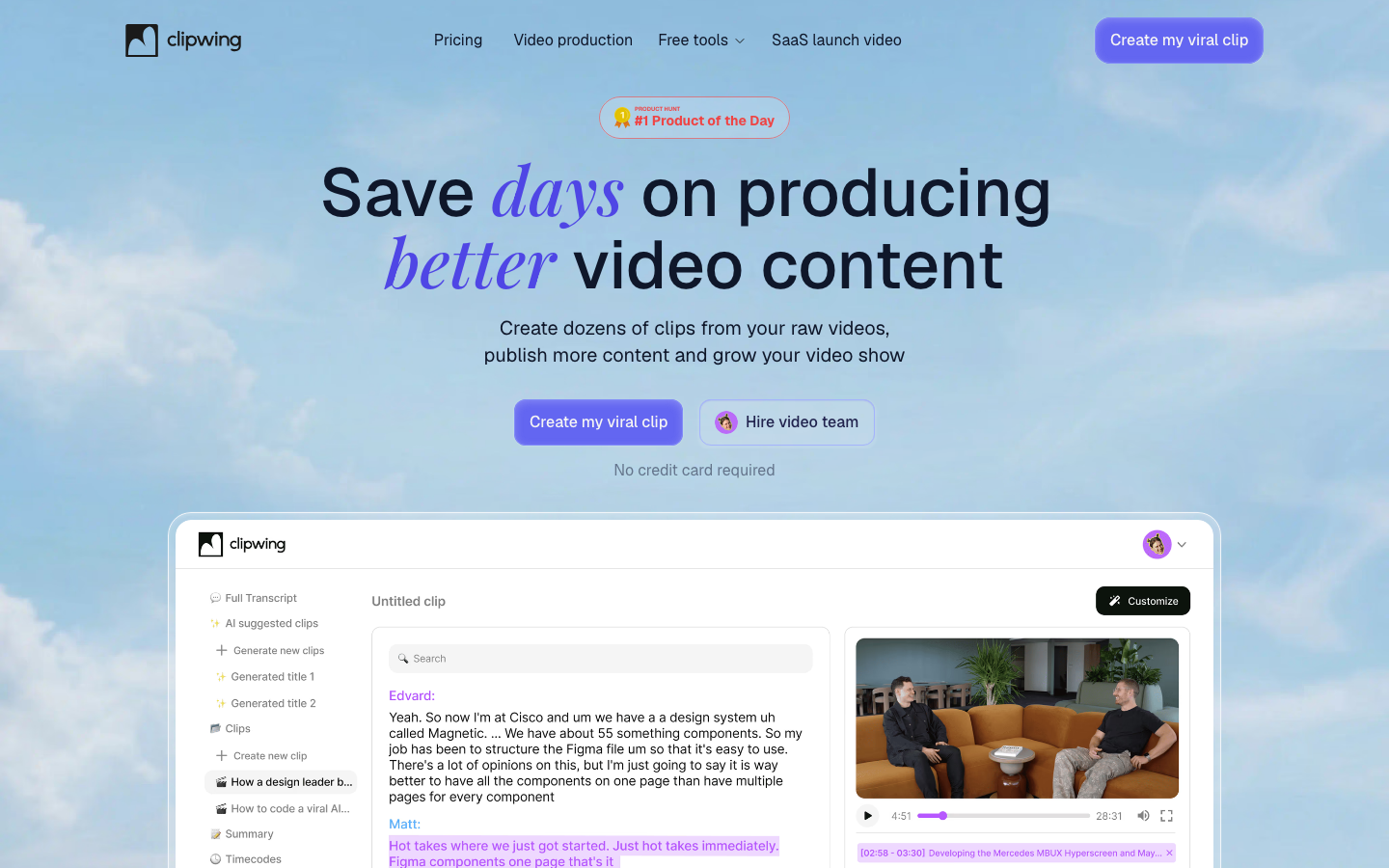
Clipwing is an AI video editing tool that focuses on quickly converting long videos into short videos (Shorts/Reels) for social media. Supports AI automatic highlight segment recognition, subtitle generation, text selection and interception, multi-size adjustment, and team collaboration. Product Hunt
Clipwing
Core parameters and statistics
| Parameters | Official verifiable information |
|---|---|
| Product positioning | AI-powered video clipping tool for social media |
| Core capabilities | Long video to short video conversion AI highlight segment recognition, subtitle generation, document extraction |
| Free Credit | 1 video hour/month, 3 exports, 720p, with Clipwing watermark |
| Pro Price | $29.99/month (20 hours of video/month, unlimited export, 1080p, no watermark) |
| Output size | Horizontal/portrait/square automatic adaptation |
| Platform | Web Application |
| Market Recognition | Product Hunt #1 Product of the Day |
Brief review in one sentence: Clipwing is not a general-purpose video editor, but an AI tool optimized for the single scenario of "cutting long content such as podcasts/tutorials/interviews into short videos".
User and market recognition
Gradually build user awareness in the field, and product capabilities are used by content creators and teams to improve work efficiency. Some industry users have incorporated it into their daily workflow. It is recommended to refer to the latest official disclosures for specific user scale and industry adoption rate data.
Cost advantage
C-side/Individual Creator: The free version allows you to experience 1 hour of video processing/month, which is enough to evaluate whether the product matches the workflow. Pro $29.99/month Unlocks 20 hours and full features.
API/Developer: No public API provided. Not integrated for developers.
Enterprise/Team: Studio series plans start at $2,999-$3,999/month, and the Clipwing team provides full-process video production services. Ideal for teams that need to outsource video editing.
Main functions
- AI automatic highlighting: AI automatically analyzes long video content and marks high-value segments for editing.
- Text selection and interception: Select a segment in the transcribed text to generate a corresponding video clip - this is the core interactive innovation of Clipwing.
- Subtitle generation: Automatically generate subtitles with safe area adaptation to ensure they are not blocked on various platforms.
- Document Extraction: Generate video summaries and transcripts with one click to facilitate SEO indexing and content distribution.
- Multiple size adaptation: One-click switching between horizontal screen, vertical screen (TikTok/Reels/Shorts), and square screen (Instagram).
- Team Collaboration: Supports multi-person collaborative editing and commenting.
Model and version evolution
Continuous iterative updates, the latest version introduces performance optimization and new features. Historical version information can be viewed on the official release page. There is no complete public version evolution timeline yet. It is recommended to pay attention to the official announcement to understand the rhythm of feature updates.
Technical advantages
Main Type Judgment: Productivity/business-side application, AI video editing tool for content creators.
The core interactive innovation of Clipwing is "select and edit the transcribed text" - this reduces a lot of operating costs compared to dragging the timeline frame by frame. Coupled with AI automatic highlight recognition, the user's operation link from uploading long videos to exporting short videos is reduced to a few minutes.
Boundary of human-machine collaboration: AI automatic highlighting and text interception can greatly improve the efficiency of initial editing, but it is recommended that the final short video be manually reviewed for the starting and ending points of the clips, subtitle accuracy, and content integrity. For marketing materials involving sensitive brand content or external release, it is recommended to undergo manual refinement and review after the initial AI cut.
How to use
| Entrance | Description |
|---|---|
| Web App | Visit app.clipwing.pro with your browser and upload the video to start editing |
| Free version | 1 hour video/month, 3 exports, 720p, watermarked |
| Pro | $29.99/month, 20 hours of video/month, unlimited export, 1080p, no watermark |
Product Pricing
| Plan | Price | Video Duration | Export | Resolution | Watermark |
|---|---|---|---|---|---|
| Free | $0 | 1 hour/month | 3 times | 720p | Yes |
| Pro | $29.99/month | 20 hours/month | Unlimited | 1080p | None |
| Studio Pro | Starting at $2,999/month | By project | — | Full resolution | No outsourcing |
| Studio Advanced | Starting at $3,999/month | By project | — | Full resolution | No outsourcing |
Application scenarios
- Podcast Editing: Break down a 1-hour podcast into multiple 30-60 second highlights for social distribution, and batch process multiple episodes per week.
- Tutorial/Course Slicing: Extract knowledge point slices from online courses or tutorial videos for marketing promotion, suitable for educational institutions and knowledge bloggers.
- Interview/Live Broadcast Replay: Quickly extract highlight moments from interviews or live broadcast recordings, suitable for secondary distribution of brand podcasts and founder interviews.
Applicable people
- Individual Users: Content creators and knowledge workers who need AI assistance to improve their daily work efficiency.
- Developers: Technical teams who need to integrate AI capabilities into their own products or services through APIs.
- Enterprise: Organizations seeking to deploy AI at scale in their field.
Summary and Outlook
Clipwing is precisely positioned on the high-frequency demand of "converting long videos to short videos", using the interactive paradigm of text selection and editing to lower the threshold for short video production. You can experience the core workflow with the free version.
Not suitable for boundaries: It is not a general-purpose video editor and does not support professional functions such as multi-track timeline editing, special effects overlay, and green screen synthesis; video processing has a monthly limit; the price threshold of the Studio plan is high.
Purchase Suggestion: Individual creators start with the free version to verify workflow matching. After confirming that Clipwing's AI highlighting and text editing methods are suitable for your content type, upgrade to Pro. Teams who need to outsource full-scale video production evaluate the Studio Series.
Related tools: runway, pika
Version Info
- Clipwing current :Currently supports AI editing, subtitle generation, document extraction, team collaboration, multi-size adaptation, Product Hunt
- Clipwing launch :The product is launched, supporting basic AI editing and subtitle generation functions.
User Reviews