 Code to Flow
Code to Flow is an AI programming tool for developers. It can convert Python, JavaScript, TypeScript, Java, C, C++, Go, Rust and other codes into flow charts to help understand the logical structure, sort out complex branches and explain the code execution path.
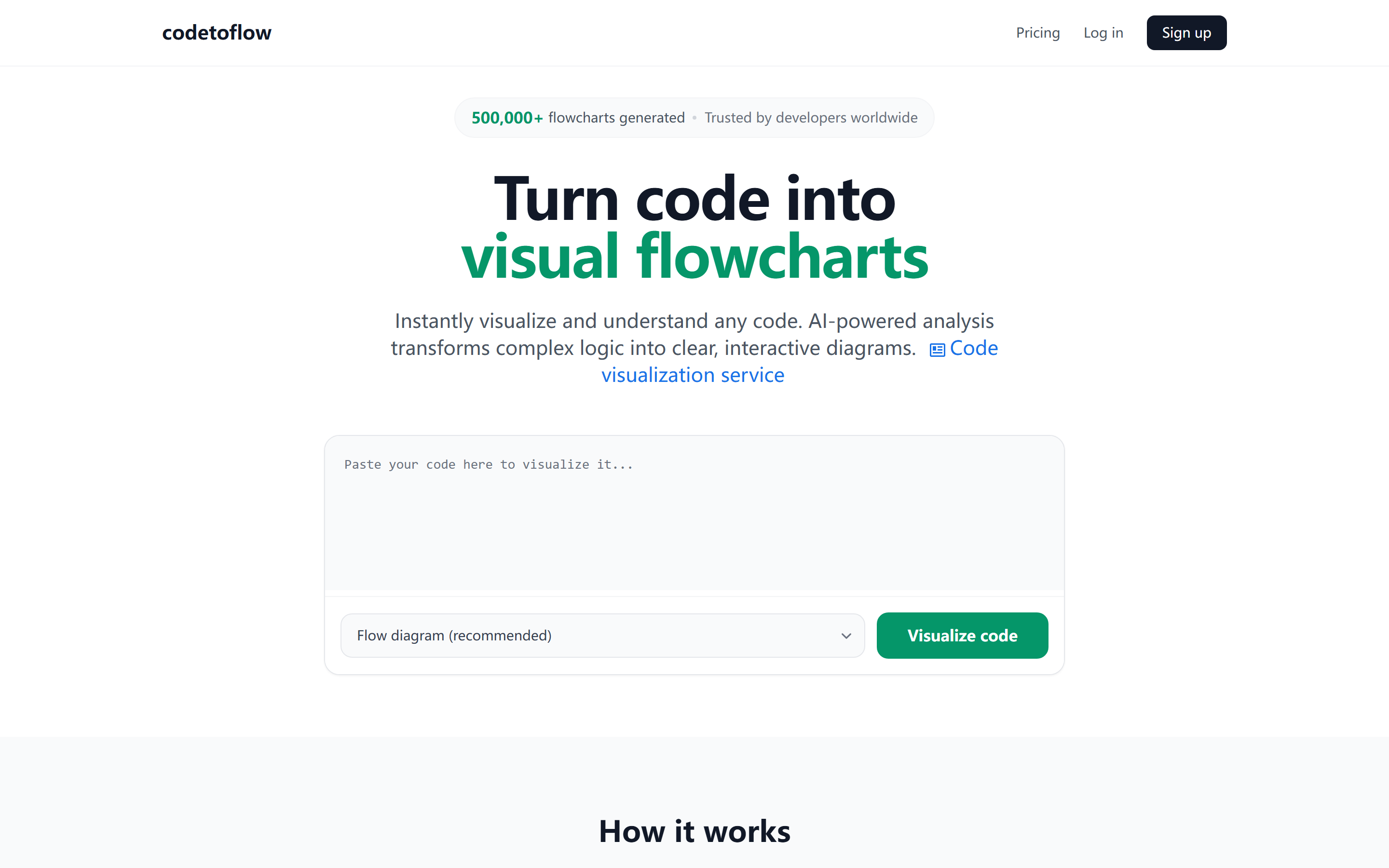
Code to Flow
Core parameters and statistics
Code to Flow is an online code-to-flowchart tool. The official description of its purpose is to "automatically transform written code into a visual flowchart", making the code logic and structure easier to understand.
| Projects | Public Information |
|---|---|
| Official positioning | Code to flowchart converter |
| Supported languages | Python, JavaScript, TypeScript, Java, C, C++, Go, Rust, etc. |
| Free quota | Generate up to 3 flowcharts per day |
| Paid direction | Upgrade for unlimited access |
| Data processing instructions | The official website states that the code will not be stored and will be discarded immediately after processing |
| Usage Platform | Web |
| Typical uses | Code understanding, teaching instructions, document visualization, logical sorting |
Product positioning: Code to Flow solves the problem of "it is difficult to quickly understand the control flow when looking at the code". It converts text code into a visual flow chart, which is suitable for reading unfamiliar code, writing documents, explaining logic, and preparing for code reviews.
Tool Type: Classified by main delivery form as [Productivity/Business-side Application]. It does not provide a public API infrastructure, nor is it a complete IDE. Instead, it encapsulates "code understanding → diagram explanation → document communication" into a web application for developers and teaching scenarios.
A brief comment in one sentence: The value of Code to Flow is not to replace programmers reading code, but to quickly translate the control flow of a function into a diagram that the team can understand.
Capability Boundary: Flowcharts are suitable for showing conditional branches, loops, and main execution paths, but they cannot replace complete static analysis, debuggers, or architecture diagram tools.
User and market recognition
Code to Flow's public market signals largely come from its clear, single-point positioning: Code to Flow. It does not package itself as a complete IDE or code generation platform, but focuses on the high-frequency developer need of "understanding code logic".
Clear scenario: Supports multiple mainstream languages, indicating that it is oriented to cross-language developers and teaching scenarios, rather than a single language plug-in.
Low-threshold trial: 3 free builds per day reduce trial costs, and developers can directly use their own code snippets to verify the output quality.
Privacy Commitment: The official website states that the code will not be stored and discarded after processing. This is especially important for users who copy internal code snippets to online tools.
Information Boundary: The official does not disclose the number of users, team background, financing information or customer cases, so no large-scale market judgments are made.
Cost advantage
Code to Flow has a simple cost structure: a free tier for low-frequency usage and a paid upgrade for unlimited access.
| Scheme | Disclosure capability | Applicable objects |
|---|---|---|
| Free | Up to 3 flowcharts per day | Occasionally understand code, teaching demonstrations |
| Upgrade | unlimited access | High-frequency developer, teacher, technical document author |
C client/individual: 3 free quotas per day are enough to process a small number of code fragments, and are suitable for verifying whether the flow chart is accurate first.
Developer/API: The official website does not disclose the API or plug-in form, and is currently mainly used through the web page.
Enterprise/Private: The official website does not disclose the enterprise version, private deployment or team management capabilities; when internal business code, customer code or compliance constraints are involved, whether to allow online conversion should be determined according to the organization's security regulations.
Hidden Cost: After generating the flow chart, you still need to manually check whether the diagram accurately expresses the business logic, especially asynchronous logic, framework callbacks and complex state machine code. Using code review to prepare scenario deductions, it may take developers 20-40 minutes to manually draw a flow chart of a moderately complex function; after using Code to Flow to generate the first draft, the time can be compressed to 5-15 minutes. Part of the savings comes from automatic drawing, and the other part comes from reducing back-and-forth communication with the product and test interpretation control flow.
Main functions
- Code Generation: Automatically generate code snippets and complete functions based on natural language descriptions or comments, supporting multiple languages such as Python, JavaScript, TypeScript, Java, and Go.
- Code Explanation: Line-by-line explanation and documentation of complex code blocks to help teams understand and maintain legacy code.
- Debugging Assistance: Analyze code errors and provide repair suggestions, and locate potential problems through static analysis and pattern recognition.
- Code Review: Automatically checks for code quality, security vulnerabilities, and best practice compliance to improve the overall quality of your code base.
Model and version evolution
Code to Flow does not disclose the semantic version number, and its evolution can be understood based on the capabilities of the public web tool.
Public capability nodes
- Online Tool Phase (~2024): Provides code entry, flowchart generation and free credits.
- Privacy Statement Strengthening Phase (~2025): The official website FAQ makes it clear that the code will not be stored, and will be discarded after processing to generate the graph, reducing concerns about copying code snippets online.
- Current version (~2026 Q2): The official website continues to emphasize multi-language support, 3 free generations per day, upgrade to obtain unlimited access, and conversion capabilities for Python, JavaScript, TypeScript, Java, C, C++, Go, Rust and other languages.
Evolution direction: The product roadmap focuses on code understanding visualization. It is worth paying attention to whether to add IDE plug-in API, team space or editable chart export capability in the future.
Technical advantages
Control flow abstraction: Abstract branches, loops and execution sequences in the code into a graphical structure, making it easier for readers to quickly establish global logic. The mechanism is to extract execution paths and convert them into nodes/connections; the effect is to reduce the cost of understanding by non-original authors; applicable scenarios are function-level logic, teaching explanations, and pre-review review.
Cross-language coverage: Multi-language support reduces communication costs between different technology stacks in the team, especially suitable for teaching and code review.
Lightweight online use: No need to install IDE plug-ins or local environment, copy the code to generate a flow chart, suitable for temporary explanation and documentation assistance.
Privacy Tip: The official website explicitly does not store code, which is helpful for temporary processing of non-sensitive fragments.
Boundary: The underlying analysis methods, model capabilities and complex project-level analysis capabilities are not disclosed, and real code snippets need to be used to verify the output quality.
How to use
| Steps | Action | Purpose |
|---|---|---|
| 1 | Open the official website | Enter the online converter |
| 2 | Paste the code snippet | Provide the logic to be analyzed |
| 3 | Generate flow chart | View control flow structure |
| 4 | Manual review and export | For illustration, teaching or documentation |
Use of concerns: Prioritize input of single functions or relatively independent code snippets to avoid pasting too large project files at once; check whether key branches, loops, and exception paths are complete after generation.
Human-machine collaboration boundary: What can be automated is the first version of flow charts, logic explanation sketches and prototype training materials; what cannot be automated is business rule confirmation, security audit, performance judgment and online problem location. When involving high-risk logic such as payment, permissions, risk control, medical care, and finance, the flow chart can only be used as a reading aid, and the final judgment must be confirmed by the person in charge of the code or domain experts.
Product Pricing
Official public information shows that free users can generate up to 3 flowcharts per day; after upgrading, they can get unlimited access. Specific prices, billing cycles and refund terms.
Free: Generated 3 times a day, suitable for light trial.
Upgrade: Unlimited access, suitable for frequent code conversion, writing technical documents or teaching.
Important Note: The official website page does not disclose the complete amount information. Please refer to the official real-time page before purchasing.
Application scenarios
- Understand unfamiliar code: Convert the function control flow into a graph and quickly locate key branches; when a new colleague takes over a single function, the initial reading time can be reduced from about 30 minutes to 10-15 minutes, but you still need to go back to the code to confirm the meaning of the variables.
- Technical document writing: Generate logic diagrams for README, design documents or internal wikis; suitable for turning "code description" into a two-layer document of "diagram + text".
- Teaching and Training: Use flow charts to explain algorithms, conditional judgments and sequential structures; teachers can compress the time for preparing lessons and drawings from 20-30 minutes manually to 5-10 minutes for proofreading after generation.
- Code review preparation: Quickly sort out complex logic before review; suitable for discovering missed branches, abnormal paths and boundary conditions.
- Business logic communication: Convert development code into a process that can be understood by products and tests; suitable for requirement clarification, not suitable for replacing detailed design.
Applicable people
- Developers: People who need to quickly understand and explain code logic.
- Technical Document Writer: People who need to convert code into readable diagrams.
- Teachers and Students: People who need to learn algorithms and program control flow.
- Tester and Product People: People who need to understand the program logic but don't want to read the code line by line.
Unsuitable boundary: Large-scale project architecture analysis, performance debugging, security auditing and runtime problem location still require the cooperation of professional development tools.
Summary and Outlook
Code to Flow is a very focused developer tool: turning code into flowcharts. Its value lies in low threshold, cross-language and visual understanding, and it is suitable for code explanation, documentation and learning scenarios.
Current limitations: The official website does not disclose the full price API and enterprise capabilities; complex code output still requires manual inspection; it is not suitable to replace IDEs, debuggers or architecture analysis tools.
It is worth paying attention to in the future: whether to launch IDE plug-ins, editable exports, team space APIs, and the ability to understand complex asynchronous and framework codes.
Procurement/Adoption Risk Assessment: It is recommended to start with the trial of low-risk code snippets: first use 10-20 typical functions to compare whether the flow chart covers the main branches; after passing it, it can be used in technical documents and teaching instructions; when involving internal code of the enterprise, it is necessary to first confirm the data processing terms, team specifications and whether localization alternatives are needed. If the team primarily deals with large distributed systems, complex asynchronous links, or security-sensitive code, Code to Flow should be positioned as a secondary diagramming tool rather than an architectural analysis, security audit, or debugging tool.
Related tools:  GitHub Copilot,
  Cursor
Version Info
- Code to Flow current version :The current form disclosed on the official website supports converting multiple mainstream programming language codes into flow charts and provides daily free quota; there is no official precise version number and release date yet.
- Online code to flowchart stage :In the public web tool stage, code pasting, flow chart generation and free quota are provided; there is no official precise date yet.
User Reviews