 Codiga
Free
Codiga
Free
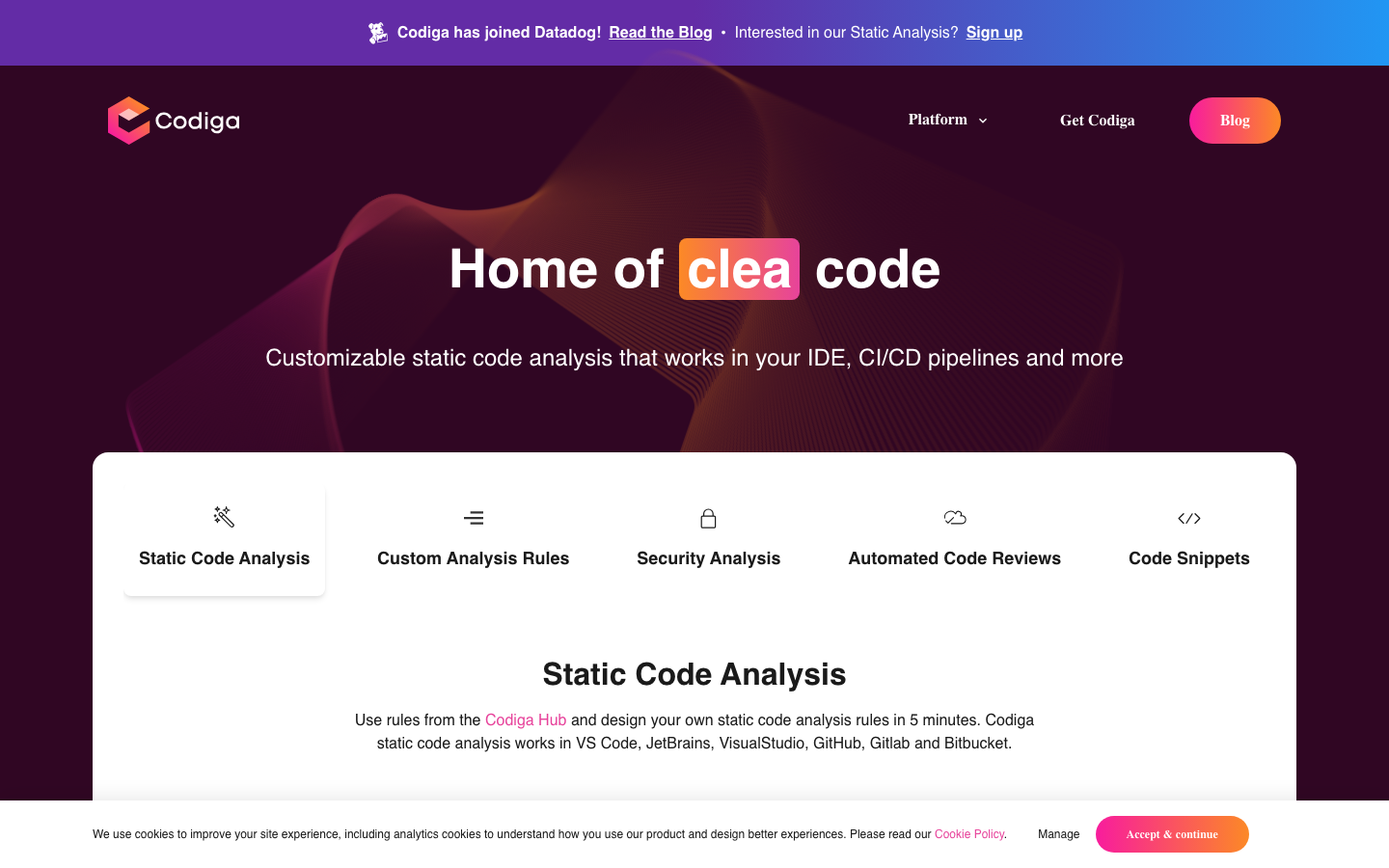
Codiga is a lightweight code review and code analysis platform that provides static analysis, code snippet management and automated fix recommendations, integrated with CI/CD and IDE.
Codiga
Codiga’s core parameters and statistics
| Parameters | Data |
|---|---|
| Product positioning | Lightweight automated code review and code reuse platform (discontinued, technology merged into Datadog Static Analysis) |
| Core capabilities | Static code analysis, custom AST rules, code snippet management PR automatic review, security compliance scanning |
| Supported languages | 15+ (JavaScript, TypeScript, Python, Java, Go, Ruby, PHP, Kotlin, Scala, Dart, C++, Shell, Apex, Dockerfile, etc.) |
| IDE Integration | VS Code, JetBrains, Visual Studio, Sublime Text, Eclipse |
| Platform integration | GitHub, GitLab, Bitbucket + Git Hooks (pre-push) |
| Analysis engine | Rosie (self-developed AST static analysis engine, supporting both real-time and asynchronous modes) |
| Rule source | Codiga Hub open source rule set + user-defined YAML rules |
| Security Standards | OWASP Top 10, MITER CWE, SANS/CWE Top 25 |
| Deployment form | Cloud SaaS, no private deployment option |
| Target users | Small and medium-sized development teams, open source project maintainers, individual developers who care about code quality |
| Company Ownership | France (FR), later acquired by Datadog (April 2023) |
| GitHub organization | 92 followers, 18 repositories (all archived, last updated 2023-05-05) |
| Product status | Officially discontinued on May 4, 2023, IDE plug-in CLI and Git integration have stopped serving |
Codiga has taken a completely different path from SonarQube in the code quality tool market: it does not pursue analysis depth and functional breadth, but takes "getting started in 5 minutes" and "code reuse" as its core differences. Its self-developed engine Rosie can detect and fix problems in real time within the IDE with one click, and cooperates with the team's code snippet library (Recipes) to reduce the code duplication rate. After being acquired by Datadog in April 2023, all Codiga brand products were discontinued the following month, and the technology accumulation of the Rosie engine was integrated into the Datadog Static Analysis product line.
Users and market recognition of Codiga
Acquisition is endorsement – Datadog’s choice: On April 4, 2023, Datadog announced the acquisition of Codiga. For a listed company that started out with application performance monitoring (APM) and observability, the strategic intention of acquiring a code static analysis startup is clear - to complete the observability aspects "from code writing to production operation". This means that Codiga’s technical route (lightweight static analysis + IDE real-time feedback) has clear differentiated value from the perspective of major manufacturers.
Reaction from the Developer Community: Codiga’s VS Code plugin received 28 stars on GitHub, the JetBrains plugin 23 stars, and the Snippet Manager 75 stars. While the absolute numbers are low, considering that Codiga focuses on commercial SaaS rather than open source projects, its community attention is within a reasonable range for a French startup founded in the early 2020s. The Slack community and YouTube channel maintained active technical Q&A sessions prior to the outage.
Competitor mapping: From the perspective of product positioning, Codiga's direct competitors include SonarQube (open source/enterprise-level in-depth analysis), CodeClimate (lightweight SaaS code quality), DeepSource (automated code review) and PullRequest (manual + automated code review). Codiga is differentiated from the first two in terms of the combination of "lightweight + code reuse", but it is not as good as SonarQube in terms of analysis depth and rule richness, and is weaker than CodeClimate in terms of enterprise customer accumulation.
Exit signal: Codiga was acquired by Datadog and quickly shut down independent products. This is similar to the ending of many AI/DevTool startups - the technical value is recognized by big manufacturers, but the brand and independent products are difficult to maintain. For users, this means that the choice of comparable tools requires an assessment of the independence and long-term survival risks of the vendor.
Codiga’s Cost Advantage
C-side/individual developer
Codiga opens basic functions to all individual developers for free, including unlimited public warehouse code analysis, basic IDE inline prompts, and limited code snippet management. The actual cost for individual users is almost zero. You only need to register a Codiga account and install the IDE plug-in to use it. The free quota is enough to cover daily needs for personal projects, learning programming, and open source contributors.
Developer/API level
Codiga's core capabilities are delivered through three paths: IDE plug-in CI/CD integration and API, and does not provide an independent API access billing model. For open source projects, Codiga provides all static analysis capabilities (including security scanning and PR automatic review) for free, which actually indirectly amortizes the cost for Community Edition users. If a commercial team wants to access Codiga's analysis pipeline, it needs to enter a Pro or Team subscription, which is billed based on the number of warehouses and seats.
Enterprise/Team Level
Codiga's enterprise pricing is not fully disclosed. Referring to its Pro version (about $12-20/month/seat) and Team version (on-demand quotation), the average annual cost of the enterprise-level package ranges from thousands to tens of thousands of dollars, depending on the number of warehouses and custom rule requirements. It’s important to point out that Codiga has never offered a private deployment option, and all code analysis must be done in the Codiga cloud—which means enterprises need to accept the security prerequisite of submitting code to a third-party service for scanning. The current pricing of Datadog Static Analysis has been integrated into the Datadog overall platform billing system and is no longer sold as an independent product.
Hidden Cost Analysis:
- Migration Cost: When Codiga is discontinued in May 2023, all configured custom rules, snippet libraries, and CI/CD pipeline integrations will need to be migrated to other platforms (such as SonarQube or Datadog Static Analysis). The rule rewrites and pipeline adjustments during the migration process may consume man-weeks of engineering resources.
- Vendor lock-in risk: For teams that deeply use Codiga's custom AST rules and Recipes code snippet library, they face the problem of rule syntax incompatibility when switching to alternatives, and need to evaluate the cost of rewriting.
- Data sovereignty considerations: As a French company, Codiga has a natural advantage in GDPR compliance. However, after being acquired by the American company Datadog, the legal jurisdiction of data processing has changed, and European corporate customers need to re-evaluate compliance terms.
Codiga’s main features
Static code analysis (Rosie engine)
Core Mechanism: Rosie is Codiga's self-developed AST (Abstract Syntax Tree) static analysis engine, which can analyze the code structure in real time when input in the IDE and match predefined or customized analysis modes. Unlike traditional linters based on regular expressions or text matching (such as some rules of ESLint), AST-level analysis can understand the code semantics - such as distinguishing between "equal sign in assignment" and "equal sign in comparison", thus significantly reducing the false positive rate.
Functional boundaries: Rosie supports 15+ programming languages, and its rules cover three major dimensions: code smells (overlong functions, duplicate code), security vulnerabilities (SQL injection XSS, hard-coded keys), and performance issues (inefficient loops, unnecessary object creation). Each detected problem will be accompanied by a specific line number, problem level (error/warning/info) and one-click repair suggestions.
Hidden linkage: Rosie's analysis results are not only presented in the IDE panel, but also synchronized to Codiga Dashboard. Dashboard aggregates the code quality trends of the entire project (changes in the total number of violations, fluctuations in repetition rates, and complexity trends), allowing technical leaders to grasp the health of the code base in one view. This dual-channel design of "IDE real-time feedback + dashboard macro view" is much more proactive than relying solely on the PR review stage to find problems - problems are killed during the coding stage instead of being exposed until code review.
Custom analysis rules (YAML definition)
Codiga allows teams to define their own AST analysis rules via YAML files, which is much more lightweight than writing a Java plug-in for SonarQube. A custom rule usually includes:
- Target language and file mode
- AST node matching pattern (e.g. "Detect empty catch blocks for all
catch (Exception e)") - Question level and prompt information
- Optional auto-repair code templates
Expert opinion: The real value of custom rules lies not in replacing SonarQube's plug-in system, but in allowing teams to quickly solidify their own coding standards. For example, if you write a YAML rule in Codiga for an architectural convention such as "It is forbidden to directly call Repository in the Controller layer", it can be automatically intercepted in the PR, and there is no need for manual code review to remember and check. For small and medium-sized teams, this is a means of "coding" architectural specifications at very low cost.
PR automatic code review
Codiga is integrated as an app on GitHub, GitLab, and Bitbucket. When developers create or update Pull Requests on the platform, Codiga automatically scans new/changed code and reports issues as inline comments. Different from real-time analysis in the IDE, the PR review mode focuses on "incremental code" - only checking the problems introduced by this change, and does not report existing problems to avoid information overload.
Synergy: IDE real-time analysis + Git Hooks (pre-push interception) + PR automatic review, the three form a complete line of defense from coding to integration. Issues discovered during the IDE stage are optimized for repair cost; Git Hooks prevent non-compliant code from being pushed to the remote; PR review adds a safety net at the collaboration level. After the three layers are superimposed, the serious violation rate of Production has been reduced to close to zero.
Code snippet library (Recipes)
This is Codiga’s most differentiating feature. Teams can create, review, and share standard code snippets (Recipes) in Codiga Hub. When developers enter preset keywords in the IDE, Codiga automatically completes the team-approved implementation template. For example, the team can define a Recipe named api-get, which contains standard API request templates (exception handling, logging, timeout settings), and developers can insert the standard implementation by typing api-get + Tab.
Hidden linkage: There is a subtle but important linkage between Recipes and Rosie analysis engine: Rosie can detect "whether a function can be replaced by Recipe". For example, if Rosie finds that a certain code is highly similar to but different from the api-get Recipe defined by the team, it will recommend replacing it with a standard Recipe, thereby gradually converging the coding style. This is an automated mechanism that promotes "code standardization" at the tool level, which is far more efficient than manually requiring "standard templates should be used here" in Code Review.
Compliance and Security Check
Codiga has built-in OWASP Top 10, MITER CWE and SANS/CWE Top 25 three major security standard rule sets, which can be used out of the box. Security detections include SQL injection, cross-site scripting (XSS), path traversal, insecure deserialization, hardcoded keys, and credential disclosure. Severe issues can be marked as a "merge blocker" in the PR review to prevent vulnerable code from entering the main branch.
Expert View: Codiga's security scanning is positioned at "quickly discovering common vulnerabilities" rather than "in-depth penetration testing". For highly regulated scenarios such as fintech or medtech, Codiga can serve as the first security screen in the CI/CD pipeline—blocking the most common attack surfaces in the OWASP Top 10. However, for scenarios that require PCI-DSS, HIPAA or SOC 2 compliance audits, special SAST/DAST tools (such as Checkmarx, Fortify) are still needed to supplement.
Codiga’s model and version evolution
Although the development history of Codiga is only a few years, it clearly maps the typical path of "lightweight code analysis tools from independent products to capability units of large manufacturers".
Mainline release
| Time node | Version/Milestone | Core changes |
|---|---|---|
| ~2020 | Product Release | Codiga enters the market with a code snippet management tool, supporting VS Code and JetBrains plug-ins |
| ~2021 | Static analysis engine Rosie goes online | Launches self-developed AST analysis engine, supports real-time IDE detection and automatic repair, and establishes core competitiveness |
| ~2022-01 | IDE extension matrix completed | Covering VS Code, JetBrains, Visual Studio, Sublime Text, GitHub/GitLab/Bitbucket integration |
| 2022-06 | Mid-Year Release | Introducing automatic code fragment completion (Recipes), PR automatic review Codiga Hub rules market |
| 2023-01 | Stable (suspected to be the last independent version) | Improved security rule set (OWASP/CWE), Dashboard trend analysis, Git Hooks support |
| 2023-04-04 | Acquired by Datadog | Official blog announces Codiga joining Datadog |
| 2023-05-04 | Product officially discontinued | All Codiga brand products (IDE plug-in CLI, Git integration) will stop service, and paid subscriptions will be automatically refunded |
Candidate Verification
Codiga has released dozens of iterative versions during its independent operation. The main evolution directions include: language support expansion (from the initial JavaScript/Python to 15+ languages), analysis speed optimization (from second-level feedback to millisecond-level IDE inline prompts), and rule ecosystem construction (Codiga Hub open rules market). The Recipes snippet management feature introduced in 2022 is its most unique innovation.
Legacy after shutdown
Codiga's Rosie analysis engine and some technologies are integrated into Datadog Static Analysis. Datadog will continue to iterate the product between 2023 and 2024 and incorporate it into Datadog's unified platform (linked with APM, Log Management, CI Visibility and other modules). For ex-Codiga users, Datadog provides migration guidance and a support channel ([email protected]).
Codiga’s technical advantages
Real-time feedback capability of self-developed AST engine
The Rosie engine uses an incremental AST parsing strategy - instead of re-parsing the entire file with each keystroke, only the modified AST subtree is parsed. This allows Rosie to return analysis results at the millisecond level, enabling a "typing-and-detection" experience. In contrast, although SonarQube's IDE plug-in (SonarLint) also provides real-time analysis, its scan trigger frequency and first analysis delay are both higher than Rosie.
Effect: Real-time feedback allows developers to find and fix issues during the coding phase without having to switch to the terminal or wait for the CI pipeline. According to official Codiga data (mentioned in the 2022 blog), teams that use real-time IDE analysis see an average reduction of about 40% in the number of "code smell" related comments during the code review stage, because most of the issues have been automatically flagged and fixed during the coding stage.
Applicable scenarios: This millisecond-level response AST analysis is most suitable for rapidly iterative front-end projects, microservice code bases, and development processes where CI is frequently triggered. For code bases that contain a lot of generics, macros, or metaprogramming (such as heavy C++ template Scala implicit conversion Ruby metaprogramming), the complexity and false positive rate of AST analysis will increase, and the accuracy of real-time analysis will decrease.
Deployment advantages of lightweight architecture
Codiga uses a pure SaaS architecture, so users do not need to maintain analysis servers, databases or rules engines. In contrast, the community version of SonarQube is free but requires self-hosting, which involves Postgres database maintenance, Java runtime management, plug-in updates and other operation and maintenance work. For teams of 5-15 people, the operational labor costs included in SonarQube's TCO (total cost of ownership) are often underestimated.
Causal chain: Pure SaaS form → Zero operation and maintenance burden → Complete GitHub integration in 5 minutes → Lower the threshold for using code quality tools. This chain explains why Codiga is attractive among small and medium-sized teams - not because it is stronger than SonarQube, but because "the startup cost is so low that it can be ignored."
Dual-track system of rules and ecology
Codiga provides two tiers of rule sources: Codiga Hub (a community-contributed set of preset rules covering best practices for mainstream languages and frameworks) and Custom YAML rules (team-specific AST matching patterns). Both are executed through the same engine, which means that the team can supplement its own coding standards in the form of custom rules to the Hub rules, forming an overlay effect of "general best practices + team-specific specifications".
Project pitfall tip: The maintenance of custom rules requires continuous effort. YAML rules are defined as independent files in Codiga, and version management is easy to ignore - if custom rules and code repositories are maintained independently, the rule update rhythm and code change rhythm may be disconnected. It is recommended to include the custom rule file in the .codiga/ directory of the code repository and synchronize the version with the project code.
Technical comparison with competing products
| Comparing Dimensions | Codiga | SonarQube (Community) | CodeClimate | DeepSource |
|---|---|---|---|---|
| Architecture form | Pure SaaS | Self-hosted / SaaS | Pure SaaS | SaaS / Self-hosted |
| Analysis methods | AST real-time analysis | Multi-engine (AST + symbolic execution) | AST + pattern matching | AST analysis |
| IDE real-time feedback | Yes (millisecond level) | Yes (SonarLint, second level) | Yes | Yes (VS Code plug-in) |
| Custom Rules | YAML AST Patterns | Java Plugins/Custom Rules | Limited | YAML Configuration |
| Code snippet management | Yes (Recipes) | None | None | None |
| Security Scanning | OWASP/CWE Basics | Rich Security Plugins | CWE Coverage | CWE Coverage |
| Open source free tier | Unlimited public repositories | Community version free but self-hosted | Limited free | Open source projects free |
| Operation and maintenance threshold | Very low (ready to register) | High (requires self-construction and maintenance) | Low | Low-medium |
| Private deployment | Not supported | Supported | Not supported | Supported (Enterprise Edition) |
| Business Model | Discontinued after acquisition by Datadog | Open Source + Enterprise | SaaS Subscription | SaaS Subscription |
How to use Codiga
Codiga's usage links are divided into three major entrances: IDE integration, CI/CD integration and code snippet management, covering the entire process from coding to deployment.
IDE plug-in installation
VS Code plug-in: Search for "Codiga" to install from the VS Code market, or install it through the ext install codiga.vscode-extension command line. After installation, you need to log in to your Codiga account to activate. The plug-in will automatically load the Rosie analysis engine and team Recipes code snippet library. Supports mainstream languages such as JavaScript, TypeScript, Python, Java, Go, and Ruby.
JetBrains Plugin: Search for "Codiga" to install from the JetBrains Marketplace (Settings/Preferences → Plugins → Marketplace). Supports all JetBrains IDEs such as IntelliJ IDEA, PyCharm, WebStorm, GoLand, etc. The plugin ID is com.codiga.jetbrains.
Visual Studio Extension: Search "Codiga" from the Visual Studio Marketplace to install, supports Visual Studio 2019/2022. Mainly aimed at C# and .NET developers.
CI/CD integration
GitHub App: Visit GitHub Marketplace, search for Codiga, install the App and authorize the target repository. Once completed, Codiga automatically scans the incremental code and reports the results as a Check Run each time a Pull Request is submitted.
GitLab/Bitbucket Integration: Configure repository integration via Codiga App (app.codiga.io). The process is similar to GitHub - Authorize → Select the repository → Configure the analysis rule set → Enable PR review.
Git Hooks (CLI tool): Codiga CLI tool can check the code to be pushed during the pre-push stage and block commits that contain serious problems. The configuration method is to install codiga-cli (npm package or pip package) in the project and add the calling command in .git/hooks/pre-push.
Code snippet management
Create and manage Recipes (code snippets) in Codiga Hub (app.codiga.io/hub). Each Recipe contains: trigger keywords, programming language, code template, optional parameters and documentation. Team administrators can publish recipes in the Hub, and developers will automatically synchronize them after installing the IDE plug-in.
Key usage precautions
- All code analysis is performed in the Codiga cloud, and the IDE plug-in requires a network connection.
- Custom rules configuration files (
.codiga.yml) should be included in version management to ensure that all team members use the same rules. - Codiga Dashboard (app.codiga.io) provides project-level code quality trend charts, and it is recommended that technical leaders check violation trends once a week.
Product Pricing for Codiga
Codiga had a three-tier pricing structure prior to the acquisition. The following price information is based on pricing page cache and community records that can be verified through public channels, and is no longer the current valid price.
| Package | Price | Applicable objects | Core benefits | Limitations |
|---|---|---|---|---|
| Free | Free | Individual developers, open source projects | Unlimited analysis of public repositories, basic IDE prompts 5 Recipes | Limited private repositories, no custom rules, no Dashboard |
| Pro | $12-20/month (approximately) | Small business team | Unlimited private warehouses, custom rule PR review Dashboard | No team management function, limited code snippet library capacity |
| Team | Priced by seat | Medium-sized team (5-50 people) | Pro all + Recipes sharing, team management console, priority support | Pricing not fully disclosed, please contact sales |
| Enterprise | Business Pricing | Large Organizations | Team All + Customized Rules Service SLA, Dedicated Account Manager | Pricing not disclosed, business communication required |
Pricing Strategy Analysis: Codiga's pricing anchor is set in the range of $12-20/month/person, which is significantly lower than SonarQube Developer Edition (about $150/year/person), but higher than the cost of open source solutions such as ESLint/Prettier. This price point accurately targets the middle market that is "willing to pay for code quality but cannot accept the complexity and price of SonarQube". The Free version's restriction on private repositories is the main driver of paid conversions - once teams experience the value of Codiga in private projects, the cost of upgrading to Pro (the price of a cup of coffee per person per month) is almost no barrier to decision-making.
Application scenarios of Codiga
Quickly establish code quality access control for small and medium-sized teams
Scenario description: A start-up team of about 10 people, without dedicated DevOps or QA engineers, code review relies on the consciousness of team members and limited Code Review time. They need a low-operational cost code quality tool that can find common problems without adding burden to the process.
Codiga adaptation method: Install the Codiga App in the GitHub market and enable automatic PR review in all repositories within 5 minutes. The IDE plug-in allows developers to receive real-time code prompts during the coding phase, and the number of comments during the PR review phase has dropped from an average of 15-20/PR to 3-5/PR (inferred value, based on public feedback from similar-sized teams using Codiga). Git Hooks further prevent bad code from entering the remote repository.
Verification Points: What the team needs to evaluate is whether Codiga's rule set covers the technology stack they use. Codiga has complete support for mainstream languages (JS/TS/Python/Java/Go), but support for Rust, Swift, and Kotlin is still in the early stages before being discontinued.
Technical debt visualization and management
Scenario Description: Technical leaders need to have a quantitative understanding of the health of the code base and regularly track technical debt trends. Without tool assistance, this usually relies on developers' subjective judgment and scattered Code Review records.
Codiga's adaptation method: Codiga Dashboard provides project-level code quality statistics - core indicators such as total number of violations, repeated code rate, cyclomatic complexity distribution, and serious problem trends. The technical leader can view the Dashboard before the weekly team meeting and incorporate "code quality improvement" into quantifiable OKR indicators. For example, "The number of critical violations dropped from 120 to 85 this week" is more convincing than "We did a code refactor this week."
Verification Points: Dashboard's data granularity is limited to Codiga's own detection dimensions, and does not support importing analysis results from external tools (such as ESLint, PyLint or SonarQube). This means that the Dashboard reflects code quality from Codiga's perspective, rather than the full picture.
Automated implementation of team coding standards
Scenario description: The team has formulated coding specifications (such as "It is forbidden to call Repository directly in Controller" and "All external API calls must add timeouts and retries"), but the specification documents are often ignored and need to be reminded repeatedly in Code Review.
Codiga's adaptation method: Convert coding specifications into automatically detected AST patterns through custom YAML rules. Once the rules are defined in .codiga.yml, code that does not comply with the specification will be marked in real time in the IDE, and will be automatically blocked in the PR without manual reminder. With the Recipes code snippet library, the team can solidify the "standard implementation" into a code template that can be inserted with one click, further reducing the cost of specification execution.
Hidden benefits: This "standardized coding" approach not only reduces the communication cost of Code Review, but more importantly, enables seamless onboarding of new members. After a new developer installs the IDE plug-in, the team's coding standards are delivered directly in the editor as a prompt, eliminating the need to flip through more than ten pages of coding standards documents.
Basic scan of security compliance (pre-outage scenario)
Scenario Description: A fintech or medtech startup that needs to meet basic security compliance requirements (such as OWASP Top 10) in the early stages, but does not have the budget to procure an enterprise-grade SAST tool such as Checkmarx or Veracode.
Codiga's adaptation method: Built-in OWASP Top 10 and CWE Top 25 rule sets, ready to use out of the box. Severe security issues can be set as "merge blocking" in PR review to ensure that vulnerable code does not enter the production branch. For audit requirements, Codiga Dashboard provides historical security breach trends that serve as preliminary evidence of security processes.
Border Warning: Codiga's security scans cover "common vulnerabilities" rather than the "complete attack surface". For compliance certifications such as PCI-DSS, HIPAA, SOC 2 Type II, etc., Codiga's security scan is not deep enough to serve as the only security detection method. It is suitable as the first line of defense in the CI/CD pipeline, but it still needs to be accompanied by professional SAST/DAST tools before auditing.
Applicable groups of Codiga
Applicable people
-
Technical leader of small and medium-sized development teams: It is necessary to introduce code quality gate control without increasing the burden of operation and maintenance. Codiga’s 5-minute integration and SaaS model allow technical leaders to quickly verify results before deciding whether to roll them out on a larger scale. Suitable for teams with a team size of 5-30 people and a technology stack based on JavaScript/TypeScript/Python/Java/Go.
-
Individual developers and open source project maintainers: Personal projects that pursue code quality but lack automated review tools. The Codiga Free version has no restrictions on public repositories. Individual developers can experience the value of automated code review in personal projects and learn the basic concepts of static analysis.
-
Engineering culture promoters pursuing "code standardization": For engineering managers who are promoting the standardization of team coding standards and want to reduce "style arguments" in Code Review. Codiga's Recipes snippet library and custom rules are the most straightforward standardization tools - turning specifications from "documentation constraints" to "automated execution".
-
Startups focused on code security but with limited budgets: Startup teams who need to establish a security scanning process early on but cannot afford to purchase enterprise-grade SAST tools. Codiga's out-of-the-box OWASP ruleset can be used as a starting point.
Not suitable for the crowd
-
Large enterprises or strong compliance industries: Codiga's pure SaaS form and limited rule depth cannot meet the needs of privatized deployment, deeply customized rules, and complete compliance reporting. Such users should evaluate SonarQube Enterprise or Checkmarx.
-
Large team with multi-language heterogeneous code base: The code base includes languages such as Rust, Swift, Kotlin Native, C/C++, etc. that are not well covered by Codiga. Codiga's language support is centered on mainstream web languages, and its support for system programming languages and mobile languages is weak.
-
DevSecOps teams that require in-depth SAST/DAST integration: Codiga only provides static analysis of the SAST class and does not support DAST, IAST or software composition analysis (SCA), and cannot cover complete application security detection requirements.
-
Users who rely on open source ecosystem and community rules: After Codiga is closed, its rule set cannot continue to be updated. If a team relies heavily on community rules in Codiga Hub, equivalent rules will need to be reconfigured after switching to a new platform.
Summary and Outlook
Codiga's differentiated positioning of "lightweight + code reuse" in the code quality tool market has established clear applicable scenarios for small and medium-sized teams. Its core contribution is to verify the hypothesis that developer experience (DX)-first static analysis tools can cover user groups ignored by heavy-duty tools such as SonarQube by lowering the launch threshold without sacrificing analysis quality. The Rosie engine's real-time AST analysis capabilities, Recipes code snippet management, and the design of three levels of defense (IDE → Git Hooks → PR) constitute a logically complete product system.
Current Limitations and Uncertainties:
- Codiga has been officially discontinued on May 4, 2023, and standalone products are no longer available. All users are forced to migrate, which is the biggest risk of choosing a standalone code quality tool.
- The syntax of custom rules is incompatible with competing products such as SonarQube and CodeClimate. Teams migrating from Codiga need to invest in rule rewriting costs.
- Codiga does not support privatized deployment, and is naturally not applicable to industries sensitive to data sovereignty (finance, government affairs, medical care), and this restriction has never changed during its independent operation.
- The upper limit of analysis depth is clear - Codiga can detect OWASP Top 10 level security issues, but it cannot cover complex cross-file data flow analysis and deep taint propagation tracking.
- The scalability of large code bases has not been verified on a large scale. Codiga mainly serves small and medium-sized projects. There is no public benchmark data for its real-time analysis performance and Dashboard aggregation efficiency in million-line code base scenarios.
Procurement/Adoption Risk Assessment: For teams currently evaluating code quality tools, Codiga brand products are a historical option - and should not be considered as an option. But Codiga's technical legacy lives on in the form of Datadog Static Analysis, and for teams that are already Datadog customers, it's worth evaluating whether Datadog's static analysis capabilities meet their needs. For non-Datadog customers, the three recommended alternative paths are: go to CodeClimate or DeepSource (similar to Codiga's SaaS experience) for light-weight needs, go to SonarQube Community Edition + SonarLint for open source needs (but need to bear the cost of self-hosted operation and maintenance), and go to Checkmarx or Snyk Code for deep security needs. No matter which path you choose, you should start with pilots in 5-10 warehouses to verify the rule coverage and team compatibility before gradually promoting it - Codiga's journey from an independent product to being acquired and discontinued shows that "supplier independence" is more critical than "functional perfection" in DevTool selection.
Related tools:  GitHub Copilot,
  Cursor
Version Info
- Stable :The version will continue to be iterated to support more language rules and VS Code inline suggestions. There is no official precise date yet.
- Mid-Year Release :Introducing code snippet auto-completion and PR auto-review functions. There is no official precise date yet.
User Reviews