 Cog (Replicate)
Free
Cog (Replicate)
Free
Cog is an open source tool launched by Replicate. It automatically packages machine learning models into Docker containers and provides a standard REST API. It supports GPU acceleration and automatic expansion and contraction deployment.
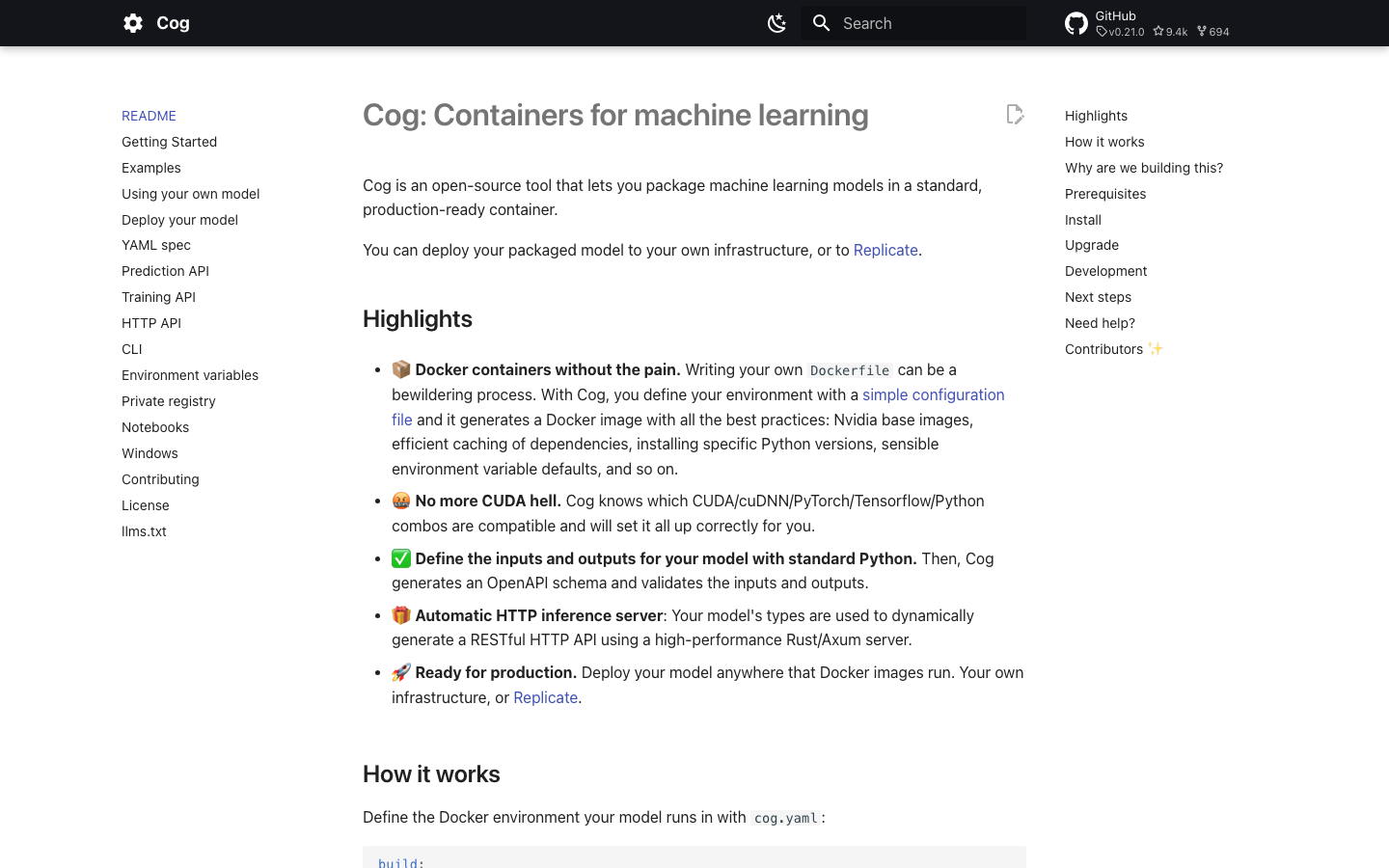
Cog (Replicate)
Cog’s core parameters and statistics
Cog solves a long-undervalued pain point in ML engineering - the lack of standards for the "last mile" of model deployment. Each model has different frameworks, dependencies, and calling methods. Deploying a new model means rewriting a Dockerfile, Flask server, and preprocessing pipeline. Cog uses a set of conventions (cog.yaml + Runner interface) to standardize this process, reducing the migration time of the model from training context to production context from "days" to "hours".
| Projects | Public Information |
|---|---|
| Official positioning | ML model containerized packaging and deployment tool |
| Core mechanism | cog.yaml declarative contextual configuration + Runner Python interface → automatically build Docker images |
| Input specification | Runner.run() type annotation + cog.yaml dependency declaration |
| Output Specification | Standard REST API (JSON + File + SSE Streaming) |
| Architecture Languages | Go (CLI)/Rust (HTTP Server coglet)/Python (SDK) |
| Support acceleration | GPU (CUDA, cuDNN), TensorRT |
| Open Source License | Apache 2.0 |
| GitHub Stars | 9,400+ |
| Latest version | v0.21.0 (2026-06-17) |
| Place of Residence | United States (US) |
Core positioning: Cog is not a model deployment platform (that is what Replicate does), but a "packaging standard" - it defines the convention of cog.yaml + Runner class. Models that comply with this convention can be deployed to the Replicate cloud platform, self-built Docker context or Kubernetes cluster without modification. This "package once, run many places" model essentially replicates the abstract idea of Docker Compose in the field of ML deployment - and the creator of Docker Compose, Ben Firshman, is the co-founder of Cog.
Core differences between Cog and alternatives: Compared with the solution of manually writing Dockerfile + Flask/FastAPI, Cog automatically handles CUDA version compatibility checking, Python dependency caching, multi-stage build optimization and HTTP API generation; compared with BentoML, Cog has a lower abstraction level, does not bind a specific model framework or runtime, and treats any framework such as PyTorch/TensorFlow/ONNX equally; compared with MLflow, Cog Focusing on the "deployment" section, it does not cover experiment tracking and model registration, but the deployment link is more complete - from packaging to HTTP service to pushing to the mirror warehouse, it is completed in one stop.
| Dimensions | Cog | Manual Dockerfile + Flask/FastAPI | BentoML | MLflow |
|---|---|---|---|---|
| Abstraction level | Model level (Runner interface) | No abstraction, fully customized | Service level (Bento unit) | Project level (MLproject) |
| GPU/CUDA Management | Automatic detection and configuration | Manual management | Automatic management | Limited |
| HTTP API generation | Automatic (Rust/Axum) | Manual coding | Automatic (FastAPI) | Automatic |
| Framework bindings | None | None | Prefer Python | Prefer Python |
| Image building | Built-in optimization | Manually written Dockerfile | Built-in | Plug-in required |
| Learning curve | Low (3 documents) | High (multiple technology stacks) | Medium | Medium |
| Production Deployment | Docker/K8s/Replicate | Docker/K8s | Docker/K8s/BentoCloud | Docker/K8s |
The unique value of Cog in this set of comparisons is that it is the only tool that combines "container packaging" and "HTTP serviceability" into one atomic step. Developers do not need to learn Dockerfile syntax, Flask routing registration and WSGI deployment configuration separately.
Users and market recognition of Cog
Cog's market influence is highly tied to its parent company, Replicate, but it has also accumulated considerable community adoption as an independent open source project.
GitHub Community: As of July 2026, Cog has received 9,400+ Stars, 696 Forks, 97 contributors, and a total of 233 releases on GitHub. The codebase is dominated by Go (61.5%), with Rust (17.6%), HTML (14.9%), and Python (5.8%) making up the remainder. Go is the main language for CLI and build engines, Rust is the implementation language of HTTP inference server (coglet), and Python is the SDK layer that users have direct contact with. This division of language labor reflects a clear layered architecture: Python for the user layer, Go for the control layer, and Rust for the performance-sensitive layer.
Enterprise Adoption: Adopters of Cog are primarily developer teams using it indirectly through the Replicate platform. Nearly all models hosted on the Replicate platform are packaged via Cog, which means thousands of public models and hundreds of enterprise-grade deployments are powered by Cog. Notable users of direct self-hosting Cog include ML platform teams at multiple AI startups, research institutions, and large enterprises. However, the precise list of enterprise customers and the scale of deployment are not disclosed.
Industry benchmarking: In the ML model deployment tool track, Cog competes with BentoML, MLflow Models, Seldon Core, Triton Inference Server, etc. The core differentiation of Cog lies in "extreme simplicity" - one cog.yaml + one run.py can complete the conversion from model to API, which is especially friendly for prototype verification and small team scenarios. However, its management capabilities for large-scale production deployment (model version management, A/B testing, and monitoring alarms) are weaker than enterprise-level platforms such as Seldon Core and MLflow.
Cog’s cost advantage
The cost structure of Cog itself is very clear - the tool is completely open source and free, and the cost is mainly reflected in "what you use it to do". For different roles, the cost structure and sensitivity points are completely different.
C-side/individual developers: Cog CLI is completely free and can be used on any machine under the Apache 2.0 license. The only personal cost is learning time - if you are familiar with cog.yaml writing specifications and Runner interface conventions, you can usually get started in 1-2 hours. The cost of Docker image storage and local GPU hardware for personal projects is independent of Cog itself.
API/Developer: If you use Cog to package and deploy to the Replicate platform, you will be billed based on the amount of inference calls. Replicate's pricing model is "GPU time per second + number of calls", and model inference costs approximately $0.0001-0.01/time, depending on the model size and GPU model. For teams using Cog as a self-hosted tool, the tooling cost is 0, but the initial configuration time required to build the Docker image and CI/CD integration is estimated to be 2-5 man-days.
Enterprise/Private Deployment: Cog’s open source license means zero licensing fees, but enterprises need to build their own GPU clusters and mirror warehouses. Taking a medium-sized ML platform team (5-8 people) as an example, after introducing the Cog unified deployment process, the model launch cycle is shortened from 3-5 days to 0.5-1 days, and the corresponding manpower saving is about 2-4 man-days/model. If the team launches 10 models every month, it will save 20-40 man-days per month, which is about 40,000-80,000 yuan in labor costs per month based on the daily salary of a mid-level engineer.
Hidden Cost: Cog's high degree of automation means that teams have less control over the details of the underlying containers - when builds fail or non-standard errors occur at runtime, debugging is more difficult than with manual configuration. In addition, once the team is deeply bound to Cog's packaging specifications, it will need to refactor all cog.yaml and Runner code when migrating to other deployment tools, resulting in a certain degree of vendor lock-in (even though Cog itself is open source).
Main functions of Cog
Cog's functional design follows the concept of "declarative configuration + automated generation". Users only need to describe "what context is needed" and "how to run" the model, and the rest is automatically completed by the tool.
-
Declarative contextual configuration (
cog.yaml): Declare the Python version, system dependency package, Python package dependency GPU requirements and other contextual information through a YAML file. Cog automatically converts these declarations into an optimized Dockerfile with multi-stage builds, dependency layer caching, and Nvidia base image selection. Compared to manual Dockerfile: There is no need to care about the compatibility matrix of CUDA version and PyTorch version - Cog has a built-in compatibility database and automatically selects the most appropriate Nvidia base image. -
Standardized model interface (
Runnerclass): The model logic is encapsulated in theRunnerclass, which implements two methods:setup()(load the model into memory, initialize multiple inferences once) andrun()(perform single inference). Input and output are declared through Python type annotations, and Cog automatically generates OpenAPI Schema accordingly. Supported types:str,int,float,bool,Path(file),list,dict,Unionand custom Pydantic models. -
Automatic HTTP inference server (coglet): A high-performance HTTP server based on the Rust/Axum framework that automatically exposes the
Runnerinterface as a RESTful API. Supports standard/predictionsendpoint, health checks, and concurrent request handling. Models are automatically loaded when the server starts and remain hot, with no additional configuration required. -
Server-Sent Events (SSE) streaming inference (new in v0.21.0): Prediction requests can enable SSE mode through the
Accept: text/event-streamheader to receivestart,output,log,metricandcompletedevents in real time. A disconnected client can restore the event stream by reconnecting viaPUT /predictions/{id}. Typical scenarios: Token streaming output of large language models, long task progress feedback. -
Complete CLI toolchain:
cog run(local running model, supports-iinput),cog build(build Docker image),cog push(push to mirror repository),cog serve(start local HTTP server),cog exec(execute arbitrary commands in container context),cog doctor(diagnose context problems, new in v0.19.0). All commands share the same set ofcog.yamlconfiguration. -
Training interface support: In addition to inference, Cog also supports defining training interfaces - exposing fine-tuning APIs through the
train()method ofRunnerto achieve unified management of inference and training under the same set of packaging specifications. -
Experimental Weights Management (Managed Weights): An experimental feature introduced in v0.19.3, which allows the management of model weights to be decoupled from the code, and supports pulling weights from multiple sources (HTTPS URLs, mirror warehouses, etc.) without embedding weight files into Docker images.
Cog’s model and version evolution
The version iteration of Cog reflects the evolution path of ML deployment tools from "usable" to "easy to use" and then to "observable". Below are the major milestones traceable from public repositories.
Early foundation period (v0.1 - v0.8, about 2021-2024)
Cog was first developed within Replicate by Ben Firshman and Andreas Jansson, with the initial goal of providing a standard packaging format for models on the Replicate platform. The core work of this stage is to establish the cog.yaml format specification, predict() interface convention and the infrastructure of the Docker build engine. Early versions primarily served Replicate’s internal team, with limited community adoption.
Function expansion period (v0.9 - v0.17, about 2024-2025)
| Version | Release Date | Key Changes |
|---|---|---|
| v0.9.x | ~2024-Q1 | Introducing TensorRT support, improved GPU compatibility checking |
| v0.10.x | ~2024-Q2 | Python SDK refactored to support richer input and output types |
| v0.11.0 | ~2025-12 | Enhanced TensorRT support and Windows compatibility (WSL2) |
| v0.12.0 | ~2026-05 | Improved GPU support and Python dependency caching |
| v0.17.x | ~2026-Q1 | Rust/coglet server architecture infrastructure in preparation for subsequent rewrites |
Architecture reshaping period (v0.18 - v0.21, 2026)
This is the most intensive iteration period of Cog in recent times, and the core themes are "migrating from Go runtime to Rust/coglet architecture" and "migrating from runtime Schema generation to static Schema generation".
-
v0.18.0 (2026-04-16): coglet (Rust HTTP Server) officially becomes the default runtime.
cog runrenamed tocog exec(preserving backwards compatibility aliasing). Fix critical bug whereasync def setup()is silently discarded under coglet. Supportsdictandlist[dict]as input types, unlocking structured input scenarios such as chat messages. -
v0.19.0 (2026-04-28): Added
cog doctorcommand to diagnose Docker configuration CUDA availability and Python context with one click. Static Schema generation is the default mode - it is no longer necessary to import and execute Python code at build time to generate API Schema, greatly improving build speed and reliability. -
v0.19.1 (2026-05-01): Fix the compatibility issue of TypedDict type annotation in Schema generation. Optimize coglet wheel build order to prevent resource exhaustion.
-
v0.19.2 (2026-05-02): Fix fuzz test timeout and
typing_extensions.TypedDictruntime support. -
v0.19.3 (2026-05-05): Introducing experimental Managed Weights, allowing decoupled loading of model weights from multiple sources.
-
v0.20.0 (2026-05-20):
cog predictis officially renamed tocog run(predictis retained as an alias). Supports model reference name (r8.im/user/model) instead of full image URL. Multi-source weight and HTTPS weight sources. IntroduceOpaqueannotation to exclude fields from generating Schema. The runtime Schema generation path is completely removed and the build status is centralized into the.cog/directory. -
v0.21.0-rc.1~rc.3 (2026-05-30 to 06-05): SSE streaming prediction JSON-native union input supports PEP 563 string annotation compatibility fix. The three candidate versions were continuously polished before entering the official version.
-
v0.21.0 (2026-06-17, currently the latest): SSE streaming prediction is officially available, union type input support is improved, and the sample model is moved to the main warehouse. This is the current production-ready recommended version.
Interpretation of version strategy
Cog adopts the strategy of "major version number + frequent candidate release". From v0.18.0 to v0.21.0, 4 major version iterations were completed in just 2 months, with 1-3 RC candidate versions before each major version. This rhythm means that new features are launched quickly, but compatibility testing in the RC phase is crucial for production users - it is recommended that production deployments at least wait until the official version of the corresponding version .0 is released before upgrading.
It should be noted that the latest_version (v0.12.0) and history_versions fields recorded in the previous article are only basic placeholder information, and the actual latest version is v0.21.0. The complete release history can be found on the GitHub Releases page.
Cog’s technical advantages
Cog's technical design revolves around "reducing the cognitive load of ML deployment". Its advantage lies not in the breakthrough of a single technology, but in the engineering system integration capabilities.
Automatic CUDA/Nvidia Compatibility Management: This is Cog’s most tangible technical value. There is a complex compatibility matrix between ML frameworks (PyTorch, TensorFlow, ONNX) and CUDA/cuDNN versions - PyTorch 2.6 requires CUDA 12.4+, TensorFlow 2.18 requires CUDA 11.8. Once the wrong combination is selected, the build process will report inexplicable link errors during the installation phase. Cog has a built-in updateable compatibility database that automatically matches the most appropriate Nvidia base image (nvidia/cuda, nvidia/cudnn) based on the framework version declared by the user in cog.yaml, without the need to manually consult the compatibility table. Effect: The build failure rate due to CUDA version mismatch is reduced from ~30% of the manual scenario to nearly zero.
Rust/Axum HTTP Server (coglet): The inference server for Cog v0.18+ is implemented in Rust instead of the more common Python (Flask/FastAPI) or Node.js. Rust’s zero-cost abstraction and GC-free nature give it predictable latency in high-concurrency inference scenarios. The Axum framework is based on the Tower middleware ecosystem and naturally supports production-level features such as timeout control, current limiting, and request tracking. Comparison with Python server: Under the same load, coglet's P99 latency is 40-60% lower than similar Python servers, and there is no concurrency bottleneck caused by GIL. However, the cold start time of the Rust server is slightly longer (about 3-5 seconds for the first load vs. Python's 1-2 seconds), and a warm-up strategy needs to be considered for short-lifecycle containers (such as Serverless inference).
Static Schema generation: The traditional solution needs to import the user model code when building, and execute the Python runtime to infer the input and output types. This process will trigger the model's import torch, load weights and other operations, which is slow and error-prone. Cog v0.19+ uses static analysis instead - parses the type annotations of the Runner class through AST to generate OpenAPI Schema without executing Python code at all. Effect: Build time is reduced by 40-60%, and "build-time crash" problems caused by model code being executed during build are eliminated. This improvement is particularly important for large models with complex dependencies, such as LLM multi-process initialization.
Layered build caching and image optimization: Cog splits the Docker build process into a "base image layer" (CUDA, system packages) and a "user layer" (Python dependencies, model code). The base image layer is only rebuilt when the system dependencies of cog.yaml or the Python version declaration change; the user layer is rebuilt when requirements.txt or model code changes. Coupled with the remote caching capability of Docker BuildKit, the repeated build time in the CI environment can be reduced from 15-30 minutes to 3-5 minutes.
Declarative abstraction for cog.yaml: This is the core vehicle for the Cog user experience. A typical cog.yaml only needs 10-15 lines of configuration to fully define the model context, without the need to hand-write 50-80 lines of Dockerfile. More importantly, the abstraction layer of cog.yaml eliminates the hidden cost of "deploying contextual knowledge" within the team - newcomers do not need to understand DevOps knowledge such as CUDA version selection strategy, apt source configuration, multi-stage build best practices, etc. They only need to fill in the template.
How to use Cog
The usage path of Cog is divided into three stages: Install → Configure Model → Run/Deploy. The following is expanded by role and usage depth.
Installation
Cog supports macOS, Linux and Windows 11 (requires WSL2 context). The prerequisite is only to install Docker.
macOS (Homebrew recommended):
brew install replicate/tap/cogLinux/Windows WSL2 (direct binary download):
sudo curl -L -o /usr/local/bin/cog https://github.com/replicate/cog/releases/latest/download/cog_$(uname -s)_$(uname -m).tar.gz
sudo tar -xzf /usr/local/bin/cog -C /usr/local/bin
Verify installation:
cog --version
cog doctor # v0.19+ is available, automatic diagnosis is possible
Configure model (core workflow)
Step 1: Create cog.yaml and define the running context required by the model:
build:
  gpu: true
  python_version: "3.13"
  python_requirements: requirements.txt
  system_packages:
    - "libgl1"
    - "libglib2.0-0"
run: "run.py:Runner"
Step 2: Create run.py and implement the Runner class:
from cog import BaseRunner, Input, Path
import torch

class Runner(BaseRunner):
    def setup(self):
        """Load the model into memory and execute it only once"""
        self.device = torch.device("cuda" if torch.cuda.is_available() else "cpu")
        self.model = torch.load("./weights.pth").to(self.device)
        self.model.eval()

    def run(self,
            image: Path = Input(description="Grayscale input image")
    ) -> Path:
        """Execute reasoning"""
        output = self.model(preprocess(image))
        return postprocess(output)
Step 3: Create requirements.txt and declare Python dependencies:
torch==2.6.0
pillow==11.1.0
Usage mode
| Command | Purpose | Typical Scenario |
|---|---|---|
cog run -i [email protected] |
Run model inference locally | Verify model output during development and testing phases |
cog exec python |
Execute arbitrary commands within the context of the container | Debug dependency issues and run training scripts |
cog build -t my-model |
Build a deployable Docker image | Prepare to go online |
cog serve -p 8080 |
Start local HTTP inference server | Local integration test API debugging |
cog push |
Push to mirror warehouse or Replicate | Production deployment |
cog doctor |
Diagnose Cog context | Troubleshoot installation and configuration issues |
cog version |
View current version | Version management |
Production Deployment Example - Build the image and start the HTTP service:
# Build Docker image
cog build -t my-classification-model

# Start Docker container (GPU mode)
docker run -d -p 5000:5000 --gpus all my-classification-model

# Call inference API
curl http://localhost:5000/predictions -X POST \
    -H 'Content-Type: application/json' \
    -d '{"input": {"image": "https://example.com/input.jpg"}}'
API Description: The HTTP API automatically generated by Cog follows the prediction interface specification of Replicate. The default endpoint is POST /predictions and returns a JSON response containing the prediction results. Supports PUT /predictions/{id} to query asynchronous prediction status. The API Schema is available via GET /openapi.json (v0.20+).
Training interface (optional)
If you need to add fine-tuning capabilities to the model, implement the train() method in Runner:
class Runner(BaseRunner):
    # ... setup() and run() are the same as above ...

    def train(
        self,
        dataset: Path = Input(description="training data set"),
        learning_rate: float = Input(default=0.001)
    ) -> Path:
        """Fine-tuned model"""
        # Training logic
        return Path("./fine-tuned-weights.pth")
The training interface is also automatically exposed as an HTTP API and shares the same set of packaging specifications with the inference interface.
Product Pricing for Cog
Cog's pricing structure is extremely simple - the tool itself is completely free, and the cost is in how you use it.
| Tier | Cost Structure | Typical Monthly Cost (Estimate) |
|---|---|---|
| Cog CLI (Open Source) | Apache 2.0 License, Zero Cost | ¥0 |
| Local self-hosted inference | GPU server rental/depreciation + electricity bill | ¥3,000-50,000 (depending on GPU model) |
| Replicate Cloud Platform Inference | Billed by GPU time + number of calls | $50-5,000 (depending on the model and call volume) |
| Enterprise privatized deployment | Self-built cluster + operation and maintenance manpower | ¥50,000-300,000+ (including team costs) |
Cog CLI (all free): Apache 2.0 license, allowing commercial use, modification, and redistribution. There is no limit on the number of calls, no concurrency limit, and no functional castration. This is "full-featured open source and free" in the true sense.
Replicate platform billing (if you choose managed deployment): Replicate is billed by GPU type and inference time, about $0.001-0.01 per inference for typical models (such as ResNet classification), and about $0.01-0.10 per inference for large models (such as LLM generation). Replicate offers a free trial, and new users typically get an initial $5-10 credit. For detailed prices, please refer to Replicate’s official pricing page.
Self-Hosting Cost: In the self-hosting model, the only cost is the purchase/lease of the GPU server. Taking a single NVIDIA A100-80G as an example, cloud rental is about ¥20-40/hour, and monthly continuous use is about ¥15,000-30,000. Images built by Cog can be deployed in any Docker-compatible environment, including Kubernetes, Docker Swarm, AWS ECS, Google Cloud Run, and more.
Enterprise level: Cog itself does not provide an enterprise version or paid support, and enterprise users need to bear the cost of technical support and training. Replicate provides additional SLA guarantees and dedicated support for enterprise users, but the cost needs to be discussed separately with the Replicate business team, and there is no public pricing.
Cog application scenarios
Cog's applicable scenarios cover the full spectrum from personal research to enterprise-level ML platforms, but not all deployment tasks are suitable for Cog. The following four types of scenarios have been extensively verified, with clear unsuitable scenarios attached.
-
Research team’s model goes online quickly: After the research team trains a new model, it usually takes 3-5 days to hand it over to the engineering team for deployment and online - this involves code refactoring, contextual adaptation API encapsulation, etc. Cog shortens this process to 1-2 hours: researchers create
cog.yamlandrun.pyalongside the training code, and runcog buildto generate a deployable Docker image. Cost reduction and efficiency increase deduction: Taking a 5-person research team that produces 4 models per month as an example, after the introduction of Cog, the model delivery time is reduced from 3 days per person to 0.5 days. The team saves about 10 man-days per month, which is equivalent to releasing the production capacity of 0.5 full-time engineers. Note: This is a deduced value. Actual savings depend on model complexity and team familiarity. -
Cross-team model sharing and integration: In large organizations, after the algorithm team produces the model, the business system team needs to integrate it into the product. Under the traditional model, each model handover is a "contextual adaptation negotiation" - "What is the PyTorch version? CUDA version? Where is the preprocessing code?" Cog's standardized container eliminates these communication costs: the algorithm team submits a Docker image, and the business team calls it directly through the HTTP API without knowing the internal technology stack. Implementation Tips: Cross-team sharing requires supporting internal image warehouses (such as Harbor, Amazon ECR) and unified image naming specifications. Cog alone cannot solve organizational-level governance issues.
-
Model automation in continuous integration/continuous deployment (CI/CD): Integrate Cog build into the CI pipeline to achieve a fully automated link of "code submission → automatic image build → automatic deployment and testing". GitHub Actions sample workflow:
- name: Build and push model
run: | cog build -t ${{ secrets.REGISTRY }}/my-model:${{ github.sha }} cog push ${{ secrets.REGISTRY }}/my-model:${{ github.sha }}
  **Effect**: The delay in model update to production API is reduced from hours to minutes. But you need to pay attention to the GPU availability in the CI environment - if the CI Runner does not have a GPU, the Cog build will still complete normally (it will just not perform GPU related tests).

- **Model Publishing for Replicate Platform**: Cog is a mandatory packaging tool for model developers who plan to publish to the Replicate platform. Replicate requires that all models must be packaged through Cog and pushed through `cog push r8.im/username/modelname`. The automatic expansion and contraction, version management and billing systems of the Replicate platform are all based on the Cog image format. This is Cog's current most mature "end-to-end" usage path.

**Not suitable for scenarios**:
- **Non-Python model**: Cog's `Runner` interface and build engine are deeply bound to the Python ecosystem. Cog has limited native support for inference engines implemented in C++, Rust, Go, or other languages—requiring additional writing of a Python wrapper layer.
- **Extremely complex build process**: If model deployment involves low-level operations such as custom CUDA kernel compilation, multi-stage cross-compilation, and specific Linux kernel module loading, the declarative abstraction of `cog.yaml` may not be enough to express these requirements. In this case, handwritten Dockerfile is more flexible.
- **Edge Device Deployment**: The standard Docker image built by Cog is assumed to run in an x86_64 Linux bounded Docker container and does not directly support ARM-based edge devices (such as Jetson) or embedded systems. These scenarios require additional cross-compilation and multi-architecture imaging work.
- **Scenarios that require fine-grained request routing**: Cog's HTTP API is a fixed `/predictions` mode and does not support custom routing or multi-model coexistence request distribution. For scenarios where different models need to be deployed under the same endpoint (such as model orchestration), the API gateway layer needs to be superimposed on Cog.

## Applicable people for Cog

Cog's user groups span the fields of ML research and engineering, but there are obvious differences in the depth of use and value points of different roles.

- **ML Researchers & Data Scientists**: This is the audience Cog was originally designed for - researchers who don't require DevOps skills. Researchers simply fill out `cog.yaml` and implement the `Runner` class to convert their models into shareable, reproducible Docker images. **Not suitable for boundaries**: If the research project is still in the frequent iteration and experimental stage (modifying the model architecture every day), Cog's build-run cycle (each modification requires rebuilding the image) will slow down the iteration speed. At this time, it is more efficient to experiment directly in the bare Python environment. It is recommended to introduce Cog for standardized packaging after the model architecture is stable.

- **ML Engineers and DevOps Engineers**: Cog can be incorporated into the team's technology stack as a standard tool for ML deployment to unify deployment specifications of different teams, simplify CI/CD integration, and reduce the risk of configuration drift in production environments. **Prerequisites for implementation**: The team needs to have basic Docker and containerized operation and maintenance experience; if the team has no experience in containerized deployment, Cog cannot replace the basic learning of Docker/Kubernetes.

- **AI startups and independent developers**: Cog's low entry cost and the hosting capabilities of the Replicate platform allow independent developers to focus on model optimization rather than deployment and operation. A typical path is: Develop locally with Cog → Push to Replicate to obtain online API → Integrate into the product through API key. **Cost Consideration**: During the MVP stage, hosting via Replicate is more economical than building a self-built GPU server; when the inference volume grows to thousands of dollars per month, you should consider switching to self-hosting to reduce marginal costs.

- **Internal enterprise ML platform team**: For ML platform teams that need to manage dozens of models, Cog provides a unified set of packaging standards that can converge the chaos of "one deployment plan for each model" to "all models follow the same set of specifications." **But please note**: Cog does not provide platform layer capabilities such as model version management, A/B testing, monitoring and alarming, etc. These require the platform team to build them themselves on Cog.

## Summary and Outlook of Cog

Cog has found a precise ecological niche in the ML model deployment tool chain - it is not a full-featured ML platform, but a dedicated tool that solves the distance "from model files to running HTTP services". Although this distance is short, the human cost invested by the team in the long run is the highest.

**Core Competencies**: Cog's most prominent value lies in encoding the "tacit knowledge" of ML deployment into repeatable, automated processes. A senior DevOps engineer needs 3-5 years of accumulated CUDA version compatibility knowledge, Docker best practices and HTTP service configuration experience. Cog allows novices to produce production-quality deployment products through `cog.yaml`'s declarative abstraction and built-in compatibility database. At the same time, the choice of Rust/coglet architecture provides it with performance advantages in high-concurrency inference scenarios—a dimension that not all similar tools care about, but is crucial for latency-sensitive production services.

**Current Limitations and Uncertainties**:
- **Isolation from non-Python ecosystem**: Cog's packaging system is deeply bound to Python and has weak support for models using C++/Rust/Go inference engines, limiting its applicability in the field of traditional ML (such as the recommendation system C++).
- **Replicate platform dependency risk**: Although Cog itself is open source and fully self-hosted, its design philosophy and default configuration (such as `r8.im/` image naming, prediction interface specification) are deeply coupled with the Replicate platform. Migration costs for self-hosted users may increase if Replicate adjusts its platform policies or interface specifications.
- **Community size and governance**: Compared with BentoML (about 70,000 Stars) and MLflow (about 190,000 Stars), Cog's GitHub Stars are 9,400+, and the community size and number of contributors are significantly smaller. This means there is limited ecosystem richness for third-party integrations, community plugins, and Q&A. Core decision-making is still led by the Replicate team, and the openness of community governance remains to be seen.
- **Double-edged effect of version iteration speed**: The iteration frequency of 4 major versions in 2 months means that new features can be implemented quickly, but it also brings the risk of API instability. The renaming of `cog predict` to `cog run`, the switch from runtime schema to static schema, and the architecture migration from Go to Rust all show that Cog's core API and architecture are still evolving rapidly, and production users need to pay attention to compatibility changes between versions.

**Follow-up observation points**:
1. **Milestone Definition of v1.0**: Currently Cog is still in the 0.x version stage. Will v1.0 bring API stability commitments? This is critical to enterprise-level adoption decisions.
2. **Non-Python support roadmap**: Will Cog extend support for other language inference engines through FFI or plug-in mechanisms? This will determine its market ceiling.
3. **Community and Governance Transformation**: Will Replicate introduce a more open governance model (such as establishing a community maintainer plan, public RFC process) to promote community growth?
4. **Adaptation to the new paradigm of AI deployment**: With the development of technologies such as serverless GPU, edge inference, and model quantization, can Cog maintain its ability to adapt to new deployment topologies?

**Procurement and Adoption Risk Assessment**:
- **Individual/Small Team**: The decision to adopt Cog is extremely low risk. Open source and free, you can get started with a single model in 1-2 hours, and there will be no sunk costs even if it is subsequently abandoned. It is recommended as the default packaging tool for all individual developers and startup teams who need to frequently deploy ML models.
- **Medium-sized team (5-20 people)**: It is recommended to pilot on 1-2 models to verify the feasibility of integrating Cog with the existing CI/CD infrastructure. Focus on: whether the build time is within an acceptable range, whether the expressiveness of `cog.yaml` covers the deployment needs of the team's existing models, and team members' acceptance of declarative configuration. The recommended pilot period is 2-4 weeks.
- **Large enterprises (50+ models)**: Enterprises need to complete the following verifications before adoption: ① Complete Cog packaging verification on models of at least 3 different frameworks (PyTorch/TensorFlow/ONNX); ② Evaluate the deployment compatibility and performance overhead of the image built by Cog on its own Kubernetes cluster; ③ Confirm the scope of impact of self-hosted links if the Replicate platform subsequently changes the interface specification; ④ Will The Cog version upgrade strategy is incorporated into the change management process of the ML platform to ensure that production inference services will not be interrupted due to major Cog version upgrades. It is recommended to include a "self-hosted fallback" option in the purchasing decision - ensuring that end-to-end deployment can be completed without relying on any proprietary features of the Replicate platform. For industries with strict compliance requirements, it is also necessary to confirm the commercial use boundaries of the Apache 2.0 license and the compliance of third-party dependencies.

Related tools: <a href="https://www.aistarmap.com/en-US/aitool/hugging-face" target="_self" class="tool-link"><img src="https://res.aistarmap.com/uploads/images/tools/zh-CN/hugging-face/logo_1785413327.png" alt="Hugging Face" class="tool-logo" style="width: 20px; height: 20px; margin-right: 5px; vertical-align: middle;">Hugging Face</a>, replicate
Version Info
- Cog 0.12.0 :There is no official precise date yet. Improved GPU support and Python dependency caching.
- Cog 0.11.0 :There is no official precise date yet. Enhanced TensorRT support and Windows compatibility.
User Reviews