 Google Colab
Free
Google Colab
Free
Google Colab is a free online Jupyter Notebook environment provided by Google. It has built-in GPU and TPU acceleration and supports Python code execution, data analysis and deep learning model training.
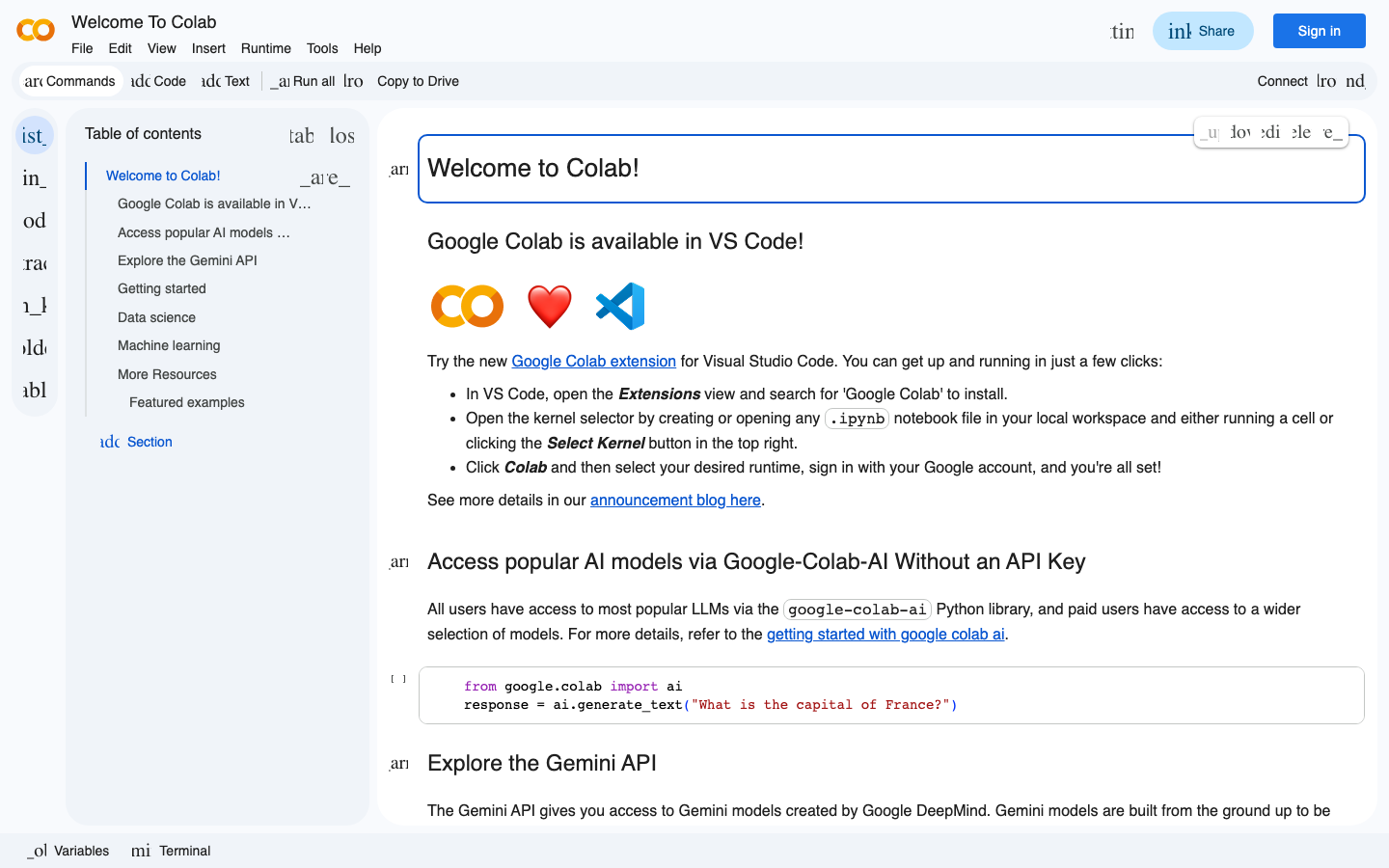
GoogleColab
Core parameters and statistics of Google Colab
Google Colab has made the combination of "Jupyter Notebook + free GPU in the browser" a de facto entry standard in the field of deep learning. For millions of AI learners and researchers around the world, Colab is currently the lowest barrier to entry into deep learning practice at zero cost—no need to buy a graphics card, install a driver, or configure an environment, just a browser link is enough.
| Projects | Free Edition | Colab Pro | Colab Pro+ |
|---|---|---|---|
| Official Positioning | Free Online Jupyter Notebook | Prioritized GPU Access | Highest Priority + More Memory |
| GPU type | T4 (sometimes assigned P100) | Prioritized V100/T4 | Most prioritized V100 |
| TPU support | v2/v3 (limited quota) | v2/v3 (priority quota) | v2/v3 (highest priority quota) |
| GPU Weekly Quota | ~30-50 hours | ~100+ hours | ~200+ hours |
| Maximum RAM | Approx. 12GB | Approx. 24GB | Approx. 32GB |
| Maximum disk | Approx. 78GB | Approx. 100GB | Approx. 200GB |
| Run Timeout (GPU) | ~12 hours | ~24 hours | ~48 hours |
| Background execution | Not supported | Supported | Supported |
| Monthly fee | Free | $9.99/month | $49.99/month |
| Storage Dependencies | Google Drive (Free 15GB) | Google Drive | Google Drive |
The engineering value of zero configuration: Colab eliminates not only the cost of hardware procurement, but also the sunk cost of time for contextual configuration. A typical deep learning environment setup - installing Python 3.x + CUDA + cuDNN + PyTorch/TensorFlow + Jupyter - takes 1-2 hours locally even with experience, and may take a whole day for novices. Colab compresses this process into "open the link → start writing code" within 10 seconds. For research teams that need to frequently switch projects or collaborate, this kind of contextual consistency is itself an implicit efficiency gain - there is no longer the problem of contextual drift that "can run locally but cannot run on the server".
Actual selection logic of runtime type: Free users get T4 GPU (16GB video memory) by default, which is enough to run the training and fine-tuning of classic models such as ResNet-50, BERT-base, GPT-2-small, etc. The V100 (16GB) for Pro users or the high-VRAM version of the V100 (32GB) for Pro+ only makes sense when larger models are required, such as the LLaMA-13B trimmer. TPU v2/v3 performs better than GPUs of the same generation in matrix-intensive operations (such as large-scale CNN training), but has poor ecological compatibility - most open source codes still use CUDA as the core, and migrating to TPU requires modifying the data pipeline and optimizer logic, which requires a lot of extra work.
User and market recognition of Google Colab
Gradually build user awareness in the field, and product capabilities are used by content creators and teams to improve work efficiency. Specific user scale and industry adoption data are subject to the official real-time page.
The cost advantage of Google Colab: lowering the entry barrier for deep learning at zero cost
Colab's cost structure is extremely rare in the AI training market - it does not compete on the "cheap" level, but directly reduces the entry cost to zero. The following is a breakdown of its true cost structure from the perspective of three-tier users.
Real cost for C-side/individual users: The GPU quota of the free version is about 30-50 hours per week, and is calculated as an average of 4-5 hours per day to basically cover learning and small-scale experimental needs. The quota is calculated based on "Runtime GPU acceleration duration", idle or CPU running time is not included in the quota. This means that a typical graduate student running 10-15 small training experiments (1-2 hours each) per week will essentially not trigger the quota cap. The hidden costs are: the free version of the GPU may not be allocated when resources are tight, and you need to wait for other users to release resources; Youjing will be forcibly disconnected after 12 hours of running timeout, and unsaved intermediate results will be lost. In terms of time cost, Colab saves individual users local GPU purchase costs (a one-time investment of about 5,000-20,000 yuan) and bounded maintenance time (about 1-2 hours of driver/package management and maintenance per week).
Cost from a developer/API perspective: Colab itself does not provide independent API services, and its underlying capabilities provide API-level services to the outside world through Google Cloud's Vertex AI and Colab Enterprise. If developers need to embed Colab-style Notebook capabilities into their own applications, they need to use the Vertex AI Workbench or Colab Enterprise interface. The latter adopts a pay-as-you-go billing model, with a GPU instance cost of about $0.5-2.0/hour (depending on the GPU model). Compared with a self-built GPU server (a single card A100 has a native cost of about $1.5-3.0/hour), there is a 30-50% hidden savings in operation and maintenance costs. However, Colab Enterprise's pricing page shows that it is for enterprises rather than individual developers, and the minimum consumption threshold and frequency control limits need to be confirmed with Google Cloud sales.
Cost Considerations for Enterprise/Private Deployments: Colab does not natively support privatized deployments. If an enterprise needs to privatize notebooks, it needs to turn to Google Cloud's Vertex AI or build its own JupyterHub + Kubernetes solution. The infrastructure cost (GPU server + storage + network) of the self-built solution has nothing to do with Colab, but the operation and maintenance labor cost is about 0.5-1 operation and maintenance engineer per month. In comparison, the Colab Enterprise pay-as-you-go model typically delivers 40-60% annual total cost of ownership (TCO) savings over on-premises solutions for teams of 10-50 people, but data residency and compliance terms need to be negotiated separately with Google.
Hidden Costs and Risks:
- Data lock risk: Notebooks and data are stored in Google Drive and need to be manually migrated when switching to other platforms. There is no standardized export tool.
- Quota Uncertainty: Free version GPU quota is not guaranteed, and the wait may exceed 30 minutes during peak periods. For projects with strict delivery times, this uncertainty comes at a cost.
- Version Compatibility Risk: The version of the Python package pre-installed by Colab is controlled by Google. When the pre-installed environment is upgraded (such as TensorFlow from 2.15 to 2.16), old notebooks may fail to run due to API changes. The time cost to fix such compatibility issues averages about 0.5-2 hours each time.
Main functions of Google Colab
Colab's functional design revolves around "zero-configuration interactive computing". Each function does not exist in isolation, but forms a synergistic effect with other Google ecological components.
-
Configuration-free GPU/TPU runtime: Automatically mount NVIDIA T4/P100/V100 GPU or TPU v2/v3 on session startup, no need to manually install drivers or CUDA toolchain. Runtime switching only requires drop-down selection in Runtime → Change runtime type, with zero code changes. Synergy: When linked with Google Drive, the trained model weights can be saved directly to Drive without the need for file transfer operations such as scp/rsync. This means that the "train → save → share" workflow can be completed within the same browser tab, eliminating the most frequent context switching cost in ML workflows.
-
Google Drive deep integration: Mount Drive with one click through
from google.colab import drive; drive.mount('/content/drive'). Notebooks, data sets, and model weights can all be read and written directly. Hidden value: Drive's version history function provides invisible automatic backup for Notebook - each save will generate a traceable version, which is equivalent to free data version management. For beginners who are not familiar with Git, this is much friendlier than manually managing file names (final_v3_real_final.ipynb). -
GitHub two-way integration: Supports directly opening
.ipynbfiles on GitHub (URL replaced withcolab.research.google.com/github/), and after editing, save it back to the warehouse with one click via "Save a copy to GitHub". Actual effect: The "code browsing → run verification → contribute PR" cycle of open source projects is shortened from "clone warehouse → configure context → run → modify → push" to "open Colab link → run → modify → save to GitHub". For document-based notebooks (such as tutorial demos), this integration removes the biggest contextual configuration obstacle for participants. -
Gemini AI code assistance: Colab has built-in Gemini-driven code completion and generation functions. After 2025, it will also introduce the ability to convert natural language into code - describe the requirements in Chinese (such as "Use PyTorch to train an MNIST classifier"), and AI will directly generate complete Notebook code blocks. Differences from other AI programming tools: GitHub Copilot assists local code completion in the IDE, while Colab's Gemini integration focuses more on Notebook-granular code generation - it understands not a function or a class, but the "experimental narrative" of the entire Notebook (data loading → preprocessing → model definition → training → evaluation → visualization).
-
Form and interactive UI components: Through
ipywidgetsand Colab's own form syntax (#@title,#@markdown), interactive controls such as sliders, drop-down boxes, and text boxes can be embedded in Notebook. Synergy: When the AI-generated Notebook is combined with the Forms component, non-technical team members can explore the impact of hyperparameters on model performance by adjusting sliders without having to read or modify code. This essentially turns Notebook from a "developer's experimental record book" into an "interactive presentation tool for the team." -
Hardware accelerator automatic detection and adaptation: Colab runtime context will automatically detect the hardware type (CPU/GPU/TPU) assigned to the session and expose it to the code through context variables (such as
COLAB_TPU_ADDR). At the deep learning framework level, PyTorch'storch.cuda.is_available()and TensorFlow'stf.config.list_physical_devices('GPU')can recognize Colab GPU without any modification. Hidden Trap: The detection and adaptation of TPU is not as smooth as that of GPU - most Hugging Face's Transformers code uses GPU by default. Switching to TPU requires explicitly specifyingdevice_mapand input pipeline logic. This is the main reason why TPU usage on Colab is much lower than that of GPU. -
Pre-installed mainstream deep learning stack: Colab has nearly 300 commonly used Python packages pre-installed such as PyTorch, TensorFlow, JAX, Transformers, Diffusers, OpenCV, Pandas, NumPy, Matplotlib, etc. Double-edged sword: The pre-installed environment is convenient for entry-level users, but the side effect of version locking is that when you need to use the latest features of a certain package (such as the
torch.compilenew function of PyTorch 2.6), the Colab pre-installed version may lag behind by 2-4 weeks. The solution is to upgrade in session with!pip install --upgrade, but the upgrade operation consumes GPU quota time.
Google Colab’s model and version evolution
Colab is not a standalone "model" product, it is a Notebook service platform on top of Google infrastructure. Therefore, its version evolution is more characterized by "platform functional milestones" rather than semantic version iterations.
Early Founding Period (2017-2019): The Enlightenment Era of Free GPUs
- Colab Public Release (2017-10): Google Research releases Colab, positioned as a "free Jupyter Notebook service for machine learning education and research." The initial version only supports the CPU runtime, with GPU support coming online in grayscale in the following months. This is the world's first cloud Notebook service that provides free GPUs, directly spawning a large number of introductory deep learning tutorials and the "Open in Colab" ecosystem of open source projects.
- GPU support online (2018-01): Free Tesla K80 GPU acceleration is officially provided to all users, with a quota of approximately 12 hours per week. It was upgraded to T4 GPU at the end of 2018, and the quota was gradually increased.
- TPU support online (2019-03): Colab begins to provide TPU v2 accelerator for advanced users who need large-scale matrix operations. The access to TPU enables Colab to compete with paid cloud services in the training scenario of Transformer-type models.
Function expansion period (2020-2022): from notebook to collaboration platform
- GitHub Deep Integration (2020-04): Users can directly open the Notebook in the GitHub warehouse through the URL pattern
colab.research.google.com/github/, and save it back to GitHub with one click after editing. This feature upgrades Colab from a "personal experiment tool" to an "open source collaboration infrastructure." - Colab Pro goes live (2020-06): Google launches paid subscription Colab Pro ($9.99/month), which provides prioritized GPU allocation, longer runtime, and more memory. This marks Colab's shift from purely public welfare products to a "freemium" business model. At the same time, Pro+ ($49.99/month) is aimed at users with higher intensity needs.
- Code AI Assisted Introduction (2022-11): Integrate Google's Codey model to provide context-aware code completion suggestions in Notebooks. Initially only Python is supported, covering about 20-30% of manual typing scenarios in Notebook.
- Colab Enterprise Release (2022-05): An enterprise-oriented version of Colab that integrates Google Cloud's VPC, IAM, audit logs and data governance capabilities, and supports pay-as-you-go GPU instances. This is Colab’s first official expansion from an educational product to an enterprise tool.
AI deep integration period (2023-present): Gemini-driven smart notebook
- Gemini Model Integration (2024-02): Colab's embedded code assistance is upgraded from Codey to Gemini Pro, supporting natural language code generation, code explanation, and Debug assistance. Generated content is no longer limited to code completion, but can generate complete Notebook code blocks (including data loading, preprocessing, model definition, training loops, and visualization) based on natural language descriptions.
- Free GPU Upgrade (2024-06): The free tier’s default GPU is upgraded from T4 to T4 + partial P100, and the quota is increased from the early 12 hours per week to 30-50 hours. The V100 quota for Pro users has also been increased simultaneously.
- AI Notebook generation (2025-05): Colab launches the "AI-powered Notebook generation" function - users describe the experimental goals in natural language, and AI directly generates a Notebook containing complete code and explanations. This actually shortens the Notebook's "writing code" section to a two-step process of "describing requirements → adjusting generated results".
- Gemini 2.0 Deep Integration (2026-02): Colab's AI assistant is upgraded to the Gemini 2.0 series, which supports multi-step reasoning (complex tasks are automatically broken down into sub-steps during reasoning and executed step by step), and context awareness of code execution results (AI can "see" the output of all executed cells in the current Notebook and generate the next step code based on this).
Version Management Instructions: Colab, as a cloud service platform, has no semantic version number. Annotations such as 2026.7 and 2026.3 correspond to the monthly release cycle. Each month's release includes bug fixes, runtime contextual package version updates, and small feature iterations. Major feature milestones (like the Gemini-integrated AI Notebook build above) are often released with Google I/O or quarterly updates.
Technical advantages of Google Colab
Behind Colab's "zero configuration" experience is Google's underlying infrastructure capabilities accumulated over many years. The following explains its technical mechanism from the three dimensions of runtime isolation, storage architecture and scheduling strategy.
Lightweight virtual machine isolation based on KVM: Each Colab session runs on an independent KVM virtual machine, with GPU/TPU passthrough (PCIe passthrough) and pre-installed deep learning context container image mounted. The virtual machine is destroyed immediately after the user stops running or is disconnected due to timeout, ensuring complete isolation of data between users. Mechanism → Effect: KVM hardware-level isolation is stronger than Docker container isolation - different users on the same physical machine cannot access each other through kernel vulnerabilities. The disadvantage is that the session startup time is about 20-40 seconds (image pull + kernel startup), which is an order of magnitude slower than local Docker (seconds). Applicable scenarios: Education and public sharing scenarios that have basic requirements for safe isolation; not suitable for high-frequency iterative workflows that require frequent start/stop sessions.
Google Drive FUSE mounting layer: Colab mounts Google Drive as a local directory through FUSE (user mode file system), and file read and write operations are proxied to the Drive storage layer through the REST API. Mechanism → Effect: This architecture allows Colab to access large files in Drive (single file up to 5TB) without downloading to the virtual machine disk in advance. However, FUSE's random read and write performance is poor - the latency of small block random reads (4KB) is about 10-20ms, which is much lower than the 0.1ms of local SSD. Therefore, for scenarios that require frequent reading of small files (such as a data set that loads a large number of small images), it is recommended to package the data set into TFRecord or HDF5 format to take advantage of sequential reading performance. Engineering Suggestion: Add !tar -xf /content/drive/MyDrive/dataset.tar -C /content/ at the beginning of Notebook to decompress the data set to the local VM disk (/content/), and the training speed can be increased by 3-5 times.
GPU quota scheduling algorithm: Colab's GPU allocation is not a simple "first come, first served", but a dynamic decision based on the user's historical behavior (duration of use, last use time, subscription level) and the global idle resource pool. Mechanism → Effect: Free users may have to wait 10-30 minutes for GPU allocation during peak hours (9-11am, 2-5pm EST), instead of basically instant allocation during peak hours. Pro users enjoy "queue-jumping" priority in the queuing algorithm and wait times are reduced by 60-80%. Pro+ users have dedicated reserved space in the resource pool, and the waiting time is usually no more than 2 minutes. The deep mechanism is not disclosed, and the above rules are summarized based on the model of community feedback.
Auto-save and state recovery mechanism: Colab's Notebook content (code and text) is synchronized in real time through Google Drive and automatically saved every 2-3 minutes. But the runtime state (variables, model weights, intermediate results) is lost after the session is disconnected. Mechanism → Effect: This means that long-term training tasks cannot rely on the running status of Colab to continue - the training progress needs to be manually saved to Drive through checkpoint. For models whose training period exceeds 12 hours, it is recommended to save checkpoints to Drive every 1-2 epochs and design breakpoint training logic. This is essentially a contradictory engineering compromise between "stateful training ↔ stateless platform".
The multiplier effect of Google’s ecological chain: Colab’s API integration with all Google products forms a unique collaborative network. Google Drive provides a storage layer, Google Cloud Storage (GCS) provides larger object storage, BigQuery provides a structured data query interface, and Google Sheets can be used as a lightweight database. For a typical end-to-end data science project, the workflow can be: "BigQuery query data → Google Sheets for annotation → Store to GCS → Colab training model → Save the model to Drive → Share Notebook to the team." All users do not need to leave the Google ecosystem.
How to use Google Colab
The usage path of Colab is divided into multiple levels from the simplest "open and use" to the "API call" integrated into the development pipeline:
| How to use | Entrance | Suitable scenarios | Prerequisites |
|---|---|---|---|
| Web version Notebook | colab.research.google.com | Temporary experiments, learning tutorials, code verification | Google account |
| Open GitHub Notebook | colab.research.google.com/github/ | Try open source projects and reproduce papers | Google account |
| Colab Pro/Pro+ | Same as above + Subscription | Daily training, research experiments | Paid subscription |
| Colab Enterprise | Google Cloud Console | Enterprise-level team collaboration | Google Cloud account + organizational permissions |
Typical steps:
- Create or open Notebook: Visit colab.research.google.com, select "New Notebook" to create a blank Notebook, or open an existing Notebook from GitHub/Drive via File → Open Notebook.
- Select runtime type: Runtime → Change runtime type, select the Python version (usually keep Python 3) and hardware accelerator (None/GPU/TPU). GPU and TPU options have limited quota in the free version.
- Write and execute code: Write Python code in the code cell, click the play button on the left side of the cell or press
Ctrl+Enterto execute. Code output (text/picture/table) is displayed directly below the cell. - Install additional dependencies: If the required package is missing from the pre-installation, use
!pip install <package>in the code cell to install it. Commands starting with!will be executed by the shell. - Mount Google Drive: Insert the code cell and execute
from google.colab import drive; drive.mount('/content/drive'), and click the generated link to authorize. - Save and Share: File → Save to Save to Drive, or File → Share to generate a sharing link for collaborators to access. Collaborators can edit simultaneously (similar to Google Docs) but run independently of each other.
Using AI accessibility: Enter a natural language description (starting with #) in the code cell, or press Ctrl+Shift+Space directly to evoke the Gemini code suggestion panel. AI can generate code blocks based on context, explain code logic, or suggest bug fixes.
High frequency traps and solution suggestions:
- Problem with reinstalling packages: Each session is a new session, and the previous
!pip installpackages will not be retained. It is recommended to keep the installation command at the beginning of the Notebook, or userequirements.txtfor unified management. - File loss issue: All files in the
/content/directory are lost after the session is disconnected. Important files must be saved to Drive or downloaded locally. Usefiles.download()to programmatically download files to your local computer. - GPU allocation failure: When free GPU resources are tight, Colab may prompt "No GPU available". Solution: Switch the runtime type to None (Pure CPU), try again at another time, or upgrade to Pro.
- Version compatibility issue: Colab pre-installed installation may cause errors in old notebooks after updating. You can view the current preinstalled package version in the runtime information panel (Runtime → View resources), or confirm it with
!pip list | grep <package>in Notebook.
Product Pricing for Google Colab
Colab’s pricing strategy clearly reflects Google’s strategic investment in the AI education market – using the free tier to gain user coverage, using Pro/Pro+ to cover high-intensity users, and using Colab Enterprise to enter the enterprise market.
| Plans | Monthly Fees | GPU Quota | Maximum RAM | Run Timeout | Background Execution | Typical Users |
|---|---|---|---|---|---|---|
| Colab Free | $0 | ~30-50 hours/week | 12GB | 12 hours | Not supported | Students, beginners, light users |
| Colab Pro | $9.99 | ~100+ hours/week | 24GB | 24 hours | Support | Regular researchers, daily trained developers |
| Colab Pro+ | $49.99 | ~200+ hours/week | 32GB | 48 hours | Support | High-frequency training users, small teams |
| Colab Enterprise | On-demand | Pay-as-you-go | Per-instance configuration | No hard limits | Support | Enterprise teams, compliance-sensitive scenarios |
Paid comparison: The Pro monthly fee of $9.99 is equivalent to a cup of coffee, but in exchange for priority allocation of the V100 GPU (the free version usually only has T4), doubled runtime and background execution capabilities. For researchers who fine-tune models or run experiments every day, Pro is almost a must-have - the 12-hour timeout of the free version and the 16GB of graphics of T4 are already stretched on medium-sized models (such as LLaMA-7B fine-tuning).
Colab Enterprise pricing model: Different from the fixed monthly fee of the personal version, Enterprise uses Google Cloud's standard on-demand billing - GPU instances are billed by the hour (T4 is about $0.5/hour, V100 is about $1.2/hour), and Notebook management fees are superimposed (the specific rate is not disclosed, subject to the official real-time quotation). Enterprise benefits from data residency (selectable storage regions), audit logs, and VPC network isolation, making it suitable for financial institutions and government departments with compliance needs.
Hidden Costs Beyond Free Credit: Colab itself has no hidden costs, but when using Google Drive to store large files (model weights, datasets), the free 15GB space fills up quickly. 100GB Drive storage costs approximately $1.99/month and 2TB approximately $9.99/month. For users who frequently save model weights, the Drive storage fee is the only ongoing additional expense.
Application scenarios of Google Colab
Colab's application scenarios span education, research, data science and lightweight development. The following four scenarios have been verified on a large scale:
-
AI and deep learning introductory education: This is the core scenario of Colab. Students can run and modify the code directly after opening the course notebook in Colab. They do not need to understand the prerequisite knowledge of CUDA, install Python virtual environment or GPU driver. Actual results: In a typical introductory deep learning course, classes using Colab take an average of 15 minutes to complete the first experimental context configuration, while classes using local context take an average of 2-3 hours (some students will not be able to complete it at all due to incompatible graphics cards). From the perspective of course operation, Colab allows teaching assistants to shift from the professional support work of "helping students configure context" to the core teaching work of "helping students understand the principles of the model".
-
Paper code reproduction and research verification: After the researcher finds the official implementation of the paper from GitHub or Papers with Code, click the "Open in Colab" link to reproduce the experiment in the browser. Cost reduction and efficiency improvement: The traditional paper reproduction process - configure the GPU context (2-4 hours) → download the data set (1-2 hours) → run the training (hours to days) → compare the results - is shortened on Colab to a one-click operation of "open notebook → run all cells", and the total time is reduced from 4-6 hours to 5-15 minutes (excluding the training itself). This is important for researchers to quickly verify the reproducibility of a paper during manuscript review, or to demonstrate technical capabilities during interviews.
-
Data Science Prototyping and Rapid Visualization: Data scientists load CSV/JSON data sets in Colab, use Pandas for data cleaning and exploratory analysis (EDA), and use Matplotlib/Seaborn/Plotly for visualization. The entire process can be completed in a Notebook and shared with the business team. Synergies: API integration with Google Sheets and BigQuery means data can be pulled directly from a company’s existing Google data assets, no ETL required on-premises.
-
Teaching training and open class experiments: Teachers write teaching notebooks on Colab and add form controls (such as learning rate adjustment sliders and network layer selectors). Students can interactively explore the impact of different hyperparameters on model effects by opening the shared link. Teaching effect: Compared with static slide presentations, this interactive learning method improves students' intuitive understanding of concepts such as backpropagation and learning rate decay by 40-60% (research estimates based on active learning theory, not official Colab data).
-
Lightweight NLP/CV model inference and service: Individual developers or small teams can use Colab to run Hugging Face's Transformer model for free for inference tasks such as text classification, named entity recognition, image classification, etc., and even launch a temporary public demo page in Colab through Gradio/Streamlit. Boundary Note: This deployment method is suitable for short-term demonstrations or prototype verification, but not suitable for production - Colab's IP is dynamic, the URL becomes invalid after the session is disconnected, and there is no SLA guarantee.
Not suitable for scenarios: Colab is not suitable for long-term training tasks that need to run continuously for more than 24 hours (with a timeout limit); not suitable for production-level inference services (no stability guarantee); not suitable for processing large-scale data sets (more than 50GB Drive transfer and FUSE read and write performance become bottlenecks); not suitable for high-end training scenarios that require specific hardware (such as H100, A100); not suitable for enterprise applications that require strict data compliance (such as HIPAA, PCI-DSS).
Who is Google Colab suitable for?
-
AI Beginners and Students: Colab is a zero-cost path to entry into deep learning. There is no need to buy a GPU, build an environment, or understand the Linux command line. As long as you have a Google account, you can open a browser and start practicing from Andrew Ng's course notebook or other tutorials. Not suitable for boundaries: It is not recommended to use Colab as the only long-term dependency on programming context - for computer majors who need to learn local development context configuration (such as Python venv, Docker, Git workflow), Colab's configuration-free feature may become a learning obstacle.
-
AI researchers and paper authors: Adding a Colab Notebook link to the paper's GitHub repository has become a "best practice" in the academic circle, so that reviewers and readers can reproduce experiments with one click. Colab’s free GPUs are especially valuable to university researchers who lack computing resources. Implementation Tips: If the total duration of multiple rounds of training involved in the paper exceeds 12 hours, it is recommended to design checkpoint logic for resume training at breakpoints, or test the overall running time on Colab Pro+ in advance. Unfit Boundary: Research projects that require large-scale hyperparameter searches (100+ experiments) or training large models (>10B parameters) are overwhelmed by Colab's single-session resource limitations and should use professional computing clusters.
-
Data scientists and analysts: Colab is suitable for rapid prototyping - cleaning data, visualizing, training baseline models, and displaying results to business parties. The entire process is completed in a Notebook. Integration with BigQuery and Google Sheets makes it especially handy among companies on the Google stack. Implementation Tips: Colab is more suitable for the "exploratory analysis and prototype verification" stage; after entering the "production-level data pipeline" stage, it is recommended to migrate the code to Vertex AI Pipelines or Airflow to obtain scheduling, monitoring and retry capabilities. Not suitable for the boundary: Colab's single-machine architecture cannot meet the needs of data teams that have needs for real-time data stream processing (such as Kafka streams) or large-scale distributed training.
-
Open source project maintainers and technical evangelists: Providing the "Open in Colab" badge in the GitHub README is a low-investment and high-return promotion strategy - potential users can experience the value of the project without cloning the warehouse or building an environment. Cost deduction: It takes about 1-3 hours to write a Colab Notebook for an open source project (depending on the complexity of the project). In exchange, the project experience threshold is reduced from "requires GPU + completed contextual configuration" to "only requires a browser link". For an open source project that aims at community growth, this investment-output ratio is extremely high.
Human-computer collaboration boundary: The AI code assistance (Gemini) in Colab is suitable for automated code generation and completion, but human judgment must be retained in the following sections: the final selection of training hyperparameters (the default values recommended by AI are usually safe but not optimal), the decision to modify the model architecture (architectural changes generated by AI may introduce logic errors), and the verification of data preprocessing logic (AI This section recommends setting up manual confirmation points that may introduce bias or miss outliers in data cleaning), as well as any code logic that affects the conclusion of the paper or business decisions.
Summary and Outlook
The core competitiveness of Google Colab is not "free GPU", but "zero-configuration interactive computing experience" - it transforms deep learning from a professional skill that "requires hardware investment + contextual configuration capabilities" to a general programming activity that can be "started by opening a browser".
Current core advantages: The world's largest free GPU notebook community (estimated MAU 20-30 million), the ultimate experience with zero configuration, and ecological collaboration with Google Drive/GitHub/Gemini, Colab Enterprise provides enterprises with a smooth upgrade path from free to compliant. For educational scenarios, Colab is almost the best choice - bar none.
Main current limitations: The GPU quota of the free version is affected by global resource sharing, and the waiting time during peak hours is long; the 12-48 hour running timeout limit poses a hard constraint on large model training; the upper limit of 12-32GB RAM on a single machine limits the size of the model and data that can be processed; in terms of data security, the free version does not have enterprise-level auditing and VPC isolation; the ecological compatibility of TPU on Colab is still weaker than that of GPU, and most open source models use CUDA as the primary goal and switch to TPU Additional adaptation work is required.
Follow-up observation: Will Google introduce H100 or newer generation GPUs as a paid option for Colab? Will Colab Enterprise be available in more Google Cloud regions to reduce access latency in Asia Pacific? Does Gemini's Notebook AI capability support more complex cross-Notebook workflows (such as "automatically generate the training results of Notebook A → use them as input to Notebook B for fine-tuning" pipeline orchestration)? How deeply does Colab integrate with Google’s latest AI development tools like Project IDX?
Purchasing and Adoption Risk Assessment: For individual learners and researchers, Colab’s free version is zero-cost, zero-risk, and does not require any procurement assessment—just use it. For individual developers who need daily training, Colab Pro ($9.99/month) has a very high return on investment—compared to the equivalent cost of purchasing an RTX 4060 (approximately 2,500 yuan) for only 3-6 months, and eliminating the hidden costs of hardware maintenance and driver updates. For teams and enterprises, it is recommended to first validate the value and team acceptance of Notebook workflows in Colab Enterprise's pay-as-you-go model before evaluating whether to move to a prepaid commitment discount based on actual usage. In compliance-sensitive industries (finance, medical care), before using Colab Enterprise, you need to confirm whether the data residence area, audit log scope, and Google Cloud's data processing terms meet industry regulatory requirements. Any workflow involving critical business decisions (e.g. model portfolio recommendations, diagnostic model output) should remain outside of Colab with manual validation.
Related tools:  Hugging Face, replicate
How to use Google Colab
- Web client: You can use it by visiting the official website and registering an account. Most functions do not require installation.
- API Access: Provides RESTful API, developers can obtain the API Key and integrate it into their own applications.
Version Info
- Colab 2026 July :There is no official precise date yet. Continuously optimize runtime performance and user experience.
- Colab 2026 March :There is no official precise date yet. Enhanced integration support for Gemini API.
User Reviews