 Compose AI
Free
Compose AI
Free
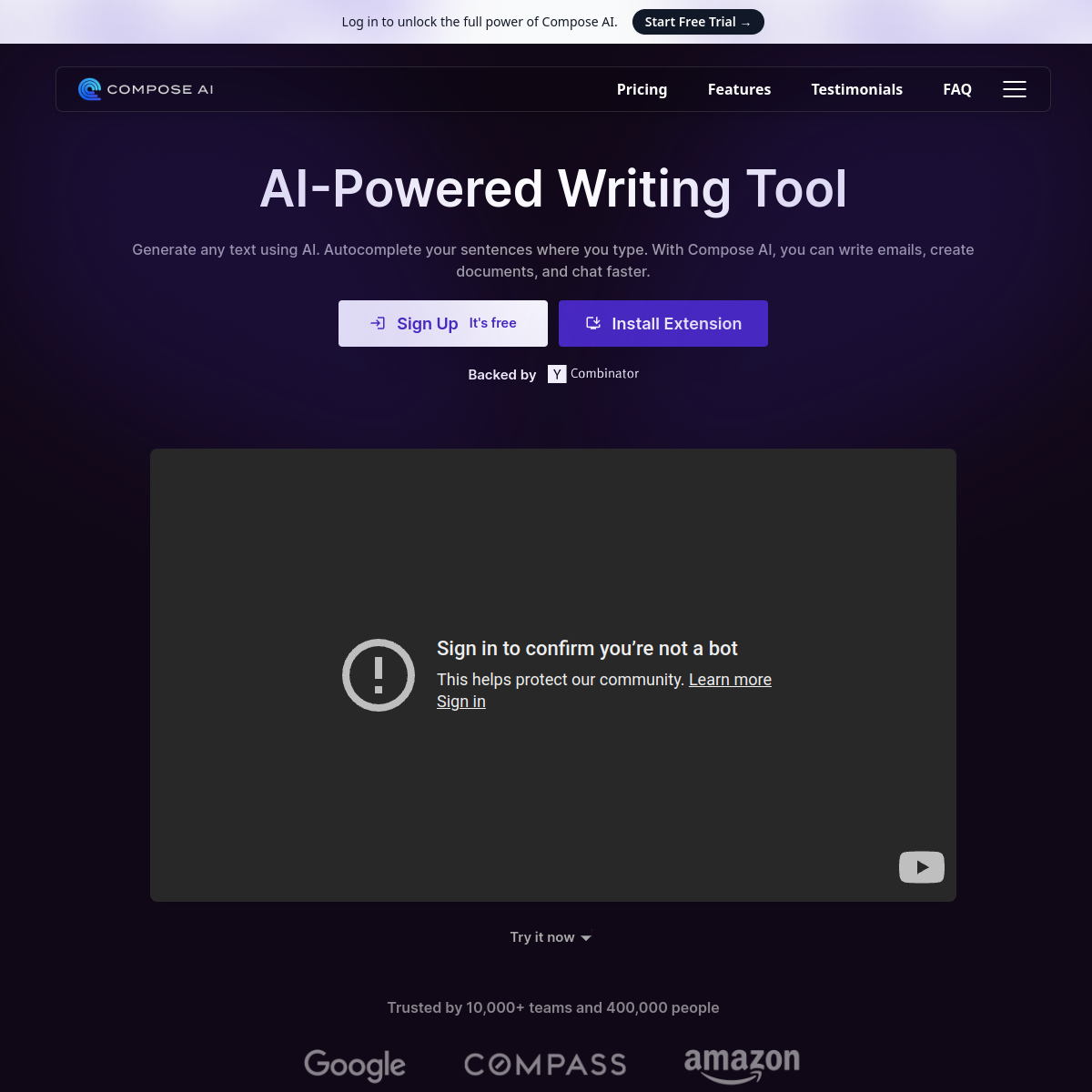
Compose AI is an AI writing assistant that provides AI auto-completion, text generation, email quick reply and sentence rewriting functions in the form of a Chrome browser plug-in. Incubated by Y Combinator, it has 300,000+ Chrome users, covering Gmail, Google Docs, LinkedIn, WhatsApp and other scenarios, claiming to reduce typing time by 40%.
ComposeAI
Core parameters and statistics of Compose AI
Compose AI is not another AI chat window that needs to be opened to use a separate website, but an "AI input method" that is parasitic in the browser - wherever you type, it will wait for you. This product positioning determines that its delivery form and usage boundaries are essentially different from traditional AI writing tools.
| Projects | Public Data |
|---|---|
| Product positioning | AI writing Chrome extension, providing automatic completion and generation capabilities when users input |
| Delivery form | Chrome browser extension (24.73MiB), no independent desktop or mobile App |
| Core activation method | Enter // to bring up the AI generation window, and press the Tab key to accept completion suggestions |
| Supported platforms | Gmail, Google Docs, LinkedIn, WhatsApp, Facebook, Instagram and more |
| Chrome version | v2.1.1 (updated on 2025-01-02) |
| Chrome Rating | 4.1 / 5 stars (244 reviews) |
| User scale | Chrome has 300,000+ users; officially claims 400,000+ individual users and 10,000+ teams |
| Developer | Michael Shuffett, San Francisco, USA |
| Incubation background | Startups incubated by Y Combinator |
| Supported Languages | English (en-US) |
| Privacy Commitment | No data will be sold to third parties, the data will only be used to provide complete suggestions |
Unique boundaries of "AI input method": Compose AI does not serve as an independent editor, nor does it provide a canvas-style experience for long-form writing. Its core value anchor is "inserting AI acceleration nodes into the user's existing input process" rather than creating a new writing context. This means: if you are used to writing documents in Google Docs, answering emails in Gmail, and posting messages on LinkedIn, Compose AI can seamlessly accelerate these processes; but if you need a full-featured AI writing workbench (a sidebar editor like Notion AI or Craft AI), it is not suitable.
Version Note: The version number iteration of the Chrome extension does not represent the version of the underlying AI model, but is more an update of the front-end functional UI interaction and integration adaptation. The underlying AI capabilities continue to iterate with the server, and the official has not disclosed specific model version information.
Users and market recognition of Compose AI
Compose AI's market positioning can be summarized as "a long-tail writing tool under the auspices of YC". Its user base comes from the distribution ecology of Chrome extensions and the credit endorsement of the YC brand, rather than large-scale advertising or corporate sales.
Chrome extension ecological data: 300,000+ Chrome users have an average rating of 4.1 stars (244 reviews), which is an above-average performance in the "Communication" category of Chrome Web Store. For comparison, similar competitor HyperWrite has a rating of 4.2 stars, but has a smaller user base. Positive feedback in the evaluation focused on "high accuracy of auto-completion" and "saving a lot of time by replying to emails"; negative feedback mainly related to "compatibility issues with some websites", "feature limitations of the free version" and "sometimes the completion suggestions are not accurate enough".
Officially claimed coverage: The official website states "Trusted by 10,000+ teams and 400,000+ people". This data is official self-disclosure and has not been audited by a verification agency. It is recommended that it be regarded as a reference for brand reputation rather than a basis for contract negotiation.
Y Combinator Endorsement: As a YC incubated project, Compose AI received the brand credit and resource network support of the startup accelerator at an early stage. This may constitute a certain trust bonus in To B procurement, but YC incubation itself does not constitute third-party certification of product functions.
Market Visibility: It is included in Product Hunt, Chrome Web Store editor recommendations, and mainstream AI tool navigation sites (such as There's An AI For That, Futurepedia), indicating that it has stable search volume and comparison frequency in the AI writing tool track. However, no horizontal evaluation reports from third-party authoritative evaluation institutions or coverage data from industry analysts can be found in the public information.
Cost advantage: free plug-in + light monetization of premium subscription
- C-side/Individual: Usually a free version is provided to experience the core functions, and high-frequency use requires a paid package subscription.
- API/Developer: Billed by call volume, suitable for development teams that can be flexibly integrated into their own systems.
- Enterprise/Privatized: Contact the business owner for customized quotation and deployment plan. The specific price is subject to the official real-time pricing page.
Compose AI’s main features
The function matrix of Compose AI revolves around the core goal of "reducing the amount of typing". The five main functional modules form a progressive capability chain from "assisted generation" to "automated reply".
-
//AI text generation: Enter//(two slashes) in any input box, and a prompt input box will pop up. After entering the command, AI will instantly generate paragraph text. This is the core interaction paradigm of Compose AI - without interrupting the user's input flow, directly injecting generated results at the cursor position. Applicable tasks: Quickly draft paragraphs, brainstorm, generate marketing copy, write blog starters. Synergy effect: Cooperate with auto-completion - first use//to generate skeleton paragraphs, and then use auto-completion to speed up polishing in subsequent editing, forming a three-stage workflow of "generate → complete → optimize". -
Autocomplete Everywhere: As the user types, AI predicts the next phrase or sentence in real time, and press the Tab key to accept the suggestion. This is the most differentiated function of Compose AI - unlike Grammarly's grammatical error-correction completion, Compose AI's completion is "semantic-level". It tries to understand the context and generate reasonable following content, rather than just making spelling or grammar corrections. Applicable tasks: Writing email text, filling out forms, and writing social media comments. Synergy effect: Linked with personalized learning - the frequency of users accepting or rejecting completion suggestions will be recorded, the model gradually adapts to personal language habits, and the completion accuracy improves over time.
-
Easy Email Reply: In email services such as Gmail, click the Compose AI button at the bottom of the email to automatically generate reply content based on the context of the original email. Applicable tasks: Quickly reply to confirmation emails, handle a large number of customer service emails, and business replies that need to be polite and formatted. Acceptance Concern: Reply quality is highly dependent on the clarity of the original email - emails that are vague or have a lot of unstructured information may cause the generated reply to be off-topic. It is recommended to perform manual proofreading after each generation, especially in scenarios involving specific numbers, dates and commitments.
-
Rephrase: Select a piece of written text and use the Rewrite menu to make it friendlier, more formal, more concise, longer or completely rewritten. Applicable tasks: Adjust the tone of the email (from casual to formal), condense lengthy paragraphs, and expand key points into complete sentences. Synergy: Overwrite works seamlessly with
//generation - draft with//, then use Overwrite to adjust tone and length, and finally refine with autocomplete, no need to switch between multiple tools. -
Compose Email: Use the shortcut key Option+G (Mac) or Alt+G (Windows) to open a dedicated email composition window, enter a short prompt and generate a complete email body. Applicable tasks: Formal documents that require formatting structure and polite language, job notification emails, and customer follow-up emails. Differences from Easy Reply: Compose Email is composed from scratch, while Easy Reply is based on a reply to an existing email - both cover the entire scenario of "compose → reply".
Difference between functional moat and competing products: The core difference between Compose AI and Grammarly is "completion vs error correction" - Grammarly tells you where you made a mistake, and Compose AI helps you write a sentence. Compose AI is lighter in interaction than HyperWrite (just //), but HyperWrite goes deeper with native Gmail integration and fine-tuning of the personalization model. Compared with the ChatGPT web version, Compose AI's copy-paste-free experience is the biggest advantage - the content appears directly at the cursor position, and there is no need to switch to another tab and paste manually.
Versions and Evolution of Compose AI
The version iteration record of Compose AI is mainly based on the Chrome Web Store release log, and the server-side AI capability version is not disclosed.
Chrome extension trunk version
| Version number | Approximate release date | Key changes |
|---|---|---|
| v2.1.1 | 2025-01-02 | The latest version, bug fixes and performance optimization, specific Release Notes are subject to the official release page |
| v2.1.0 | ~2024-09 | Feature enhancements, optimized multi-site compatibility and rewritten experience |
| v2.0.0 | ~2024-03 | Major update, introducing Rephrase rewriting function and Compose Email email writing module, UI reconstruction |
| v1.x | ~2023 | Early version, basic validation period for core autocompletion and // generation mechanisms |
Server-side AI capability version
There is no publicly visible version numbering system for AI inference server versions outside of Chrome extensions. Compose AI updates model capabilities in a "continuous online iteration" manner, without disclosing the underlying model version, parameter scale, or training data date to end users. Model behavior in production environments may change without notice. This is a general prerequisite for using managed AI services, but it needs to be paid attention to in procurement evaluation - if the model behavior suddenly deviates in critical business scenarios, whether the team has the ability to quickly perform quality inspections and emergency switchovers.
Version evaluation suggestions
For the version number of the Chrome extension itself (such as v2.1.1), it is recommended to set the automatic update policy to "Delay one to two weeks" during team deployment to avoid compatibility issues that may be introduced by the new version. For server-side AI capabilities, the lack of a version number means that version rollbacks cannot be used to cope with quality fluctuations - the team should set up quality monitoring points in key output sections (such as manual sampling to review the consistency of AI-generated content).
Technical advantages of Compose AI
Compose AI's technical route is based on the layered architecture of "browser extension + cloud AI inference", rather than a client-side model or a pure offline solution. This choice determines its upper limit of capabilities and dependency conditions.
Lightweight embedding of the browser extension layer: The extension (~24.73MiB) does not run large model inference itself, but rather acts as a front-end interaction layer responsible for capturing user input context, rendering completion suggestions, and routing requests to the cloud API. The advantage of this architecture is that the plug-in occupies very few local resources (no need to download model files), but the price is that all completion and generation requests rely on network connections - the plug-in is basically unavailable when the network is disconnected. In mobile hotspot scenarios with unstable signals, user experience will be significantly degraded.
Personalized adaptation of cloud AI inference: Compose AI officially announced that its AI model will learn the user's writing style ("learns your voice") and adjust the model output by recording the user's behavior of accepting/rejecting completion suggestions. This mechanism is similar to Grammarly's "Personal Dictionary", but the data dimension is deeper - it not only records vocabulary preferences, but also sentence structure and tone tendencies. Effect: The longer the usage time, the better the fit between the completion suggestions and the user's own writing style. Mechanism Limitation: Personalized learning is only available in Premium subscription, and free users cannot benefit. In addition, the completion experience in the "cold start" phase of user data (between first use and establishing a stable behavioral profile) will be significantly worse than after long-term use - for new users, the experience of use in the first few days may not represent the true capabilities of the tool.
Privacy and Data Mechanisms: According to the Chrome Web Store's privacy disclosure, Compose AI collects "personally identifiable information, personal communications, location, web history, user activity, and website content." The official commitment is not to sell data to third parties, and the data will only be used to provide completion functions. Interpretation from an engineering perspective: To achieve accurate context-aware completion, reading the text content near the current input box is a technical necessity. However, the scope of collection of "web page history" and "website content" means that plug-ins may access user behavior data on multiple tabs, and the enterprise's data leakage prevention (DLP) strategy needs to evaluate this risk. Compose AI's privacy policy (compose.ai/privacy-policy) provides more details and is recommended for review by the legal team before deployment.
Supported Major Website Compatibility: Officially clearly listed as tested and optimized on Gmail, Google Docs, LinkedIn, WhatsApp, Facebook, Instagram. For unlisted sites, autocompletion may work erratically or not at all. Applicable scenarios: If your writing process is mainly within the Google Workspace ecosystem, Compose AI’s compatibility is the most stable. If the main tool is Notion, Slack, Outlook Web and other platforms, it is recommended to fully test it in the free version before deciding whether to upgrade to Premium.
How to use Compose AI
The usage path of Compose AI is extremely simple - almost all interactions are completed in the browser, and there is no need to switch applications or learn complex panel operations.
Step 1: Install the Chrome extension
- Visit the Chrome Web Store installation page
- Click "Add to Chrome" to complete the installation
- After installation, the plug-in icon appears in the upper right corner of the browser toolbar
Step 2: Register/log in account
- Click the plug-in icon and register using your email or Google account
- The free version can enable core functions without binding a payment method
Step 3: Core interaction - enter // to activate AI generation
- Enter two slashes
//in any supported input box (Gmail, Google Docs, LinkedIn messages, etc.) - Describe what you want in the pop-up command box (such as "Write an apology email about the project delay")
- Press Enter to submit, and the AI-generated text will be inserted directly at the cursor position
Step 4: Autocomplete—Tab to accept suggestions
- When entering text normally, gray dotted text will appear behind the cursor (below AI prediction)
- If the suggestion meets your intention, press the Tab key to accept it; if it does not, continue typing normally and ignore it.
- The system will record your acceptance/ignorance behavior and gradually adjust the personalized model
Step 5: Quick email reply
- Open a message in Gmail
- Click the Compose AI button at the bottom of the email (or press Option+G / Alt+G)
- Choose the tone and length of your reply, and AI will automatically generate a draft reply
- Be sure to proofread key information before reviewing and clicking send
Step 6: Rewrite sentences
- Select any written text and click the Compose AI rewrite icon that appears
- Select the rewriting method: Shorter (shortened), Longer (expanded), More Friendly (more friendly), More Formal (more formal), Reword (rewrite)
- Rewrite the result to replace the original text
| How to use | Suitable for the crowd | Core advantages | Prerequisites |
|---|---|---|---|
| Chrome Extension (Free) | All Chrome Users | Zero-cost trial, core autocompletion available | Chrome Browser, Web Connect |
| Chrome extension (Premium) | Frequent writers, need personalized adaptation | Personalized writing style learning, advanced rewriting | Paid subscription |
| Boot page (welcome.compose.ai) | New users | Usage guides and tips for different scenarios | Chrome extension installed |
Implementation Tip: It is recommended that new users do a "conscious trial" in the first three days of first use - deliberately use // generation and auto-completion in production context, and record the acceptance rate and the number of manual corrections. If the acceptance rate is less than 60% after three days or the cost of correction is higher than manual entry, the tool may not have a satisfactory ROI in your current workflow.
Product Pricing for Compose AI
The pricing structure of Compose AI seeks a balance between "attracting the largest number of free users" and "charging for high-frequency functions". This is a proven and mature monetization model in the Chrome extension ecosystem.
Free version capability boundaries:
- ✅ AI auto-completion (all supported sites)
- ✅
//text generation (basic mode) - ✅ One-click email reply (Easy Email Reply)
- ⛔Personalized writing style learning (Premium only)
- ⛔ Advanced rewriting (tone adjustment, length change, etc. - need to confirm specific payment items)
- ⛔ Chat with Compose (contextual conversation function)
Premium Edition Value Evaluation: Personalized learning is the most differentiated value capability behind the paywall. For business people or content creators who write more than 2,000 words per day, the efficiency gains brought by personalized adaptation may be worth the money. But for ordinary users who don’t write much (reply 5-10 emails a day, write a few social media posts), the free version’s auto-completion and // generation may meet most needs.
Enterprise version purchase prerequisites: Before batch deployment in the enterprise, you need to confirm the following prerequisites with the team: whether each employee has obtained IT approval to install the browser extension; whether the conflict between the data collection scope and the enterprise data governance policy has been assessed; whether there are clear ROI measurement indicators (such as "the average time it takes to reply to an email is reduced from 15 minutes to 8 minutes"). Gap in current public information: The existence of enterprise-level functions such as SSO support, administrator dashboard, data export and deletion API, SOC2 reporting, etc. is not clearly disclosed on the public page and needs to be proactively requested in business communications.
Compose AI application scenarios
The application scenarios of Compose AI are determined by the form of "browser plug-in" - it is good at accelerating "text interaction completed in the browser" and is not good at writing tasks that require an independent workbench or offline context.
-
Business Email Processing: The scenario covers the entire link from daily reply to formal writing. Typical tasks include: quickly replying to confirmation emails (Easy Reply generates them with one click), drafting customer follow-up emails (Compose Email is written from scratch), and adjusting the tone of the email (Rephrase changes from casual to formal). Efficiency deduction: Taking junior customer operations as an example, 30-50 emails are processed every day. After using Compose AI, the time to write a single email can be reduced from about 6 minutes to about 3-4 minutes (including manual review), which can save an average of 60-90 minutes per day. Acceptance concerns: Emails involving amounts, dates, and contract terms must be reviewed manually. It is not recommended to directly use AI-generated scenarios without proofreading.
-
Social media content creation and interaction: Use directly in the input box of LinkedIn, Facebook, Twitter/X and other platforms. Typical tasks include: writing professional news posts, responding to comment messages, generating Instagram copy, and adapting the same content to adapt the tone of voice for different platforms. Efficiency deduction: Social media operators need to produce 5-8 pieces of platform content every day, and each piece takes about 20 minutes from conception to publication. Using
//to generate a first draft + rewriting and fine-tuning, a single article can be compressed to 10-12 minutes, saving an average of 40-60 minutes per day. Acceptance concerns: Consistency of brand tone - AI-generated copy may deviate from brand guidelines in tone. It is recommended to prepare a style prompt word template and inject it before each use. -
Google Docs document collaborative writing: In multi-person collaborative documents, quickly generate paragraphs, rewrite colleagues' drafts, and fill in vacant chapters. Typical tasks include: generating the first draft of weekly reports/monthly reviews, rewriting the English expressions of non-native colleagues, and expanding meeting notes into complete meeting minutes. Efficiency Deduction: Taking the cross-department weekly report as an example, it takes about 45 minutes from information collection to completion. After using Compose AI to assist in drafting, it is shortened to 25-30 minutes. Acceptance concerns: In a collaboration scenario, completion conflicts may occur when multiple people use the plug-in at the same time. It is recommended to designate one person to be responsible for AI-assisted generation, and others to focus on content review.
-
Recruiting and HR Communications: Send personalized candidate messages in bulk in LinkedIn Recruiter or email. Typical tasks include: generating customized invitations based on candidate resumes, responding to candidate FAQs, and drafting interview feedback emails. Efficiency deduction: Recruitment specialists need to send 20-30 candidate messages every day, and each message needs to be customized after reading the resume. Using Compose AI’s context-aware generation, the time to compose a single email is reduced from 5 minutes to 2-3 minutes, saving an average of 60-90 minutes per day. Acceptance Concern: The degree of personalization generated by the AI depends on the richness of the input context - simply pasting a candidate's current position may not be enough to generate a high-quality offer, it is recommended to include specific points of achievement from the resume in the prompt.
Not suitable for scenarios: Compose AI is not suitable for scenarios that require in-depth long document writing (such as research reports and technical white papers of more than 5,000 words) because the browser plug-in form lacks the structural management capabilities of long documents. It is also not suitable for strictly offline environments (such as office computers involving confidential networks), because all AI requests must be transmitted online. For conversational writing that requires multiple rounds (such as using AI as a writing coach to iterate the same paragraph repeatedly), Chat with Compose provides limited capabilities, but the depth of experience is not as good as ChatGPT web version or Claude's conversational interface.
Applicable groups of Compose AI
Compose AI's user stratification is based on the two dimensions of "typing density" and "browser usage intensity". Not all writers are its target users.
-
Business people and high-frequency writers in the workplace: account managers, pre-sales engineers, project managers, and executive assistants who need to deal with a large number of emails every day. Their writing scenarios focus on emails and documents in the browser, and Compose AI can be directly embedded into existing processes. Not fitting boundaries: If your primary writing tool is the Outlook desktop client (rather than Outlook Web) or Apple's Mail.app, Compose AI cannot provide completions—it only works in the browser. If the writing content is highly confidential (such as law firm client emails, investment bank transaction confirmations), outsourcing the data to the cloud API may violate compliance policies.
-
Social media operations and content marketing practitioners: For operators who produce content on multiple platforms every day, Compose AI's cross-platform consistency (the same plug-in works on all social platforms) and rewriting functions can significantly improve the pace of production. Not suitable for boundaries: Social media operations that require a large number of original images and videos cannot be satisfied by Compose AI - it only processes text content and does not involve the generation of multimedia materials. Content calendar functions that require team collaboration (such as multiple operators sharing prompt word templates and style settings) are not clearly supported by current public information.
-
Daily writers who are not native English speakers: Non-native speakers who need to express themselves more fluently in English working situations. Auto-completion can reduce the cognitive load of "not knowing how to express it accurately", and the rewriting function can optimize rough expressions into more authentic sentence patterns. Not suitable for boundaries: Compose AI currently only supports English (en-US) and does not support multi-language writing scenarios such as Chinese, Japanese, and Spanish. If you need mixed Chinese-English or cross-language translation assistance, this is not the right tool.
-
Ordinary user who writes lightly: An average user who writes 3-5 emails a day and occasionally posts to social media. The core functions of the free version (auto-completion +
//generation) can meet daily needs. Unfit boundary: If the annual writing volume is less than 5,000 words (about 20 A4 pages), the efficiency improvement brought by Compose AI may not be able to offset the psychological cost and privacy concerns of installing a browser extension - such users may be more suitable for using the zero-installation solution of the ChatGPT web version on demand.
Procurement/Adoption Risk Assessment: Compose AI is a browser extension that is only available on the Chrome Web Store. Before deployment, the team needs to confirm with the enterprise IT: whether the extension management policy of the Chrome browser allows employees to install plug-ins by themselves; whether the scope of data collection conflicts with the enterprise data governance policy; whether the automatic update mechanism of the extension may introduce unexpected behavior changes in the production environment. For enterprises that require audit logs, administrator permission recovery, and SSO integration, the current public information of Compose AI does not fully meet these needs. It is recommended to only use it in non-sensitive business scenarios during the pilot phase, and then expand to core processes after business communication confirms the boundaries of the enterprise version's capabilities.
Summary and Outlook
Compose AI has found a precise niche in product positioning - "inserting AI acceleration nodes into the user's existing input process" rather than forcing users to migrate to a new writing platform. This strategy makes the installation threshold extremely low and the learning cost almost zero, but it also determines that the boundaries of its capabilities are determined by the technical form of browser extensions.
Core Advantages: // The interaction paradigm is an intuitive innovation - there is no need to learn complex Prompt Engineering. Users generate text using natural language instructions, which complements rather than replaces ChatGPT's conversational UI. The "semantic-level" prediction of automatic completion of the entire site can indeed reduce the amount of typing in English business writing scenarios, and the personalized learning mechanism continues to improve the experience of long-term users. YC incubation background and 300,000+ Chrome users provide it with basic market validation signals.
Current limitations: The single-language restriction of only supporting English makes its coverage in the global market limited; the lack of offline capabilities means that it is basically unavailable in environments with unstable networks; personalized learning is limited to Premium subscriptions, and the free version cannot experience the core differentiated functions; the information transparency of enterprise-level functions (SSO, audit API management console) is insufficient; the version and update strategy of the underlying AI model are not disclosed, bringing uncertainty to enterprise IT governance.
Follow-up observation points: Whether Compose AI plans to expand multi-language support (especially high-frequency business languages such as Spanish, French, and Japanese); whether personalized learning capabilities are decentralized to some levels of the free version; whether the parent company launches team collaboration functions (shared style settings, prompt word template libraries); and more importantly - under the competitive pressure of giants such as Grammarly continuing to strengthen AI writing capabilities, whether Compose AI can maintain its differentiated positioning of "lightweight AI input method" and not be swallowed up.
Procurement and Adoption Risk Assessment Recommendations: For individual users, the free version does not require any upfront cost and is worth installing and trying out for two weeks in the Chrome browser - if the acceptance rate of auto-completion exceeds 60% after two weeks, it means that the tool matches personal writing habits. For team managers, it is recommended to first arrange a small-scale pilot of 3-5 people in non-sensitive scenarios (such as internal emails, document collaboration), and collect quantitative data (time savings, number of revisions, user NPS) and team qualitative feedback after running for a month, and then decide whether to expand to the entire team or upgrade to the enterprise version. Before signing an enterprise version contract, be sure to confirm in writing the data storage location, data deletion process, SSO compatibility SLA commitment, and data migration plan after the contract is terminated - these terms are not fully disclosed on the public page.
Related tools:  Notion AI,
  Jasper
Model and version evolution of Compose AI
Continuous iterative updates, the latest version introduces performance optimization and new features. Historical version information can be viewed on the official release page. There is no complete public version evolution timeline yet. It is recommended to pay attention to the official announcement to understand the rhythm of feature updates.
How to use Compose AI
- Web client: You can use it by visiting the official website and registering an account. Most functions do not require installation.
- API Access: Provides RESTful API, developers can obtain the API Key and integrate it into their own applications.
Version Info
- Compose AI v2.1.1 :Chrome extension v2.1.1, the update content mainly focuses on function optimization and bug fixes. The specific Release Notes are subject to the Chrome Web Store release log.
- Compose AI v2.1.0 :There is no official precise date yet, please refer to the Chrome Web Store release record.
- Compose AI v2.0.0 :Major version update, introducing Rephrase rewriting function and Compose Email email writing module.
User Reviews