 Composio
Free
Composio
Free
Composio is a tool/API integration platform for AI agents developers and teams. It is built around 1000+ pre-authentication toolkits, per-user sessions, managed authentication triggers, Workbench, MCP and CLI to help AI Agents convert natural language intentions into real actions across applications.
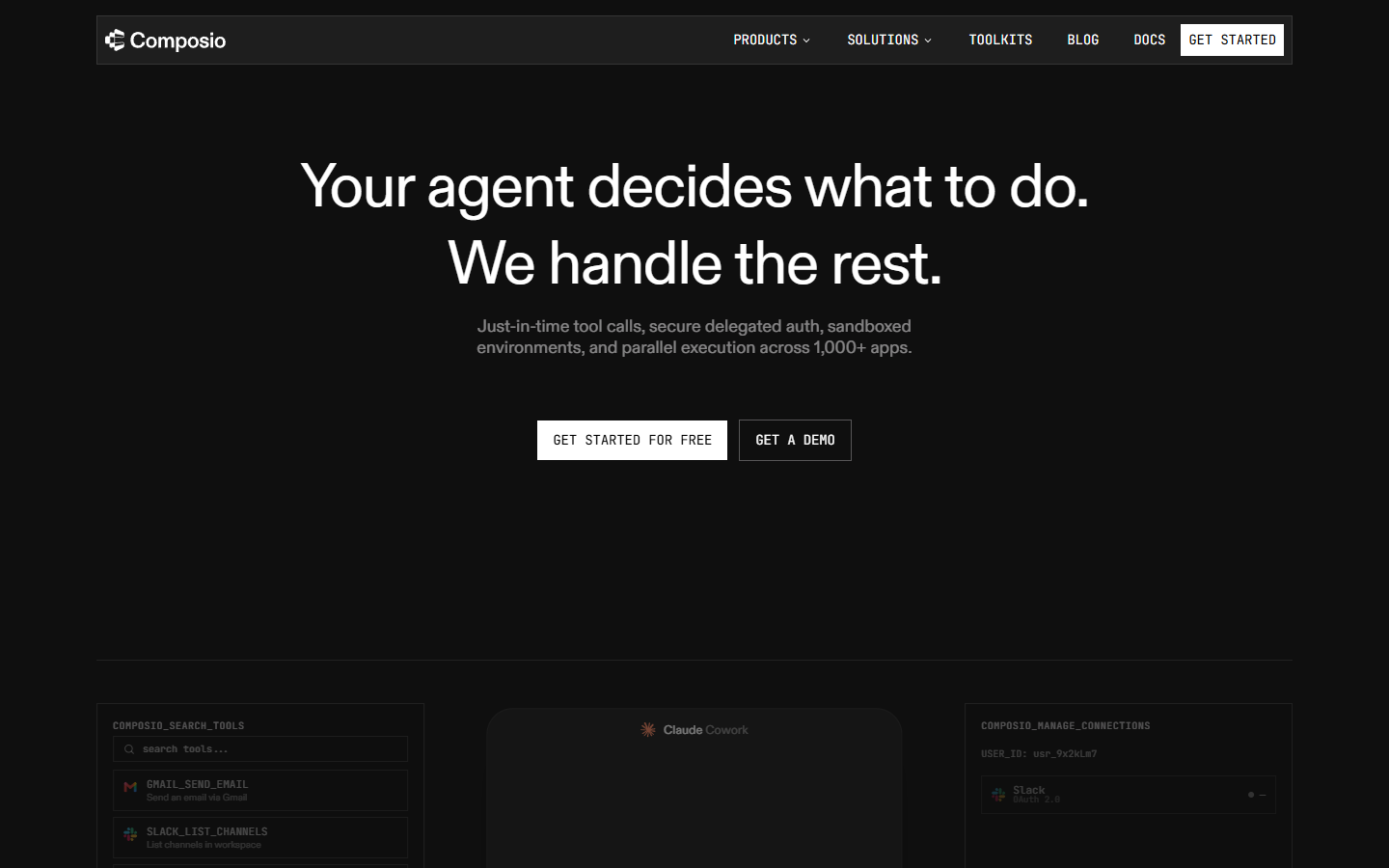
Composio tool text
Core parameters and statistics
The core positioning of Composio is not to "make another layer of API proxy", but to provide AI Agent with a tool execution infrastructure that can be called by the model, authorized by the user, and observed by the team. The official website summarizes it as just-in-time tool calls, secure delegated auth, sandboxed environments, and parallel execution capabilities across 1,000+ apps; the official documentation further explains that it covers 1,000+ pre-authenticated toolkits, per-user sessions, triggers, and workbench.
| Parameters | Current public information | Verification sources and instructions |
|---|---|---|
| Product type | AI Agent tool/API integration platform | The official website and documentation are centered around agent tool calls, auth, sessions and workbench |
| Integration scale | 1000+ apps / 1000+ pre-authenticated toolkits | See Composio official website and Welcome docs |
| Core Objects | Toolkits, Tools, Sessions, Connected Accounts, Triggers, Workbench, MCP | See Tools and toolkits, What is a session, |
| Development portal | Web Dashboard, API, TypeScript SDK, Python SDK, CLI, MCP | See Quickstart, Composio CLI |
| Authentication methods | Managed Connect Links, managed/custom auth, white-label auth, connected accounts | See Authentication |
| Open source warehouse | ComposioHQ/composio, MIT License, 2026-06-18 Query about 28.8k stars | See GitHub repository |
| The latest stable CLI | @composio/[email protected], released on 2026-06-09 | See GitHub Release |
| Python SDK | PyPI composio package currently shows 0.13.1 |
See PyPI composio |
| TypeScript SDK | npm @composio/core currently shows 0.10.0 |
See npm @composio/core |
These parameters illustrate that the value focus of Composio is to "allow the Agent to safely call real tools" rather than just adding static knowledge to the model. For developers, the most critical design point is: user authorization, tool schema, running context, execution logs and billing are all platform-based. Agent does not have to rewrite OAuth, token refresh, API exception handling and tool adaptation layer for each SaaS.
User and market recognition
Composio’s public market signals mainly come from the developer ecosystem rather than C-side downloads. The official GitHub repository has about 28.8k stars and 4.6k forks when queried on 2026-06-18. The warehouse description clearly states that its capabilities cover 1000+ toolkits, tool search, context management, authentication and sandboxed workbench. This indicator will change over time and is suitable as a reference for developer attention and should not be directly equated to the size of paying customers.
Judging from the coverage of official documents, Composio has provided integration portals around providers/frameworks such as OpenAI, Anthropic, Vercel AI SDK, Google, LangChain, AutoGen, CrewAI, LlamaIndex, and Mastra. Its market recognition is more reflected in the position of the "infrastructure layer in the Agent engineering stack": when the team wants to promote the chat Agent into the real business system, Composio is responsible for the tool catalog, user authorization, execution and observation.
Officials have not disclosed verifiable data such as the number of active users, number of paying customers ARR, financing details or industry share. This article does not speculate on these indicators; for purchasing or investment judgments, you should continue to check official cases, contract terms SOC 2 / SLA documents and customer interviews.
Cost advantage
Composio's cost advantage comes from two levels: first, it reduces the engineering cost of each tool integration, and second, it clearly places the billing unit on tool calls. The official price page shows that it is usage-based pricing, and gives four levels: free, low price, business and enterprise. The following prices are the verification results of the official price page on 2026-06-18. The actual real-time page of Composio Pricing shall prevail.
| Plan | Monthly fee | Limit included | Overage billing/support | Suitable scenarios |
|---|---|---|---|---|
| Totally Free | $0 / month | 20K Tool Calls/Mo | Community Support; official page marked no usage based | Prototype verification, personal projects, small-scale agent demo |
| Ridiculously Cheap | $29 / month | 200K Tool Calls/Mo | $0.299 / 1K additional calls; Email Support | Early products, internal tools, small team pilots |
| Serious Business | $229 / month | 2M Tool Calls/Mo | $0.249 / 1K additional calls; Slack Support (1K+/Month) | Formal business processes, higher frequency tool calls |
| Enterprise | Custom Quote | Custom API Volume | Custom User Accounts, Dedicated SLA & SOC-2, VPC/On-Prem Option | Large organizations, compliance, privatization or high SLA scenarios |
Compared with self-research, the most obvious cost savings of Composio are not in the price of a single API call, but in the long-term engineering costs of OAuth access, permission scope, connection status, tool schema maintenance, execution logs and cross-framework adaptation. For teams that only need to connect one or two internal systems, self-research may be easier; but when the Agent needs to access a large number of third-party tools, be authorized by users, and be able to audit the execution process, the platform tool layer can more easily dilute maintenance costs.
Main functions
- Toolkits and Tool Search: The official document defines toolkit as a collection of tools related to a certain service. For example, GitHub toolkit will include operations such as warehouse issues and pull requests. The Agent can retrieve and obtain the appropriate tools based on the task, rather than cramming all the tools into the context at once.
- Hosted Authentication and Connected Accounts: Composio allows users to securely connect to third-party services through hosted Connect Links, and manage authentication methods such as OAuth, API Key, Bearer Token, and Google Service Account. For multi-user products, this is clearer than storing all tokens in the business application.
- Per-user sessions: session is the running context when the Agent works for a certain user. The official documentation emphasizes that session carries users, connections, tools, and execution status, allowing the Agent to continue advancing tasks in the same context.
- Triggers and Webhooks: When events such as new Slack messages, GitHub commit, incoming email, etc. occur, triggers can send event data to Agent, which is suitable for active workflows, not just questions and answers initiated by users.
- Workbench: Officially defined as a persistent Python sandbox, where the Agent can write code, execute code, and access session-related files and context. It is suitable for multi-step tasks such as data processing, file conversion, and batch API calls.
- MCP and Native Tools dual routes: Composio supports connecting to MCP clients such as Claude and Cursor through MCP, and also supports passing tool schema to the model as native function/tool definitions. The official documentation makes a distinction between Native Tools vs MCP, making it easier for teams to choose based on client and control rights.
- CLI and Composio for You: CLI is oriented to command line usage scenarios and can install tools, manage auth, and run related processes from the terminal; this allows Composio not only to serve embedded SaaS, but also to enter the daily workflow of developers.
- Observability and Usage Metrics: The official documentation provides tool execution logs and usage metering REST APIs for checking activities and tool call usage in the organization.
These capabilities are combined to form a "tool call operating system": Agent is responsible for reasoning and decision-making, and Composio is responsible for making decisions on real applications, real user authorization, and real execution records.
Model and version evolution
Composio is not a basic large model product, so there are no model version numbers like GPT, Claude, or open source model weights. Its version evolution is closer to the combination of cloud service + SDK + CLI: platform capabilities continue to be online, and developers access through Python/TypeScript SDK, CLI, MCP and API.
| Node | Version/Milestone | Date | Description |
|---|---|---|---|
| Open source warehouse creation | ComposioHQ/composio | 2024-02-23 | GitHub API displays the warehouse creation time; used to determine the public development context |
| CLI stable historical version | @composio/[email protected] | 2026-05-13 | Official Release record Patch Changes, including @composio/[email protected] and other dependency updates |
| The latest stable version of CLI | @composio/[email protected] | 2026-06-09 | Official Release records changes related to security dependencies, documentation, telemetry and toolchains |
| CLI beta observation point | @composio/[email protected] | 2026-06-16 | There is a beta pre-release version in the official GitHub Release; stable release should be given priority for official production |
| Python SDK | composio 0.13.1 | Subject to PyPI real-time page | PyPI current display version, suitable for Python Agent project access |
| TypeScript SDK | @composio/core 0.10.0 | Subject to npm real-time page | npm current display version, suitable for TypeScript / Node Agent project access |
The main text uses @composio/[email protected] as latest_version because it is a verifiable stable version in the official GitHub Release. The functional boundaries of the Composio cloud platform ontology should be based on the real-time status of the official website, documentation and console.
Technical advantages
The technical advantages of Composio can be summarized as "productizing the non-model parts called by Agent tools." First, the tool layer is decoupled from the authentication layer: Agents can obtain tools by task, users can be authorized by services, and teams can manage connections by organization. Second, sessions allow tool calls to bring user context, rather than treating each call as an isolated API request. Third, triggers allow Agent to respond to external events, which is suitable for asynchronous workflows such as automated operation and maintenance, sales follow-up, customer service offloading, and content publishing.
In engineering implementation, Composio is particularly important for multi-frame adaptation. The Providers page of the official docs lists entries such as OpenAI, Anthropic, Vercel AI SDK, Google, LangChain, AutoGen, CrewAI, LlamaIndex, Mastra, etc. The team can retain the tools and certification layer when the model or Agent framework changes, reducing migration costs.
It’s important to note that Composio is not a replacement for business rules, permission design, and manual review. It makes tool calling easier and safer, but whether the Agent should call a certain tool, whether approval is required after the call, and how to roll back after failure, still need to be designed by the product and engineering teams.
How to use
Typical usage paths of Composio can be divided into developer integration, personal/office scenario CLI scenario and MCP scenario.
| Entrance | Applicable objects | How to use |
|---|---|---|
| Web Dashboard | Product teams, developers, administrators | Create projects, configure authentication, manage connections and usage |
| API / SDK | Agent application developer | Create sessions, obtain tools, and handle tool calls in Python or TypeScript projects |
| MCP Gateway | MCP client users such as Claude and Cursor | Create or connect to MCP server to expose Composio toolkits to clients |
| CLI | Developer Agent power users | Install, log in, connect accounts, search and execute tools from the terminal |
| Workbench | Agent that requires code execution and file processing | Run code in a persistent Python sandbox and process session files |
The typical development process is: Go to the official website or dashboard to create an account and project -> Obtain the API Key -> Select the required toolkits -> Initiate Connect Link authorization for the user -> Create a session in the code -> Let the model select tools based on the tool schema provided by Composio -> Call the Composio execution tool -> Observe the results through the log and usage interface. The official Quickstart shows the basic path of "creating a session for the user, allowing the Agent to obtain tools and complete tasks".
Product Pricing
Composio's current public pricing is based on usage of tool calls. The free file covers 20K tool calls/mo, which is suitable for verifying whether the agent really needs to be executed across applications; the $29 file covers 200K tool calls/mo; the $229 file covers 2M tool calls/mo; the enterprise file is processed according to custom quote, and emphasizes custom user accounts, Dedicated SLA & SOC-2, custom API volume, VPC / On-Prem option.
It is recommended to focus on checking four things when purchasing: first, the measurement caliber of the tool call, including whether search schema acquisition, actual execution, and failed retries are included; second, the SLA, SOC 2 report, data retention, and log export of the enterprise file; third, the difference in brand, domain name scope, and callback address between managed certification and custom certification; fourth, whether capabilities such as MCP, Workbench, and triggers are included in the current package or have additional restrictions.
The price page is a page that changes frequently. This article only records the official public information on 2026-06-18. Before formal procurement, Composio Pricing and the business contract shall prevail.
Application scenarios
- AI Office Assistant: Connect Claude, ChatGPT or internal Agent to Gmail, Slack, Notion, Calendar and other tools, allowing users to complete email summaries, meeting arrangements, message publishing and task recording in natural language.
- Sales and GTM Automation: Connect to Salesforce, HubSpot, Gmail, LinkedIn and other systems to perform actions such as lead enrichment, draft follow-up, and meeting appointment CRM updates to reduce cross-tool switching.
- Engineering and Operations Agent: Connect to GitHub, Linear, Sentry, Datadog, PagerDuty and other tools to complete issue triage, alarm investigation, regression records, and preparation of incident review materials.
- Customer Service and Customer Success Workflow: Connect to systems such as Zendesk, Intercom, Salesforce, and Slack to let Agents aggregate work orders, draft responses, escalate engineering issues, and synchronize CSM.
- Content and Market Operations: Connect social media, email marketing, analysis and project management tools to support event release SEO monitoring, funnel indicator pulling and content collaboration.
- Enterprise internal tool layer: Use Composio as a unified tool calling layer to reduce the workload of repeatedly connecting OAuth, API, auditing and logs for each Agent project.
What these scenarios have in common is that the tasks span multiple SaaS and require real execution of actions. If it's just question and answer, retrieval, or a single internal API call, the value of Composio will be relatively reduced.
Applicable people
- Agent application developer: Need to quickly connect Agent to third-party SaaS, and hope to reduce OAuth, token management and tool schema maintenance costs.
- AI Product Team: is upgrading the chatbot to an agent that can perform tasks, which requires per-user authorization, tool execution logs, usage control and permission boundaries.
- Platform Engineering/DevOps Team: Hope to connect tools such as alarms, code warehouses, work orders, and running status to the automated Agent while retaining auditing and troubleshooting capabilities.
- Entrepreneurial Team: It is necessary to verify the value of the cross-application Agent first. The free and low-priced tiers can reduce the cost of early trial and error.
- Large Enterprises: Focus on SSO, SLA, SOC 2, VPC/On-Prem, organization-level control and custom API volumes, and should be prioritized for enterprise solution evaluation.
The people it is not suitable for are also clear: individual users who only do pure content generation and do not require external tool execution; teams that only connect to an internal system and have mature gateways; all third-party tokens must be completely self-sustaining and cannot accept the high restrictions of managed connections.
Summary and Outlook
Composio’s core competency is to centralize the “tool invocation, user authorization, running context, event triggering, sandbox execution and observation billing” required for AI Agents to move into production into a single-layer platform. It solves not the problem of model intelligence, but the engineering problem that is most likely to get dirty, broken, and difficult to maintain when the Agent is actually doing its work.
There are three main current restrictions: public customer and revenue indicators have not been disclosed; prices and quotas will be adjusted according to the official website; specific terms of enterprise-level security, data residency and privatization require business verification. Follow-up observations should focus on toolkits coverage quality, MCP ecological maturity, Workbench stability, triggers reliability, enterprise security certification, and SDK/CLI release rhythm. For teams preparing to implement Agent, it is recommended to first use the free version or the low-priced version to conduct a real cross-tool task pilot, and then decide whether to upgrade based on the cost of tool calls, authorization experience, failure rate, and audit requirements.
Related tools:  CrewAI,
  LangChain
Version Info
- Composio CLI 0.2.31 :The latest stable CLI version released by the official GitHub Release includes changes such as security dependency updates, delayed telemetry sending, document and tool chain adjustments; the Composio platform itself is a continuously iterative cloud service, and product capabilities are subject to the official real-time page.
- Composio CLI 0.2.30 :The stable CLI historical version recorded in the official GitHub Release, Patch Changes contains dependency updates, and is associated with @composio/[email protected] and @composio/[email protected].
User Reviews