 Cosmolex
Cosmolex is a legal practice management platform centered on law firm accounting and trust compliance management, emphasizing the accuracy and compliance of financial management.
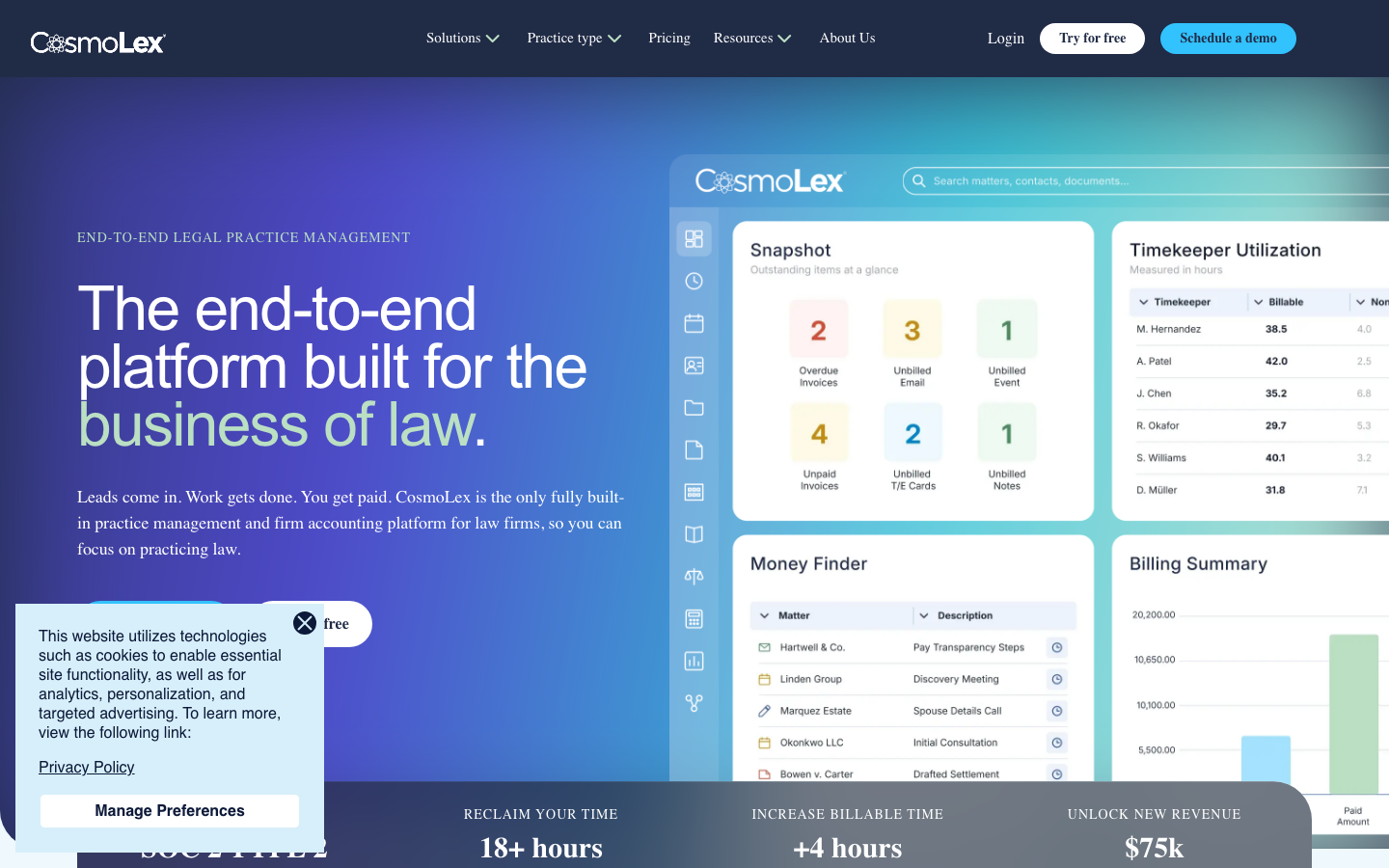
CosmoLex: A one-stop law firm management platform based on trust accounting
1. Tool introduction
Brief review in one sentence: CosmoLex is not another case management tool, but the only end-to-end platform that natively integrates "law firm comprehensive accounting (including trust compliance)" and "case management" into one system - the core problem it solves is: allowing law firms to say goodbye to the nightmare of separation between QuickBooks + case management + billing software.
Publicity Verification: CosmoLex’s official website claims that it is “the only fully built-in practice management and firm accounting platform for law firms”. From the perspective of product architecture, this statement is basically true - most competing products (Clio, MyCase, PracticePanther) start with case management, and the accounting functions rely on external integration or are only lightweight modules; while CosmoLex has taken trust accounting (IOLTA/IOLA) and comprehensive accounting as its core genes since its establishment in 2012, and case management and billing are built around the accounting system. The core pain point it hits is: Law firms face serious compliance risks and manual reconciliation burdens when using general-purpose accounting software (such as QuickBooks) to manage trust accounts.
CosmoLex belongs to [Productivity/Business-side Application] (main type), and also has certain [Agent/Automation Tool] characteristics (workflow automation, rule engine-driven case status transfer).
2. Core functions
The functions of CosmoLex cover the complete link of law firm operations: from client acquisition → case management → time billing → invoicing and collection → trust accounting → compliance reporting. The following is dismantled module by module.
2.1 Trust Accounting - Core points of difference
- Native Architecture: Trust accounting is not a module that is integrated later, but the underlying data model design of the system. Each inflow of funds is automatically classified according to "trust account vs operating account" to eliminate commingling of funds - the most common violation of lawyer professional ethics.
- Automatic Three-Way Reconciliation: Generate three-way reconciliation reports of trust account balances, client ledger balances and bank statements with one click, meeting the monthly reconciliation audit requirements of most state bar associations. User feedback "monthly reconciliation reduced from hours to approximately 2 minutes" (G2 user John Wicker, 2026-04-21).
- Anti-overdraft and anti-mixing: The system automatically intercepts operations that will lead to trust account overdrafts or fund mixing, and provides real-time warnings at the operational level.
- Trust Transfer Automation: Compliant fund transfers (such as earned fees) from trust accounts to operating accounts can be configured to be automated, reducing manual errors.
- Comprehensive Trust Report: Account balance reports, ledger activity summaries, ledger transaction reports, etc., can be archived with one click before auditing.
2.2 Legal Accounting
- Comprehensive accounting: Covers accounts payable, accounts receivable, general ledger, bank reconciliation, budget management, etc., running in the same instance as trust accounting.
- Bank Data Source (Bank Feed): Supports direct connection to bank accounts, automatically pulls transaction flow and categorizes matching.
- Financial Reports: 100+ real-time reporting options, including income statements, balance sheets, cash flow statements, partner share reports, and more.
- QuickBooks Online integration (US only, Standard/Elite plan): Provides one-way data synchronization for scenarios that need to be shared with external accountants, but the CosmoLex native business accounting and case budgeting functions will not be available after enabling it (officially recommended to use CosmoLex native accounting directly).
2.3 Matter Management
- Matter-centered data organization: Contacts are associated with cases, and all timing, expenses, invoices, documents, and communications are linked to specific cases to ensure that every cost is traceable.
- Matter Status Board: Visually track case progress and support customized stages (such as: potential customers → case acceptance → investigation → litigation → case closure).
- Conflict Check: When new cases are entered, existing contacts and related parties are automatically scanned to indicate potential conflicts of interest.
- Custom fields and templates: Preset case templates according to business areas (personal injury, family law, bankruptcy, etc.) to reduce repeated entry.
- Matter Budgets (Elite plan): Set the upper limit of the case budget and monitor the deviation between actual expenditure and budget in real time.
2.4 Time Tracking & Billing
- Multi-mode timing: Supports real-time timing by timer, batch retrospective entry, mobile phone entry, and automatic extraction of billable time from email - the last one is achieved through integration, reducing the "timing burden" that lawyers are most disgusted with.
- Flexible billing methods: hourly, fixed fee, contingency, installment, mixed billing.
- One-click invoice generation: Generate professional invoices directly from timing entries, supporting custom templates and batch invoicing.
- LEDES Billing: Supports the LEDES electronic billing format required by corporate customers and legal insurance companies (Elite plan).
- Split Billing: One invoice can be split to multiple responsible parties, adapting to common scenarios such as personal injury.
- Automatic Trust Transfer and Withholding: Automatically deduct money from the trust account or transfer it to the operating account when invoicing.
2.5 Online payment (CosmoLexPay)
- Built-in Payment Processing: Credit Card (US), Debit Card, Electronic Check (ACH), integrated directly into the system, no third-party payment gateway required.
- Compliance Distribution: Credit card processing fees are automatically deducted from the law firm's operating account, and client trust funds are never used - this is the hardest hit area for many law firms to inadvertently violate regulations.
- Next-day funding (Next-day funding).
- Surcharging available (US law firms only): Charge credit card payment customers a processing fee in accordance with the law.
- Recurring payment and automatic reminder: Supports automatic deduction of regular bills, and automatically sends reminder notices when overdue.
2.6 Client Engagement
- Secure Client Portal: Clients can view case progress, download documents, send encrypted messages, view bills and pay online through the portal. Communications within the Portal are automatically archived into corresponding cases.
- Electronic Signature (eSignature): Built-in document signing function (additional cost), no need to jump to DocuSign.
- Document Management and Generation: Centrally stores all case files, supports two-way synchronization of Office 365/OneDrive/Dropbox/NetDocuments, and supports batch generation of automated document templates.
- CRM (additional purchase module, $149/month): marketing automation, customer lead management, logical lead conversion form, email/SMS drip campaign, seamless conversion from leads to cases.
- Law firm website construction (additional purchase module, starting from $147/month): A responsive website customized according to the law firm's business areas, including SEO optimization and compliance hosting.
2.7 Calendaring & Task Management
- Calendar Sync: Two-way synchronization with Outlook, Office 365, and Google Calendar.
- Task Automation: Automatic task assignment based on case status (for example: after the case enters the "litigation" stage, the "drafting indictment" task is automatically generated and assigned to the designated lawyer).
- Associated events and task logic: Tasks can set pre-dependencies (for example: "Evidence Subpoena" must not be marked as completed before "Complete Evidence Discovery").
2.8 Workflow Automation
- Preset workflows by business area: The system provides standardized workflow templates for common business areas (such as personal injury, family law, corporate business).
- Automated status transfer: When all tasks in a certain stage are completed, the case status will automatically advance to the next stage without manual intervention.
- Rule Engine: Supports condition-triggered operations, such as automatically creating a case and assigning a lawyer when a customer's advance payment is deposited into a trust account.
2.9 Reporting & Insights
- 100+ preset reports: covering multiple dimensions such as finance, productivity, case status, customer analysis, etc.
- Customized data view: Users can create personalized dashboards and filter key indicators of concern.
- Real-time Financial Health Monitoring: Real-time updates on revenue trends, accounts receivable aging, trust account compliance status, and more.
2.10 Expert perspective: "hidden linkage" between functions
The real value of CosmoLex lies not in individual point features, but in the following synergies:
- Trust Accounting ↔ Billing: When an attorney submits a time entry and generates an invoice, the system automatically determines whether the fee should be deducted from the trust advance or billed directly to the client—rather than requiring an accountant to manually split it as in traditional processes.
- Case Status → Workflow → Task → Billing: Changes in case status automatically trigger the preset task chain, and task completion automatically triggers billing reminders, forming a seamless automated link from "start work" to "receive payment".
- CRM → Case Management → Finance: When a lead is converted into a case, all communication processes and collected information are automatically brought into the case, without the need for accountants or assistants to re-enter.
- Customer Portal ↔ Trust Account: When a customer pays through the Portal, the funds automatically enter the trust account and complete the ledger updates required for three-party reconciliation - if handled manually, this step usually requires the accountant to log in to the bank website to download the statement, import it into QuickBooks, and then reconcile with the case system.
3. Pricing strategy
3.1 Main plan (monthly subscription per user)
CosmoLex adopts a tiered subscription system. The specific price is not fully disclosed on the official website (you need to contact sales or register to check). However, according to industry analysis and information from third-party evaluation agencies (such as Software Advice, G2), the general structure is as follows:
| Plan | Target users | Core included functions | Reference monthly fee (estimate) |
|---|---|---|---|
| Standard | Independent lawyer/small team | Case management, hourly billing, trust accounting, basic accounting, calendar tasks, document management, mobile | ~$99/user/month |
| Elite | Mid-Size Law Firm/Multi-Partner | Standard All + Case Budgeting LEDES Billing, Bank Data Sources, Advanced Financial Reporting, Custom Workflows | ~$139/user/month |
| Elite + Website | Law firms that need integrated online presence | Elite All + CosmoLex website construction services | ~$179/user/month |
Note: The above prices are industry estimates, and the actual prices are subject to the official real-time quotation of CosmoLex. The official website clearly states that "no hidden fees, no additional plug-ins required." Try it for free for 10 days, no credit card required.
3.2 Purchase additional modules
| Module | Price (annual payment) | Price (monthly payment) |
|---|---|---|
| CosmoLex CRM | $149/month | $159/month |
| CosmoLex Website | $147/month (up to 3 users) | $177/month |
| CosmoLexPay | By Transaction Rate | By Transaction Rate |
3.3 Cost structure analysis
- C-side (law firm): Pricing is based on the number of users, no additional module fees (the main plan already includes all core functions of accounting, billing, and case management). Compared to Clio (billing optional module, accounting requires QuickBooks integration) and PracticePanther (accounting requires third party), CosmoLex's total cost of ownership (TCO) may be lower among law firms with more than 5 people.
- Developer side: No public API documentation is provided, and self-developed plug-ins are not supported. Integration capabilities are limited to official pre-built connectors (Zapier, QuickBooks, etc.).
- Enterprise side: SOC 2 Type 2 certification meets the security compliance requirements of large and medium-sized law firms; you can contact sales to obtain exclusive quotations and data migration support.
4. Analysis of advantages and disadvantages
Advantages
- The only native full-stack accounting: The only product on the market that natively integrates comprehensive accounting (including trust accounting) and case management in the same platform. This means law firms don’t need QuickBooks or other third-party accounting software, and data doesn’t need to be synced repeatedly between the two systems.
- Trust Compliance Depth: Triple reconciliation, anti-conflict and overdraft prevention, and one-click generation of audit reports—these functions are not "optional" but are embedded in every financial operation, greatly reducing the risk of violations.
- Breadth of automation: Full-link automation from leads to collection, especially case status-driven task and billing automation, reduces the "assistant transfer" problem that is the most troublesome for law firms.
- Pricing Transparency: The main plan includes all core functions at a fixed price, unlike Clio where basic modules and advanced modules are charged separately, and accounting needs to be purchased additionally.
- SOC 2 Type 2 + Bank-level encryption: Provides enterprise-level protection in terms of law firm data security (especially lawyers’ confidentiality obligations).
- G2 High Rating: 4.6/5, with users praising its fiduciary accounting, customer support and one-stop experience.
Disadvantages
- Insufficient case management depth: Compared with Clio Manage or MyCase, CosmoLex’s case management functions are relatively basic in terms of automated document generation and Court Rules-based calendaring.
- Weak third-party integration ecosystem: The number of official integrations is far less than that of Clio (Clio has 200+ integrations). There is no support for direct API access or custom webhooks, limiting the scope for customization for large law firms.
- Internationalization is a weakness: Mainly targeting the US and Canadian markets. Trust accounting rules are strictly based on U.S. state and Canadian provincial bar association requirements and may require significant customization for law firms in other jurisdictions.
- The mobile experience is average: Although there is an iOS app, its functions are far less than those on the web app, and it is mainly used for timing and basic case viewing.
- No AI native functions: As of July 2026, CosmoLex has not yet launched AI-driven document drafting, contract review or intelligent time prediction functions, lagging slightly behind in this wave of AI+ legal tools. The official website mentions "CosmoLex is more legally focused, unlike ChatGPT", indicating that its positioning is a precise tool software rather than an AI platform.
- Learning Curve: For law firms migrating from other systems, due to the deep integration of CosmoLex's accounting system, financial personnel will need some time to adapt to its "case-finance" integrated operating logic.
5. Applicable scenarios
Best Scene (Highly Recommended)
- Law firms that hold large amounts of client trust funds: Personal injury law firms (PI), class action law firms, estate planning law firms - under these business models, law firms often hold clients' compensation or advances, and trust compliance is a core requirement.
- Small and medium-sized law firms with 2-20 people: Law firms that need a unified platform to manage the entire process and do not have a dedicated IT or accounting team. The one-stop-shop nature of CosmoLex significantly reduces multi-system maintenance costs.
- Law Firms Migrating from Other Systems: Especially law firms that are using QuickBooks + another case management system, CosmoLex can combine the maintenance costs of both systems into one.
- Law Firms in Canada: CosmoLex offers a dedicated Canadian version (cosmolex.ca) that supports compliance requirements of Canadian provincial bar societies (LSO, LSBC, etc.), including Law Society Compliance Docs.
Acceptable scenarios
- Solo Solo: May be feature-heavy, but still worth considering if it involves trust account management. Independent attorneys can choose the Standard plan to reduce costs.
- Law firms that require integrated website services: The Elite + Website plan provides a "website building + management" package, which is suitable for law firms with weak digital foundations.
Discourage/Inapplicable people
- Large Law Firms (50+ Attorneys): The depth and integration flexibility of case management may not meet complex needs. This type of law firm is better suited to enterprise-level plans like Clio Enterprise or Aderant.
- Non-US/Canadian Law Firms: Trust accounting rules are highly localized and are not currently supported in other jurisdictions.
- Law firms that rely heavily on AI capabilities: If you need AI-driven document automation, contract review, or legal research, CosmoLex is not a suitable choice (it is recommended to use it with specialized AI legal tools).
- Law firms with extremely high requirements for report customization: Although there are 100+ pre-built reports, the customization flexibility of the reports is not as flexible as professional BI tools or Clio’s custom reporting module.
6. Summary
CosmoLex can be summed up in one sentence: An end-to-end management platform created for law firms that "don't want to use QuickBooks to manage trust accounts". Its core value is not to "do more things", but to "use one less system" - to completely replace QuickBooks and plug case management, timekeeping, billing, payment, and trust compliance into one login interface. This is an extremely precise differentiated positioning in the small and medium-sized law firm market.
Not suitable for the boundary: CosmoLex is not the optimal solution for law firms that have strong demand for AI capabilities, deep case automation, internationalization and high customization.
Procurement/Adoption Risk Assessment: It is recommended that the law firm finance leader or managing partner lead the assessment, focusing on testing (1) the accuracy and ease of use of triple reconciliation of trust accounts; (2) the integrity of data migrated from existing systems (especially QuickBooks); (3) the collaboration process with external accountants (QuickBooks Online integration may compromise native accounting capabilities). The contract should focus on the update mechanism for compliance reporting templates—whether CosmoLex promises to synchronize and update the report format free of charge when state regulatory rules change. Overall, for the target user group (small and medium-sized law firms in the United States and Canada, especially in the PI/estate planning field), CosmoLex is the most cost-effective "all-round" choice on the market.
7. Efficiency improvement comparison
The following data is based on client cases disclosed on the CosmoLex official website and third-party analysis (source annotation). Actual results vary depending on the size of the law firm and the maturity of the existing technology.
| Work scenario | Before using CosmoLex | After using CosmoLex | Efficiency improvement | Data source |
|---|---|---|---|---|
| Weekly administration time | ~25 hours | ~7 hours | Save 18+ hours/week | CosmoLex official website homepage statement |
| Billable hours per attorney per week | Base | +4 hours | 4 more billable hours per week | CosmoLex official website homepage statement |
| Annual Law Firm Revenue Increment | — | Average $75,000/year | Increment $75K/year/firm | CosmoLex official website homepage statement |
| Invoicing Process (from timekeeping to invoice issuance) | 2-3 days | 2-3 hours | Reduced time by approximately 90% | Kraemer LLP Client Case |
| Trust Account Monthly Reconciliation | 30-60 minutes manually | About 2 minutes with one click | Reduce time by 95%+ | Review by G2 user John Wicker |
| Switch from multiple systems to a unified system | QuickBooks + Case Management + Billing Software | One CosmoLex | Eliminate data duplication and cross-system reconciliation | Roth Advocacy Client Stories |
CosmoLex vs Clio vs PracticePanther comparison
| Dimensions | CosmoLex | Clio Manage | PracticePanther |
|---|---|---|---|
| Core Positioning | Accounting-first end-to-end platform | Case management first + integrated ecology | Case management + billing |
| Built-in Trust Accounting | ✅ Fully built-in (IOLTA/IOLA) | ❌ Requires QuickBooks or other accounting software | ❌ Requires QuickBooks/Xero |
| Triple Reconciliation | ✅ One-click generation | ❌ Requires manual or external tools | ❌ Requires external tools |
| Comprehensive Accounting (Payables/Receivables/General Ledger) | ✅ Built-in | ❌ Integrated via QuickBooks | ❌ Integrated via QuickBooks |
| FREE TRIAL | 10 days (no credit card required) | 7 days (requires credit card) | 7 days (requires credit card) |
| Starting Price (Single Person) | ~$99/month (estimated) | $49/month + Billing module $39/month + QuickBooks $30/month ≈ $118/month | ~$59/month + QuickBooks $30/month ≈ $89/month |
| Number of integrations | 20+ (including Zapier) | 200+ | 100+ |
| AI Features | ❌ Not yet | ✅ Clio Duo (AI Assistant) | ❌ Limited |
| Court Calendar Rules | ❌ Not Supported | ✅ Supported | ✅ Supported |
| LEDES BILLING | Elite Plan Support | ✅ Support | ✅ Support |
| SOC 2 Type 2 | ✅ Certification | ✅ Certification | ✅ Certification |
| Customer Portal | ✅ BUILT-IN | ✅ BUILT-IN | ✅ BUILT-IN |
| Mobile | ✅ iOS | ✅ iOS/Android | ✅ iOS/Android |
| Canadian Market Support | ✅ Special Edition | ❌ Limited | ❌ Limited |
| Most Suitable | Small and medium-sized law firms, which are in urgent need of trust compliance | Full-scale law firms, which need rich integration | Small and medium-sized law firms, easy and quick to get started |
Comparative Conclusion: If your law firm holds client funds in trust (in PI, estate planning, etc.), CosmoLex is the only option that requires no additional purchase/maintenance of QuickBooks and has a lower long-term total cost. If your law firm's business is mainly case management, has less trust accounting requirements, and needs rich third-party integration (such as docking with Clio's 200+ application ecosystem), Clio is more flexible. PracticePanther has advantages in ease of use and speed of getting started, but it also lacks built-in accounting.
8. Automation boundaries
Can be 100% automated and organized
| Sectional | Automated method |
|---|---|
| Triple reconciliation of trust accounts | The system automatically compares trust balances, ledgers and bank statements, and generates reports with one click |
| Case Status Flow | Based on preset workflow rules, task completion automatically triggers status updates |
| Funds Compliance Transfer | Trust → Automatic Transfer of Earned Fees for Operations |
| Periodic Invoicing | Periodic bills are automatically generated and sent to customers |
| Overdue reminders | Automatic reminder emails/text messages based on aging rules |
| Customer lead cultivation (CRM add-on purchase) | Default drip campaign to automatically send marketing content |
| Conflict Check | Automatically scan contacts and related parties when new cases are entered |
| Bank flow import and automatic classification | Automatically synchronize bank data sources and match ledgers |
There are sections that must be confirmed manually (Human-in-the-loop)
| There are rules | Reasons |
|---|---|
| Review of large trust fund disbursements | Lawyer professional ethics requires that the lawyer himself bear the final responsibility for the client's fund disbursements |
| Irreversible payment operation | If compensation is paid to a third party, manual approval by the partner/managing lawyer is required |
| Case Strategy and Legal Document Signing | Although electronic signatures can be sent automatically, the signing and final review must be completed by the person |
| Changes in client rates and billing rules | Modifications to attorney rates or case budgets require confirmation from partners/managing attorneys |
| Final approval of compliance report | The audit report should be manually reviewed by the CPA or financial director before submission |
| System Permissions Change | Modifications of user roles and access rights require administrator authorization |
Hidden cost reminder
- Risk of excessive automation: Complete reliance on automatic case status flow may conceal abnormal situations (such as cases that are stagnant for a long time but no reminders are triggered). It is recommended to manually scan the case dashboard at least once a week.
- Template Dependencies: Automated invoicing templates need to be reviewed regularly to ensure the latest rate structures and terms are configured correctly, otherwise the automation may "efficiently do the wrong thing".
9. Security and Compliance
Data Security Infrastructure
| Security dimensions | Measures |
|---|---|
| Encryption Standard | 256-bit SSL (encryption in transit) + data encryption at rest (storage encryption) - the same level as mainstream online banks |
| Two-factor authentication (2FA) | Mandatory activation for all users, SMS verification code is required in addition to password |
| SOC 2 Type 2 Certification | Security, availability, processing integrity, confidentiality and privacy controls that are audited by an independent third party - this is not a one-time certification but is re-audited every 12 months |
| Independent Security Assessment | Threat Assessment Analysis by Phalanx Secure Solutions, Inc. |
| Data Center | United States and Canada (selected based on law firm location), data is not transferred across borders |
| Automatic Backup | Automatic incremental backup every few hours, encrypted storage in multiple locations for redundancy |
| User Rights Management | Define access rights by role (Role-based) or even by individual (User-level) |
Attorney-Client Privilege support
- Encryption throughout the entire link: All customer data is encrypted from input to storage and cannot be read by unauthorized users.
- Secure Client Portal: Messages and file exchanges within the portal are protected by equal encryption, and all communications are automatically archived to corresponding cases to form a complete audit chain.
- Clear Data Attribution: CosmoLex explicitly states that it will not use customer data for model training or reuse (in line with ABA guidance on technology vendors’ confidentiality obligations). The official Privacy Policy and GDPR terms are publicly available.
Fiduciary Compliance (ABA/State Bar Association)
- IOLTA (U.S.)/IOLA (Canada) Compliance: The system is designed in accordance with the trust accounting rules of each state/provincial bar association and supports three typical scenarios - prepayment custody, settlement fund custody, and third-party fund custody.
- Triple Reconciliation: Trust general ledger balance = sum of all customer ledger balances = bank statement balance, which is the most important compliance indicator for auditors.
- Anti-Combination Block: Denies the debit of a credit card fee from a trust account - a violation of almost all state bar rules.
- Compliance Documents (Canada): The Elite plan offers Law Society Compliance Docs, which meet the specific reporting requirements of the Canadian provincial bar societies.
Compliance Advice
- Law firms should still designate an internal compliance officer for the trust account (usually a partner-level treasurer) to perform quarterly reviews of compliance reports generated by Cosmolex.
- When your state/provincial bar association updates trust accounting rules, you should promptly contact your CosmoLex account manager to confirm whether the statement template needs to be updated.
10. Integrated ecology
Official support integration list
| Category | Integrated Tools | Description |
|---|---|---|
| Productivity/Collaboration | Microsoft 365 (Outlook, Office 365, OneDrive) | Two-way synchronization of mail/calendar/documents |
| Google Workspace (Gmail, Google Calendar) | Same as above | |
| iCal | Calendar Subscription | |
| Document Storage | Dropbox | Two-way file synchronization, filing by case |
| NetDocuments | Professional legal document management platform, two-way synchronization | |
| Electronic Signature | CosmoLex built-in eSignature / LexShare | Additional cost |
| Payment Processing | CosmoLexPay (Built-in) | Credit Card, Debit Card ACH |
| LawPay | Alternative Payment Processor | |
| Accounting | QuickBooks Online (US only, Standard/Elite plans) | One-way sync (CosmoLex → QBO), native accounting features are not available when enabled |
| Bank | Bank data source (Bank Feeds) | Supports automatic pull flow of multiple US banks |
| Automation | Zapier | Connect automation triggers to 5000+ apps |
| Website | CosmoLex website construction service (additional purchase) | Preset legal business field templates |
Integration capability assessment
- Advantages: Deeply integrated with the productivity suites of Microsoft and Google, lawyers' daily email and calendar operations can directly generate billable time records - this is the most practical integration scenario.
- Disadvantages: The overall integration ecosystem is much smaller than Clio (200+). There is no support for open APIs or GraphQL queries, and you cannot develop custom integrations yourself. For law firms that require deep integration with ERP, CRM (such as Salesforce) or legal-specific tools (such as Everlaw, Relativity), CosmoLex’s integration capabilities may become a bottleneck.
- Recommendation: If you need to expand your integration, you can leverage the Zapier connector to connect CosmoLex with 5000+ apps, but the depth of triggers and actions in Zpaier is limited by the available data fields exposed by CosmoLex.
11. Implementation recommendations
Deployment recommendations
- Data migration preparation (recommended to allow 2-4 weeks):
- Export all customers, cases, timekeeping records and open invoices currently in the system (CSV format).
- If you are using QuickBooks, export the general ledger chart of accounts and transaction details for the last 12 months.
- CosmoLex provides guided data migration services, which need to be scheduled in advance.
- System configuration (1 week recommended):
- Set up attorney rate tables (multi-dimensional rates by attorney, by case type, by practice area).
- Configure bank data sources for trust accounts and operating accounts.
- Customize invoice templates, customer portal branding and case status flow rules.
- Permission structure (recommended to be completed simultaneously with the configuration):
- Determine user roles: administrator, partner, lawyer, assistant, accountant/bookkeeper, and assign corresponding system access rights to each role.
- Special note: Operation permissions related to trust accounts should be limited to authorized personnel.
- Parallel run period (recommended 2-4 weeks):
- During the simultaneous operation of the old system and the new system, focus on verifying: whether the trust account balance is consistent, whether the outstanding invoices are complete, and whether the lawyer's timing data is accurately migrated.
Team training suggestions
| Role | Training focus | Estimated training duration |
|---|---|---|
| Managing Partner | Reports and Dashboards, Case Status Overview, Approval Process, Partner Share Report | 2 hours |
| Lawyers | Timer usage (including mobile), email timing extraction, case status updates, fee entry | 3-4 hours |
| Assistant/Legal Assistant | Case creation and templates, document management, calendar and tasks, client portal operations | 4-6 hours |
| Accountant/Bookkeeper | Trust accounting operations, triple reconciliation, bank data source reconciliation, compliance report generation | 6-8 hours (including practical work) |
| IT/System Administrator | User rights management, system configuration, integrated maintenance, security settings | 4 hours |
Training material source: CosmoLex provides knowledge base (kb.cosmolex.com), monthly training online courses (support.cosmolex.com/training-schedule) and online video learning library.
Best Practices
- Use the free trial period for real-life scenario testing: Don’t just do a functional demonstration, use a real case to run through the entire process (from creating a case → assigning a lawyer → timing → invoicing → collection → trust reconciliation) within the 10-day trial period, and identify process breakpoints.
- Progressive activation module: It is recommended to enable case management + time billing first, and then activate the comprehensive accounting function after the team is familiar with it to avoid conflicts caused by one-time changes that are too large.
- Designate an internal "CosmoLex Champion": Select a team member who is more familiar with the software as an internal support node to collect issues centrally and communicate with the CosmoLex support team regularly.
- Regular review of automation rules: Check case status flow rules, dunning rules and templates every quarter to ensure consistency with current business practices.
- Use CosmoLex ROI Calculator: The official website provides an ROI calculator (cosmolex.com/roi-calculator). Actual data can be used to estimate return on investment and assist decision-making before migration.
- Collaborative communication with external accountants: If the external accountant relies on QuickBooks, it is necessary to test the consistent synchronization effect of QuickBooks Online integration before migration, and confirm the workflow changes with the external accountant.
Main functions of Cosmolex
- Core Processing Capabilities: Provides core AI capabilities in the corresponding scenarios to support users to quickly complete tasks.
- Multi-modal interaction: supports text input and result output, and some scenes support image or file upload.
- Workflow Integration: Can be embedded into existing workflows or linked with other tools through APIs to reduce context switching.
Application scenarios of Cosmolex
- Personal Creation: Quickly generate or process content to improve daily work efficiency.
- Team Collaboration: Unify workflow and reduce repetitive manpower investment.
- Enterprise-grade deployment: Embed capabilities into on-premises systems via API or private deployment.
Cosmolex’s applicable groups
- Individual Users: Content creators and knowledge workers who need AI assistance to improve their daily work efficiency.
- Developers: Technical teams who need to integrate AI capabilities into their own products or services through APIs.
- Enterprise: Organizations seeking to deploy AI at scale in their field.
Cosmolex’s technical advantages
- Algorithm Optimization: Special optimization at the model or algorithm level has been carried out for the corresponding scenario to achieve a balance between response speed and result quality.
- Low-latency architecture: Adopts streaming or asynchronous processing architecture to reduce user waiting time and is suitable for high-frequency interaction scenarios.
Cosmolex’s core parameters and statistics
Specific technical parameters (such as model size, context length, supported file formats, input and output restrictions, etc.) are subject to the official product page. It is recommended that users verify the latest technical specifications and system requirements before choosing to ensure that they match their own usage scenarios.
Cosmolex’s user and market recognition
Gradually build user awareness in the field, and product capabilities are used by content creators and teams to improve work efficiency. Some industry users have incorporated it into their daily workflow. It is recommended to refer to the latest official disclosures for specific user scale and industry adoption rate data.
Cosmolex’s cost advantage
- C-side/Individual: Usually a free version is provided to experience the core functions, and high-frequency use requires a paid package subscription.
- API/Developer: Billed by call volume, suitable for development teams that can be flexibly integrated into their own systems.
- Enterprise/Privatized: Contact the business owner for customized quotation and deployment plan. The specific price is subject to the official real-time pricing page.
Cosmolex’s Summary and Outlook
It provides competitive solutions in its field, and its core value lies in lowering the threshold for AI use in this field. With technology iteration, products are expected to continue to improve in functional coverage and performance.
Current limitations: Some advanced functions require paid subscription, and the free version has function or usage limits; Specific technical details and performance benchmarks have not yet been fully disclosed, and it is recommended to fully verify them through trials before purchasing.
Cosmolex’s model and version evolution
Continuous iterative updates, the latest version introduces performance optimization and new features. Historical version information can be viewed on the official release page. There is no complete public version evolution timeline yet. It is recommended to pay attention to the official announcement to understand the rhythm of feature updates.
How to use Cosmolex
- Web client: You can use it by visiting the official website and registering an account. Most functions do not require installation.
- API access: Provides RESTful API, developers can obtain the API Key and integrate it into their own applications.
Cosmolex Product Pricing
The pricing model is subject to the official real-time page. Usually a freemium or subscription system is used, and basic functions can be used for free. Advanced functions or high-frequency use require paid subscriptions, and users are advised to evaluate the optimal solution based on actual usage.
Version Info
- Cosmolex Latest :There is no official precise date yet, and trust accounting and compliance management functions will continue to be iterated.
- Cosmolex 2025 Update :There is no official precise date for the introduction of enhanced trust accounting reporting and compliance auditing capabilities.
User Reviews