 Count
Count
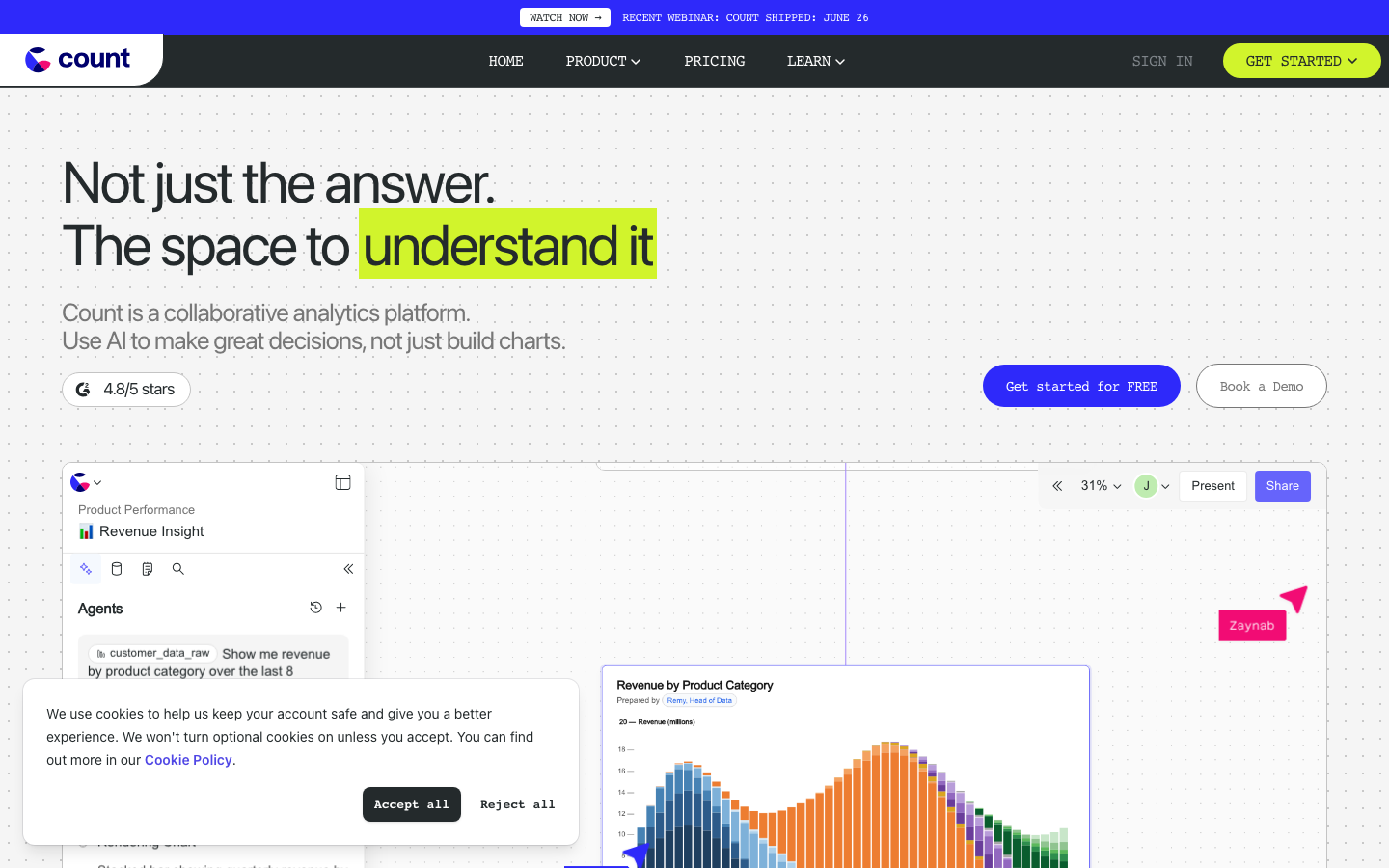
Count is a Notebook collaboration platform for data teams, emphasizing a visualization-first exploration experience and supporting hybrid analysis of SQL and Python.
Count
Count’s core parameters and statistics
Count is a collaborative notebook and visual analysis platform for modern data teams. It is officially positioned as a "visualization-first collaborative notebook". It belongs to the same track as Deepnote and Hex, but Count has made a difference in the way of interaction during the data exploration phase - it allows users to directly build queries by dragging and clicking without having to write SQL statements from scratch.
| Projects | Public Information |
|---|---|
| Official positioning | Visualization-first collaborative data notebook |
| Core capabilities | SQL/Python hybrid analysis, visual exploration, real-time collaboration |
| Programming language support | SQL, Python |
| Data warehouse connections | Snowflake, BigQuery, Redshift, PostgreSQL |
| Deployment form | Cloud SaaS (no self-hosted solution) |
| Collaboration features | Real-time editing, row-level comments, shared publishing |
| Team granularity | Workspace + Project organization |
| Differentiated Highlights | Query construction based on visual drag and drop, lowering the coding threshold |
| Online time | ~June 2021 (public launch) |
| Latest update | Continuous iteration in Q2 2026 (cloud service has no fixed version number) |
Positioning analysis: Count is not a general notebook (such as Jupyter Lab), nor a BI tool (such as Tableau, Metabase), but an "exploratory analysis platform" between the two. Its core value is to transform the analysis process from "write the code first and then look at the results" to "look at the data first and then adjust the code".
Horizontal comparison with Deepnote and Hex: All three tools are geared towards collaborative notebook scenarios of data teams, but they have different focuses. Deepnote emphasizes the seamless mixing of SQL and Python and AI assistance; Hex prefers engineering analysis workflow management (contextual isolation, scheduling, permissions); Count goes further in visual guidance, and the interactive mode is closer to the operating intuition of BI tools, and is more friendly to non-SQL skilled users.
Data source coverage: Publicly supports four types of data warehouses: Snowflake, BigQuery, Redshift, and PostgreSQL, covering the mainstream cloud data warehouse market. However, there is a lack of official statements for common engines such as MySQL, SQL Server, DuckDB, and Databricks. If the team's data stack is not among these four categories, you need to verify whether it is supported before accessing it.
Implicit cost of deployment form: Count only provides cloud SaaS form and does not support its own private deployment path. This means that the data must be transmitted to Count's servers for processing, which may be a hard exclusion for industries with sensitive data sovereignty or high network isolation requirements (finance, medical, government).
Count’s users and market recognition
Count’s public voice at the market level is less than that of Deepnote and Hex. This is related to its team size and market strategy-it relies more on product word-of-mouth rather than financing PR drive.
Financing and Team Background: Count was selected for a Y Combinator batch, which is an important quality signal. YC’s screening mechanism means that the team has undergone early verification in terms of product direction and market demand. However, the specific financing amount, valuation, number of customers and other details have not been publicly disclosed.
Verifiable Market Signals:
- YC Endorsement: Y Combinator investment background, usually means that the product direction has been verified by the early market.
- Industry Discussion: It has a certain mention rate in product communities (such as Product Hunt, Hacker News) and data analysis communities, but its popularity is lower than Deepnote.
- Customer type inference: Judging from product functions (collaboration, sharing, non-technical user participation), typical customers should be medium-sized or above data-driven teams, not individual developers or micro teams.
The practical significance of recognition: For products such as collaborative analysis tools, community popularity and financing scale do not directly equal product applicability. The key acceptance criterion should be: whether the team's daily workflow can be fully covered by Count's visual query + notebook paradigm, rather than the general acceptance of the market. It is recommended to use "market recognition" as a preliminary screening reference, and the final decision should be based on 1–2 weeks of actual trials.
Count’s cost advantage
- C-side/Individual: Usually a free version is provided to experience the core functions, and high-frequency use requires a paid package subscription.
- API/Developer: Billed by call volume, suitable for development teams that can be flexibly integrated into their own systems.
- Enterprise/Privatized: Contact the business owner for customized quotation and deployment plan. The specific price is subject to the official real-time pricing page.
Count’s main functions
Count's functional system is centered around "making data exploration more intuitive and collaborative". The core capabilities can be summarized into the following five categories:
- Visual Query Generator: Users can automatically generate SQL queries by dragging fields, setting filter conditions, and selecting aggregation methods, without the need to manually write WHERE/JOIN/GROUP BY statements. This not only lowers the coding threshold, but also changes the linear process of "write the code first and then look at the results" - users can see the value distribution of each field in real time during the operation and adjust while exploring. The improvement in analysis efficiency comes from "the feedback loop is shortened" rather than "the typing speed is increased".
- Hybrid Notebook Editor: Mix SQL and Python cells in the same notebook, and query results are automatically rendered as tables or charts. The key detail lies in its "visualization first" logic - a graphical interface is used to guide operations by default, but users can switch to the SQL editor for fine-tuning at any time, which neither affects novices' entry nor blocks advanced users.
- Real-time collaborative editing: Multiple people can edit the same Notebook at the same time, changes are synchronized in real time, and row-level comments and @ mentions are supported. This is similar to the collaboration mode of Google Docs, but optimized for analysis scenarios - comments can be anchored to specific data rows or chart areas, making the discussion context more focused.
- Publish and Share: Publish the analysis results as a read-only link, supporting password protection and expiration time settings. Non-technical colleagues can interactively view charts and data tables without logging in (can filter and sort, but cannot modify underlying queries), which is suitable for weekly reports, temporary data analysis sharing and cross-department delivery.
- Data source integration: Directly connected to data warehouses such as Snowflake, BigQuery, Redshift, PostgreSQL, etc., supporting real-time query and caching modes. The cache mode has a significant acceleration effect on high-frequency repeated queries (such as indicator dashboards and regular reports), but time-sensitive analysis (such as real-time anomaly detection) requires confirmation of the cache refresh strategy.
Synergy between functions: The real experience advantage of Count does not come from a single function, but from the entire link "Visual Query → Notebook Editing → Collaborative Review → Release Sharing". Take a typical workflow as an example: business operations personnel complete the monthly active user trend query through drag and drop → Analysts add Python code to the shared notebook for comparison over the same period → The team discusses the reasons for abnormal fluctuations in the comment area → Finally, a read-only link is released to the management. The entire process does not require switching tools, and it also changes from the asynchronous mode of "requirement transmission → waiting for results → then communication" to "synchronous collaboration". This is the core efficiency improvement point of Count compared to the traditional model of "BI tool + Slack image transfer".
Version evolution of Count
As a SaaS cloud service, Count does not adopt a version number system in the traditional sense, but a continuous iterative update model. The following is an overview of its evolution based on publicly traceable milestones.
| Time nodes | Milestones | Key points of change |
|---|---|---|
| ~June 2021 | Public launch | Count enters the market as a Y Combinator endorsement and launches collaborative Notebook products for data teams |
| 2022–2023 | Functional improvement period | Gradually complete core capabilities such as visual query generator, row-level comments, publishing and sharing, and establish differentiation with Deepnote/Hex - emphasizing visual guidance |
| 2024 | Ecological expansion period | Expanded data source support (new cloud data warehouse connectors such as BigQuery/Redshift), optimizing real-time collaboration performance and Notebook rendering |
| 2025 | Mature and stable period | The product enters a stable iteration rhythm and continues to optimize the drag-and-drop query experience and Python cell compatibility |
| Q2 2026 | Latest update | Cloud services continue to iterate, please refer to the official real-time page |
Version form description: Count does not provide desktop or self-hosted versions, and all feature updates are pushed directly to the cloud. This means that users always use the latest version, but they cannot "lock" a stable version for large-scale deployment - product behavior may change with updates, and teams with high requirements for process standardization need to pay attention to the change log.
Update rhythm: Inferred from public information, Count’s iteration frequency is approximately 1–2 feature updates per month plus several hot fixes. This is a normal iteration cadence for SaaS products, but if the team relies on specific UI behavior or API behavior during important analysis processes, a compatibility verification window needs to be allowed before update coverage.
Count’s technical advantages
The technical value of Count is not reflected in a single breakthrough, but in the synergistic effect of the three-layer mechanism of "visual query engine + collaborative architecture + data source adaptation".
Visual query engine mechanism: Count's visual query generator is not a simple SQL template splicing, but implements field-level metadata awareness - when the user drags and drops a field, the system automatically loads the value distribution, data type and null value ratio of the field, helping users understand the data quality before writing a query. This "exploration first, query later" paradigm is essentially different from the traditional SQL "assume first, then verify" process: the former reduces dependence on data schema and is more suitable for rapid exploratory analysis; the latter is more suitable for deterministic queries with known business logic.
Design trade-offs in collaboration architecture: Count adopts a real-time synchronization architecture similar to Google Docs, rather than the "save-refresh" model of traditional data tools. In the analysis collaboration scenario, this solves two practical problems: first, what you see is what you get when multiple people view the same result at the same time, reducing the communication cost of "which version are you using?"; second, the discussion can be anchored to specific data points and row-level comments instead of screenshots + communication in another chat tool. However, this architecture has high requirements for network stability, and synchronization delays or conflicts may occur under network fluctuations.
Caching strategy for data source adaptation: Count provides two connection methods: real-time query and cache mode. In cache mode, the query results will be refreshed according to the configured policy (rather than being pulled in real time every time), which significantly improves the response speed to high-frequency repeated queries - typical scenarios such as team indicator boards and regular daily/weekly reports. But cache mode introduces an easily overlooked problem: when the content of the underlying data source changes but the cache has not yet been refreshed, the analytic view may display stale data. Therefore, for scenarios that are sensitive to data timeliness (such as real-time sales boards, anomaly detection), it is recommended to use real-time mode and accept longer loading times.
Current technical upper limit:
- Large-scale data set processing capabilities have not been publicly verified: Count has not officially disclosed its query performance on data sets with more than 1 billion rows. For teams that need to process extremely large-scale data, it is recommended to conduct stress testing with production-level data during the trial phase to confirm whether the response time of visual queries under large data volumes is within an acceptable range.
- Limited Python deep programming support: Count supports Python cells, but it is not a complete data science context - it does not support complete integration of GPU acceleration, deep learning frameworks, and large-scale numerical computing libraries. For scenarios that require training models or running complex simulation analysis, Jupyter Lab or VS Code are still more suitable choices.
How to use Count
The usage path of Count is extremely simple - it only has one entrance to the cloud SaaS, no installation or configuration is required, just register and you can start using it. The following is an explanation from two dimensions: usage process and practical steps.
Overview of usage process
| Steps | Action | Instructions |
|---|---|---|
| 1. Register an account | Visit count.co and register via email or SSO (Enterprise) | Start the experience with the free plan |
| 2. Connect to the data source | Configure the data warehouse connection in Workspace (Snowflake / BigQuery / Redshift / PostgreSQL) | Require data warehouse address, credentials, network whitelist permissions |
| 3. Create Notebook | Create a new project and add Notebook cells, select SQL or Python mode | Visual mode is turned on by default, you can switch back to code view at any time |
| 4. Execute the query | Drag and drop fields to build the query, or directly write SQL/Python code | The results are automatically rendered as tables or charts |
| 5. Collaboration and sharing | Invite teams to collaborate on editing, or publish as read-only links | Publish links support password protection and expiration time settings |
Practical details and precautions
Data source configuration: When connecting to a data warehouse, a network whitelist is usually required - Count's IP range needs to be added to the data warehouse's firewall rules. If your team uses static IP whitelist mode, you need to request the outbound IP list from the Count support team in advance.
Boundaries of Visual Query: Count's visual query generator can cover most common SELECT-FROM-WHERE-GROUP BY scenarios (aggregation, filtering, sorting, join tables), but you need to switch to SQL handwriting mode when encountering the following situations: complex subqueries (nested SELECT), window functions (ROW_NUMBER / RANK / LAG / LEAD), UNION / INTERSECT / EXCEPT Collection operation CTE (common table expression). This means that visual patterns are not a one-size-fits-all solution and someone on the team still needs to be SQL-savvy.
Limitations on the use of Python cells: Count's Python context is a restricted sandbox that can run common data analysis libraries such as pandas, numpy, matplotlib, etc., but does not support: GPU/TPU accelerated machine learning frameworks other than scikit-learn, large-scale distributed computing, system-level operations, or file writing. Python cells are more suitable for data post-processing and simple statistics, rather than a complete machine learning workflow.
Permission control of publishing links: Read-only publishing links do not require the recipient to register a Count account by default, but the publisher can set password protection, expiration time, and prohibit downloading of original data. This has practical value in cross-department delivery and external consultant collaboration scenarios - but be aware that once the link is published, the recipient can screenshot or copy the displayed data value, and row-level data desensitization cannot be achieved.
Count’s Product Pricing
The pricing model is subject to the official real-time page. Usually a freemium or subscription system is used, and basic functions can be used for free. Advanced functions or high-frequency use require paid subscriptions, and users are advised to evaluate the optimal solution based on actual usage.
Count application scenarios
Count's "visualization first + collaborative notebook" positioning gives it unique efficiency advantages in the following three types of scenarios:
- Quick exploratory data analysis: When the business side needs to quickly understand a certain user behavior trend, channel performance or product function usage, the traditional process is "Business request → Analyst scheduling → Write SQL query → Return results", and a single transaction usually takes hours to days. In Count, business personnel can directly complete common queries (aggregation trends, classification comparison, Top N sorting) by dragging fields, shortening the time to obtain a single answer to minutes. Analysts can be freed from a large number of simple query requests to focus on more complex attribution analysis and model building. Expected effect: The processing time for daily query requests is reduced from "X hours" to "X minutes" (the deduction is based on a comparison of typical analyst assistance processes, unofficial commitment).
- Team-level analysis collaboration: In the same Count Notebook, analysts are responsible for SQL/Python core queries, business operations participate in data interpretation and comments, and managers directly view the shared results. Compared with the model in which "analysts send chart screenshots to the Slack group and wait for feedback", this reduces information transmission loss and version confusion - everyone sees the same interactive Notebook instead of static screenshots. The actual improvement in collaboration efficiency depends on the team's collaboration culture and tool adoption rate. If the team is used to asynchronous communication (sending documents → waiting for others to reply), Count's real-time collaboration advantages will be weakened.
- Ad hoc reporting and indicator monitoring: Encapsulate commonly used queries into Notebook templates, and only need to modify date conditions or filtering parameters each time to generate a new report. This is especially efficient for periodic analysis tasks such as weekly reports, monthly reports, and activity reviews, reducing the workload of repeatedly writing SQL. However, in scenarios where the indicator caliber requires unified certification across teams (such as company-level North Star indicators), an external indicator governance system is still needed to ensure that each
Teams use consistent query definitions.
Human-computer collaboration boundary: In the above scenario, the following sections should retain manual confirmation points - data source connection configuration (involving credentials and network security policies, which cannot be automated), business verification of query logic (confirmation of the caliber of important indicators should be confirmed by the business leader, rather than relying solely on the correctness of the Notebook), and permission auditing of publishing links (who publishes what data to the outside requires an internal team review process). Count can cover 80% of the standardized process from query to sharing, but compliance issues involving data security, indicator calibers, and external release still require manual participation.
Count’s applicable population
The characteristics of Count's target audience are highly consistent with its product positioning - it is more suitable for data teams that "start from exploration, require collaboration, and have mixed skills backgrounds" rather than purely technology-oriented data science organizations.
- Business-oriented data analyst: This type of user has a basic grasp of SQL, but the main bottleneck in daily work is not that they cannot write complex queries, but that a large number of simple query requirements take up time for exploration and thinking. Count’s visual query builder helps them answer business questions faster, freeing up energy for more valuable in-depth analysis.
- Mixed skills team: The team includes both data analysts who are proficient in SQL, as well as product operations and market analysts who are familiar with business processes but have limited technical capabilities. Count's collaborative model allows the latter to directly participate in data exploration (complete simple queries through drag and drop), without having to rely on analyst assistance each time. Whether this model can operate smoothly depends on the fact that data-driven working habits have been established within the team - if the business side is used to "only looking at the conclusion and not the process", Count's collaborative advantages may not be able to be used.
- Medium-sized teams that need to deliver analysis results quickly: The link from connection to chart sharing is short, suitable for event-type (such as big promotion review, activity analysis) or fixed-cycle type (weekly report, monthly report) analysis delivery. If the team delivers analytical products that need to be managed under strict version control (such as industry reports published externally), the Notebook mode may not have the auditing and version traceability capabilities as traditional BI reporting platforms.
Not suitable for the crowd and prerequisites:
- Deep Data Science and Machine Learning Team: Count's restricted Python sandbox is completely unable to meet scenarios that require GPU training, large-scale distributed computing, and custom Python context (such as TensorFlow, PyTorch, Spark). Such requirements should use Jupyter Lab, VS Code, or a specialized ML platform.
- Data sovereignty-sensitive industries: Industries subject to strict data compliance, such as finance, medical care, and government affairs, require data not to leave the internal network - Count's pure SaaS form is a hard exclusion in this scenario, unless the official launches a privatized deployment plan in the future.
- Standardized report scenario with heavy reliance on BI: If the team's core deliverables are highly formatted fixed reports (pixel-level aligned PDF export, complex watermarks, numbers, etc.), Count's Notebook output form may not meet compliance requirements. Traditional BI tools (such as Tableau, Power BI, Metabase) are more mature in this scenario.
- Individual analysts working alone: If the analysis work is completely personal and there is no need for collaboration and sharing, Count's real-time collaboration and publishing functions are redundant functions. A native Python + Jupyter environment may be more lightweight and efficient.
Count’s summary and outlook
Count has found a clear differentiation space in the data tool track with its "visualization-first collaborative notebook" positioning. It is not the most versatile Notebook platform (compared to Jupyter), nor is it the most formal BI reporting tool (compared to Tableau), but for those data teams with high frequency of data exploration, diverse team skill structures, and the pursuit of "letting business parties see the data themselves", Count provides a more natural collaboration path.
Core Competencies: The visual query engine lowers the threshold for non-technical members to participate in analysis; the real-time collaboration architecture reduces the information loss caused by regular communication; the integrated link from query to release shortens the "from data to decision-making" cycle. The combined effect of these three is especially obvious in medium-sized data-driven teams.
Current Limitations and Uncertainties:
- Python has limited deep programming capabilities and is not suitable for machine learning workflows.
- Only supports cloud SaaS, no private deployment options, data sovereignty-sensitive industries need to assess compliance risks.
- The processing performance of large-scale data sets (more than 1 billion rows) has not been publicly verified.
- Data source coverage is narrow: it only supports four major cloud data warehouses and lacks official support for MySQL, SQL Server, DuckDB, Databricks and other engines.
- Pricing is not transparent - the specific amount and free limit limit are not disclosed, which increases the time cost of purchasing and comparing prices.
Ecological Position Outlook: The collaborative notebook track has entered a three-part world pattern - Deepnote emphasizes AI assistance, Hex emphasizes engineering management, and Count emphasizes visual guidance. All three parties are penetrating into each other's territory. Whether Count can maintain differentiation depends on its continued investment in visual interactive experience. If it can complement more data source connectors and moderately expand Python capabilities (such as supporting pandas advanced operations and richer visualization libraries), it may evolve from an "exploration tool" to a "full-process platform covering exploration to delivery."
Procurement/Adoption Risk Assessment: It is recommended to conduct a 1-2 week pilot with the Free plan to access the team's actual data sources, focusing on verifying the following key terms: whether the visual query generator can cover more than 80% of the team's daily query scenarios; whether the collaboration mode is truly accepted by the team instead of being reduced to a trial; whether the published link meets the team's security requirements (such as link leakage prevention, permission recovery capabilities) when shared externally; and whether the performance of direct connection to the data source is acceptable under the production-level data volume. Only if these prerequisites are confirmed to be true during the pilot phase will the Team solution be considered for signing. For enterprise-level procurement, it is especially necessary to confirm with the Count business team one by one the SSO implementation method, data storage geography, compliance certification status (SOC2 / GDPR), and the attitude of the future product roadmap towards privatized deployment - the uncertainty of the latter is currently the biggest adoption risk.
Related tools:  Hugging Face, replicate
Count’s model and version evolution
Continuous iterative updates, the latest version introduces performance optimization and new features. Historical version information can be viewed on the official release page. There is no complete public version evolution timeline yet. It is recommended to pay attention to the official announcement to understand the rhythm of feature updates.
How to use Count
- Web client: You can use it by visiting the official website and registering an account. Most functions do not require installation.
- API Access: Provides RESTful API, developers can obtain the API Key and integrate it into their own applications.
Version Info
- Count updated June 2026 :Continuously iterative cloud service with no fixed version number.
- Count is now publicly available :There is no official precise date yet.
User Reviews