 Decktopus
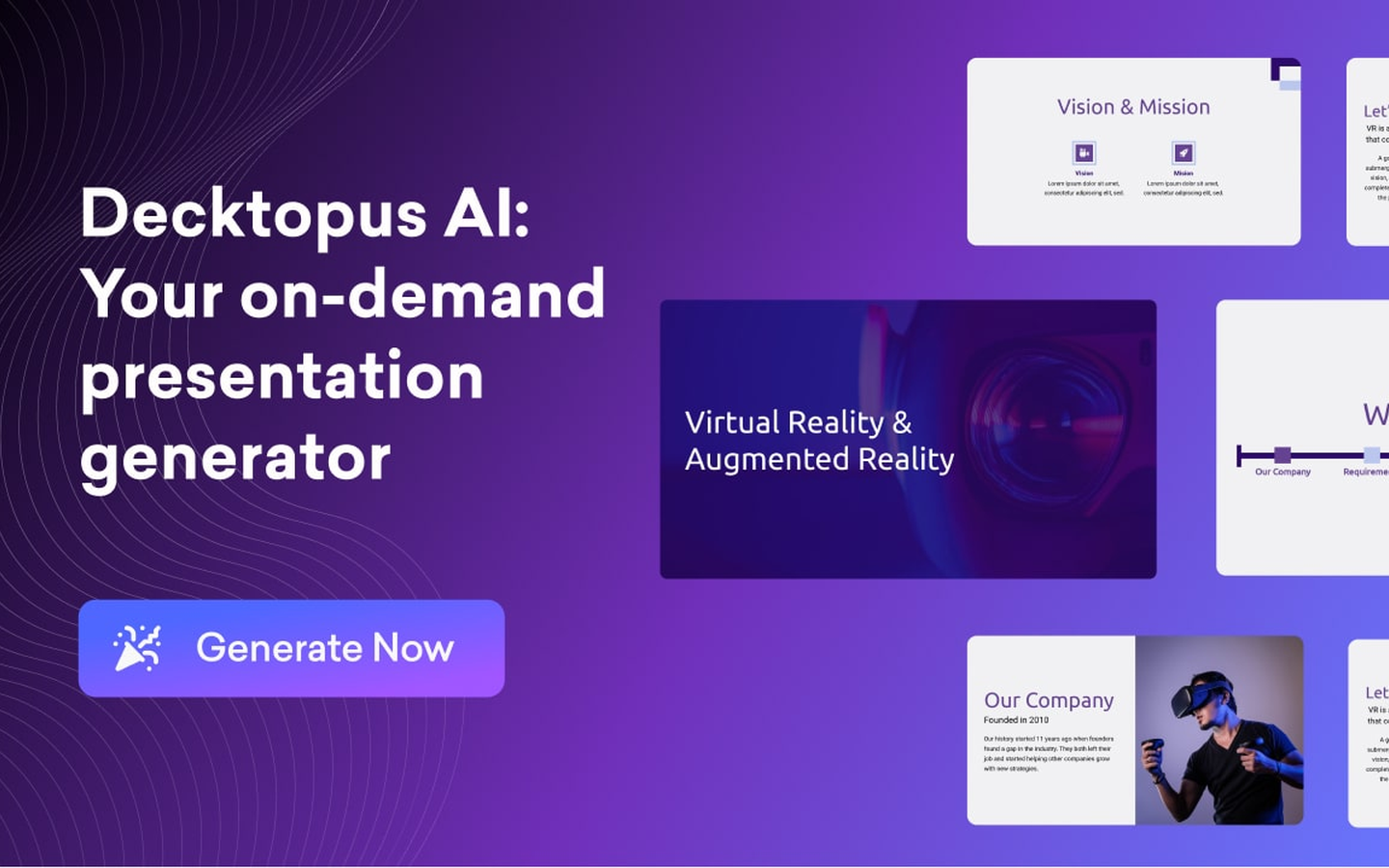
Decktopus is an AI-assisted online presentation creation platform that integrates AI content generation, intelligent typesetting and data analysis form functions.
Decktopus
Core parameters and statistics of Decktopus
| Parameter item | Description |
|---|---|
| Product Positioning | AI-driven online presentation creation and data collection platform |
| Editor form | Cloud Web editor, no need to download and install |
| AI generation capabilities | AI presentation generation, AI image generation, AI copywriting |
| Unique differentiation capabilities | Embedded form collection + data analysis dashboard + voice recording |
| Output format | PPTX, PDF, online link, mobile microsite |
| Sharing methods | Link sharing, embedding in web pages, QR codes, custom domain names |
| Enterprise Customers | Vodafone, DHL, ByteDance, PepsiCo, Samsung, Nike, Spotify, Netflix, NVIDIA |
| User scale | 4 million+ global users, creating an average of 402,000 presentations per month |
| Data Security | DigitalOcean Server + Auth0 Authentication + Let's Encrypt SSL |
| Latest version | Decktopus v3.0 (2026-03) |
The product positioning of Decktopus is not a PPT substitute in the traditional sense, but a fusion platform of "presentation + data collection". The core difference is that a presentation is no longer a one-way information output. Instead, forms, questionnaires, and registration portals can be embedded in slides. Audiences can submit data while browsing the presentation, and the submitted results are automatically summarized into visual reports. This model that combines "content display" and "interactive feedback" forms a unique closed value in pre-sales interaction, teaching evaluation and event registration scenarios.
Decktopus users and market recognition
4M+ global users: According to public data on the official website, Decktopus has more than 4 million users, creates an average of about 402,000 presentations per month, and generates more than 2,600 presentations in a single day. The average daily number of AI presentations generated on the platform has entered the stage of large-scale operation.
Enterprise-level customer endorsement: Enterprise customers listed on the official website include leading cross-industry brands such as Vodafone, DHL, ByteDance, PepsiCo, Samsung, Nike, Spotify, Netflix, L'Oreal, and NVIDIA. The customer list covers communications, logistics, Internet, FMCG, entertainment and other fields, indicating that its products have universal adaptability in cross-industry scenarios.
Customer case verification: Take the case of tax consulting company LFS Tax as an example. After the agency built a branded AI slide system through Decktopus, it achieved a 40% increase in presentation creation speed with 100% branded slide library coverage. Partners and assistants can independently generate proposals and training materials that comply with brand specifications. This case verifies the actual value of Decktopus in brand consistency management and team collaboration efficiency from the enterprise side.
Community and Support: The official website states that the average customer support response time is less than 1 minute, which is a high level among SaaS tools. The platform has a template community (Community Decks) where users can share and reuse presentation templates created in the community.
Cost Advantages of Decktopus
C-side/Individual users: Provides free version (basic functions), suitable for users who occasionally create presentations. The Pro version is $14.99/month (annual payment is $179.99), including core capabilities such as AI content generation, AI image generation, and PDF export. Students can get 50% off with the SUPPORTEDUCATION code—one of the few discounts on AI tools explicitly geared toward students.
Team/Business Users: Business version $34.99/user/month (annual payment $419.99), additionally includes Slide Analytics, Webhook integration, custom domain name connection, team and organization management functions. The Enterprise version is a customized quote, including 100% corporate brand slide AI brand configuration, custom layout and the ability to import existing documents.
Explicit cost and billing mechanism: The AI function adopts the "AI credits" billing model - the Pro version is 9,000 points per year, the Business version is 12,000 points per year, and each AI presentation generation consumes 30 points. Once the monthly quota is used up, overspending charges will not be deducted, but will be reset next month. This means that high-frequency users (such as those who produce 10+ AI presentations per week) may need to upgrade to the Business or Enterprise plan.
Hidden Costs: Monthly subscriptions are non-refundable (including unused months on annual plans), and all editions are SaaS online with no localized private deployment options. Enterprises with strict data sovereignty requirements (such as finance, military industry) need to evaluate the compliance risks of data hosted on the DigitalOcean cloud.
ROI Deduction: Taking a sales representative as an example, it takes 4-6 hours to produce a customized pre-sales presentation using the traditional method (including content writing, design and typesetting, and proofreading). After using Decktopus AI, it is reduced to about 30 minutes - an increase in efficiency of about 8-10 times. For a sales team producing 3-5 presentations per week, a single person can save 15-25 hours per week. **
Main functions of Decktopus
-
AI presentation generation: Enter a one-sentence topic or detailed outline, and AI will automatically complete content research, copywriting, picture selection, and layout. Each spawn costs 30 AI points. If the result is not satisfactory, you can switch the style and structure with one click through "Regenerate Slide".
-
AI Image Generation: With built-in visual drawing capabilities, users can enter prompt words to generate visual materials that match the slide theme without jumping to external libraries or design tools. The function entrance is deeply integrated with the presentation editor, and pictures are directly inserted into the current slide.
-
Embedded Forms and Data Collection: Embed questionnaires, registration forms, feedback forms or appointment forms directly in your slides. Viewers can fill out and submit without leaving the demo page. The form supports custom fields and automatic reply settings after submission. This is the core difference between Decktopus and all competing products.
-
Data Analysis Dashboard: Audience data collected through forms (such as contact information, preference options, questionnaire answers) are automatically summarized into a visual dashboard that supports real-time viewing and export. Sales teams can get a list of prospects immediately after a presentation, and teachers can view in-class quiz results.
-
Voice recording and virtual presentation: Supports recording or uploading voice explanations. When the audience opens the presentation through the link, the explanation audio can be automatically played to match the slide switching rhythm. This function converts static PPT into "on-demand virtual demonstrations", suitable for pre-sales scenarios or asynchronous training where real-time attendance is not possible.
-
Slide Analysis and Tracking: Starting from the Business version, you can view indicators such as the number of times a presentation is opened, the viewing time of each page, and the form submission conversion rate. For sales and marketing teams, this data directly correlates to lead follow-up priorities and content optimization directions.
-
Zapier integration and Webhook: You can connect CRM, email marketing, project management and other tools through Zapier to realize automated workflows such as "form submission → automatic entry into CRM → trigger follow-up emails". Webhooks support further custom data push.
-
Branding Templates and Team Collaboration: The enterprise version supports uploading brand colors, fonts and logos at one time, and all AI-generated presentations will automatically follow the brand specifications. The team space supports management of presentations by department to avoid version confusion and brand deviation.
Decktopus model and version evolution
v1.0 ~ End of 2024: The initial version focuses on the online presentation editor and basic template library. Positioned as a cloud alternative to traditional PowerPoint, its core selling points are drag-and-drop editing and online sharing.
v2.0 ~ 2025-06: Introducing embedded forms and data collection functions, the platform is upgraded from a "presentation production tool" to a "presentation + interaction" platform. Added PDF export and basic sharing analysis capabilities. This release establishes Decktopus’ differentiated product direction.
v3.0 ~ 2026-03: Fully integrated AI capabilities - AI presentation generation, AI picture generation, and AI copywriting polishing. At the same time, the AI point billing system, voice recording, slide analysis (Business version) and Zapier integration are launched. At this point, Decktopus has completed the transformation from a traditional editor to an AI-native platform.
Following evolution direction: The official website homepage displays a counter of "X presentations have been generated today" in real time, implying that its AI generation volume is climbing rapidly. It is expected that subsequent versions may continue to iterate on the refinement of AI generation quality (such as more accurate chart generation, multi-language AI copywriting), the in-depth linkage between forms and AI (AI adjusts subsequent content in real time based on audience feedback), and deeper enterprise integration (such as SSO, Salesforce native plug-ins).
Decktopus’ technical advantages
Mechanism → Effect → Scene: Decktopus’ technical architecture is designed around the concept of “presentation is a microsite”. Every time AI generates a presentation, the system not only builds the slide structure, but also generates a mobile-adapted responsive microsite version. When the audience opens the link on their mobile phone, it automatically displays a vertical screen reading mode instead of the traditional horizontal slide zoom. This mechanism directly solves the problem of experience rupture when traditional PPT is shared on the mobile terminal.
AI generated link: User input topic → AI automatically performs content research (searching public knowledge base) → Structured outline extraction → Slide paging and arrangement → Layout template matching → Brand rule application (color/font/Logo) → Image generation and insertion. The entire link is delivered end-to-end within 30 seconds, and supports page-by-page fine-tuning and overall style switching.
Collaboration of form engine and data reflow: The form module and the presentation editor share the same component system, and the data submitted by the form is reflowed in real time through Webhook or the platform's built-in dashboard. This architectural design makes the form no longer an external link pasted in the presentation, but a native component at the same level as the slide content, and the data and display are naturally connected.
Security and Compliance: Using DigitalOcean cloud infrastructure + Auth0 authentication + Let's Encrypt SSL encrypted transmission. Login credentials and presentation data are stored in an encrypted database. The platform has no local deployment option, and all data is stored cross-border in DigitalOcean’s designated data center.
Zapier Ecosystem Integration: Through the Zapier connector, Decktopus can connect to 5,000+ SaaS applications to link presentation creation, updates, and form submission events with external business systems. This is the most engineered component of its technology stack - it transforms Decktopus from a stand-alone demonstration tool into a business process component.
How to use Decktopus
Entry and Registration: Visit https://app.decktopus.com/, support Google account or email registration. Register to enter the free version, where you can directly experience basic functions and limited AI generation quota.
Core workflow - AI generated presentation:
- Click "Create New" on the Dashboard → select "Start with AI".
- Enter a presentation topic (e.g. "2026 Q2 Marketing Strategy Review") or paste an existing document/notes.
- AI generates a complete slide outline and first version content in about 15-30 seconds, including title page, table of contents, content page and summary page.
- Use the Drag & Drop editor to adjust page order, replace images, and modify copy.
- Use "Regenerate Slide" for unsatisfied pages to regenerate the page layout.
- Optional: Insert a form (questionnaire, registration form, appointment form) on any page.
- Share via link, embed on website or publish via QR code.
Specific operations to embed a form: Select "Add Form" in the editor → select the form type (Lead Generation / Survey / Feedback / Appointment) → custom fields → embed the current slide. Audiences can fill in the presentation directly after opening it, and the data will automatically enter the Analytics module of the Dashboard.
AI Points Management: View remaining AI points in Account Settings. Each AI spawn costs 30 points. Points are reset monthly and unused points will not be accumulated. Points can be used to purchase more credits (negotiated with Enterprise plan).
Brand Template Settings (Business/Enterprise): Upload the logo, brand color, and font on the Branding settings page, and then all AI-generated presentations will automatically apply brand specifications, eliminating the need to manually adjust page by page.
Product Pricing for Decktopus
| Package | Monthly payment unit price | Annual payment unit price | AI points/year | Core differences |
|---|---|---|---|---|
| Free | Free | Free | Limited | Basic Editor + Limited AI Features |
| Pro | $14.99/month | $179.99/year (≈$15/month) | 9,000 | AI full functionality + unlimited forms + PDF export |
| Business | $34.99/user/month | $419.99/year (≈$35/month) | 12,000 | Team collaboration + slide analysis + custom domain name + Webhook |
| Enterprise | Custom Quotation | Custom Quotation | Customization | 100% Branded Slideshow + AI Brand Configuration + Customized Layout + SSO |
Free version limitations: A limited number of presentations can be created, AI generation quota is limited, and watermark-free export is limited. But the core online editor, template library, and basic form functionality are available.
Pro version: Focus on individual high-frequency users. $14.99/month ($179.99 annually) includes full AI presentation generation, AI image generation and unlimited form collection capabilities. Each AI generation consumes 30 points, and 9,000 points/year corresponds to approximately 300 AI generation. It’s basically enough for an individual user who generates an average of 25 presentations per month.
Business Edition: Focus on team collaboration scenarios. $34.99/user/month. In addition to all the features of Pro, it also provides slide analysis (tracking who viewed what and for how long), custom domain name Webhook integration, team management background, and folder system classified by department.
Enterprise Edition: Customized plan for large organizations. Includes 100% brand slide AI brand configuration (automatically adapts to corporate visual specifications), customized slide layout, batch import of existing documents, and customized integration. Need to contact the business to get a quote.
Student Discount: Use code SUPPORTEDUCATION for 50% off, available to current students.
Refund Policy: There are no refunds for monthly payment plans, and no refunds for annual payment plans if canceled midway. This policy is relatively strict among similar SaaS tools. When purchasing, please pay attention to trial confirmation before making an annual commitment.
Decktopus application scenarios
-
Pre-sales interactive demonstration and lead acquisition: The sales representative embeds the "Needs Research" or "Budget Assessment" form in the customer presentation, and the customer fills in the information while browsing the presentation. After the demo, the sales team can export the lead list and needs analysis report directly from the dashboard. This scenario turns a traditional one-time proposal into a win-win exchange of information - the customer gets a customized solution presentation, and the sales gets high-quality leads. Implementation Tip: It is recommended to embed the form after key decision-making pages (such as plan comparison and quotation pages). The collection conversion rate is usually 2-3 times higher than that of independent email push.
-
Online teaching and training evaluation: Teachers embed in-class quizzes, polls and post-class feedback forms in the courseware. Students can participate in answering questions by opening the presentation link on their mobile devices, and the results are synchronized to the teacher's dashboard in real time. Teachers can adjust the pace of subsequent teaching based on the distribution of answers - which knowledge points are poorly mastered and which students need to focus on, driven by data rather than empirical judgment. Implementation Tips: It is recommended to distribute the quizzes throughout the presentation (rather than concentrated at the end), and use the vertical screen adaptation in the form of "microsite" to ensure students' filling experience on mobile phones.
-
Event registration and integrated publicity: The event organizer creates a multi-page presentation containing the agenda, guest introductions and venue information, and embeds the registration form on the last page. Complete the entire process of "publicity reach → content display → registration conversion" by sharing the link in one sentence. Compared with the traditional approach (independent activity page + independent registration form), the user jump steps are reduced, and the registration completion rate can be increased by 15-30%.
-
Asynchronous Sales and Virtual Presentation: Sales representatives record voice explanations and then share the link. Customers can open the presentation at any time, and the voice will automatically play and follow the slide transitions. Suitable for selling across time zones and early leads with low follow-up intent that are not yet worthy of scheduling an in-person meeting. Implementation Tip: Cooperate with Slide Analytics to track the customer's complete viewing rate and length of stay on each page to determine the priority of follow-up.
-
Internal corporate training and compliance promotion: HR or the compliance team produces training materials and embeds them in the sign-in confirmation form. Employees browse online and sign to confirm "read and understood". The background automatically generates training completion records and a list of unfinished personnel. This scenario takes full advantage of the combined capabilities of "forms + tracking" without the need for an additional LMS system.
Decktopus is suitable for people
-
Sales and Business Development Team: They are the core adaption group of Decktopus. In scenarios such as pre-sales solution demonstrations, quarterly business reviews, customer proposals, etc., the combination of "demo + form + tracking" can directly replace the decentralized workflow of PPT + independent form + manual follow-up. Not suitable for boundaries: For pre-sales scenarios that require highly customized data visualization (such as complex dynamic chart integration), professional BI tools are still required.
-
Education and Training Practitioners: Teachers, trainers and online course creators can use the embedded quiz function to complete teaching feedback in the courseware. The voice recording function is suitable for asynchronous teaching scenarios. Not suitable for boundaries: For academic institutions that require strict LMS integration (such as in-depth docking scenarios with Canvas and Blackboard), Decktopus currently only provides Zapier bridging and lacks native plug-ins.
-
Marketing and Event Operations: In scenarios such as event promotion Webinar warm-up and partner announcements, presentations can be used as "micro-sites" to replace the traditional double-page structure of Landing Page + PPT. Form embed and share analytics provide quantifiable conversion funnel data. Not suitable for boundaries: For in-depth marketing scenarios that require A/B testing SEO optimization and complex funnel tracking, a dedicated Landing Page building tool is still needed.
-
Internal corporate communication and HR: Suitable for internal scenarios such as company all-hands meeting presentations, quarterly OKR reviews, new employee induction training, etc. Brand template functionality ensures visual consistency across all internal materials. Not suitable for boundaries: For highly confidential internal materials (such as salary instructions, mergers and acquisitions information), it is necessary to evaluate whether DigitalOcean's overseas cloud storage complies with the internal data security policy.
-
Persuasion scenarios for individual creators: Not suitable for users who require in-depth original visual design (such as brand VI manuals, album-level layout). The layout and illustrations generated by AI are based on "adequacy" rather than "excellence". For creators who have extreme requirements for slide style control, traditional tools + designers are still the better choice.
Summary and Outlook of Decktopus
Core Value: Decktopus' unique positioning lies in the fusion of "presentation + data collection". It did not choose to directly compete with Google Slides and Canva Presentation in terms of AI layout quality, but took the differentiated route of "one-way content display → two-way interactive communication". For the three scenarios of sales, education and event operations that require "collecting data while talking", the related experience provided by Decktopus is one of the most complete solutions on the market.
Current Limitations:
- The quality and creativity of AI-generated content are still not as good as vertical tools focusing on AI PPT such as Gamma and Tome, and there is a gap in the "stunningness" of visual design.
- The AI points billing model is not friendly to high-frequency users. If the average monthly AI generation exceeds 25 times, it will reach the upper limit of the Pro version and need to be upgraded to the Business plan.
- Without localization/privatization deployment options, cross-border data storage may become a compliance obstacle for users in the Chinese market.
- The refund policy is strict (no refunds for monthly or annual payments), which reduces the user’s room for trial and error.
Human-machine collaboration boundary (Rule D mandatory deduction):
- Can be 100% automated: AI draft generation, image selection and insertion, brand template application, form embedding, and sharing link generation.
- Manual confirmation points must be set: compliance and accuracy review of the final copy (especially in highly regulated industries such as finance and medical care), personalized customization of high-value customer presentations, design of form fields involving sensitive customer data, and first-time configuration of brand templates.
Procurement/Adoption Risk Assessment:
- Small and medium-sized teams can start directly from the Pro version, pay monthly and try it out for 1-2 months to verify whether the AI generation quality meets daily needs before deciding whether to pay annually. It is recommended to focus on evaluating the hidden cost of "whether AI-generated manuscripts require a lot of manual modifications."
- Enterprise teams should start with the Business version and give priority to testing the adaptation effect of the brand template and the permission control capabilities of team collaboration. You need to pay attention to the effective boundaries of "AI Brand Configuration" in the Enterprise version - whether you need to configure different brand sub-templates for different departments.
- Chinese users need to pay extra attention to data residency issues (DigitalOcean overseas cloud) and refund policy restrictions. It is recommended to use an independent credit card for initial purchase testing to avoid non-refundable annual fees due to compliance issues.
- Key observation points for Decktopus in the next 12 months: whether the quality of AI generation is catching up with the first tier of Gamma/Tome, whether to launch a data residency solution in China, and whether to establish deeper native integration with mainstream CRMs such as Salesforce/HubSpot (rather than just relying on Zapier bridging).
Related tools:  Notion AI, google-workspace
Version Info
- Decktopus v3 :Added AI presentation generation function to optimize form data collection and analysis capabilities.
- Decktopus v2 :Introducing online forms and data collection capabilities, and support for embedding presentations.
User Reviews