 Deepnote
Deepnote is a cloud notebook collaboration platform for data teams, providing real-time collaborative SQL/Python hybrid execution, version management, and production-level scheduling capabilities.
deepnote
Core parameters and statistics
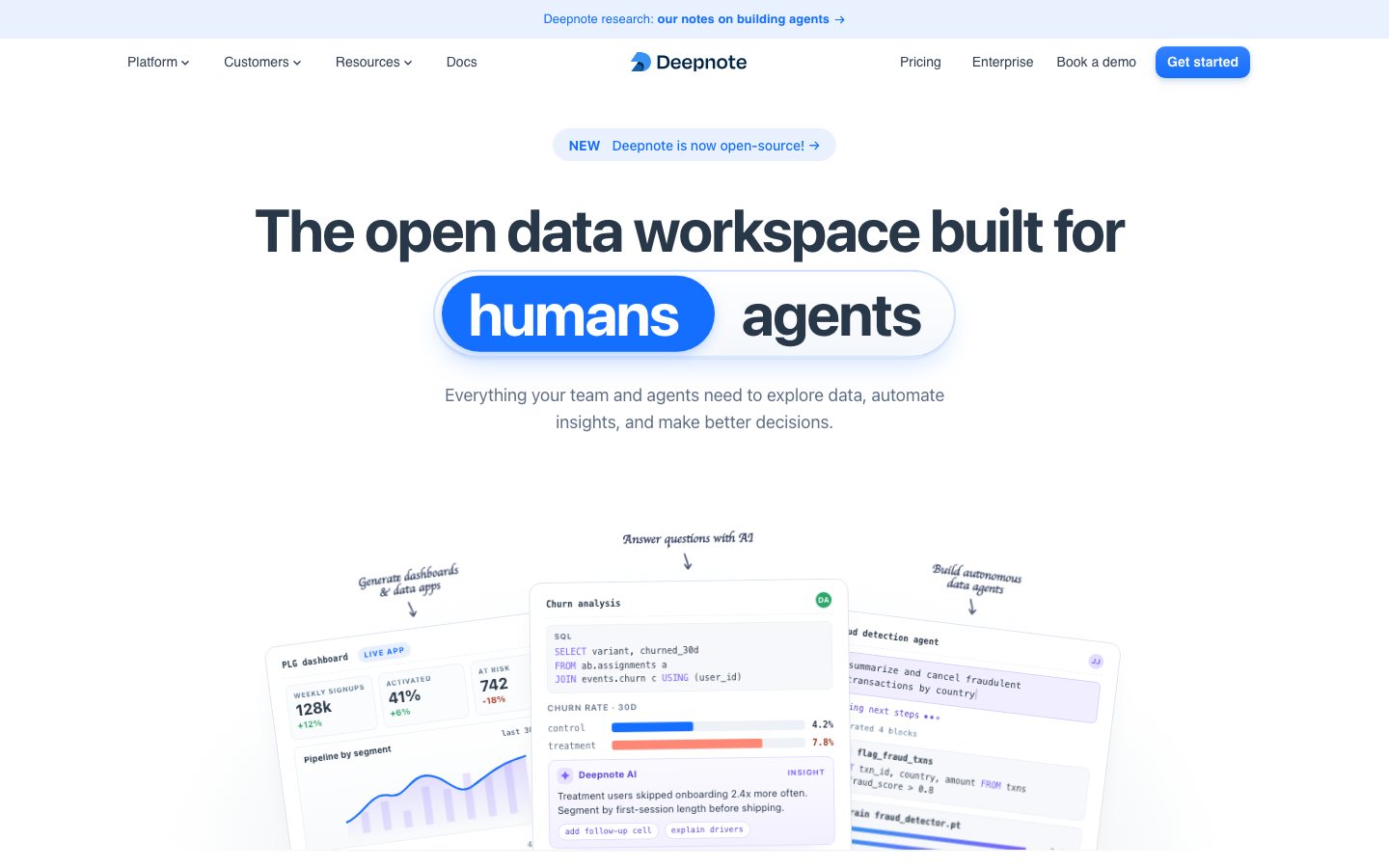
Deepnote's official positioning has evolved from a "data team collaboration platform" to an "open data workspace", with capabilities such as AI Agent, data App, dashboard, pipeline scheduling and model services superimposed on the Notebook core. It is not a cloud-hosted version of traditional Jupyter, but a data operating system that integrates "analysis, application, and automation" on the same platform.
| Projects | Public Information |
|---|---|
| Official positioning | Open data workspace (open data workspace) |
| Core form | Cloud Notebook + Data App + AI Agent + Dashboard |
| Open source license | Apache 2.0 (GitHub public repository) |
| GitHub Stars | ~3,000 stars / 199 forks |
| User scale | 500,000+ data professionals |
| Corporate Clients | MoneyLion, Estée Lauder, SoundCloud, Statsig, Gusto, DAZN, Wooga, Papaya |
| Education Coverage | Used by 96 of the top 100 universities worldwide |
| Data source integrations | 100+ built-in integrations (Snowflake, BigQuery, Redshift, PostgreSQL, Databricks, ClickHouse, and more) |
| Compliance Certification | SOC 2 Type II, HIPAA, GDPR, CCPA |
| Supported languages | Python, R, SQL |
| Deployment method | Cloud SaaS / Self-hosted open source / Enterprise private deployment |
| Headquarters | Czech Republic |
Positioning difference with Jupyter/Colab/Hex: Jupyter is a local single-person tool, Colab is a free personal experiment platform, and Hex is biased toward BI analysis. Deepnote's differentiation lies in "integration from exploration to production" - the same Notebook can be converted into a scheduled pipeline, interactive app, dashboard or AI Agent's skill module in situ, without the need to export and import between multiple tools.
Deepnote AI Agent: The AI Agent capability that will be promoted in 2026 allows users to trigger data query, code generation, chart creation and model deployment through natural language instructions in Notebook. Agent can call predefined "Skill" modules to form a reusable analysis automation unit.
Deepnote’s users and market recognition
Deepnote's market recognition comes from two levels: word-of-mouth in the open source community and endorsement from corporate customers, rather than public financing or revenue figures.
Community Size: The official page shows that 500,000+ data professionals use Deepnote. GitHub's public repository has about 3,000 stars and 199 forks. Although the community is not huge, the contributors list (23 people) includes a large number of external contributors, indicating that the open source ecosystem is in a steady construction stage. Submissions are still active in July 2026, and recent commits involve database integration security hardening and CLI function expansion.
Enterprise customer verification: The companies on the public logo wall cover multiple industries - SoundCloud (audio streaming), Estée Lauder (beauty), MoneyLion (financial technology), Statsig (A/B testing platform), Gusto (salary and benefits), DAZN (sports live broadcast), Wooga (game), Papaya (payment). The data teams of these companies range in size from dozens to hundreds, indicating that Deepnote is suitable for both small and medium-sized data teams and large companies.
Education Market Penetration: 96/100 of the world’s top universities use Deepnote, thanks to its free strategy for students and educators. The penetration of educational scenarios has cultivated a large number of potential enterprise users for Deepnote who will "take away the usage habit after graduation", which not only reduces the cost of customer acquisition, but also forms the basis for future revenue conversion.
Customer Testimonials: Among public quotes, SoundCloud's Principal Data Analyst commented that "implementing Deepnote is as easy as connecting to BigQuery", MoneyLion's MLOps engineer said that "migrating from JupyterHub is almost zero cost", and Gusto's data science lead noted that "setup time has been reduced from days to seconds." These feedbacks focus on the two dimensions of "easy deployment" and "improved collaboration efficiency" rather than a single algorithm indicator.
Deepnote’s cost advantage
The cost advantage of Deepnote does not lie in its absolute low price, but in its hierarchical coverage of "free for individuals + seat-based team + enterprise privatization" and the implicit reduction in tool chain switching costs in the entire data analysis process.
C client/individual user: The Free plan can be used permanently, supports 3 editors, up to 5 projects, provides unlimited Basic machines (5GB RAM / 2 vCPU), 7-day version history, and limited Deepnote AI call quota (AI code completion 10 times/month and Auto AI 5 times/month). It is completely sufficient for personal study and small-scale exploration. Students and educators receive additional free credits.
Team Plan (Team Collaboration): $39/editor/month (annual payment, about 20% discount), includes unlimited projects and viewers, GPT-5.5 and Sonnet 4.6 access, background execution, scheduled 30-day version history, monthly $39 equivalent AI credits, $280 equivalent CPU computing, $50 equivalent GPU computing. The core value lies in packaging computing resources, AI capabilities and collaboration tools into a fixed seat fee. Compared with separately subscribing to JupyterHub (infrastructure) + GitHub Copilot (AI) + Slack (notifications) + self-built scheduler, the total cost can usually be reduced by 40-60%.
Enterprise/Private Deployment: Pricing requires business communication, including customized contracts and invoices, priority support, dedicated customer success managers, unlimited AI quota, permission group SSO/directory synchronization, private Docker images, brought-in LLM, audit logs, single-tenant deployment, and local private cloud options. The actual costs for enterprises include not only seat fees, but also the data pipeline adaptation man-hours for migrating existing workflows, employee training cycles, and the implicit investment in compliance audits.
Typical monthly expenditures for the data team for the three types of solutions:
| User types | Typical configuration | Monthly fee estimate | Included resources | Hidden cost considerations |
|---|---|---|---|---|
| Individual/Student | 1 editor | $0 | Basic machine, limited AI | Project limit 5 |
| Small team (5 people) | 5 editors Team annual payment | ~$195/month | 5×Plus machine AI points | Excessive computing needs to be purchased on demand |
| Medium-sized team (20 people) | 20 editors Team annual payment | ~$780/month | 20×Plus machines, team permission management | Need to evaluate whether to upgrade to Enterprise |
| Enterprise (50+ people) | Enterprise customization | Business confirmation required | Private deployment SSO, audit | Migration and training costs |
Main functions of Deepnote
Deepnote's functional system revolves around a four-layer architecture with "Notebook as the core, AI Agent as the intelligence layer, Data App/Dashboard as the delivery layer, and Pipeline as the automation layer." The following features are its publicly verifiable capabilities:
-
AI Agent and Skill System: Deepnote AI Agent is a core new capability in 2026. Users can directly talk to the AI Agent in Notebook, and the Agent can call the predefined "Skill" module to perform operations such as data query, code generation, chart creation, and model deployment. The skills module is a set of reusable notebook steps that encapsulates specific analysis logic (such as "income decomposition", "user retention analysis"). The team's domain knowledge can be precipitated into assets that can be called by the agent in the form of skills. Synergy: The Agent will not only answer questions, but also generate Notebooks as work results - this means the complete process from "asking a question" to "getting a reproducible and shareable analysis report", not just text responses in the conversation.
-
SQL + Python mixed execution: Use SQL and Python at the same time in the same notebook, and the SQL query results are automatically converted into DataFrame without manual export. Supports Jinja template syntax (integrated through dbt), allowing SQL queries to have variable and conditional logic capabilities. Expert view: This is not a simple matter of "putting two languages together", but it eliminates the most painful discontinuous workflow for analysts of "check data -> save CSV -> read Python". After querying millions of data in BigQuery or Snowflake, perform pandas processing directly. The operation that previously required switching 3 tools can be completed within 5 seconds.
-
Real-time collaboration and version management: Multiple people can edit the same Notebook at the same time, and the cursor, output and execution status can be seen in real time. Built-in 7-30 days version history (according to plan), supports version comparison and rollback. Notebooks can be shared via links without exporting files. Synergy: The combination of version history and real-time collaboration eliminates the cost of tracking "who changed what" - in traditional Jupyter workflows, the chaos that team members manage through file names plus date suffixes (analysis_final_v3_final_real.ipynb) is replaced by unified status and traceable change history.
-
Data App and Dashboard: Convert Notebook into an interactive web application with one click, supporting custom layout, input components (text, selector, slider, date picker) and button-triggered actions. Dashboard mode is suitable for solidifying analysis results into assets that can be viewed by the team, and the data is associated with the underlying Notebook in real time. Scenario value: Business personnel can view data views of different dimensions through the parameter selector without touching the code, freeing the data team from the repetitive work of "pulling data for the business".
-
Pipeline Scheduling and Notebook API: Supports scheduled execution of Notebook by hour/day/week/month, and automatically distributes results via Slack or Email upon completion. At the same time, Notebook can be deployed as a REST API endpoint to realize the production of model services or data interfaces. Engineering Tip: The actual value of the scheduler is not only in scheduled execution, but in "reproducibility" - each execution is based on the same context and the same data source, and the output is traceable, avoiding the controversy of "last week's report is different from this week's report".
-
100+ built-in data source integrations: Covers data warehouses (Snowflake, BigQuery, Redshift, ClickHouse, Athena), databases (PostgreSQL, MySQL, SQL Server, MongoDB, Databricks), file storage (S3, GCS, Google Drive, Dropbox, OneDrive), collaboration tools (Slack, Notion, Airtable) and ML platforms (dbt, MLflow, W&B, Neptune), etc. Team's above solutions support VPN/SSH tunnels to connect data sources within the private network.
-
Model training and GPU support: Deepnote provides GPU machine options (12GB K80 GPU) to support model training, evaluation and service deployment within Notebooks. The Team plan includes $50 per month in GPU credit. Boundary Statement: Deepnote’s GPU is suitable for small and medium-scale model training and fine-tuning (such as fine-tune LLaMA 7B), but is not suitable for large-scale distributed training or high-intensity deep learning tasks that require multi-card parallelism.
-
Open Source Toolchain: Core components open sourced in 2026 include
@deepnote/blocks(Notebook block type definition and Python code generation),@deepnote/convert(bidirectional conversion CLI between .ipynb/.qmd/.py and .deepnote formats) and Deepnote VS Code/Cursor/Windsurf extension. The significance of the open source strategy is that teams can edit .deepnote files in the local IDE and then drag them into Deepnote Cloud for collaboration, which solves the separation problem of "local development/cloud collaboration".
Deepnote’s model and version evolution
As a SaaS service, Deepnote does not have the concept of "version number" in the traditional sense. The following is an evolution process organized by publicly traceable milestone nodes:
Basic platform stage (2021-2024)
- Public Launch (~2021-09): Deepnote is publicly launched for the first time as a cloud Notebook collaboration platform. The core selling point is "data Notebook collaboration similar to Google Docs". There is no official precise date yet.
- SQL Block Release (~2022): Introduces native SQL execution blocks, supports mixing Python and SQL in the same Notebook, and query results are automatically converted into DataFrames. This stage is based on Jupyter's
%%sqlmagic but provides a more complete integration experience. - Data App/Dashboard Release (~2023): Upgrade Notebook output to an interactive web application and dashboard, expanding the delivery form of Notebook.
- Enterprise version and enterprise-level features (~2023-2024): Introduce enterprise-level capabilities such as SSO, RBAC, audit log HIPAA compliance, private deployment, etc., to enter the purchasing field of medium and large organizations.
AI native stage (2025-2026)
- AI code completion and Auto AI (~2025): Embed AI-assisted capabilities in Notebook, including code auto-completion, natural language code generation, code explanation, and automatic chart generation. Each free plan is limited to 5-10 times/month, and there is no limit for Team and above.
- Open Source Core (2025-2026): Gradually open source from 2025, and core packages such as
@deepnote/blocks,@deepnote/convert,@deepnote/cli,@deepnote/runtime-coreand other core packages will be released under the Apache 2.0 license. The GitHub repository is currently under active development. - AI Agent and Skill System (2026): Introduced conversational AI Agent to support invoking analysis workflow through skill module. This is a key node in Deepnote's transformation from an "editing tool" to an "intelligent data platform".
- .deepnote YAML format (2026): Replaces .ipynb's JSON format and uses human-readable YAML format to store notebooks for Git diff and version control.
Version status
Currently, Deepnote is continuously iterated as a SaaS service and has no fixed version number. The latest version of @deepnote/runtime-core on GitHub is 0.4.0 (2026-06), and the total number of releases is 89. Function updates of cloud products are released through deepnote.com/changelog. It is recommended to use the official changelog and GitHub Releases as real-time benchmarks.
Deepnote’s technical advantages
Deepnote's technical advantage comes from "architectural unity" rather than a single point of performance breakthrough. The core lies in eliminating tool switching friction in the entire data analysis process.
Four-layer unified architecture: Notebook (analysis layer), AI Agent (intelligence layer), Data App/Dashboard (delivery layer), and Pipeline (automation layer) are built on the same underlying platform. Data teams can complete all steps from data acquisition, exploration and analysis, model building to application delivery in the same environment. Mechanism and effect: In the traditional workflow, analysts write code in Jupyter, use Slack to transmit results, and use Tableau to make dashboards—each time they change tools, there is a context switch and format conversion cost. Deepnote unifies these four steps into one platform, reducing the number of tool switches for a single analysis task from 4-5 times to 0-1 times.
Reactive execution engine: Notebook adopts a reactive computing model - when the data or code of an upstream block changes, all downstream blocks that depend on this block are automatically re-run. Technical meaning: In traditional Jupyter, after modifying a data loading block, all subsequent dependency blocks must be manually re-executed. Omission will lead to inconsistent results. Reactive execution ensures the reproducibility of results, while also reducing the waste of debugging time caused by "forgetting to re-execute a certain step".
Innovation in .deepnote file format: Use YAML to replace .ipynb's JSON format, and store notebook, data source integration configuration and context settings in the same .deepnote file. Direct impact on Git workflow: The JSON structure of .ipynb is nearly unreadable in Git diff (one big JSON blob), while the YAML format makes code changes and output changes legible, and teams can review Notebook changes as well as code. At the same time, the contentHash mechanism is introduced to separate the output from the source code - only code changes trigger diff, and chart output changes will not pollute the Git history.
100+ built-in integrations - zero-configuration connections: Deepnote's integrations are "built-in" rather than "plug-ins" - users only need to enter database credentials or OAuth authorization to connect, without installing drivers, configuring ODBC, or editing connection strings. Engineering Value: For medium and large enterprises, where there are often more than 5 types of data sources, the manual configuration and maintenance costs of each connector are often underestimated. Deepnote's integration method reduces the time to access new data sources from hours to minutes.
AI Agent's Tool calling architecture: The core Tool behaviors exposed by Deepnote AI Agent include deepnote.run(skill, ...) to call the skill module, deepnote.query(sql) to directly query the database, deepnote.chart(data, type, ...) to generate charts, and deepnote.publish(notebook) to publish Notebook as a shared link. The workflow link is: User Prompt -> LLM -> Tool Selection -> Skill/Query Execution -> Result Rendering in Notebook. The model uses these tools to complete the entire process from understanding user intentions to delivering reproducible analysis results. Pitfall Guide: The Agent may have the problem of repeatedly executing the same query in multi-step tasks. It is recommended that idempotence and result caching be taken into consideration when designing the Skill. For queries involving large amounts of data aggregation, query timeout and upper limit on the number of result rows need to be set to prevent the Agent from generating full table scan statements that cause calculations to exceed the limit.
Two-way channel between open source and the cloud: The relationship between the open source warehouse and the cloud is not one-way. Users can edit .deepnote files locally in VS Code or Cursor, and then drag them into Deepnote Cloud for team collaboration and cloud computing; cloud notebooks can also be downloaded as local .deepnote files for continued editing. This bidirectionality is less common in the industry - most cloud notebooks (such as Colab, Kaggle) cannot be edited offline, and local tools (such as Jupyter) lack collaboration capabilities.
How to use
Deepnote provides multiple entry paths, covering personal exploration, team collaboration and enterprise-level deployment.
| How to use | Suitable for people | Features | Cost |
|---|---|---|---|
| Deepnote Cloud (web version) | All users | Visit deepnote.com to register and use it, cloud hosting requires no installation | Free (3 editors/5 projects) and above |
| VS Code / Cursor / Windsurf extension | Developer | Edit .deepnote files in the IDE, run locally or push to the cloud | Open source and free |
| CLI tool (@deepnote/cli) | DevOps / Advanced users | Command line management integration, running notebooks, converting formats | Open source and free |
| Enterprise private deployment | Organizations with high compliance requirements | Single tenant/private cloud deployment, please contact sales | Business confirmation required |
Get started quickly (cloud):
- Visit
deepnote.comto register an account and select the Free plan. - Create a new project and select Python or R kernel.
- Add a SQL block in Notebook to connect to a data warehouse (such as BigQuery, Snowflake), or upload a CSV file.
- Use Python blocks for data processing and visualization, and AI code completion to speed up coding.
- Click "Publish" to share the Notebook as a link, or use Schedule to set a scheduled execution.
- If necessary, use App mode to turn the Notebook into an interactive application.
Get started quickly (open source local):
# Install @deepnote/convert CLI
npm install -g @deepnote/convert

# Convert existing Jupyter Notebook to .deepnote format
deepnote-convert notebook.ipynb

# Open the .deepnote file in VS Code (the Deepnote extension needs to be installed)
code notebook.deepnote
How to call AI Agent: Open the AI Assistant panel in Notebook and directly enter natural language instructions, such as "Analyze the reasons for the revenue decline in March". The Agent automatically calls the predefined "Revenue Decomposition" skill and generates an analysis notebook containing queries, visualizations, and conclusions. Skills can be pre-defined and precipitated by the data team to form a reusable analysis asset pool.
Migration path: Migrating from Jupyter to Deepnote usually requires 3 steps: (1) Convert .ipynb to .deepnote through deepnote-convert; (2) Configure data source integration to replace the hard-coded database connection; (3) Verify execution result consistency in Deepnote Cloud. According to official customer quotes, the migration process ranges from hours to days, depending on the number of notebooks and data source complexity.
Product Pricing for Deepnote
The Deepnote pricing page discloses three plans: Free, Team, and Enterprise, and the overall structure presents a progressive structure of "free verification -> pay per seat -> enterprise business".
| Dimensions | Free | Team ($39/editor/month, paid annually) | Enterprise |
|---|---|---|---|
| Maximum number of editors | 3 | No limit | No limit |
| Number of projects | 5 | No limit | No limit |
| AI code completion | 10 times/month | No limit | No limit |
| Auto AI / Code Generation | 5 times/month each | No limit | No limit |
| AI Agent (GPT-5.5 / Sonnet 4.6) | None | Included | Included + Can bring your own LLM |
| Machine specifications | Basic (5GB RAM, 2 vCPU) unlimited | Plus (16GB RAM, 4 vCPU) unlimited | Plus + Performance + GPU optional |
| GPU Compute | None | $50 monthly credit | Scalable, volume discounts |
| Scheduled scheduling | None | Support | Support |
| Version History | 7 days | 30 days | Unlimited |
| SSO/Directory Sync | None | None | Supported |
| Audit Log | None | None | Support |
| HIPAA Compliance | None | None | Support |
| Private deployment | None | None | Single tenant/on-premises private cloud |
AI Points Mechanism: The Team plan includes $39 per month in AI points, which can be used to call external LLM models such as GPT-5.5 and Sonnet 4.6. The excess amount needs to be repurchased according to quantity. For teams that heavily use AI Agents, this means that the actual monthly fee may be higher than the basic seat fee, and flexibility needs to be reserved in the budget.
Education Discount: Students and educators get free access to Team-level features (unlimited AI and limited GPU), which is a core lever of Deepnote’s education penetration strategy.
Computing Resource Supplement: The Team plan also includes USD 280 worth of equivalent CPU computing and USD 50 GPU computing credit per month. If the analysis task involves large-scale data scanning or model training, you can expand it by purchasing Performance (64GB RAM, 16 vCPU), High Memory (128GB RAM, 16 vCPU) or GPU (K80) machines on demand.
Application scenarios
Deepnote's implementation scenarios cover the entire process of daily work of the data team. The following four scenarios are supported by empirical cases:
-
Data team collaboration analysis: Multiple analysts share a Notebook, view each other's progress and output in real time, and track changes through comments and version history. Typical Benefit Deduction: A 5-person data team previously transferred .ipynb files to each other through Slack, manually merged conflicts, and communicated changes via email—the management cost of each analysis task accounted for approximately 20-30% of the total working hours. Collaboration management costs can be reduced to less than 5% after migrating to Deepnote. Implementation Tips: The team needs to establish Notebook organizational specifications (folder structure, naming rules, skill accumulation process), otherwise real-time editing may evolve into a chaotic situation where "anyone can change it".
-
Automated reporting and scheduled distribution: Use the scheduler to execute analysis notebooks on a daily/weekly/monthly basis, and automatically distribute result reports through Slack Webhook or Email. Typical revenue deduction: A typical weekly report generation scenario. Analysts previously manually pulled data, made charts, wrote summaries, and sent emails every week - which took about 2-3 hours/week. With the scheduler, duplication of effort is reduced to 0 and caliber consistency only needs to be checked monthly. Implementation Tips: The quality of scheduling results depends on the stability of the upstream data source. It is recommended to set up data quality checks (NULL rate, row number fluctuation, outlier detection) in each section of the scheduling link to avoid the risk of "automatically sending incorrect data".
-
Interactive Data App: Convert the analysis notebook into an interactive web application with a parameter selector. The business team can directly select dimensions to view the data without the intervention of the data team. Typical revenue deduction: An e-commerce operations team previously made 20-30 requests per month to "help me pull the data of a certain channel for a certain period of time." Each request took an average of 30 minutes. After switching to Data App, operations staff can view it themselves, saving the data team 15-20 man-hours per month. Implementation Tips: Data App maintenance costs (parameter updates, data source changes, UI adjustments) still need to be borne by the data team. It is recommended to build Data App only for high-frequency, stable analysis needs.
-
AI Agent-driven self-service analysis: Business personnel ask questions to the AI Agent through natural language, and the Agent automatically calls the skill module to complete data query, analysis, and conclusion generation. Typical Benefit Deduction: For non-technical roles (product managers, operations), it was previously necessary to queue up and wait for the data team to respond, with an average wait time of 4-6 hours. With AI Agent, common analytics questions ("What was the retention rate for new users last week?") can be answered with data sources within 1-2 minutes. Implementation Tip: The output quality of the Agent directly depends on the packaging quality of the Skill - if the boundaries of the skill modules are blurred or the data caliber is not uniform, the Agent may give conclusions that are reasonable on the surface but wrong in reality. It is recommended to limit the Agent's query domain (only access specific data sources) in the initial stage, and add caliber explanatory text to key indicators.
Applicable people
Deepnote's multi-level capability design enables it to serve a wide range of user groups, from individual analysts to enterprise data departments:
-
Data Scientists and Machine Learning Engineers: Suitable for users who need to interactively explore data, train small and medium-sized models, and deliver results into interactive applications. Python/R/SQL hybrid execution and GPU support cover essential needs from exploration to modeling. Unfit Boundary: Large-scale distributed training (scenarios requiring 4+ card GPU clusters), custom CUDA context, low-latency model inference services - these requirements should use specialized training platforms or inference frameworks.
-
Data Analysts and BI Analysts: Deepnote’s core user group. The combination of SQL blocks + Python blocks + visualization blocks allows them to complete the entire process from data acquisition to report delivery on one platform without having to switch between different tools. Not suitable for the boundary: If it is a pure data visualization need (no coding required), Tableau or Power BI has a lower learning cost; if it is a BI scenario that requires enterprise-level data catalog and governance, a traditional BI platform may be more suitable.
-
Data Engineers and Platform Teams: The Notebook API, scheduler, and GitHub/GitLab sync capabilities enable data engineers to use Deepnote as a development and operations platform for data pipelines. The open source tool chain (CLI, converter VS Code extension) supports versioning management and CI/CD integration. Not suitable for boundaries: If the team relies heavily on professional DAG orchestration tools such as Airflow/Dagster, Deepnote's scheduler is currently more suitable for lightweight scheduled tasks and is difficult to replace a complete orchestration platform.
-
Product managers and operations staff (indirect users): As users of Data App and Dashboard, you can view data on your own through the parameter selector, reducing dependence on the data team. Prerequisite: The data team needs to build the corresponding Data App or Dashboard in advance and ensure that the data caliber is updated regularly.
-
Students & Educators: Free Team-level access makes it the ideal platform for teaching data science. Coverage of 96/100 top universities validates its educational suitability. Note: The commercial use of education accounts is limited, and you need to switch to a paid plan after graduation.
Summary of unsuitable scenarios: Independent analysis work that does not require collaboration (Jupyter local version is more lightweight); large-scale production-level model training (dedicated training platform is more suitable); complete zero-code BI scenarios (Tableau/Power BI is more direct); data pipelines that require complex DAG orchestration (Airflow/Dagster, etc. are more professional).
Summary and Outlook of Deepnote
Deepnote is evolving from a "cloud notebook collaboration tool" to an "AI-native data workspace". Its core value lies in unifying data exploration, AI analysis, application delivery and automated scheduling into one platform, eliminating tool switching friction in the entire data analysis process. The scale of 500,000+ users, 96/100 coverage of top universities, and endorsements from corporate customers such as SoundCloud and MoneyLion indicate that its product form has been verified in the three markets of personal, education and enterprise.
Current core advantages: The four-layer unified architecture (Notebook / AI Agent / Data App / Pipeline) provides a unique integrated experience in the industry; the open source strategy reduces the team's trial and error costs, while establishing a two-way channel for local development and cloud collaboration; 100+ built-in integrations and SOC 2/HIPAA/GDPR compliance make it a basic threshold in enterprise procurement; AI Agent's skills system provides a reusable mechanism for team knowledge accumulation.
Current major limitations: GPU capabilities are limited (K80 only), which is not suitable for large-scale deep learning training; the Team solution only has a 30-day version history, which may not be enough for teams that require long-term audit traceability; the reliability of the AI Agent depends on the packaging quality of the skill module, which requires the data team to invest time in Skill design and debugging in the initial stage; the pricing threshold for enterprise private deployment is high, and the specific terms are not transparent; the UI customization capabilities of the data app are limited, and it is not suitable for high-interaction customer-facing application scenarios.
Follow-up observation points: Whether the AI Agent's skill ecosystem can form a community sharing (similar to the MCP market model); whether GPU computing capabilities can be expanded to more modern GPU models; whether the version history retention period can be extended in the Team solution; and whether the size of the open source community can grow from 3k stars to a critical level sufficient to support the third-party plug-in ecosystem.
Purchase and Adoption Risk Assessment: For individuals and students, the Free plan is risk-free and is one of the most user-friendly data notebooks on the market. For small data teams, it is recommended to start with the Free or Team plan and select 1-2 high-frequency, low-complexity analysis processes (such as weekly report automation, core indicator dashboards) as pilots to verify Deepnote's performance in team collaboration quality and scheduling stability, and then gradually expand to more scenarios. For enterprises considering Enterprise procurement, it is recommended to focus on the following during the pilot period: (1) The compatibility of existing .ipynb migrations (complex custom libraries and kernel configurations may not migrate smoothly); (2) The accuracy and recall rate of AI Agent on real business queries - it is recommended to prepare at least 100 typical business queries as an evaluation test set; (3) The operation and maintenance complexity of private deployment solutions and the integration cost of existing infrastructure. At the contract level, it is necessary to confirm the data storage location, encryption policy, audit log retention period and SLA terms. Pay special attention to whether the external LLM model (GPT-5.5 / Sonnet 4.6) data called by the AI Agent will be used for model training.
Related tools:  Hugging Face, replicate
Version Info
- Deepnote June 2026 update :Continuously iterative cloud service with no fixed version number.
- Deepnote is publicly launched :There is no official precise date yet.
User Reviews