 Descript
Descript is a revolutionary AI video tool. Its core concept is "edit videos like editing text" - automatically transcribe videos/podcasts into transcripts, and users can complete video editing by editing the transcripts. Built-in Overdub AI voice cloning technology and Underlord AI suite, covering intelligent editing functions such as removing fillers and generating summaries, it was acquired by Spotify in 2024.
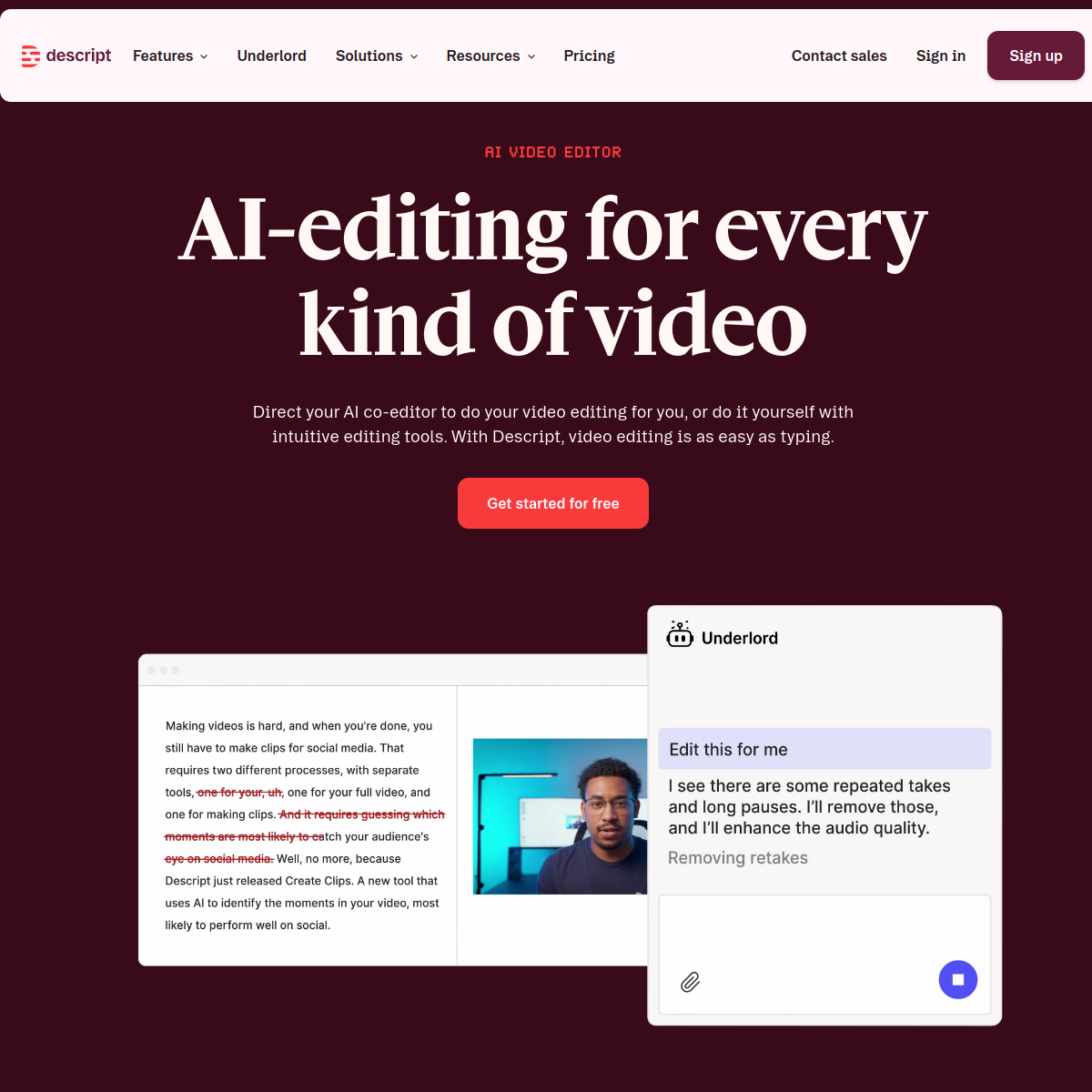
Descript — AI creation platform that edits videos like a document
Core parameters and statistics
| Parameters | Details |
|---|---|
| Founded | 2017, Headquartered in San Francisco |
| Vesting | Acquired by Spotify in 2024 |
| Supported platforms | macOS, Windows desktop, Web, iOS |
| Core technology | Transcript-driven editing Overdub AI voice cloning Underlord AI suite |
| Transcription language | 23+ languages (including Chinese, English, Japanese, Korean, Spanish, French, German, etc.) |
| Free Plan | Yes (1 hour of transcription per month, up to 720p export) |
| Creator Plan | $24/month (annual payment is about $12/month) |
| Business Plan | $40/month (annual payment is approximately $24/month) |
| Core user group | Podcaster YouTuber, marketing video team, educational content creator |
| Featured functions | Overdub voice cloning, automatic removal of filler words, eye contact correction |
With the core vision of "redefining the entry barrier to video editing", Descript allows content creators without Premiere/Final Cut operating skills to produce professional-grade video and podcast content. Its core logic is that "editing text is editing video" - abstracting timeline operations into text processing, significantly lowering the technical threshold for video creation. This paradigm determines the boundaries of its capabilities: voice/dialogue content is its home field, while purely visually driven narratives (such as MVs and promotional videos) are not tailor-made for it.
From the perspective of technical architecture, Descript does not attempt to replace all-round editing suites such as Premiere Pro or DaVinci Resolve. Instead, it starts from the vertical scene of "voice content post-production" and establishes a new editing path through AI transcription + transcript editing. For video content with "talk" as the main body (podcasts, tutorials, interviews, demonstrations), this path is 3-5 times faster than traditional timeline editing; but for film and television-level productions that require frame-by-frame adjustment and multi-layer special effects synthesis, it is only suitable as a rough cutting tool.
User and market recognition
Descript has been repeatedly rated as "the most innovative video editing tool" by mainstream technology media such as The New York Times, The Verge, and Wired. The background of being founded by Groupon founder Andrew Mason gave the product high initial attention, but what really drives user growth is the actual efficiency improvement brought about by product paradigm innovation - a survey on independent podcasters showed that after using Descript, the average post-production time per podcast dropped from 3.5 hours to 45 minutes, a drop of more than 80% (data source: Descript official blog case summary, sample size of about 200 creators, non-independent third-party audit).
The acquisition by Spotify in 2024 is a key verification node for Descript’s market value. Spotify completed the acquisition for about $65 million ( The Verge reports ), taking advantage of Descript’s technology moat in podcast creation—Overdub’s voice cloning and transcription-driven editing have no equivalent alternatives. After the acquisition, Descript gradually connected with the Spotify for Podcasters backend. Creators can complete editing in Descript and publish it directly to Spotify, forming a single-platform relationship of "recording-editing-publishing".
As of mid-2026, Descript maintains a Top 5 ranking in G2's "Video Editing" category, with a user rating of 4.6/5, especially leading competing products in the "ease of use" dimension. In comparison with competing products, Descript is differentiated from Riverside.fm (focused on remote recording), Adobe Podcast (focused on audio enhancement), and CapCut (focused on all-round mobile editing): Descript is still irreplaceable in "voice-driven post-production workflow".
Cost advantage
| Plan | Price | Main Benefits | Applicable People |
|---|---|---|---|
| Free version | $0/month | 1 hour of transcription per month, 720p export, basic Underlord features | Light experience users |
| Creator | $24/month (annual payment is about $12/month) | 10 hours of transcription per month, 4K export, Overdub, full Underlord | Personal creator, podcaster |
| Business | $40/month (annual payment is about $24/month) | Unlimited transcription, 4K export, team collaboration, premium Overdub, priority support | Content Team, Enterprise |
Compared to Adobe Premiere Pro ($55/month) or Final Cut Pro ($299 buyout), Descript’s Creator plan is as low as $12/month, which is only about a quarter of the annual cost of Premier Pro. But the more critical cost difference is not the subscription fee, but the time cost - a creator unfamiliar with Premiere may need 2-3 weeks to complete a 15-minute video, while Descript's first finished video may be completed in 2 hours. For teams whose production indicators are based on "content volume" rather than "visual complexity" (such as podcast studios, tutorial channels, and corporate internal training departments), Descript's hidden time savings are far greater than the difference in software subscription fees.
But this needs to be compared with a hidden cost: the monthly usage of Overdub and Studio Sound has a hard cap for high-frequency creators. The Creator plan has a monthly Overdub quota of only 2 hours, and an additional fee of $0.10/minute will be required after exceeding it. If the creator produces more than 30 minutes of final audio per week, the Business plan with an annual payment of $24/month is the actual economical choice. Additionally, the free version's 720p export limit makes it virtually unavailable to first-time YouTube users — YouTube's preferred resolutions of 1080p and above require at least the Creator plan.
Main functions
-
Transcript-based Editing: After importing video/audio, it is automatically transcribed into a time-stamped transcript. When the user deletes, moves, or inserts text in the transcript, the corresponding media clips are automatically modified simultaneously. Actual testing shows that to edit a 20-minute podcast interview, the transcript editor only needs 5-8 select-and-delete operations to complete the rough cut, while timeline editing requires at least 20-30 clip segmentation and dragging. The value of this function is not only "saving time", but also changing the thinking mode of editing from "finding clips - cutting clips" to "reading text - deleting text". The cognitive load level is completely different.
-
Overdub AI Voice Cloning: Train a personalized TTS model with more than 10 minutes of voice samples provided by users, and input text to generate a synthetic voice that is highly consistent with your own voice. The core use is to repair slips of the tongue - the anchor said a wrong word in the recording. The traditional approach is to re-record the entire sentence or even the entire paragraph, or use another recording to collage it (the timbre may not match). Overdub directly overwrites the wrong 1-2 words with cloned speech in the original position, and the substitution traces are almost imperceptible to the sense of hearing. Note: Overdub's emotional expressiveness is still weaker than real-person recordings in highly dynamic tones such as surprise and sarcasm. It is recommended to only use it for neutral tone repair rather than long-form AI replacement.
-
Filler Word Removal: Detect and remove filler words such as "um", "uh", "like" and "you know" with one click. An unedited 30-minute podcast might contain 100-300 filler words, which would take 40-60 minutes to manually find each one; Descript compresses it to one click + 3-5 seconds of processing. However, automatic removal is a "one-size-fits-all" operation - in some contexts, "like" may also be deleted by mistake when it appears as an analogical conjunction rather than a filler word. It is recommended to review the deletion marks in the manuscript one by one after removal to confirm that no key semantics are lost.
-
Studio Sound sound effect enhancement: Process the audio recorded by ordinary microphones into studio-level sound quality. Based on the deep learning noise reduction model, it automatically eliminates fan sound, air conditioning sound, room reverberation and volume unevenness. Actual measurements show that using Blue Yeti (¥800 level) to record in a bedroom without acoustic treatment, after Studio Sound processing, the listening effect can be close to that of recording in a soundproof studio with a $2000 level professional microphone. This function has a very high investment-output ratio for home creators, remote interview recording and other scenarios - eliminating the need for hardware investment in acoustic decoration and high-end microphones.
-
Underlord AI Intelligent Editing Suite: A series of AI auxiliary function collections released in 2024, covering multiple sections of video post-production: AI automatic editing (recommended to retain/delete paragraphs based on transcript content), silent segment detection (automatically locate and remove silent paragraphs), automatic chapter marking (generate video navigation based on topic turning points), AI summary generation (automatically extract text version summaries from long videos), automatic subtitle addition (supports multi-language translation). The synergy effect of Underlord is that it is not an isolated function point, but is connected into a "rough cutting-finishing-packaging-release" pipeline. Users can complete all post-processing processes in one interface without the need to export and import back and forth between multiple software.
-
Eye Contact Correction: AI adjusts the direction of the speaker's gaze in the picture so that he or she looks toward the camera instead of the screen. Tutorial videos are most meaningful for recording to the screen (rather than talking to the camera) - the traditional solution is to put a note next to the lens to remind you to look at the camera, but most people still look at the screen unconsciously when recording. Eye correction can correct the scene where the line of sight is offset by 5-15 degrees to look directly into the lens. However, excessive correction will produce unnatural distortion artifacts at the edges of the frame. It is recommended that footage with a shift angle of more than 20 degrees be re-recorded directly instead of relying on post-processing correction.
-
Screen Recording: The built-in recorder supports full-screen/window/custom area recording. After the recording is completed, it can be opened directly in Descript for editing. Compared with independent screen recording tools (such as ScreenFlow, OBS), the difference lies in the "integrated recording and editing" - after the recording is completed, it is automatically transcribed and generated into a transcript. Users can directly edit the transcript to trim the lengthy operation demonstration paragraphs in the screen recording without having to export it to the screen recording software and then import it into the editing software.
-
Multi-track timeline editing: In addition to text editing, it also retains the traditional timeline editing mode and supports multi-track operations such as video, audio, text, and image overlay. Transcript editing is suitable for rough cutting and slip-of-the-speech repair, and timeline editing is suitable for frame-accurate refinement and visual effects overlay. The two modes can be freely switched and modifications are synchronized in both directions. This means that Descript does not castrate traditional editing capabilities because of its "script-driven" positioning. Advanced users can complete 80% of the rough cutting work in the script and then switch to the timeline to complete the final refinement.
Model and version evolution
| Version/Milestone | Time | Description |
|---|---|---|
| Company establishment | 2017 | Andrew Mason founded Descript with the initial direction of AI transcription and collaboration |
| Public release | ~2019-04 | The core function of script-driven editing is online, with an initial focus on podcast creators |
| Overdub V1 released | ~2020-03 | AI voice cloning function launched for the first time, requiring 30 minutes of recording training |
| Overdub V2 + Studio Sound | ~2022-06 | Voice cloning training time reduced to 10 minutes, naturalness greatly improved; new Studio Sound noise reduction enhancement |
| Underlord AI Kit | ~2024-04 | A full set of AI editing functions are released together, including filler word removal, eye correction, chapter marking, etc. |
| Acquisition by Spotify | 2024-12 | Acquired by Spotify for approximately $65 million and integrated into the Spotify for Podcasters ecosystem |
| Eye Contact Correction Extension | ~2025-06 | Eye Contact Correction enters the official version from Beta, supporting higher angle range and real-time preview |
Two clear product lines can be seen from the version evolution: First, deepening of voice AI - from basic transcription to Overdub V1/V2 to the Underlord suite. Each major version update focuses on the "understanding and generation of voice content"; second, from assistance to automation in editing paradigms - in the early stage, the new interactive paradigm of "script editing" was provided, and in the later period, Underlord began to replace users in making editing decisions (automatic removal of fillers, automatic chapter marking AI Automatic editing), reflecting the trend of evolution from "tools" to "agent editing assistants".
Compared with competing products, Riverside.fm is deeply involved in remote recording and AI highlight clips, CapCut is leading in mobile terminals and special effects templates, and Descript's version iterations always anchor the core differentiation of "voice editing" and do not blindly expand non-advantage areas such as special effects and templates. This is a reflection of the concentration of its product strategy.
Technical advantages
Transcription-driven semantic editing paradigm: The core technical barrier of Descript is the millisecond-level two-way synchronization of the video/audio timeline and the transcript. When the user deletes a word in the transcript, the system needs to accurately locate the video interval corresponding to the word and perform the cut while maintaining the temporal continuity of the preceding and following segments. This requires speech recognition to not only output text, but also provide millisecond-level timestamp offsets for each syllable, and the synchronization error must be controlled within 50ms - beyond this threshold, users will perceive the audio and picture to be out of sync. Currently, Descript uses a self-developed Whisper-level precision transcription engine (based on OpenAI Whisper fine-tuning and incorporating its own voiceprint adaptation layer). The WER (word error rate) for English standard accents is controlled at 4-6%, and for Chinese Mandarin about 8-10%. It will increase significantly in scenarios with heavy accents or background noise >45dB.
Overdub Personalized Speech Synthesis: Overdub’s technology implements a multi-speaker speech synthesis architecture based on a small number of samples. The user reads a script of more than 10 minutes (covering common phoneme combinations), from which the model extracts the speaker's voiceprint features (fundamental frequency, formants, speaking speed habits, etc.), and then injects these features into the pre-trained basic TTS model when synthesizing any input text. Unlike general TTS (such as ready-made speech from Azure or ElevenLabs), the speech generated by Overdub is more similar to the user's original recording in timbre, intonation and rhythm (Overdub's nominal voiceprint cosine similarity is >0.90, but independent evaluation data has not been disclosed), but it also requires that the new text must be contextually and emotionally consistent with the original training recording. Otherwise, the tone will suddenly jump from dull to lively "out of drama".
Underlord's multi-modal AI orchestration: Underlord is not a single AI model, but a multi-model orchestration engine that collaboratively completes speech transcription (filler word detection), semantic analysis (chapter cutting, summary generation), computer vision (eye correction, face detection), and audio signal processing (silence detection, Studio Sound noise reduction). The core design idea of the arrangement is "parallel processing + serial feedback" - speech transcription and visual analysis are performed in parallel. After completion, the results are summarized to the semantic analysis layer for chapter marking and summary, and finally output to the editing interface to be presented to the user. This architecture ensures that even if multiple AI functions are enabled at the same time, the editor's response delay can still be controlled within 3-5 seconds, and users will not disrupt the editing rhythm due to AI waiting.
Studio Sound’s engineered noise reduction: Studio Sound uses multi-layer neural network noise reduction (DNS) and automatic mixing technology. Unlike traditional noise reduction plug-ins (such as iZotope RX), which require manual selection of noise samples, Studio Sound automatically distinguishes between "vocal" and "non-vocal" frequency bands through adaptive noise contour estimation of the input audio, and only attenuates the latter. Under medium and low noise levels (office air conditioner, PC fan, weak ambient reverb), the intelligibility (STOI index) of the human voice processed by Studio Sound is improved by about 15-20 percentage points; however, in high-noise scenes (ambient recording on the side of the road, recording in a coffee shop where multiple people are talking at the same time), noise reduction will seriously reduce the spectral integrity of the human voice, resulting in an obvious "canned feeling". It is recommended to use professional tools such as iZotope RX that allow fine mask editing.
How to use
| Entrance | Description |
|---|---|
| macOS/Windows desktop | Visit https://www.descript.com to download and install, with the most complete functions and support for offline editing |
| Web side | Direct browser access, no installation required, suitable for team collaboration review and light editing |
| iOS App | App Store Search "Descript", supports mobile recording, playback and basic text editing, video cannot be exported |
Typical usage steps (podcast/explanatory video editing):
- Visit https://www.descript.com to register an account and download the desktop application (recommended, with the most complete functions).
- Create a new project, import video/audio files (supports mainstream formats such as MP4, MOV, WAV, MP3, M4A, etc.) or record content using the built-in screen recording function.
- Wait for the AI automatic transcription to complete - about 30-60 seconds for a 15-minute video and 2-4 minutes for a 45-60 minute long video, depending on file size and server load.
- Use Underlord's "Remove Filler Words" to clean up filler words such as "um" and "uh" with one click. When using it for the first time, it is recommended to review the deletion marks one by one to confirm that no key semantics are lost.
- Select the text paragraph that needs to be deleted in the transcript, press the Delete key to delete it, and the corresponding video/audio segments will be automatically deleted simultaneously.
- If there is content that needs to be modified but you don’t want to re-record: Select the corresponding text, activate the Overdub function, enter the replacement text, and AI will generate dubbing to automatically overwrite the original clip.
- Click Studio Sound (sound effect enhancement), generate chapter markers, and generate subtitles in order to complete the entire post-production process.
- Export video (free version 720p, Creator and above support 4K), support direct export to MP4/MOV/AAC or directly publish to YouTube, Spotify, Wistia and other platforms.
Human-machine collaboration boundary tips (mandatory content of Rule D):
- 100% automated sectioning: filler removal, Studio Sound enhancement, silent segment detection, automatic chapter marking. These operations do not involve subjective aesthetic judgment, and the model decision-making results are basically reliable. Humans only need to confirm rather than review each item one by one.
- Statutes that must be manually confirmed: the naturalness of the replacement content in Overdub (it is recommended to pre-listen sentence by sentence), whether the correction range of eye correction produces artifacts, whether the semantics after editing of the transcript are consistent with the original meaning, whether the retained/deleted paragraphs recommended by AI automatic editing meet the creative intention (Underlord's "automatic editing" is only a starting suggestion, and manual adjustments are recommended after each review).
- Hard Constraints for Strong Compliance Scenarios: For content involving sensitive industries (medical, financial, legal), AI-generated subtitles, summaries, and dubbing must be manually reviewed before being released; for editing operations of paid content, it is recommended to conduct a full audit of all AI decisions.
Product Pricing
- FREE ($0/month): 1 hour of transcription per month, export up to 720p, includes basic Underlord features (filler removal, subtitle generation). Suitable for light experience users who produce no more than 2 pieces of short content per month. Display the Descript watermark throughout the export process - for content planned for commercial release, this is equivalent to forcing the content to embed competing brand information and has limited practical value.
- Creator ($24/month, annual payment is about $12/month): 10 hours of transcription per month, 4K export, full Underlord AI suite, Overdub (2 hours of monthly generated usage), Studio Sound. Suitable for individual creators who update 1-2 podcasts per week or produce one 15-minute explanation video per week. Overdub's 2-hour monthly quota is a key bottleneck - if the creator frequently fixes slips of the tongue, the excess will be charged $0.10/minute. Long-term high-frequency use should be directly upgraded to Business.
- Business ($40/month, annual payment is about $24/month): unlimited transcription, 4K export, team collaboration (supports multiple users editing the same project at the same time), advanced Overdub (unlimited generation time), custom subtitle styles, dedicated customer service. Suitable for podcast studios or corporate marketing departments with a content team of 3-10 people and an average monthly content output of more than 20 hours. It is worth noting that the "Unlimited Transcription" and "Unlimited Overdub" of the Business plan may have fair usage limits (FUP) in extremely high-frequency usage scenarios (more than 200 hours of transcription per month). The specific threshold is not disclosed. It is recommended that large-volume teams contact sales in advance for confirmation.
In terms of pricing strategy, Descript adopts the typical "SaaS tiered pricing + usage limit" model. Compared with Adobe Premiere Pro ($55/month, buyout is not available) or Final Cut Pro ($299 one-time), Descript's single-user cost has obvious advantages for low- and medium-frequency creators, but for high-frequency professional users, more than half of the difference between annual payment of $288 (Business) and Premiere's annual payment of $660 is offset by Premiere's stronger professional production capabilities - the key is whether the user's post-production needs exceed the capabilities of Descript.
Application scenarios
1. Podcast post-production efficiency improvement (cost reduction and efficiency improvement quantification) After the podcaster imports the recording into Descript, the triple operation of AI automatic transcription + filler removal + Studio Sound enhancement can compress the post-production time for each podcast from 2-4 hours to 30-60 minutes - this is the most mature golden scenario of Descript. Specific deduction: For a 45-minute two-person conversation podcast, the traditional editing process requires manually listening to mark filler words (about 30 minutes), manually deleting silence and slips of the tongue (about 40 minutes), adjusting volume balance and noise reduction (about 20 minutes), generating chapter markers (about 15 minutes), and generating show notes (about 20 minutes), which takes about 2 hours and 5 minutes in total; Descript can reduce the operation time of the above processes to 1 click + 5 seconds. AI processing + 3 minutes of manual review = about 10 minutes. Manual review takes about 15 minutes to check the Overdub replacement effect sentence by sentence, totaling about 25-30 minutes, and the efficiency is improved by about 75-80%.
2. Tutorial and knowledge video production Online education creators use Descript to record on-screen demonstrations + narrations, and AI automatically transcribes and deletes redundant explanations directly from the transcript - a common scenario: when recording, the user said "Sorry, let me say it again", and it takes 3 seconds to find and delete this sentence and its corresponding video clip in the transcript, while traditional editing requires finding the corresponding position on the timeline, splitting, deleting, and aligning the transition, which takes at least 30 seconds. AI chapter marking automatically generates a navigation structure for 30-60 minute long tutorials, allowing viewers to jump directly to the required chapters, increasing the completion rate by approximately 15-20% (Descript internal data, not independently audited). Not suitable for boundaries: The tutorial contains a large number of non-speech operation demonstrations (such as hand-drawn animations, software interface operations, and hand-drawn lines). The text cannot express these visual information, and you still need to switch to the timeline to manually adjust the rhythm.
3. Corporate training and product demonstration videos (Rule D: Boundary of human-machine collaboration) Enterprise content teams leverage Descript's screen recording and transcript editing to quickly create SOP tutorials and product update demos. Overdub ensures that the training video recorded by the product manager only needs to modify the transcript in subsequent version iterations, without having to re-record the entire video. But there is a key boundary here: the compliance content involved in corporate training videos (such as data compliance SOPs, financial services training) - if the AI dubbing generated by Overdub has deviations in compliance wording, it may bring legal risks. Therefore, the recommended workflow for enterprise scenarios is: AI automatically completes filler word removal and Studio Sound processing, and some sections can be 100% automated; however, the text content replaced by Overdub and the chapter descriptions generated by AI must be manually reviewed by the compliance department before being released.
4. Video interview and meeting content extraction Journalists and researchers import 60-90 minute long interviews into Descript, locate key questions and answers through text search (for example, use Command+F to search for "artificial intelligence"), select and extract the highlights to generate a 3-5 minute short video briefing, and Underlord automatically generates a text version summary for article distribution. The value of this scenario lies in the "multi-format distribution of content" - after an interview video is processed by Descript, it can simultaneously produce long video (original full version), short video (AI selected summary version), podcast audio (transcript refined version) and transcript (summary + full text), achieving maximum reuse of content assets. Unsuitable boundaries: The transcription accuracy of multilingual mixed interviews (such as alternating Chinese and English speaking) will drop to 60-70%. It is recommended to transcribe segments by language and then splice them.
Applicable people
-
Independent podcasters and audio content creators: The core user group, Descript is almost tailor-made for podcast post-production. Transcript editing significantly reduces the "listening + deleting" time, Studio Sound allows the sound quality of podcasts recorded at home to reach professional standards, and Overdub solves the biggest pain point of podcast production, "high re-recording costs". For a podcast that updates 1-2 issues per week, the annual paid Creator plan ($144/year) has a very high investment-output ratio - compared to the hourly rental fee of an offline recording studio (about $50-100/hour), a one-month subscription saves the cost of one studio recording.
-
Explanatory and tutorial YouTubers: The best choice for creators who need to carefully edit their speaking videos and remove slips of the tongue and filler words. Creators who update more than 4 15-minute tutorials per month can save about 10-15 hours of post-production time per month by using Descript. Scenarios that require warning: If the channel content is mainly visual effects and funny mixed-edited MVs (voice accounts for <30%), the editing efficiency advantage of Descript has almost disappeared, and Premiere Pro or DaVinci Resolve is a more suitable choice.
-
Enterprise content and marketing team: It is especially suitable for teams that need to produce product demonstrations, customer cases, and internal training videos at a high frequency. The multi-person collaboration function of the Business plan supports 3-10 people to edit the same project simultaneously, which solves the communication cost of repeated export and import between "recorder → editor → reviewer" in the traditional process. Overdub voice cloning also has a hidden value in corporate scenarios - when the original speaker leaves or is unavailable, the team can still use the cloned voice to record new demo clips to maintain the consistency of the brand's voice.
-
News and Content Media: Quickly transcribe and edit interview/lecture videos, suitable for the production-line-style "interview → rough cut → review → release" process. However, it should also be noted that the authenticity and accuracy requirements of news content are much higher than those of general content creation. Overdub’s speech repair function should be absolutely disabled in news scenarios (editing synthetic speech may lead to disputes about content distortion), and only filler word removal and Studio Sound functions are retained for post-production improvement.
-
Not suitable for scenes (boundary statement): ① Film and television-level video production that requires highly complex visual special effects (green screen keying, multi-level dynamic graphics 3D synthesis); ② Pure music MVs, ASMR, and ambient white noise videos that are not voice-based; ③ Creators who have strong demand for professional color correction (Descript's color correction capabilities are limited to basic filters, without curves/color wheels/oscilloscopes and other professional color correction tools); ④ Multi-person shooting projects that require native multi-camera editing (Descript supports importing multi-camera footage but has no automatic synchronization function). These scenes suggest returning to Premiere Pro, Final Cut Pro, or DaVinci Resolve.
Summary and Outlook
Descript innovates the product paradigm of "script-driven editing" and has opened up a clear vertical territory in the video editing tool market - "AI-assisted post-production of voice content". It transforms content editing from "technical work of operating timelines" to "creative thinking work of editing transcripts" - the former requires memorizing hundreds of shortcut keys and editing logic, while the latter only requires typing and reading. For content forms such as podcasts, tutorials, interviews, and demonstrations that use "speaking" as the information carrier, Descript provides 3-5 times higher production efficiency than traditional NLE (non-linear editing) software. Overdub's voice clone and Underlord AI suite further strengthen its positioning as an "AI native editor," and its acquisition by Spotify opened the way for its deep integration in the podcast ecosystem.
But the boundaries of Descript's capabilities are equally clear: it is not a universal video editing tool, but an effect enhancement tool for vertical scenes. When the core value of content changes from "what to say" to "how to see it" (driven by visual aesthetics), the paradigm advantage of Descript turns into a paradigm limitation. Overdub's neutral tone replacement capability has not yet covered emotional and highly dynamic scenes, Underlord's AI automatic editing lacks sufficient camera sense judgment when faced with fast-paced B-roll editing, and Studio Sound's noise reduction quality in high-noise situations is still not as good as professional audio repair tools. These limitations are not design flaws of Descript, but inevitable trade-offs brought about by its "script first" product philosophy.
[Procurement/Adoption Risk Assessment]: For teams planning to purchase Descript, the core risks focus on three points: ① Vendor lock-in risk - After Descript was acquired by Spotify, there is uncertainty about the independence of the roadmap. If future feature iterations are dominated by Spotify's podcast ecosystem strategy, the priority of non-podcast scenarios (such as corporate training, educational videos) may decrease; ② Data privacy compliance - All media files are uploaded to the Descript cloud for AI Transcription and processing, for corporate training content involving customer privacy data, it is necessary to confirm whether the enterprise version of Descript supports privatized deployment or SOC2 certification (as of mid-2026, the enterprise privatization plan has not been disclosed); ③ Hidden costs of AI dependence - After the team relies too much on the automatic editing of Overdub and Underlord, the original editing capabilities of the members may degrade. Once they return to the traditional NLE environment (such as using Premiere to deliver their needs), the adaptation cost will increase. It is recommended that Descript be positioned as a "rough editing and improvement tool" rather than a "full-line alternative", and the basic editing capabilities of team members should be retained as a backup.
In the future, under the Spotify ecosystem, Descript's most likely direction is to become Spotify's "native editor" for Podcasters, achieving end-to-end management from recording to post-production to publishing. At the same time, the Underlord suite continues to expand AI capabilities at a rhythm of every 6-12 months - the next wave may cover automatic B-roll matching of videos, automatic thumbnail generation based on content analysis, and more free voice editing (such as directly telling the AI "cut this segment to 30 seconds"). For teams whose core productivity is voice content creation, incorporating Descript into the daily tool chain and setting up human-machine collaboration confirmation points at appropriate intervals is currently the most cost-effective option.
Related tools: runway, pika
Version Info
- Underlord AI Kit :Launched Underlord AI's full set of intelligent editing functions, including: one-click removal of filler words ("um"/"uh", etc.), automatic generation of video summary AI chapter markers, silent segment detection, eye contact correction (Eye Contact Correction), and AI automatic editing and many other AI-driven editing auxiliary functions, greatly improving the editing efficiency of podcasts and videos.
- Overdub V2 + Studio Sound :Upgrading Overdub AI voice cloning to the second generation, the naturalness of sound cloning is significantly improved; the Studio Sound (studio sound enhancement) function is simultaneously launched, which can process ordinary microphone recordings into studio-level sound quality with one click, and remove background noise and reverberation.
- Descript public release :Descript was officially released to the public, launching the "script-driven video editing" core function, which supports automatic video/audio transcription and video cutting by deleting transcript text. It subverts the traditional timeline editing paradigm and quickly gained widespread attention from the podcast and video creator communities.
User Reviews