 Designs AI
Free
Designs AI
Free
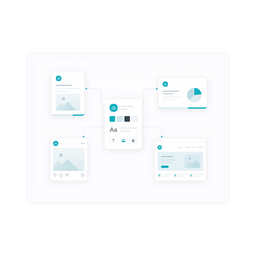
Designs AI is an AI creative platform that integrates logo design, video production, presentations and social media materials. It provides one-stop brand material output capabilities for non-designer users.
DesignsAI
Tool introduction
Designs AI is not a simple design template site, but a unified AI productivity platform operated by Pixlr (Singapore). Its core positioning is to "allow the brand creative team to complete the full-link output from strategy to materials in one workspace." The bottom layer of the platform integrates a number of mainstream large models such as Claude, ChatGPT, Gemini, Grok, etc., and automatically distributes different types of creative tasks to the most suitable models through the self-developed intelligent routing layer (Smart Model Router), eliminating the need for users to manually switch tools.
As of July 2026, the public version number of the platform is v0.9.6-e297b8be6b56, and the product line covers eight modules: Chat, Branding (branding suite), Image (picture generation), Video (video production), Storyboard (storyboard), Slides (presentation), Audio (audio) and Agents (intelligent agents). Trusted customers disclosed on the platform’s official website include IBM, Coca-Cola, Intel, P&G, Salesforce, HP, Kraft Heinz, Johnson & Johnson, Walmart and other global enterprises (source: designs.ai homepage brand wall).
Differences from Canva and Adobe Express: Designs AI does not focus on the number of templates or the depth of a single function, but takes "AI Agent + multi-model routing + brand consistency enforcement" as its core selling point - users describe their needs in natural language, and the system automatically breaks down into subtasks and distributes them to the corresponding Agents for execution, and finally outputs a complete set of materials that maintains brand unity. This is a paradigm upgrade from "tool combination" to "creative workflow automation".
Core functions
1. AI Agent workflow
The platform provides multiple Specialist Agents (Brand Agent, Image Agent, Video Agent, Slides Agent, Audio Agent, Storyboard Agent). When the user inputs a sentence requirement (such as "Help me create a set of social media materials for summer promotion"), the Agent will automatically break down into sub-tasks such as copywriting, image generation, video storyboarding, layout design, etc., and call the most suitable underlying model to complete them in sequence, and finally deliver a material package that can be directly published (source: designs.ai home page product section).
2. Brand Kit and one-click brand extraction
Enter the company's official website URL, and AI will automatically capture the logo, brand color, font, and visual style to create a complete Brand Kit. From then on, all outputs in the platform (pictures, video PPT, audio) will automatically apply the brand specifications without manual adjustment one by one. Brand managers can uniformly set color palettes, font groups, and tone styles in the backend (Source: designs.ai/about).
3. Multi-model intelligent routing (Smart Model Routing)
The platform has a built-in model selector, and tasks are automatically routed to the most suitable model by default (for example, copywriting generation is routed to ChatGPT/Claude, image generation is routed to a specialized Vincent graph model). Users can also manually override the model selection each time they create, and freely switch between different underlying large models for comparison. The official website promotes that "new models will be integrated and launched within a few days of release" (Source: designs.ai homepage).
4. Skills skill plug-in system
The platform has built-in preset skill packages for different positions:
- Logo Design: Generate logos, wordmarks, badges and brand identities
- Short Video Ad: Output a complete short video ad including script, storyboard, and video generation request
- Financial Summary: Read raw financial data and output executive summary, variance analysis and key indicators
- Contract Reviewer: Mark risk clauses, summarize obligation content, and suggest wording modifications
- Data Insights: Transform data sets into top insights, trend analysis and recommended actions
- Job Description Writer: Write an inclusive job description - responsibilities, prerequisites, why to join
These Skills enable the platform to transcend the boundaries of “design tools” and enter professional fields such as legal and financial HR (source: Designs.ai home page Skills section).
5. Full-modal creative production
- Image: Generate high-quality visual images based on text descriptions
- Video (Video Production): One-stop production from script to finished video, including dubbing and subtitles
- Slides: Enter the outline to generate slides, automatically matching the brand vision
- Audio: Generates studio-level audio content, suitable for narration, podcasting and other scenarios
- Storyboard: Convert scene description into video planning storyboard
Pricing strategy
Designs AI adopts a two-tier billing model of Credits + Monthly Subscription, with all packages paid in advance on an annual basis (Source: designs.ai/pricing):
| Package | Monthly fee (annual payment) | Credit limit/month | Number of users | Support | Compensation limit |
|---|---|---|---|---|---|
| Plus | $39/month | 2,500 credits | 2 people | Email + Live Chat | $5,000 |
| Pro | $79/month | 10,000 credits | 5 people | Priority Mail + Live Chat | $5,000 |
| Enterprise | $188/month | 25,000 credits | Unlimited | 7×24 dedicated support + account manager | $25,000 |
C-side cost analysis: The Plus package averages $39 per month, which is about 3 times that of Canva Pro ($12.99/month), but Designs AI includes multi-model access (the total of individual subscriptions such as Claude and ChatGPT is far more than $39/month) and full-modal generation capabilities. For creative individuals who need to use multiple AI models simultaneously, Designs AI can replace 3–4 independent AI subscriptions.
Team/Enterprise Cost Analysis: The Pro plan ($79/month, 5 users) costs $15.8/month per person, between Canva Teams ($10/user/month) and Adobe Express Teams ($10/user/month). However, Designs AI’s Enterprise package ($188/month, unlimited users) has extremely low marginal costs when deployed on a large scale, and includes a dedicated account manager and a higher compensation limit ($25,000).
Hidden costs: There are no public details on the credit limit consumption speed, and the credit consumption coefficients of different types of generation tasks (wensheng diagram, video generation, audio generation) are unknown. Users need to explore the most cost-effective creation method in actual use. Article 10 of the License Agreement clarifies that the platform has the right to "limit the total number of downloads within 24 hours", and high-frequency usage scenarios may be restricted.
Advantages and Disadvantages Analysis
Advantages
- True full-link integration: The brand suite automatically connects all outputs, from logos to social media graphics to videos to PPT, eliminating the need for manual inspection of brand consistency and reducing cross-tool handling and rework. This is a capability that Canva and Adobe Express currently cannot directly benchmark against.
- Multi-model access without management: With a one-time subscription, you can use multiple top models such as Claude, ChatGPT, Gemini, Grok, etc., without the need to manage API Keys and bills separately, and the platform promises to integrate new models within a few days after they are released.
- Agent-driven automation: Enter a sentence of requirements, and the system automatically disassembles the task, calls the model, and outputs a complete set of materials, greatly reducing the number of steps from "idea" to "deliverable".
- Enterprise-level security compliance: GDPR compliance, data transmission/storage encryption, role permission management, audit log (Enterprise), which has more advantages than the "consumer-level" security strategies of many AI design tools.
- Skills system expands tool boundaries: not only design tools, but also non-design scenarios such as contract review, financial analysis, data insights, etc. One subscription covers the long-tail AI needs of multiple departments.
Disadvantages
- The depth of single-point functions is not as deep as that of professional tools: Video generation capabilities are lagging behind focused tools such as Runway and HeyGen; the quality of image generation is not as good as Midjourney's fine control under extreme prompt words. Suitable for daily creative output in the 60th–80th percentile, not suitable for high-precision customized visual needs.
- Credit limit model is not transparent enough: The credit consumption coefficients of different task types are not disclosed, making it difficult for users to accurately estimate monthly consumption. There may be unexpected overspending that "is half used and finds that the credit limit is insufficient."
- Learning costs are higher than traditional design tools: Agent workflow and Skills system require users to understand the AI collaboration model, which imposes migration costs for designers who are accustomed to traditional drag-and-drop interfaces.
- There is a fuzzy zone in the copyright boundary of AI-generated content: Article 5 of Appendix A of the License Agreement clarifies that the output generated by the AI function "does not apply to the platform compensation terms", and Article 8 restricts Design Resources from being "independently used" or "registered as a trademark". Protection during trademark registration and legal disputes is limited.
- No public API or SDK: Currently, the platform only provides web access and cannot be embedded into an enterprise's own workflow or make batch automated calls.
Applicable scenarios
- Brand launch and remodeling: The founding team established the brand visual system from scratch - logo, color matching, fonts, social media templates and PPT templates - all completed within the platform, and the brand specifications were automatically transmitted to downstream materials.
- Daily Operation of Social Media Matrix: The operation team mass-produces pictures and short videos for multiple platforms such as Instagram, LinkedIn, Twitter(X), TikTok, etc. AI automatically adapts to the size and format of each platform, and the brand suite ensures visual unity.
- Marketing campaign centralized output: Focusing on a new product launch or promotional event, a full set of materials such as key visuals, promotional videos, social media posts, event PPTs, and audio advertisements are collectively produced. Designs AI's Agent workflow can complete multi-format delivery at once.
- Unified management of cross-department AI tools: Enterprise IT or procurement departments hope to replace multiple scattered AI subscriptions (ChatGPT, Midjourney, Canva, etc.) with one platform to reduce supplier management costs and data security risks. The enterprise version of Designs AI offers unified billing, role permissions, and audit logs.
- Creative needs for non-design positions: The sales team makes proposal PPT, the HR department makes recruitment posters, and the financial department makes data report visualizations—for these scenarios that are not core design but require a certain visual quality, the Skills system provides low-threshold AI-assisted capabilities.
Not suitable for scenarios: In-depth video post-editing (multi-track timeline, key frame animation), high-precision commercial illustration original 4K or above film and television grade video output, large-scale programmatic batch generation (no API), trademark registration-level Logo design requirements.
Summarize
Designs AI represents the evolution direction of AI creative tools from "single-point AI function" to "AI native workflow platform". Its core differentiation is not in the single-modal generation quality (which is not the best in the industry), but in the systemic efficiency improvement composed of brand consistency enforcement + multi-model routing + Agent automation . For small and medium-sized enterprise marketing teams and enterprise purchasers who need unified management of AI tools, the $188/month Enterprise package with unlimited users has significant cost-effective advantages in large-scale deployment scenarios.
Current limitations and uncertainties: (1) The credit consumption model is opaque, which may cause actual usage costs to be higher than expected; (2) There are exceptions to the compensation terms for AI-generated content (compensation is not applicable to AI functions), and companies with high requirements for brand asset protection require additional evaluation; (3) No API access limits enterprise-level workflow integration; (4) The platform is still in the v0.9.x stage, and its functions are iterated quickly but its stability has not been verified by large-scale enterprises.
Purchase Suggestion: It is recommended that the team first pilot the Pro package ($79/month) for 1–2 months, focusing on verifying: (a) whether the credit consumption matches the business volume, (b) whether the quality of the Agent’s automatic disassembly meets the team’s standards, (c) whether the forced consistency of the brand suite truly reduces rework. Before purchasing, enterprises need to focus on reviewing the terms of the license agreement regarding exceptions to compensation for AI output (Appendix A.5), and clarify the boundaries of intellectual property ownership of AI-generated content for commercial use.
Efficiency improvement comparison (including tables)
The following comparison is based on the mainstream packages of Designs AI, Canva, and Adobe Express, three creative platforms for non-designers (public information as of July 2026). Data source: Official websites of each platform and public pricing pages.
| Comparative Dimensions | Designs AI | Canva Pro | Adobe Express Premium |
|---|---|---|---|
| Monthly fee (average annual price) | $39–$188 (depending on the package) | $12.99 | $12.99 |
| Underlying AI model | Claude, ChatGPT, Gemini, Grok and other multi-model routing | Self-developed Magic Media (Firefly partial driver) | Adobe Firefly |
| Brand Consistency Mechanism | One-click URL extraction Brand Kit, global automatic application | Brand Kit needs to be manually uploaded and set | Brand Kit needs to be set manually |
| Agent Automation | Yes (multi-Specialist Agent automatically dismantles workflow) | No (Magic Studio is a collection of functions, not Agent) | No (GenAI function is an independent tool) |
| Cross-modal linkage | Strong (automatic linkage of brands from logo to video) | Medium (template library is cross-modal and requires manual adjustment) | Medium (Creative Cloud ecological linkage) |
| Skills non-design capabilities | Yes (contract review, financial analysis, data insights, etc.) | None | None |
| Compensation limit | $5,000–$25,000 (depending on package) | Not separately disclosed | Not separately disclosed |
| Maximum number of users | 2 – No limit | 1 – No limit (Teams) | 1 – No limit (Teams) |
| API/SDK | No public API | Canva Connect API available | Adobe API ecosystem available |
| Applicable team size | Small – Large (Enterprise does not limit users) | Individual – Medium | Individual – Medium |
Efficiency deduction (based on typical marketing team weekly tasks, data is a conservative estimate based on public workflow):
- Brand material creation (Logo + social media image + PPT): Traditional method (multi-tool switching + manual brand alignment) takes about 8–12 hours → Designs AI uses Agent+Brand Kit in about 1.5–3 hours, reducing cross-tool handling and manual calibration time by about 70–80%.
- Single social media post production: It takes about 15-25 minutes to drag and drop the template in Canva → About 5-10 minutes to enter the copy and automatically typeset it in Designs AI, an improvement of about 50-60% (the main savings are in material search and layout adjustment).
- Cross-department AI tool management: The enterprise manages 4–5 subscriptions such as ChatGPT, Midjourney, Canva, etc. at the same time, and the average monthly management cost (reconciliation + permissions + compliance review) is about 3–5 person hours → Designs AI single platform replaces about 1–2 person hours, reduced by about 60%.
The above deduction is an estimate based on public product capabilities and is an unofficial commitment. Actual efficiency varies depending on team proficiency and task complexity.
Automation Boundary
Can be 100% automated and organized
- Brand Color/Font/Logo Extraction: Enter the URL, and AI will automatically complete the creation of the Brand Kit without manual intervention.
- Multi-size adaptive social media images: The same design can be exported to preset sizes such as Instagram square, LinkedIn horizontal version, Twitter vertical version, etc. with one click, and AI will automatically rearrange the versions.
- Template content filling: Enter the copy outline, and AI will automatically fill in the corresponding position of the selected template, maintaining the brand font and color matching.
- Cross-model routing: The platform automatically selects the most suitable underlying model based on the task type, without the need for users to understand the differences between models.
There are sections that require manual confirmation (Human-in-the-loop)
- Final review of key brand assets: The final draft of the logo, the final draft of the main brand visual, etc. represent the output of the company's core visual identity. It is recommended that the designer or brand person in charge make the final manual confirmation.
- Legal/Financial Skills Output Review: The output of Contract Reviewer and Financial Summary must be reviewed by professional lawyers or financial personnel before use. AI summaries do not constitute legal or financial advice.
- Irreversible publishing operation: The platform does not provide the function of one-click publishing to social media/websites, but if users export the materials and publish them directly, they are responsible for the content compliance. It is recommended that enterprises establish a three-stage process of "AI output → manual review → release".
- Customized materials for high-value customers: Proposal PPT or customized presentations for key customers are recommended to be delivered after manual tuning to avoid detailed errors in AI generation that affect the professional image.
- Logo for trademark registration: Article 9 of the License Agreement clearly prohibits the registration of platform output as a trademark, and the trademark design process needs to be completed by a professional designer.
Recommended automated workflow
The user inputs natural language requirements → AI Agent disassembles subtasks → Smart Model Router distributes them to the corresponding models →
Each model produces materials in parallel → Brand Kit enforces the application of brand specifications → Manual final review → Export/publish
Security and Compliance
Compliance Certification
- GDPR Compliance: Official clear statement of compliance with GDPR requirements, covering EU user data processing (Source: designs.ai home page footer and About page).
- Singapore Law Jurisdiction: Article 19 of the License Agreement clearly states that Singapore law shall be the governing law, and disputes shall be resolved through the Singapore International Arbitration Center (SIAC).
- Data transmission encryption: Data is encrypted during transmission and storage (Source: designs.ai/about Security section).
- SOC2 and other certifications: Not publicly disclosed.
Data Governance
- Intellectual Property Ownership: Design products and brand assets produced by users belong to the users, and the platform does not claim the right to secondary use of user content. Article 6 of the License Agreement clarifies that users of Design Resources (design materials provided by the platform) "do not obtain ownership rights."
- Data will not be used for model training: The official website states that it "follows transparent data practices", but does not clearly state whether user data will be used for model retraining. Before purchasing, it is recommended that enterprises clearly stipulate in the contract that "user data shall not be used for training or fine-tuning."
- Role Access Control: The Enterprise package provides role-based access rights management and audit log functions, and the permission granularity of the Plus/Pro package is not disclosed.
Risk warning
- AI Compensation Exception: Clause 5 of Appendix A of the License Agreement clarifies that the output generated by the AI function "does not apply to the Platform Compensation Clause" (Clause 15 is invalid for the AI function). This means that the platform is not liable for copyright disputes caused by AI-generated content. This is the risk exposure that companies need to focus on before purchasing.
- Dispute Arbitration Place: SIAC Arbitration in Singapore. Dispute resolution costs are higher for users in mainland China.
- Unilateral right to modify AI terms: Article 1 of the License Agreement reserves the platform’s right to unilaterally modify the terms. Continued use after modification is deemed to be acceptance.
Integrated Ecosystem
Current integration capabilities
- No public API or SDK: As of July 2026, Designs AI does not provide a REST API or SDK for third parties and cannot be directly embedded into enterprise-built systems (such as CMS, DAM, marketing automation platforms).
- Web only entrance: All functions are accessed through the browser, no desktop client or mobile app.
- File export format: Supports common format exports (pictures PNG/JPG/SVG, videos MP4, presentations PPT/PDF). Vector format (SVG) supports the export of key materials such as logos.
- Single Sign-On (SSO): Not publicly supported.
Ecological comparison
| Dimensions | Designs AI | Canva | Adobe Express |
|---|---|---|---|
| Public API | ❌ | ✅ Canva Connect API | ✅ Adobe API Series |
| Third Party Integration | ❌ | ✅ 200+ App Integration | ✅ Creative Cloud Ecosystem |
| Plugins/Extensions | ❌ | ✅ Canva Apps SDK | ✅ Adobe Exchange |
| DAM docking | ❌ | ✅ Multi-platform docking | ✅ AEM Bridge |
| SSO/SAML | ❌ | ✅ Enterprise Support | ✅ Enterprise Support |
Ecological limitations: Designs AI currently operates as a "closed platform" and lacks native integration with mainstream marketing technology stacks (WordPress, Shopify, HubSpot, Salesforce, etc.). For enterprises, this means there is no way to automate end-to-end from AI ideation to automated publishing. If the core need of the enterprise is to "reduce manual handling and improve efficiency", Designs AI's brand consistency reduces the quality loss during handling, but the handling itself still needs to be completed manually.
Implementation suggestions
Pilot Path (4 weeks recommended)
- Week 1: Solo Trial Plus Package – Choose a marketer who is familiar with brand specifications and test Agent Automation and Brand Kit effects on 2–3 of their daily tasks. Focus on observing the credit consumption speed and output quality.
- Week 2: Expand to a team of 2–3 people - Upgrade to the Pro package, covering three typical scenarios of social media operation PPT production and simple video editing. Establish SOP for manual review of AI output.
- Weeks 3–4: Evaluation and Decision - Compare the time spent on a single task, the rework rate, and the number of cross-tool switches before and after the pilot, and calculate the actual ROI. Focus on verifying whether the AI compensation clause in the License agreement is acceptable.
Team configuration suggestions
- Marketing Manager: As the platform administrator, responsible for Brand Kit maintenance Skills configuration and final review of output quality.
- Social Media Operation: Use the Image/Video module daily for material production, and use Agent workflow to improve batch efficiency.
- Brand/Design Leader: Responsible for formulating the implementation plan of brand specifications within the platform, and reviewing the accuracy of AI's understanding of brand recognition.
- IT/Procurement: Evaluate whether security compliance, account management, and data governance are in compliance with corporate policies.
Coexistence strategy with Canva/Adobe Express
Designs AI is not suitable to completely replace Canva or Adobe Express. It is more reasonably positioned as a brand material hub:
- Designs AI is responsible for the definition of brand specifications + the initial generation and automatic alignment of full-modal materials
- Canva can be used for specific scenarios that require in-depth template customization or collaboration with an existing Canva team
- Adobe Express/Firefly can be used for high-precision design tasks that require Adobe ecosystem (Photoshop/Illustrator file exchange)
The relationship between the three is similar: Designs AI is the "brand engine and assembly line", Canva is the "standardized mass production workshop", and Adobe is the "high-end customization workshop".
Designs AI’s main features
- Core Processing Capabilities: Provides core AI capabilities in relevant scenarios to support users to quickly complete tasks.
- Multi-modal interaction: supports text input and result output, and some scenes support image or file upload.
- Workflow Integration: Can be embedded into existing workflows or linked with other tools through APIs to reduce context switching.
Designs AI application scenarios
- Personal Creation: Quickly generate or process content to improve daily work efficiency.
- Team collaboration: Unify workflow and reduce repetitive manpower investment.
- Enterprise-grade deployment: Embed capabilities into on-premises systems via API or private deployment.
Applicable groups of Designs AI
- Individual Users: Content creators and knowledge workers who need AI assistance to improve their daily work efficiency.
- Developers: Technical teams who need to integrate AI capabilities into their own products or services through APIs.
- Enterprise: Organizations seeking to deploy AI at scale in their field.
Designs AI’s technical advantages
- Algorithm Optimization: Special optimization at the model or algorithm level has been carried out for the corresponding scenario to achieve a balance between response speed and result quality.
- Low-latency architecture: Adopts streaming or asynchronous processing architecture to reduce user waiting time and is suitable for high-frequency interaction scenarios.
Core parameters and statistics of Designs AI
Specific technical parameters (such as model size, context length, supported file formats, input and output restrictions, etc.) are subject to the official product page. It is recommended that users verify the latest technical specifications and system requirements before choosing to ensure that they match their own usage scenarios.
User and market recognition of Designs AI
Gradually build user awareness in the field, and product capabilities are used by content creators and teams to improve work efficiency. Some industry users have incorporated it into their daily workflow. It is recommended to refer to the latest official disclosures for specific user scale and industry adoption rate data.
Cost Advantages of Designs AI
- C-side/Individual: Usually a free version is provided to experience the core functions, and high-frequency use requires a paid package subscription.
- API/Developer: Billed by call volume, suitable for development teams that can be flexibly integrated into their own systems.
- Enterprise/Privatization: Contact the business owner to obtain customized quotation and deployment plan. The specific price is subject to the official real-time pricing page.
Summary and Outlook of Designs AI
It provides competitive solutions in its field, and its core value lies in lowering the threshold for AI use in this field. With technology iteration, products are expected to continue to improve in functional coverage and performance.
Current limitations: Some advanced functions require paid subscription, and the free version has function or usage limits; Specific technical details and performance benchmarks have not yet been fully disclosed, and it is recommended to fully verify them through trials before purchasing.
Model and version evolution of Designs AI
Continuous iterative updates, the latest version introduces performance optimization and new features. Historical version information can be viewed on the official release page. There is no complete public version evolution timeline yet. It is recommended to pay attention to the official announcement to understand the rhythm of feature updates.
How to use Designs AI
- Web client: You can use it by visiting the official website and registering an account. Most functions do not require installation.
- API access: Provides RESTful API, developers can obtain the API Key and integrate it into their own applications.
Product Pricing for Designs AI
The pricing model is subject to the official real-time page. Usually a freemium or subscription system is used, and basic functions can be used for free. Advanced functions or high-frequency use require paid subscriptions, and users are advised to evaluate the optimal solution based on actual usage.
Related tools:  Notion AI, google-workspace
Version Info
- Designs AI 2.0 :No official precise date yet; full version integrating multi-modal design capabilities.
- Designs AI initial release :No official precise date; first public release integrating logo and social media design.
User Reviews