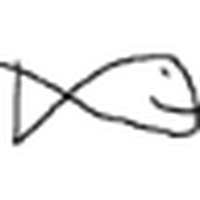
 Draw a Fish
Free
Draw a Fish
Free
Draw a Fish is a lightweight web drawing game. After the user draws a fish, it can be put into a globally shared virtual fish tank to swim and display. It supports browsing, likes and ranking interactions. No registration is required to start.
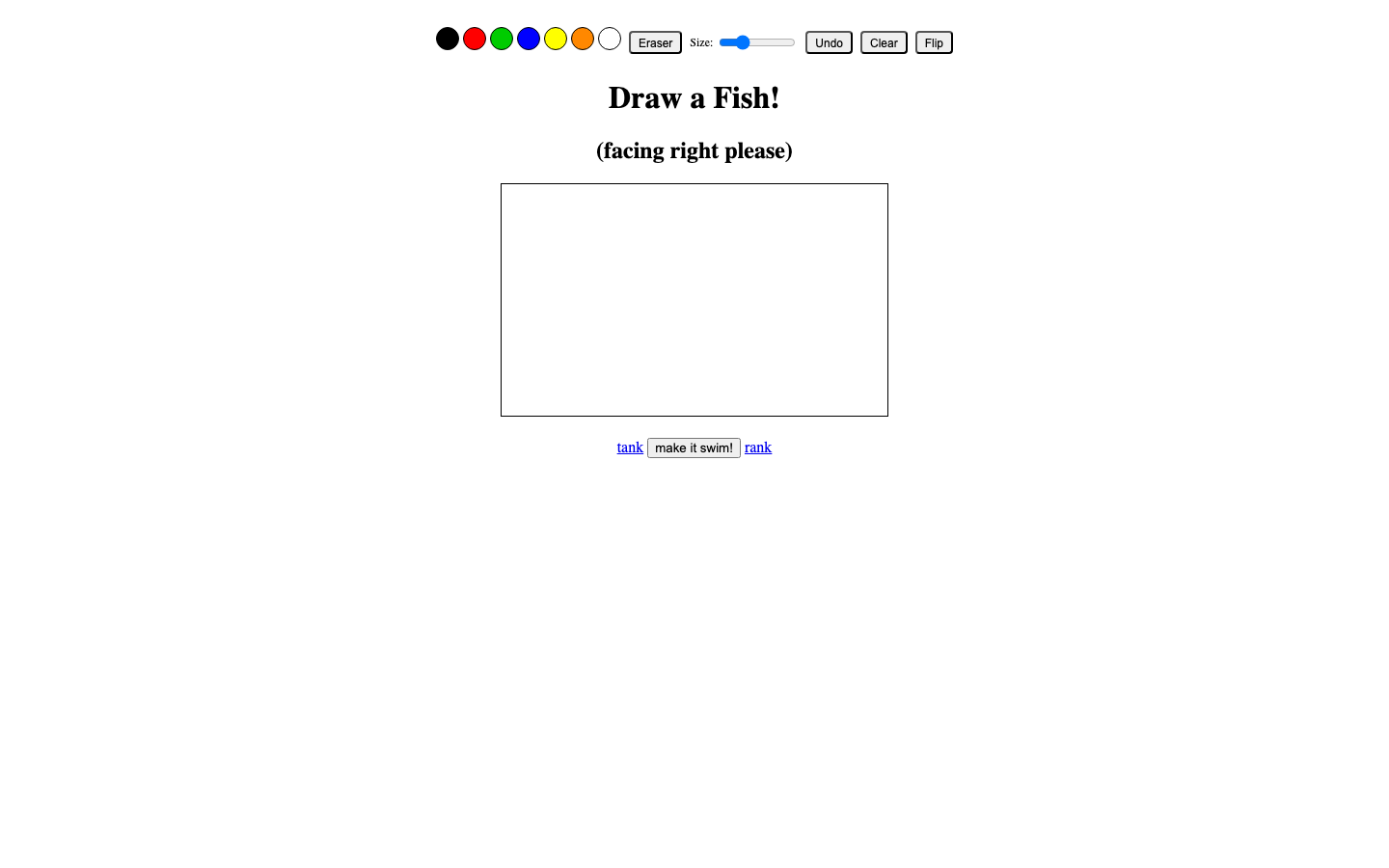
Full review of # Draw a Fish
Core parameters and statistics of Draw a Fish
| Projects | Public Information |
|---|---|
| Product Positioning | Online Painting Community Game |
| Core Experience | Draw fish → Release → Global fish tank display |
| Interactive mode | Browser drawing board hand drawing |
| Community Form | Latest fish tank, popular rankings, random browsing, likes and votes |
| Registration Required | No registration required to submit a painting |
| Registration Benefit | After registration, you can create a personal fish tank collection |
| Placement scale | Unlimited, support for continued submissions |
| Platform Support | Web |
| Pricing Model | Completely free, no in-app purchases and no ads |
| First time online | ~2025-06 |
| Place of Origin | US |
| Supported Languages | en-US |
The core parameter table of Draw a Fish shows that this product is extremely convergent in terms of functional density—the entire product only does one thing: draw fish, release fish, and watch fish swim. There is no user classification, no limit on the number of ads, and no paywall. This restraint itself is its product philosophy.
Positioning Boundaries: Draw a Fish does not involve AI generation, does not draw fish for you, and is not a professional painting tool. It provides a lightweight drawing board that allows anyone to create freely. The fun comes from the light social accomplishment of "my fish swims in big fish tanks around the world". It is included in the AI Tool Navigation Station and is classified as a creative entertainment digital product, but the underlying layer does not rely on any AI model.
Interaction is closed: Users only need three steps from opening the page to getting satisfaction: drawing (30 seconds) → submitting (1 second) → finding their own fish in the fish tank (5 seconds). This extremely short feedback link is the underlying mechanism by which this product spreads virally.
User and market recognition of Draw a Fish
Draw a Fish is a lightweight creative community project with no commercialization background or financing history. It also does not disclose operating data such as user registration volume, daily activity or retention rate. The following analysis is based on the public form of the product and the reference of similar products.
Spreading Gene: Its value lies in using minimalist interaction (drawing a fish) to lower the threshold of creative expression to close to zero, while at the same time creating a sense of community belonging through the global shared fish tank mechanism. Users do not need to log in to participate. This design reduces the friction of sharing and diffusion - after drawing the fish, the user can directly copy the link and share it with friends, and the friend will open it and draw without any registration process. This kind of "zero-friction communication" has a similar viral propagation logic to early social creative products such as Draw Something and Reddit Place.
Similar reference: Draw a Fish has a similar light social creative form to the following products:
| Contrasting Dimensions | Draw a Fish | Draw Something | Reddit Place (r/place) |
|---|---|---|---|
| Creative object | Draw a fish | You draw and I guess | Pixel block graffiti |
| Social Mechanism | Swim in the global fish tank | Friends take turns to guess words | Community collaborative painting |
| Time to get started | 30 seconds | 2-3 minutes | 10 seconds (to place one pixel) |
| Retention Handle | Like ranking, personal fish tank | Friends interaction | Sense of community belonging |
| Commercialization Degree | None | With in-app purchases | None |
Community Vitality: The shared fish tank on the product page continues to have new fish works submitted by users, indicating that the community maintains basic creative vitality. However, the official has not disclosed quantitative indicators such as daily active users, monthly active users, and cumulative number of works. The specific magnitude of the community size is based on the actual page status of the product.
Prerequisites for implementation: The user stickiness of this type of light social creative product is highly dependent on the freshness and diversity of community content. If the amount of placement in a certain period of time decreases and the contents of the fish tanks converge (for example, they are all the same style of fish), the user's willingness to return will be significantly reduced.
Cost Advantages of Draw a Fish
C-side/individual user
| Project | Description |
|---|---|
| Draw and release fish | Free, no registration required |
| Browse fish tanks around the world | Free |
| Like and Vote | Free |
| Personal fish tank collection | Free, registration required |
| Advertising display | None |
| In-app purchases | None |
| Subscription fee | None |
The Free Truth: Draw a Fish is indeed completely free, with no hidden fees, no premium membership tiers, and no limit on usage. The operating costs are borne independently by the project party, and no commercial monetization methods are currently displayed (advertising, donation links, and value-added subscriptions are not present). Possible operational support paths for the project include: individual developers paying out of their own pockets to maintain servers, and subsequent plans to introduce donations or non-core value-added functions. However, the above are all speculations, and no official business model description has been disclosed.
API/Developer level
Draw a Fish does not provide a public API, SDK or developer access interface. The product is positioned as a lightweight interactive web page for end users and does not support third-party integration or secondary development. If developers want to develop derivative products based on a concept like "painted fish + virtual aquarium", they need to implement it from scratch.
Enterprise / Institutional Level
Draw a Fish does not currently offer enterprise editions, private deployments, or SaaS management backends. If educational institutions want to use the product in the classroom, they can use the public web page directly, without the need for procurement or IT deployment. If the team needs to use similar functions in internal activities (team building icebreakers, interactive installations in the exhibition hall), it can currently only rely on public sites without any guarantee of customization or data isolation.
Hidden Cost Analysis:
- Time cost: The average time it takes to draw a fish is about 30-60 seconds, but browsing the fish tank and likes may extend to 3-5 minutes, which is suitable for fragmented scenarios and not suitable for workflows that require long-term immersion.
- Content Visibility: The visibility of fish works submitted by unregistered users in the fish tank is the same as that of registered users, but the likes of the works cannot be tracked (there is no history record in the personal center).
- Data persistence: The official work retention policy has not been disclosed, and it is impossible to confirm whether the submitted fish will be removed due to server cleaning or version updates.
Main functions of Draw a Fish
Online drawing board: hand-draw directly in the browser
Provides basic drawing tools: brush color selection, brush thickness adjustment, eraser, undo/redo, and flip mirroring. The artboard interface is minimalist, with only the core operation buttons on the top, and the canvas is centered, focusing on "drawing fish". The default prompt of the drawing board is "facing right please" to ensure that the direction of the fish is uniform and that all fish in the fish tank swim in the same direction.
- Acceptance Concerns: The artboard does not provide advanced painting functions such as layers, gradients, filters, etc., nor does it support the import of external images as drafts. Everything is done by hand.
Global shared fish tank: Submit your works to enter public waters
The submitted fish will immediately appear in the global shared fish tank, swimming and displayed together with other users' fish. Each fish has an independent swimming trajectory (controlled by simple physical simulation), forming a vibrant community scene. The fish tank page is continuously updated dynamically, and newly submitted fish will continue to be added.
- Acceptance Concern: The rendering performance of the fish tank depends on the number of fish swimming at the same time. When a large number of fish swim together, whether the page frame rate is stable needs to be verified in actual usage scenarios.
Community interaction system: voting and ranking
Supports three browsing modes: Latest, Popular (sorted by number of likes), and Random. Users can like and vote for any work, and the voting results drive the popular ranking. This three-mode design takes into account the three dimensions of content exposure: freshness (latest), quality screening (popular), and serendipity (random).
- Acceptance Concerns: Likes do not require an account registration, which lowers the threshold for participation, but also means that the ability to prevent ticket fraud is weak, and the popular rankings may be manipulated by a small number of high-frequency users.
Personal Fish Tank: Portfolio after registration
After registering an account, the works submitted by the user will be automatically collected into the personal fish tank (personal information page) to form a personal creation collection. This function not only provides the practical value of "my work history", but also creates motivation for return visits - users want to see how many likes their fish has gained in the fish tank.
- Acceptance Concerns: The registration process is extremely simple (only username and password are required), and email verification is not required, which means that the ability to retrieve the account is almost zero. If you lose your password, you will lose your portfolio.
Navigation and Internal Links: Three-level page structure
The product currently contains three core pages: homepage drawing board (/), global fish tank (/tank.html), and ranking list (/rank.html). The three pages are interconnected through the top navigation link, and the structure is simple and clear.
- Acceptance Concern: The product does not have a help document FAQ, about page or contact channel, and there is no official entrance for users to check or provide feedback on any usage questions.
Version evolution of Draw a Fish
Mainline release
| Version Identification | Release Date | Change Points |
|---|---|---|
| 1.0 (initial release) | ~2025-06 | Draw fish online + global shared fish tank + like and vote + ranking list + personal fish tank |
Version Note: Draw a Fish has not disclosed subsequent version updates through public channels since it was launched on ~2025-06. The product still maintains the original feature set when it was launched, and no visible updates of new features or UI revisions have been found. The footer does not display a version number, changelog, or changelog link.
Update frequency speculation: The product may be in one of the following two states: (1) It is running stably as a personal side project, and the developer has no active iteration plan; (2) The developer is making incremental improvements in the background but does not make a version release announcement. In either case, users should evaluate whether the product meets their needs based on the current feature set rather than waiting for future updates.
Technical advantages of Draw a Fish
The technology stack of Draw a Fish is a typical lightweight full-stack web application:
Front-end: HTML5 Canvas drawing board (hand-drawn interaction) + CSS animation (fish swimming simulation) + JavaScript logic control. Canvas provides pixel-level drawing control and supports basic drawing operations such as color selection, brush size adjustment, and eraser, without relying on any third-party drawing library.
Backend and Storage: Use a conventional backend architecture (the specific technology stack is not disclosed) to store the fish work data submitted by users, including drawn pixel information, submission timestamp and like count. The registered user's data is associated with the account.
Fish tank rendering mechanism: The swimming trajectory of each fish in the fish tank is controlled by a simple physical simulation algorithm - each fish is given a random swimming speed, direction and swing amplitude, and moves smoothly within the canvas. Fish from different users swim together in the same container without covering each other, creating a group swimming effect similar to a real fish tank. This rendering method has extremely low computational overhead and does not require WebGL or GPU acceleration.
Technical Boundary Statement:
- No AI models involved: no image recognition, no style transfer, no automatic generation, all content is manually drawn by users.
- Does not involve real-time communication: The fish tank is not synchronized in real time via WebSocket. Instead, the latest fish collection is loaded through regular page refresh or manual refresh, which is a "pseudo real-time" display.
- No complex rendering pipeline is involved: the swimming animation of the fish is a simple 2D translation + swing, without advanced effects such as collision detection, water depth effects, and bubble particles.
Performance Characteristics Analysis: Due to the use of Canvas 2D rendering + lightweight backend, it theoretically supports higher concurrency. The bottleneck is the number of fish rendered on a single fish tank page - when more than a few hundred fish are rendered simultaneously, Canvas redraws can cause frame rate drops. The product does not disclose the upper limit of the number of fish in a single fish tank.
How to use Draw a Fish
Entrance and steps
Draw a Fish currently only provides web access, no App, no API, and no browser plug-in. The usage path is as follows:
- Visit home page: Open
https://drawafish.com/ - Draw a fish: Use the brush tool to draw a fish by hand on the drawing board. Pay attention to the drawing board prompt "facing right please" - the fish head needs to face the right to ensure that the swimming direction in the fish tank is uniform.
- Adjustment Tool: Use the color picker to switch brush colors, use the slider to adjust the brush thickness, use the eraser to correct errors, and supports Undo and Clear.
- Submit for release: Click the submit button, and the fish will immediately enter the global shared fish tank and start swimming and display
- Browse the community: Use the top navigation to enter
/tank.htmlto view global fish tanks, or enter/rank.htmlto view the work rankings - Registration and Personal Space: After clicking Register to create an account, the submitted fish will automatically be collected in the personal fish tank
Entrance comparison
| Entrance form | Availability | Suitable for scenarios |
|---|---|---|
| Web page | Available, no registration threshold | All users, PC/mobile browser can access |
| Mobile App | None | Not suitable for users who need an App-based experience |
| API/SDK | None | Not suitable for developers who need secondary integration |
| Private deployment | None | Not suitable for organizations that require intranet isolation |
Get started quickly in three minutes
The zero-threshold design of Draw a Fish makes it extremely short to get started: open the page → choose a color → draw a fish → submit → find it in the fish tank. The entire process can be completed within 30-60 seconds once you are proficient, and there is no need to read any documentation or tutorials.
Product Pricing for Draw a Fish
| Project | Price | Remarks |
|---|---|---|
| Draw and release fish | Free | Unlimited times |
| Browse global fish tanks | Free | No account required |
| Like and vote | Free | No account required |
| Ranking browsing | Free | No account required |
| Personal fish tank | Free | Just need to register an account |
| Advertising | None | No ads displayed on the page |
| Premium Subscriptions | None | No paid tiers |
Draw a Fish does not currently have any monetization mechanism. Compare the pricing models of similar light creative social products:
| Products | Free Strategies | Monetization Methods |
|---|---|---|
| Draw a Fish | Totally free, unlimited | None (not commercialized) |
| Draw Something | Free + in-app purchases | Prompts, remove ads |
| r/place | Totally free | None (Reddit branded campaign) |
| Skribbl.io | Totally free | None (community maintenance) |
Draw a Fish is similar to r/place and Skribbl.io, taking the route of "minimalist creative tools + community-driven", and commercial monetization is not a priority. But the risk of this model is: if the project party cannot bear the ongoing server and bandwidth costs, the service may go offline at any time, and there is no export or migration channel for user data (drawn fish).
Application scenarios of Draw a Fish
Scenario 1: Fragmented stress reduction and mentality adjustment
- Task Description: Get 30-60 seconds of light creative relaxation between work or study.
- Benefit deduction: The process of drawing a fish and releasing it is close to the effect of Mindful Coloring. Compared with scrolling through social media, Draw a Fish provides the sense of completion of "creating and then releasing" rather than the anxiety caused by unlimited information flow. The switching cost from "consuming energy" to "emptying" is extremely low - just open the browser, no need to start large applications.
- Key points for verification: Suitable for fragmented time scenarios that require a quick change of mentality (queuing, taking a break, between meetings), but not suitable for scenarios that require deep relaxation or long-term immersion.
Scene 2: Parent-child creative interaction
- Task Description: Parents accompany children aged 3-10 to draw fish together and compare whose fish is more popular in the fish tank.
- Benefit deduction: Drawing fish does not require literacy or complicated operations. Children over 3 years old can complete simple graffiti under guidance. After joint submission, we search for "our fish" in the fish tank together. This cycle of "creation → release → discovery" is naturally suitable for parent-child interaction. Compared with professional drawing education apps, Draw a Fish's social feedback (likes) provides children with an extra sense of achievement.
- Key points for verification: The drawing board does not have a parental control mode or child safety filtering function, and parents need to accompany it at all times. The drawing board does not provide templates or auxiliary shape tools. It is completely free-hand drawing. Younger children may need help to draw a recognizable fish shape.
Scenario 3: Classroom teaching and ice-breaking activities
- Task Description: The teacher asks all students in the class to draw a fish and put it in the class fish tank as the beginning of the class or for interaction between classes.
- Benefit Deduction: Traditional classroom icebreaking requires preparing materials, distributing tools, and collecting works, which takes at least 10-15 minutes. Using Draw a Fish, teachers only need to provide a URL, and students can participate by opening their browsers. From the instruction to the whole class completing the delivery, it can be completed within 3-5 minutes, and the efficiency improvement is estimated to be about 60%-70%. Each student's work swims together in the fish tank, naturally forming a collective sense of belonging in "our class fish tank".
- Applicable course types: Art enlightenment classes (directly related to painting exercises), English classes (coupled with "Describe Your Fish" oral exercises), class activities (relaxation + team building).
- Key points for verification: The classroom needs to have a stable Internet connection and sufficient equipment (one Internet-enabled device for each person or two people). The school network may block non-educational domain names, and the reachability of
drawafish.comneeds to be verified in advance.
Scenario 4: Online community activities and brand interaction
- Task Description: Brands or communities launch a "Fish Drawing Challenge" on social media. Participants draw fish and take screenshots to share on the topic page.
- Benefit deduction: Draw a Fish’s extremely low participation threshold and high interest are naturally suitable for UGC fission activities. Compared with complex brand-customized interactive pages, the cost of directly using Draw a Fish as an event tool is almost zero, and the display effect of global fish tanks provides "living material" for event content.
- Key points to verify: Brands cannot add brand logos or customize page designs on Draw a Fish, nor can they track the behavioral data of event participants. The effectiveness of the event relies entirely on participants’ spontaneous sharing on social platforms.
Scenario 5: Rapid prototyping verification of design inspiration
- Task Description: UI/UX designers or illustrators quickly verify fish shape ideas in a minimalist way.
- Benefits: For the informal drafting phase of inspiration, Draw a Fish's sketchpad can be used as the "lightest digital sketchbook". Compared with professional tools such as Procreate and Figma, it reduces the time loss of tool selection - open it and draw without any distractions.
- Key points of verification: The artboard function is extremely basic. It cannot export the original image, has no layers, and has no resolution control. It is purely used for quick ideas and is not suitable for formal creative output.
Not suitable for scene collection:
- AI Automated Creation: For users who expect to enter keywords to automatically generate fish images, Draw a Fish does not provide this capability at all.
- Professional Painting Output: Professional designers who need high-resolution export, vector formatting, layer editing.
- Serious games or competitions: Users who expect gamification mechanisms such as point systems, rankings, and real-time battles.
- Internal enterprise activities: Institutional scenarios that require data isolation, custom watermarks, and activity analysis background.
- Teaching Evaluation Scenario: Education management needs that require teachers to view, score, and archive all student works.
Draw a Fish is suitable for people
- Casual Stress Relief Users: Office workers and students looking for 30 seconds of relaxing creative output between work and study. No drawing skills or creative intentions are required, just drawing a crooked fish and releasing it is also a kind of fun. Not suitable for hardcore gamers looking for deep immersion or a sense of competitive achievement.
- Parent-child family (children aged 3-10): Parents lead young children to experience the causal fun of "I drew a fish → it swims in the sea". The product has no in-app purchases, no ads, and no socially risky content, making it relatively suitable for children to use. The premise is that parents need to accompany the operation, because the drawing board does not have a child mode or a parental control panel.
- Educators (K-12 and Quality Training Organizations): Teachers who use Draw a Fish in their classrooms as a low-barrier icebreaker or creative expression exercise. It is suitable for interactive art classes, English classes (describing the characteristics of fish), and class meetings. Not suitable for educational scenarios that require course management systems, academic analysis, or assignment submission functions.
- Community Operations and Event Planners: Operators who need low-cost UGC fission tools can use Draw a Fish to launch "Draw a Fish Challenge" activities. Provided there is no need for brand customization, data analysis or activity tracking capabilities.
- Creative Workers (Informal Inspiration Recording): Illustrators and designers use the simplest way to record inspiration for fish shapes in the very early concept stage. Not suitable for formal creative processes or client delivery scenarios.
Summary and Outlook
Core Competence: The core value of Draw a Fish does not lie in technological innovation, but in the restraint of experience design - in the current era of proliferation of AI-generated content, it provides a creative space that "must be drawn by hand", returning to the original fun of graffiti itself. The emotional value of "draw a fish and put it in the sea" is simple but effective.
Current Limitations:
- Function Freeze: The product has not seen any function updates since its launch. The drawing board tool remains at the most basic set of capabilities, lacking advanced painting assistance such as templates, color presets, and stroke changes.
- Unknown community size: There is no public data on the number of users or content, and it is impossible to judge the long-term activity and content diversity of the community.
- No data guarantee: There is no account recovery mechanism, no work export function, and no service availability commitment. Creations submitted by users have "one-time" risks.
- No customer service channel: The product page does not have any contact information or feedback portal, and users cannot seek help when encountering problems.
- Commercialization Vacuum: There is an objective risk that the current completely free model is unsustainable, and services may be changed or offline due to operating cost issues.
Follow-up observation points:
- Whether the project party will introduce donation links (such as Buy Me a Coffee, Patreon) as minimum operation and maintenance support.
- Whether the function of exporting works (saving to local images) will be added to reduce users' data concerns.
- Whether social media sharing enhancements will be enabled (one-click sharing to Twitter/X, Reddit, Instagram, etc.).
- Whether there will be similar competing products (such as "Draw a Cat", "Draw a Bird") and verify the replicability of this light social creative model.
Procurement and Adoption Risk Assessment: Draw a Fish is currently in a purely welfare-based operation, and there are no procurement restrictions. Public sites can be used directly by any team or individual. If you want to use it in formal classes or corporate activities, it is recommended to: (1) Verify the site availability and page loading speed in advance; (2) Confirm that the school/company network has not blocked the domain name; (3) Inform participants that the current service has no data guarantee commitment, and it is recommended to take screenshots and save the work after submission; (4) It is not recommended to use it as a core teaching tool or the only interactive carrier for formal activities, and is more suitable as a lightweight supplement.
Related tools:  Midjourney, stable-diffusion
Draw a Fish’s model and version evolution
Continuous iterative updates, the latest version introduces performance optimization and new features. Historical version information can be viewed through the official release page. There is currently no complete public version evolution timeline.
How to use Draw a Fish
- Web client: You can use it by visiting the official website and registering an account. Most functions do not require installation.
- API Access: Provides RESTful API, developers can obtain the API Key and integrate it into their own applications.
Version Info
- Draw a Fish :Online fish drawing and fish tank sharing community is online.
- Draw a Fish :There is no official precise date for the online version.
User Reviews