 Dust
Dust
Dust is an AI agents and knowledge workflow platform for enterprise teams. It supports the creation of dedicated assistants that can call internal knowledge, enterprise SaaS, Web, files, images and other agents, and embeds daily work through entrances such as Slack, Microsoft Teams, browser extension API, MCP, Zapier, n8n, Make, Power Automate, etc.
Dust
Core parameters and statistics
Dust is an AI Agent platform for enterprise knowledge workflow. The core is not a single chatbot, but allows the team to combine internal knowledge, third-party SaaS, file Web, Slack/Teams conversation API calls and MCP tools into a manageable dedicated Agent. The official documentation clearly states that users can create "specialized agents". Each Agent consists of instructions, tools and knowledge; the Agent will select one or more tools to complete the task based on the request.
| Parameters | Public information |
|---|---|
| Product positioning | Enterprise AI Agent, knowledge workflow, internal assistant platform |
| Main entrance | Web, Slack, Microsoft Teams, browser extension API, CLI, Zapier, n8n, Make, Power Automate |
| Agent composition | Instructions, Tools & Knowledge, model selection, access rights, labels, release status |
| Default tool capabilities | Data visualization, Web search & Browse, Create Files, Create Images, Agent Memory, Run an agent |
| Enterprise Tool Connections | Notion, Slack, GitHub, Confluence, HubSpot, Salesforce, Gmail, Google Calendar, Outlook, Zendesk, and more |
| Knowledge sources and data connections | Connectors listed in official documentation for Google Drive, Notion, Slack, GitHub, Microsoft, Confluence, Zendesk, Snowflake, BigQuery, Websites and more |
| MCP capabilities | Remote MCP Server can be added within Dust; Dust itself can also be exposed to compatible clients as a remote MCP Server |
| Regional entrance | Official documentation lists Global/US and EU MCP Server URLs |
| Permission management | Workspace, Spaces, Connections, Users, Admin, open/restricted spaces, member roles and access policies |
| Business model | Pro subscription based on seats, Enterprise customized; programmatic calls are charged separately based on credits/API usage |
The key parameters of Dust can be summarized as "Agent orchestration depth + enterprise connection breadth + permission boundary". For enterprises, this is more important than simple model parameters: whether the Agent can find the correct internal information, whether it can call tools with the correct permissions, and whether it can enter real work portals such as Slack/Teams/API, often determines whether it can move from demonstration to daily use.
User and market recognition
Dust's market positioning is focused on enterprise teams, rather than a general chat application for individuals. The official pricing page positions Pro for small teams and startups, and Enterprise for organizations with more than 100 people, and lists SSO, SCIM, US/EU data hosting, priority support, dedicated customer management Salesforce Tool and other enterprise purchasing concerns among the Enterprise capabilities.
Judging from product signals, Dust has passed the "single-point knowledge base Q&A" stage and entered the form of an enterprise AI workbench. The official documentation covers Admin troubleshooting, audit logs, workspace analytics, access controls, SSO, users and groups provisioning, connections, tools, MCP, API, CLI, browser extension Slack, Teams, Zendesk, Google Sheets Add-on, Raycast, etc., indicating that the product focus is to allow AI Agents to run within the organization for a long time, rather than only providing a one-time conversation experience.
The public user scale, revenue scale, customer number and retention data have not been stably disclosed by the official, and cannot be quantitatively exaggerated based on this. A more reliable judgment is that Dust’s official documentation depth, connector coverage, MCP support, and enterprise security options already have the foundation to enter the procurement evaluation of medium and large organizations; whether it is suitable for a specific team depends on its internal knowledge structure, permission complexity, existing collaboration system, and Agent governance capabilities.
Cost advantage
Dust's cost advantage comes from "one platform hosting multiple enterprise agents and knowledge portals", not from its absolute low price. The official pricing page shows that Pro is $29 or 29 euros per user per month, and annual billing is $27 or 27 euros per user per month in the corresponding region; Enterprise is Custom, which is customized based on active users. The official subscription document also states that Pro has a 14-day free trial. Pro is billed per seat. New members will be billed prorated per account period. Companies with more than 100 people need to contact sales.
| Plan | Official public price/caliber | Applicable objects | Key boundaries |
|---|---|---|---|
| Free / free downgrade status | Free quota and restrictions are subject to the official real-time pricing page | Personal trial, low-risk verification | After cancellation of payment, it will be downgraded to the free plan and is affected by user, connection, data source and message restrictions |
| Pro | Monthly payment $29/€ per user per month; Annual payment page shows $27/€ per user per month | Small teams, startups, companies with less than 100 people | Per-seat subscription; regular web, Slack, browser extension usage billed separately from programmatic calls |
| Enterprise | Custom, based on active users | Organizations with more than 100 people, teams with strong governance and security requirements | SSO, SCIM, US/EU data hosting, priority support, dedicated customer management, etc. require business confirmation |
| Programmatic Usage | Use credits and deduct based on model token consumption; API pricing is subject to the official real-time page | API, Zapier, n8n, Google Sheets/Excel batch calls and other automated scenarios | Billed separately from manual regular use in Web/Slack/browser extensions |
The official Programmatic Usage document gives a relatively clear boundary for cost control: each workspace will receive monthly free credits, and the amount changes with the workspace size; the first 10 users will receive free credits at 5 US dollars per user, 11 to 50 users will receive 2 US dollars for each new user, 51 to 100 users will receive 1 US dollar for each new user, and no additional users will be added for more than 100 users. Pro users have a public limit on purchasing credits of $50 per active user per billing period and a maximum of $1,000 per billing period; Enterprise can enable pay-as-you-go and set a cap. For high-frequency API or batch workflow teams, this “agent + credits” cost structure is closer to the true total cost than just looking at the subscription fee.
Main functions
Dust's functions revolve around four levels: "build, connect, run, and govern". Agent Builder allows the team to describe roles, task boundaries, and tool usage strategies through instructions, and assists in generating configurations through Sidekick; Tools & Knowledge allows Agents to call internal knowledge sources Web, files, images, other Agents, and third-party systems; Spaces and role permissions are responsible for limiting data and tool boundaries; APIs, MCPs, and collaboration portals embed Agents into existing workflows.
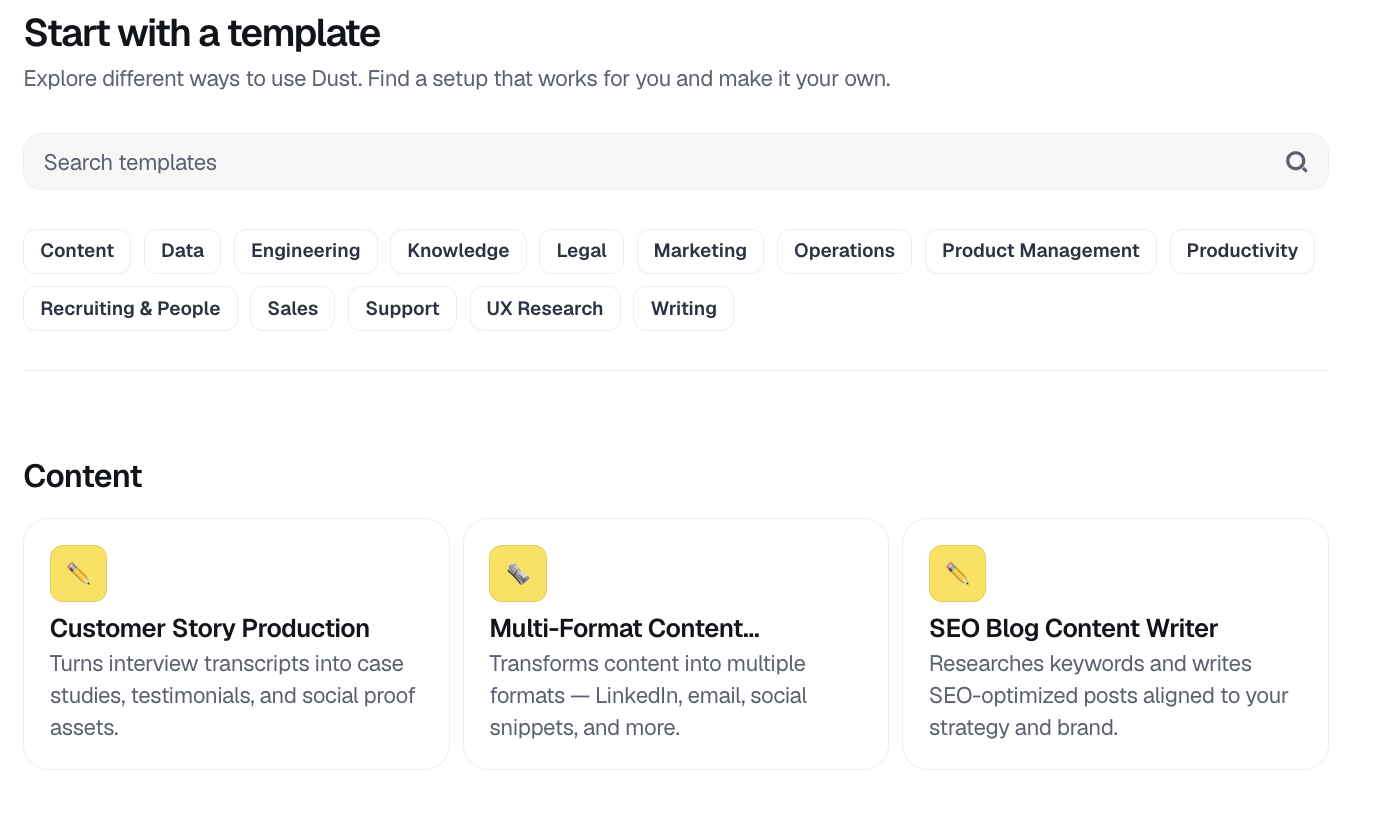
- Dedicated Agent Construction: Create an Agent from a blank or template, configure instructions, models, tools, knowledge sources, names, descriptions, tags, editors and release status. It is suitable for building dedicated assistants for sales, customer service IT, products, operations and other functions.
- Enterprise knowledge retrieval: Manage internal data through Spaces, Connections and data sources. Agent can search Notion, Google Drive, Confluence, GitHub, Slack and other information in authorized spaces.
- Tool calling and action execution: The default tool covers Web search and browsing, file generation, image generation, data visualization Agent Memory, and calling other agents; third-party tools can perform actions such as search, update, creation, draft generation, and work order processing.
- MCP Extension: Administrators can add public or custom remote MCP Servers to Dust; Dust can also be called as a remote MCP Server by compatible clients such as IDEs and AI assistants.
- Collaboration Portal: Official documentation covers Slack, Microsoft Teams, Zendesk, browser extension Raycast, Google Sheets Add-on, Zapier, n8n, Make, Power Automate and other portals, making it easy for Agents to appear in the team's existing work interface.
- Governance and Analytics: Supports workspace roles open/restricted spaces, connector scope control audit logs, workspace analytics, SSO, SCIM, access policies and administrator switches.
This combination of features makes Dust more like an "enterprise agent operating system" than a "chat window." Its value lies in putting context, tools and permissions in the same governance model, reducing the team's repeated switching between multiple AI assistants, scripts, knowledge bases and automation platforms.
Model and version evolution
Dust is a cloud service that continues to iterate. The official does not publicly mark each product version with the semantic version number of traditional desktop software. It is more suitable to observe the evolution using the method of "public milestone + changelog + document version". The latest verifiable milestone is GLM 5.2 Now Available in Dust in the official changelog: GLM 5.2 is available as a model option when creating or configuring an Agent, and is hosted in the US by Fireworks.
| Version/Milestone | Time | Official public changes | Impact |
|---|---|---|---|
| GLM 5.2 Now Available in Dust | ~2026-06, official undisclosed precise date | Added GLM 5.2 model options, which can be selected in Agent configuration | Expand enterprises’ model selection in Agentic workflow scenarios, without locking in a single supplier |
| Dust is now a remote MCP server | ~2026-05, official undisclosed exact date | Dust can be connected as a remote MCP Server by compatible clients | Let IDEs, writing tools, and AI clients reuse Dust workspace knowledge, sessions, files, and Pods |
| Dust Docs 1.1 | ~2024-06, official document version metadata | The document system covers user guide API, connector Agent, tools and developer platform | Indicates that the product has formed a relatively complete official use, management and development information |
At the model level, Dust’s official pricing page lists Advanced models covering GPT-5, Claude, Gemini, Mistral, etc.; changelog also introduces GLM 5.2. For enterprise users, the significance of multi-model support is to move model selection from "platform procurement decision" to "Agent configuration decision": models can be selected for different tasks based on cost, latency, reasoning quality, tool usage capabilities and compliance preferences.
Technical advantages
Dust’s technical advantages are first reflected in “contextual governance”. The official Access Controls and Permissions document defines Workspace, Connections, Spaces, Users, and Admin as core concepts, and explains that users can only create or use Agents based on data that they can access Spaces. This means that the Agent does not read enterprise data without boundaries, but operates within the organization's permission structure.
The second advantage is tool abstraction. Dust's tool layer includes both default capabilities and enterprise SaaS tools MCP Server, API and other agents. The Agent will select relevant tools based on the request, which is suitable for processing multi-step tasks of "first retrieving internal data, then browsing public web pages, then generating files, and then handing them over to another Agent for supplementation." Compared with platforms that only do RAG Q&A, this tool abstraction is closer to real knowledge work.
The third advantage is bidirectional MCP. External MCP Servers can be added inside Dust to expand the tool ecosystem; at the same time, Dust itself can be used as a remote MCP Server, allowing external compatible clients to search workspace Spaces, read files, create sessions, send messages, and access Pods. This direction makes Dust not only a work entry point, but also a trusted context source for other AI clients.
The fourth advantage is enterprise-grade business and security boundaries. The official pricing page lists SOC2, Zero Data Retention, SSO, SCIM, US/EU data hosting, priority support and other enterprise concerns; the SSO documentation explains that logins can be centrally managed through existing IdPs and SAML SSO can be enforced. For teams that are sensitive to compliance, permissions and auditing, these capabilities often impact procurement feasibility more than a single model effect.
How to use
The recommended path for using Dust is to start with a high-frequency, low-risk, clearly defined use case, rather than connecting all enterprise knowledge sources from the beginning. The official quickstart recommends creating an Agent, writing instructions, selecting tools & knowledge, testing the Agent, setting the name/description/tags, and determining publishing and editing permissions.
| Usage portal | Suitable for the task | Key configuration |
|---|---|---|
| Web app | Create, test, manage Agents and sessions | Agent Builder, Sidekick, Tools & Knowledge, Spaces |
| Slack / Microsoft Teams | Call dedicated Agent in team channel | Bind Agent, channel context, member permissions, message triggering method |
| Browser Extension | Let the Agent read the current web page content and screenshots | Browser permissions, page context, workspace login |
| API / CLI | Programmatic triggering Agent, creating session, uploading files, batch processing | API key, credits, rate limit, programmatic billing |
| Zapier / n8n / Make / Power Automate | Integrate Dust Agent into automated processes | Trigger payload, manual/programmed usage boundary |
| MCP | Connect external tools in Dust, or call Dust on an external client | OAuth, region URL, redirect URI, administrator switch |
The landing steps can be advanced in four steps. The first step is to select an explicit Agent, such as "Customer Support Knowledge Assistant" or "Sales Outreach Draft Assistant". The second step is to access only a small number of data sources necessary for the Agent, and use descriptions to tell the Agent when to use these data. The third step is to repeatedly test the instructions, tool selection, and data source range in the preview area. Step 4: Release to a small team, use it in parallel in Slack/Teams or the web, and observe misuse, permissions, cost, and programmatic call consumption.
Product Pricing
Dust's public pricing adopts a two-tier structure of Pro and Enterprise, and distinguishes manual use from programmatic calls. The pricing page of the official website shows: Pro is for small teams and startups, starting from 1 member, supporting advanced models custom agents, connections, native integrations, SOC2/Zero Data Retention, unlimited messages fair use, free credits for programmatic usage, etc.; Enterprise is for 100+ members, including advanced security and control, larger storage and file size limits, custom programmatic usage prices SSO, flexible payment, priority support for US/EU data hosting SCIM, Salesforce Tool et al.
| Billing items | Official public caliber | Remarks |
|---|---|---|
| Pro Monthly | 29 USD/EUR per user per month, excluding tax | Page will display USD or EUR by region |
| Pro annual payment display | 27 USD/EUR per user per month, excluding tax | Subject to the real-time pricing page of the official website |
| Pro Trial | 14-Day Free Trial | Subscription documentation states that you will immediately lose access to Dust if you cancel your trial |
| Enterprise | Custom based on active users | 100+ members and advanced governance needs contact sales |
| Programmatic use | credits, deduction based on AI model token consumption | API, Slack workflows, Zapier, n8n, Google Sheets/Excel batch operations, etc. can be considered programmatic |
| Pro credits purchase limit | The maximum limit is US$50 per active user per account period, and the absolute upper limit is US$1,000 per account period | There are purchase restrictions under trial, payment exception, etc. |
| Enterprise pay-as-you-go | Enterprise can be enabled, settled by the end of the period and configured with cap | The default daily consumption cap rules are subject to the official Programmatic Usage document |
When purchasing and evaluating, you should not just look at the price per seat. The true cost of Dust consists of three components: human user agents, programmatic call credits, and internal operating costs for connectors and permissions management. Especially when the Agent is connected to Zapier, n8n, Google Sheets, Excel, API or batch processing tasks, programmatic usage will consume credits independently and requires continuous monitoring by the administrator.
Application scenarios
Dust is suitable for scenarios where "internal knowledge + tool action + team collaboration" coexist. If it is just a personal Q&A or a one-time summary, a general chat tool is enough; when the task requires reading internal data, complying with permissions, calling SaaS, and being reused by multiple people in Slack/Teams, the platform value of Dust will become apparent.
- Customer Support and Knowledge Base Q&A: Connect Zendesk, Intercom, Notion, Google Drive or internal documents to Agent to find policies, generate response drafts, summarize ticket context, and retain manual review.
- Sales and Marketing Workflow: Agent can combine CRM, web browsing, company information and historical communication to provide a unified assistant for sales outreach, account research, meeting preparation, competitive product comparison and content drafting.
- Product and Engineering Collaboration: Help teams find code context PR/issues, design documents, and incident review materials through connections such as GitHub, Confluence, Slack, and Google Drive.
- IT and Internal Operations: Administrators can manage the tools and data available to different teams through Spaces, Tools, and MCP, and hand over common IT, approval FAQ, status query, and file generation tasks to dedicated Agents.
- Cross-tool context reuse: With Dust as a remote MCP Server, external compatible clients can reuse workspace knowledge, sessions, files, and Pods without switching to Dust.
The common success conditions for these scenarios are: the data source has clear boundaries, the Agent instructions are specific enough, the tool permissions are controllable, the results have a manual verification mechanism, and the administrator can monitor usage and costs.
Applicable people
Dust is best suited for three types of teams. The first are knowledge-intensive enterprise teams, especially customer service, sales, product, engineering, operations, and IT, who need to find information and generate reusable output across multiple systems every day. The second category is AI enablement or IT teams that have platform governance needs. They need to uniformly manage Agents, data sources, permission SSO, auditing, and usage. The third category is organizations that have accumulated a large amount of business data in tools such as Slack, Teams, Google Drive, Notion, GitHub, Zendesk, and Salesforce. Dust can turn this data into context that can be called by Agents.
The situations where it is not suitable are also clear: if the team does not have a stable knowledge base, the authority structure is confusing, only needs a personal chat assistant, or there is no one responsible for Agent configuration and governance, Dust's platform capabilities will appear to be overweight. For highly regulated industries, it is also necessary to confirm the data hosting area, model supplier Zero Data Retention, audit log SSO/SCIM, DPA, sub-processor and programmatic usage limit item by item before purchasing.
Dust can serve as a powerful AI workbench for individual users, but its real strength lies in team scenarios. Its design assumptions are "multiple people sharing context, multi-agent division of labor, multi-tool collaboration, and administrator governance", which is different from the lightweight path of personal productivity tools.
Summary and Outlook
Dust's core competency is to advance enterprise AI agents from "being able to answer questions" to "being able to use knowledge and tools within authority boundaries to complete work." It puts Agent Builder, internal knowledge, enterprise connector Slack/Teams collaboration API, MCP, SSO, Spaces and programmatic billing in the same product system, which is suitable for formally integrating AI capabilities into team operations.
There are currently three points that need to be continuously observed. First, whether Dust’s multi-model route can maintain a stable balance between quality, cost and compliance, especially the actual performance of new models such as GLM 5.2 after entering Agent configuration. Second, will the MCP ecosystem further expand the range of tools available for Dust and increase the complexity of administrator governance? Third, whether the credits mechanism for programmatic usage allows high-frequency automation teams to predictably control costs.
Overall, Dust is more suitable for teams that are ready to seriously build an enterprise AI agent middle platform. It is not the lightest entry-level tool, but in an enterprise environment where "knowledge, tools, permissions, entrances, and cost management" are all established at the same time, it has the practical foundation to become an internal assistant platform.
Related tools:  CrewAI,
  LangChain
Version Info
- GLM 5.2 Now Available in Dust :Dust's official changelog shows that GLM 5.2 can be used as a model option when creating or configuring Agents; the official page does not disclose the precise release date, which is approximated by the month of the public page.
- Dust is now a remote MCP server :The official changelog of Dust shows that Dust can be connected as a remote MCP Server by a compatible client and used to search for workspace knowledge, access sessions, files and Pods; the official official has not disclosed the precise release date, and it is updated by month based on the public page.
- Dust Docs 1.1 :The Dust official documentation site displays stable document version 1.1, covering user guides, connector agents, tool APIs and developer platforms; the date comes from the official document version metadata, and the precise release date of product functions is subject to the official real-time page.
User Reviews