 Ekhos AI
Free
Ekhos AI
Free
Ekhos AI is an AI-driven speech synthesis and audio creation platform that supports voice cloning and text-to-speech.
EkhosAI
Core parameters and statistics
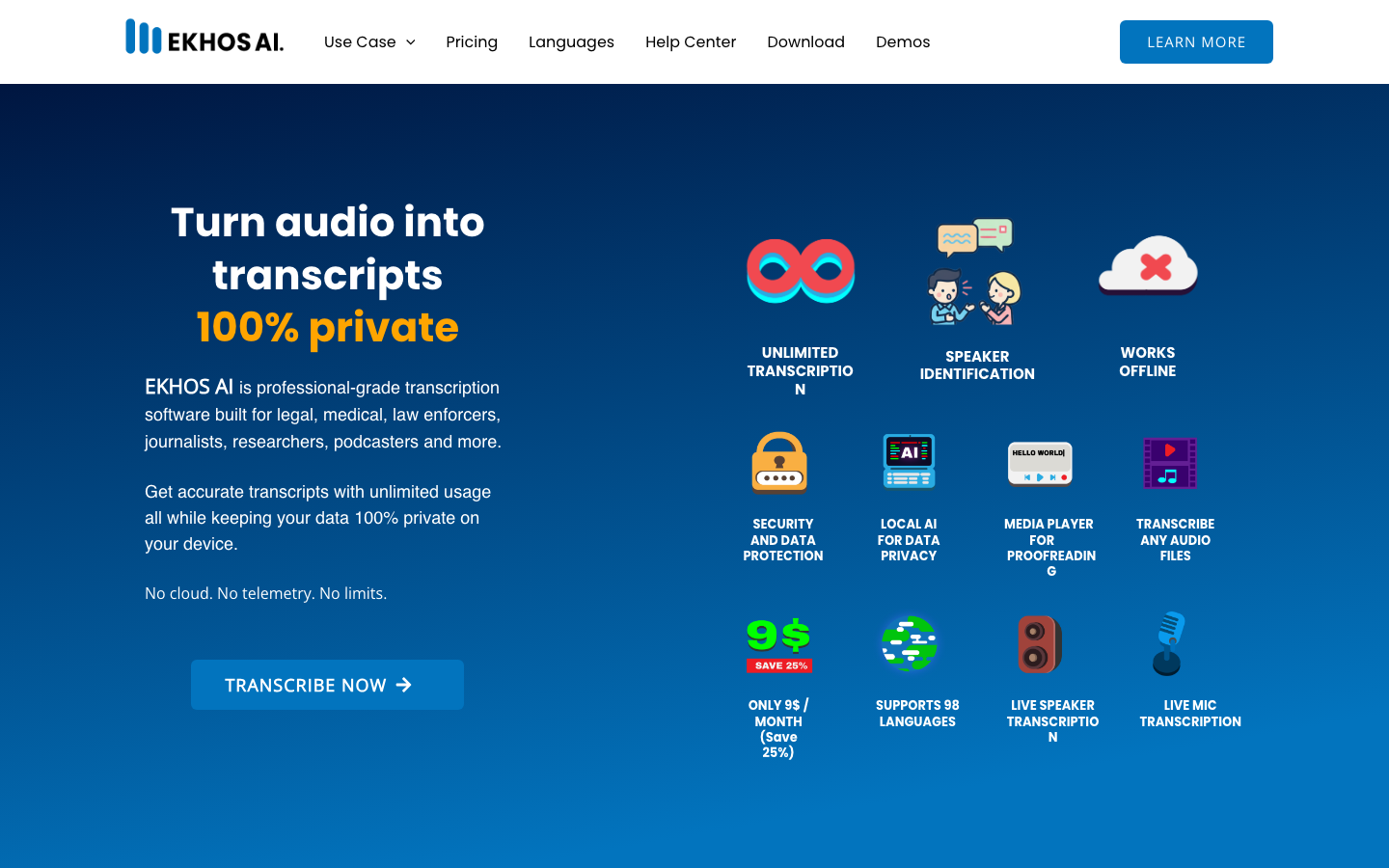
Ekhos AI is a Windows desktop application positioned as "local offline AI transcription", not a cloud TTS or voice cloning platform. Its core value is to transcribe audio/video files or real-time microphone input into text, processing it entirely on the local device without uploading any data to the cloud. This is not in the same track as cloud TTS products such as ElevenLabs and Fish Audio. Its direct competitors are transcription tools such as Otter.ai, Trint, and Descript, but they are differentiated in the "data privacy" dimension - most of the competing products are cloud processing, while Ekhos is a complete local offline solution.
| Projects | Public Information |
|---|---|
| Product positioning | AI offline voice transcription desktop tool |
| Core capabilities | Audio to text, speaker recognition, local AI processing |
| Platform | Windows Desktop (Microsoft Store) |
| Home | AU (Australia) |
| Company establishment | 2024 |
| Supported languages | 98 (including Chinese, English, Japanese, Korean and other major languages and minor languages) |
| AI model level | Intermediate / Advanced / Expert three levels adjustable |
| Transcription mode | Optimized (2x speed), Standard, Speaker Identification |
| Latest version | v3.0.6 (2026-05-02) |
| Minimum Hardware | Windows 10+, Intel Core i5 / AMD Ryzen 5, 8GB RAM, 500GB SSD |
| Recommended Hardware | NVIDIA RTX GPU (20/30/40/50 Series) + 16GB RAM |
Brief review in one sentence: Ekhos AI is not a TTS tool, but a "local AI transcriber installed in Windows" - drag the recording file in and automatically output the transcript, without being connected to the Internet, without uploading, and without leaving traces.
Core Difference in Data Privacy: Unlike cloud transcription tools, Ekhos AI’s audio files and transcription results are all stored in the user’s local SQLite database, and AI inference is performed on the local CPU/GPU without any data being transferred out of the device. For industries such as medical, legal, and law enforcement that have strict compliance requirements for data export, this feature directly determines the difference between "can be used" and "cannot be used."
User and market recognition
Ekhos AI is positioned in the local offline transcription market segment. The target audience is clear but the overall scale is smaller than general transcription tools.
Target industry coverage: The target users listed publicly on the official website include legal practitioners, medical personnel, law enforcement personnel, journalists, researchers and podcast producers. The common characteristics of these industries are: high sensitivity to data privacy, high frequency of transcription needs, and the content of documents may involve confidentiality agreements or compliance constraints.
User Review: The user recommendation (Jane T.) displayed on the official website emphasizes the core selling point of "completely offline operation, audio and transcript content remains private and secure". Judging from the operation of social media (Facebook, X/Twitter, LinkedIn, YouTube), the team is actively building a community but has not yet formed a large-scale word-of-mouth spread.
Market Comparative Positioning: In the AI transcription market, cloud solutions (Otter.ai, Trint, Rev) occupy the mainstream. Ekhos's "offline + local" route currently has few direct competitors. This is both a differentiation advantage and a market education threshold - a large number of users have become accustomed to the convenience of cloud tools (cross-device synchronization, collaborative editing), and Ekhos's complete offline mode actually constitutes a limitation in these scenarios. Therefore, it is not a replacement for Otter.ai, but a dedicated tool for scenarios where cloud migration is not possible. Based on public information, there is no third-party authoritative evaluation or disclosure of large-scale corporate customer cases.
Cost advantage
The cost structure of Ekhos AI revolves around "one-time software license + on-demand hardware investment", which is essentially different from the "minute/hour subscription" model of cloud transcription tools.
C client/personal (free version): Provides a permanent free plan. Transcribe once per day for up to 30 minutes, support 98 languages, use two real-time transcription modes, Microphone and Speaker, and access a text editor for proofreading. Limited by the duration of a single session and daily frequency, it is suitable for lightweight users with extremely low transcription requirements (such as students who occasionally organize classroom recordings). The output format is Text only.
Personal/Advanced (Premium, $9/month, paid annually): Annual subscription is equivalent to $9 per month (enjoy 25% discount), unlock unlimited transcriptions, no file size/number/duration limit, speaker identification and tagging, batch queue processing Word/PDF/Text three export formats GPU acceleration support and email technical support. This is the main solution for high-frequency users.
Enterprise/Volume Subscription: Contact [email protected] for a quote. The official website does not disclose the specific functional differences of the enterprise version (whether it includes multi-user management, centralized deployment, brand customization, etc.), and enterprise customers need to negotiate on their own.
Implicit cost item: The core hidden cost of Ekhos AI is not in software subscription, but in hardware investment. Transcribing 30 minutes of audio on the lowest configuration (8GB RAM, CPU inference) takes 38-73 minutes (depending on AI model level), while an NVIDIA RTX GPU can compress the same task to 3-4 minutes. The purchase/upgrade cost of GPU hardware (RTX 4050 laptop or higher) may be several times the annual software fee, but this is the inherent cost of the local offline solution. For users who already have mid- to high-end Windows devices, the marginal cost is extremely low.
| Cost Dimension | Free Edition | Premium Edition ($9/month) | Enterprise Edition |
|---|---|---|---|
| Monthly Fee | $0 | $9 (paid annually) | Business Negotiation |
| Daily transcription limit | 1/30 minutes | Unlimited | Unlimited |
| Speaker Recognition | ❌ | ✅ | ✅ |
| Batch Queue | ❌ | ✅ | ✅ |
| Export format | Text | Word + PDF + Text | Subject to contract |
| GPU Accelerated | ❌ | ✅ | ✅ |
| Prepare your own hardware | CPU minimum i5/8GB | CPU minimum i5/8GB, GPU recommended RTX | Same as Premium |
| Data Privacy | Local Offline ✅ | Local Offline ✅ | Local Offline ✅ |
Main functions
The functional design of Ekhos AI revolves around the "audio input → AI transcription → proofreading and editing → export" rather than the general "AI audio processing".
-
Local AI Transcription (Core): Supports importing MP3, MP4, WAV, MKV, AVI, MPEG and other common audio and video formats and automatically transcribes them into text. Transcription is performed entirely on the local CPU or GPU and does not rely on an Internet connection. Intermediate, Advanced, and Expert three-level AI models are available - the higher the level, the higher the accuracy but the longer it takes. Applicable Tips: The Expert model has obvious advantages in recordings with heavy accents and complex background noise, but the processing time is about 2 times that of Intermediate. It is recommended to use Intermediate for quick preview, and then use Expert for fine-tuning of key passages.
-
Three-level transcription modes: Optimized (2 times faster than Standard, suitable for quick drafting), Standard (classic mode, balancing speed and accuracy), Speaker Identification (automatically tags speakers and supports renaming, suitable for conference interview scenarios). Three modes can be freely selected before starting transcription, and the same audio can be transcribed multiple times in different modes. Synergy effect: The Optimized + Intermediate combination can complete the first draft of a 30-minute audio in 3-5 minutes, and then use the Speaker Identification mode to do a second transcription of the same audio to obtain the speaker label. The results of the two transcriptions are cross-checked in the Tracks Editor, taking into account both speed and accuracy.
-
Speaker identification and tagging: The Premium version automatically tags the speaker (SPEAKER 1, SPEAKER 2...), and the number can be replaced with the real name after the transcription is completed. This function is implemented based on the voiceprint clustering of the local AI model and does not require a cloud voiceprint library. Accuracy Boundary: The recognition accuracy is higher in scenes where two people are talking and the recording is clear; in a roundtable meeting with more than three people or a far-field recording scene, overlapping speakers or excessive volume differences will lead to label confusion.
-
Live Transcription (Live Mic/Live Speaker): Supports real-time transcription through microphone or system speakers. Live Speaker mode can transcribe any audio played by your computer from YouTube, TikTok, Facebook Reels, podcast Zoom/Teams meetings, webinars, etc. Implementation value: Reporters can obtain the transcript in real time while the interview is in progress, without having to wait for the recording to be completed before transcribing.
-
Media Player and Tracks Editor Proofing Tool: The built-in media player is linked with the audio track editor - when playing audio, Tracks Editor simultaneously highlights the current corresponding text paragraph, making it easy to proofread while listening. Supports full-text search to locate audio tracks. A plain text editor is also provided as a lightweight alternative. Efficiency deduction: Traditional manual transcription takes about 4-6 hours for 1 hour of recording. With Ekhos AI's AI first draft + Tracks Editor proofreading, the total time can be compressed to 20-40 minutes (depending on the audio quality and required accuracy level).
-
Batch queue and multi-format export: The Premium version supports adding multiple audio and video files to the queue for transcription in sequence, without the need to manually start them one by one. The export format supports Word (.docx), PDF, and plain text (.txt), which facilitates connection with downstream workflows (such as lawyers drafting meeting minutes and reporters compiling interview transcripts). Synergy: Batch queue + Optimized mode can realize unattended batch transcription at night, and directly export the meeting minutes package the next day.
Model and version evolution
The version iteration rhythm of Ekhos AI presents a typical desktop software release model of "large version feature transition + small version rapid bug fixing".
Mainline version context
| Version | Release Date | Core Changes |
|---|---|---|
| v1.0.0 | 2025-03-11 | Product officially launched, local offline transcription basic capabilities |
| v1.0.1 - v1.0.6 | 2025-03 ~ 2025-08 | Stability and compatibility fixes (standardized sampling rate, date and time stamp, processing of database ID generated Windows user names containing spaces, etc.) |
| v2.0.0 | 2025-09-26 | Major feature upgrade: Introducing three transcription modes: Optimized (2x speed), Standard, and Speaker Identification; log in to Microsoft Store |
| v3.0.0 | 2026-03-05 | Security architecture upgrade: local password + recovery phrase (high strength), multiple access security options (only login / password or login / no authentication); transcription text protection (mask read only / visible read only / playable read only / editable) |
| v3.0.4 | 2026-03-28 | Fixed the transcription file duration verification error and local password error; improved UI performance during transcription |
| v3.0.5 | 2026-04-05 | Added manual language selection function before transcription to improve transcription accuracy in non-automatic detection scenarios |
| v3.0.6 | 2026-05-02 | Dark/light mode switching; speaker transcription results are grouped and merged by person (replacing line-by-line display) |
Candidate Verification
- v2.0.0 (2025-09) is a key turning point for products from "usable" to "easy to use". Optimized mode speeds up transcription by 2x, and Speaker Identification opens the door to meeting/interview scenarios. The v1.x series before this version mainly solved basic engineering issues such as "Windows compatibility".
- v3.0.0 (2026-03) clarifies the security positioning of the product. The introduction of hierarchical access control and transcription text protection mechanisms directly responds to the core demands of the legal and medical industries for data security compliance. This is the most important feature node that distinguishes Ekhos AI from most cloud transcription tools.
- v3.0.6 (2026-05) represents the current latest stability state. The dark mode improves the long-term user experience, and speaker grouping significantly improves the readability of long transcription results.
Technical advantages
Ekhos AI's technical route does not pursue leadership in model parameter scale, but focuses on engineering implementation around the two dimensions of "local inference efficiency" and "privacy protection architecture."
Three-level selection of local AI inference pipeline: Intermediate, Advanced, and Expert three-level models are provided, and users can freely choose according to the trade-off between accuracy and speed for the task. Judging from the official benchmark test data, the time it takes to transcribe a 30-minute English MP3 audio under different hardware and model levels is as follows:
| Hardware Configuration | Intermediate | Advanced | Expert |
|---|---|---|---|
| CPU: i7-13620H / 16GB RAM (2023 laptop) | 38 minutes | 63 minutes | 72 minutes |
| GPU: RTX 4050 / 16GB RAM (same model) | 3 minutes | 4 minutes | 4 minutes |
| CPU: AMD Ryzen 9 5900X / 32GB RAM (2020 Desktop) | 31 minutes | 58 minutes | 59 minutes |
| CPU: i5-1135G7 / 8GB RAM (2020 laptop) | 38 minutes | 64 minutes | 73 minutes |
Multiple Effect of GPU Acceleration: From the benchmark test, it can be seen that the RTX 4050 notebook GPU has about 12 times faster inference speed than the CPU of the same machine. A 30-minute interview recording requires about an hour to be transcribed in CPU mode (more than the recording duration itself), but only 3-4 minutes in GPU mode - meaning users can get their first draft right after the meeting, rather than waiting until after the lunch break. This gap is further magnified in batch transcription scenarios.
Privacy architecture with zero data export: Audio files, transcription results, and AI model weights are all stored locally. There are no network requests during the transcription process, no telemetry, no usage analysis, and no external data transfer. Data is stored in a local SQLite database and is encrypted, supporting strong access control with local password + recovery phrase. For scenarios subject to regulations such as HIPAA (health care), GDPR (EU data protection), attorney-client privilege, etc., this architecture naturally meets compliance requirements without the need to sign an additional DPA (data processing agreement).
Multi-language transcription capabilities across 98 languages: Supports transcription in 98 languages including Chinese, English, Japanese, Korean, French, German, Spanish, Portuguese, Russian, and Arabic. This capability is built on multilingual speech models, rather than training separate models for each language. Applicable Boundary: The accuracy of mainstream languages (English, Chinese, Spanish, French, and German) is significantly better than that of minor languages (such as Hawaiian, Latin, and Sanskrit). In the Chinese scenario, the transcription effect of standard Mandarin recordings is better, but the accuracy of recordings with strong dialect accents or a mixture of Chinese and English will decrease.
Guide to engineering pitfalls:
- Strong hardware dependency: On a device with the lowest configuration (8GB RAM, no GPU), the Advanced/Expert model takes 60-73 minutes to transcribe 30 minutes of audio, and the actual efficiency may not be as good as manual work. Recommended to have at least 16GB RAM + mid-range CPU, or go straight to an RTX GPU.
- Not supported on non-Windows systems: Currently only supported on Windows 10/11. Not available for macOS and Linux users, limiting applicability in cross-platform workflows.
- Single user single device restriction: The license is bound to a single user and a single device, and cross-device synchronization is not supported. If you need to use the same Premium account on multiple computers, you need to contact the official to confirm whether there is a multi-device authorization plan.
How to use Ekhos AI
The usage path of Ekhos AI is significantly different from traditional SaaS tools - it is not a web application that can be used by opening a browser, but a local desktop software that needs to be downloaded and installed.
Step one: Download and install. Search "EKHOS AI" from Microsoft Store or visit apps.microsoft.com/detail/9nqjkq3l649b to download and install. Launch the application after installation is complete. The first time you use it, you need to register an account with your name and email address (only for authentication, no data is transmitted). The system ensures login security through SSL encrypted login and tokenized URL.
Step 2: Select the transcription method. The main interface provides three transcription entrances:
- Import files: Drag and drop or browse to select local audio and video files (MP3, MP4, WAV, MKV, AVI, MPEG, etc.), and support batch adding to the queue.
- Microphone real-time transcription: Click to start capturing microphone input and transcribe text in real time, suitable for face-to-face interviews or dictating notes.
- Speaker Live Transcription: Transcribe any audio played by your computer system (e.g. online meetings, podcasts, videos). You need to first set the output device to "Stereo Mix" or equivalent device in the system audio settings.
Step 3: Configure transcription parameters. Before starting transcription, you can set:
- AI model level: Intermediate (fast) / Advanced (balanced) / Expert (highest accuracy)
- Transcription Mode: Optimized (2x speed)/Standard/Speaker Identification
- Language: manual selection or automatic detection (manual preset is supported since v3.0.5)
- Live Transcription Duration (Live mode only): 1/2/3/4 minute clips
Step 4: Proofreading and Export. After the transcription is completed, use Tracks Editor to synchronize audio playback and proofread paragraph by paragraph to search and locate key content. After proofreading, export to Word, PDF or Text.
Function Entry List:
| Operation | Entrance location | Usage scenarios |
|---|---|---|
| Import audio and video files | Main interface / drag and drop | Batch transcribe recorded interviews, meetings, lectures |
| Microphone real-time transcription | Main interface Mic button | Face-to-face interviews, oral notes |
| Speaker real-time transcription | Main interface Speaker button | Online conference, podcast, video dubbing transcription |
| Select AI model | Pre-transcription settings panel | Select based on recording quality and need for accuracy |
| Select transcription mode | Pre-transcription settings panel | Distinguish between quick drafting vs multi-speaker annotation |
| Media playback proofreading | Tracks Editor | Correct while listening to improve final accuracy |
| Batch Queue | Main Interface Queue | Batch processing of multiple recording files at night |
| Export file | Transcription list / right click | Deliver to downstream team or archive |
Product Pricing
Ekhos AI adopts the Freemium model, with three-tier pricing covering the spectrum of needs from personal light use to enterprise bulk purchasing.
Free Edition ($0): 1 transcription opportunity per day, up to 30 minutes each. Supports 98 languages, uses real-time microphone and speaker transcription, provides basic text editor proofing, and exports to Text format only. Suitable for students and light users to try out. A single time limit of 30 minutes is not enough for scenarios such as podcasts and long-form interviews.
Premium version ($9/month, paid annually): Billed as an annual subscription (equivalent to $108/year, 25% less than monthly payment). Unlock unlimited transcriptions, no file size/duration/number limits, speaker identification and tagging, batch queued Word/PDF/Text export, and GPU acceleration. Support email technical support. This is the best choice for the vast majority of users with regular transcription needs.
Enterprise Edition: For bulk purchases, please contact [email protected] for a quote. The official website does not disclose the functional differences of the enterprise version (such as multi-user licensing, centralized management panel, customized model SLA commitment, etc.), and enterprises need to confirm with the official one by one before purchasing decisions.
Cost comparison with cloud transcription tools (deduction):
| Comparison | Ekhos AI Premium ($9/month) | Otter.ai Pro (approx. $16.99/month) | Trint (approx. $60/month) |
|---|---|---|---|
| Monthly Subscription | $9 | ~$17 | ~$60 |
| Data privacy | Local offline, zero data upload | Cloud processing | Cloud processing |
| Transcription time limit | Unlimited | 1,200 minutes/month | Subject to plan |
| Speaker Recognition | ✅ | ✅ | ✅ |
| Export format | Word/PDF/Text | Multiple | Multiple |
| Sync across devices | ❌ (single device) | ✅ | ✅ |
| Collaborative Editing | ❌ | ✅ | ✅ |
| Hardware investment | Need to bring your own Win computer + GPU (optional) | Just a browser | Just a browser |
Deduction explanation: Ekhos has a clear price advantage in terms of monthly fees (about 1/6 of Trint, which is half of Otter.ai), but this advantage is based on the premise of "giving up cross-device synchronization and multi-user collaboration." For a single-person, single-device, privacy-focused scenario, Ekhos's total cost of ownership (software $108/year + existing Windows device) is much lower than cloud solutions. For team scenarios that require team collaboration and cross-platform access, the added value of cloud tools may outweigh the price difference.
Application scenarios
The "local offline" attribute of Ekhos AI determines that its applicable scenarios have clear boundaries - any scenario where "data cannot leave the device" is its home field.
-
Legal Industry Meeting Minutes: Recordings of attorney-client meetings are generally protected by attorney-client privilege and may not be uploaded to third-party cloud services. Ekhos AI’s fully native transcription capabilities allow attorneys to complete recording-to-text on-premises Windows devices without fear of data leakage. Key points for verification: The transcription accuracy of legal terms (Latin phrases, case citations) needs to be focused on testing; it is recommended to use 5-10 real legal recordings for comparison testing before official use, and compare it with manual proofreading time.
-
Medical dictation and medical record transcription: Medical records dictated by doctors, surgical records, and consultation recordings involve HIPAA compliance requirements. The zero-data-transfer nature of Ekhos AI eliminates the cumbersome process of signing a BAA (Business Associate Agreement). Key points of verification: The recognition accuracy of medical terms (drug names, anatomical structures, diagnosis codes); whether the speed of completing 30 minutes of transcription in 3-4 minutes under GPU acceleration can meet the needs of immediate archiving after outpatient service.
-
Journalist interview draft compilation: The reporter can obtain the first draft of the text through real-time transcription through the microphone at the interview site, and directly export the interview minutes after the interview. For multiple rounds of interviews, the batch queue feature schedules background transcription between interviews. Key points of verification: Speaker identification accuracy in multi-person interview scenarios; Transcription consistency of interviewees with different accents.
-
Academic research data collection: Researchers organize audio recordings of focus group discussions, in-depth interviews, and academic lectures. 98 language support allows it to handle multilingual research materials. Cost reduction and efficiency improvement: Traditional manual transcription of a 1-hour interview takes about 4-6 hours (including proofreading); using Ekhos AI (Optimized + Intermediate mode + Tracks Editor proofreading), the total time can be reduced to 30-60 minutes, and the efficiency is improved by about 4-6 times. Note, however, that recordings with heavy dialect accents or background noise may require the Expert model and longer proofing times.
-
Podcasting and Content Production Process: Podcast producers can use Speaker Identification mode to automatically generate podcast transcripts that include speaker tags as the basis for shownotes, social media copy, or search engine material. Key points of verification: The accuracy of sentence segmentation during multi-person conversations; performance under non-ideal recording conditions such as speech rate changes and overlapping speech that are common in podcasts.
Applicable people
The core user profile of Ekhos AI is not "early adopters pursuing the latest AI technology", but "professionals with clear compliance constraints or urgent privacy needs."
-
Legal professionals (lawyers, legal affairs, compliance officers): Recordings of client meetings, court hearings, and contract negotiations need to be transcribed but must not be uploaded to the cloud. Ekhos AI’s local offline architecture naturally meets confidentiality requirements. Prerequisites: Must be used on a Windows device; 16GB RAM or above is recommended to ensure transcription efficiency. Not suitable for boundaries: Not suitable for legal teams that need multiple people to collaborate on the same transcript - Ekhos does not currently support real-time collaboration between multiple users.
-
Medical practitioners (doctors, nurses, medical recordkeepers): Transcription requirements for medical record dictation, consultation recordings, and surgical records are subject to strict restrictions on data export under the HIPAA framework. Ekhos’s native encrypted storage eliminates the need to sign a BAA. Not Fit Boundary: Organizations that need to integrate EHR/EMR systems - Ekhos does not currently offer a healthcare information system integration API or plug-in.
-
Journalists and Media Workers: Rapid transliteration of interview recordings can significantly shorten the timeline from interview to publication. The real-time microphone transcription feature is suitable for live interview scenarios. Prerequisites: The microphone needs to be calibrated before the interview and the ambient noise must be acceptable; for multi-person roundtable interviews, it is recommended to use an independent recorder + imported transcription instead of real-time microphone transcription.
-
Academic Researchers & Students: Need to transcribe lectures, interviews, focus group discussions into text for qualitative analysis. 98 language support covers multilingual research scenarios. Not suitable for boundaries: Researchers who need to do complex qualitative coding or linguistic analysis of transcription results - Ekhos exports plain text/Word/PDF and does not output timestamp-aligned coding-friendly formats (such as timeline annotations in CSV/JSON format).
-
Podcast Producer and Content Creator: Automatically transcribe podcast audio into verbatim transcripts for use in shownotes, SEO, and social media re-creation. Not suitable for boundaries: Podcast producers who need to edit audio while editing transcription - Tools such as Descript deeply integrate audio editing and transcription editing, and Ekhos's transcription + proofreading workflow is more suitable for linear processing processes.
Unsuitable Boundary Summary: Ekhos AI is not suitable for users who need cross-device synchronization, team collaboration editing, non-Windows platforms, or need API integration. It is a special tool designed for "single-person, single-machine, privacy-first" scenarios, not a general-purpose transcription platform.
Summary and Outlook
Ekhos AI has found a precise differentiation in the AI transcription market - "local offline + privacy first", which is both its core competitiveness and its unbreakable ceiling.
Current core advantages: In the context of all mainstream transcription tools adopting cloud processing architecture, Ekhos is one of the few desktop-level products that achieves "zero data outbound". The combination of three-level AI models + three transcription modes provides users with a flexible trade-off between accuracy and speed. The pricing of $9/month is among the lowest among similar tools. 12 versions were released in 15 months (2025-03 to 2026-05), and the leap from v1.0.0 to v3.0.6 was achieved. The iteration efficiency is worthy of recognition.
Current major limitations: Only supports Windows platforms, excludes macOS and Linux users. Single-device single-user authorization limits the scenario of switching between multiple devices. Failure to support API integration means that it cannot be embedded into the existing workflow automation system of the enterprise. There is no cloud synchronization and collaborative editing functions, and it is not suitable for team scenarios. The accuracy of transcription of minority languages has not been verified by an independent third party.
Items to be seen: Whether the team will launch a macOS version to expand the user base; whether it will introduce a cloud optional mode (enable synchronization when needed) to balance privacy and convenience; whether the enterprise version will include multi-user management and centralized deployment capabilities, which determines whether it can enter the organizational purchasing list.
Purchase and Adoption Risk Assessment: For individual users (lawyers, journalists, researchers), the $9/month Premium version is a low-risk investment—the free version can complete functional verification, and upgrade to Premium to unlock full productivity. Before installation, it is recommended to use the free version to process 5-10 real recordings of the target scene to confirm that the transcription speed and accuracy reach the usable line under the expected hardware configuration. For institutional procurement, focus should be placed on: multi-device licensing schemes (whether multiple employees are allowed to be used within the same organization), whether the export format is compatible with the internal document management system, and the development team's commitment to long-term version updates and bug fixes - as a small Australian startup founded in 2024, its ability to continue operations needs to be taken into consideration in the risk assessment.
Related tools:  ElevenLabs, udio
Version Info
- current :Current version.
- launch :Product goes online.
User Reviews