 EmailTriager
Free
EmailTriager
Free
EmailTriager is an AI tool product for business and content teams, suitable for quickly verifying generation capabilities and collaboration efficiency in real tasks.
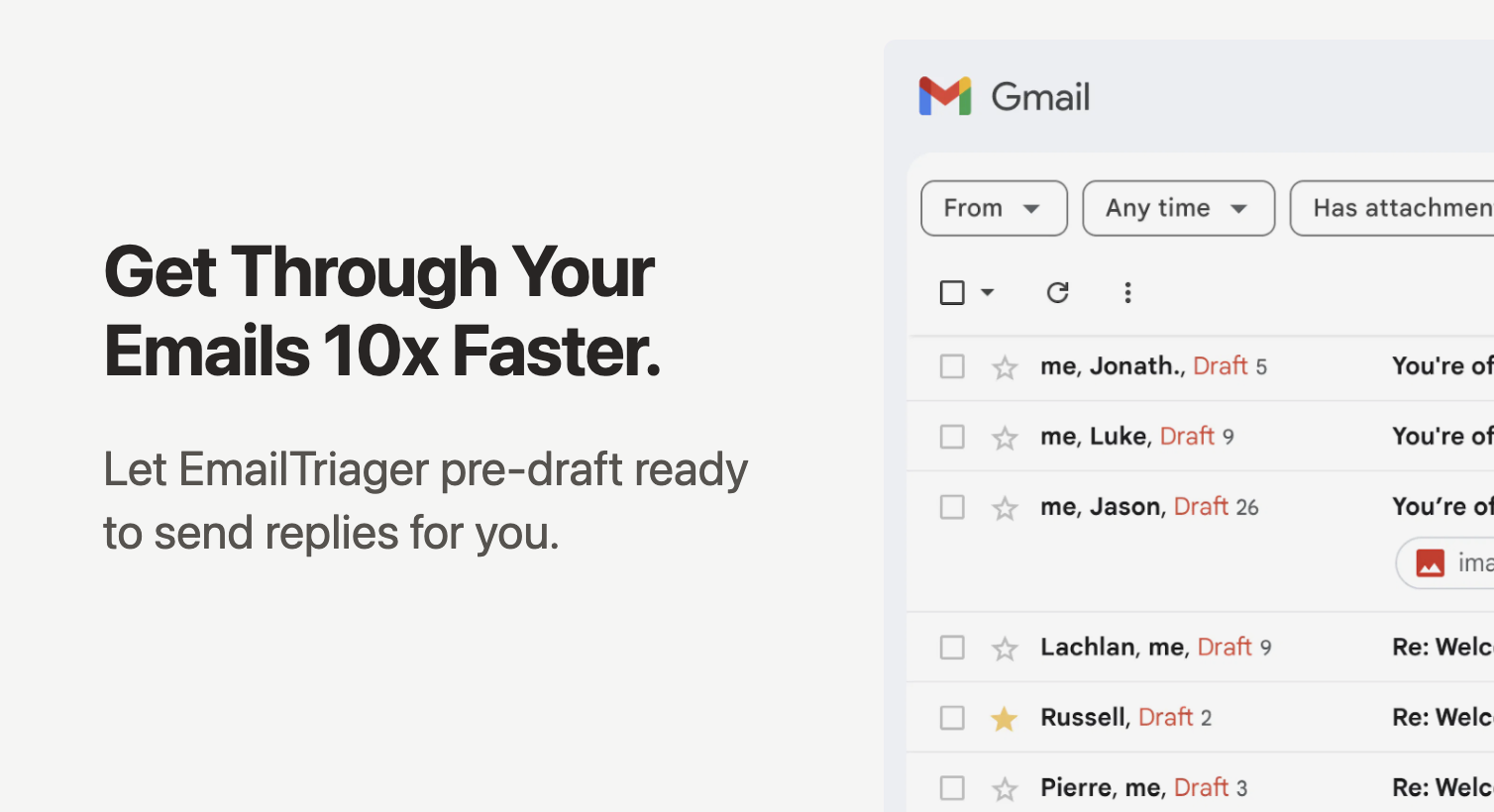
EmailTriager
Core parameters and statistics of EmailTriager
| Projects | Public Information |
|---|---|
| Official entrance | https://www.emailtriager.com/ (now go to https://serif.ai/) |
| Product form | Web online service (Gmail/Outlook integration) |
| Positioning | AI email assistant: automatic classification, drafting replies, follow-up reminders |
| Underlying model | Self-developed True Voice personalized language model + OpenAI GPT series |
| Core Billing Unit | Accepted Draft (draft with <20% changes when the user sends it) |
| Platform Support | Web (Gmail/Google Workspace/Microsoft 365) |
| Security Certification | CASA Tier 2, SOC 2 Type 2, HIPAA, GDPR |
| Company entity | Serif Inc. (formerly EmailTriager) |
Parameter Interpretation: EmailTriager is not a general chatbot, but a vertical AI assistant deeply embedded in the email workflow. Its core innovation is the "Accepted Draft" billing model - users only pay for drafts that are actually adopted, rather than for each generation. The security certification level (SOC 2 + HIPAA + GDPR three certificates are complete) is the first echelon among similar email AI tools, which provides a compliance basis for its entry into regulated industries (medical, legal, financial).
User and market recognition of EmailTriager
Market Signal: Official data from Serif Inc. shows that the platform processes more than 11 million emails per month, saves users more than 150,000 hours per month, and sends more than 611,000 emails per month. These figures come from public disclosures on the official website and are verifiable.
Enterprise Customers: Trusted brands displayed on the official website include HubSpot, Huberman, Expedia, Dun & Bradstreet, Venrock, Stanford University, etc. This shows that there are indeed medium to large organizations using this product in their production environments.
User reputation: The product was first announced on Twitter by Kevin Yang in December 2022, and has been publicly recommended by many well-known entrepreneurs. User reviews focus on describing it as "the feeling of opening the mailbox and seeing the pre-written draft is as shocking as the first time using Uber" - the core value pointed to by this kind of feedback is "relief from cognitive load" rather than simply "writing faster".
Industry status: EmailTriager/Serif is in the first echelon of the AI email assistant track. Its main competitors include traditional shared inbox tools such as Hiver, Front, and Missive, as well as AI-native solutions such as Google Gemini. Its differentiated advantage lies in the semi-automatic mode of "draft first, confirm later" rather than fully automatic sending.
Cost Advantages of EmailTriager
C-side/individual user
| Plan | Monthly fee | Core quota | Applicable scenarios |
|---|---|---|---|
| Essentials | $20/month | 4,000 emails/month categories + 100 Accepted Drafts/month | Individual users who process emails >1 hour per day |
| Pro | $50/month | 7,500 emails/month categories + 300 Accepted Drafts/month | Heavy email users, advanced True Voice model required |
| Pro Unlimited | $80/month | Unlimited Categories + Unlimited Accepted Drafts | Individuals or small teams with high email volumes |
Hidden Cost Tip: An "Accepted Draft" is defined as a draft that was sent with less than 20% changes by the user. This means that if the quality of AI-generated drafts continues to be low and users revise it significantly, the actual effective output will be lower than the quota number. It is recommended to focus on observing the "draft acceptance rate" indicator during the trial period, rather than just looking at the generation speed.
Team/Enterprise User
| Plan | Unit price | Discount | Applicable scenarios |
|---|---|---|---|
| Team (minimum of 5 people) | $20-$80/person/month | 5% off for 5+ people, 10% off for 10+ people | Departments that need to share knowledge base and unified management |
| Enterprise | Contact Sales | Customization | Organizations needing SSO, SCIM, custom data retention policies |
Enterprise Hidden Benefits: Judging from the official website case, the owner of a real estate brokerage company said "I will no longer do emails at night" - this points to the long-term value of cognitive offloading, not just an increase in typing speed. For teams managing multiple shared mailboxes (info@, support@, billing@), Serif enables the provisioning of AI staff for each mailbox individually, which is 1-2 orders of magnitude less expensive than hiring a full-time assistant.
Developers/API: As of July 2026, EmailTriager/Serif does not publicly provide independent API access solutions. It is delivered as a complete SaaS product rather than API infrastructure. For bulk or customized integration, please contact Enterprise sales for confirmation.
Main functions of EmailTriager
-
Automatic Email Classification (Triaging): After a new email arrives, AI automatically determines whether it needs a reply, can be archived, or needs to be upgraded, and will be marked directly in Gmail. Expert View: Classification is a prerequisite for all subsequent functions - incorrect classification will lead to the collapse of draft quality. EmailTriager learns classification criteria by reading user history emails during the training phase, which means that the longer it is used, the more accurate the classification will be. When connecting for the first time, it is recommended to manually review it for 1-2 weeks to allow the model to complete a cold start.
-
True Voice Personalized Drafting: AI learns the user's historical email style (wording, tone, signature format) and generates a draft for each email to be responded to that can be sent directly. The draft appears directly in the Gmail editor, and users can simply review → send. Expert View: True Voice is the core "hidden linkage" of EmailTriager - it not only learns your language style, but also extracts factual knowledge from your help documents, historical replies, and even uploaded PDF/CSV to fill in the reply content. This means that it is actually doing the overlay work of "style transfer + knowledge retrieval" rather than simple text generation.
-
Accepted Draft billing mechanism: Users only pay for the draft they actually adopt (changed <20% when sent). If the draft is heavily modified or deleted directly, the quota will not be consumed. Expert View: This is essentially a "pay-by-performance" pricing innovation - it transfers the risk of AI output quality from users to service providers. If the AI quality is not good enough, the user does not pay; only when the draft quality is high enough (the user hardly changes it), the service provider gets income. This creates a positive incentive for service providers to continue optimizing.
-
Follow-up Autopilot: Automatically track unanswered emails and send follow-up reminders at the right time. Expert View: This function forms a "cooperation" with the classification function - classification determines which emails need to be followed up, and Autopilot is responsible for executing the follow-up. After the two are combined, users only need to pay attention to a small number of emails that ultimately require manual intervention, and the rest is handled by the system.
-
Scheduling Autopilot: Automatically find available meeting times in emails and complete reservations through calendar integration. Expert’s perspective: This is a leap in capabilities from "replying emails" to "performing operations" - AI no longer just writes text, but directly operates calendar tools to complete appointments. However, it currently only supports time coordination and does not support creating formal meeting invitations or managing complex schedule conflicts.
-
Context-Aware Chat: Users can have multiple rounds of conversations with the AI about a certain email or task, asking for background information or requesting adjustments to the tone. Expert View: This solves the pain point of "cannot fine-tune in draft mode". Traditional email AI only has a one-way process of one-time generation → user modification; multiple rounds of dialogue make collaboration more flexible, and users can directly say "change the tone of this paragraph to be more formal" or "cite the data in last week's quotation."
-
Document collection and tool linkage (Serif new capability): AI can actively collect contracts and documents from customers, automatically check the completeness of the list, and perform operations in tools such as Stripe (such as initiating refunds according to rules). Supports 3,000+ tool integrations. Expert View: This is the key function of EmailTriager to upgrade from "email assistant" to "AI employee". It breaks through the boundary of "only processing emails" and begins to directly operate business systems. But this also means that the risk level has increased significantly - if operations such as automatic refunds and automatic signings go wrong, the consequences will be far greater than writing a wrong email.
The following is a key feature comparison of EmailTriager and similar solutions:
| Functional dimensions | EmailTriager / Serif | Google Gemini | Hiver | Front |
|---|---|---|---|---|
| Auto-draft responses | ✅ True Voice personalization | ✅ Gemini generation | ❌ | ❌ |
| Automatic email classification | ✅ | ❌ | ✅ Rules label | ✅ Rules label |
| Follow-up Autopilot | ✅ Follow-up Autopilot | ❌ | ✅ | ✅ |
| Knowledge base training | ✅ Historical emails + upload documents | ✅ Gemini context | ❌ | ❌ |
| Multiple mailbox management | ✅ Shared inbox | ❌ | ✅ | ✅ |
| Security Certification | SOC2+HIPAA+GDPR+CASA | SOC2 | SOC2 | SOC2 |
| Automate business operations | ✅ Refund/document collection/invoicing | ❌ | ❌ | ❌ |
| Billing model | Accepted Draft Pay by performance | Subscription system | Seat subscription | Seat subscription |
EmailTriager model and version evolution
Continuous iterative updates, the latest version introduces performance optimization and new features. Historical version information can be viewed through the official release page. There is currently no complete public version evolution timeline.
Technical advantages of EmailTriager
True Voice personalization mechanism
Mechanism: EmailTriager’s True Voice is not a simple prompt template or a single model, but a personalization engine composed of three parts:
- Style Extractor: Read all the emails sent by the user in history, and extract the style features in the following dimensions - average sentence length, formality of tone (frequency of use of honorifics/abbreviations/emoticons), signature format, common transition words, and tone switching patterns for different recipient types (such as customers vs. colleagues vs. superiors).
- Knowledge Graph Builder: Extract factual knowledge—product names, prices, policy terms, answers to FAQs, and contact information—from historical emails and user-uploaded documents (PDF/CSV). This knowledge is organized into searchable private knowledge bases that are not shared with any other users.
- Draft Generator: When a new email arrives, it combines the style vector + relevant knowledge fragments + email context to generate a draft reply that conforms to the user's personal style through a large language model.
Effect: This three-layer architecture of "style + knowledge + context" allows the generated draft to "sound like you" while also accurately quoting the factual information in your past responses. Users don’t have to explain the same business rules to the AI over and over again—it’s already learned it from historical emails.
Differences from the general model: Compared with directly using ChatGPT or Gemini to write emails, the difference between True Voice is that the general model can only imitate the style based on one or two sentence prompts, while True Voice does systematic style modeling based on all historical emails and can automatically retrieve relevant knowledge from historical replies. This means that for different employees at the same company, True Voice generates completely different draft styles (because the training data is different), whereas a general model tends to generate similar responses given the same prompts.
Security and Privacy Architecture
Private Model Isolation: Each user’s AI model is independent. Email data is not used to train general models and is not shared with other users. Users can view and delete their knowledge base at any time.
Three-tier certification compliance: Product holds CASA Tier 2 (Google third-party security audit), SOC 2 Type 2, HIPAA, and GDPR certifications. This is less common among email AI tools—most competing products only hold SOC 2. HIPAA compliance means it can handle protected medical information (PHI), opening the door to highly regulated industries such as healthcare, insurance, and law.
Principle of Least Privilege: EmailTriager will not automatically send emails. All drafts require manual review before being sent out. Only after the user explicitly turns on Autopilot can AI automatically send in low-risk scenarios specified by the user.
Engineering architecture deduction
User email (Gmail/Outlook)
    ↓ OAuth 2.0
EmailTriager backend
    ├── Email acquisition service (continuous polling for new emails)
    ├── Classification engine (judgment: needs to be replied/can be archived/needs to be upgraded)
    ├── True Voice Inference Service
    │ ├── Style vector retrieval
    │ ├── Knowledge graph search
    │ └── LLM draft generation
    ├── Draft injection service (write back to Gmail draft box)
    └── Autopilot Scheduler
Key design decision: Drafts are written back to Gmail's native draft box instead of displayed through a third-party UI. This design greatly reduces the user's learning cost - users do not need to learn a new interface and can review and send drafts directly in the familiar Gmail interface. This is one of the most hidden competitive advantage decisions in product design.
How to use EmailTriager
Quick access (completed within 3 minutes)
- Visit https://www.emailtriager.com/ or https://serif.ai/ and click "Get Started".
- Select the email type: Gmail / Google Workspace / Microsoft 365 (Outlook).
- Click One-Click Authorization (OAuth 2.0) to grant the necessary email read and write permissions.
- The system automatically starts scanning historical emails for training (the first training takes about 1-5 minutes, depending on the volume of historical emails).
- After training is completed, an AI-drafted reply will automatically appear in the Gmail draft box about 1 minute after a new email arrives.
No need to install any browser extensions or desktop apps – this is a key experience difference between EmailTriager and similar Chrome plug-in email assistants.
Typical usage process
New emails arrive → AI automatic classification (show labels)
    ├── [No reply required] → Automatic archiving (no drafts are generated)
    ├── [AI can reply] → A draft will appear in the draft box after 1 minute → User review → Send (consumes Accepted Draft)
    └── [Requires manual processing] → Marked as requiring manual processing, AI will not generate a draft
The core daily operations of users are simplified to: open mailbox → review draft → fine-tune (if necessary) → send. The six steps of "reading → understanding → conception → writing → proofreading → sending" in the traditional process are compressed into three steps.
Advanced function entrance
- Context-Aware Chat: When clicking on an AI-generated draft in Gmail, you can select "Talk to AI" to adjust the tone, add information, or ask for context.
- Autopilot settings: In the Serif control panel, you can configure which types of emails are allowed to be sent automatically by AI (such as return confirmations, order status updates) without manual review.
- Knowledge Base Management: You can upload product documents, price list PDF, FAQ CSV and other files, and AI will use this knowledge to generate responses in relevant emails.
- Team Management: Supports shared inbox, unified knowledge base, permission control and centralized billing.
Product Pricing for EmailTriager
Individual and Team Pricing (EmailTriager Brand)
| Plans | Monthly Fees | Classification Caps | Accepted Drafts | Core Differences |
|---|---|---|---|---|
| Essentials | $20 | 4,000 messages/month | 100 messages/month | Basics True Voice, Follow-up Autopilot, 5 mailboxes |
| Pro | $50 | 7,500 messages/month | 300 messages/month | Advanced True Voice (2 years of training), Scheduling Autopilot, unlimited mailboxes |
| Pro Unlimited | $80 | Unlimited | Unlimited | Dedicated support, early access to new features |
Group discount: 5% discount for more than 5 people, 10% discount for more than 10 people, contact sales for customization for more than 20 people.
Enterprise Pricing (Serif Brand)
| Plans | Monthly Fees | Core Features |
|---|---|---|
| Lite | $30/month | Basic email classification and drafting, meeting minutes, task management, knowledge base |
| Standard | $50/month | 5x Lite usage + True Voice |
| Pro | $200/month | 20x Lite usage + dedicated support |
| Team | $50/user/month | Team sharing quota, unified knowledge base, centralized management |
| Enterprise | Contact Sales | Custom AI Model SCIM/SSO, Custom Data Retention |
Pricing Strategy Analysis: The two pricing systems (EmailTriager is tiered by email volume vs. Serif is tiered by functional level) reflect changes in product positioning - EmailTriager is oriented to "individuals with large email volumes", and Serif is oriented to "enterprises that require a full set of AI employee capabilities." For users who only need email processing, EmailTriager's Essentials plan ($20/month) is more cost-effective; for teams that need full process coverage of email + meetings + task management, Serif's Standard plan ($50/month) is more suitable.
FREE TRIAL: All plans come with a 7-day free trial, no credit card required.
Application scenarios of EmailTriager
Scenario 1: Customer service team email processing (quantitative deduction of cost reduction and efficiency improvement)
Current situation: A medium-sized e-commerce customer service team (5 people) handles about 200 customer service emails every day, with an average processing time of 6 minutes per email (reading + finding policies + writing replies), and a single person handles about 40 emails per day on average.
After using EmailTriager:
- AI automatic classification can filter out about 20% of spam/automatic confirmation emails (no manual processing required).
- Of the remaining 80% of emails that need to be responded to, AI can draft about 60-70% of the standard responses (returns and exchanges, order status, delivery time), which users only need to review in 15-30 seconds.
- Complex issues (~10-15%) still require full manual processing.
Working hours deduction:
- Traditional method: 5 people × 6 minutes × 200 emails = 20 hours of email processing time per day
- After AI assistance: (40 complex letters × 6 minutes) + (120 standard letters × 0.5 minutes review) + classification time ≈ 4.5 hours
- Efficiency improvement: from 20 hours to about 4.5 hours, a decrease of about 77%
Note: The above is a deduction based on product capabilities. Actual efficiency gains depend on email complexity distribution and AI draft acceptance rate. It is recommended to first test your own scenario through a 7-day free trial.
Scenario 2: Sales follow-up and customer management
AI automatically tracks unanswered quote emails and sends follow-up reminders after 48 hours. Automatically send satisfaction surveys or product usage guides to existing customers. Scheduling Autopilot can automatically identify free time in email exchanges and complete meeting reservations.
Derivative Benefits: An independent salesperson spends an average of 1.5 hours a day on email follow-up. With Autopilot, this drops to about 20 minutes (only reviewing AI-generated follow-up emails), saving about 5.5 hours per week.
Scenario 3: Multi-shared mailbox management (info@ / support@ / billing@)
Enterprises usually have multiple functional mailboxes, and traditional methods require multiple people to work in shifts or use complex email forwarding rules. Serif can configure independent AI employees for each mailbox, each learning knowledge in the corresponding field (such as support@ to learn product documentation, billing@ to learn financial processes).
Deduction benefits: For an operations specialist who manages 5 shared mailboxes, it takes about 3 hours to switch mailboxes every day in the traditional way. After unified management with Serif, AI drafts responses independently in each mailbox, and specialists only need to review all AI output in one view, processing time is reduced from 3 hours to approximately 40 minutes.
Scenario 4: Document collection and process automation (unique to Serif)
In scenarios such as real estate transactions, insurance claims, and contract signing, AI can proactively send emails to customers to collect required documents, check file integrity, automatically follow up on missing items, and archive the collected documents to Google Drive.
Value Point: Traditional manual collection of a complete transaction document requires an average of 5-8 rounds of email correspondence + 3-5 days. After AI automation, it can be reduced to 2-3 rounds + 1-2 days, and follow-up will not be missed (manual follow-up often causes delays due to forgetting).
EmailTriager is suitable for people
-
Individual creators and freelancers: receive a large number of consultation emails every day, but the reply content is relatively fixed (quote, schedule, cooperation method). True Voice can accurately imitate a person's tone and avoid AI replies that are "too robotic". 100 Accepted Drafts per month for light users (Essentials $20/month) is usually enough to cover daily needs.
-
E-commerce and customer service team: Standardized customer service scenarios with large email volume are the "sweet spot" of EmailTriager - the response content is highly predictable (return and exchange policy, delivery time, product specifications), and the AI draft acceptance rate is the highest. What needs attention is the scope of multi-language support (currently True Voice is mainly verified in the English context).
-
Sales and Business Development Staff: Follow-up Autopilot is the core value of sales scenarios. The Pro plan's Advanced True Voice (2 years of historical email training) can more accurately simulate the communication style of senior salesmen - this is important in customer relationships, as blunt AI replies may hurt the closing rate.
-
Operations & Admins: Teams that manage multiple shared email addresses (info@, support@, billing@) can benefit the most from Serif’s multi-mail AI employee solution. Each new mailbox is equivalent to adding an "AI assistant", and the cost is only one paid seat.
-
Regulated industries (medical, legal, financial): SOC 2 + HIPAA + GDPR The three certificates enable Serif to enter these industries. But please note: HIPAA compliance requires a Business Associate Agreement (BAA), and you need to confirm with Enterprise Sales whether they support signing the BAA.
Does not fit boundaries:
- Strong offline/private deployment requirements: EmailTriager/Serif is a pure SaaS product and does not support privatized deployment. It does not apply to institutions whose data must be kept within the country or whose own computer rooms are built.
- Mainly non-English emails: True Voice's personalization quality has been fully verified in the English context. The personalization effect in Chinese/Japanese/Arabic and other languages has not been disclosed and there is uncertainty.
- Highly customized emails: Marketing copy, legal letters, and executive statements that require word-for-word polishing—these scenarios are not suitable for AI drafting. Manual writing + AI-assisted proofreading is a more reliable solution.
- New mailbox with zero historical emails: True Voice relies on historical email data for style training. A new mailbox (with no sent emails) requires a longer cold start period, and the quality of the initial draft may not meet expectations.
- Function limitations of the free version: The product does not have a permanent free plan, and payment is required after the 7-day trial. This may present an entry barrier for budget-conscious individual users.
Summary and Outlook
The core competitiveness of EmailTriager (now Serif) lies in three levels: First, True Voice personalization - realizing style-level imitation by learning all historical emails of users, rather than simple prompts; second, Accepted Draft payment based on performance - transferring quality risks from users to service providers, forming a positive cycle of continuous optimization; third, Upgrade path from email assistant to AI employee - from writing only emails to automatic follow-up, document collection, and tool linkage, gradually expanding the boundaries of automation.
Current Limitations and Uncertainties:
- The boundaries of multi-language support are unclear - the quality of True Voice in non-English scenarios has not been publicly verified.
- Enterprise-level terms (BAA signing SLA commitment, data localization) need to be confirmed through sales, and public information is limited.
- The brand transition period from EmailTriager to Serif may lead to user confusion—old users may not be clear about the feature migration path.
- The Autopilot automatic sending mode has the risk of incorrect sending - although users can configure trigger conditions, model judgment errors may still cause inappropriate replies to be automatically sent.
Purchase/Adoption Risk Assessment: For individuals or teams with an average daily email volume of more than 50, EmailTriager/Serif has a shorter return on investment cycle (a 7-day free trial can complete the effect verification). It is recommended to focus on tracking three indicators during the trial period: (1) Accepted Draft acceptance rate (>60% indicates that the AI quality is up to standard); (2) The average time it takes for users to review drafts (should be ≤30 seconds/email); (3) User subjective satisfaction (whether they feel that "emails are no longer a burden"). If the three indicators are met at the same time, formal procurement can begin. For regulated industries, it is important to confirm the availability of HIPAA BAA and SOC 2 audit reports before deciding whether to enter enterprise contract negotiations.
Related tools:  Notion AI, google-workspace
How to use EmailTriager
- Web client: You can use it by visiting the official website and registering an account. Most functions do not require installation.
- API access: Provides RESTful API, developers can obtain the API Key and integrate it into their own applications.
Version Info
- EmailTriager Web Rolling Release :The official update of online services is through continuous delivery. There is no official precise semantic version number and release date yet.
- EmailTriager Public Launch :There is no official precise date yet, but historical milestones are recorded according to the publicly accessible stage.
User Reviews