 Excel MCP Server
Free
Excel MCP Server
Free
Excel MCP Server is an AI tool for ai-office scenarios. Its core positioning is MCP Server for Excel file reading, writing and table operations, allowing AI clients to process spreadsheets through the tool interface.
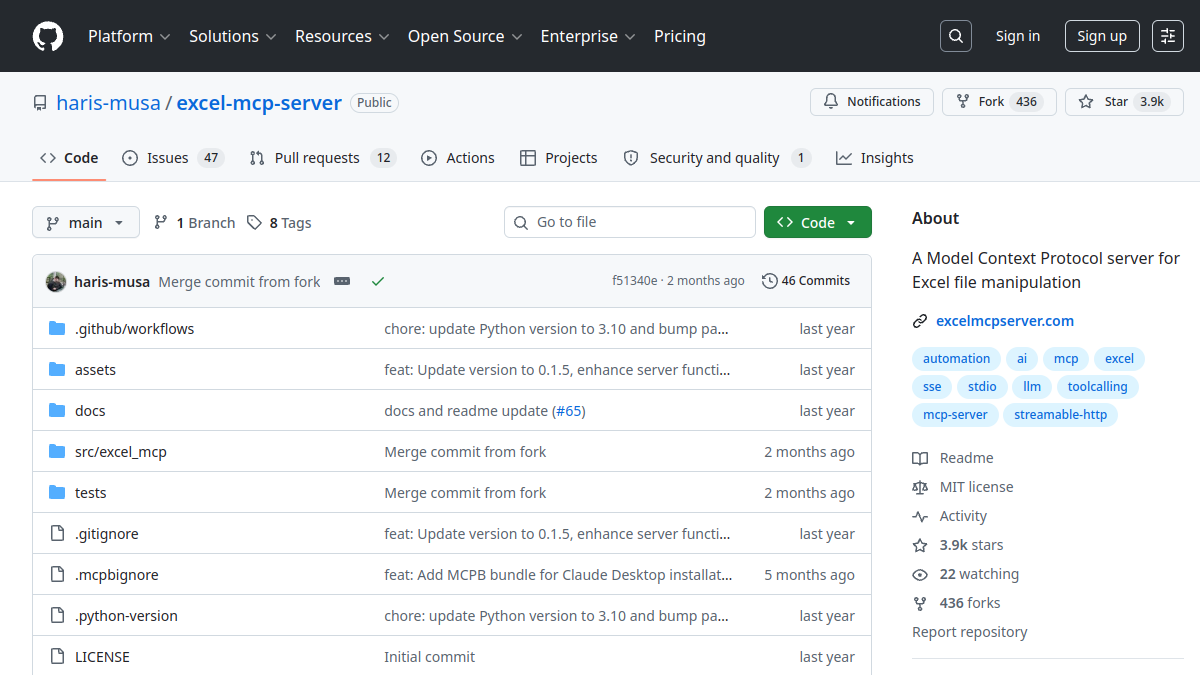
Excel MCP Server
Core parameters and statistics
| Parameters | Current public information |
|---|---|
| Official entrance | https://github.com/haris-musa/excel-mcp-server |
| Product Positioning | MCP Server for Excel file reading, writing and table operations, allowing AI clients to process spreadsheets through tool interfaces. |
| Category | ai-office |
| Place of Belonging | GB |
| Support Platform | Desktop, API |
| Latest public status | 2026-Q2 / Public active version |
Positioning Boundary: The value of Excel MCP Server is not to replace all AI workflows, but to productize a clear and coherent product: MCP Server for Excel file reading and writing and table operations, so that AI clients can process spreadsheets through tool interfaces. The first step for the team should be to verify that it covers the most time-consuming and error-prone nodes in the existing task chain.
User and market recognition
Public signal: Excel MCP Server has formed an accessible entrance on the official site, documentation or GitHub repository. The market signals for open source tools mainly come from stars, forks, issue activity and release rhythm; commercial tools should pay more attention to customer cases, pricing pages, connector coverage and security instructions.
Adoption Boundaries: For enterprise teams, whether to adopt Excel MCP Server should not only depend on the demonstration effect, but also on the permission model, log auditing, failure fallback, operating costs and team maintenance capabilities. Undisclosed customer count, revenue or retention data should not be used as a basis for purchasing.
Cost advantage
- C-side/Individual: Usually a free version is provided to experience the core functions, and high-frequency use requires a paid package subscription.
- API/Developer: Billed by call volume, suitable for development teams that can be flexibly integrated into their own systems.
- Enterprise/Privatization: Contact the business owner to obtain customized quotation and deployment plan. The specific price is subject to the official real-time pricing page.
Main functions
- Capability 1: Encapsulate Excel file operations into MCP tools.
- Capability 2: Supports table reading, writing, cell processing and automated office scenarios.
- Capability 3: Suitable for integrating AI assistants into financial, operational and report processing processes.
- Capability 4: Pay attention to file permissions, data desensitization and operation rollback when implementing.
What these capabilities have in common is to advance the AI Agent from one-time question and answer to an executable, auditable, or scalable working link. When implementing, you should first choose a task with clear input and output to avoid having the tool take on complex processes with cross-departments and strong authority from the beginning.
Model and version evolution
Mainline version
- 2026-Q2 / Public active version: ~2026-06, currently publicly verifiable; for specific version details, please refer to the official real-time page GitHub Releases or documents.
Key Milestones
- excel-mcp-public / Excel MCP Server public: ~2025-03, Excel MCP Server forms an accessible official entrance or public warehouse, suitable for inclusion in AI tool navigation and team selection observation.
Version evaluation not only looks at new features, but also whether there are breaking changes, whether the tool description is stable, whether the configuration files are compatible, and whether the team provides a migration path.
Technical advantages
Mechanism to effect: The core advantage of Excel MCP Server is to make the connection between model reasoning, tool invocation and task execution explicit, reducing the team's cost of repeatedly building infrastructure. For Agent, MCP, RAG or browser automation tools, the real benefits often come from reusable execution context, context acquisition, error replay and permission management.
Engineering concerns: Need to focus on checking logs, observability, error handling, permission scope and dependency versions. For MCP or browser automation tools, it is also necessary to confirm that the tool description will not induce unauthorized calls to the model, and set up manual confirmation and failure fallback in the production process.
How to use
| Usage portal | Suitable objects | Verification key points |
|---|---|---|
| Official website/documentation | Products, operations, evaluators | Functional boundaries, prices, compliance instructions |
| GitHub / Open source warehouse | Developers, platform team | License, release rhythm issue activity |
| API / CLI / MCP | Engineering Team | Authentication, logging, permissions and failure fallback |
It is recommended to pilot a low-risk task first and record the labor time, success rate, error types and rollback costs; when the success rate is stable, then expand to multi-account, multi-system or enterprise-level permission scenarios.
Product Pricing
The pricing model is subject to the official real-time page. Usually a freemium or subscription system is used, and basic functions can be used for free. Advanced functions or high-frequency use require paid subscriptions, and users are advised to evaluate the optimal solution based on actual usage.
Application scenarios
- Excel report automation: suitable for starting from a small-scale pilot, focusing on verifying input quality, success rate, manual rollback and permission boundaries.
- Operation table organization: suitable for standardizing repetitive tasks, precipitating prompt words, tool configurations and evaluation samples.
- Financial and Data Office Assistant: Suitable for platform teams to observe call links, logs and exception handling, and then decide whether to connect to the production process.
Applicable people
- Developers and Platform Engineers: Suitable for evaluating tool access, automated execution and Agent engineering capabilities.
- Business Operations Team: Suitable for standardizing repetitive tasks, but permission boundaries need to be set by the technology or platform team.
- Enterprise IT/Security Team: Good for reviewing tool calls, audits, and data flow from a governance perspective.
Not suitable for boundaries: If the task requires strong compliance approval, irreversible operations, or high-value account permissions, manual confirmation, sandbox verification, and log auditing should be established first, and then automatic execution by the Agent should be considered.
Summary and Outlook
The reason why Excel MCP Server deserves attention is that it has made a key capability in the AI tool ecosystem into a more reusable product or open source project: MCP Server for Excel file reading and writing and table operations, allowing AI clients to process spreadsheets through the tool interface. At this stage, it's best to enter the team's tool stack on a pilot basis.
You should continue to pay attention to the official document GitHub Releases, pricing page and security instructions in the future; before expanding, it is recommended to complete a small-scale control test before integrating it into a higher-authority or higher-frequency production process.
Related tools:  Notion AI, google-workspace
Architecture design and technology selection
As an open source project, Excel MCP Server's architecture design, community health, and operation and maintenance maturity are core dimensions that need to be comprehensively considered when selecting technology. The following is a systematic framework for assessing the production readiness of open source projects.
Architecture and Modular Design The architectural design of the project directly determines the flexibility of secondary development and integration. Projects that adopt microservices, plug-in or event-driven architecture usually have better scalability and functional isolation, making it easier for the team to expand and customize specific modules on demand; the monolithic architecture is simple to deploy, intuitive to operate and maintain, and is suitable for small-scale use and rapid verification. However, as functions increase, they may face problems such as increased maintenance complexity and accumulation of technical debt. It is recommended to read the project's architecture documents and developer guides before selecting, and evaluate the adaptability of the architecture design to the team's existing technology stack, as well as the scalability of the architecture as business grows in the future.
Community health and long-term maintenance The community health of an open source project is a key indicator of whether the project can be maintained and developed over the long term. It is recommended to comprehensively evaluate the following dimensions: the growth trend and absolute value of GitHub Stars (reflecting community attention and user base), the number and composition of contributors (the ratio of core maintainers to temporary contributors, ideally there are at least 3 active core maintainers), the median issue response time (ideally within 24 hours, reflecting the response efficiency of the maintenance team), PR merge rate and merge delay (reflecting the standardization and efficiency of project governance), and the time of the latest major Release (more than 6 Months without updates should be taken as a sign that project maintenance is stalled). An active community means faster bug fixes, more frequent feature updates, a richer third-party integration ecosystem, and it’s easier to get help from the community when you encounter problems.
Deployment, operation and maintenance and production readiness Production environment deployment needs to focus on evaluating the following aspects: the completeness of the Docker image and version labeling strategy (whether multi-architecture mirroring is provided), the availability and document quality of one-click deployment scripts (docker-compose, Helm Chart, Terraform, etc.), the number and management complexity of runtime dependent components (the more dependencies, the complexity of operation and maintenance increases exponentially), the integration support of monitoring and logging infrastructure (Prometheus indicator exposure, Grafana dashboard, structured log output), and complete documentation of backup, recovery, and high-availability solutions. It is strongly recommended to go through the entire deployment process in the test environment, strictly follow the documentation from scratch, verify the accuracy of each step and the compatibility of the environment, and put it into production after all functions have been verified.
Version Info
- Public active version :It is organized based on the current active status of the official public page or warehouse; the specific version, release rhythm and change details are subject to the official real-time page.
- Excel MCP Server Public :Excel MCP Server forms an accessible official entrance or public warehouse, suitable for incorporating AI tool navigation and team selection observation.
User Reviews