 Figma AI
Free
Figma AI
Free
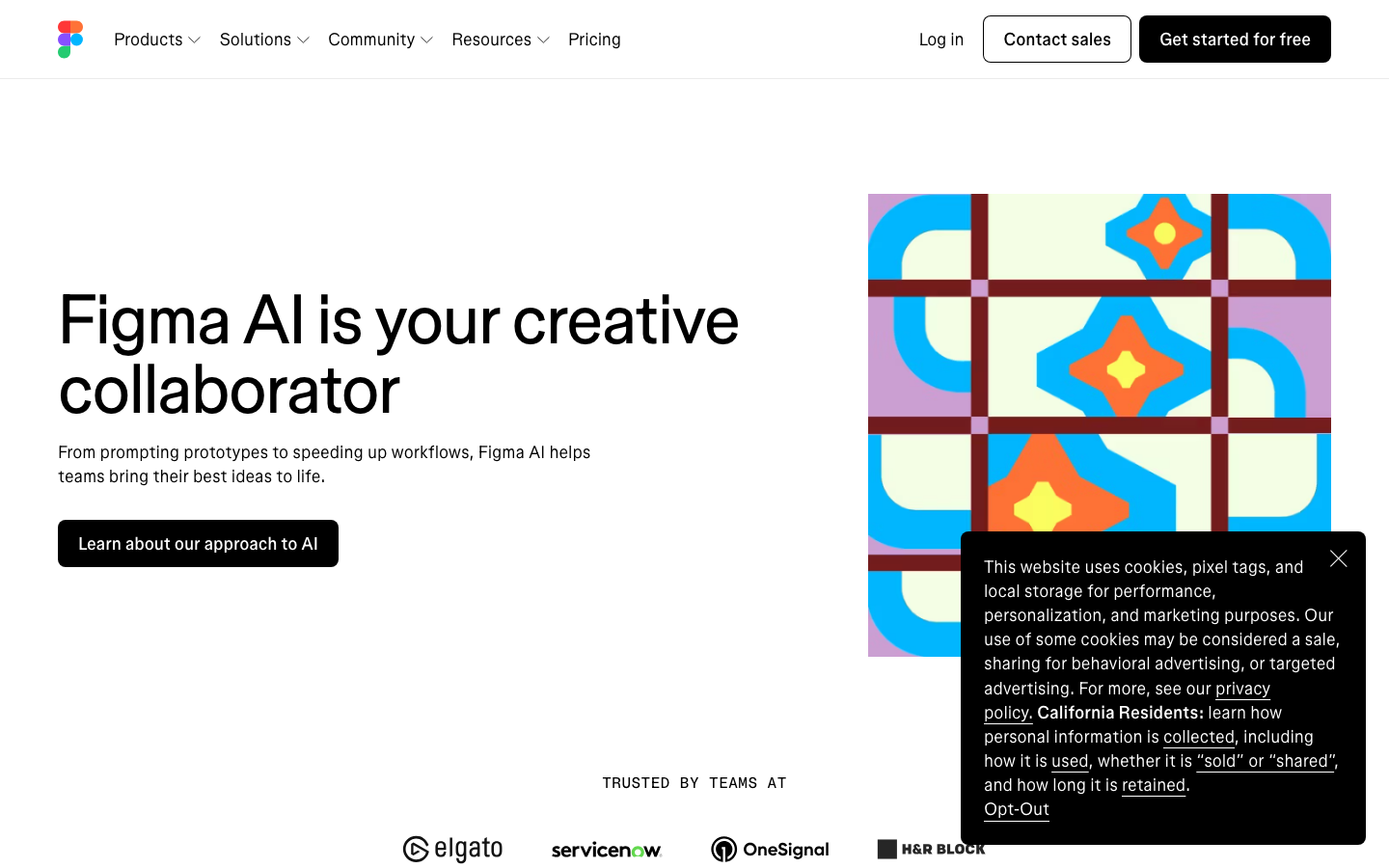
Figma is a browser-based UI/UX design collaboration tool with real-time multi-person collaboration as its core advantage. AI capabilities focus on design system maintenance, intelligent layout generation, automatic naming of components and conversion of design drafts to code, targeting product design teams and front-end developers.
FigmaAI
Core parameters and statistics of Figma AI
Figma's core positioning is "the first collaborative design tool", which differentiates itself from traditional desktop design tools with browser-native real-time collaboration. Figma AI is not an independent product, but a collection of AI capabilities that will be gradually embedded in the editor starting from Config 2024, covering the replacement of repeated operations from drafting, naming, searching to cutout.
| Projects | Public Information |
|---|---|
| Official positioning | The first collaborative interface design tool (The first collaborative design tool) |
| Product form | Web online editor + desktop App (Electron shell) + Figma Mirror (mobile preview) |
| AI Module | Figma AI (Beta starts in June 2024, transition to formal capability in 2026) |
| Active user base | Publicly declared tens of millions of registered users, corporate customers include Airbnb, Uber, Microsoft, Twitter, etc. |
| Community Ecology | There are thousands of plug-ins in the plug-in market, the community file sharing system is active, and Dev Mode is open to developers |
| Latest version | 2026-07 Monthly update |
| Supported platforms | Web, iOS, Android, Desktop (macOS/Windows) |
| Acquisition background | Adobe announced a US$20 billion acquisition in 2022, but it did not advance due to EU and British antitrust reviews |
Deployment form and data sovereignty: Figma is based on SaaS, and all design files are stored in the Figma cloud. The desktop app is essentially an Electron browser shell, and its functionality in offline mode is greatly limited—only recent cached files can be viewed and cannot be created or edited. This means that the team’s complete design assets are always located on the Figma server. Data export strategies, backup mechanisms, and contingency plans in the event of service interruption are terms that the team must confirm with management and legal affairs before accessing. For industries with data localization requirements (finance, government affairs, military industry), Figma currently does not support self-hosting, which is a hard threshold.
Industry Impact: The "design as link" paradigm promoted by Figma - where designs are shared via URL rather than file transfer - has become the industry de facto standard for remote and hybrid teams. This paradigm change has enabled design review to evolve from "asynchronously sending files" to "synchronously viewing the canvas", essentially changing the collaboration rhythm of the product team. On this basis, Figma AI further embeds AI capabilities into this collaboration link instead of opening another AI tool window.
Users and market recognition of Figma AI
Figma AI's market recognition is "parasitic" on Figma's main product - it does not independently publish the MAU data of the AI function, but its value can be indirectly judged through Figma's existing user base and the actual usage rate of the AI function.
Inventory base is the largest moat: Figma is already the default design tool for a large number of product teams, and the embedding of AI capabilities means that there is no need to acquire additional customers. This is similar to Canva's AI strategy, but the user groups they target are significantly different - Figma's users are mainly professional product designers and front-end developers, rather than mass users. The acceptance of AI functions among these professional users depends on whether it can effectively reduce duplication of work while seamlessly integrating with existing workflows.
Industry focus: The discussion of Figma AI in the Designer community focuses on three dimensions: whether the quality of the first draft of Make Designs is "usable" (that is, not a beautiful placeholder image, but a structured drawing board that respects the design token), the recall accuracy of visual search in a large-scale design system, and whether AI naming can truly eliminate the clutter of "Layer 1" and "Layer 2". The essence of these discussions is whether AI reduces the friction of using Figma or just adds another panel to learn.
Adoption differentiation: Judging from community feedback and industry reports, there are obvious differences in the depth of adoption of Figma AI among teams of different sizes. For teams with mature design systems and component libraries, the benefits of AI search and naming functions are significant - because AI has structured assets to retrieve. For teams in the "building from scratch" stage, AI mainly serves as a draft catalyst rather than a systematic method to improve efficiency, and the value perception is relatively weak.
Data analysis level: Figma officials did not separately disclose the usage rate of AI functions, user retention, or the quantitative impact on design output speed. This means that when companies evaluate procurement necessity, they lack quotable third-party independent evaluation data and rely more on internal trials and subjective judgments. This information gap itself is a point of risk in purchasing decisions.
Cost Advantages of Figma AI
The cost logic of Figma AI is to "expand AI capabilities on existing design subscriptions" rather than selling an AI license separately. This bundling strategy is cost-friendly for teams that already subscribe to Figma, but for new teams, the decision-making focus of choosing Figma is still "design tool selection" rather than "AI function selection".
-
C client/individual users: The AI functions in the Starter free plan are partially limited (for example, Make Designs may have a limit on the number of times it can be generated, and some advanced search capabilities are locked). For independent designers or students, AI capabilities are available as a feature preview, but full use of all AI features requires upgrading to the Professional plan. Estimating a monthly fee of $12-15, the annual personal cost is about $144-180, which is lower than the subscription model of Adobe XD or Sketch.
-
Team/Organization: Get full access to AI features through Figma’s paid seat plan (Professional ~$12-15/seat/month Organization ~$45-75/seat/month). Assuming a 20-person design team chooses the Organization plan, the annual cost is approximately $10,800-$18,000. The marginal cost of AI capabilities is zero - there is no additional charge per call, but the seat fee increases linearly with team size. Cost reduction and efficiency increase: For a 20-person product design team, AI-assisted naming, cutout, and placeholder replacement can save about 600-800 hours of repetitive work per year (estimated at 0.5-1 hour saved per person per week), equivalent to a labor cost of about $30,000-$50,000/year (based on the hourly salary of a junior designer in North America of $35-65). The premise for a positive ROI is that the team has Figma. Workflow basics.
-
Enterprise: The Enterprise plan is a customized contract (usually $95+/seat/month) that adds advanced permissions, audit log SSO, and dedicated support. At this time, the AI function is part of the enterprise collaboration governance system, and its cost should be included in the total cost of ownership assessment of the "enterprise-level design collaboration platform" rather than calculating the cost-effectiveness of the AI module separately.
Hidden benefits and costs: The biggest hidden benefit is to reduce the fragmentation of attention caused by switching between tools (cutting out from Photoshop, annotating from Zeplin, and managing versions from Abstract). The hidden costs are: (1) The first AI draft still requires manual refinement, and there are still editing delays between generation and delivery; (2) The billing strategy of AI functions may change with Figma’s commercialization adjustments—features that are free in the current beta period may be included in the paywall in the future; (3) The learning curve and design system reconstruction cost when the team migrates to Figma is much higher than the cost of the AI function itself, which is the real cost focus in selection.
Main functions of Figma AI
Figma AI's capabilities are designed around a core principle - "eliminating duplication of labor within the canvas". All AI outputs are design objects that can be continuously edited, rather than flat pictures. This makes AI functions naturally adaptable to the workflow of professional designers, but it also means that these functions cannot be used independently without the Figma ecosystem.
-
Make Designs generates first draft: Quickly generate a draft of the interface layout through text prompts, and output it as a Figma drawing board with layers. Synergy effect: The sketchboards produced by Make Designs can directly enter the team's Design System component replacement process - the designer selects the AI-generated elements, right-clicks and replaces them with formal components in the library, completing the rapid conversion from "concept draft" to "interface that meets design specifications". The core value of this link is not to "generate a perfect interface once", but to "shorten the drafting step from the fear of a blank canvas to an editable starting point."
-
Visual search and material search: Find images by image, find similar components, and search for styles and assets in the design system. Synergy: When visual search is linked with automatic naming, the efficiency of locating specific icons or components in chaotic draft files is greatly improved - AI first indexes through naming standardization, and then recalls through visual features. This combination is particularly suitable for taking over large projects with many years of iterations and loose component naming conventions.
-
Automatically rename layers: Organize default names such as "Rectangle 1" and "Ellipse 3" in batches and replace them with semantic layer names. Collaboration value: For designers working alone, layer naming may not matter; but in multi-person collaboration files, standardized naming directly determines "whether teammates can find the button status within three seconds." Figma AI automates this standardized operation that previously relied on personal habits, reducing team collaboration friction.
-
Remove Background: Complete the cutout operation directly within the canvas without switching to external tools such as Photoshop or remove.bg. This function is frequently used in UI design - when processing screenshots, material pictures, and photos of people, the four-step operation of "switching applications → uploading → downloading → importing" is reduced to the three-step operation of "select → right-click → remove background".
-
Smart placeholder content replacement: Replace Lorem Ipsum placeholders with AI-generated text and images that are close to real scenes, making the prototype closer to the final effect during user testing and review. Hidden benefits: The quality of the placeholder content directly affects the judgment of stakeholders during the review - when the prototype is filled with "Zhang San, procurement contract, ¥12,800" instead of "name, text, amount", the understanding threshold for non-design roles is greatly reduced, and the quality of review feedback is also improved.
The deep synergy of these features is that together they maintain the structural health of the design document. The combination of naming convention + search accessibility + authentic content + clean background makes a design file still maintainable after multiple people and multiple rounds of iterations, instead of gradually becoming a "black box file that can only be modified by the original author."
Figma AI model and version evolution
The pace of Figma AI’s evolution is highly tied to Figma’s annual Config conference—a key clue to understanding its AI roadmap.
Config 2024: AI capabilities debut (2024-06)
Figma officially released a preview of Figma AI's capability set at Config 2024, including automatic named layer Make Designs first draft generation and visual search. The product positioning at this stage is "using AI to eliminate repetitive operations in design". All capabilities are provided in beta form, with limited functions and available areas. The hot topic in the industry at that time was not the AI capability itself, but the fact that Figma had to independently prove its growth narrative after the Adobe acquisition was terminated. AI was interpreted as a "new growth engine."
Config 2025 to early 2026: Capability polishing and expansion (2025-2026)
During this phase, Figma AI gradually transitions from beta to official functionality, with coverage expanding from naming and searching to more in-canvas operations (background removal, placeholder content replacement). The AI function is open to more seat plans and regions, but Figma officials did not separately disclose AI usage data (such as active calls, function retention rate, etc.) at Config 2025. The industry’s understanding of its actual adoption mainly relies on self-reporting and qualitative feedback from the user community.
Latest status: 2026-07 monthly update
The latest version is the monthly update in July 2026, which continues to optimize the AI-assisted design function and Dev Mode collaboration experience. The product has entered a "stable iteration period" rather than a "feature explosion period" - which means that the frequency of new feature introductions may slow down, but the stability, compatibility and coverage of existing capabilities continue to improve.
Version Information Description: Figma uses monthly rolling releases and does not provide semantic version numbers (such as v1.0, v2.0) similar to traditional software. The availability of AI functions is determined by the account's seat plan and the region where it is located. The grayscale release mechanism in the cloud may cause different teams to see different sets of AI capabilities at the same time. Therefore, when evaluating, you should distinguish between "officially announced roadmap capabilities" and "actually available capabilities of the current account." The time difference between the two is the norm, not an abnormality.
Technical advantages of Figma AI
The technical advantage of Figma AI does not come from the advancement of the basic model, but from the "deep coupling of AI output and design platform" - this allows every AI function to benefit from Figma's existing structured design data.
Structured output preserves editing semantics: Figma AI generates not a bitmap, but a Figma artboard with layer hierarchies, style properties, and component mappings. This means that AI-generated objects can be edited by designers like ordinary artboards - adjusting colors, replacing text, swapping components - without the need for secondary conversion between "AI-generated drawings" and "editable designs". This feature is the core difference between Figma AI and "Vincent Diagram" tools such as Midjourney: the starting point of the former's output and the end point of the latter's output.
Context-aware design system retrieval: Visual search and automatic naming are technically implemented using the structured metadata (component name, style name, layer hierarchy) and visual feature vectors of Figma files. Recall for AI search improves significantly when teams have a well-developed design system—because it has not only visual similarity matching, but also cross-validation of structured metadata. This is significantly different from the effect of similarity search in a pure image gallery: Figma AI searches in an "existing structured knowledge base", while general visual search searches in an "unstructured pixel ocean".
In-canvas closure reduces cognitive load: All AI operations are completed within the designer’s daily work interface, without the need to switch browser tabs or launch external applications. "Small functions" such as Remove Background and placeholder content replacement may save only 30-60 seconds in a single use, but the cumulative effect in day-to-day design is "smoothness" - designers do not need to frequently interrupt the workflow to switch tools.
Technical Cost: This deep coupling is a double-edged sword. Every enhancement of AI capabilities relies on the function release of the Figma platform and cannot be flexibly expanded by third-party developers like independent APIs. Some AI features are still in beta, and availability, output quality, and billing may all undergo non-backwards-compatible changes upon release. In addition, Figma's AI inference relies on cloud processing and is sensitive to network delays - in environments with poor network conditions (cross-border delays in subways, coffee shops, and cross-border collaboration), the response speed of the AI function will be significantly degraded.
How to use Figma AI
The usage of Figma AI is highly integrated with the designer's daily operation path and does not require additional learning entrance.
| How to use | Trigger path | Typical users | Features |
|---|---|---|---|
| In-canvas AI operations | Right-click menu/top toolbar AI entrance | All Figma users | Cutting out, renaming, and replacing placeholder content takes effect immediately |
| Make Designs | New canvas → Select Make Designs | Product Designer UX Designer | Text → Editable layout as a starting point |
| Visual search | Resource panel → Search box / Right-click "Find similar" | Large design team Design Ops | Find components by image in the design system |
| Dev Mode | Top switch Dev Mode | Front-end developer | AI-assisted annotation generation, code snippet reference |
Hands-On Advice: Break down the adoption of Figma AI into three phases. The first phase (weeks 1-2): Let the team use the two low-risk, high-frequency functions of "remove background" and "automatic renaming" in daily work. The goal is to let designers form the operating habit of "do it with AI first and then manually change it". The second stage (weeks 3-4): Try the Make Designs draft on 1-2 non-critical projects, evaluate the performance of the AI-generated first draft in terms of component library matching and layout rationality, and establish a standard collaboration process of "AI generation → manual refinement". Phase 3 (starting from week 5): After the team becomes familiar with the AI capabilities, gradually incorporate visual search and placeholder replacement into the daily process, and observe the changes in the "from concept to delivery" cycle.
Human-machine collaboration boundary: The three scenarios of layer naming, placeholder content replacement, and background removal can be 100% automated - only manual confirmation is required after AI execution, and no item-by-item adjustments are required. The first draft generated by Make Designs must be confirmed by human designers in terms of key interaction logic and visual specifications. The layout produced by AI is only used as a starting point and not as a final draft. Code snippets generated by AI in Dev Mode should always be used as "development reference", and code in production environments still needs to be reviewed by front-end developers for compliance in terms of performance, accessibility, and maintainability.
Product Pricing for Figma AI
The pricing model is subject to the official real-time page. Usually a freemium or subscription system is adopted, basic functions can be used for free, and advanced functions or high-frequency use require payment.
Application scenarios of Figma AI
The value of Figma AI is most significant in the context of "mature design system + intensive team collaboration". The following three types of scenarios have been verified or have a clear basis for deduction.
-
Rapid iteration of product UI (Cost reduction and efficiency improvement deduction): The "design→delivery" cycle of a medium-complexity functional page (such as e-commerce product details page, management backend form page) can be compressed from the conventional 2-3 days to about 1 day if the design system is mature. Specific disassembly: AI Make Designs draft (0.5 hours) → Designer replaces it with formal components (1 hour) → Automatically naming and organizing layers (AI processing, 5 minutes) → Interaction logic refinement and review (3 hours) → Dev Mode annotation and delivery (1 hour). Acceptance key: Whether the AI-generated components automatically match the team's Design Token color palette and spacing rules, rather than staying at the "correct position but wrong color" stage. Boundary of human-machine collaboration: AI is responsible for first draft generation and layer arrangement (can be 100% automated), but interactive logic decisions, iterative adjustments after user testing, and the final user-oriented delivery draft must be confirmed by human designers.
-
Design system construction and maintenance (cost reduction and efficiency improvement deduction): For a large design system (500+ components) maintained by a 3-5 person Design Ops team, AI automatic naming, component recognition and style suggestion functions can reduce the man-hours of "structured file maintenance" by approximately 30%-40%. Specifically: the warehousing and sorting of new files (from messy naming to compliance with design system specifications) can be shortened from 2 hours to 45 minutes; cross-file asset retrieval has changed from "turning files around" to "one-click search for similar components." Acceptance focus: Whether the component types identified by AI are consistent with the formal classification in the design system, and whether the naming suggestions follow the team's existing naming conventions. Cannot be automated: The architectural decisions of the design system (component splitting granularity, cross-product Token naming strategy, breakpoint system definition) must be manually controlled by senior Design Ops roles. AI cannot currently replace the design system architect.
-
Cross-role collaborative delivery (cost reduction and efficiency improvement deduction): AI-assisted annotation and code reference in Dev Mode can reduce the designer's workload of annotating elements one by one. For a product team of more than 10 people (5 designers + 5 front-ends), this can save about 3-5 hours of "design → development" communication time per week (reduced from about 30 minutes per person per day to 10-15 minutes). Human-computer collaboration boundary: AI-generated design annotations (spacing, color, font size) and code snippets should be regarded as a "reference starting point". Producing contextual code still requires front-end developers to conduct manual review for performance optimization (such as CSS simplicity, responsive adaptation solutions), accessibility (ARIA tags, semantic structures) and cross-browser compatibility.
Not suitable for scenarios: Figma AI is worthless in design teams that do not use Figma; in visual creation scenarios that require a high degree of originality and strong brand tone, the AI first draft can only be used as a background reference rather than a starting point, and the cost of manual iteration will not be significantly reduced by AI; in scenarios where the network is unstable or there is a rigid demand for offline editing (such as on a business trip, in areas with strict network censorship), the AI function is not available.
Applicable groups of Figma AI
-
Product Designer (UI/UX): Frequently uses Figma for interface design, and can obtain direct daily efficiency improvements from automatic naming, placeholder replacement and cutout. Prerequisites: Have basic operating capabilities in Figma and understand the concepts of the design system. AI may bring additional cognitive load to novice designers who are "still learning how to operate Figma" - they need to distinguish the usability of AI-generated results.
-
Design Ops & Design Systems Lead: Managing large component libraries and cross-project design assets, with visual search and automatic naming as core benefit features. The perceived value is directly proportional to the maturity of the team's component library - the more standardized the design system, the higher the AI retrieval benefits. Prerequisite: The team already has a formal or informal design system, and the component library covers at least common UI patterns.
-
Front-end developer (the role of consuming design drafts in Figma): AI annotation assistance and code reference in Dev Mode can reduce the information loss of "reading design drafts → understanding specifications → implementation". Boundary: AI-generated code snippets are suitable as quick references, but are not suitable for direct use in production contexts, especially for complex interactive components (such as animations, state machine logic) and large-scale list scenarios that require strict performance optimization.
-
Product Managers & Non-Design Collaborators: Quickly express product ideas in a low-fidelity stage with Make Designs, or evaluate prototypes with more realistic placeholder content in reviews. Boundary: The product manager should not regard the layout generated by AI as the final design. This boundary determines whether Figma AI will lead to a collaborative misalignment in which "the product manager skips the designer and directly produces the wireframe and passes the review."
Not suitable: Design teams that do not use Figma at all; those who pursue deeply customized visual creations that are independent of the platform ecosystem (such as brand VI design, print design); organizations that have mandatory localization requirements for data sovereignty and cannot accept SaaS deployment.
Summary and Outlook
The core competitiveness of Figma AI lies not in the advancement of the AI model, but in "weaving AI capabilities into the designer's existing operating paths." Each of its functions - naming, search, cutout, drafting - is an enhancement to the existing usage scenarios of the Figma platform, rather than creating a brand new AI product. This "moisturizes things silently" integration strategy is sharply different from the "AI generation → export → use" model for mass users such as Canva: Figma serves professional users who already have design capabilities, and what AI does is reduce their "things they least want to do when designing."
Current main limitations: (1) The quality of AI layout generation is highly dependent on the maturity of the team's design system - the more standardized the component library, the better, but this is also a "chicken or the egg" problem; (2) All AI reasoning relies on the cloud, and the functions are zero in offline scenarios, which is a flaw for teams in areas that frequently travel or have imperfect network infrastructure; (3) The API of the AI function has not yet been opened to the outside world, and third-party developers cannot build expansion capabilities around Figma AI, which means that all AI The pace of innovation is completely controlled by Figma officials; (4) Figma AI lacks third-party independent evaluation data, and companies lack quantitative references that can be compared horizontally when making decisions.
Follow-up observation points: Whether Figma AI will announce API interfaces and a more open ecological strategy at Config 2026; Figma's independent development path after the termination of Adobe's acquisition - especially the sustainability of investment in AI R&D; whether Figma AI will evolve from an "in-canvas assistant" to a "more proactive design review agent" (such as automatically detecting accessibility violations, design token violations, cross-file inconsistencies, etc.).
Procurement/Adoption Risk Assessment: Enterprises should focus on confirming the following four terms before purchasing Figma Organization or Enterprise solutions. (1) The billing strategy for the AI function currently and within the next 12 months - whether there is an upper limit on the number of calls, whether the current free capabilities will be migrated to a paywall during the contract period, and whether Figma officially provides audit logs of AI function usage. (2) Design the cloud storage location and disaster preparedness strategy for assets - whether there is an availability zone selection (such as AWS Tokyo/Frankfurt/Virginia), and whether the RPO/RTO indicators in the SLA can meet the enterprise's business continuity requirements. (3) The actual coverage of SSO and auditing functions in the Enterprise solution - whether it supports SCIM user life cycle management and whether it can export operation logs as detailed as "who called the AI function when". (4) The functional update terms of Figma AI during the contract period—whether major AI capability upgrades are included in the contract fee, or whether an additional supplemental agreement is required. It is recommended to first conduct a 4-week pilot with the Professional plan among a core design team of 3-5 people to quantitatively evaluate the actual impact of the AI function on "reducing repetitive operation time" and "improving design delivery quality", and then decide whether to expand the deployment scope and upgrade the plan level based on this.
Related tools:  Midjourney, stable-diffusion
How to use Figma AI
- Web client: You can use it by visiting the official website and registering an account. Most functions do not require installation.
- API access: Provides RESTful API, developers can obtain the API Key and integrate it into their own applications.
Version Info
- Figma 2026-07 Release :The latest monthly update continues to optimize the AI-assisted design function and Dev Mode collaboration experience. There is no official precise version number yet.
- Figma AI functions are fully launched :Figma AI has moved from Beta to official functions, covering AI layout generation, automatic naming of design drafts and intelligent component search. There is no official precise date yet.
- Figma Config 2025 :A preview of the AI design assistant will be shown at the annual Config conference, including text-to-design prototype conversion and design system intelligent suggestions. There is no official precise date yet.
- Figma Config 2024 :An early exploration preview of Figma AI is launched, including AI automatic naming of layers and design draft alternative text generation.
User Reviews