 FlexApp (now GenDesigns)
Free
FlexApp (now GenDesigns)
Free
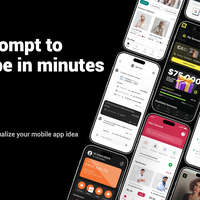
FlexApp (now GenDesigns) is an AI-driven mobile application interface design tool. Users can automatically generate high-fidelity mobile UI design drafts by describing application requirements in natural language. It supports cloning existing application designs from the App Store and can export HTML + Tailwind CSS code. Positioned as a "mobile UI tool for non-designers", it is aimed at founders, entrepreneurs, product managers and developers without design background.
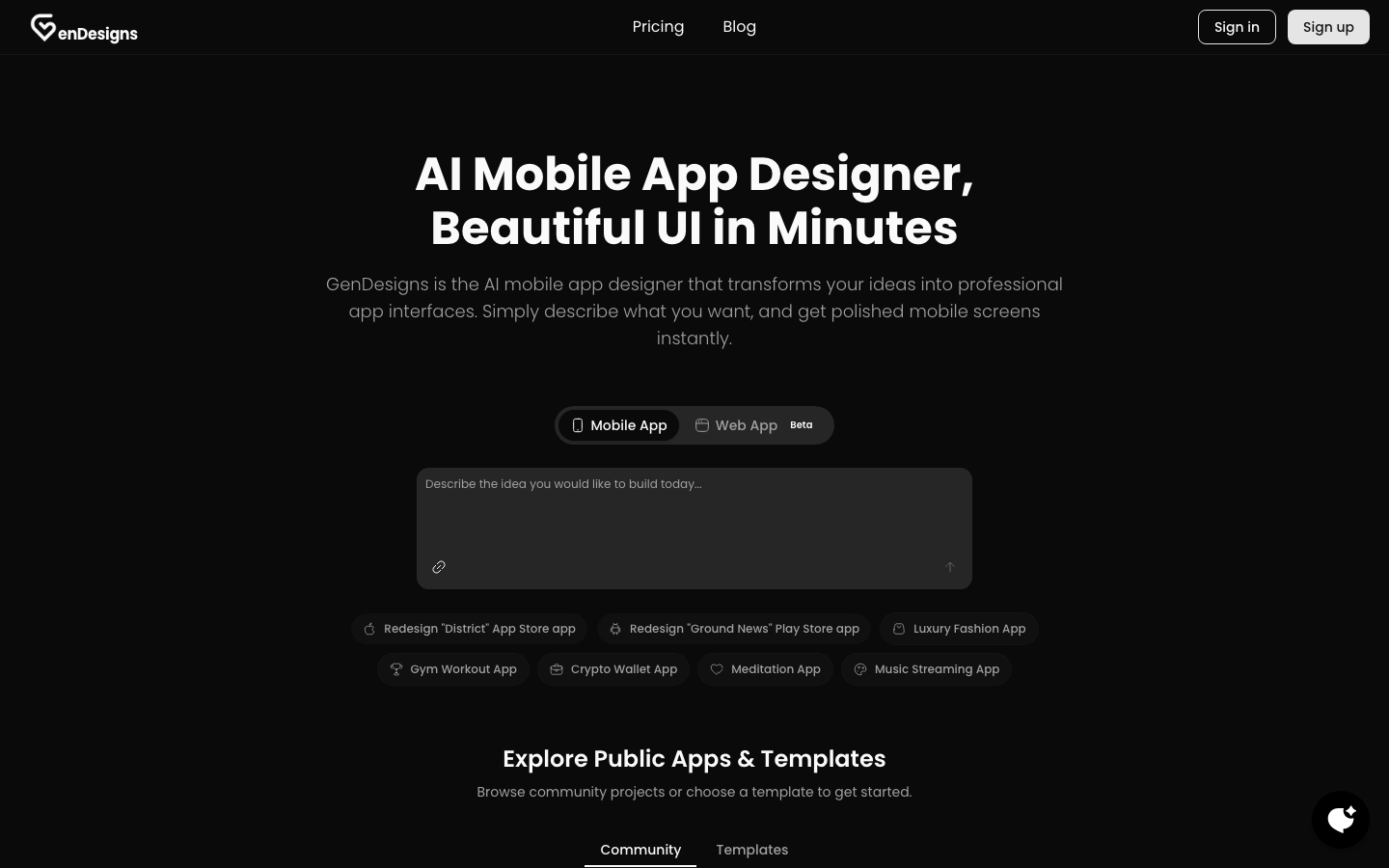
In-Depth Review of FlexApp (GenDesigns): AI Mobile App Interface Design Tool
Core parameters and statistics
FlexApp (renamed GenDesigns in early 2026, domain name jumped to gendesigns.ai) is an AI-driven mobile application interface design tool (Classification determination: Type D - Productivity/Business-side application, the main delivery form is end-to-end UI design services). It belongs to the AI mobile UI design track like Figma AI, Google Stitch, App Alchemy, ScreensDesign, Sleek, etc., but the core difference of FlexApp/GenDesigns is "AI-first" - it does not superimpose AI functions on the design platform, but uses AI as the only interaction method from the first day.
| Projects | Public Information |
|---|---|
| Product positioning | AI mobile application interface design tool (non-designer friendly) |
| Core capabilities | Natural language → Mobile UI generation App Store application cloning, visual editing, code export |
| Technical route | LLM requirement understanding + AI design pattern recognition + code generation engine |
| Support Platform | Web |
| Home | US |
| Price range | $9.99 - $49.99/month (limit system) |
| Export format | HTML + Tailwind CSS, PNG image, project ZIP |
| Design specifications | iOS Human Interface Guidelines, Android Material Design |
| Current Brand | GenDesigns (formerly FlexApp) |
Brief review in one sentence: FlexApp/GenDesigns is not a tool that "teaches you how to use Figma", but allows people without design background to "speak" the mobile application interface in natural language. AI completes the entire process from requirement description to high-fidelity design draft in a few minutes, and directly exports deliverable code.
Promotion verification: The official promotion of "Beautiful UI in Minutes" is basically true - from entering the description to obtaining the multi-screen design draft can indeed be completed within a few minutes. However, attention should be paid to the definition of "Production Code": the exported HTML + Tailwind CSS code is suitable as a development starting point and visual reference, but there is still a gap between the complete application code that can be directly deployed to the production environment, especially the lack of back-end logic, state management and API integration.
User and market recognition
The AI UI design tool track has experienced explosive growth from 2024 to 2026. The core driving force comes from three directions: The overlay of AI functions of traditional design tools (Figma, Sketch), The emergence of AI-native design tools (such as Recraft, Uizard, GenDesigns), and Qualitative changes in visual content understanding capabilities of large models (Gemini, GPT-4o, Claude 3.5, etc. in UI Improvement in understanding tasks).
GenDesigns is relatively young in this track - the X (Twitter) account @gen_designs_ai was created in January 2026. It is still in the early accumulation stage, with limited fan base and social activity. The community public projects displayed on the official website show that there is a certain amount of user-generated content (covering fitness, e-commerce, social networking, finance and other application types), indicating that the product has entered the early user verification stage, but the total number of users, corporate customer cases or third-party rating data have not yet been disclosed.
Market Benchmarking: The positioning of GenDesigns is closest to Uizard and ScreensDesign, both of which provide AI-driven UI generation for non-designers. The difference with Figma AI is that Figma "accelerates designers" while GenDesigns "bypasses design tools" - the target users of the former have already mastered design skills, while the target users of the latter hope to obtain results directly without learning design tools. This difference determines the fundamental difference between the two in terms of customer acquisition channels, pricing strategies and product iteration directions.
Cost advantage
Pricing comparison with competing products
GenDesigns adopts a "limit-based subscription" model, and all plans are based on monthly credits (credits) rather than seats. The following are public pricing (verifiable as of July 2026):
| Plan | Monthly fee | Monthly quota | Core benefits | Suitable for the crowd |
|---|---|---|---|---|
| Basic | $9.99/month | 2,500 quota | Unlimited projects, code export, email support | Personal experience, low-frequency use |
| Starter | $19.91/month (annual payment $9.99/month) | 7,000 quota | Priority support, more generation times | Small team, high frequency use |
| Pro | $49.99/month | 20,000 quota | Priority support, early access to new features | Heavy users, professional needs |
Key differences explained:
- Quota never expires: Unlike Figma AI (monthly quota of 3,000-4,250, cleared at the end of the month), the purchased quota of GenDesigns can be retained until it is used up. This strategy is more friendly to low-frequency but intermittent usage scenarios - users can use it in batches when needed without worrying about the urgency of "emptying it at the end of the month."
- Unlimited Projects: All plans do not limit the number of projects, only the number of times (amount) generated, which is different from the per-project charging model.
- No seat limit: The current plan is not priced according to seats and is suitable for individual or shared account scenarios. However, the collaborative management capabilities of multiple people under one account are subject to official subsequent updates.
Hidden Costs and ROI Assessment
- Quota Consumption and Actual Cost: The exact amount of quota consumed for each UI generation, the official has not disclosed the precise conversion formula. Quoting the description on the official comparison page, "There is clear and predictable consumption" but it is in contrast to Figma's "10-100+ quota/time". It is recommended to test the average consumption of a single generation through a free trial before purchasing, and then calculate the monthly budget based on the expected frequency of use.
- No free plan: Judging from the official website Pricing page, there is currently no permanent free plan. Users can only experience it through the gift credits they may receive after registration. Actual continued use requires a paid subscription.
- Development costs after code export: The exported HTML + Tailwind CSS code can be used as a starting point for development, but the human cost of back-end development, status management and testing still needs to be invested from the design draft to a production-ready application - this part is not included in the subscription fee and needs to be included in the total cost budget.
Main functions
The capabilities of GenDesigns are designed around "allowing non-designers to obtain professional mobile UI". The core functions can be summarized into three major modules + auxiliary capabilities:
1. Text to App (text generation application)
Users describe application requirements in natural language, and AI automatically generates matching mobile design drafts. Supports multi-screen generation - Just one sentence "Create a fitness tracking application, including training plans, progress charts and social sharing functions" can output multiple design drafts at one time, and the design style remains consistent across screens.
Use Value: Compress the cycle of "Requirement Description → Design Draft" from days to minutes, especially suitable for rapid trial and error and multi-directional exploration in the early stages of product conception.
2. AI UI Generator (AI UI Generator)
Provides a more refined control entry and supports two generation paths:
- Text Description Generation: Similar to Text to App, but supports more fine-grained UI element-level generation (such as "generate a login page with a progress indicator").
- App Clone: Enter the App Store application URL, and AI will analyze the layout, color, typography, and UI pattern of the target application and generate an editable replica version, which can be used for competitive product analysis, design learning, and rapid prototyping.
Expert View·Hidden Linkage: The two functions of Text to App and App Clone can be used in combination - first obtain the UI framework of a well-known application through cloning, and then modify its color matching, layout and content through natural language description, achieving a design workflow of "standing on the shoulders of giants". This is more efficient than describing requirements from scratch, and faster than drawing them manually in Figma.
3. Clone UI Design (application UI clone)
Starting from the App Store URL or text description, AI automatically restores the interface design of the target application. The clone result is not only a screenshot-level restoration, but an editable design component - users can later modify the color, layout, add or remove functional modules through dialogue.
Applicable tasks: Competitive product analysis, design inspiration reference, and rapid generation of proposal design drafts for "XXX-like applications".
4. Theme Variations Generation
Generate dark/light mode variants with one click and support brand color customization. AI automatically maintains design consistency across screens, eliminating the need to manually adjust each one.
5. Code export and development delivery
After the design is completed, it can be exported to the following formats:
- HTML + Tailwind CSS code: clear structure, can be directly used as the starting point for front-end development
- PNG HD images: ideal for presentations, design reviews and markup tools
- Project ZIP: Contains all design assets
Applicable value: Front-end developers can use the exported code directly to reduce the conversion work from design draft to code; if they need to continue to improve the design in tools such as Figma, they can also export the image as a reference base map.
Expert perspective·Synergy effect
The function chain of GenDesigns is not an isolated function stack, but forms a complete link of "requirement description → design generation → clone reference → theme iteration → code delivery". The core synergy point is: The cloning function makes up for the ambiguity of plain text description - users can directly say "make an App like Airbnb but for pet boarding" to get a more accurate starting point, and then gradually adjust to the target state through dialogue. This "example-driven" interaction method is more in line with human communication habits than plain text descriptions.
Model and version evolution
FlexApp/GenDesigns has a short product iteration timeline and limited publicly verifiable version nodes:
Second half of 2025: Product launches
- FlexApp 1.0 (~2025-09): Launched for the first time under the "FlexApp" brand, positioned as an AI-driven low-code application construction platform. The core proposition at that time was to use natural language to generate business applications.
2026: Brand upgrade and product reshaping
- 2026-01: X account @gen_designs_ai is registered, and the brand begins the transition to GenDesigns.
- 2026-07 (current version): The brand is completely switched to GenDesigns, and the domain name flexapp.ai automatically jumps to gendesigns.ai. The product positioning has shifted from "low-code business application construction" to a more vertical "mobile application UI design", launching three core functions: Text to App, AI UI Generator, and Clone UI Design, and establishing a Basic/Starter/Pro three-level pricing system.
The version history shows that the product completed the strategic focus from "universal low-code platform" to "vertical mobile UI design tool" in less than a year - this adjustment means that the team recognized that AI can deliver verifiable value faster in the field of UI design than in general business applications.
Technical advantages
AI understanding and design pattern recognition
The technical difference of GenDesigns is not in the model ontology (the type of LLM it uses is not disclosed), but in the ability to "map natural language to mobile UI design patterns." The core links are:
User description → NLU analysis → Application category identification (fitness/e-commerce/finance/social, etc.) → Design pattern matching (list/grid/form/dashboard, etc.) → Layout generation → Color matching and typesetting system construction → Multi-screen consistency verification → Code export
The differences from AI capabilities in traditional design tools are:
- Figma AI: Provides assistance within Figma’s existing layers, components and automatic layout system, requiring users to have a basic knowledge of Figma operations.
- GenDesigns: completely skipping the design tool operation layer, using "description" as the only input interface, users do not need to understand design concepts such as layers, frames, components, styles, etc.
Platform specification built-in
The AI-generated interface follows the iOS Human Interface Guidelines and Android Material Design specifications by default, which means that the output design conforms to platform conventions in terms of navigation mode, spacing, font size, interaction area size, etc., reducing the problem of "AI-generated UI does not look like a native application."
Dual mode input: description + clone
The technical architecture of GenDesigns supports two seemingly contradictory input modes - "describe from scratch" suitable for new concept exploration, and "clone from existing applications" suitable for rapid reuse. Behind the dual mode is the support for two reasoning paths, free generation and constrained generation, on the same AI engine, rather than two independent systems.
Current technical limitations
- Model details not disclosed: The type of LLM used, parameter magnitude, training data composition, etc. are not disclosed, and performance evaluation cannot be performed from a technical perspective.
- Ability to generate complex interactions: For applications that contain complex animations, gesture interactions, or non-standard navigation structures, the quality of AI output may be degraded.
- Engineering evaluation of code quality: The exported HTML + Tailwind CSS code needs to be investigated in terms of semantics, accessibility, and performance optimization. It is recommended to extract samples for manual review before use.
How to use
GenDesigns currently only provides a web portal, and the usage path is as follows:
| How to use | Suitable for people | Features | Cost |
|---|---|---|---|
| Web | All users | Visit gendesigns.ai and start designing directly | There may be a trial quota after registration |
| Text to App | Rapid prototyping requirements | Enter a sentence description, and AI will automatically generate a multi-screen design | Consumption quota |
| AI UI Generator | Fine control requirements | Two modes: text generation or application cloning | Consumption quota |
| Clone UI Design | Competitive product analysis/reference | Enter the App Store URL or description to clone | Consumption quota |
Typical steps:
- Visit https://gendesigns.ai and register or log in.
- Select the creation method:
- Text to App: Enter a natural language description of the application requirements (such as "Create a meditation app that includes guided courses, mood tracking, and soothing music").
- AI UI Generator: Choose from two methods: text generation or cloning.
- Clone UI Design: Enter the App Store app URL or describe the target app.
- AI generates design drafts within tens of seconds, usually outputting multiple interfaces at once.
- Make iterative modifications through dialogue: "Change the main color to blue", "Enlarge the title font", "Add a bottom navigation bar".
- Generate dark/light theme variants.
- Export as HTML + Tailwind CSS code PNG image or ZIP package.
Landing Tips:
- The more specific the description (application type, target users, core functions, style preferences), the closer the AI-generated results will be to expectations.
- The cloning feature currently only supports App Store (iOS) apps and does not support direct URL cloning of Google Play or Web apps.
- The generated code is recommended as a starting point for development rather than a final draft, with special attention to responsive adaptation and interactive state management.
Product Pricing
GenDesigns adopts a "quota-based subscription" model, and the pricing structure is as follows:
| Plan | Monthly fee | Annual monthly fee | Monthly quota | Core differences |
|---|---|---|---|---|
| Basic | $9.99 | — | 2,500 | Code export, email support |
| Starter | $23.99 | $19.91 (Save 33%) | 7,000 | Priority Support |
| Pro | $49.99 | — | 20,000 | Early access to new features |
Key points of the quota system:
- The credit limit never expires: the purchased credit limit is valid until used up.
- Flexible cancellation policy: cancel at any time and the purchased credit will remain available for use.
- Commercial License: Citing FAQ content, designs generated using GenDesigns can be used in commercial projects.
- No hidden fees: There is no mention of the automatic renewal mechanism after the quota is exceeded - after the quota is used up, you need to manually upgrade the plan or purchase additional quota packages.
Price comparison with competing products:
| Tools | Starting price | Quota model | Quota validity period | Free plan |
|---|---|---|---|---|
| GenDesigns | $9.99/month | 2,500 credits/month | Never expires | No free forever |
| Figma AI | $15/month/seat | 3,000-4,250 quota/seat/month | Cleared at the end of the month | Free Starter plan available |
| Google Stitch | Unlisted | Unlisted | Unlisted | Unlisted |
| App Alchemy | Unpublished | Unpublished | Unpublished | Unpublished |
Purchasing Judgment: GenDesigns’ credit never-expiration mechanism is friendly to intermittent usage scenarios, but the starting plan (Basic $9.99 with only 2,500 credits) may not be economical enough in high-frequency usage scenarios—assuming that each generation consumes 10-50 credits (refer to Figma’s 10-100+ consumption standard per action), 2,500 credits can support approximately 50-250 For projects with frequent iterations, you may need to upgrade to the Starter or Pro plan.
Application scenarios
Scenario 1: Startup company MVP visual design
- Task type: Without a designer, the founder needs to produce high-fidelity mobile design drafts for product prototypes and investor presentations.
- Actual benefits: While the traditional process requires hiring a designer ($3,000-$10,000/month) or learning Figma (2-4 weeks to get started), GenDesigns can compress the cycle from requirements to design drafts to a few hours. Quantitative deduction: Taking an early-stage entrepreneurial team that produces 3 functional modules per month as an example, after using GenDesigns, the regular working hours of UI design are reduced from about 40 hours/month (part-time designer or Founder self-taught design) to 5-10 hours/month. However, the consistency and brand sense of visual design may be lower than the output of professional designers, which is suitable for the "enough" rather than "perfect" stage.
- Human-computer collaboration boundary: UI layout and basic color matching can be 100% automatically completed by AI; the formulation of the brand visual system (Logo, brand color definition, font selection) and the final review of the design draft still require manual participation.
Scenario 2: Rapid prototyping by product managers
- Task Type: Product managers quickly generate interactive design drafts before requirements review, replacing traditional wireframes and text requirements documents.
- Actual benefits: The standard process of "text requirements → low-fidelity wireframe → high-fidelity design" (usually 2-5 days) is shortened to a few hours of "description → design draft". Rationale: The output quality of GenDesigns has reached a high-fidelity level that can be used directly for user testing and internal reviews, and product managers can skip the learning curve of prototyping tools such as Axure or Sketch.
- Boundary of Human-Computer Collaboration: Design generation and theme variations can be automated; however, qualitative analysis of user test results and strategic decision-making of design solutions (which functions should be placed on the homepage, how to optimize user processes, etc.) need to be led by product managers.
Scenario 3: Developer’s design draft reference and code starting point
- Task Type: Independent developers or small development teams use AI-generated design drafts as a visual reference and code basis for front-end development without a designer.
- Actual benefits: The serial dependence of "finding a designer → waiting for a design draft → cutting pictures → front-end implementation" is reduced, and developers can start working directly on the exported HTML + Tailwind CSS code. Deduction: For a typical mobile page, the entire link from design to front-end implementation is shortened from 1-2 days to 2-4 hours (assuming the developer accepts AI design as the starting point rather than the final draft).
- Human-computer collaboration boundary: The initial generation of UI code can be 100% automated; but the engineering of the code (component splitting, state management, performance optimization, accessibility) and the docking of back-end APIs need to be completed manually by developers.
Scenario 4: Competitive product UI analysis and inspiration exploration
- Task Type: The design team can quickly obtain the design layout of competing applications through the cloning function for inspiration reference and direction exploration.
- Actual benefits: The manual screenshot → manual analysis method is replaced by "URL input → AI automatic cloning → editable modification", and the analysis efficiency is increased by 5-10 times.
- Human-machine collaboration boundary: Clone generation can be automated; but designing analysis reports (which patterns are worth learning from and how to differentiate them) requires the professional judgment of designers or product managers.
Applicable people
- Founders and Independent Entrepreneurs: Before the formation of the technical team or during the product direction verification period, use GenDesigns to quickly generate product visual solutions for user interviews and investment demonstrations. Prerequisite: It is necessary to have the ability to clearly describe "what the application does" - the more specific the description, the closer the AI output will be to expectations.
- Product Manager: Quickly produce high-fidelity design drafts before requirements review, replacing wireframes and text requirements documents to improve team communication efficiency. Adaptation Boundary: Suitable for C-side consumer-level applications (social, e-commerce, tools, content). Complex data panels and interaction logic for B-side enterprise-level systems may require multiple iterations.
- Developers without a design background: Independent developers and small teams can use GenDesigns to get a visual starting point and design specification reference for front-end development. Tip: The exported code is recommended as a reference rather than directly committed to the production warehouse - manual review is required on code structure, semantics and maintainability.
- Students and newcomers learning UI design: Use the cloning function to study the design patterns of well-known applications and quickly accumulate a sense of interface design. Advantages: You can directly observe how AI parses and reconstructs the visual elements of the target application, and can better understand the composition logic of the design system than static screenshots.
- Not applicable:
- Scenarios that require in-depth brand customization and original visual language: GenDesigns' AI-generated results perform well in the category of "good-looking and standard", but they cannot replace the in-depth work of professional designers in brand visual system, creative direction, and narrative design.
- Web application and desktop design: The product focuses on mobile design, and has limited adaptability to desktop management background web applications and other scenarios.
- Complex Interaction Prototype: For interactive prototypes containing complex animations, conditional logic and API interactions, professional expertise is required
Use it with prototyping tools (such as Figma, ProtoPie).
- Production-grade front-end code generation: The exported code is suitable as a starting point for development, but it is not recommended to be used directly in production - it needs to undergo engineering review, performance optimization and security audit.
Summary and Outlook
FlexApp (now GenDesigns) represents a typical implementation path of AI in the vertical creative field: Choose a scenario that is narrow enough and has clear pain points (mobile UI design), and use AI capabilities to completely reconstruct the user experience (from "learning design tools" to "describing your needs"). It does not try to replace professional tools like Figma, but serves those who "don't want to use professional tools" - founders, product managers, and independent developers.
The current core competitiveness lies in three points: first, the extremely low threshold for use of "description is design", second, the "example-driven" design method provided by the App clone function, and third, flexible pricing that never expires. The combination of these three points makes GenDesigns differentiated in the segment of "mobile UI tools for non-designers".
Current major limitations: The brand is still in its early stages, and the user base and community ecology are limited; product functions are concentrated on the visual design level, and do not involve interaction logic and state management; the engineering quality of code export needs to be reviewed by developers; web application and desktop design are not supported, and the target scenario is relatively single.
Evolutionary directions worthy of attention in the future: User growth rate and retention data after brand switching (determining whether the product can move from "interesting" to "must"), support for Android application clones (currently only in the App Store), supplementary design capabilities for web applications and desktops, and whether there are plans for an API or plug-in ecology - these will determine whether GenDesigns becomes a universal tool in vertical fields or a niche inspiration assistant.
Procurement and Adoption Risk Assessment: For individual users and small teams, it is recommended to first obtain a trial quota by registering to verify whether the product generation quality meets expectations - focusing on the design quality, flexibility of iterative modifications and usability of code export under "your application type". For enterprise procurement, please note that the current product does not have SSO, audit logs, and team collaboration governance functions, and is not yet suitable for unified adoption by design teams with compliance requirements. Overall, GenDesigns is currently more suited as a supplementary tool for personal productivity than an alternative to organizational-level design infrastructure.
Related tools:  Midjourney, stable-diffusion
Version Info
- GenDesigns July 2026 Edition :The current version supports three core functions: Text to App, AI UI Generator, and Clone UI Design, and launches three-level pricing of Basic/Starter/Pro.
- FlexApp initial version :Launched for the first time under the FlexApp brand, it provides AI low-code application building capabilities.
User Reviews