 Fliki
Fliki
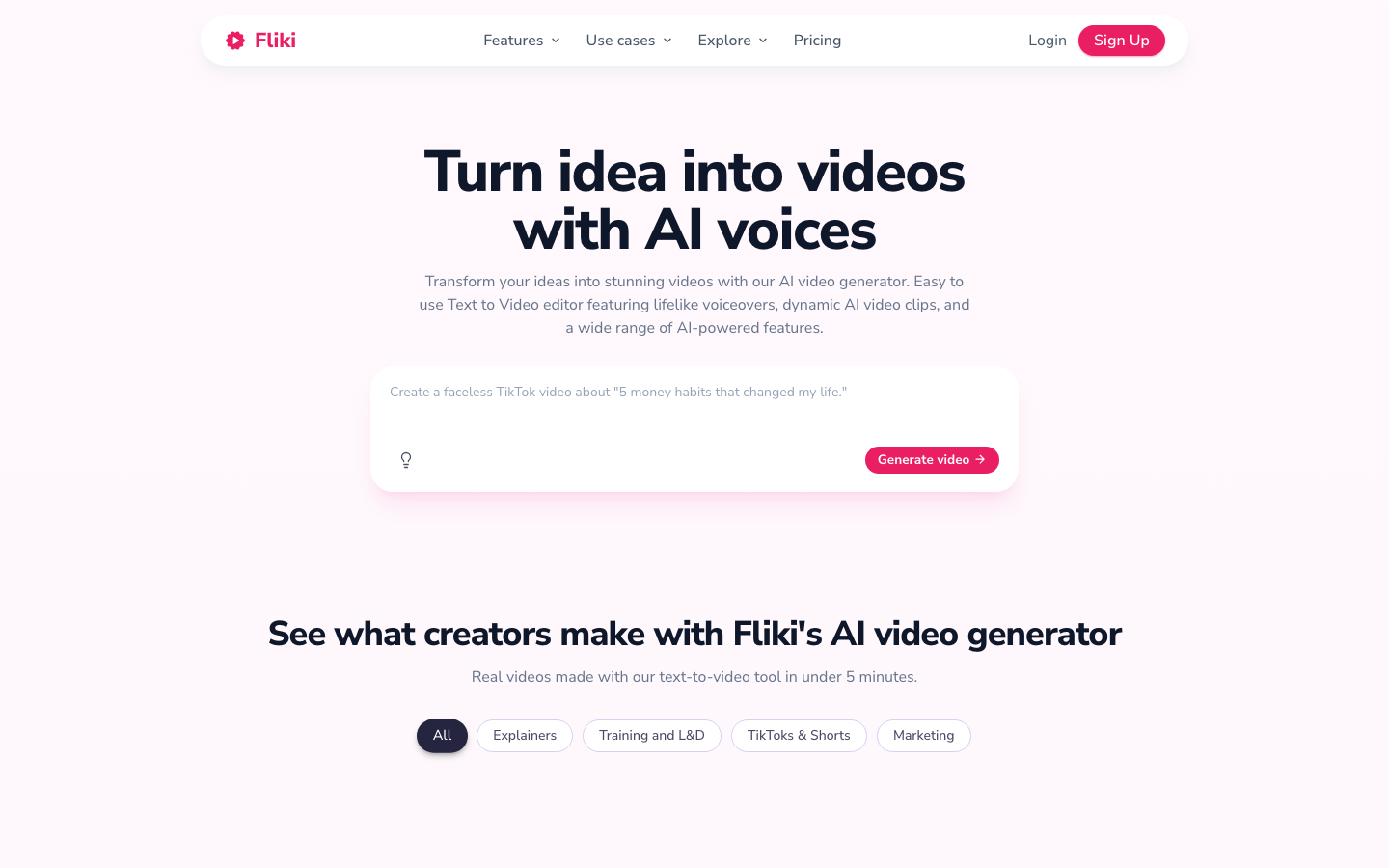
Fliki converts text into video with high-fidelity AI voice, 2000+ voices, 100+ languages, and 5 million+ material library.
Fliki
Fliki tool introduction
Fliki is a one-stop AI video creation platform with "text to video + high-fidelity voice" as the core. It is developed and operated by the Indian company Nine Thirty Five. As of mid-2026, Fliki has served 12 million+ users, generated 100 million+ videos, covering 80+ languages and 100+ dialects/accents, and has been trusted by 50,000+ enterprise customers, achieving an overall score of 4.8/5 on both G2 and Capterra (source: fliki.ai official website).
Unlike most text-to-video tools on the market, the core difference of Fliki lies in the three-layer superposition of capabilities: The deepest AI voice library (2000+ neural voices), Multi-model AI video generation engine (integrating cutting-edge models such as Veo 3.1, Kling 3 Pro, Seedance 2, etc.), and the low-threshold combination of voice cloning + AI digital human (Avatar). It is not a simple "slide + dubbing" tool, but an end-to-end video factory that allows users to complete script writing, voice recording, material matching, subtitle generation, and multi-size export within one workflow.
Brief review in one sentence: If Synthesia is the "Mercedes-Benz" of enterprise-level Avatar videos, and InVideo is the "Swiss Army Knife" of full-featured editors, then Fliki is the "Toyota Corolla" of individual creators and small and medium-sized teams - solid, sufficient, and extremely cost-effective, but don't expect it to take first place in every single item.
Fliki’s core features
Fliki's feature matrix covers the complete link from "original idea" to "release-ready video", which is broken down by module below:
1. Multi-source input engine
- Script/Idea to Video (Idea to Video): Enter a topic phrase, and AI will automatically expand it into a complete script and match the scene.
- URL to Video (Blog to Video): Paste the blog article link, and AI will automatically extract key paragraphs, segments and generate a video.
- PPT/PDF to video: Directly upload presentations or PDF documents, AI will analyze them page by page and provide voice explanations.
- Screen Recorder to Video (Screen Recorder): Automatically perform AI noise reduction, cropping and subtitle overlay after recording the screen.
2. AI speech engine (core barrier)
- 2000+ neural voices covering 80+ languages 100+ dialects/accents.
- 1000+ Ultra-Realistic voices (Ultra-Realistic), supporting fine adjustment of emotion/intonation/speech speed/pauses.
- Voice Clone: Upload a 30-second voice sample to clone your personal voice, and support cross-language reuse in 30+ languages (Source: fliki.ai/features/text-to-video).
- The voice quality is at an upper-middle level in the TTS field, especially in mainstream languages such as English, Spanish, and French, which is close to real-person recording.
3. AI video and image generation
- Integrate multiple cutting-edge AI video models: Google Veo 3.1, Kling 3 Pro, Seedance 2, PixVerse V5, etc. Users can select different models to generate video clips on the same interface.
- Integrate multiple AI image models: Nano Banana 2, GPT Image 2, FLUX 2, Seedream 4.5, Qwen, etc. for generating covers, scene images and thumbnails.
- AI Thumbnail Generator: Automatically generate high-click-through-rate thumbnails for platforms like YouTube.
4. AI digital human (Avatar) and lip synchronization
- Provides photo-realistic AI digital people (Photo Avatars) and action digital people (Stock Avatars), and users can also create their own "digital twins".
- Supports lip-synchronization (Lip-Sync) between 80+ languages. After the script is translated, the digital population will automatically match the target language.
- This feature is not available in the free version, the Standard version provides limited Avatar credits, and the Premium version unlocks all.
5. Brand toolbox and template system
- Brand Toolbox: Store brand colors, fonts, logos and watermark templates at once, and apply new projects with one click to ensure visual unity among multiple videos.
- 100+ social media templates: covering multiple categories such as advertising, education, product demonstrations, science popularization, etc., supporting three formats: horizontal (16:9), square (1:1), and vertical (9:16).
6. Intelligent subtitles and background music
- Auto Captions (Auto Captions): Supports 100+ language subtitles, customizable fonts, colors, positions and animation effects, specially optimized for "silent sliding" scenes.
- Royalty Free Background Music: AI automatically matches the background music based on the tone of the video and automatically reduces the music volume to highlight the human voice (Ducking function).
7. One-click multi-size export
- The same project can be exported to 9:16 (TikTok/Reels/Shorts), 1:1 (LinkedIn/Facebook), 16:9 (YouTube/Web) three formats at the same time without re-editing.
8. Collaboration and Integration
- AI Copilot: Provides real-time suggestions during the editing process (including script optimization, material recommendation, and subtitle checking).
- Team Collaboration: Premium and above support multi-member collaboration and cloud material library sharing.
- Make + Zapier integration: Integrate Fliki into automated workflows to implement batch content production pipelines.
- API access: The Enterprise plan provides an API interface, suitable for customized video generation needs.
[Expert View]: Fliki’s functional co-design is smarter than most competing products. For example: Blog URL input → AI extracts key points → Automatically segment and generate scripts → Match speech for each segment (supports emotional selection) → Automatically search for materials or call AI to generate images → Overlay brand templates → Export multi-size versions. The entire process does not require users to repeatedly switch between "writing tools → TTS tools → video editor → subtitle tools → cover design tools". One platform completes the entire process, which is its real efficiency lever.
Fliki’s pricing strategy
Fliki adopts the "Credits" mode, and points are consumed according to the duration of the exported video. Prices for 2026 are as follows (Source: fliki.ai/pricing):
| Plan | Monthly payment price (SGD) | Annual payment price (SGD/month) | Annual payment conversion (USD/month≈) | Annual total points | Longest video | Resolution |
|---|---|---|---|---|---|---|
| Free | 0 | 0 | 0 | 36 points/year | 1 minute | 720p |
| Standard | 35 | 26 | ~19.5 | 2160 | 15 minutes | 1080p |
| Premium | 110 | 83 | ~62 | 7200 | 40 minutes | 1080p |
| Enterprise | Customized | Customized | Customized | Customized | Customized | Customized |
Key Limitations Teardown:
- Free version: only 3 points per month (about 3 minutes of video), output with "Fliki" watermark, only 300 standard voices provided, no ultra-realistic voices, no AI video/image generation, no Avatar, no voice cloning.
- Standard Edition: Unlocked 1080p, no watermark, commercial use rights, voice clone (1), branding toolbox (1 set), Make/Zapier integrated AI video/image generation limited use. Ideal for individual creators and small teams producing 30-60 minutes of video per month.
- Premium version: Unlock all 2000+ voices (including 1000+ ultra-realistic voices), all AI Avatars, multi-voice clones (3), multi-brand toolbox (3 sets), AI Copilot, priority customer service, team collaboration. Suitable for professional studios and content agencies.
- Enterprise Edition: Provides customized points pool API access, dedicated account manager, personalized Avatar/voice clone customization, and brand template customization. The official quotation shall prevail.
Price comparison with competing products (average annual payment and monthly payment, close to the same level):
| Dimensions | Fliki Standard | Pictory Starter | InVideo Plus | Synthesia Starter |
|---|---|---|---|---|
| Monthly fee (annual payment equivalent) | ~$19.5 | $25 | $17 | $29 |
| Annual video volume | 180 minutes | 2400 minutes | By points (about 75 points) | 10 minutes Avatar |
| Maximum video length | 15 minutes | 30 minutes | Unlisted | 5 minutes |
| Resolution | 1080p | 1080p | 1080p | 1080p |
| Number of voices | 2000+ | About 100+ | About 200+ | 120+ |
| Voice Clone | ✅ (1 piece) | ❌ (Requires Pro upgrade) | ✅ (Limited) | ❌ |
| AI Avatar | Limited | Limited | Limited | ✅ (core selling point) |
| No watermark | ✅ | ✅ | ✅ | ✅ |
| Commercial License | ✅ | ✅ | ✅ | ✅ |
Data source: Official pricing page of each tool (crawled in July 2026). Synthesia Starter is $29/mo (paid annually) and is focused on Avatar videos.
[Cost Diagnosis]: Fliki Standard's single-minute video cost (~$0.11/minute) is at an extremely low level in the text-to-video track, but the price is a hard cap on the annual total - 180 minutes/year, which is easy for high-frequency creators to use up. Although Pictory Starter has a higher unit price ($25/mo), it provides 2400 minutes/year, which is suitable for users who pursue total volume rather than high-end voice quality.
Analysis of advantages and disadvantages of Fliki
Advantages
- Leading voice library depth segmentation: 2000+ neural voices vs. about 100+ for Pictory and about 120+ for Synthesia, and supports emotion/intonation/speech speed adjustment on a scene-by-scene basis. This is Fliki’s widest technical moat.
- Voice cloning + cross-language reuse: A personal voice can be cloned with 30 seconds of sampling and translated into 30+ languages. This is a powerful lever for cross-language content agencies.
- Multi-model AI video generation: Instead of relying solely on stock materials, it provides a variety of AI video model options such as Veo 3.1, Kling 3 Pro, Seedance 2, etc., which can be used as a supplementary solution in scenarios where abstract concepts or materials are missing.
- Extremely low threshold for use: From "pasting blog URL" to "exporting video in 3 sizes" can be completed in 5-15 minutes, no video editing experience is required.
- Best value for money (entry level): The Free version has zero threshold for trial, and the Standard version is $19.5/month, which is one of the lowest starting prices among mainstream competing products.
Disadvantages
- Chinese voice quality is far inferior to English: Although Mandarin is supported, the naturalness and emotional expressiveness are significantly different from Chinese native TTS (such as Microsoft Azure, Volcano Engine), and the experience of Chinese users is greatly compromised.
- Medium size of material library: Fliki’s material library has about 5 million+ materials (including stock and AI generated), while Pictory is connected to Getty Images + Storyblocks (a total of about 18 million+), which does not dominate the diversity of materials.
- Long text consistency drift: When generating long videos of more than 10 minutes, the AI voice may have slight intonation drift (decreased emotional continuity), which requires manual segmentation repair.
- No native mobile app: It is purely web-based and cannot be edited on mobile phones/tablets like InVideo, which is inconvenient for mobile-first creators.
- Avarta quality is not top-notch: The realism and naturalness of Avatar digital humans are not as good as Synthesia (the industry benchmark), and are more suitable for "enough is enough" scenarios rather than high-end brand image films.
Applicable scenarios for Fliki
✅ Dimensionality reduction attack scene
- Batch production of social media short videos: TikTok/Reels/Shorts of 30-90 seconds, Fliki's "Idea→Video" workflow can compress the production time of a single video from 2-3 hours to 5-10 minutes. Especially suitable for high-frequency output of "multiple lines per day".
- Blog content videoization: Convert existing articles/blog content into 2-5 minute videos for secondary distribution on YouTube channels or social media. Actual test: A 1500-word blog post can be completed in 15 minutes from URL pasting to exporting 16:9 + 9:16 for two versions.
- Audiobook/narrated video: Convert e-book chapters and long text content into audio videos with background images, using voice cloning to maintain sound consistency, suitable for "silent channel" operators.
- Multi-lingual education/training videos: Translate a set of training content into 80+ language versions. Each language version naturally matches lip synchronization and localized subtitles, making it suitable for global enterprises.
❌ Dissuade/Inapplicable people
- Companies that need high-end brand Avatar videos: If the video requires real-life AI digital humans to appear (such as corporate training, executive speeches), Synthesia is a safer choice.
- Mainland creators with mainly Chinese content: Fliki’s Chinese voice quality, review strategy, and material coverage of Chinese scenes are not as good as domestic competing products (such as the Chinese version of HeyGen).
- Creators with strong demand for rich materials: If the video requires a large amount of real-life footage (such as documentary style), Pictory (Getty/Storyblocks 18 million+) or Invideo (iStock) have more abundant material libraries.
- Users who need professional-grade timeline fine editing: Fliki's timeline editor has limited capabilities in frame-accurate editing, and those who need fine post-production should return to the traditional editor.
Summary of Fliki
Fliki's core competitiveness is locked in the iron triangle of "the widest voice library + multi-model AI generation + voice cloning". Through extremely low usage thresholds and friendly entry pricing, it has established a solid reputation for cost-effectiveness among individual creators, small and medium-sized marketing teams and self-media operators. It is not an all-around champion - Avatar is not as good as Synthesia, the material library is not as good as Pictory, and the editing depth is not as good as InVideo - but in the narrow track of "text to video", it has built irreplaceable user value with voice diversity and end-to-end workflow efficiency.
Not suitable for boundaries: Weak support for Chinese scenes, medium material library size, and long video consistency needs to be improved, which limits its penetration into enterprise-level and specific regional markets. If you mainly focus on English content, need high-frequency output of short videos, and are budget-sensitive, Fliki is one of the most cost-effective options on the market. However, if you rely on the Chinese ecosystem, require top-level Avatar performance, or have high-level audit requirements for material copyright, it is recommended to prioritize Synthesia, HeyGen or domestic solutions.
Procurement/Adoption Risk Assessment: Fliki is a SaaS service, data is stored in AWS (US-East/Europe), and SOC2/GDPR specific certification status is not disclosed. It is recommended that enterprise users confirm the data residency SLA terms and data deletion policy with Fliki sales before use. For individual creators, adoption risk is low—the Free version allows for full experience before upgrading. Special note: The free version of the video contains a Fliki watermark. Before publishing, brands must confirm that they have upgraded to the paid version to remove the watermark and obtain full commercial authorization.
Fliki’s efficiency improvement comparison
The following table compares the time-consuming changes of four core production tasks "before/after using Fliki". Data are derived estimates (unofficial commitments) based on tool characteristics and are based on single-person operation.
| Task scenario | Traditional workflow time consuming | Fliki workflow time consuming | Improvement multiple | Key efficiency sources |
|---|---|---|---|---|
| Blog post → Video (3 minutes) | 2-3 hours (including manual script writing, recording, finding materials, editing, adding subtitles, and exporting) | 10-15 minutes | 8-12x | One-click URL input → AI automatic segmentation + matching material + voice + subtitles → multi-size export |
| TikTok/Reels short video (60 seconds) | 1-2 hours (including shooting/selection of materials, dubbing, editing, subtitles, adjustments) | 5-8 minutes | 12-15x | Idea → AI script → select template → adjustment → export vertical version, no shooting required |
| Training video (10 minutes, including digital human) | 4-8 hours (including speech writing, professional recording/post-production/multi-lingual dubbing) | 30-45 minutes | 5-10x | Writing → Select Avatar → AI dubbing → Automatic translation into multiple languages → One-click export |
| E-commerce product display video (30 seconds) | 1-3 hours (including shooting product pictures, writing copy, editing, and adding sound effects) | 5-10 minutes | 8-15x | Product description → AI matching material + soundtrack → Automatic application of brand template → Export |
Deduction basis: Fliki's core efficiency lever lies in "end-to-end automation" - in the traditional workflow "write script → record → find materials → edit → add subtitles → soundtrack → multi-size export" each section needs to be switched between different tools, while Fliki compresses all sections into one pipeline. AI completes 70% of the first draft work, and users only need to do 30% of review fine-tuning.
Fliki’s automated boundaries
Can be 100% automated and organized
- Text Segmentation and Voice Assignment: AI can automatically segment the input text into scenes according to semantics, and assign a matching voice + intonation to each scene.
- Material matching (<80% scenes): For common vocabulary and concrete concepts (such as "forest", "meeting", "product display"), the AI matching material has a high accuracy and does not require manual replacement.
- Subtitle generation and synchronization: Speech recognition accuracy is high, and automatic subtitles basically eliminate the need for manual entry.
- Multi-size export: Export 16:9 / 1:1 / 9:16 three formats with one click, no manual rearrangement required.
- Multi-language translation and dubbing: Text translation + voice conversion + lip synchronization are fully automatic, without manual intervention.
The manual confirmation point (Human-in-the-loop) must be set.
- Script creativity and tonality control: AI-generated scripts still require manual review in terms of brand tonality, creative tension, and handling of sensitive topics. It is recommended to set up a manual confirmation point every time the AI generates a script.
- Material Review: Materials automatically matched by AI may have issues such as copyright blind spots, brand mismatch or inaccuracy. It is recommended to review the materials of key videos (customer-facing/external release) scene by scene.
- Long video consistency: For videos longer than 10 minutes, it is recommended to manually check the continuity of voice emotions, and generate segments before splicing them if necessary.
- Final compliance review: Videos involving the medical, financial, and legal fields must be confirmed by the compliance person before final release.
- API/Automation Scenario: If videos are generated in batches through API, it is recommended to set up Preview + Manual Approval Queue to prevent large-scale rollovers caused by input errors or model illusions.
Engineering suggestions
For teams with technical capabilities, it is recommended to build the following automated pipelines:
Content database → Fliki API → Video generation → Preview queue → Manual approval → Automatic publishing
              ↕ (optional) Make/Zapier preprocessing/postprocessing
By setting max_steps (the maximum video duration for each generation) and material rollback strategy (AI generation > stock material > placeholder prompts), you can effectively control the generation quality and Token/point consumption.
Fliki Security and Compliance
Data Storage and Privacy
- Fliki's data is stored in AWS infrastructure (US East/Europe), the exact data center location is not disclosed in the exact region.
- SOC2 / ISO 27001 / GDPR certification status is not public (Source: fliki.ai official website and privacy policy page, no certification mark found as of July 2026). Enterprise users should confirm compliance status with Fliki Sales before selecting.
- When using the voice cloning function, the voice samples uploaded by the user will be stored on the Fliki server. According to the privacy policy, voice data is only used to generate user videos and will not be used for secondary training of the model. However, it is recommended to request deletion of training data after using sensitive enterprise information (such as executive voices).
Copyright and Commercial Use
- Paid version of the video enjoys full commercial use rights: including AI voice dubbing, stock footage and AI-generated visual elements. Users can post videos on any social platform and earn money (Source: fliki.ai Pricing FAQ).
- The free version of the video contains a Fliki watermark and does not clearly provide commercial use authorization. It is not recommended to be used for brand external content.
- Copyright ownership of the text input by the user belongs to the user, Fliki does not obtain the copyright of the input content due to the generation behavior.
Content security and sensitive word review
- Fliki has a built-in basic sensitive word filtering mechanism, but because the platform operator is located in India, its filtering strategy is not fully adapted to the content compliance requirements of mainland China.
- It is recommended that brands targeting the Chinese market conduct self-examination of content compliance one by one before use to avoid the risk of public opinion caused by inappropriate content generated by AI.
Enterprise-level security recommendations
- Data residency confirmation: If there is a need for data localization, the available data center area needs to be confirmed with Fliki Enterprise sales in advance.
- SSO support: The Enterprise solution supports single sign-on (SSO), and it is recommended to configure it for unified identity management.
- Audit Log: API calls and batch generation scenarios are recommended to be connected to Fliki’s log output to establish an audit trail for video generation operations.
Fliki’s integrated ecosystem
Native integration
| Integration Type | Specific Services | Description |
|---|---|---|
| Automation platform | Make, Zapier | Connect Fliki to the content production automation pipeline, such as: CMS publishes articles → automatically triggers Fliki to generate videos → returns video links |
| Social publishing | YouTube, TikTok, Instagram, LinkedIn, Facebook | Direct publishing or scheduled publishing, supports multi-account management (Premium and above) |
| AI Model Market | Video models such as Veo 3.1, Kling 3 Pro, Seedance 2, PixVerse V5, etc.; Image models such as Nano Banana 2, GPT Image 2, FLUX 2, etc. | Switch between different models in the same interface to generate AI visual content |
| Material source | Royalty-free stock material library (the exact number is not disclosed) | Supports search + AI keyword matching |
| API interface | REST API (Enterprise solution) | Customized video generation, mass production, and integration into customer-owned platforms |
Missing/Improveable Integration
- No native LMS integration (such as Moodle, Canvas), educational institutions need to use API to connect themselves.
- No native CMS plug-in (such as WordPress plug-in), you need to manually paste the URL when converting a blog to a video.
- No integration with mainstream design tools (such as Canva, Figma plug-ins), and materials cannot be imported directly from the design draft.
- No video hosting platform integration (such as Wistia, Vimeo), only supports manual upload after exporting.
Ecological positioning
Fliki's integration ecosystem is at the middle level in the industry - richer than Synthesia (only API + SSO), but lighter than InVideo (200+ models integrated with iStock material library, deep integration, multi-platform SDK). If the team has strong needs for automated workflows (such as fully automatic "article publishing → video generation → distribution"), it is recommended to focus on testing the stability and trigger delay of the Make/Zapier integration.
Implementation suggestions for Fliki
Individual creator (1 person)
- Start with the Free version: First use 3 points/month to test the voice quality and material matching effect of the target language (especially Chinese) to confirm that Fliki meets your basic standards.
- Single video SOP: Write script/paste URL → select voice (it is recommended to test with ultra-realistic voice first) → review the material scene by scene → add brand watermark/subtitles → export in multiple sizes. It is recommended to reserve 30 minutes for the entire process for the first time, and it can be shortened to 10-15 minutes after you become proficient.
- Time to upgrade: When the monthly video output exceeds 3 minutes, upgrade to the Standard version ($19.5/month). Commercial authorization and watermark removal are mandatory.
Small marketing team (2-5 people)
- Unified brand configuration: Set up the brand toolbox (color/font/Logo) in the Standard/Premium version to ensure that the video output by all members has a unified style.
- Division of labor suggestions: Content operations are responsible for script/AI generation of the first draft, and design/branding is responsible for final material review. There is no need for a dedicated video editor.
- Batch production calendar: Use Fliki to mass-produce social media content for next week on 1-2 days per week. It is recommended to cooperate with Zapier/Make to establish a pipeline of "article publishing → automatically generate videos → enter the approval queue".
- Pay attention to points planning: Standard version 2160 points/year ≈ 180 minutes of video. If the team's monthly output exceeds 15 minutes, it is recommended to upgrade to the Premium or Select higher-volume plan.
Enterprise/Institution (10+ people)
- Choose the Enterprise plan: Volume point discount API access, dedicated account manager and personalized Avatar customization are more cost-effective than Premium.
- Build automated pipeline: Use Fliki API + Make/Zapier to build a fully automatic link of "content storage→AI video generation→manual review→automatic publishing", which is expected to reduce 70-80% of manual video production man-hours.
- Compliance Prerequisite: Before signing up for the Enterprise solution, be sure to confirm in writing: the SOC2/GDPR certification status of the data residence area, the deletion policy of voice clone data, and the SLA guarantee (availability/response time).
- Trial verification: Fliki sales are required to provide an Enterprise trial period (usually 14-30 days), focusing on testing: API response stability, batch generation consistency, and multilingual quality. Do not sign a one-time contract and pay annually during the trial period.
Guide to avoid pitfalls
- Don’t use the Free version for branded content: watermarks and lack of commercial authorization may bring copyright risks.
- Test the Chinese scenario with a small corpus first: Fliki's Chinese voice and material matching accuracy is significantly lower than that of English. It is recommended to test with Chinese content within 500 words before mass production.
- Long video segmentation strategy: It is recommended that videos longer than 10 minutes be split into multiple 5-8 minute chapters, generated separately, and then spliced and exported to avoid emotional drift in the voice and excessive consumption of points.
- Follow model updates: Fliki continues to integrate new AI models (such as Veo 3.1). It is recommended to check the "What's new" page every month as new models may have significant improvements in picture quality or generation speed.
Fliki’s main functions
- Core Processing Capabilities: Provides core AI capabilities in the corresponding scenarios to support users to quickly complete tasks.
- Multi-modal interaction: supports text input and result output, and some scenes support image or file upload.
- Workflow Integration: Can be embedded into existing workflows or linked with other tools through APIs to reduce context switching.
Fliki application scenarios
- Personal Creation: Quickly generate or process content to improve daily work efficiency.
- Team collaboration: Unify workflow and reduce repetitive manpower investment.
- Enterprise-grade deployment: Embed capabilities into on-premises systems via API or private deployment.
Fliki’s applicable groups
- Individual Users: Content creators and knowledge workers who need AI assistance to improve their daily work efficiency.
- Developers: Technical teams who need to integrate AI capabilities into their own products or services through APIs.
- Enterprise: Organizations seeking to deploy AI at scale in their field.
Fliki’s technical advantages
- Algorithm Optimization: Special optimization at the model or algorithm level has been carried out for the corresponding scenario to achieve a balance between response speed and result quality.
- Low-latency architecture: Adopts streaming or asynchronous processing architecture to reduce user waiting time and is suitable for high-frequency interaction scenarios.
Fliki’s core parameters and statistics
Specific technical parameters (such as model size, context length, supported file formats, input and output restrictions, etc.) are subject to the official product page. It is recommended that users verify the latest technical specifications and system requirements before choosing to ensure that they match their own usage scenarios.
Fliki’s user and market recognition
Gradually build user awareness in the field, and product capabilities are used by content creators and teams to improve work efficiency. Some industry users have incorporated it into their daily workflow. It is recommended to refer to the latest official disclosures for specific user scale and industry adoption rate data.
Fliki’s cost advantage
- C-side/Individual: Usually a free version is provided to experience the core functions, and high-frequency use requires a paid package subscription.
- API/Developer: Billed by call volume, suitable for development teams that can be flexibly integrated into their own systems.
- Enterprise/Privatized: Contact the business owner for customized quotation and deployment plan. The specific price is subject to the official real-time pricing page.
Fliki’s Summary and Outlook
It provides competitive solutions in its field, and its core value lies in lowering the threshold for AI use in this field. With technology iteration, products are expected to continue to improve in functional coverage and performance.
Current limitations: Some advanced functions require paid subscription, and the free version has function or usage limits; Specific technical details and performance benchmarks have not yet been fully disclosed, and it is recommended to fully verify them through trials before purchasing.
Fliki’s model and version evolution
Continuous iterative updates, the latest version introduces performance optimization and new features. Historical version information can be viewed on the official release page. There is no complete public version evolution timeline yet. It is recommended to pay attention to the official announcement to understand the rhythm of feature updates.
How to use Fliki
- Web client: You can use it by visiting the official website and registering an account. Most functions do not require installation.
- API Access: Provides RESTful API, developers can obtain the API Key and integrate it into their own applications.
Fliki’s Product Pricing
The pricing model is subject to the official real-time page. Usually a freemium or subscription system is used, and basic functions can be used for free. Advanced functions or high-frequency use require paid subscriptions, and users are advised to evaluate the optimal solution based on actual usage.
Related tools: runway, pika
Version Info
- Fliki 2.5 :Introducing AI script assistant and real-time collaborative editing functions to optimize fine control of voice emotions.
- Fliki 2.0 :Launched a brand toolbox that supports batch application of customized fonts, colors and logo watermarks.
- Fliki 1.0 :The initial version focuses on the basic text-to-video function.
User Reviews