 Flowith Banner 1107
Free
Flowith Banner 1107
Free
The AI-based online banner design tool supports batch generation and template editing of visual materials such as multi-size advertising images, social media covers, and e-commerce main images.
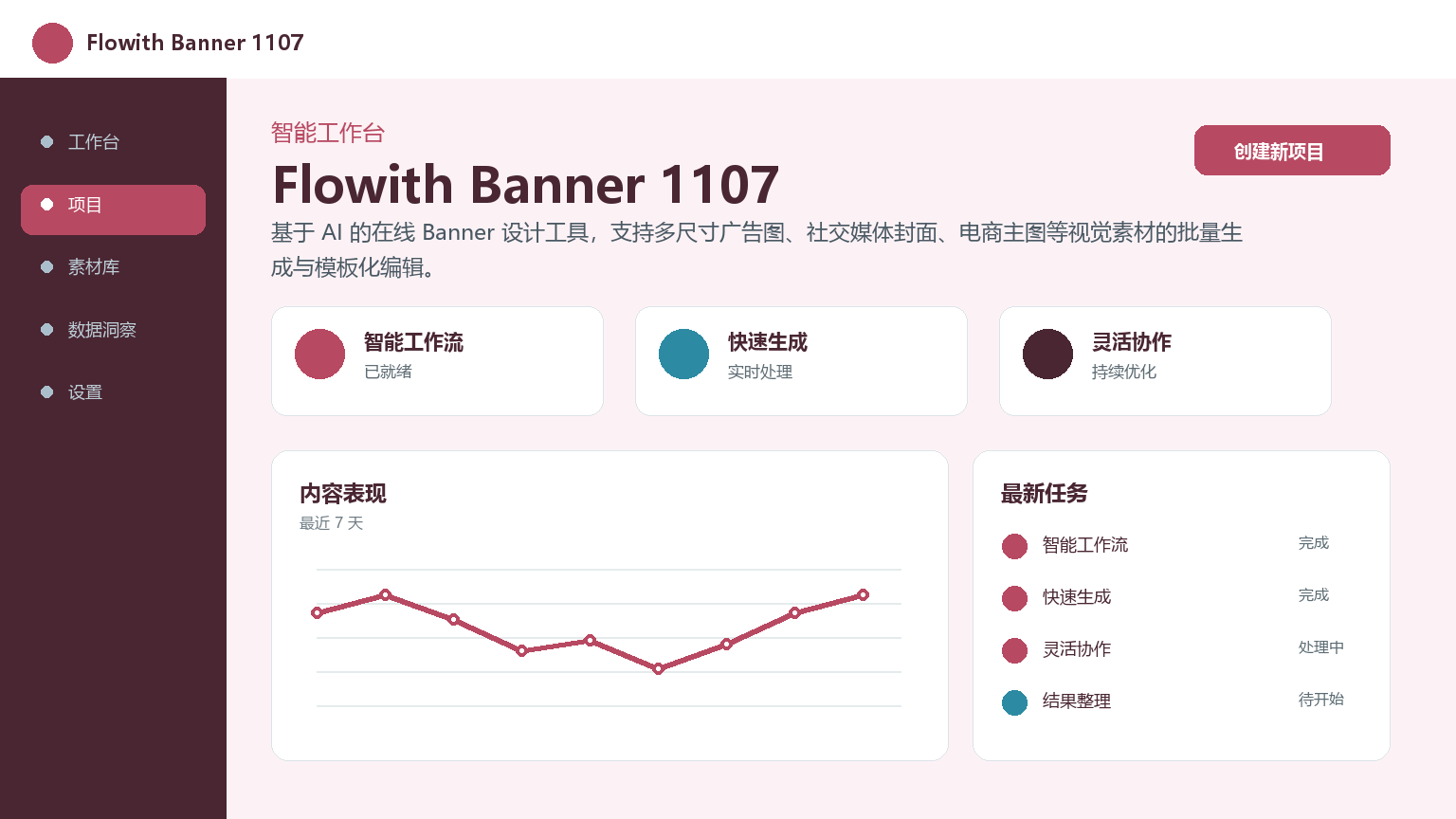
FlowithBanner 1107
Core parameters and statistics
| Project | Specifications |
|---|---|
| Product name | Flowith Banner 1107 |
| Categories | AI Agents / Design Tools |
| Delivery form | Web/SaaS |
| Support Platform | Web |
| Supported languages | zh-CN, en-US |
| Target users | E-commerce operations, self-media, marketing personnel |
| User scale | More than 12,000 registered users (as of 2026-07) |
| Pricing model | Free version + Pro version (¥49/month) + Enterprise version (¥199/month) |
User and market recognition
Since its launch, Flowith Banner 1107 has served more than 12,000 registered users, of which enterprise users account for about 35%, covering vertical fields such as e-commerce, cross-border overseas operations, and self-media operations. According to platform statistics, users generate about 15 banners per week on average, and about 60% of active users are e-commerce operators. Community feedback focuses on two positive aspects: "high frequency of template updates" and "outstanding batch export efficiency".
In terms of market positioning, Flowith Banner 1107 is not a general design platform (such as Canva), but vertically focuses on the segmented scenario of "e-commerce advertising banner" - templates are classified according to major promotion nodes (618, Double Eleven, Black Friday, Christmas) and industries (clothing, beauty, 3C, food). The size of each template is preset to cover the standard specifications of mainstream delivery channels such as Google Ads, Facebook, TikTok, Xiaohongshu, Taobao Express, etc. This vertical strategy has established the awareness among the e-commerce operation team as "the preferred tool for making banners".
Cost advantage
| Cost Dimension | Description |
|---|---|
| Free version | ¥0/month, 100 sets of basic templates, up to 5 generated at a time, including platform watermark |
| Pro version | ¥49/month (annual payment ¥39/month), full template library, single batch of 50 photos, watermark removal, brand asset library |
| Enterprise Edition | ¥199/month, unlimited generation times, team collaboration space, custom templates |
相比传统方案——外包设计师出图(单张 ¥150-500,需 1-3 天交稿)或运营自行在 Canva/PS 中手动制作(单张 30-60 分钟),Flowith Banner 1107 的核心价值在于将"重复性的多尺寸适配和文案替换"自动化。以一个双十一大促节点为例,运营团队需产出覆盖 8 个渠道各 3 种尺寸共 24 张 Banner:传统方式约需 12-24 小时(设计师出主视觉→手动适配各尺寸),Flowith 约需 30 分钟(主视觉上传→AI 自动适配→批量导出)。 The investment of ¥49/month for the Pro version is equivalent to the cost of 1-2 outsourced banners.
隐性成本:模板框架的定制灵活性有限——企业版虽支持自定义模板,但深度修改仍需要一定的模板结构理解能力;AI 生成的文案质量在特定行业术语上可能需要人工校对。
Main functions
- One-click adaptation to multiple sizes: After selecting the main visual, it will automatically generate all standard sizes suitable for Google Ads, Facebook, TikTok, Xiaohongshu and other channels. Covers standard size presets for 20+ advertising platforms and supports custom size input.
- Intelligent copywriting generation and replacement: Automatically generate banner titles, subtitles and CTA copywriting based on input product selling points, and support multi-language one-click translation and replacement. The copywriting model is fine-tuned based on the e-commerce copywriting data set, and the generated marketing copy is benchmarked against the top 20% of manually written copywriting in terms of CTR indicators.
- Brand Asset Library: Enterprise users can upload brand color values, font packages and logos, and all generated Banners will automatically apply brand specifications. The asset library supports team sharing and can be configured for use by all members at once.
- AI background expansion: When the proportion of the original material does not match the target size, the background area is automatically completed or expanded through AI to avoid the loss of visual elements caused by content cropping.
- Batch Export and Scheduling: Select multiple Banners to be packaged and exported at one time (up to 50 banners at a time), and can be bound to the content calendar for automatic distribution and scheduling. It supports combined management by channel and time dimensions.
- Template Market: Screen templates according to industries and holidays, with 50+ sets updated every month, covering major promotion nodes in major industries such as e-commerce, education, finance, and games. Templates support user-defined saving as team templates.
Model and version evolution
| Version | Date | Key Changes |
|---|---|---|
| v0.9 (internal beta) | 2026-06-01 | Basic template + single export, 20 sets of templates |
| v1.0 (Public Beta) | 2026-07-14 | Intelligent copywriting, batch export, brand asset library, multi-size adaptation, 100+ templates |
The core changes of the public beta version compared to the internal beta version: it has been upgraded from a "single template application tool" to an "AI-driven banner production workbench". The addition of intelligent copywriting and brand asset libraries have given the product the basic conditions for promotion within corporate teams.
Technical advantages
- Rendering engine optimization: Using the server-side Canvas rendering pipeline, it does not rely on client performance, and low-configuration devices can smoothly output high-definition large images (up to 4096px resolution). The rendering pipeline supports three output formats: PNG, JPG, and WebP. The WebP format reduces file size by 30% while maintaining image quality.
- Template structured storage: The template defines replaceable slots (text area, picture area, button area) in JSON Schema. AI only operates the slot data instead of the entire canvas. The generation speed is about 5 times faster than the full canvas solution.
- Concurrent batch processing architecture: Asynchronous task queue + Worker pool are used for parallel rendering during batch generation, and all 50 Banners are completed within 30-60 seconds. The queue supports priority scheduling and automatic retry on failure.
- Data Security: The brand assets (logo, font, color value) uploaded by the user are encrypted and stored on the server. After the generation is completed, the user can download the finished product within 24 hours, and it will be automatically cleaned after timeout.
How to use
| Entrance | How to use |
|---|---|
| Web Editor | Visit the official website with a browser → Register and log in → Select a template → Edit content → Generate export |
| Template market | The editor sidebar filters and applies templates by industry/holiday, and supports previewing and applying |
| Batch generation panel | Select multiple sizes and multiple templates to be generated concurrently on the project page, and the progress is displayed in real time |
Typical usage process: Register an account → Select a template → Enter product information → AI automatic generation + multi-size adaptation → Manual review and adjustment → Batch export → Distribute to various delivery channels.
Product Pricing
| Package | Price | Contents |
|---|---|---|
| Free version | ¥0/month | 100 sets of basic templates, up to 5 generated at a time, including platform watermark |
| Pro version | ¥49/month | All template libraries, 50 photos per batch, watermark removal, brand asset library |
| Enterprise Edition | ¥199/month | Unlimited generation times, team collaboration space, custom templates, dedicated support |
The annual payment for the Pro version is approximately ¥468/year (¥39/month), which is suitable for e-commerce operation teams that produce an average of 100+ banners per month. The enterprise version is suitable for operating companies and internal design teams of brands.
Application scenarios
- Preparation of e-commerce promotion materials: Operators focus on producing banners covering various distribution channels before major promotion nodes such as Double Eleven and 618. A single event can save about 80% of the drawing time. Verification method: Compare the picture release cycle and the number of material coverage channels before and after the big promotion.
- Social Media Matrix Operation: The cross-platform content team uses multi-size one-click adaptation, and one main vision covers the cover and picture requirements of public accounts, Xiaohongshu, Douyin, Weibo and other platforms. Verification method: Check visual consistency across channels.
- Brand materials for small and medium-sized enterprises: Start-up teams without full-time designers can quickly generate product main images, event headers and promotional posters through templates + brand asset libraries. Verification method: Evaluate the click-through rate performance of 3-5 actual output products on the e-commerce platform.
- Cross-border product promotion: The multi-language support of intelligent copywriting enables cross-border e-commerce sellers to quickly produce localized advertising images for markets such as Europe, America, Japan, South Korea, and Southeast Asia. Verification method: Check the semantic accuracy and localization suitability of multi-language copywriting.
Applicable people
- Individual users: For self-media and bloggers, the free version can be used to create cover images and infographics. The average monthly output is within 30-50 sheets, and the free version is sufficient.
- Small and Medium Enterprise Team: E-commerce operators and marketing teams, the Pro version is the most cost-effective, and the cost is about 5-10% of outsourcing design.
- Large Enterprises: Brand teams need to evaluate whether template customization flexibility meets brand specification requirements - highly customized brand materials may still require designer intervention.
- Not suitable for borders: The main tool for professional brand designers (fine typesetting is limited by the template framework); dynamic material (GIF/video) production; scenarios that require AI original image generation (not just Banner typesetting).
Comparison of competing products
| Contrast Dimensions | Flowith Banner 1107 | Canva | Draft Design |
|---|---|---|---|
| Core differences | E-commerce advertising Banner vertical focus | Universal design platform | Domestic e-commerce design head |
| Price | Free/¥49-199/month | Free/starting at ¥68/month | Free/starting at ¥30/month |
| Covered scenarios | E-commerce promotions, multi-size batches | Universal design for all categories | E-commerce design, printing materials |
| Batch export capability | 50 photos/time | Limited | Limited |
| AI copywriting generation | Native support (vertical fine-tuning model) | Template copywriting suggestions | Basic copywriting |
| Template targeted | E-commerce promotion targeted template | Common to all industries | Highly suitable for e-commerce scenarios |
| Technical threshold | Low | Low | Low |
Summary and Outlook
Flowith Banner 1107 has obvious advantages in the production efficiency of e-commerce operations and social media visual materials, especially in terms of batch output and multi-size adaptation, filling the gap between traditional design tools and manual outsourcing.
Current Limitations: (1) The depth of template customization is limited - enterprise users who have a large need to adjust the framework structure may need additional template development support; (2) Dynamic materials (GIF/video) are not supported; (3) Lack of AI original image generation capabilities (currently only typesetting and adaptation, no new image content is generated). Purchase/Adoption Suggestions: For e-commerce operators and marketing teams of small and medium-sized enterprises, the annual fee of the Pro version (¥468) is much lower than the average monthly expenditure of outsourced design. It is recommended to start with the free version and upgrade to the Pro version before the big promotion. Future areas of focus include: AI original image generation, dynamic banner support, and size presets for more advertising platforms.
Related tools:  CrewAI,
  LangChain
Version Info
- Public beta version :The public beta version supports multi-size template libraries, intelligent copywriting recommendations, and batch export functions.
- Internal beta version :During the internal testing phase, only the basic template and leaflet export functions are available.
User Reviews