 FluentRead
Free
FluentRead
Free
FluentRead is an open source browser translation plug-in that supports 20+ translation engines, bilingual display, word translation and full-text translation. All data is stored locally, and the code is open source and transparent.
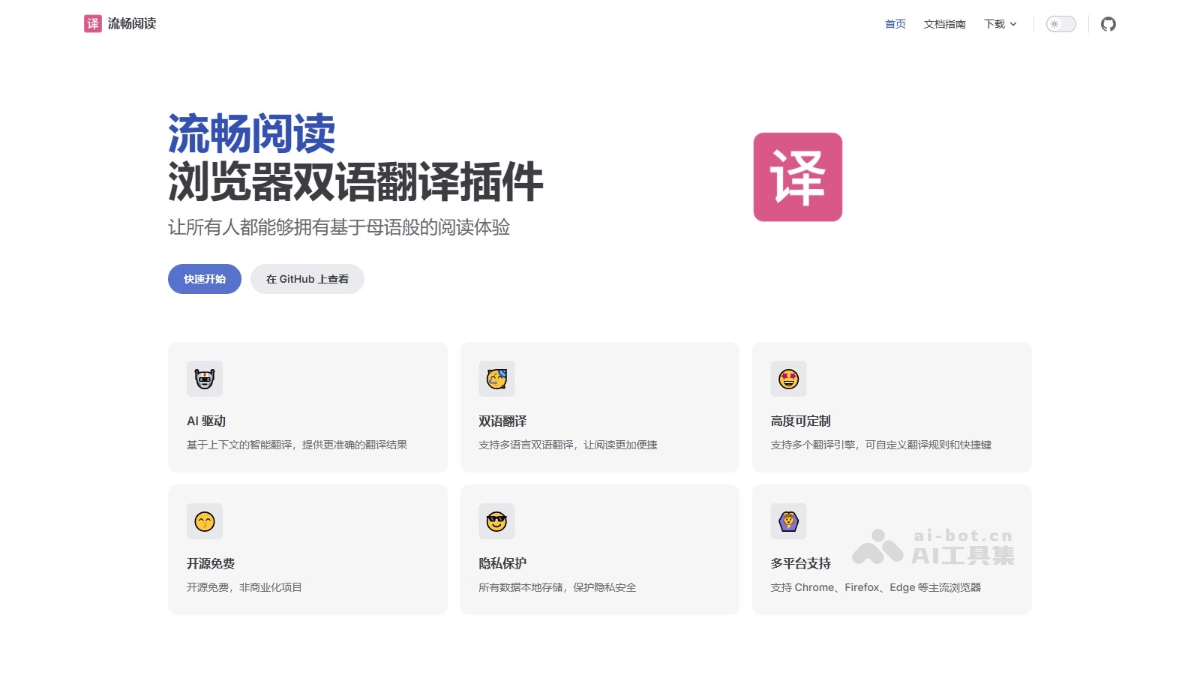
FluentRead (fluent reading): open source AI browser translation plug-in
FluentRead is not another document summarization tool, but a real-time translation layer built between the user and the foreign language webpage - it directly intercepts the page text on the browser side and uses 20+ translation engines to convert the foreign language content into a bilingual comparison view, solving the daily pain point of "having a headache when opening a foreign language webpage". Unlike the DeepL translation extension or the Google Translate built-in plug-in, FluentRead is differentiated in that it is open source and transparent, the engine can be freely mixed and matched, and all translation data only flows locally and does not go through a third-party server.
Core parameters and statistics
| Parameter item | Value |
|---|---|
| Product Type | Open Source Browser Translation Plug-in |
| Open Source License | GPL-3.0 |
| Project Start | ~2023 |
| Number of supported engines | 20+ (traditional machine translation + AI large model) |
| Supported browsers | Chrome, Firefox, Edge |
| Technology stack | TypeScript (55%), Vue (25.8%), JavaScript (16.7%) |
| GitHub Contributors | 17 |
| GitHub Issue | 116+ |
| Pricing model | Completely free (non-commercial project) |
| Data storage | Local browser storage, not uploaded to the server |
User and market recognition
After being open sourced under the GPL-3.0 license on GitHub, FluentRead has received organic spread among the developer community. So far, the project has gained a total of 17 contributors, and there have been more than 116 Issue discussions, covering feature requests, bug fixes and browser compatibility adaptations. Core user portraits include: technology developers and open source enthusiasts (who recognize the privacy protection concept of "open source + local storage"), multilingual content consumers (users who browse English technical documents, Japanese and Korean information on a daily basis), and language learners (who use bilingual comparison mode to read immersively in a foreign language context).
The project official has not announced the installation level of the plug-in store, but the GitHub Star historical curve and Issue activity indicate that FluentRead is a highly active project among similar open source translation plug-ins. Its "non-commercial, completely free" positioning has formed a reputation advantage in the community that is different from commercial translation expansion. FluentRead's README clearly pays homage to the open source spirit of Immersive Translate. Both have different functional focuses - FluentRead puts more emphasis on engine switchability and high customization.
Cost advantage
| Comparative dimensions | FluentRead | Commercial translation extensions (e.g. DeepL, Microsoft Translator) |
|---|---|---|
| Usage fee | Free | Free version has character/function restrictions, Pro version $8-30/month |
| Translation engine | User-selected (with API Key or default engine) | Fixed engine, cannot be switched |
| Data privacy | Completely local storage | Data is processed on the server side |
| Degree of customization | Completely open source and can be modified by yourself | Only limited configuration items are provided |
| Commercial use | GPL-3.0 constraints, compliance required | Enterprise version requires separate agreement |
Developer/API layer: FluentRead itself does not provide an independent API, but users can connect to any third-party translation API (such as OpenAI, DeepSeek, SiliconCloud, etc.) through a multi-engine architecture. The translation cost is completely determined by the engine selected by the user. If the user provides his or her own API Key, the marginal cost of translation only depends on the engine's pricing, and FluentRead does not charge any intermediate fees.
Enterprise/privatization layer: Since the project is completely open source, enterprises can Fork the code for self-deployment and secondary development, and only need to comply with the GPL-3.0 agreement. For teams that need a custom translation engine or privatized data pipeline, this is a more flexible and long-term cost-controllable option than purchasing commercial translation extensions.
Hidden costs: AI engine translation requires users to bear API fees and configuration complexity, and there is a certain threshold for non-technical users.
Main functions
- 20+ translation engines free to switch: Supports traditional and AI large model engines such as Microsoft Translate, Google Translate, DeepL Translate, OpenAI, DeepSeek, Kimi, SiliconCloud, and Ollama. Users can freely choose to switch based on their translation quality preferences and budget.
- Bilingual comparative display: The translation is displayed in a floating layer above, below or to the side of the original text, and the original text and the translation are aligned paragraph by paragraph or sentence by sentence. Especially suitable for language learning scenarios.
- Word Translation: After selecting the text on any page, the translation result pop-up window will pop up immediately, and one-click copy of the translation is supported. Shorten the "select→translate→understand" process to one mouse operation.
- Full Text Translation: Trigger full web page translation with one click through the floating ball. All text is directly replaced with the translated text within the page while retaining the original text structure. You can switch engines at any time during the translation process.
- Privacy Protection: All translation data is only saved in the user's local browser storage, and the code is completely open source and transparent. Translation requests are processed directly by the user-selected engine, without passing through the FluentRead intermediary server.
Model and version evolution
| Version | Time | Major Changes |
|---|---|---|
| v0.1 (initial version) | ~2023 | Basic translation framework construction, supporting single-engine translation and simple bilingual display |
| v0.0.18 | ~2025-02 | Multi-engine switching, word translation and full-text translation, UI is initially formed |
| v0.0.23 | ~2025-08 | Customized shortcut keys, optimized floating ball interaction, dark theme adaptation, technology stack migration to TypeScript + Vue |
The version iteration rhythm is mainly driven by community needs, and there is no fixed release schedule. Core evolution direction: translation engine expansion (from the initial 5-6 to 20+), interactive experience refinement, and browser compatibility enhancement.
Technical advantages
- Browser extension technology: page DOM text extraction and replacement through Content Script injection. The translation results are rendered using non-intrusive UI components (floating layers, bubbles, inline replacement) without affecting the original layout of the page.
- Multi-engine unified adaptation layer: Abstracts the API differences of 20+ translation engines into a unified interface. Users do not need to care about the authentication method, request format and response structure of each engine when switching engines.
- Context-aware translation: For AI large model engines, the context of the paragraph is sent together when building the translation prompt, so that the model can make more accurate translation decisions based on the context.
- Local-first data flow: All user configuration and translation cache are stored locally in the browser (localStorage/IndexedDB), no server-side storage. Translation requests are handled directly by the engine of the user's choice.
How to use
| Browser | Installation portal |
|---|---|
| Chrome | Chrome App Store Search "FluentRead" |
| Edge | Edge add-on store search "FluentRead" |
| Firefox | Firefox add-on store search "FluentRead" |
| All browsers | Visit https://fluent.thinkstu.com/ for direct links to each store |
Typical usage path: Install the plug-in → Configure the default translation engine (the free engine is ready to use, the AI engine needs to fill in the personal API Key) → Set the target language → Start using (full-text translation, word translation, engine switching) → Advanced customization (display style, shortcut keys, exclusion rules).
Product Pricing
| Project | Description |
|---|---|
| Plug-in body | Free, no usage restrictions |
| Free engines (Microsoft, Google, etc.) | Ready-to-use, zero cost |
| AI engine (OpenAI, DeepSeek, etc.) | Users need to bring their own API Key, and the fee will be charged directly by the engine |
| Commercial use | GPL-3.0 open source agreement, enterprises must abide by the terms of the agreement |
For users who want to translate using AI models, the overall cost depends on the chosen engine pricing. Taking the DeepSeek API as an example, the input price is about ¥0.5/million tokens, and the monthly cost of translating 100,000 words per day is usually on the order of ¥10-50.
Application scenarios
- Technical Document Reading: When developers browse English technical blogs, API documents, and Stack Overflow, they can use bilingual comparison mode to quickly locate key information. Verification method: Compare the reading time of a single document before and after use.
- Academic Literature Research: When graduate students and scientific researchers read English papers, full-text translation can quickly understand the structure of the article, and bilingual comparison ensures that the understanding of key paragraphs is not distorted due to translation deviations. Verification method: Comparison of literature screening efficiency.
- Multi-language information acquisition: When news analysts and social media operators track global information, they can read it directly from foreign language websites. Verification method: Daily changes in information intake.
- Language Learning Assistance: Foreign language learners set up bilingual comparison mode to browse the target language website and naturally accumulate vocabulary in the context. Verification method: Accumulation of new words and changes in reading speed.
- Cross-border business communication: Foreign trade practitioners should take into account both reading efficiency and understanding accuracy when browsing foreign language product pages and industry forums.
Applicable people
- Developers and technical practitioners: Read a lot of English technical materials on a daily basis and have high requirements for open source transparency and customizability.
- Language Learners: In need of an immersive reading environment, bilingual comparison mode and shortcut key operation become a three-in-one solution of "reader + translator + learning tools".
- Information and Content Practitioners: New media operations, market research, competitive product analysis and other positions. Full-text translation reduces the reading time of a single foreign language article from 15-20 minutes to 3-5 minutes.
- Academic Researchers: Teachers and students of universities who need to frequently read foreign literature. The privacy protection feature is particularly important for confidential scientific research projects.
- Unfit Boundary: Professional scenarios with extreme requirements on translation quality (such as legal contract translation, accurate translation of medical documents) - AI translation still has the risk of illusion and ambiguity, and key translations must be manually reviewed; environments that require offline use and cannot accept external API dependencies.
Summary and Outlook
FluentRead has found a differentiated positioning in the browser translation plug-in market through the three pillars of "open source + free switching between multiple engines + local privacy protection". It doesn't try to replace desktop apps like DeepL or Google Translate, but instead focuses on removing the friction when browsing web pages in foreign languages - making translation part of the native browser experience rather than a jump to another tool.
Current limitations: (1) The project has not released an official Release version, and lacks a structured release process and update log; (2) AI engine translation requires users to bear API fees and configuration complexity, which has a certain threshold for non-technical users; (3) The plug-in store installation level and user rating data are not disclosed, and there is a lack of quantifiable reference for market adoption. Purchasing/Adoption Suggestions: Zero cost and zero risk for individual users - just uninstall if you are not satisfied with the installation and trial. Before adoption, enterprise teams need to evaluate the compliance requirements of the GPL-3.0 agreement and whether a private translation engine needs to be established to avoid data outbound risks of external APIs. It is recommended to give priority to piloting in non-sensitive scenarios, and then expand after confirming that the translation quality and operation and maintenance costs are acceptable.
Related tools:  Notion AI, google-workspace
Business process integration and ROI analysis
As a productivity tool for enterprises or professional positions, FluentRead's true value depends on the depth of integration with existing workflows and the quantifiable efficiency improvement effect. The following is a systematic analysis from three core dimensions.
System integration and data interoperability The ability to interoperate with existing business systems is a key prerequisite for productivity tools to be integrated into workflows. It is recommended to focus on evaluating the following integration dimensions: the openness and documentation quality of the RESTful/GraphQL API (whether a complete API reference and SDK examples are provided), the support scope of Webhook event notifications (which business event types are supported for automatic push), the number and depth of pre-built integrations with common collaboration SaaS tools (WeChat Enterprise, DingTalk, Feishu, Slack, Notion, Jira, etc.), and enterprise-level identity authentication support (SSO/SAML/OAuth and LDAP/AD directory integration). Products that lack integration capabilities are easily isolated into information islands, which in turn increases the cognitive cost and operational friction for teams to switch between different tools.
Efficiency Quantification and ROI Estimation Methodology Before purchasing decisions, it is recommended to quantify the input-output ratio through a structured method: Step 1, choose 3-5 Standardized tasks that are frequently repeated and time-consuming in each team are used as test samples; in the second step, the average time consumption of a single task before and after tool intervention, first-time pass rate or error rate, and the number of links requiring manual intervention are recorded under controlled conditions; in the third step, the saved manpower time is converted according to the comprehensive cost of the position (salary, benefits, management sharing), and soft benefits (increased employee satisfaction, standardization of work quality, and improvement in response speed to core business) are superimposed to obtain a comprehensive ROI estimate. It is recommended to continue tracking ROI trends on a monthly basis, as the value of a tool usually increases over time as team proficiency increases and workflows are optimized.
Phase-based implementation strategy and risk control It is recommended to adopt a three-stage implementation path of "pilot verification-gradual promotion-continuous optimization". In the pilot stage (1-2 weeks), a single team or a single business scenario is selected for small-scale verification. The core goal is to verify technical feasibility and user acceptance, and establish preliminary usage specifications and success standards; in the promotion stage (2-4 weeks), after the pilot verification is passed, the coverage is gradually expanded, and standardized activation processes and training materials are developed; in the optimization stage (continuous), the workflow configuration is continuously adjusted based on actual usage data and user feedback, and more high-value application scenarios are explored. Clear quantitative key result indicators should be set at each stage to avoid blindly expanding the scope of use without data support.
Version Info
- stable version :Added custom shortcut key function, optimized floating ball and mouse hovering shortcut key setting logic. There is no official precise release date yet.
- earlier version :The basic translation function is complete and supports multi-engine switching and bilingual display. There is no official precise release date yet.
- initial version :The initial version of the project lays the foundation for the translation framework. There is no official precise release date yet.
User Reviews