 Flux 2
Free
Flux 2
Free
Flux 2 is an AI image generation and editing model launched by Black Forest Labs that supports multi-image reference, 4MP high-resolution output and complex text rendering.
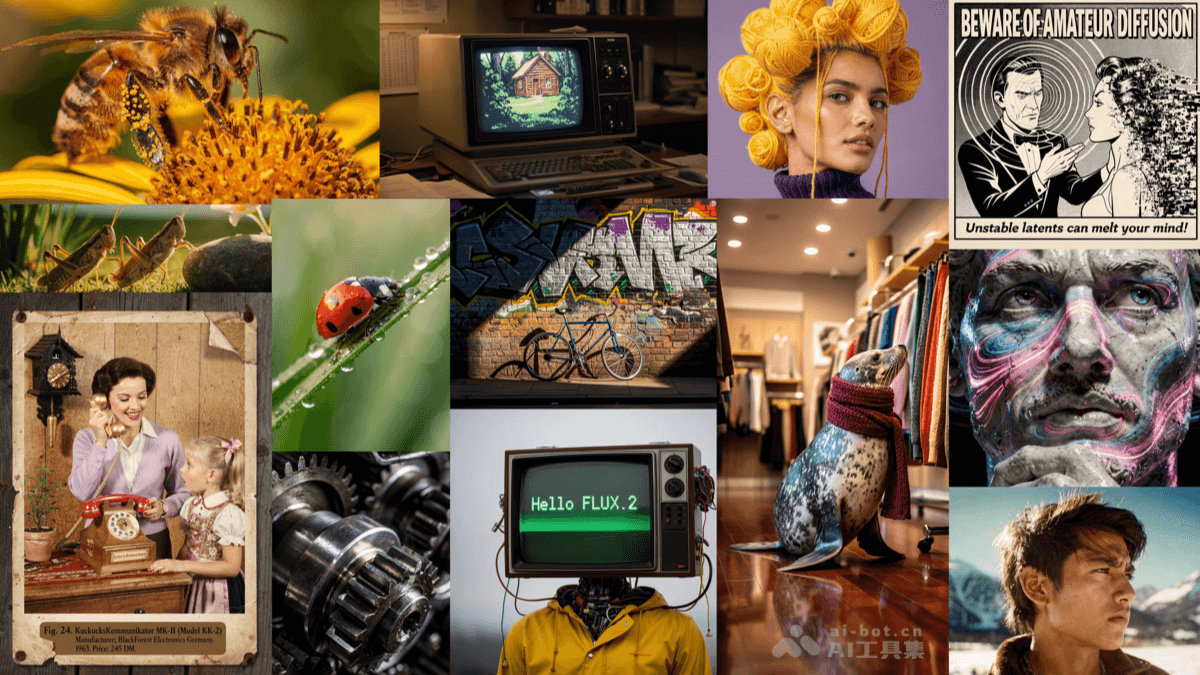
Flux2
Core parameters and statistics
Flux 2 is a cutting-edge AI image generation and editing model launched by Black Forest Labs, positioned as the next generation text-to-image generation engine. Its core differentiation lies in multi-image reference fusion, high-resolution output (up to 4MP) and complex text rendering capabilities. Flux 2 is available in multiple versions - Pro (highest quality), Flex (balance of speed and quality), Dev (developer friendly) and Klein (lightweight and fast), covering different levels of needs from professional creation to rapid prototyping.
| Project | Specifications |
|---|---|
| Product Name | Flux 2 |
| Category | ai-image |
| Delivery form | Web |
| Support Platform | Web |
| Supported languages | zh-CN, en-US |
| Target users | Designers, creative workers, AI art creators, developers |
| User scale | Undisclosed |
| Pricing model | Open source free / API pay-as-you-go / Enterprise quotation |
Platform coverage and user scale data are based on the official real-time page and third-party statistics.
User and market recognition
Gradually build user awareness in the field, and product capabilities are used by content creators and teams to improve work efficiency. Some industry users have incorporated it into their daily workflow. It is recommended to refer to the latest official disclosures for specific user scale and industry adoption rate data.
Cost advantage
| Cost Dimension | Description |
|---|---|
| Free version | Open source model is free to use (Dev/Klein version), supports local deployment and community resources |
| Subscription version | Pro/Flex version pays as you go through API, suitable for users who need high-performance inference in the cloud |
| Enterprise Edition | The Enterprise Edition provides privatized deployment, batch inference and dedicated support, with on-demand quotation |
Flux 2 provides an open source version for free self-deployment, and can be used at zero cost for teams with GPU resources. The cloud API solution is billed by volume, and the cost is controllable with the same output quality. The dual-track model of open source + cloud services allows users to flexibly choose according to actual needs.
Main functions
- Multi-picture reference generation: Supports simultaneous reference to multiple reference images to generate new images while maintaining subject consistency.
- 4MP high-resolution output: Directly generate images with a resolution of up to 4MP (approximately 2048×2048) without post-amplification.
- Complex Text Rendering: Accurately render Chinese and English text in generated images, supporting multi-line text and different font styles.
- Multi-version model selection: Pro/Flex/Dev/Klein four versions cover different usage scenarios.
- Image Editing and Repair: Supports partial image editing and content repair based on text commands.
Model and version evolution
| Version | Date | Key Changes |
|---|---|---|
| Latest version (v1.0 public beta version) | 2026-07-14 | Multi-image reference fusion, 4MP high-resolution output, complex text rendering |
| Previous version (v0.9) | 2026-06 | Early internal beta version, basic image generation |
Iterative directions for the model include more efficient inference speed, more accurate text rendering, and richer style control.
Technical advantages
- Multi-image reference fusion architecture: Through innovative attention mechanism design, the visual features of multiple reference images are processed simultaneously and merged into unified generation conditions.
- High-resolution native generation: Using efficient network structure design, generation training is performed directly on the native resolution.
- Text Rendering Enhancements: Achieve precise text positioning and rendering through the collaborative optimization of the text encoder and spatial guidance mechanism.
- Multi-version optimization strategy: Targeted quantification and pruning optimization of the model according to different usage scenarios.
How to use
| Entrance | How to use |
|---|---|
| Web client (BFL platform) | Visit bfl.ai → Select Flux 2 → Enter prompt word → Upload reference image (optional) → Generate and download |
| Local deployment | Download model from HuggingFace/GitHub → Configure environment → Run inference |
| API | Get API Key → Call inference interface → Get generated results |
The open source version runs locally and the cloud API does not require a GPU. Typical process: select version → enter prompt word → configure parameters → generate → filter results.
Product Pricing
| Package | Price | Contents |
|---|---|---|
| Free version | $0 | Free download and use of open source model (Dev/Klein), you need to bring your own GPU |
| Professional Edition | — | Cloud API pay-as-you-go (Pro/Flex), including high-priority inference |
| Enterprise Edition | — | Private deployment + batch inference + dedicated technical support |
The open source version can be used at zero cost but requires your own GPU resources. The cloud API is suitable for users who don't have a GPU or need high-performance inference.
Application scenarios
- Creative Design and Advertising Production: Use the multi-image reference function to quickly generate brand visual materials. Deduction effect: From concept to first draft shortened from hours to minutes.
- E-commerce product image generation: Use multi-image reference and text rendering to generate product display images containing product information.
- Game and Film Concept Design: Generate high-resolution concept scenes and first drafts of character designs.
- Educational Science Illustrations: Generate teaching illustrations and infographics containing annotated text.
Applicable people
- Digital Artists & Designers: Creative workers who require high-quality image generation and precise control.
- AI Research and Developers: Researchers who need open source models for secondary development and experiments.
- Content Creator: Self-media operators who need to quickly generate images and visual materials.
- Unsuitable Adaptation Boundary: Manual review is required when there are strict compliance requirements for generated images; the open source version requires certain technical capabilities to be deployed.
Summary and Outlook
It provides competitive solutions in its field, and its core value lies in lowering the threshold for AI use in this field.
Current limitations: Some advanced features require paid subscription, and the free version has function or usage restrictions; specific technical details and performance benchmarks have not yet been fully disclosed.
Related tools:  Midjourney, stable-diffusion
Comparison of competing products
| Contrast Dimensions | Flux 2 | Stable Diffusion 3.5 | DALL·E 4 |
|---|---|---|---|
| Core differences | Multi-image reference fusion + 4MP native high resolution | — | — |
| Price | Open source free / API by volume | — | — |
| Covered scenes | Professional-grade image generation and editing | — | — |
| User evaluation | Active open source ecosystem and leading quality | — | — |
| Technical threshold | Medium, requiring certain technical capabilities | — | — |
Version Info
- Public beta version :It is currently a publicly accessible version, and feature updates are subject to the official website.
- earlier version :An early trial version, the core direction is consistent with the current version.
User Reviews