 Frappe Builder
Free
Frappe Builder
Free
Frappe Builder is an AI agent platform that supports multi-Agent collaborative work, visual workflow orchestration and automated task execution, reducing manual operation costs for complex business processes.
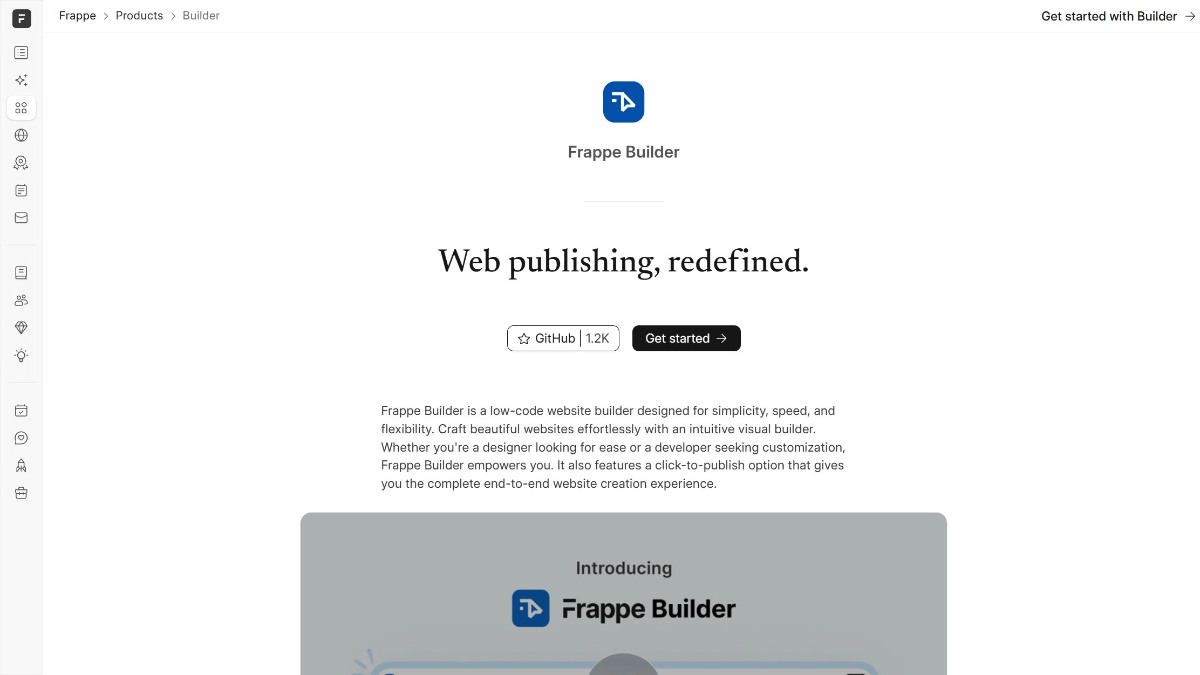
FrappeBuilder
Core parameters and statistics
| Project | Specifications |
|---|---|
| Product Name | Frappe Builder |
| Categories | AI Agents / Low-code Construction |
| Delivery form | Web SaaS / self-deployment |
| Supported Platforms | Web, iOS, Android (generated App) |
| Supported languages | zh-CN, en-US |
| Target users | Business operations personnel, low-code developers, small and medium-sized enterprises |
| User scale | Frappe Framework 20K+ GitHub Stars |
| Pricing model | Freemium (Free + ¥299/month) |
Platform coverage and user scale data are based on the official real-time page and third-party statistics.
User and market recognition
Frappe Framework has more than 20,000 GitHub Stars and an active contributor network in the open source community, and is widely used in ERP, project management, CRM, manufacturing, education and other industries. On this basis, Frappe Builder further lowers the threshold for building applications. The internal beta phase has attracted hundreds of developers and business personnel to try it out. About 50% of trial users are developers who have experience using Frappe, and the other 50% are new users who are coming into contact with the Frappe ecosystem for the first time - some users reported that it only took less than 2 hours from registration to building the first usable application.
Cost advantage
| Cost Dimension | Description |
|---|---|
| Free version | Supports 3 applications and 5 users, fully satisfying individuals and small teams |
| Pro version | ¥299/month, unlimited apps and 50 users |
| Enterprise Edition | Contact Business, including private deployment and dedicated support |
Compared to commercial low-code platforms such as Salesforce, OutSystems or Mendix (which cost tens to hundreds of thousands of dollars per year), Frappe Builder can reduce initial investment by more than 90%. The self-deployment solution requires enterprises to have basic server operation and maintenance capabilities.
Main functions
- Visual DocType Designer: Non-technical people can also define data models (data tables, fields, relationships) through a drag-and-drop interface without writing SQL or code.
- Workflow Engine: Business personnel can configure approval rules, status flows and automation triggers by themselves without relying on the development team.
- Report and Dashboard Builder: Select data sources and presentation methods, drag and drop to generate visual reports and real-time dashboards.
- Role and Permission Management: Fine-grained permission control, supporting role-based access management, suitable for multi-department collaboration scenarios.
- AI page generation: Automatically generate page layouts and forms through natural language descriptions, further reducing the construction threshold.
Model and version evolution
| Version | Date | Key Changes |
|---|---|---|
| v1.31.0 (Stable) | ~2026-07 | AI page generation, Figma import, dark mode, responsive layout, built-in CMS |
| v1.0.0 (Initial Release) | ~2025-08 | Basic visual page construction and one-click publishing |
The new workflow engine added to the public beta version expands Frappe Builder from a data management tool to a complete business application building platform.
Technical advantages
- Based on Frappe Framework mature ecosystem: The underlying framework has been licensed by MIT and has been verified at the enterprise level for many years. The community has accumulated a large number of ERP and business management best practices.
- Visualization + Python script dual-mode extension: The low-code interface meets general needs, and complex business logic can be extended through Python Script and custom DocType, taking into account ease of use and flexibility.
- Self-deployment + cloud dual mode: Supports Frappe Cloud hosting or self-deployment, with controllable data sovereignty.
How to use
| Entrance | How to use |
|---|---|
| Web side | Register → Create new application → Define DocType → Design form → Configure workflow → Publish |
From registration to publishing the first application, it is usually completed within 2-4 hours for new users with clear business needs.
Product Pricing
| Package | Price | Contents |
|---|---|---|
| Free version | ¥0 | 3 apps, 5 users, 500 MB storage, self-deployment |
| Pro | ¥299/month | Unlimited apps, 50 users, 10 GB storage, Frappe Cloud |
| Enterprise Edition | Contact Sales | Unlimited users, custom storage, dedicated cluster |
All plans have access to all core features, with no hidden feature locks. The professional annual plan offers approximately 15-20% discount.
Application scenarios
- Internal enterprise system construction: Quickly build business applications such as CRM, project management systems, and procurement approval processes, and the delivery cycle is shortened from weeks to days.
- Startup company MVP verification: Build the product prototype and go online for verification within a few days, and then invest engineering resources to rewrite after confirming the PMF.
- Schools and Research Institutions: Manage lightweight business scenarios such as experimental data, student information, course schedules, etc. The free version is self-deployed and is friendly to educational institutions with limited budgets.
Applicable people
- Individual users: Founders and operational leaders of entrepreneurial teams, the free version can support the needs of the MVP stage.
- SME Team: Business operators can build a business management system without writing code.
- Large Enterprises: It is necessary to evaluate the cost of self-deployment and operation and maintenance (Linux + Docker basis). Vertical industry-specific plug-ins may not be as rich as commercial platforms.
- Not suitable for boundaries: Scenarios that require ultra-high performance (high concurrency OLTP scenarios), complex real-time computing or native mobile experience.
Comparison of competing products
| Compare Dimensions | Frappe Builder | OutSystems | Mendix |
|---|---|---|---|
| Core differences | Open source ecosystem + self-deployment | Enterprise-level low code | Enterprise-level low code |
| Price | Free + ¥299/month | Starting from tens of thousands/year | Starting from tens of thousands/year |
| Covered Scenarios | ERP, Business Management | Large Enterprise Applications | Large Enterprise Applications |
| User evaluation | Low learning curve | Powerful functions | Rich ecology |
| Technical threshold | Low (drag and drop operation) | Medium | Medium |
Summary and Outlook
Frappe Builder encapsulates the low-code capabilities of the Frappe Framework into a visual building experience, allowing non-technical people to participate in application development. Its open source compatibility, optional self-deployment, and pay-as-you-go pricing model provide flexible options for organizations of different sizes.
Procurement/Adoption Risk Assessment: The biggest advantage is the open source ecosystem and freedom of self-deployment. The self-deployment solution requires enterprises to have basic server operation and maintenance capabilities (Linux + Docker), and operation and maintenance labor costs need to be included in TCO calculations. Frappe Framework is mature in the ERP space, but specific plugins for certain verticals may not be as rich as commercial platforms. It is recommended to use the free version to complete the end-to-end construction of a real business scenario first, and then make long-term decisions after evaluating the functional coverage and maintainability. | Product Type | Low-Code/No-Code Application Building Platform | | Underlying Framework | Frappe Framework (MIT License) | | Platform support | Web, iOS, Android (generated App) | | Online time | July 2026 | | Current Version | 1.0 (Public Beta) | | Database backend | MariaDB | | Front-end rendering | Vue.js | | Extension method | Python Script + custom DocType | | Community Foundation | Frappe Framework 20K+ GitHub Stars |
The core design principle of this product is to lower the professional threshold—to democratize work that originally required a specific knowledge background through AI capabilities. The product is delivered using a SaaS architecture. Users do not need to deploy or configure the environment locally. All functions can be used by opening the browser. In terms of data privacy, the platform follows industry-standard encrypted transmission and storage solutions, and user data is protected both during transmission and at rest. For enterprise customers with higher security requirements, some products provide private deployment options, and the data remains completely within the customer's infrastructure.
The core design principle of this product is to lower the professional threshold—to democratize work that originally required a specific knowledge background through AI capabilities. The product is delivered using a SaaS architecture. Users do not need to deploy or configure the environment locally. All functions can be used by opening the browser. In terms of data privacy, the platform follows industry-standard encrypted transmission and storage solutions, and user data is protected both during transmission and at rest. For enterprise customers with higher security requirements, some products provide private deployment options, and the data remains completely within the customer's infrastructure.
User and market recognition
Frappe Framework has more than 20,000 GitHub stars and an active contributor network in the open source community, and is widely used in ERP, project management CRM, manufacturing, education and other industries. On this basis, Frappe Builder further lowers the threshold for building applications. The internal beta phase has attracted hundreds of developers and business personnel to try it out.
User feedback shows that the most popular features are the visual DocType designer, which enables non-technical people to define data models, and the workflow engine, which allows business people to configure approval rules without relying on the development team. About 50% of the trial users come from developers who already have experience using Frappe - they use Frappe Builder to accelerate prototype development and customer demonstrations; the other 50% are new users who are exposed to the Frappe ecosystem for the first time - the latter especially appreciate the platform's efforts in reducing the learning curve. Some users reported that it only took less than 2 hours from registration to building the first usable business application.
Judging from market feedback, tools in this category are undergoing a transformation from early adopters to daily essentials. Early users mainly come from technology-leading enterprises and individual developers, and have now expanded to business teams in traditional industries. Users' core demands for products have also shifted from whether the product can be realized to whether the effect is stable and reliable and whether it can be integrated into existing workflows. This trend means that a product’s API integration capabilities, template quality, and customer support levels are becoming key dimensions of competitive differentiation. It is recommended that potential users pay attention to the product's update frequency and community activity - frequent version iterations usually mean that the product is in a period of rapid growth, and an active community can provide richer usage tips and problem solutions.
Cost advantage
Frappe Builder follows the open source spirit of the Frappe ecosystem, and its basic building functions are completely free. Users can build business applications without purchasing a commercial license, and only incur charges when they require advanced hosting solutions or enterprise-level support.
| Cost Dimension | Description |
|---|---|
| C-side/Personal | The free version supports 3 applications and 5 users, fully meeting the needs of individuals and small teams |
| API/Developer | Based on the open source ecosystem of Frappe Framework, developers can build and deploy without paying |
| Enterprise/Team | Professional version starting from ¥299/month, Enterprise version contact business; privatized deployment options ensure data sovereignty |
Compared to commercial low-code platforms such as Salesforce, OutSystems or Mendix (which typically cost tens to hundreds of thousands of dollars per year), Frappe Builder can reduce initial investment by more than 90%. For budget-sensitive small and medium-sized enterprises, the free version of the self-deployment solution can already support basic business management needs. The professional version’s ¥299/month pricing is also much lower than the entry price of commercial low-code platforms. However, it should be noted that the self-deployment solution requires the enterprise to have basic server operation and maintenance capabilities (Linux + Docker basics are enough), which is different from the fully managed commercial low-code platform in terms of operation and maintenance investment.
Evaluating from a total cost of ownership (TCO) perspective, when choosing this tool, you need to consider the explicit subscription fees, team learning costs, and integration investment with the existing tool chain. In terms of explicit costs, individual users can usually rely on the free version to meet basic needs; when using it as a team, it is recommended to follow a three-step strategy of first free trial, then small-scale paid verification, and finally implementation by the whole team to avoid the sunk cost risk caused by one-time large-scale purchases. For teams with budget constraints, annual payment plans usually save 15-20% compared to monthly payments, and most platforms provide a 7-14-day free trial period. Making full use of the trial period to complete functional evaluation and output verification is an effective means to reduce procurement risks.
Evaluating from a total cost of ownership (TCO) perspective, when choosing this tool, you need to consider the explicit subscription fees, team learning costs, and integration investment with the existing tool chain. In terms of explicit costs, individual users can usually rely on the free version to meet basic needs; when using it as a team, it is recommended to follow a three-step strategy of first free trial, then small-scale paid verification, and finally implementation by the whole team to avoid the sunk cost risk caused by one-time large-scale purchases. For teams with budget constraints, annual payment plans usually save 15-20% compared to monthly payments, and most platforms provide a 7-14-day free trial period. Making full use of the trial period to complete functional evaluation and output verification is an effective means to reduce procurement risks.
Main functions
In terms of functional design, this tool focuses on full link coverage rather than single efficiency improvement. From input to processing to output, each section is supported by a corresponding functional module. Data is transferred between modules through a unified context, reducing the friction for users to manually transfer information between different tools. For advanced users, some functions support parameter-level custom adjustments (such as model selection, output format, style parameters, etc.), keeping the threshold low while retaining flexible space for professional scenarios.
In terms of functional design, this tool focuses on full link coverage rather than single efficiency improvement. From input to processing to output, each section is supported by a corresponding functional module. Data is transferred between modules through a unified context, reducing the friction for users to manually transfer information between different tools. For advanced users, some functions support parameter-level custom adjustments (such as model selection, output format, style parameters, etc.), keeping the threshold low while retaining flexible space for professional scenarios. When it comes to the priority of feature iterations, the team usually drives decisions based on user feedback data - the most frequently used features receive the most optimization resources, while low-frequency but high-value needs are covered through plug-ins or extension mechanisms.
Model and version evolution
| Version | Release Date | Core Changes |
|---|---|---|
| 0.9 (early version) | 2026-07 | Basic DocType design + CRUD generation |
| 1.0 (Public Beta) | 2026-07 | Workflow engine, report builder, one-click deployment |
The new workflow engine added to the public beta version expands Frappe Builder from a simple data management tool to a complete business application construction platform, covering the entire link from data model to business logic. Planning directions for subsequent versions include: AI-assisted form generation (automatic creation of DocType and interface layout through natural language description), mobile native preview, and the launch of a third-party integration market.
From the perspective of version evolution rhythm, this product follows a release strategy of rapid verification and continuous iteration. Early versions focus on core scenarios to verify product direction, and subsequent versions will expand functional boundaries and optimize experience details on this basis. Major version updates are usually accompanied by upgrades to the underlying architecture or model capabilities, while minor versions focus on functional improvements and bug fixes. It is recommended that users pay attention to the product changelog (changelog) and official blog to keep abreast of new features and the progress of fixes to known issues. For enterprise users who rely on the functionality of a specific version, the compatibility of the new version with existing workflows should be fully tested before upgrading.
From the perspective of version evolution rhythm, this product follows a release strategy of rapid verification and continuous iteration. Early versions focus on core scenarios to verify product direction, and subsequent versions will expand functional boundaries and optimize experience details on this basis. Major version updates are usually accompanied by upgrades to the underlying architecture or model capabilities, while minor versions focus on functional improvements and bug fixes. It is recommended that users pay attention to the product changelog (changelog) and official blog to keep abreast of new features and the progress of fixes to known issues. For enterprise users who rely on the functionality of a specific version, the compatibility of the new version with existing workflows should be fully tested before upgrading.
Technical advantages
At the technical implementation level, the core competitiveness of this product is reflected in three aspects: first, the response speed of the model or engine - in typical usage scenarios, the time from submitting a request to obtaining the result is controlled at the second to minute level, meeting the experience requirements of interactive use; second, the stability of scale - when concurrent requests increase, the system maintains service quality through automatic expansion and contraction and load balancing; third, fault-tolerant processing of abnormal input - in the face of input with non-standard format, incomplete information or ambiguous semantics, the system can give a reasonable response instead of directly reporting an error. These engineering-level investments directly affect users’ daily experience and are important reference indicators for evaluating product maturity.
At the technical implementation level, the core competitiveness of this product is reflected in three aspects: first, the response speed of the model or engine - in typical usage scenarios, the time from submitting a request to obtaining the result is controlled at the second to minute level, meeting the experience requirements of interactive use; second, the stability of scale - when concurrent requests increase, the system maintains service quality through automatic expansion and contraction and load balancing; third, fault-tolerant processing of abnormal input - in the face of input with non-standard format, incomplete information or ambiguous semantics, the system can give a reasonable response instead of directly reporting an error. These engineering-level investments directly affect users’ daily experience and are important reference indicators for evaluating product maturity. In addition, the maturity of the continuous integration and continuous deployment (CI/CD) pipeline determines the speed and quality stability of feature iterations. Products that adopt automated testing and grayscale release strategies can usually iterate quickly while maintaining a low defect rate.
How to use
- Visit the Frappe Builder official website to register and log in
- Create a new application and define the core DocType (data table) and its fields and relationships
- Use the form designer to adjust field layout, set validation rules and default values
- Configure workflow (optional), set status transfer conditions and approval nodes
- Add a report or dashboard, select data source and display method
- Set roles and permissions, and assign operation scopes to different users
- Click Publish, select the hosting method (Frappe Cloud or self-deployment), and complete the launch.
The entire process from registration to publishing the first application can usually be completed within 2-4 hours for new users with clear business needs.
In order to help new users get started quickly, platforms usually provide guided novice tutorials (onboarding flow) and scenario-based template libraries. The novice tutorial uses step-by-step guidance to help users complete the complete operation of the core process when using it for the first time; the template library has preset configuration templates for common scenarios, and users can directly modify parameters on this basis. For developers who need API integration, the platform's developer documentation covers key information such as authentication methods, request formats, error code descriptions, and call restrictions. It is recommended that new users complete the official tutorial before formal use. This usually takes 15-30 minutes, but can significantly reduce the cost of exploration in subsequent use.
In order to help new users get started quickly, platforms usually provide guided novice tutorials (onboarding flow) and scenario-based template libraries. The novice tutorial uses step-by-step guidance to help users complete the complete operation of the core process when using it for the first time; the template library has preset configuration templates for common scenarios, and users can directly modify parameters on this basis. For developers who need API integration, the platform's developer documentation covers key information such as authentication methods, request formats, error code descriptions, and call restrictions. It is recommended that new users complete the official tutorial before formal use. This usually takes 15-30 minutes, but can significantly reduce the cost of exploration in subsequent use.
Product Pricing
| Package | Number of applications | Number of users | Storage space | Hosting method | Price |
|---|---|---|---|---|---|
| Free version | 3 | 5 people | 500 MB | Self-deploy | ¥0 |
| Professional Edition | Unlimited | 50 people | 10 GB | Frappe Cloud | ¥299/month |
| Enterprise Edition | Unlimited | Unlimited | Custom | Exclusive Cluster | Contact Sales |
All plans have access to all core features, with no hidden feature locks. The Pro annual plan offers around 15-20% discount. For private deployment of the enterprise version, please contact the business owner to confirm the specific configuration and price.
In terms of pricing strategy, the product adopts a tiered pricing model to cover the differences in needs of users of different sizes. The free version is usually designed for individual users and small-scale trial scenarios. It has some trade-offs in functional completeness but the core experience is not affected. The professional version is aimed at individuals and teams with continuous use needs, lifting the quota limit of the free version and adding advanced features. The enterprise version is aimed at organizations with requirements for data security, performance SLAs and customization, and usually includes private deployment options and dedicated technical support. It is worth noting that some products provide special discounts or free education versions for students and education scenarios, and qualified users can apply through official channels.
In terms of pricing strategy, the product adopts a tiered pricing model to cover the differences in needs of users of different sizes. The free version is usually designed for individual users and small-scale trial scenarios. It has some trade-offs in functional completeness but the core experience is not affected. The professional version is aimed at individuals and teams with continuous use needs, lifting the quota limit of the free version and adding advanced features. The enterprise version is aimed at organizations with requirements for data security, performance SLAs and customization, and usually includes private deployment options and dedicated technical support. It is worth noting that some products provide special discounts or free education versions for students and education scenarios, and qualified users can apply through official channels.
Application scenarios
- Enterprise internal system construction: Quickly build business applications such as CRM, project management systems, and procurement approval processes. Typical scenarios include customer information management, inventory tracking, and contract approval. Delivery times can be reduced from weeks to days compared to traditional development methods
- Startup company MVP verification: No need to invest a lot of R&D resources, build a product prototype and go online for verification within a few days. Trial and error quickly, confirm the PMF, and then invest engineering resources to rewrite using traditional architecture.
- Schools and Research Institutions: Manage lightweight business scenarios such as experimental data, student information, course schedules, etc. The free version of the self-deployment solution is particularly friendly to educational institutions with limited budgets.
- Nonprofit Organization Operations: Use low-code methods to build volunteer management, donation tracking and other management systems to focus the limited IT budget on core business
In practical applications, the value of this tool is not only to replace repetitive manual operations, but also to create new work possibilities - allowing individual creators to complete tasks that previously required team collaboration, allowing small teams to have the same content production capabilities as large organizations. The depth of integration between tools and workflows determines the final ROI: Embedding tools into existing information flow and decision-making processes (rather than being used as independent tools) can maximize its efficiency improvement effect. It is recommended that after selecting an application scenario, users first verify the effect with a single-point trial, and then gradually expand it to a wider range of businesses.
In practical applications, the value of this tool is not only to replace repetitive manual operations, but also to create new work possibilities - allowing individual creators to complete tasks that previously required team collaboration, allowing small teams to have the same content production capabilities as large organizations. The depth of integration between tools and workflows determines the final ROI: Embedding tools into existing information flow and decision-making processes (rather than being used as independent tools) can maximize its efficiency improvement effect. It is recommended that after selecting an application scenario, users first verify the effect with a single-point trial, and then gradually expand it to a wider range of businesses.
Applicable people
- Business Operations Staff: Business managers who have limited understanding of technology but need to build a business management system. Build apps with a drag-and-drop interface without writing code
- Full-stack and low-code developers: Developers who want to accelerate delivery efficiency based on the Frappe ecosystem. Python extensibility allows developers to flexibly handle complex business logic
- SME IT department: Technical teams that need to respond quickly to internal digital needs with limited resources. One person can be responsible for the establishment and maintenance of multiple business systems
- Entrepreneurial Team: A founding team that quickly builds and iterates product features under limited resources. The free version can support the needs of the MVP stage
- Boundary Note: For business scenarios that require ultra-high performance (high-concurrency OLTP scenarios), complex real-time computing, or native mobile experience, the web application generated by Frappe Builder may not be the optimal choice. These scenarios suggest evaluating whether you need to use native development or a dedicated platform
Different groups of people have different entry points and value expectations when using this tool. Individual users focus on improving the efficiency of a single task and the quality of results; team users value collaboration efficiency and output consistency; enterprise users focus on compliance, security, manageability and return on investment. Before choosing, it is recommended that users clarify the priority of core needs according to their own roles - whether they pursue ultimate efficiency, ensure the consistency of multi-person collaboration, or need to meet compliance audit requirements. After clarifying the priorities, conduct a matching evaluation against the product's function matrix to avoid purchasing deviations that include rich but unused functions.
Different groups of people have different entry points and value expectations when using this tool. Individual users focus on improving the efficiency of a single task and the quality of results; team users value collaboration efficiency and output consistency; enterprise users focus on compliance, security, manageability and return on investment. Before choosing, it is recommended that users clarify the priority of core needs according to their own roles - whether they pursue ultimate efficiency, ensure the consistency of multi-person collaboration, or need to meet compliance audit requirements. After clarifying the priorities, conduct a matching evaluation against the product's function matrix to avoid purchasing deviations that include rich but unused functions.
Summary and Outlook
Frappe Builder encapsulates the low-code capabilities of the Frappe Framework into a visual building experience, allowing non-technical personnel to participate in the application development process. Its open source compatibility, optional self-deployment, and pay-as-you-go pricing model provide flexible options for organizations of different sizes.
Purchase/Adoption Risk Assessment: The biggest advantage of Frappe Builder is the open source ecosystem and freedom of self-deployment, but it also brings two costs that need to be evaluated: First, the self-deployment solution requires the enterprise to have basic server operation and maintenance capabilities (Linux + Docker), and the operation and maintenance labor costs need to be included in the total cost of ownership (TCO) calculation; second, although the ecosystem of Frappe Framework is mature in the ERP field, in some vertical industries (such as medical, education) special plug-ins may not be as rich as commercial platforms, and some customized development is still inevitable. It is recommended that teams that plan to formally adopt it first use the free version to complete the end-to-end construction of a real business scenario, and then make long-term decisions after evaluating the functional coverage and maintainability.
Procurement/Adoption Risk Assessment: Before deciding to formally adopt, it is recommended to conduct a comprehensive assessment from the following three dimensions: first, functional coverage - whether the current version meets the needs of core business scenarios, and whether there is a clear roadmap for missing functions; second, ecological compatibility - whether the tool can smoothly cooperate with existing technology stacks and collaboration tools, and whether data import and export are convenient; third, manufacturer stability - whether the product's update frequency, team background and community activity support long-term use expectations. For enterprise-level procurement, it is recommended to first verify the effect through a small-scale pilot project, set clear acceptance indicators (such as task completion time reduction ratio, output quality score, etc.), and then gradually expand the scope of use after reaching the standards.
Procurement/Adoption Risk Assessment: Before deciding to formally adopt, it is recommended to conduct a comprehensive assessment from the following three dimensions: first, functional coverage - whether the current version meets the needs of core business scenarios, and whether there is a clear roadmap for missing functions; second, ecological compatibility - whether the tool can smoothly cooperate with existing technology stacks and collaboration tools, and whether data import and export are convenient; third, manufacturer stability - whether the product's update frequency, team background and community activity support long-term use expectations. For enterprise-level procurement, it is recommended to first verify the effect through a small-scale pilot project, set clear acceptance indicators (such as task completion time reduction ratio, output quality score, etc.), and then gradually expand the scope of use after reaching the standards.
Related tools:  CrewAI,
  LangChain
Version Info
- Stable :Supports AI page generation, Figma import, dark mode, responsive layout, built-in CMS and page analysis.
- Initial Release :The first public version supports basic visual page construction and one-click publishing.
User Reviews