 Git Commander
Free
Git Commander
Free
Git Commander is a desktop Git graphical tool based on Electron. It provides core operations such as warehouse initialization, one-click upload, one-click pull, and clone warehouse, helping users who are not familiar with the command line to quickly manage code versions. Generated with AI assistance, it is aimed at Git beginners and those who need visual operation scenarios.
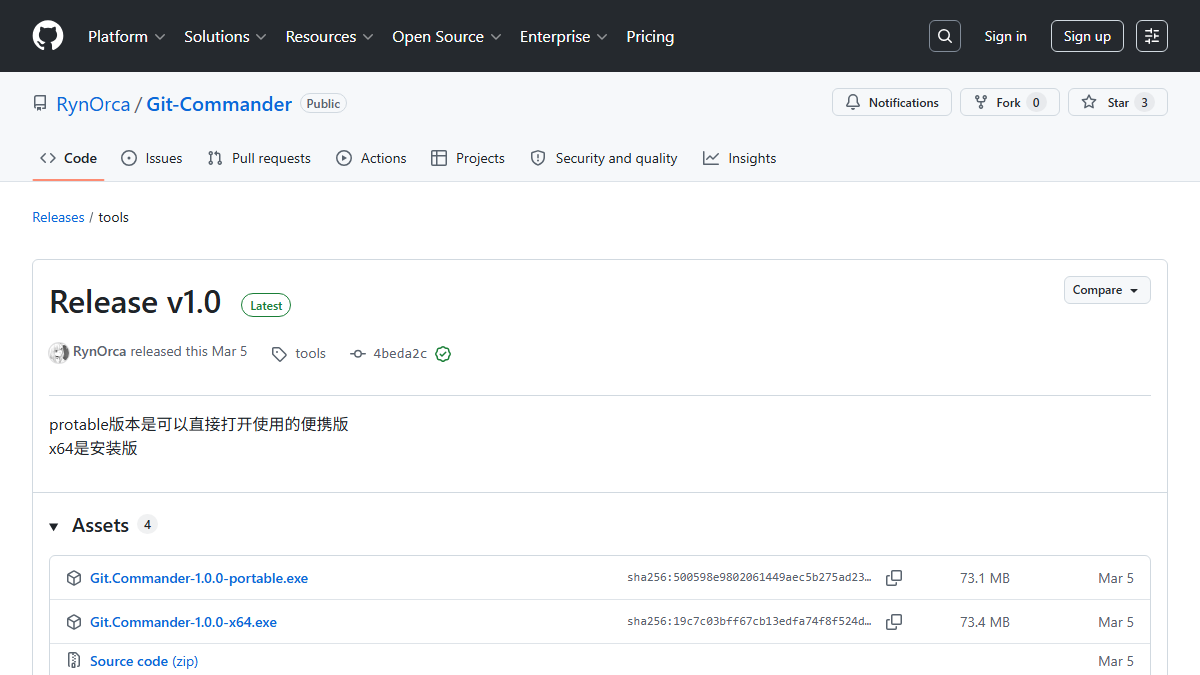
Git Commander: Desktop version of Git graphical tool
Core parameters and statistics
| Project | Details |
|---|---|
| Product Name | Git Commander |
| Product type | Git graphical client |
| Delivery Form | Desktop (Windows Desktop App) |
| Technology Stack | Electron / TypeScript / Vite |
| Package size | About 73 MB (portable version/installation version) |
| Supported languages | Chinese, English |
| Target users | Git beginners and developers who are not familiar with the command line |
| Price | Free and Open Source |
Git Commander is a lightweight desktop Git graphical client. Its core value lies in converting Git command line operations into visual interface interaction. Users do not need to remember commands such as git add, git commit, git push, etc., and can complete daily code version management by clicking a button. The project is generated with AI assistance, adopts Electron + TypeScript architecture, and is currently released for Windows platforms.
User and market recognition
Git Commander is released as open source on GitHub and currently has 3 stars. It is an early personal project. Target users are positioned as:
- Git Beginners: Students or novice developers who have just come into contact with version control and are not familiar with command line operations.
- GitHub light user: Does not use Git often, hopes to complete pull/submit/push operations with one click and lower the psychological threshold for each operation.
- Visual Preference Users: More accustomed to operating through a graphical interface rather than memorizing command parameters.
The project is a personal open source work, and there is currently no enterprise-level adoption data or third-party evaluation. For teams with strict Git workflow specifications (such as mandatory integration of Git Flow and Code Review), it is recommended to use it after evaluating the functional coverage.
Cost advantage
| Cost Dimension | Description |
|---|---|
| Personal use | Completely free and open source, the GitHub repository provides source code and Release downloads |
| Commercial use | Open source project, subject to the warehouse license terms |
| Comparing competing products | Compared with Sourcetree (free), GitKraken (paid subscription), and GitHub Desktop (free), Git Commander focuses on minimalist interaction and AI-assisted generation features |
The cost advantage of Git Commander is zero cost + open source and customizable. For personal study and small team use, there are no licensing fees. Compared to commercial Git GUIs such as GitKraken, which cost hundreds of dollars per year, Git Commander's free features are more attractive to individual developers with limited budgets. However, it should be noted that the project is maintained by individuals, and there is no commercial guarantee for update frequency and service continuity.
Main functions
- One-click upload: Automatically complete the entire process of
git add → git commit → git push. Users only need to fill in the warehouse URL and local directory to push the code. - One-click pull: Pull the latest code from the remote warehouse and merge it automatically, eliminating the need to enter the
git pullcommand. - One-click acquisition: Only obtain the remote update status, without merging, for users to review the differences and decide on the operation.
- Initialize repository: Create a new Git repository in the local directory and support association with GitHub remote repository.
- Clone repository: Copy the repository from GitHub to the local specified directory.
- Submit changes: Submit local modifications to the local warehouse and do not push them to the remote yet.
- Operation Log: Record every step of the operation process in real time to facilitate problem tracing and understanding of Git workflow.
- Smart Tips: Built-in usage guides and solutions to common problems, lowering the learning threshold.
Expert View: The core synergy of Git Commander is "one-click upload" that merges three independent commands (add/commit/push) into a single operation, which greatly reduces the cognitive load of Git. For newcomers who are not familiar with the three-area concept of Git (workspace/staging area/warehouse), this "black box" operation eliminates the fear of choice. But on the other hand, it also blocks the flexibility and fine-grained control of Git - for example, the inability to individually select temporary files, the inability to review diffs before commit, and is suitable for personal projects rather than standard team collaboration.
Model and version evolution
| Version | Release Date | Key Changes |
|---|---|---|
| v1.0 | 2026-03-05 | The first public version, supporting core Git operations (initialization, cloning, one-click upload, one-click pull, commit changes) |
Git Commander currently only releases v1.0. Judging from the warehouse submission history, the project is in its early stages and is mainly maintained by individuals. The subsequent function update rhythm will be subject to the dynamics of the GitHub warehouse.
Technical advantages
- Electron cross-platform architecture: Built based on the Electron framework, technically supporting Windows/macOS/Linux multi-platforms. Currently, only the Windows installation package and portable version are released, and the macOS/Linux version needs to be built from source code.
- TypeScript full stack: TypeScript is used uniformly on the front and back ends, making the code type safe and reducing runtime error rates. The project structure is clear (Vite + Electron + TypeScript), making it easier for community contributors to participate in development.
- AI-assisted generation: The project code is generated with AI assistance, which verifies the feasibility of AI in desktop application development. For developers who want to learn "how to use AI to generate complete desktop applications", Git Commander itself is a runnable reference case.
- Zero configuration startup: Download the portable version and use it directly. There is no need to install Node.js or Git. It can be used immediately after decompression, lowering the threshold for use.
How to use
| Entrance | Description |
|---|---|
| GitHub Releases | Download Git.Commander-1.0.0-portable.exe (portable version) or Git.Commander-1.0.0-x64.exe (installation version) |
Typical process:
- Visit GitHub Releases page to download the portable version or installation version
- Start the application, fill in the GitHub warehouse URL and select the local working directory
- For the new warehouse: click "Initialize Warehouse" → "One-click Upload"
- For existing warehouses: click "One-click Pull" before starting work → click "One-click Upload" or "Submit Changes" after modifying the code
- Check the execution results through the operation log
Getting started: Make sure you have a GitHub warehouse address and a local Git environment before using it. The portable version requires no installation and is suitable for use on mobile devices such as USB flash drives.
Product Pricing
Git Commander is completely free and open source. All features are unlimited and there are no paid version plans.
| Version | Price | Rights |
|---|---|---|
| v1.0 Portable version | Free | All functions + No installation required, just unzip and use |
| v1.0 installation version | Free | All features + standard Windows installation experience |
Hidden Cost Description:
- The project is maintained by individuals as open source, without commercial team support and no SLA guarantee.
- If you need customized functions or enterprise-level support, you need to fork the source code yourself or contact the author for negotiation.
Application scenarios
- Git novice learning (dimensionality reduction attack scenario): Students or developers who are new to Git can intuitively understand the operation process and corresponding relationship of add/commit/push/pull through the graphical interface, reducing the command line learning curve. From memorizing 10+ Git commands to only needing to know the concepts of "pull" and "upload".
- Personal Project Maintenance: Individual developers manage small projects on GitHub without manually typing commands every time, and push them with one click. For daily updating projects (such as blogs and notes), each operation is reduced from 15 seconds of command line to 3 seconds of clicks.
- Teaching Demonstration Scenario: Training instructors or teaching video creators use Git Commander to demonstrate the Git operation process. The visual interface is easier for students to understand than the pure command line.
Does not fit boundaries:
- Team collaboration projects: Advanced functions such as branch management (create/switch/merge), conflict resolution, Code Review, and Git Flow are not supported.
- Operations that require fine control: unable to choose to temporarily store specific files, view file-level diff, interactive rebase, etc.
- Non-Windows context: Currently only the Windows version is available, macOS/Linux needs to be compiled by yourself
Applicable people
- Git Beginners: Students who have just started learning version control or developers who have switched careers, the graphical interface reduces the cost of understanding. The operation log function helps review every step of Git operations.
- Light GitHub Users: Developers or designers who don’t use Git often and only need to occasionally pull/submit/push code, and can operate with one click to avoid checking commands every time.
- Teaching scenario users: The training instructor uses Git Commander to demonstrate Git operations, and students can follow the operations simultaneously.
Dissuade the crowd:
- Teams that require full Git workflow support (branch management, merge conflict resolution, CI/CD integration, etc.)
- Senior developers who are accustomed to the command line (the simplified operation of Git Commander may become an efficiency bottleneck)
- Enterprise users who require cross-platform support (currently only Windows builds available)
Summary and Outlook
Git Commander is positioned as a minimalist desktop Git graphical tool. Its core competitiveness lies in abstracting the three-area operations of Git into two "upload/pull" buttons, which greatly lowers the threshold for using version control tools. The project is generated with AI assistance, verifying the feasibility of AI in the development of complete desktop applications.
Core Advantages: Zero configuration, free open source, portable version without installation, "one-click upload" to reduce Git cognitive burden. For Git novices and light users, it is the best transition tool from scratch to getting started.
Current shortcomings: Functional coverage is limited (advanced operations such as branch management and conflict resolution are not supported), only Windows platforms are supported, the project is maintained by individuals and the frequency of updates is uncertain. Compared with mature Git GUIs such as Sourcetree and GitHub Desktop, there is a clear gap in functional depth and ecological perfection.
Procurement/Adoption Risk Assessment: Git Commander is a personal open source project with no commercial support. The risk for personal learning and light use is low; use by corporate teams or production needs to be carefully evaluated - it is recommended to try the portable version first and confirm that the functions meet the needs before promoting it. If you need long-term stable use, it is recommended to pay attention to the activity of the GitHub warehouse, or consider forking the source code to maintain it yourself. The project does not disclose privacy policies and data security instructions, and the security of Git credential storage involved in use requires users to evaluate themselves.
Related tools:  GitHub Copilot,
  Cursor
Version Info
- v1.0 :The first public version supports core Git operations such as warehouse initialization, one-click upload (add→commit→push), one-click pull, one-click fetch, commit changes, and clone warehouse.
- v1.0 :The first public version supports core Git operations such as warehouse initialization, one-click upload, one-click pull, one-click acquisition, commit changes, and warehouse cloning.
User Reviews