 GitHub Copilot
GitHub Copilot is a AI programming platform for developers. It provides Code Completion, Chat, Coding Agent, Spaces and multi-model selection, and is used by millions of developers in their daily workflow.
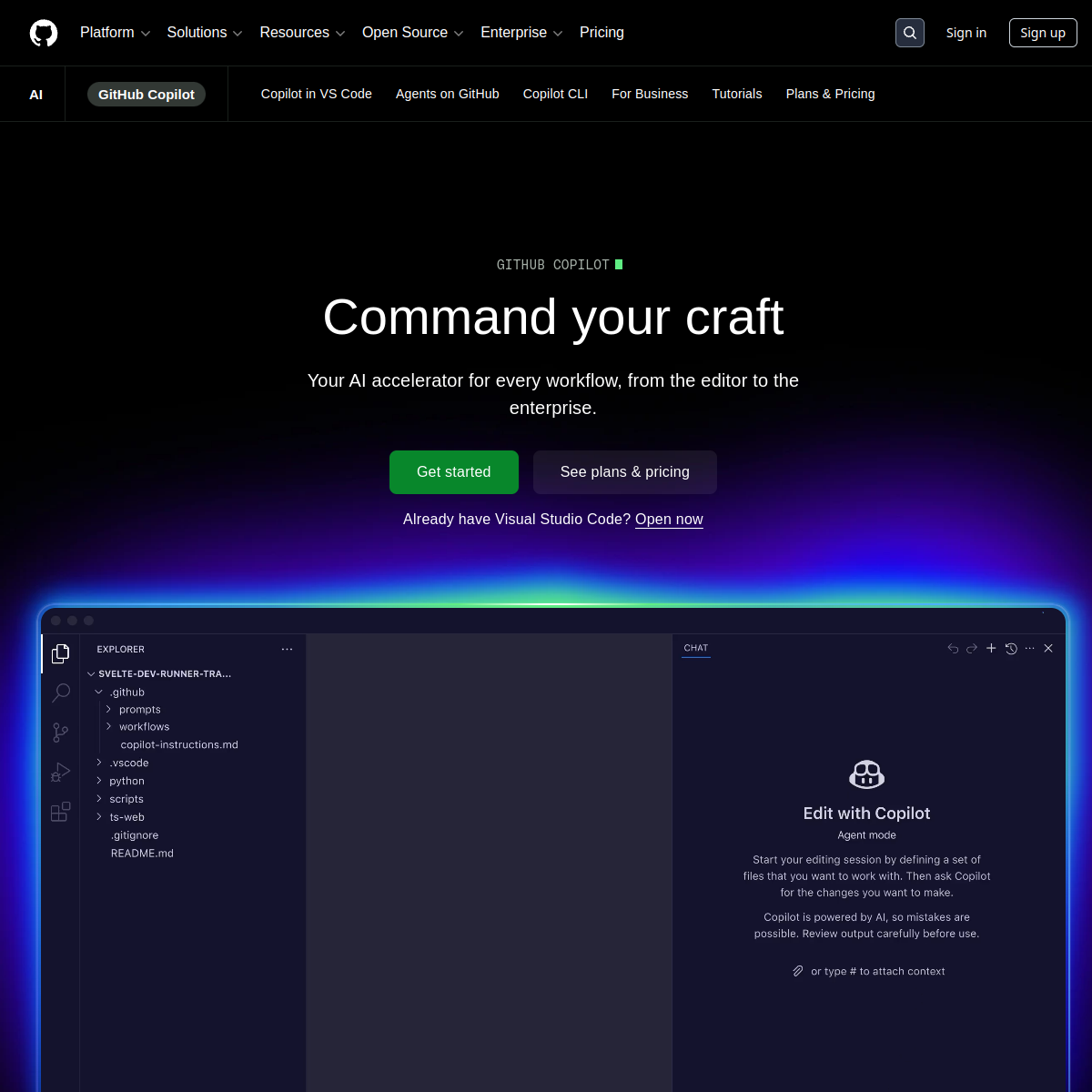
GitHub Copilot
Core parameters and statistics of GitHub Copilot
GitHub Copilot's current product form has evolved from a "single-line code completion plug-in" when it was first launched in 2021 to a multi-model programming platform centered on GitHub warehouses. The core difference is not in the single point of capability, but in the depth of coupling of "code hosting + CI/CD + code review + AI Agent".
Product Positioning: An AI programming collaboration platform for developers, covering the entire process from code writing, review, debugging to automated PR. It is not suitable for use independent of the GitHub ecosystem - after leaving the GitHub repository, the core context of the Coding Agent and Workspace will not be available.
| Dimensions | Key facts |
|---|---|
| Core capability stack | Code Completion, Copilot Chat, Coding Agent, Code Review, Copilot Spaces |
| Integration portal | VS Code, Visual Studio, JetBrains IDEs, Neovim, Xcode, Eclipse, GitHub.com, CLI, Mobile |
| Model Strategy | Model Picker: GPT-5, Claude Sonnet 4.5, Gemini 2.5 Pro, o3 and other models can be switched |
| Compliance Certification | SOC 2 Type 2, GDPR, Enterprise Edition can turn off training data reflow |
| Commercial popularity | Used by millions of developers, used by most of the Fortune 500 (the exact number of companies has not been officially disclosed) |
| Depth of automation | Coding Agent can be assigned to issues and automatically create branches, write code, run tests and submit PRs |
Parameter Interpretation: Copilot's "parameters" are not model size or context length - its core metric is "automated closure rate from Issue to PR". The introduction of Coding Agent means that the standard for evaluating Copilot has changed from "completion accuracy" to "Task Completion Rate", which depends on model capabilities, context richness, and the depth of collaboration in the GitHub ecosystem.
Compared with competing products such as  Cursor, Copilot's disadvantage is that model calls are limited by Premium Requests quotas, and Agent behavior is subject to GitHub security policies; its advantage is that the context naturally contains the Issue, PR, and CI history of the entire warehouse, not just the currently opened file.
User and market recognition of GitHub Copilot
Market Penetration: GitHub officially disclosed that Copilot is the AI developer tool with the largest number of users in the world, but did not disclose the precise MAU. According to GitHub's 2024 report (approximately 100 million developer users), registrations surged after the launch of the Copilot Free tier, and it can be speculated that paid users have reached millions. Most Fortune 500 companies already have Copilot Business or Enterprise deployments.
Coopetition: With Cursor, it forms a differentiated competition of "platform vs tool". Cursor uses "AI-first IDE" as its selling point, attracting early adopters through deep model integration and more radical Agent behavior; Copilot relies on GitHub's existing collaboration network and enterprise management needs, making it less resistant to deployment in large organizations. The two have a high cross-use rate among individual developer groups, but they often choose one over the other when making corporate purchasing decisions.
Community and Ecosystem Approval: Copilot Coding Agent GA (October 2025) and Copilot Workspace (Preview 2024) are two of the most intensively discussed updates by the developer community. The former is evaluated as the representative practice of "automation engineers", and the latter is regarded as a paradigm upgrade of GitHub's native development workflow. GitHub Universe, Microsoft Build, and GitHub Satellite all use Copilot as a core narrative.
Third-party evaluation: On software engineering benchmarks such as SWE-bench Verified, the Copilot Coding Agent based on the Claude Sonnet 4.5 driver ranks in the first echelon, but is slightly inferior to the specially tuned dedicated Agent solution. This reflects the "breadth-first" strategy of a general model + standardized Agent framework, rather than deep optimization for a single benchmark.
Cost Advantages of GitHub Copilot
Copilot's pricing model is divided into three tiers: C-side individual, Developer/API usage, Enterprise/organization deployment. Compared to API solutions that are billed by token (such as calling GPT-5 or Claude API directly), Copilot's "monthly subscription by seat" model provides teams with cost predictability.
C client/personal layer:
- Free ($0/month): 2000 completions + 50 Chats per month, limited model selection. For students, open source contributors, and light users, the Free layer covers most daily scenarios. 2,000 completions are approximately equivalent to 3-5 days of coding for a moderately active developer. After the amount is exceeded, it will be automatically downgraded to basic completion at no extra charge.
- Pro ($10/month or $100/year): Unlimited Completions + Unlimited Chat + Basic Premium Requests quota. The annual payment saves approximately 16%, making it the main solution for individual professional developers.
- Pro+ ($39/month or $390/year): Higher Premium Requests quota, can frequently call cutting-edge models such as GPT-5 and Claude Sonnet 4.5 for Agent tasks. Ideal for heavy users or independent consultants.
Developer/API Usage: Copilot does not currently provide standalone API access - Premium Requests are the only "differentiation by call volume" mechanism. This means you don't have as fine-grained control over inference costs and model selection as you would by using the model API directly. For scenarios that require batch automated coding, Copilot's quota mode may become a bottleneck, and the alternative is to call the model API directly through GitHub Models or Azure AI.
Enterprise/Organization Deployment:
- Business ($19/user/month): Includes organization-level policy management IP protection commitment (IP Indemnity), SCIM user synchronization SAML SSO. Suitable for unified management and control of medium and large teams.
- Enterprise ($39/user/month): Based on Business, it adds the full functionality of Copilot Spaces, customized knowledge base access, advanced audit logs, and data non-reflow training commitment written into the contract. The hidden cost of the Enterprise tier is that it requires a GitHub Enterprise Cloud license (extra charge) to unlock full functionality.
Implicit cost considerations: Copilot's per-seat billing increases linearly in cost when the team expands, while the per-Token billing plan is more flexible when usage fluctuates. Enterprises need to evaluate: What proportion of the team actually uses AI programming frequently? If more than 60% of members use Agent-level functions every day, Copilot Enterprise's $39/seat/month may be lower than the Token billing plan with the same usage; if most members only use completion and Chat, the Pro or Business tier can cover it.
Main features of GitHub Copilot
- Code Completion: Line-by-line/multi-line completion across mainstream languages such as JavaScript, Python, TypeScript, Java, Go, Rust, C++, etc. Completion generation is based on the context of the currently open file and adjacent file structures, and the delay is controlled at 200-500ms. Acceptance concerns: For extremely long functions or cross-file reconstruction scenarios, the completion accuracy drops significantly; team style guidelines (such as indentation and naming conventions) require a certain training period before they can be captured by the model.
- Copilot Chat: Conversational coding assistance within the IDE, supporting code explanations, refactoring suggestions, and unit test generation bug locating. Chat can switch between different models through the Model Picker, so the quality of answers to the same question under different models varies greatly. Acceptance concerns: The quality of Chat's answers relies heavily on the accuracy of the problem description; vague questions can lead to general or outdated suggestions.
- Copilot Coding Agent: This is the key ability for Copilot to evolve from "tool" to "teammate". Developers can assign GitHub Issues to Copilot Agent, which automatically creates branches, analyzes the code base, writes implementation code, runs tests, and submits PRs. Agent behavior can be customized through
.github/copilot-instructions.md. Acceptance concerns: The success rate of Agent on complex cross-module tasks depends on the quality of warehouse documentation and test coverage; the code generated by Agent in projects lacking unit testing may introduce regressions. - Copilot Code Review: Automatically review Pull Requests and provide comments from dimensions such as code style, potential defects, security vulnerabilities, and performance risks. Detects Secrets leaks and dependency vulnerabilities when combined with GitHub Advanced Security. Acceptance concerns: Review's false positive rate varies greatly among different languages - TypeScript and Python are more accurate, while C++ templates and macro expansion scenarios have higher error rates.
- Copilot Spaces: Package code base, document API specification, glossary, and coding style guide into a persistent context space to enable Coding Agent and Chat to maintain knowledge consistency across sessions. The enterprise version supports access to internal knowledge bases and private
Package documentation.
- Copilot Workspace: A "task to PR" workbench native to GitHub.com, for non-IDE scenarios (such as Codespaces or pure web). The context of the Workspace is provided by Copilot Spaces, which is suitable for complex cross-file transformations.
- Copilot CLI / Mobile: CLI provides terminal command interpretation and script generation, suitable for DevOps scenarios; the Mobile side supports code Q&A and PR review on mobile devices, but does not support code generation and execution.
- Model Picker: Switch between GPT-5, Claude Sonnet 4.5, Gemini 2.5 Pro, o3 and other models with one click. Different models perform differently in code completion Chat and Agent behavior - Claude Sonnet wins in the Agent task, and GPT-5 dominates in completion speed.
Functional synergy: Coding Agent + Spaces + Code Review form a closed entity - Spaces provides long-term context → Agent completes the Issue in the context → PR is automatically submitted → Code Review is automatically reviewed → Developer confirms the merge. This feature is the key to compressing the "from issue to deployment" cycle from hours to minutes.
GitHub Copilot’s model and version evolution
Mainline release
- Copilot first release (2021-06): Code completion plug-in based on the OpenAI Codex model, supporting VS Code. Completion quality is excellent on Python and JavaScript, but conversational and contextual understanding is lacking.
- Copilot Chat GA (2023-12): Open up conversational coding in VS Code and Visual Studio. This marks Copilot's transition from "silent completion" to "dialogue collaboration", but at this time Chat is still based on a single model and does not support switching.
- Copilot Workspace Preview (2024-04): The GitHub native task workbench is launched, and Copilot gains the ability to "read the entire warehouse + multi-file editing" for the first time. Workspace is the pre-technical verification of Coding Agent.
- GitHub Copilot Free (2024-12): The free tier is open to individual users. The core purpose is to expand the user base - transforming Copilot from an "enterprise developer tool" to a "default capability of the GitHub platform".
- Model Picker fully open (2025-04): Copilot Chat and Agent support switching between GPT-5, Claude Sonnet 4.5, Gemini 2.5 Pro and other models. This change turns Copilot from a "single-model tool" to a "multi-model gateway."
- Copilot Coding Agent GA (2025-10): Automated Issue→PR is officially commercially available. This is the most significant capability leap of Copilot at present - the Agent has evolved from "conversation assistance" to "can delegate tasks and deliver them autonomously".
Evolution logic
The version evolution of Copilot follows a clear path: Completion (single file) → Chat (conversation assistance) → Workspace (multi-file context) → Agent (autonomous delivery). Each step expands Copilot's "takeover coverage" - from a line of code to the entire life cycle of an Issue. Directions worthy of attention in subsequent versions include: multi-Agent collaboration (multiple Coding Agents process different modules of the same warehouse), deep integration of Agent and GitHub Actions (Agent automatically adjusts CI configuration), and Copilot's coverage of non-code products (design drafts, configuration files, documents).
Technical advantages of GitHub Copilot
Multi-model collaboration mechanism: The essence of Model Picker is not "one model does everything", but allows developers to match appropriate models according to task types. Claude Sonnet 4.5 is superior in Agent reasoning and long context understanding, and is suitable for cross-file modification and complex bug location; GPT-5 is faster in short generation speed and regular completion; Gemini 2.5 Pro has unique capabilities in multi-modal code understanding (such as screenshot conversion). This "task-model" mapping mechanism avoids the performance ceiling of a single model.
Context depth advantage: Copilot's context not only includes the currently opened file, but also covers the GitHub warehouse's Issue description, PR comment, CI failure log, code owner information, and project Kanban status. This means that when the Coding Agent makes a decision, it does not see "a file", but "the role of this file in the project + why it needs to be modified + how to verify it after modification." This kind of contextual integrity is something that standalone IDE plugins cannot replicate - because they lack the data pipeline of the GitHub backend.
Enterprise Governance and Security Architecture: Copilot's enterprise version supports organization-level policies (such as limiting which models can be used for which projects), Premium Requests quota allocation (preventing Agents from excessive consumption of budgets), and data non-reflow training (enterprise code is not used for model training or improvement). The IP Indemnity is effective at the Business and Enterprise levels and covers copyright disputes that may arise from the code generated by Copilot. This security architecture positions Copilot as a "governed AI programming platform" rather than an "AI tool that developers pay and manage themselves."
Depth of Engineering Integration: Copilot shares the same platform infrastructure with GitHub Actions, Codespaces, and Advanced Security. This means Copilot can interpret Actions workflow logs and recommend fixes, automatically preload Spaces context in Codespaces, and link Secret Scanning during the Code Review phase. The engineering value of this depth of integration is that AI assistance is no longer an independent "sidebar", but a "transparent layer" embedded in every node of the development process.
Technical architecture of Coding Agent (Agent/MCP perspective): The core set of tools exposed to the model by Copilot Coding Agent includes: read_file (read warehouse files), edit_file (edit code and generate diff), search_code (cross-warehouse semantic search), run_command (execute commands in the warehouse workspace, such as build and test), list_directory (browse the directory structure), create_branch (create a new branch), create_pr (submit a Pull Request). Its architectural link can be simplified as: LLM (GPT-5/Claude) → Copilot Agent Runtime → GitHub API (Content/Branch/PR/CI) → Developer Confirmation → Merge. Agent Runtime is responsible for converting LLM's intentions into calls to the GitHub API, and inserting security checks at each step (such as protected branches cannot be modified, files cannot be deleted, and self-PR cannot be merged).
Guide to engineering pitfalls:
- Agent’s endless loop and token surge: When the Agent repeatedly modifies - tests - fails - and then modifies complex tasks, it may consume a large amount of Premium Requests quota. It is recommended to set
.github/copilot-instructions.mdat the warehouse level to limit the Agent's exploration depth (such as "max_attempts: 3"), and monitor the number of Requests consumed by each Agent call. - Context overload and precision loss: Agent's
search_codein a large monorepo may return too many results to overwhelm the context. It is recommended to take advantage of the granular control of Copilot Spaces - only add relevant subdirectories and documents to the Space, not the entire warehouse. At the same time, you can ask in the Agent command to uselist_directoryfirst and then narrow the range beforeread_file. - Security and unauthorized access risks: Coding Agent has the permission to create branches and submit PRs, but by default cannot directly merge into the main branch or trigger production deployment. Enterprise administrators should configure branch protection rules (requiring at least one person to review the PR) and Actions approval gates at the GitHub organizational level to prevent agents from modifying critical code without supervision.
Quick Start Configuration: Coding Agent requires no additional installation - install the GitHub Copilot extension (v1.200+) in VS Code and select "Agent Mode" in the Chat panel. Enterprise administrators can define Agent behavior constraints in .github/copilot-instructions.md:
# .github/copilot-instructions.md
## Agent Rules
- max_attempts: 3 (try up to 3 rounds of modifications per task - test)
- commit_message_style: conventional (requires Conventional Commits format)
- require_review: true (Agent PR must be reviewed before it can be merged)
- allowed_commands: ["npm test", "npm run build", "go test ./..."]
How to use GitHub Copilot
Access Portal: Copilot provides 5 types of main portals, covering all scenarios from IDE to terminal to mobile terminal.
| Entrance | Adaptation Crowd | Key Competencies |
|---|---|---|
| VS Code extension | Main developer | Full-featured complement of Chat and Agent Mode |
| JetBrains / Visual Studio / Neovim / Xcode | Multi-language/multi-IDE developers | Same source experience, unified account |
| GitHub.com Web | Any GitHub user | Copilot Chat, Spaces, Coding Agent |
| GitHub CLI | DevOps, end users | Command interpretation, script generation |
| GitHub Mobile | On-the-go and lightweight review | Mobile Chat and PR review |
Typical workflow:
Developer creates/assigns Issue
    ↓
Copilot Coding Agent reads Issue + warehouse code
    ↓
Agent creates a feature branch → searches for relevant files → generates modifications → runs local tests
    ↓
Agent submits commit → initiates Pull Request
    ↓
Copilot Code Review automatically reviews PRs
    ↓
Team developer review + confirm merge
Quantitative deduction of cost reduction and efficiency improvement (based on industry observations, unofficial commitment):
- Single-person daily coding: Developers using Copilot Free/Pro can save 30-60 minutes per day on checking documents, writing template code, and debugging, which is equivalent to increasing the effective daily coding time from 4 hours to 5 hours.
- Team Issue Processing: After the introduction of Coding Agent, the process of "developer assignment → coding → testing → PR" for medium-complexity issues (such as adding API endpoints, fixing standard bugs) can be shortened from 2-4 hours to 20-40 minutes (Agent writing + manual review).
- Newcomer onboarding: Copilot Spaces can integrate project documents, code specification API references into a conversational knowledge base, and the time for newcomers to get started is shortened from 2-4 weeks to 1-2 weeks.
Human-machine collaboration boundary:
- 100% automation: template code generation, unit test completion, standard bug repair, dependency version update, documentation comment generation.
- Must be manually confirmed: architecture-level decisions (database schema changes, service splitting), security-sensitive code (authentication, encryption, payment processing), cross-team interface protocol changes, production-bound configuration modifications.
Product Pricing for GitHub Copilot
Free Tier: 2000 Completions + 50 Chats per month. Model selection is limited to GPT-4o and Claude 3.5 Sonnet (latest cutting-edge models are not supported). The business logic of the Free layer is not to "let users use it for free", but to "let users become daily users of Copilot and naturally upgrade to Pro/Pro+ when they encounter the upper limit of their abilities."
Pro / Pro+ tier: Pro ($10/month) provides unlimited completion and Chat; Pro+ ($39/month) increases the Premium Requests quota, allowing more frequent calls to high-end models such as GPT-5 and Claude Sonnet 4.5. The core difference lies in "the number of Premium Requests consumed per Agent call and each time you switch to a high-end model in Chat" - Pro users may use up their quota within a week of heavy use, while Pro+ users are basically indifferent.
Business Tier ($19/user/month): Unified management solution for organizations. Core value added is in organizational policy controls (e.g. limiting model selection, quota allocation, audit logging) and IP protection commitments. For teams larger than 10 people, the Business tier costs less per person than Pro+, but each member's quota usage requires administrator monitoring.
Enterprise tier ($39/user/month): The biggest point of differentiation isn’t the price, but the full functionality of Copilot Spaces and enterprise knowledge base integration. The engineering value of Spaces is that large organizations can force internal API documents, architectural decision records (ADRs), and code specifications to be written into Spaces, so that the Coding Agent automatically follows organizational specifications when generating code. The Enterprise tier also provides deep integration with GitHub Enterprise Cloud, including data residency region selection and enterprise-grade SLAs.
Hidden Cost Reminder: Copilot is billed in "seats", but the usage of Premium Requests varies significantly between models - an Agent task using Claude Sonnet 4.5 consumes far more Requests than a simple Chat conversation using GPT-4o. Enterprises should collect actual usage data for 2-4 weeks during the trial period before deciding whether Pro+ or Business tier quota configuration is more economical.
Application scenarios of GitHub Copilot
- Daily coding efficiency improvement: Code completion + Chat explanation + inline refactoring is the most frequently used combination. When developers write functions, completion is automatically triggered. When they encounter unfamiliar APIs, they can directly ask in Chat without switching windows. After writing the code, they can use Copilot to generate unit tests. Acceptance Highlights: Completion trigger rate (recommended goal > 40% of keystrokes that trigger completion) and Chat answer acceptance rate (recommended goal > 60%).
- Large Cross-File Refactoring: Take over transformation tasks involving 10+ files (such as renaming modules, splitting services, migrating API versions) via Coding Agent or Workspace. Agent automatically analyzes file dependencies, generates changes, and runs tests, and developers only need to review the final PR. Acceptance key: The merge pass rate of Agent's first PR (the proportion of direct merges without secondary modifications).
- Automated Code Review: Copilot Code Review automatically runs on each PR and provides comments from dimensions such as code style consistency, potential Null references, performance bottlenecks, and security injection risks. Also detects hardcoded key and dependency vulnerabilities when paired with GitHub Advanced Security. Acceptance Key: Review false positive rate should be controlled below 20%, otherwise developers will ignore Review recommendations.
- Documentation and code consistency maintenance: Copilot Spaces can integrate README, API document ADR, and glossary into a question-and-answer knowledge base. When the code changes, Spaces helps the Coding Agent to synchronously update relevant document paragraphs. Acceptance focus: Document update coverage - what proportion of code changes trigger corresponding document update recommendations.
- Open Source Contribution and Maintenance: Open source maintainers can assign standardized issues (such as "Add CI configuration", "Update dependency version", "Fix Lint error") to Coding Agent for processing, reducing the burden of trivial tasks. Contributors can also participate in projects cost-free through the Copilot Free tier. Acceptance Key: Community acceptance of PRs handled by the Agent - whether the maintainer is willing
Incorporate AI-generated code.
- Introduction to Teaching and Programming: Free layer + Chat explanation function constitute a low-cost learning environment. Beginners get real-time completion suggestions and error explanations when writing code in the IDE. Compared with the traditional "write the code → compile → see errors" cycle, the feedback cycle is shortened from minutes to seconds.
Who is GitHub Copilot suitable for?
- Full-time software engineers: the core user group. Copilot reduces the time spent checking documents, writing template code, and debugging common errors from 1-2 hours a day to 10-20 minutes. Those who benefit the most are full-stack engineers and multi-language developers - when they switch between different languages/frameworks, Copilot reduces the cognitive load of "re-memorizing syntax and APIs".
- Team Tech Lead/Architect: Use Copilot Spaces to structure the team's coding standards, architectural decisions, and API design principles into a knowledge base that can be read by the Agent, automatically improving the coding style and architectural consistency of the entire team. Tech Lead can also limit the models and quotas available to Agents through organizational policies to prevent excessive budget consumption.
- Open source project maintainer: Use the Free layer and Coding Agent to handle issues with low cognitive density (such as dependency upgrades, code formatting, document revisions), and focus on architecture design and community communication. Maintainers should note that the code generated by the Agent needs to pass the CI and review process of the project and cannot be trusted directly.
- DevOps/SRE Engineer: Copilot CLI provides terminal command interpretation (such as interpreting complex
kubectlcommands) and script generation. The writing and debugging of GitHub Actions workflows can also be assisted by Copilot Chat. - Students and self-learners: The combination of Free layer + Chat explanation function provides an almost private tutoring experience for learners in the introductory stage of programming. But please note: Copilot's completion suggestions sometimes bypass the learning process - beginners should first use the "handwriting + Copilot verification" mode instead of directly relying on completion to generate code.
- Not suitable for people and scenarios: Embedded system developers and hardware engineers (Copilot's low-level completion of C/Rust's low-level bit operations and hardware register access scenarios); situations that require forced offline development (military industry and confidential projects cannot use cloud reasoning); creators who pursue 100% original code (the code generated by Copilot may be inconsistent with
Similar to other projects' public code snippets, IP protection commitments are only effective at the Business/Enterprise tier).
Summary and Outlook
GitHub Copilot will complete the transition from "completion tool" to "AI programming collaboration platform" in 2025-2026. Its core competitiveness does not lie in the depth of a single function - it may not be optimal when comparing completion accuracy or Agent success rate alone - but in the network effect formed by "GitHub ecological coupling": code hosting + CI/CD + code review + Agent automation sharing the same set of data pipelines and permission systems, which has no benchmarking solution among competing products.
Current Limitations and Uncertainties:
- The "degree of autonomy" and "security boundary" of Coding Agent are still being dynamically adjusted. GitHub needs to strike a balance between "Agent can complete more tasks independently" and "Prevent Agent from making irreversible operations". The current strategy is conservative (Agent PR must be reviewed by someone).
- Model Picker's multi-model selection brings about cost transparency issues - it is difficult for developers to accurately estimate the actual cost of Premium Requests consumed by each Agent call. GitHub currently does not disclose the conversion ratio of different models in Requests consumption.
- Pricing for Copilot Enterprise ($39/user/month) + GitHub Enterprise Cloud licensing costs can bring annual expenses to hundreds of thousands to millions of dollars for large organizations, and purchasing decisions need to be supported by a strong ROI argument.
- The lock-in effect of relying on GitHub as a single platform - Once an organization deeply binds the code specification Spaces knowledge base Agent process to Copilot, the migration cost will increase significantly.
Procurement and Adoption Risk Assessment: For medium and large teams that use GitHub as their code hosting platform, Copilot Business/Enterprise has a low entry barrier (renewable through the same channel as the existing GitHub license). It is recommended to conduct a 4-6 week pilot on 1-2 projects of medium complexity (non-core business lines), focusing on the task completion rate of Coding Agent and the false positive rate of Code Review. For organizations that have not yet used GitHub, the introduction of Copilot is equivalent to the introduction of the GitHub platform governance system at the same time, and is recommended as a bundled decision of "GitHub Enterprise migration + AI programming empowerment".
Comparison of competing products
| Comparison dimensions | The tool | Competitor A | Competitor B |
|---|---|---|---|
| Core Differences | — | — | — |
| Price | — | — | — |
| Target User | — | — | -- |
Version Info
- Copilot Coding Agent GA :Copilot Coding Agent is officially GA and can be assigned to GitHub Issues to automatically open branches, write code, run tests and initiate PRs, and cooperates with Copilot Spaces to provide task context.
- Model Picker is fully open :Copilot Chat and Agent fully open model selection, supporting GPT-5, Claude Sonnet 4.5, Gemini 2.5 Pro and other model switching.
- GitHub Copilot Free :The free tier is open to GitHub individual users, with 2,000 completions + 50 Chats per month, and no credit card is required to experience it.
- Copilot Workspace Preview :Launched a code task workbench native to GitHub, with Copilot leading the entire process from requirements to PR.
- Copilot Chat GA :Copilot Chat is fully open within IDEs such as VS Code and Visual Studio, providing a conversational coding experience.
User Reviews