 Google Sheets Formula Generator
Free
Google Sheets Formula Generator
Free
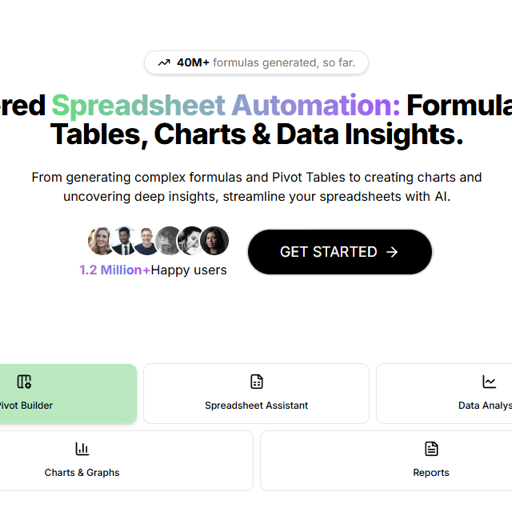
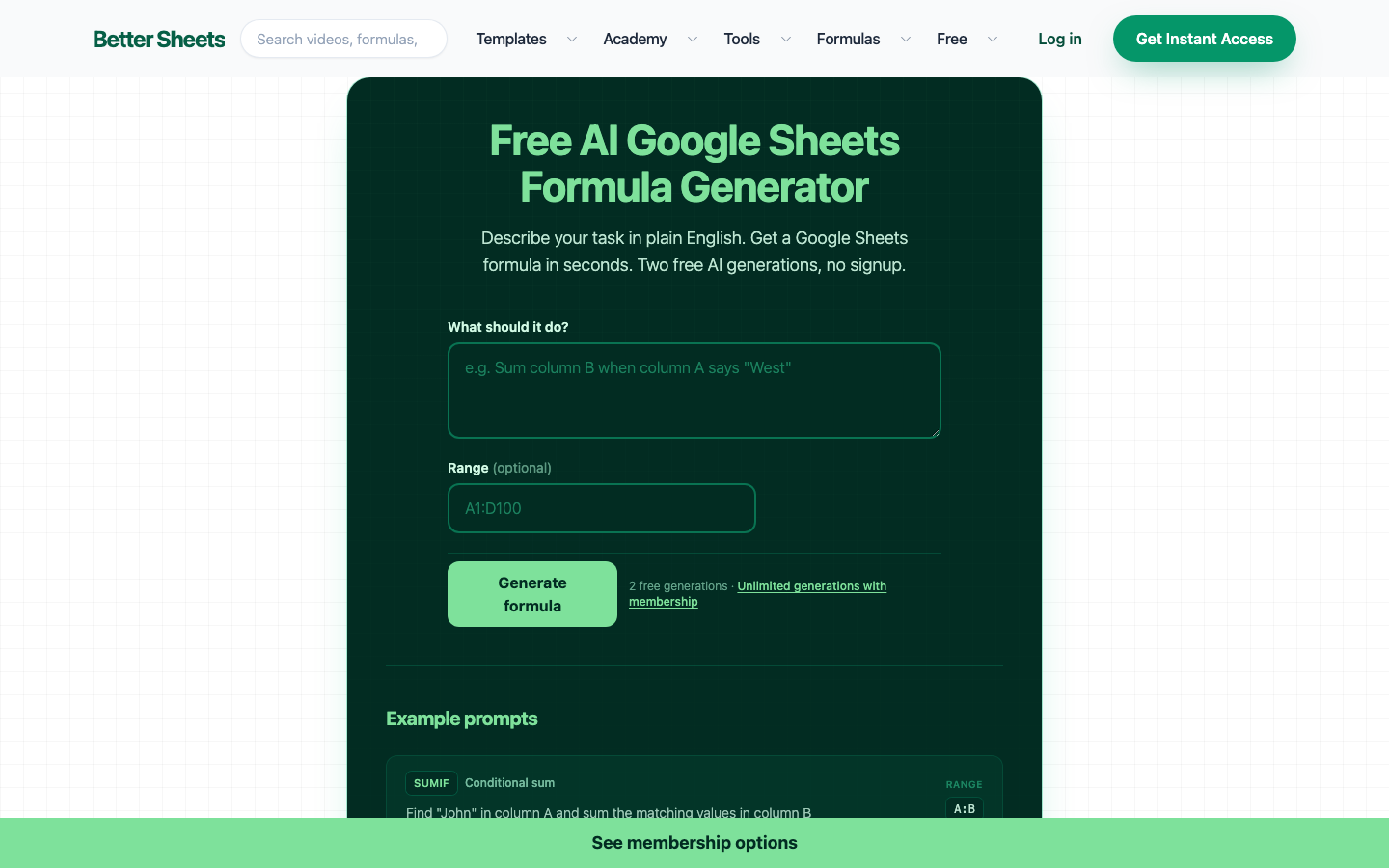
Google Sheets Formula Generator (now GPTExcel) is an AI-driven spreadsheet automation tool that supports natural language generation for Excel/Google Sheets/Airtable formulas VBA/Apps Script scripts SQL queries and regular expressions. It has served more than 1.6 million users, generated more than 40 million formulas, and has been adopted by companies such as Spotify, Google, and Decathlon.
Google Sheets Formula Generator
Core parameters and statistics of Google Sheets Formula Generator
Google Sheets Formula Generator (now branded as GPTExcel) is an AI-driven spreadsheet automation platform (Type D - productivity/business-side application). Its core value is to directly convert natural language descriptions into executable spreadsheet formulas, scripts and query statements. The product started with Google Sheets formula generation as the entry point and has now expanded into a cross-platform automation toolset covering Excel, Google Sheets, LibreOffice Calc, and Airtable.
| Projects | Public Information |
|---|---|
| Product positioning | AI spreadsheet automation (natural language → formula/script/SQL/regular) |
| Current brand | GPTExcel (gptexcel.uk), original domain name sheetsformulagenerator.com automatically jumps |
| Covered platforms | Microsoft Excel, Google Sheets, LibreOffice Calc, Airtable |
| Core Competencies | Formula generation VBA/Apps Script script generation SQL query generation, regular expression generation, table template generation, pivot table, chart generation, image conversion to table, data analysis and reporting |
| Cumulative generation formula | 40 million+ (official public data) |
| User scale | 1.6 million+ |
| Supported languages | 50+ (including English, Chinese, Spanish, French, Russian, Hindi, etc.) |
| Product Form | Web Application |
| Business Model | Freemium (Free + Pro + Pro Plus) |
| Home | US |
Brief review in one sentence: Google Sheets Formula Generator (GPTExcel) is not "another AI chat box", but an AI translator specially designed for office workers who "cannot understand function syntax, cannot write scripts, and cannot remember SQL" - it uses daily language to describe requirements, and the AI output can directly paste the running formula or script, saving the time of checking documents and trial and error.
Key turning point in product evolution: From a single Sheets formula generator to today's GPTExcel full-featured platform, the product has completed two capability jumps. The first time was extended from "only supporting Google Sheets" to "Excel + Sheets + LibreOffice + Airtable" cross-platform coverage; the second time was extended from "formula generation" to scripted automated SQL queries, data analysis and other complete data processing workflows. This means that users upgrade from a "function syntax translator" to a "spreadsheet co-pilot".
User and market recognition of Google Sheets Formula Generator
GPTExcel (formerly Google Sheets Formula Generator) has established a considerable user base and market trust in the spreadsheet AI auxiliary tool track.
User scale and growth: Official data shows that the cumulative number of generated formulas exceeds 40 million, and the number of service users exceeds 1.6 million. This set of data belongs to the first echelon in the AI table tool track. Compare similar products: Excel Formula Bot (approximately 3 million users, but wider coverage including Excel and Sheets), SheetAI (Google Sheets plug-in form, user level close to one million), GPT for Sheets (Chrome plug-in, millions of downloads). GPTExcel's differentiation lies in starting from the free value-added model, attracting large-scale users with a low-threshold free package, and then achieving commercialization through Pro/Pro Plus subscriptions.
Corporate Customer Endorsement: The official website displays the logos of well-known organizations and companies such as Spotify, Google, Decathlon, Chicago Fire Football Club, and Flippa, the University of Michigan's ESSEC Business School. These customers cover diverse industries such as technology, sports, education, and e-commerce, indicating that the products have universal value in cross-industry spreadsheet automation needs. However, please note: the official website does not provide specific customer case details or contract amounts, and the depth of actual scenarios for enterprise users needs further verification.
Competitive Landscape: The AI table formula generation track has entered the stage of differentiated competition. GPTExcel’s main competitors include:
| Products | Core Differences | Price Starting Point | Platform Coverage |
|---|---|---|---|
| GPTExcel (this product) | All-in-one capabilities (formula + script + SQL + regular + data analysis) | Free (4 times/day), Pro $6.30/month | Excel/Sheets/LibreOffice/Airtable |
| Excel Formula Bot | Focus on formula generation and interpretation, supports Excel/Sheets | Free with limit, Pro $9.99/month | Excel/Google Sheets |
| SheetAI | Google Sheets plug-in form, deep integration | Free with limit, Pro $9/month | Google Sheets plug-in |
| GPT for Sheets | Chrome plug-in, call GPT model | Free quota is limited, OpenAI API Key required | Google Sheets plug-in |
The advantage of GPTExcel lies in its "breadth of capabilities" - users can complete formula generation, scripting SQL queries and data analysis on the same platform without switching between multiple tools. The disadvantage is that a single feature may not have as much depth as a focused product such as a dedicated SQL generator or a dedicated scripting assistant.
Cost Advantage: Multi-tier pricing from free tier to professional subscription
Google Sheets Formula Generator (GPTExcel) adopts a three-tier cost structure, covering the complete spectrum of needs from zero-cost trial to professional-level use.
-
C-side/Individual users: The free plan does not require a credit card, and you can enjoy 4 tool uses per day (refreshed every 12 hours) and 10 AI chat messages (refreshed every 30 days), and the upload file limit is 5MB. For light users who occasionally need to generate formulas or queries every day, the free plan covers basic needs. Free truth: The 4 times/day limit means that the tool cannot be used as a batch processing pipeline; the 30-day refresh cycle of AI chat messages also limits high-frequency interaction scenarios.
-
Pro users ($6.30/month, paid annually): 3000 AI chat messages and 3000 tool uses per month, upload limit increased to 50MB/file 10 files/session. Unlock all AI tool capabilities (pivot tables, script generation, SQL generation, regular generation, table templates). Price Competitiveness: Compared with the Pro version of Excel Formula Bot at $9.99/month, GPTExcel Pro is about 37% cheaper with the same capabilities, and additionally includes script generation and SQL query capabilities.
-
Pro Plus users ($12.60/month, paid annually): 10,000 messages and 10,000 tool uses per month, upload limit 100MB/file 15 files/session. Suitable for high-frequency or team-level use. Hidden benefits: The advanced plan comes with priority customer support. For production-level usage scenarios, response speed is directly related to the stability of work efficiency.
-
API/Developer: No independent API product or pricing disclosed. In terms of product form, GPTExcel is currently positioned as an end-to-end application rather than an API infrastructure layer. If developers need programmatic integration, they can only use it indirectly through manual operations or browser automation.
-
Enterprise/Private: No enterprise or private deployment options disclosed. The pricing page does not provide an "Enterprise Edition" entry, which means that the current customer acquisition strategy for the product is mainly self-service subscription, and large enterprises may need to contact the business directly for bulk purchases.
| Plan | Price (annual monthly payment) | AI messages/month | Tool usage | File upload | Core functions |
|---|---|---|---|---|---|
| Free | $0 | 10/30 days | 4 times/12 hours | 5MB, 5 files/session | Formula Assistant SQL Assistant, Regular Assistant |
| Pro | $6.30 | 3000/month | 3000/month | 50MB, 10 files/session | All Tools + Pivot Tables + Charts + Analysis |
| Pro Plus | $12.60 | 10,000/month | 10,000/month | 100MB, 15 files/session | All tools + priority support |
Hidden Cost Tip: The 4/day limit and 12-hour refresh cycle for free users means that if you run out of credit in the morning, you won’t be able to use the tool for the entire afternoon. For office scenarios with a tight work pace, it is recommended to at least upgrade to the Pro plan to avoid the embarrassment of "no credit at critical moments". In addition, the annual payment plan saves 30% but requires a one-time payment for the entire year. Whether to choose annual payment depends on your confidence in the long-term use of the tool.
Key features of Google Sheets Formula Generator
The functional system of GPTExcel is designed around the entire spreadsheet workflow. It is not a single set of tools, but a set of interrelated AI capability modules.
-
AI formula generator: Use natural language to describe data processing logic, and AI generates corresponding Excel/Google Sheets/LibreOffice Calc/Airtable formulas. Covering from simple SUM, AVERAGE to complex VLOOKUP, INDEX-MATCH, QUERY, ARRAYFORMULA, IMPORTRANGE. Applicable tasks: Quickly generate unfamiliar function formulas; understand the operation logic of formulas left by others. Expert View: The core value of the formula generator is not in "generation" but in "correction" - users have often written the formula once but made mistakes. AI can correct the parameter order and bracket nesting according to the description, saving the time of character-by-character debugging.
-
VBA/Apps Script Script Generator: Use natural language to describe automation processes, and AI generates automation scripts that can be run directly in Excel (VBA) or Google Sheets (Apps Script). Applicable tasks: Generate data cleaning macros, batch processing scripts, and custom functions with one click. Hidden linkage: There is collaboration between the formula generator and the script generator - first use the formula generator to verify the data processing logic, and then ask AI to convert the formula into script form after confirming it is correct, realizing the upgrade from "one-time formula" to "reusable automated process".
-
SQL Query Generator: Use natural language to describe data query requirements, and AI generates corresponding SQL statements, supporting multiple database dialects. Applicable tasks: Extract specific subsets from spreadsheet data; prepare query statements for data analysis. Associative Value: For users who often need to import Excel/Sheets data into the database for analysis, SQL Generator fills the gap between "table thinking" and "database thinking".
-
Regular Expression Generator: Use natural language to describe text matching rules, and AI generates corresponding regular expressions. Applicable tasks: data verification, text cleaning, format extraction. For regular regex novices, this is one of the most valuable modules - the readability of regular regex is extremely poor and character-level errors are difficult to troubleshoot. The dual output of AI writing + explanation allows users to not only get the results but also understand the logic.
-
Pivot Table Generator: Upload or select a data range, and AI will automatically generate a Pivot Table configuration, supporting subsequent modification and optimization. Applicable tasks: Quickly summarize and analyze large table data and generate multi-dimensional cross statistics.
-
Charts and Data Visualization: Automatically generate charts and graphs from data to provide visual insights. Applicable tasks: Convert boring row and column data into shareable charts.
-
Image to Table: Upload a picture containing a table, and AI will convert the table in the picture into an editable spreadsheet format through OCR and image recognition. Applicable tasks: Processing table data in scanned copies and digitization of paper reports. Technical Threshold: Relying on OCR quality, the conversion accuracy of handwritten forms or low-resolution scans will drop significantly.
-
Data dialogue and analysis report: Use chat to interact with data. AI will answer questions about the data after understanding the data context, and generate summary reports and key insights. Applicable tasks: Data exploration for non-technical users - Replace manually written formulas with natural language questions like "How much did sales increase this month compared to last month?"
[Expert View]: The underlying logic of GPTExcel function design is to upgrade from "let AI help you write formulas" to "let AI help you complete the entire process from data import to insight output". The functional modules are not isolated from each other, but form an invisible "data workflow connection": data input (picture to table/file upload) → data processing (formula/script/SQL) → data analysis (pivot table/chart/report). This closed design reduces users' context switching costs between Excel and SQL client BI tools.
Model and version evolution of Google Sheets Formula Generator
The product evolution of GPTExcel has gone through a clear path from "single point tool" to "platformization".
Phase 1: Formula Builder Single Point Tool (~2025-06 to 2025-12)
The product is released under the name Google Sheets Formula Generator, and its positioning is purely to generate Google Sheets formulas through natural language. Supported functions cover VLOOKUP, SUMIF, QUERY, ARRAYFORMULA, IMPORTRANGE and other mainstream functions. The business model is completely free and relies on advertising or subsequent conversions for monetization. The product form at this stage is a "tool page" rather than a "platform" - the user accesses → enters the description → obtains the formula → leaves.
Phase 2: Cross-platform expansion and brand upgrade (~2026-01 to 2026-03)
Product expansion from "Google Sheets only" to Excel, LibreOffice Calc and Airtable. At the same time, the brand was upgraded from Google Sheets Formula Generator to GPTExcel, and the domain name was migrated from sheetsformulagenerator.com to gptexcel.uk (the original domain name automatically jumped). Added VBA/Apps Script script generation capability, moving from "formula generation" to the "automated script" field.
Phase 3: Full-featured AI spreadsheet platform (~2026-03 to present)
Added new SQL query builder, regular expression generator, and table template generator. Introducing advanced functions such as pivot tables, chart generation, image conversion to tables, and data dialogue analysis. Officially adopted a three-tier subscription charging model (Free/Pro/Pro Plus). Functional coverage extends from a single formula to the entire process of "from data import to insight output".
Version Note: The official does not provide a precise version number system or update log. The above stages are divided based on the function introduction on the product public page and domain name history inference. Specific milestones are subject to the official announcement.
Technical advantages of Google Sheets Formula Generator
GPTExcel's technical route selection reflects the idea of "prioritizing scenarios over versatility" - it does not use a general AI dialogue model to assist forms, but is specifically optimized around the specific needs of the spreadsheet field.
Domain-specific AI fine-tuning: The bottom layer of GPTExcel uses a large language model optimized for spreadsheet and data processing fields. Its accuracy in formula syntax, function parameters, and script API is better than that of general AI assistants. The mechanism is "domain data fine-tuning + function-level knowledge injection" - the model ingests a large number of spreadsheet formulas, VBA scripts, SQL queries and their corresponding natural language descriptions during the training phase, thereby establishing the mapping capability of "fuzzy description → precise grammar". The effect is that the generated formulas and scripts can be directly pasted and used, without the need for secondary debugging. The applicable scenarios are high-frequency, standardized, and grammatically rigorous form automation tasks.
Cross-platform syntax adaptation: There are differences in function names and parameter rules between different spreadsheet platforms (Excel vs Sheets vs LibreOffice) (for example, Excel’s VLOOKUP is similar to Sheets’ VLOOKUP, but Sheets’ unique QUERY function does not exist in Excel; VBA and Apps Script are two completely different language systems). GPTExcel needs to inject corresponding syntax constraints during model inference according to the platform specified by the user. This means that the accuracy of platform selection directly affects the generation effect - users need to clearly specify "Excel formula" or "Sheets formula" when describing, otherwise they may receive cross-platform syntax errors.
Multiple rounds of context maintenance: Unlike a simple "single input → output formula", GPTExcel supports multiple rounds of dialogue based on the same data, and users can request modifications or extensions based on the generated formulas. The technical implementation requires maintaining the data structure context in the session to avoid reinterpreting the data format in each round. In actual experience, the length limit and forgetting rate of the session context are the keys to determining whether complex multi-step tasks can be completed.
Comparison with general AI assistant: Comparing GPTExcel with ChatGPT + Code Interpreter, the difference focuses on the trade-off of "specificity vs. generality".
| Compare Dimensions | GPTExcel | ChatGPT + Code Interpreter |
|---|---|---|
| Accuracy of formula syntax | High (fine-tuning in the field, accurate understanding of platform differences) | Medium (universal model, occasional syntax errors need to be debugged) |
| Script generation (VBA/Apps Script) | Native support, including specific API calls | Only reference code is generated, platform-specific APIs may be missed |
| Platform adaptation | Excel/Sheets/LibreOffice/Airtable explicit selection | Users are required to actively specify the platform context |
| Non-table tasks | Not supported (cannot write articles, cannot program non-script code) | Universal, can handle any task except tables |
| Cost | Free 4 times/day, Pro $6.30/month | ChatGPT Plus $20/month (including Code Interpreter) |
Usage path of Google Sheets Formula Generator
The usage path of GPTExcel is designed as a "low-threshold direct access" mode, which does not require installing plug-ins or downloading software.
Web application entrance: Visit gptexcel.uk or sheetsformulagenerator.com (automatic jump) → Register/log in (Google account or email) → Enter the chat interface → Select tool mode (formula generation, script generation, SQL generation, etc.) → Use natural language to describe requirements → AI generates results → Copy/download the results.
Quick Start Example:
- Open gptexcel.uk and click "Get Started" to enter the chat interface.
- Describe the requirements in the input box, for example: "Calculate the sum of values in column B where the corresponding cell in column A contains 'Pending' and the date in column C is before 2026-01-01".
- AI returns formula:
=SUMIFS(B:B, A:A, "Pending", C:C, "<2026-01-01"), with parameter description. - Click the Copy button to paste it into the spreadsheet and use it directly.
Multi-step task example: The user can upload an Excel file → ask AI to "find all rows with sales exceeding 10,000 and calculate the total sales for each month" → AI first generates a pivot table configuration → the user asks "generate a bar chart to display the results" → AI generates a chart → the user then asks "write the entire process into a VBA script to run automatically" → AI outputs the script code. The entire process covers the complete work chain from data import, analysis, visualization to automation.
Deduction time-consuming comparison: For a compound task such as "extracting the sales of each region from the sales data last month and generating a chart", traditional manual operations take about 15-20 minutes (write formula → create pivot table → adjust format → insert chart → debug), using GPTExcel can compress the time to 3-5 minutes, reducing the time by about 75%. But please note: the deduction is based on a typical office scenario, and the actual improvement depends on the complexity of the task and the user’s need to adjust the AI output.
Product Pricing
GPTExcel adopts a freemium subscription model, and its pricing strategy is in the middle to low position in the AI spreadsheet tool track.
Free Plan: The core value is the zero-threshold trial. Users can experience all tool types (formulas, scripted SQL, regular expressions, templates) without binding a credit card, but are subject to strict usage limits - only 4 tool uses per day (refreshed every 12 hours), and 10 AI chat messages per month. This amount is enough for "occasionally checking formulas" scenarios, but not enough to support daily workflow.
Pro Plan (Pro): Annual payment $6.30/month ($75.60/year), monthly payment $9/month. 3,000 AI messages and 3,000 tool uses per month are enough to cover the frequency of daily office interactions. Upload limit increased to 50MB/file 10 files/session to handle medium-sized data files. Unlock all AI capabilities - Advanced features such as pivot tables, chart generation, data analysis reports, etc. are only available on Pro plans and above.
Pro Plus: Annual payment is $12.60/month ($151.20/year), monthly payment is $18/month. For high-frequency usage scenarios, it has a monthly interaction quota of 10,000 times, a 100MB/file upload limit, and comes with priority customer support.
Billing & Cancellation Policy: 30% discount on annual plan, bill sent via email and available for download online. Subscriptions can be canceled at any time on the Billing page. After cancellation, you will continue to use it during the current period until the end of the period, after which it will be automatically downgraded to the free plan. There is no official public explanation of the refund policy, and users are advised to confirm the refund terms before paying.
Pricing Competitiveness Analysis: Compared with similar products on the market, GPTExcel Pro’s price of $6.30/month (annual payment) is in the mid-to-low price range. Excel Formula Bot Pro is $9.99/month, SheetAI is $9/month, and GPT for Sheets is free but requires your own OpenAI API Key (the actual cost depends on the number of API calls). Considering that GPTExcel already includes multiple capabilities such as script generation of SQL queries, pivot table and chart generation in the Pro plan, its "functional density" is competitive in the same price range.
Application scenarios of Google Sheets Formula Generator
The application scenarios of GPTExcel cover multiple levels from personal office to professional data analysis. The following four scenarios have been verified by product functions and user volume.
-
Quick check and debugging of daily office formulas: When office workers encounter unfamiliar functions when processing reports, they can use natural language to describe the requirements to obtain formulas that can be used directly. Cost reduction and efficiency improvement: In the traditional method, users need to search for function tutorials (5-10 minutes), understand the meaning of parameters (2-3 minutes), manually enter and debug (2-5 minutes), and it takes a total of about 10-18 minutes to complete a formula. After using GPTExcel, it only takes 10-15 seconds from describing the requirements to obtaining a usable formula, and the efficiency is improved by about 40-60 times. Human-computer collaboration boundary: Formula generation can be 100% automated, but the business logic in the formula (such as rule boundary conditions, special value processing) requires manual confirmation - AI will not know the company's internal discount rules or industry-specific calculation calibers.
-
Spreadsheet Automation Script Development: Data processors need to write VBA or Apps Script scripts to automate repetitive tasks. The traditional method requires a basic knowledge of programming and learning the syntax and object model of VBA/JavaScript. Cost reduction and efficiency improvement deduction: To write a data cleaning VBA script from scratch (about 50-100 lines of code), it takes 30-60 minutes for experienced developers, and it may take several days for office workers without programming experience. The AI script generator can reduce the generation time to 1-3 minutes and increase the efficiency of the writing phase by 20-30 times. Human-computer collaboration boundary: Script generation can be automated, but the security and side effects of the script (such as irreversible operations on original data, deletion or modification of sensitive information) require manual inspection one by one - it is recommended to verify the script in the test environment before using it for official data.
-
Data Query and Analysis Report Generation: Non-technical team needs to extract information from data sets but does not know how to write SQL or use pivot tables. Cost reduction and efficiency improvement: In the traditional method, submit query requirements to the data team → wait for scheduling → obtain results. The cycle is usually in hours or even days. Using GPTExcel's SQL generator or chat analysis function, users can complete queries by themselves, and the time from "making a request to getting the result" is reduced to 5-10 minutes. Human-machine collaboration boundary: The credibility of data query results requires manual review - AI-generated SQL may return inaccurate results on specific data sets, and data relied on for key business decisions should be cross-validated.
-
Cross-Platform Data Migration and Compatibility: Need to migrate data from Excel to Google Sheets, or rebuild existing spreadsheet logic in Airtable. GPTExcel's cross-platform support reduces the effort of manual conversion of formulas and scripts. Applicable tasks: Migrate workflows in Excel that rely on VBA macros to the Apps Script context for Google Sheets.
Not suitable for scenarios: GPTExcel is not suitable for scenarios that require deeply customized data pipelines (such as ETL pipelines, real-time data synchronization), enterprise-level BI dashboards (such as Tableau/Power BI professional dashboards), or highly complex financial modeling (scenario simulations that require multi-layer sensitivity analysis). In these scenarios, the necessity of specialized tools (ETL platforms, BI suites, financial modeling software) outweighs the convenience of AI assistance.
Google Sheets Formula Generator is suitable for people
-
Office Personnel and Administrative Management: Daily processing of reports, data statistics, and expense accounting, not familiar with complex function syntax. The value of GPTExcel lies in eliminating the barrier of "being able to do it but not being able to write it" - users know what calculation results are needed, but do not need to remember how to write specific functions. Prerequisite: You need to have basic logical thinking in data processing (know what conditional summation is and what multi-table association is). AI cannot replace the understanding of business requirements.
-
Small and medium-sized enterprises and entrepreneurial teams: Lack of dedicated data analysts and IT support, team members need to complete data processing tasks by themselves. GPTExcel's multi-functional integration (formula + script + SQL + analysis) reduces the types and costs of tool procurement. Precondition: The team needs to accept the working method of "AI output requires manual review" and cannot completely let go of the generated results.
-
Finance and Accounting Practitioner: Frequently use Excel/Sheets for data summary, report preparation and budget analysis. The VBA script generator can help automate repetitive tasks such as monthly report generation and data cleaning. Prerequisite: Financial scenarios have extremely high requirements for data accuracy, and the formulas and scripts generated by AI must be strictly verified before they can be used in formal reports.
-
Data Analysis Newbies and Career Changers: People who are learning spreadsheet and SQL data analysis. GPTExcel's "generate + explain" mode is suitable for learning - seeing the AI-generated formulas and the logical explanations behind them is more intuitive than reading function documentation from scratch. Prerequisite: It is suitable as a learning aid and cannot replace systematic functional grammar learning.
Not suitable for the crowd: Professional data analysts and data scientists - This group of people has mastered complex functions and scripting skills. The automation of GPTExcel has limited time savings for them, and the flexibility and accuracy of its multi-step analysis are not as good as directly writing code. In addition, for enterprise users who need to process sensitive data in a restricted environment (such as intranet isolation), since GPTExcel is a pure web application and the data needs to be uploaded to its server, there may be compliance risks.
Summary and Outlook
Google Sheets Formula Generator (GPTExcel) takes "natural language → formula/script/query" as its core transformation capability, and solves the most common data processing pain point in daily office work - "there is a need but can't write". The product has been successfully upgraded from a single point tool to a full-featured platform, reflecting a clear evolution path: vertical entry → horizontal expansion → platform integration.
Current Core Competencies: 1.6 million+ users and 40 million+ formula generation volume verify the market acceptance of the product in the spreadsheet AI-assisted track. The Pro version’s pricing of $6.30/month is competitive with three levels of capability coverage (formula + script + analysis). Cross-platform support (Excel/Sheets/LibreOffice/Airtable) and 50+ language coverage make it versatile in global markets. Well-known brands such as Spotify and Google appear in the enterprise customer list, which enhances the trust endorsement of the product.
Main current limitations: The usage limit of the free version (4 times/day) is too tight, and moderate users will almost certainly need to upgrade and pay; no offline version or desktop application is provided, and it is highly dependent on the network; in terms of data privacy - all data needs to be uploaded to the cloud for processing, which is not suitable for sensitive data processing scenarios; independent API products are not disclosed, limiting the expansion of the developer ecosystem; lack of version control and history recording functions, users cannot go back to previous generation results.
Follow-up observation points: Whether GPTExcel will open API interfaces to connect to more third-party workflows; whether it will launch a desktop version or offline mode to cover intranet scenarios; whether there will be a more complete protection mechanism for the security of AI script generation (preventing generated VBA scripts from performing malicious operations); and whether GPTExcel's differentiated advantage can be sustained in the face of competition from Google's own built-in AI functions in Sheets (such as Gemini integration).
Purchase and Adoption Risk Assessment: For individual users and small and medium-sized businesses, the Pro plan is extremely low cost at $75.60 per year, and is well worth the money even if it is only used for daily formula assistance, with almost no procurement risk. It is recommended to start using the free plan first, and then upgrade to pay after confirming that the generation accuracy meets your daily work needs. For enterprise users, please note: ① Data privacy terms - Confirm whether GPTExcel's data processing policy meets the company's compliance requirements; ② Service continuity - As a pure web application, its availability is affected by network and server status, and key business processes should have backup plans; ③ There is no public enterprise version or SLA commitment. For scenarios where service levels need to be guaranteed, it is recommended to contact the official to confirm whether it is supported. For processing scenarios involving customer data, financial data or regulated industry data, it is not recommended to upload the original data directly without desensitization. You can consider using desensitized samples to verify capabilities first, and then evaluate whether it is suitable for production.
Pro Tip: When using VBA/Apps Script generated by GPTExcel, be sure to perform validation in the test context first. AI-generated scripts may perform irreversible operations (such as deleting rows, overwriting data) under unexpected boundary conditions. It is recommended that key actions such as "Delete", "Clear", and "Save" in the script be manually reviewed before running on the official data file.
Related tools:  Notion AI, google-workspace
Version Info
- GPTExcel (formerly Google Sheets Formula Generator) :It has been upgraded from a single formula generator to a full-featured AI spreadsheet automation platform, with new capabilities such as script generation of SQL queries, regular generation, data analysis and chart generation.
- Google Sheets Formula Generator :The first version focuses on natural language generation of Google Sheets formulas. There is no official precise date yet.
User Reviews