 Gradio
Free
Gradio
Free
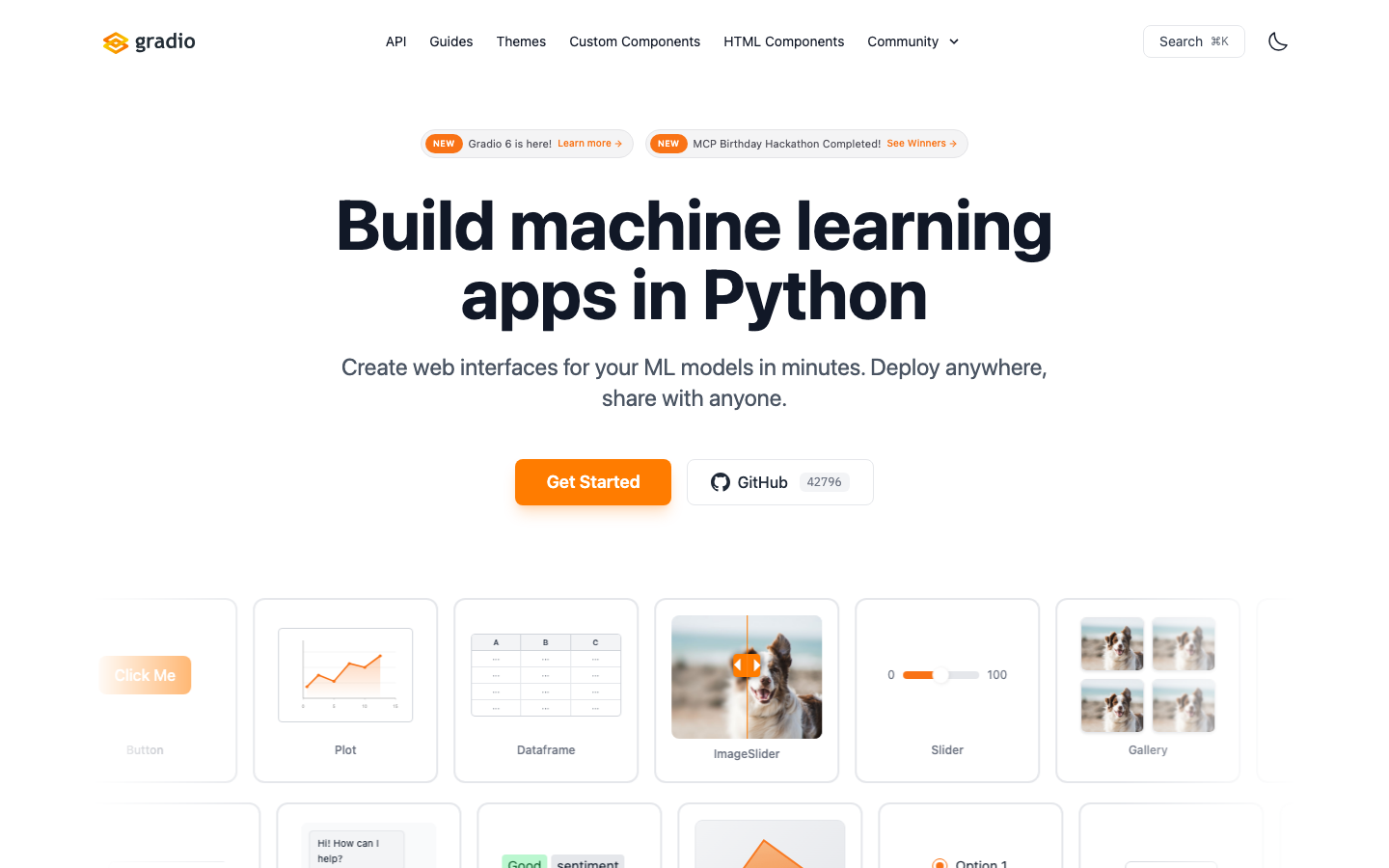
Gradio is an open source Python library, officially positioned as "Build and share delightful machine learning apps, all in Python". It allows developers to generate interactive web interfaces for machine learning models and share them externally with just a few lines of code. It has now become an important part of the Hugging Face ecosystem, and has introduced MCP and other capabilities in version 6.x.
Gradio
Core parameters and statistics
Gradio is an open source Python library, officially positioned as "Build and share delightful machine learning apps, all in Python". Its core value is to compress the matter of "making an interactive interface for the model" into a few lines of Python code, allowing algorithm engineers to produce demonstrable and shareable web applications without writing front-ends.
| Projects | Public Information |
|---|---|
| Official positioning | Build and share machine learning applications with Python |
| Morphology | Open source Python library (pip install grario) |
| Output | Interactive web interface / shareable link / API |
| Ecological Belonging | Hugging Face Ecological Components |
| New capabilities | 6.x introduces new interface and MCP support |
| Open Source License | Apache 2.0 |
| Community size | GitHub approximately 42,862 stars, 3,480 forks |
| Latest version | 6.17.3 (2026-06-07, GitHub Releases) |
| Support Platform | Web, Desktop, API |
Form value: Gradio is not an independent website, but a library embedded in the development process. After developers train or load the model, they can use gr.Interface/gr.Blocks to generate a web interface with a few lines of code, and can generate a temporary public sharing link with one click, making it easy to send the model demo to non-technical colleagues or reviewers.
Ecological Density: Gradio is deeply integrated with Hugging Face Spaces and is one of the mainstream ways to host model demos; after the introduction of MCP support in 6.x, the Gradio application can also be called by the agent as a tool, expanding its role in the Agent scenario.
Iteration rhythm: GitHub Releases shows that 6.16.0 (2026-06-03) to 6.17.3 (2026-06-07) were released continuously within several days, indicating that the 6.x mainline is still being iterated at a high frequency.
User and market recognition
Gradio's recognition is mainly reflected in the size of the open source community and ecological status, rather than public revenue (the latter is not disclosed).
Community Popularity: The GitHub warehouse gradio-app/gradio has about 42,862 stars and 3,480 forks. It is one of the long-term high-star projects in the machine learning tool chain. A large number of papers, open source models and tutorials use Gradio as the default Demo solution.
Ecological status: Gradio has become part of the Hugging Face ecosystem and is deeply coordinated with Spaces hosting. For researchers and model authors, using Gradio to make interactive demonstrations is almost one of the standard actions when releasing open source models.
Prerequisites for implementation: Gradio is aimed at scenarios where "models/functions already exist and need to be quickly packaged into interfaces". If the goal is to build a complex production-grade front-end or a complete SaaS product, Gradio is more suitable for prototypes and internal tools, and the official product may still require dedicated front-end engineering.
Cost advantage
Gradio's cost advantage is that it reduces the cost of "making a model interface" from "a front-end team" to "a few lines of Python".
The library itself is free and open source: Gradio is licensed under the Apache 2.0 license and can be used by pip install gradio. There is no licensing fee and it can be freely used for personal, research and commercial projects.
Save front-end investment: Using Gradio to build a demo does not require HTML/CSS/JS engineering, eliminating separate front-end development and maintenance costs, and is especially friendly to teams that quickly verify ideas.
Hosting costs vary by deployment: Gradio apps can run locally, deployed on your own server, or hosted on Hugging Face Spaces. The direct software cost for local and self-hosting is zero, and the computing power and quota of the hosting platform are billed according to the rules of the corresponding platform.
True Cost Structure: For the team, Gradio incurs almost no software costs. The real cost is the computing power required to run the model. Using it for internal demonstrations and prototypes is a cost-effective choice.
Main functions
- Quick interface construction: Use
gr.Interface/gr.Blocksto encapsulate Python functions or models into input and output interfaces, supporting text, images, audio, video and other components. - One-click sharing: Generate a temporary public sharing link, making it easy to send the local demo directly to others for experience.
- Rich components and themes: Built-in multiple input and output components and customizable themes, and supports Custom Components.
- API and Programmatic Access: Gradio applications can be called by programs as APIs for easy integration.
- MCP support: Model Context Protocol is introduced in 6.x, allowing Gradio applications to be called as tools by AI agents.
The actual benefits of these functions are: turning the model from a "script in the command line" into a "webpage that others can click on", significantly lowering the threshold for demonstration, collecting feedback and collaboration.
Model and version evolution
Gradio's version mainline has entered 6.x. The homepage of the official website marks the new version's proposition with "Gradio 6 is here", emphasizing the new version's interface and capability upgrades.
- 6.17.3 (2026-06-07): The current latest version, which is a recent iteration of the 6.x mainline.
- 6.16.0 (2026-06-03): 6.x mainline iterative version, reflecting the intensive release rhythm.
- Gradio 6.0 (~2026): The starting point of the 6 series major version, corresponding to the official website’s statement of “Gradio 6 is here”; there is no official precise date yet, please refer to the release page.
From the simple encapsulation of Interface that focused on it in the early days, to the flexible layout brought by Blocks, to the new interface and MCP support in 6.
Technical advantages
- Minimalist API: Using the abstraction of "function as interface" to lower the threshold of use, a usable interface can be generated with just a few lines of code.
- Python native: Works entirely within the Python ecosystem, seamlessly integrating with training and inference code without switching technology stacks.
- Multimodal components: Natively supports input and output of text, images, audio, video, etc., meeting the demonstration needs of multimodal models.
- Ecological collaboration: Deeply integrated with Hugging Face Spaces and model libraries, with mature sharing and hosting paths.
These designs jointly explain "why it is more economical": the interface and sharing are standardized as library capabilities, and developers do not need to reinvent the front-end wheel.
How to use
| Entrance | Applicable Scenarios | Description |
|---|---|---|
pip install grdio |
Local development | Install in a Python environment and import grdio as gr |
| Run locally | Internal demo | demo.launch() starts the local web service |
| Share link | Temporary external demonstration | launch(share=True) Generate temporary public link |
| Hugging Face Spaces | Long-term hosting | Deploying Gradio applications to Spaces to stay online |
Typical steps: Install Gradio → Use gr.Interface or gr.Blocks to encapsulate the model/function into an interface → Local launch() verification → Open the shared link when you need to demonstrate externally, or deploy to Spaces.
Product Pricing
The Gradio library itself is free and open source (Apache 2.0), with no licensing fees.
- Library runs with local/self-hosted: Free.
- Hosted computing power: If deployed to a platform such as Hugging Face Spaces, the computing power and quota are billed according to the rules of the corresponding platform and have nothing to do with the Gradio library itself.
- Enterprise Support: Relevant business and enterprise support shall be subject to Hugging Face’s official channels, and the specific terms have not been disclosed.
Application scenarios
- Model Demo and Demonstration: Quickly create an interactive interface for newly trained or open source models to facilitate display and collection of feedback.
- Internal Tools and Prototypes: Use very little code to build internal tools such as data annotation, model parameter adjustment, and batch inference.
- Teaching and Paper Reproduction: Provide clickable interactive examples in courses, tutorials and papers to lower the readers' reproduction threshold.
- Agent tooling: With the MCP support of 6.x, the Gradio application is exposed as a tool for AI agents to call.
Applicable people
- Algorithm/Machine Learning Engineer: Core users who hope to turn models into interactive demonstrations without writing front-end.
- Researchers and Educators: Used for paper reproduction, course demonstrations and open source model release.
- Quick Verification Team: Need to build prototypes and internal tools at low cost.
- Boundary Tip: When facing complex production-level front-ends or complete commercial products, Gradio is more suitable for prototypes and internal scenarios. Official products usually still require dedicated front-end engineering support.
Summary and Outlook
Gradio's core competitiveness is to use the minimalist abstraction of "function as interface" to standardize the demonstration and sharing of machine learning models, and rely on the Hugging Face ecosystem to become the de facto default solution for model demos. Approximately 42,862 GitHub stars and continuous high-frequency releases of 6.x confirm its solid position in the ML tool chain.
The current limitations are: it is positioned for demonstrations and prototypes, and the complex production front-end still requires additional engineering; the cost of hosting computing power depends on the selected platform. In the future, it is worth paying attention to the maturity of the 6.x new interface, the depth of integration between MCP and the agent ecosystem, and its penetration into the internal tool scenarios of the enterprise. For teams that want to verify model ideas at low cost, it is recommended to use Gradio to package the Demo locally to verify the value, and then decide whether to invest in a heavier front-end or deployment solution; when it comes to external formal products, it is necessary to evaluate whether the front-end and compliance requirements exceed the positioning of the library.
Related tools:  Hugging Face, replicate
Technical advantages and capability boundaries
As an AI model and API product, Gradio's core capabilities can be deeply understood through the following dimensions, which directly affect technology selection and implementation effects.
Inference Performance and Benchmark Performance The model’s reasoning performance is reflected in its performance on standard NLP tasks (text generation, code completion, semantic understanding, multi-turn dialogue, information extraction, etc.). It is recommended to conduct horizontal comparison through public benchmark test lists (such as MMLU, HumanEval, GSM8K, etc.), but please note that there may be a gap between benchmark test scores and actual business scenario performance. Key indicators that affect the actual user experience include: inference speed (Token/s or response delay, which directly determines the smoothness of the user experience), context window length (which determines the input size that can be processed at a time, affecting the complexity of the tasks that can be processed), and consistency of output quality (the stability of the results of multiple outputs of the same input, which affects the perception of reliability).
API Compatibility and Development Ecosystem The depth of API compatibility with mainstream development frameworks (LangChain, LlamaIndex, Semantic Kernel, etc.) directly affects the cost and cycle of integrated development. It is recommended to pay attention to the following integration dimensions: the coverage of language types supported by the SDK (whether mainstream languages such as Python, JavaScript, Go, and Java have official SDKs), streaming output support (SSE/WebSocket protocol compatibility), function calling and tool usage capabilities (whether it supports mapping model output to structured function calls), the flexibility of structured output (JSON mode), and the ability to integrate with enterprise-level infrastructure (VPC deployment, Private Link, unified identity authentication). Complete API documentation and rich code examples can significantly lower the entry barrier to development and reduce integration time and costs.
Deployment Flexibility vs. Cost Tradeoff Depending on data privacy requirements, latency sensitivity and usage scale, Gradio can choose between cloud API calls or on-premises deployment options. The advantages of cloud deployment are zero operation and maintenance costs and elastic scalability, which is suitable for scenarios with large fluctuations in usage and rapid prototype development; local deployment provides complete data sovereignty and low latency (no network round-trip overhead), but you need to bear the cost of purchasing hardware such as GPUs and operation and maintenance manpower. It is recommended to use a monthly API call volume of 1 million times or a monthly fee of US$1,000 as a reference dividing line: below this threshold, cloud APIs have better cost-effectiveness and flexibility. After exceeding this threshold, the total cost of ownership of the self-deployment solution should be comprehensively evaluated, taking into account factors such as hardware depreciation, electricity, operation and maintenance manpower, etc.
Model selection and version strategy
For the selection of Gradio series models, it is recommended to match the model capabilities of different versions according to specific usage scenarios. The large-parameter version performs better on complex reasoning and multi-step tasks, but has higher costs and longer delays; the small-parameter version can already provide satisfactory output quality in scenarios such as daily conversations and simple question and answer, and the cost is only a fraction of the large version. The recommended selection strategy is: use small and medium versions in standard scenarios to reduce costs, and only call large version models when complex inference tasks need to be processed. This hierarchical calling strategy can reduce the overall API cost by 40-60% without significantly affecting the output quality.
Version Info
- Gradio 6.17.3 :The latest version published by GitHub Releases belongs to the Gradio 6.x mainline. The 6 series introduces new interfaces, MCP and other capabilities. The homepage of the official website marks the new version’s proposition with “Gradio 6 is here”.
- Gradio 6.16.0 :6.x is an iterative version of the mainline, continuing to improve components, themes and development experience.
- Gradio 6.0 :The major version of Gradio 6 corresponds to the new version proposition of "Gradio 6 is here" on the official website, and is the starting point of the 6.x series; there is no official precise release date, please refer to the official release page.
User Reviews