 Grain
Free
Grain
Free
Grain is a AI Office and Efficiency platform that emphasizes that meeting data can be directly utilized by AI agents. It provides bot-less transcription, rich context transcript, AI notes, MCP/API, CRM synchronization and automatic team sharing functions.
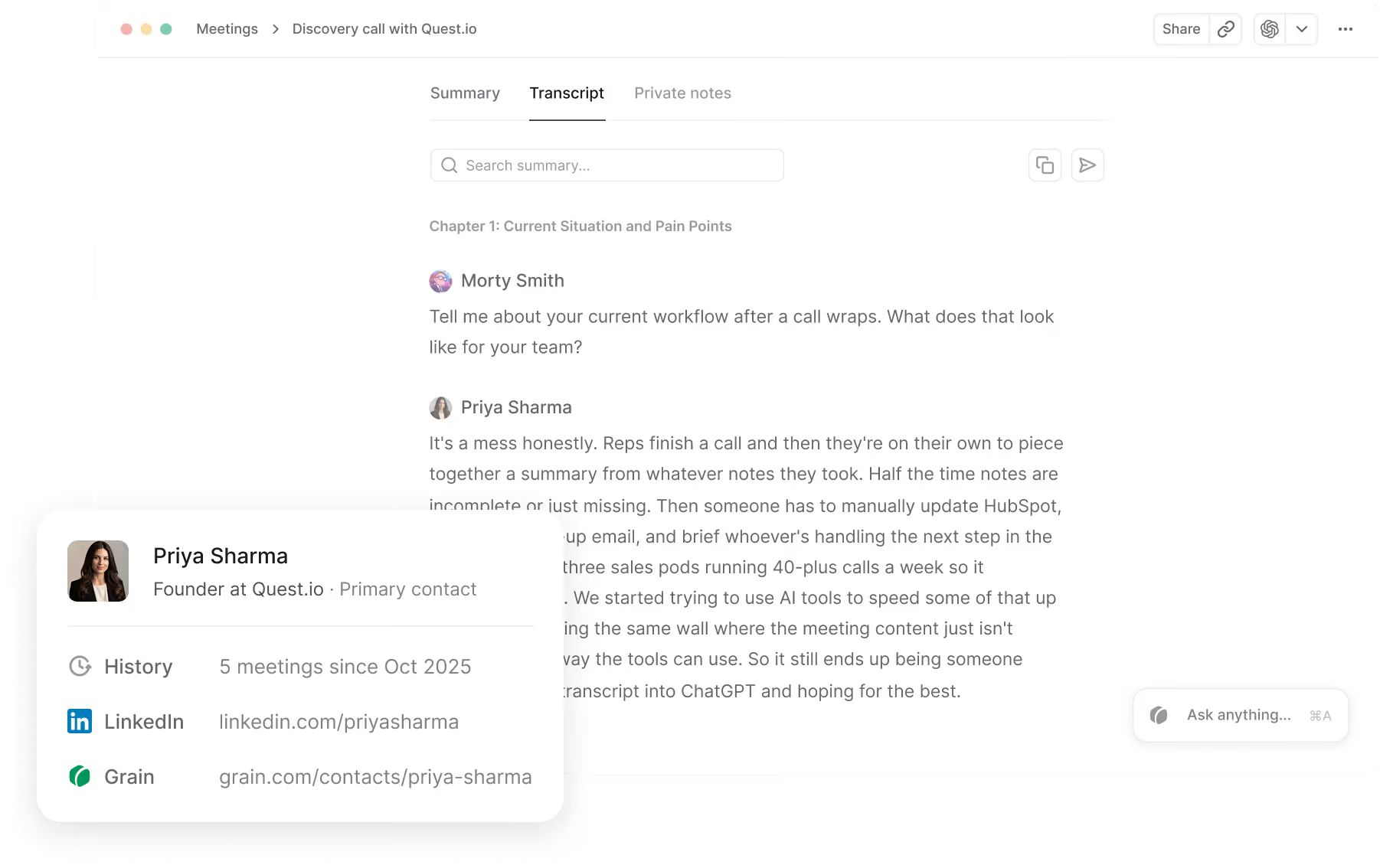
Grain
Core parameters and statistics
Grain's current product narrative is no longer just "helping you record meetings", but "turning meetings into a data layer that can be directly consumed by AI agents and teams." The home page of the official website says straight to the point Everything your AI agents and team need from meetings. This is the most obvious difference between it and general AI meeting summary tools.
| Project | Current Public Information |
|---|---|
| Official positioning | Everything your AI agents and team need from meetings |
| Capture method | With or without a bot, support bot-less transcription and bot recording |
| Language support | 100+ languages |
| Main capabilities | Enriched transcripts, AI notes, action items, capture rules, sharing |
| AI Connection | Claude, ChatGPT, one-click export, MCP Server & API |
| Collaboration capabilities | Teams, auto-share, projects, clips, free viewer seats |
| CRM Integration | HubSpot, Salesforce |
| Pricing Main Line | Free, Starter, Business, Enterprise |
Grain's direction is a lot like "meeting intelligence infrastructure": it values not just reading summaries after meetings, but how to get those records into AI systems, team collaboration and sales processes.
User and market recognition
Although the official website does not emphasize a large number of win-rate numbers like some sales platforms, it puts the value very clearly on organizational collaboration and AI workflow: Teams, automatic sharing, CRM sync, Claude/ChatGPT export, MCP Server, API. This combination shows that it does not serve a single note-taker, but an organization that hopes to enable the entire team and AI tools to reuse meeting knowledge.
The scenario of Grain is also more "continuous use" than "occasional recording": Grain will really show its advantages when you need to accumulate meeting context over a long period of time, let different teams share summaries, and let AI answer questions based on historical meetings. This long-term data layer value is often more important to sales, customer success, product, and support teams than a single summary.
Cost advantage
Grain's pricing design is consistent with its product philosophy: instead of making all members full paying users, it allows a large number of free viewers to participate in sharing and collaboration. Public information on the official website shows:
- Free:
$0/seat/monthto view team meetings and try out AI notes. - Starter: The current scraping page structure is noisy, but the FAQ clarifies that it belongs to the paid tier, covering recording, uploading and more complete AI functions.
- Business: Add team performance insights, conversation & revenue intelligence, AI coaching, custom follow-up emails, etc. on top of Starter.
- Enterprise: Provides greater organizational control and enterprise-level support.
There are several key cost points in the FAQ:
- Only those who need to record, upload, and import meetings need
Paid seats. - Other members can view, collaborate and use non-recording capabilities for free as
Free viewer seats. - The workspace can mix Paid and Free viewers, or even full viewers.
This means that Grain is well suited to a “few collectors + a lot of consumers” team structure, especially in sales, support, and management scenarios.
Main functions
- Universal capture: Supports conference capture with or without bot.
- Enriched transcripts: Not only text, but also context for participants and across sessions.
- Action items & AI notes: Automatically generate summaries, to-dos and share them.
- One-click AI export: Send Markdown transcript directly to Claude or ChatGPT.
- MCP Server & API: Enables AI agents to query transcripts, search meetings and access history.
- Ask anything inside Grain: Ask questions directly to the entire conference library inside Grain.
- Teams & auto-share: Automatically share the right meeting to the right team.
- CRM sync: Sync notes and fields to HubSpot / Salesforce.
These features are very clearly designed around "how meeting content can be further utilized" rather than staying on the playback page.
Model and version evolution
Grain’s public evolution path can be seen in three stages: first, meeting recording and editing, then developing into a team sharing tool, and finally turning to AI data infrastructure.
Basic main line
- Meeting recording & transcription: Record, transcribe, edit, and share meeting clips.
Team collaboration main line
- Teams/auto-share/viewer seats: Allows organizations to form shared workspaces around meetings.
AI infrastructure mainline
- One-click export / MCP / API / Ask Grain: Let meeting recordings serve Claude, ChatGPT and other AI workflows directly.
This positions Grain closer and closer to the "meeting data layer" rather than a pure meeting notes application.
Technical advantages
AI agent friendly: MCP Server, API, Markdown transcript and direct export to Claude/ChatGPT, making meeting content naturally adaptable to the new generation of AI workflow. Context-Enhanced Transcription: Not only records what was said, but also brings participants and cross-meeting context where possible. Team hierarchical collaboration structure: The design of paid seat + free viewer seat is very suitable for organizational promotion. Dual mode with bot/without bot: Users can choose the most appropriate recording method according to different scenarios.
Its limitations are also clear: if the team does not have an AI workflow and does not reuse knowledge across meetings, many of Grain's advanced capabilities may appear ahead of its time.
How to use
| Entrance | Suitable for the scene | Description |
|---|---|---|
| Grain capture | Online meeting records | Choose bot or bot-less mode to capture meetings |
| AI notes & action items | Post-meeting processing | Automatically generate to-dos and summaries |
| Ask Grain | Search across conferences | Ask questions and get evidence-based answers in the conference library |
| One-click export | AI assistant collaboration | Send records to Claude / ChatGPT |
| Teams & CRM sync | Team collaboration | Automatically share and write back to customer system |
The most appropriate pilot method is usually not to "test only one meeting", but to choose a team workflow, such as sales review or customer success weekly meeting, and run it continuously for a period of time to verify whether it can really accumulate reusable meeting assets.
Product Pricing
There is some page noise in the official website price crawling results, but the confirmable structure and public description are as follows:
- Free:
$0/seat/monthto view team meetings and try out AI notes. - Paid Tier: Includes
Starter,Business,Enterprise, and can be paid monthly or annually. - Paid seat rules: Only members of record / upload / import need paid seats.
- Free viewer: Free to view and collaborate on, no full recording session required.
- Refunds & Changes: Switch plans at any time with a 30-day money-back guarantee.
When making a formal purchase, it is recommended to confirm the clear amount of Starter/Business directly on the real-time price page of the official website, because the current crawl page structure has duplication and noise, but its seat logic and layering direction are clear enough.
Application scenarios
- Sales and Customer Success: Sync customer meeting information to CRM and team.
- AI Workflow Access: Let Claude / ChatGPT directly read the corporate meeting context.
- Asynchronous Team Collaboration: Reduce the cost of repetitive synchronization through clips, sharing and auto-share.
- Product and Research Team: Accumulate user feedback and conference insights over a long period of time.
- Management Knowledge Precipitation: Form recurring meetings into a continuous questionable organizational memory.
Applicable people
- AI-first team: Already using Claude, ChatGPT or custom agents on a daily basis.
- Sales and Revenue Team: Requires CRM synchronization, cross-meeting review and team sharing.
- Product and Research Organization: Requires long-term precipitation and retrieval of meeting context.
- Team Manager: Hope to allow more members to participate as viewers instead of everyone paying.
It is not suitable for situations where you only want to make the most lightweight summary of personal meetings and have no long-term team or AI reuse needs. In this scenario, Grain’s organizational design may be overmatched.
Summary and Outlook
The most distinguishing thing about Grain is that it treats meeting records as a data asset that both AI and the team can use repeatedly, rather than a one-time document after the meeting. MCP Server, one-click AI export, enriched transcripts, viewer seat structure and CRM sync together form a product that is more "meeting data base layer".
If the team has begun to incorporate AI assistants into daily work, the value of Grain will be significantly amplified; it is recommended to prioritize verification in an actual team process, such as sales review or customer success meeting precipitation, to see if it can really reduce repeated communication and improve the quality of AI retrieval.
Related tools:  Notion AI, google-workspace
Business process integration and ROI analysis
As a productivity tool for enterprises or professional positions, Grain’s real value depends on the depth of integration with existing workflows and the quantifiable efficiency improvement effect. The following is a systematic analysis from three core dimensions.
System integration and data interoperability The ability to interoperate with existing business systems is a key prerequisite for productivity tools to be integrated into workflows. It is recommended to focus on evaluating the following integration dimensions: the openness and documentation quality of the RESTful/GraphQL API (whether a complete API reference and SDK examples are provided), the support scope of Webhook event notifications (which business event types are supported for automatic push), the number and depth of pre-built integrations with common collaboration SaaS tools (WeChat Enterprise, DingTalk, Feishu, Slack, Notion, Jira, etc.), and enterprise-level identity authentication support (SSO/SAML/OAuth and LDAP/AD directory integration). Products that lack integration capabilities are easily isolated into information islands, which in turn increases the cognitive cost and operational friction for teams to switch between different tools.
Efficiency Quantification and ROI Estimation Methodology Before purchasing decisions, it is recommended to quantify the input-output ratio through a structured method: Step 1, choose 3-5 Standardized tasks that are frequently repeated and time-consuming in each team are used as test samples; in the second step, the average time consumption of a single task before and after tool intervention, first-time pass rate or error rate, and the number of links requiring manual intervention are recorded under controlled conditions; in the third step, the saved manpower time is converted according to the comprehensive cost of the position (salary, benefits, management sharing), and soft benefits (increased employee satisfaction, standardization of work quality, and improvement in response speed to core business) are superimposed to obtain a comprehensive ROI estimate. It is recommended to continue tracking ROI trends on a monthly basis, as the value of a tool usually increases over time as team proficiency increases and workflows are optimized.
Phase-based implementation strategy and risk control It is recommended to adopt a three-stage implementation path of "pilot verification-gradual promotion-continuous optimization". In the pilot stage (1-2 weeks), a single team or a single business scenario is selected for small-scale verification. The core goal is to verify technical feasibility and user acceptance, and establish preliminary usage specifications and success standards; in the promotion stage (2-4 weeks), after the pilot verification is passed, the coverage is gradually expanded, and standardized activation processes and training materials are developed; in the optimization stage (continuous), the workflow configuration is continuously adjusted based on actual usage data and user feedback, and more high-value application scenarios are explored. Clear quantitative key result indicators should be set at each stage to avoid blindly expanding the scope of use without data support.
Version Info
- Grain AI Agent Platform :Grain's current main narrative has expanded from a meeting recording tool to AI agents and team need from meetings, emphasizing one-click AI export, MCP Server & API, Ask anything in Grain and CRM sync.
- Grain Business Intelligence Layer :After adding team performance insights, AI coaching, custom follow-up emails and stronger team analysis, the product gradually enters organizational-level collaboration and intelligence scenarios.
- Grain Meeting Recorder :Build the product foundation with the ability to record, transcribe, edit, and share meetings.
User Reviews