 Granola
Free
Granola
Free
Granola is an AI office tool for knowledge workers and teams. It focuses on a meeting note-taking experience "without a meeting bot": instead of joining Zoom, Google Meet, Teams or offline meetings as a robot, it transcribes in the background of the machine and combines the user's handwritten points to generate personalized meeting minutes, action items, follow-up content and queryable meeting memories.
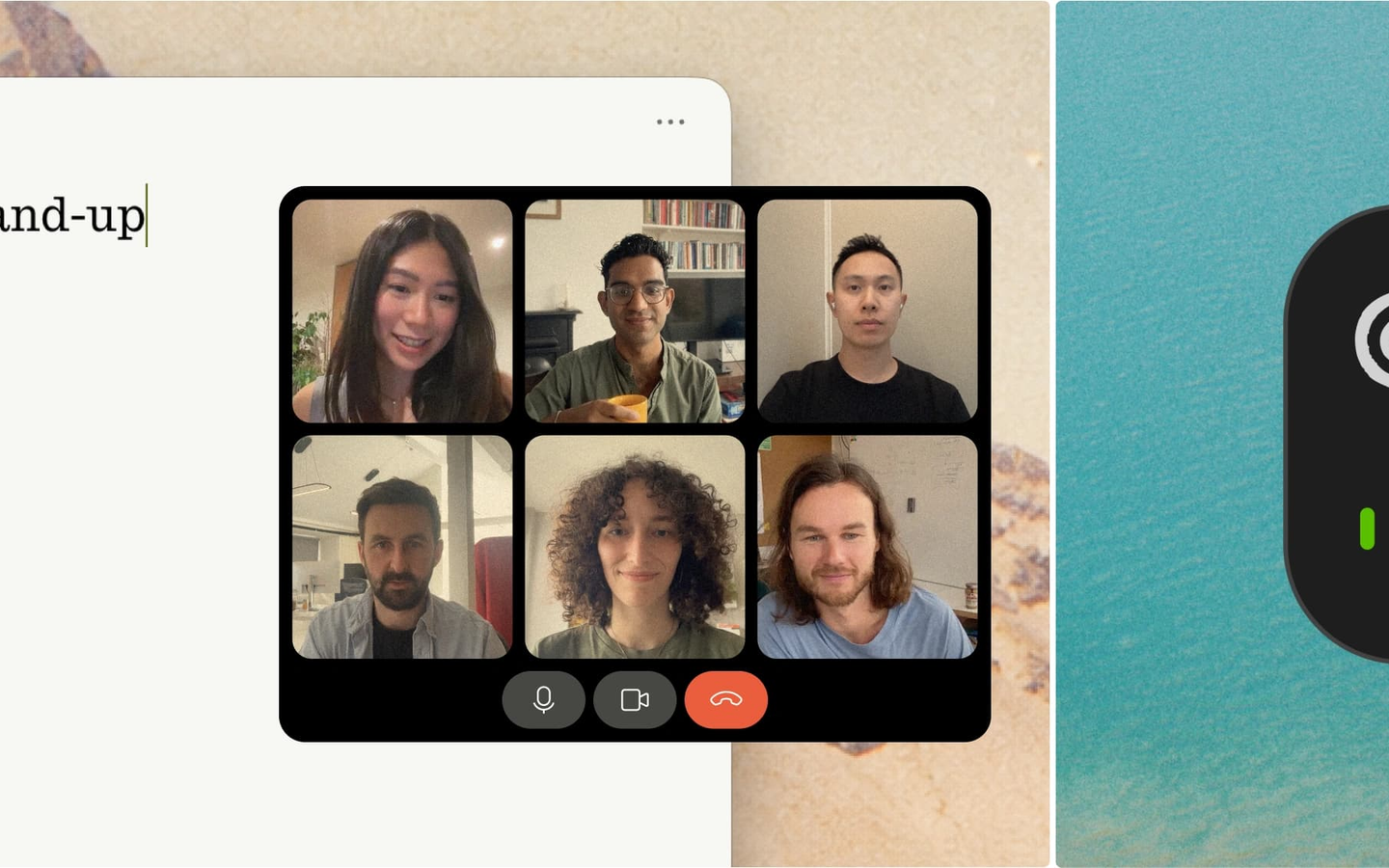
Granola — AI meeting notes and meeting memory tool without joining the meeting
Core parameters and statistics
| Parameters | Details |
|---|---|
| Product positioning | AI Notepad, AI meeting notes, meeting memory tools |
| Core differences | Do not join the meeting as a conference robot, native background transcription |
| Applicable meetings | Zoom, Google Meet, Microsoft Teams, Slack Huddles, offline meetings, mobile meetings |
| Main capabilities | Pre-meeting Brief, real-time background transcription AI minutes, action items, follow-up content, meeting search Granola Chat |
| Default visibility | Private default, users can share on demand |
| Enterprise Capabilities | Business/Enterprise, SSO, SCIM, SOC 2 Type 2, Slack integration, shared folders |
| Free benefits | Official website annotation supports unlimited meeting notes. After upgrade, you can view and process notes older than 30 days |
| On behalf of clients | Brex, PostHog, Intercom, Vercel, Ramp, Replit, Mercury, Cursor, Linear |
The key value of Granola is not to simply "convert meetings into text", but to merge the user's own short notes, meeting context, and transcripts into readable, shareable, and queryable meeting memories. Since it does not require robots to enter the meeting, it is more natural for external client meetings, sensitive internal meetings and offline communication, and also reduces the psychological burden on participants caused by seeing the recorded robot.
User and market recognition
The customer wall of Granola's official website displays teams such as PostHog, Intercom, Vercel, Brex, Ramp, Replit, Mercury, Cursor, Bumble, Index Ventures, Vanta, Linear, etc., indicating that it has strong penetration in product, engineering, financial technology, venture capital, and high-growth startups.
The official Brex case provides more specific adoption data: Brex was rolled out to Enterprise after the pilot Business program and reached an adoption rate of more than 50% among knowledge workers within 6 months, with a cumulative savings of 25,000+ hours and a weekly savings of 427 hours. Brex also highlighted enterprise requirements such as Granola's accurate meeting summaries, low IT management burden SOC 2 Type 2, SSO/SCIM and not using customer data to train public models.
Cost advantage
- C-side/Individual: Usually a free version is provided to experience the core functions, and high-frequency use requires a paid package subscription.
- API/Developer: Billed by call volume, suitable for development teams that can be flexibly integrated into their own systems.
- Enterprise/Privatization: Contact the business owner to obtain customized quotation and deployment plan. The specific price is subject to the official real-time pricing page.
Main functions
- No robot meeting records: Granola does not join the meeting room, but transcribes the audio in the background on the device side. It is suitable for external customer meetings, 1:1 recruitment interviews, supplier communication and offline communication.
- Pre-meeting Brief: After synchronizing the calendar, organize the participants, last discussion content and current focus before the external meeting, allowing users to enter the meeting context faster.
- Personalized AI Minutes: Users can handwrite a small amount of key points, or have the transcription automatically cover the entire process; Granola will generate clear and personalized meeting notes based on the context.
- Action items and follow-up content: Automatically organize notes, action items, and follow-ups after the meeting to help users advance follow-up tasks immediately.
- Granola Chat: Ask questions around historical meetings, such as querying this week's commitments, issues repeatedly mentioned by a customer, cross-meeting trends and specific transcription basis.
- Meeting Template: Supports generating summaries of different structures according to meeting types such as interviews, stand-up meetings 1:1, accident review, sales calls, etc. to reduce rewriting after the meeting.
- Private default, share on demand: Notes are owned by users by default, and users can search, polish, and analyze them before sharing them with individuals, teams, or channels.
- Mobile and offline meeting support: iPhone App is suitable for non-video conferencing scenarios such as walking meetings, meeting sites, coffee chats, etc.
- Granola MCP Connector: Connect meeting notes context to MCP-enabled AI applications, reducing copying and pasting of transcribed text.
Model and version evolution
| Milestone | Time | Description |
|---|---|---|
| AI Notepad experience formation | ~2024 | Entering the AI meeting recording market as a note-taking tool that does not join meetings |
| Team and Enterprise Adoption Scaling | 2024-2025 | Teams like Brex move from individual adoption to Business/Enterprise deployment |
| Granola Chat Enhancement | 2025 | Form a queryable meeting memory and team knowledge base around historical meetings |
| MCP Connector released | 2025 | Support for contextually connecting Granola meeting notes to external AI applications |
Technical advantages
Interaction design without joining the meeting: Most AI conferencing tools enter Zoom, Meet or Teams meetings through bots, while Granola captures meeting audio natively and transcribes it in the background. This makes it more like a personal notebook than an external participant, and is especially suitable for teams that have high requirements for customer experience and a sensitive discussion atmosphere.
Collaborative Note Generation: Granola doesn’t require users to give up handwritten notes entirely. Users can record a small amount of subjective judgment, key segments or action points, and AI combines it with the full transcript to generate a summary that is more relevant to the individual's perspective. Compared with pure automatic summarization, this mode is more likely to retain the true intention and organizational context of the meeting.
Meeting Memory Layer: Single meeting notes can be reused as long-term context through Granola Chat, shared folders, and team knowledge bases. Users not only read the minutes after the meeting, but can also search for commitments, customer feedback, project risks and decision-making basis across meetings.
Enterprise Security Boundary: Granola’s privacy policy states that third parties such as OpenAI or Anthropic are not allowed to use user personal data to train AI models; personal data is stored on AWS US servers and is encrypted at rest and in transit. The Brex case also mentions enterprise procurement concerns such as SOC 2 Type 2, SSO, SCIM, and not using Brex data to train public models.
How to use
| Entrance | Description |
|---|---|
| Official website | Visit granola.ai to learn about products and business cases |
| Download portal | notes.granola.ai/download Download desktop or mobile version |
| Desktop | Perfect for Zoom, Google Meet, Teams, Slack Huddles, and everyday computer meetings |
| iPhone App | Suitable for offline meetings, mobile scenes, coffee chats and meeting sites |
| MCP Connector | Let the AI application read the meeting note context after authorization |
Typical steps:
- Download and install Granola, and register with your work email.
- Connect to your calendar and let Granola identify upcoming meetings and generate a pre-meeting brief.
- Start the Granola recording after the meeting starts; it does not join the meeting as a bot.
- Only record a few personal concerns during the meeting, or you can listen completely.
- Check the automatically generated minutes, action items and follow-up content after the meeting.
- Adjust the template as needed, polish the summary, and share it with colleagues in a Slack channel or team folder.
- Query historical meetings through Granola Chat, or use MCP Connector to connect meeting context to other AI tools.
Product Pricing
The pricing model is subject to the official real-time page. Usually a freemium or subscription system is used, and basic functions can be used for free. Advanced functions or high-frequency use require paid subscriptions, and users are advised to evaluate the optimal solution based on actual usage.
Application scenarios
1. External Customer and Sales Meetings Sales, customer success, and business teams can record customer communications without letting robots enter meetings, automatically generate customer appeals, objections, follow-up commitments, and internal collaboration matters, reducing the burden of filling in CRM and writing summaries after meetings.
2. Synchronize product and engineering teams Product managers, engineering leaders, and design teams can use Granola to record standups, roadmap reviews, incident post-mortems, requirements reviews, and user feedback meetings, and precipitate key decisions into queryable team memories.
3. Manager 1:1 and cross-team communication Managers use Granola in frequent one-on-one, cross-department project meetings and performance communications to quickly track commitments, historical context and to-do changes, reducing information loss due to context switching.
4. Recruitment Interviews and Candidate Assessment Teams can use interview templates to structure candidate responses, evaluation dimensions, cited evidence, and follow-up actions, reducing the cost of interviewers manually organizing feedback.
5. Offline meetings, on-site meetings and mobile communication The iPhone App allows Granola to go beyond video conferencing and cover coffee chats, meeting sites, walking meetings, impromptu discussions and other scenarios that are difficult for traditional transcription robots to enter.
Applicable people
- Knowledge workers with frequent meetings: Switch between multiple meetings every day and need to automatically retain context, action items, and follow-up content.
- Product, Engineering and Entrepreneurship Teams: Need to precipitate rapidly changing discussions, decisions and customer feedback into a queryable knowledge base.
- Sales and Customer Success Team: Need to record external customer meetings, but don’t want bots to enter the meeting and affect the customer experience.
- Enterprise IT and Security Teams: Need to focus on SOC 2 Type 2, SSO, SCIM, data training boundaries, and enterprise-wide management capabilities.
- Not suitable for scenarios: Teams that need to expose video subtitles, media clips or large-scale speech APIs should prioritize tools such as
 Descript, Deepgram; teams that need meeting robots to automatically join all meetings on behalf of users, solutions such as Fireflies.ai may be a better match.
Summary and Outlook
Granola’s core difference in the AI meeting tool market is “AI Notepad” rather than “AI meeting bot”. It upgrades meeting notes from a single transcription to an ongoing personal and team memory with no-join meetings, native background transcription, private default notes, pre-meeting Brief, post-meeting action items, and cross-meeting Chat. The Brex case shows that in high-meeting-density organizations, Granola can significantly save knowledge workers time through more accurate and shareable summaries.
Current limitations are: specific package prices and functional boundaries need to be subject to the official dynamic pricing page; the official website does not provide a complete list of the support range for non-English conferences; enterprise deployment still needs to verify the data storage area, audio processing link, sub-processor and retention policy according to organizational policies. In the future, it is worth paying attention to the in-depth integration of Granola MCP Connector with mainstream AI workbench CRM and project management systems, and whether meeting memory will further evolve into an AI assistant that actively performs follow-up tasks.
Business process integration and ROI analysis
As a productivity tool for businesses or professional positions, Granola’s true value depends on the depth of integration with existing workflows and quantifiable efficiency improvements. The following is a systematic analysis from three core dimensions.
System integration and data interoperability The ability to interoperate with existing business systems is a key prerequisite for productivity tools to be integrated into workflows. It is recommended to focus on evaluating the following integration dimensions: the openness and documentation quality of the RESTful/GraphQL API (whether a complete API reference and SDK examples are provided), the support scope of Webhook event notifications (which business event types are supported for automatic push), the number and depth of pre-built integrations with common collaboration SaaS tools (WeChat Enterprise, DingTalk, Feishu, Slack, Notion, Jira, etc.), and enterprise-level identity authentication support (SSO/SAML/OAuth and LDAP/AD directory integration). Products that lack integration capabilities are easily isolated into information islands, which in turn increases the cognitive cost and operational friction for teams to switch between different tools.
Efficiency Quantification and ROI Estimation Methodology Before purchasing decisions, it is recommended to quantify the input-output ratio through a structured method: Step 1, choose 3-5 Standardized tasks that are frequently repeated and time-consuming in each team are used as test samples; in the second step, the average time consumption of a single task before and after tool intervention, first-time pass rate or error rate, and the number of links requiring manual intervention are recorded under controlled conditions; in the third step, the saved manpower time is converted according to the comprehensive cost of the position (salary, benefits, management sharing), and soft benefits (increased employee satisfaction, standardization of work quality, and improvement in response speed to core business) are superimposed to obtain a comprehensive ROI estimate. It is recommended to continue tracking ROI trends on a monthly basis, as the value of a tool usually increases over time as team proficiency increases and workflows are optimized.
Phase-based implementation strategy and risk control It is recommended to adopt a three-stage implementation path of "pilot verification-gradual promotion-continuous optimization". In the pilot stage (1-2 weeks), a single team or a single business scenario is selected for small-scale verification. The core goal is to verify technical feasibility and user acceptance, and establish preliminary usage specifications and success standards; in the promotion stage (2-4 weeks), after the pilot verification is passed, the coverage is gradually expanded, and standardized activation processes and training materials are developed; in the optimization stage (continuous), the workflow configuration is continuously adjusted based on actual usage data and user feedback, and more high-value application scenarios are explored. Clear quantitative key result indicators should be set at each stage to avoid blindly expanding the scope of use without data support.
Version Info
- Granola MCP Connector :Granola launches MCP Connector, which allows AI applications to read the context of users' meeting notes after authorization, reducing the work of manually copying meeting transcripts into AI tools, allowing writing, project advancement, and knowledge retrieval to directly utilize past meeting content.
- Granola AI Notepad :Granola is promoted to more users in the form of AI Notepad, highlighting the "non-joining meeting" recording method, personalized note generation, post-meeting action item organization, calendar synchronization and cross-meeting search capabilities.
User Reviews