 Haiku Deck
Free
Haiku Deck
Free
Haiku Deck takes "minimalist vision" as its core concept. Each slide only retains one sentence and one large picture, and cooperates with AI-assisted content generation to help users quickly create concise and powerful presentations.
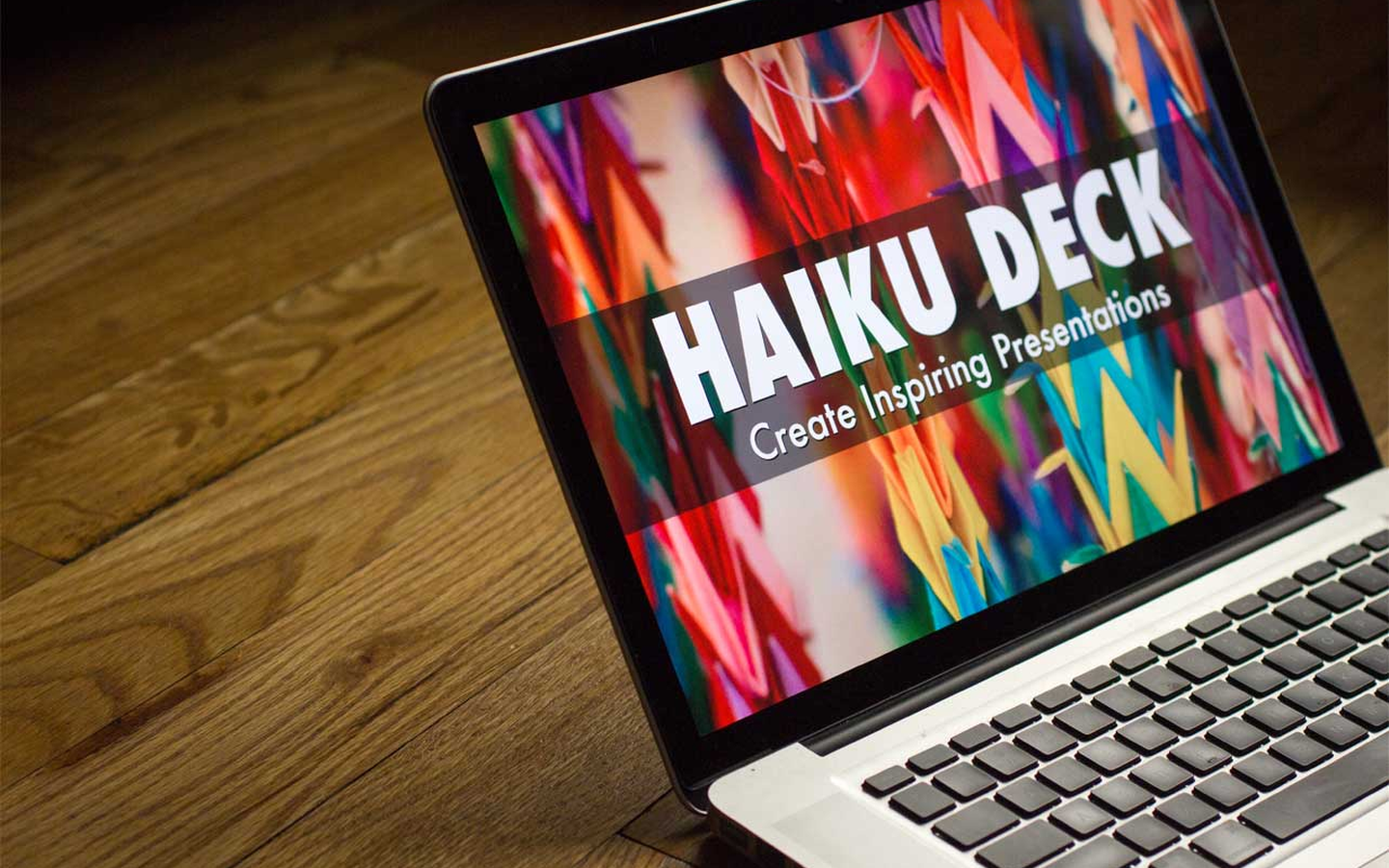
HaikuDeck
Core parameters and statistics
Haiku Deck is an online slideshow tool positioned as a "minimalist visual presentation". The core concept is derived from the "simplicity" spirit of Haiku - the core idea of only one sentence per slide, paired with a large full-screen image, forcing users to focus on key information rather than text accumulation. Its AI capabilities are carried through the "Haiku Deck Zuru" brand, covering the entire process from content refining to visual matching.
| Projects | Public Information |
|---|---|
| Official positioning | Visual storytelling through presentations |
| Core philosophy | One sentence per page + one big picture, Simple, Beautiful, Fun |
| AI capabilities | Haiku Deck Zuru (AI content extraction + intelligent image matching + automatic layout and color matching) |
| Deployment method | Web client + iPad App + iPhone App |
| Home | US (Seattle) |
| Team background | Techstars incubation, CEO Adam Tratt, CTO Kevin Leneway |
| Latest version | 4.0 (~2024) |
| Image library size | 40M+ Creative Commons free images |
| Supported Platforms | Web, iOS |
Practical Implications of Design Philosophy: Traditional presentation tools encourage users to "stack content," causing the audience to read rather than listen. Haiku Deck forces content refining through layout constraints - the physical size of the input box on each page limits the amount of text, and users are forced to think about "what is the point of view that they most want to convey on this page?" The implicit benefits of this constraint in the workflow are: the time for preparing the presentation shifts from "layout adjustment" to "content polishing", and the speaker's memory of the core arguments is stronger during rehearsal.
Layering of AI integration direction: Haiku Deck Zuru is not a single AI function, but a combination of a set of AI capabilities - from the input side (content understanding and paragraph compression), to the processing side (semantic image matching, automatic color and font selection) to the output side (multi-screen adaptive typesetting). This end-to-end AI link means that users do not need to switch between multiple tools: the three steps of document editing, image search, and layout design are combined into one operation.
User and market recognition
Haiku Deck’s market recognition mainly comes from media reputation and user scale, rather than publicly disclosed financial data or corporate customer lists.
User scale: The official page is clearly marked "Millions of decks created", indicating that the product has passed the early verification stage and has formed a certain scale of creator community and public demonstration gallery (Gallery). The product has also been reported by technology media such as Macworld and Xconomy. Macworld commented that "it's time to officially abandon PowerPoint as your preferred slideshow tool."
Media reports and industry reputation: Xconomy reported after experiencing Zuru that "Tratt demonstrated how Haiku Deck Zuru can automatically convert a report outline into a slideshow containing related pictures. The whole process took less than a minute... The effect he demonstrated was shocking." This type of third-party evaluation formed the early basis of trust for Haiku Deck in the "AI demonstration" segment.
Community and Social Ecology: The product has operating accounts on Facebook, Twitter, LinkedIn, Pinterest and other platforms. The Gallery section allows users to publicly share works and discover each other, which means that its user growth depends partly on the word-of-mouth effect brought about by social communication and public display of works, rather than being purely driven by placement.
Current limitations: The copyright of the official page is marked as 2019, and the design style of the pricing page and Zuru function page shows that the product completed major functional iterations between 2015 and 2019, and has not undergone large-scale interface or brand upgrades since then. This means that there is a generation gap between its AI capabilities (based on machine learning technology around 2015) and current AI demonstration tools based on large language models (such as Tome and Gamma). Users need to pay attention to this background when choosing.
Cost advantage
Haiku Deck adopts a freemium model, and its cost structure covers the entire path from personal free experience to team business purchases.
C-side/individual users: Basic free plan is provided. Users can create 1 public demo and host it on the Haiku Deck platform, but the files cannot be downloaded. This is a zero-cost entry point for individual users who only want to make occasional online demos, but the 1-deck limit means continued use will require upgrading. The Pro plan pays $9.99/month annually (equivalent to $119.88/year) or $19.99/month monthly, providing unlimited deck creation, PPTX/PDF export, privacy control, audio narration YouTube embedding, custom branding, and other capabilities. The Premium plan is $29.99/month ($359.88/year), which adds in-depth analysis, visitor tracking, real-time web playback, and priority technical support.
Hidden Cost Consideration: The free version is limited to 1 public deck and is not downloadable. This is actually a "trial experience" rather than a long-term free plan. The Pro annual payment is $9.99/month, which is at a moderately low level compared to similar AI demonstration tools (such as Gamma’s Plus plan $10-15/month), but its AI capabilities (Zuru) are fully available in Pro without additional payment. But please note: the download function is not available during the free trial period, and users must pay first to obtain offline files.
Enterprise/Team Plan: 5 people or more contact [email protected] for discounted pricing. Enterprise-level costs should also be considered: the lock-in effect of Haiku Deck - presentations are stored on the official cloud platform, and if they need to be migrated to other tools, the man-hour cost of manual reconstruction may be higher than the subscription fee itself. It is recommended that the team complete 3-5 real demonstrations with a Pro personal account before purchasing in bulk to verify whether the output quality meets the brand standards for formal occasions, and then decide whether to expand to a team solution.
Main features of Haiku Deck
The functions of Haiku Deck are organized around the three lines of "content input → AI processing → visual output". The core value is to transform presentation production from "typesetting labor" to "creative expression".
-
AI automatic demo creation (Zuru): This is the most differentiated feature of Haiku Deck. Users upload a simple outline, an existing PowerPoint file, or a link to a Wikipedia article, and Zuru automatically analyzes the structure of the content, extracts key information points, generates a one-sentence summary for each page, and matches it with corresponding images. The actual effect depends on the clarity of the input content - structured outlines (such as hierarchical headings) have the highest output quality, while large sections of continuous text may miss key points or have semantic deviations in the illustrations.
-
One-sentence content refining: The paragraph entered by the user is automatically compressed by AI into the core point of view in one sentence. This is not a simple truncation, but a rewriting based on semantic understanding. The output usually retains the original meaning but sacrifices some details - suitable for "speech prompt" scenarios, but not suitable for occasions where technical details need to be fully conveyed.
-
Smart Image Matching and 40M+ Gallery: Based on page semantic analysis, the system recommends high-definition images from the 40M+ Creative Commons image gallery. The quality of image recommendation depends on the specificity of the content - specific nouns ("desert", "city skyline") have a high degree of matching, while abstract concepts ("growth", "innovation") may be "decorative images" rather than "informational images". Users can also upload their own images or graphics.
-
Smart Color and Font Detection: Zuru automatically analyzes the dominant colors of the selected image, extracts the color scheme and applies it to fonts, backgrounds and graphic elements throughout the deck. This mechanism eliminates the extra step of "selecting the image and then adjusting the color", but it also means that the user's control over the color scheme is reduced - teams pursuing strict brand color alignment need to manually override it.
-
Multi-format import and cross-platform output: Supports importing content from PowerPoint, Wikipedia and outlines; output supports PPTX, PDF, online sharing, web page embedding and video (including audio narration). The work is automatically saved in the cloud and can be played on any Internet-connected device without the need to carry files.
Haiku Deck model and version evolution
The version iterations of Haiku Deck show the characteristics of "high-frequency innovation in the early stage and platform stability in the later stage". The product was launched in 2011 (incubated by Techstars). The launch of the AI function Zuru in 2015 marked its technical high point. Since then, it has entered the stage of functional improvement and commercialization without any major architecture-level updates.
Establishment and early versions (2011-2014): The product was born in Startup Weekend and Techstars incubation. It initially focused on iPad presentation tools and emphasized a "simple, beautiful, and interesting" creative experience. The early version solved the pain point of traditional presentation tools being inconvenient to operate on touch-screen devices, and relied on reviews from technology media such as Macworld to gain an initial user base.
Zuru AI Era (2015-2016): Haiku Deck Zuru was released in 2015 and was one of the few consumer products at the time to introduce machine learning to demo production. The core breakthrough of this version is "automatic demo building" - the time from outline to complete deck is reduced from hours to minutes. Zuru’s machine vision capabilities (image semantic matching and color extraction) were at the forefront of consumer-level tools at the time, but its underlying technology was based on computer vision and NLP technology around 2015, and there was a generational difference with AI demonstration tools based on large language models after 2024.
Platform improvement period (2017-2019): The product focus shifts to commercialization - the launch of Pro/Premium tiered pricing, PPTX/PDF export, privacy control, analysis tracking and other enterprise-level functions. The web side becomes the main entrance, and the iPad/iPhone side serves as a supplementary creation interface. The updates at this stage are mainly functional increments, and there are no architecture-level innovations similar to Zuru.
Current status (2020-present): The copyright mark on the official page is as of 2019. The design language of the pricing page and Zuru function page remain consistent, indicating that the product has not undergone major visual or brand updates in the past 5-6 years. The specific changes in the latest version 4.0 (~2024) have not been fully disclosed by the official. For potential users, this means that the product's feature set has been stable, and there is no obvious pressure to catch up with new features. However, it also means that there is a gap in AI capabilities with the new generation of AI demonstration tools such as Gamma, Tome, and Beautiful.ai that will emerge between 2024 and 2026.
Technical advantages
Haiku Deck's technical route selection was forward-looking when it was released in 2015, and its core mechanism still has engineering reference value in specific scenarios today.
AI-driven end-to-end demonstration pipeline: Haiku Deck Zuru's technical link consists of five sections: "Content Understanding → Structural Splitting → Image Matching → Color Analysis → Layout Generation", forming a system that directly connects the input content to the finished demonstration. This end-to-end pipeline was the first of its kind among consumer tools in 2015, and its design ideas are consistent with current LLM-based demonstration generation tools. However, the underlying NLP and image matching algorithms were limited by the model capabilities at the time (pre-trained word vectors and traditional computer vision), and were weaker than current large language model solutions in terms of semantic understanding and mapping accuracy.
Engineering implementation of semantic image matching: The system does not only rely on keyword tags to match images, but analyzes the semantic vector similarity of the page text to retrieve the semantically closest results in the 40M+ image library. The advantage of this method is that it can handle "metaphorical pictures" (such as using pictures of "climbing a mountain" to express "business growth"), but for content that is highly abstract or dense with industry terms, the matching accuracy drops significantly.
Adaptive Visualization Rule Engine: Haiku Deck's layout is not a static template switching, but a set of rules-based visualization engine - automatically detecting the focus area of the image (face, subject edge, high contrast area) to ensure that the visual center of gravity does not shift under different cropping ratios; at the same time, dynamically adjust text color and shadow according to the main color of the image to ensure readability. The design concept of this engine is consistent with today's "responsive design", but it is a differentiated technical capability in the 2015 demonstration tool.
Engineering Generation Gap Tip: It needs to be pointed out objectively that Haiku Deck’s technology stack belongs to the "classic machine learning" category from the perspective of 2024-2026, rather than the "large language model" route. There is a gap between it and the new generation tools built based on the GPT/Claude model such as Tome and Gamma in terms of the depth of content understanding, semantic accuracy of accompanying images, and flexibility of generation. Specific manifestations include: limited summary quality for long documents, accompanying images that may "look relevant but are actually inaccurate", and lack of multi-round conversational editing capabilities.
How to use
Haiku Deck provides two portals, Web and iOS, with a simple registration process and supports quick login with social accounts.
| How to use | Suitable for the crowd | Features | Cost |
|---|---|---|---|
| Web App | All users | Directly access haikudeck.com with your browser to create or import outline/PPT/Wikipedia links | Basic free (limited to 1 public deck) |
| iPad App | Mobile office worker | App Store download, supports touch screen creation and meeting presentations | Same subscription as the web version |
| iPhone App | Create on the go | Lightweight editing and browsing, suitable for recording inspiration | Same subscription as the web version |
| Zuru AI builds demos | Quick production requirements | Upload an outline or link, and AI will automatically generate a complete deck | Available for Pro and above subscriptions |
Typical usage process:
- Visit haikudeck.com and register for a free account or log in using social media.
- Choose the creation method: start from blank AI import (Zuru), or use preset templates (thousands of industry templates are available).
- If using Zuru: Enter a content outline (or paste PowerPoint text/Wikipedia link) and Zuru automatically generates an initial deck. Users can adjust text, replace pictures, and switch theme colors page by page.
- After completing editing, you can choose to share online (generate a public link), export PPTX/PDF (Pro and above), or add audio narration and export as video.
- All decks are automatically saved in the cloud and can be viewed and edited after logging in from any device.
Note: After the free trial is completed, the deck you have created can still be viewed online, but the download and privacy control features require a subscription. It is recommended that new users complete the production and export of key demos within the 7-day trial period to avoid the problem of limited downloads only to be discovered after the trial is over.
Product Pricing
Haiku Deck adopts a three-tier pricing structure, plus discount plans for specific groups of people. The overall gradient is "free trial + personal subscription + team business".
Basic (Free): Limited to 1 public demo, hosted on the Haiku Deck platform and indexable by search engines, no downloads and no privacy controls. Suitable for initial product experience, but not for formal business demonstrations or customer delivery scenarios.
Pro ($9.99/month annual payment or $19.99/month monthly payment): The pricing page lists the annual payment as $119.88, equivalent to $9.99/month; the monthly payment is $19.99/month. Provides unlimited deck creation, PPTX/PDF download, privacy control, audio side recording as video YouTube search and embedding, custom branding (Logo/color), PowerPoint image search plug-in Zuru AI to build demos. This is the main solution for individual creators and high-frequency users.
Premium ($29.99/month, $359.88/year): Includes all Pro features, plus in-depth analysis and lead tracking, demo viewing notifications, real-time web playback, and priority technical support. It is suitable for business sales, marketing and external customer presentation scenarios. Its analytical capabilities are of practical value in understanding "who watched what content and for how long."
Special Offer: Non-profit organizations, students and educators can apply for exclusive discount pricing. The specific amount needs to be confirmed by contacting the official or opened through the dedicated registration portal.
Team/Business: For 5 or more subscriptions, contact [email protected] for a discount. Prices are not displayed on the public page and require business communication. Enterprise contracts often include provisions for centralized account management, unified billing, and team access control.
Free trial boundaries: All paid plans provide a 7-day free trial. During the trial period, you can fully use the Pro/Premium functions, but the download function is not available during the trial period (the page is clearly marked "Download not included in free trial"). This means that decks created during the trial period cannot be directly exported to offline files after the trial ends, and users need to decide whether to subscribe before the end of the trial period.
Application scenarios
Haiku Deck's minimalist visual constraints are suitable for "speech-driven" scenarios, but have limited effectiveness in "information transfer-based" scenarios.
-
TED-style speech and theme sharing: Speakers need to convey a clear point of view on each page. Haiku Deck's "one sentence + one big picture" rhythm is naturally suitable for situations where "speech is the main part and slides are the supplement". Speakers have an easier time remembering the core arguments of each page when rehearsing, and the audience's attention is focused on the speaker rather than reading the screen. The benefits are reflected in improved speech fluency and improved audience information absorption. Key points to check: Check whether the pictures on each page truly reflect the content of the argument and are not just for decoration.
-
High-level reports and business proposals: Reports to CEOs or investors usually require 15 minutes to explain the core logic, rather than reading data page by page. Haiku Deck's formatting constraints force presenters to focus the supporting information for each argument in a verbal presentation, with the slides presenting only one concluding sentence. This makes the presentation faster and more information dense, suitable for "decision-oriented" rather than "comprehensive information" communication scenarios. Key points for verification: Ensure that key data are fully supported in oral presentation and avoid oversimplification of slides leading to information loss.
-
Brand Story and Marketing Presentation: Use full-screen high-quality images and streamlined copywriting to create a brand narrative with strong sensory impact. Haiku Deck’s built-in image library and automatic color matching mechanism allow non-designers to quickly create visually unified brand stories. It is especially suitable for occupations such as real estate agents, travel bloggers, and event planners that frequently require "looking at pictures to speak". Key points to verify: Whether the embedding of custom brand colors and corporate logos is fully supported in the Pro plan.
-
Teaching Training and Conference Briefings: Applicability depends on the type of content. Concept explanations (such as "What are first principles") have a high degree of adaptability, because one-sentence definition + metaphorical images can help the audience quickly establish cognition; but technical operation procedures (such as "How to configure a server"), data-intensive analysis (financial statement interpretation) and scenarios that require detailed comparison (version comparison, legal clauses) have a low degree of adaptability because the page space cannot accommodate the necessary detailed information. For the latter type of content, Haiku Deck is recommended as a "summary cover" tool, with details supplemented in dictation or accompanying documentation.
Applicable people
Haiku Deck's concept of "constraints and forced focus" determines that it has a clear best-fit crowd and scenes that should be avoided.
-
Speakers and Content Creators: Professionals who need to make frequent external presentations - consultants, entrepreneurs, training instructors, marketing managers. The core pain point for this group of people is not "cannot make slides", but "slides distract the audience from the speech." Haiku Deck’s minimalist constraints respond directly to this need. Prerequisite: The speaker has a full grasp of his content and does not need to fill every page with prompt words.
-
Business staff with non-design background: Sales, operations and product positions without professional design skills but need to produce external presentations. Haiku Deck's automatic color matching, intelligent image matching and template system lower the threshold for "making a visually decent deck", significantly saving time compared to adjusting fonts and color blocks in PowerPoint from scratch. Deduction benefits: The time from "requiring design assistance" to "independent completion" is shortened by about 60-80%.
-
Educators and Students: Especially teachers who need to create conceptual presentations and students who want to make classroom presentations. Zuru’s AI import function is helpful for organizing knowledge outlines and quickly generating visual aids. Educational discount prices further reduce the cost of use for student groups.
-
Not suitable for the crowd (clear): (1) Practitioners who need to display complex data sets, technical architecture diagrams or detailed financial models - the page space of Haiku Deck cannot carry such information; (2) Large enterprise marketing departments who need to strictly align brand visual specifications (precise color values, specific fonts, fixed layouts) - the automatic color matching mechanism may conflict with enterprise CI; (3) Pursue the latest AI demonstration capabilities (multi-round conversational editing AI Users who generate accompanying images rather than from gallery matching and intelligent data analysis integration) - Haiku Deck's AI capabilities are based on the machine learning technology stack in 2015. There is a generation gap between the depth and flexibility of semantic understanding and tools driven by large language models such as Tome and Gamma.
Summary and Outlook
The unique value of Haiku Deck lies in using design constraints to drive content quality - it is not a "presentation tool with the most functions", but a creative context that "forces you to think about the core information". In speech-oriented scenarios (TED-style speeches, high-level reports, brand narratives), its value proposition still holds; but in information-intensive scenarios (technical documents, data reports, teaching courseware), space limitations become a bottleneck rather than an advantage.
Core Competencies: The constraint philosophy of "one sentence + one big picture" + Zuru AI's end-to-end automatic demonstration pipeline + the copyright safe harbor effect of 40M+ free image libraries. These three together form a product positioning that is friendly to "speakers" rather than "typesetters".
Current limitations and risk assessment: (1) Technology generation gap: The core AI capabilities are based on machine learning technology from 2015-2016, and there is a clear gap with the current large language model driven AI demonstration tools, which is weak in content understanding and generation quality; (2) Product iteration stagnation: the official page copyright is marked 2019, there has been no major function or interface update in the past 5-6 years, and product maintenance risks need to be assessed; (3) Platform lock: presentation data is stored in Haiku Deck cloud platform, exporting to PPTX/PDF requires a paid subscription, and batch migration costs are high; (4) Lack of enterprise functions: it lacks standard functions of modern collaborative presentation platforms such as multi-person online collaboration, version management, and enterprise SSO.
Purchasing/Adoption Recommendations: For individual speakers or small teams, the Pro annual plan ($9.99/month) is a reasonable "low-risk early adopter" option - complete 3-5 real-life demonstrations first to evaluate whether the output quality meets the requirements of formal settings. For teams already using Gamma, Tome or Beautiful.ai, the differentiated value of Haiku Deck is no longer obvious and migration is not recommended. For enterprise scenarios that require offline delivery, multi-person collaboration, or strict brand control, it is recommended to prioritize evaluating modern presentation platforms that can provide these capabilities over Haiku Deck.
Related tools:  Notion AI, google-workspace
Version Info
- Haiku Deck 4 :There is no official precise date yet; a major version update that introduces AI assistance functions.
- Haiku Deck 3 :There is no official precise date yet; optimized template library and image search integration.
User Reviews